Title here
Summary here

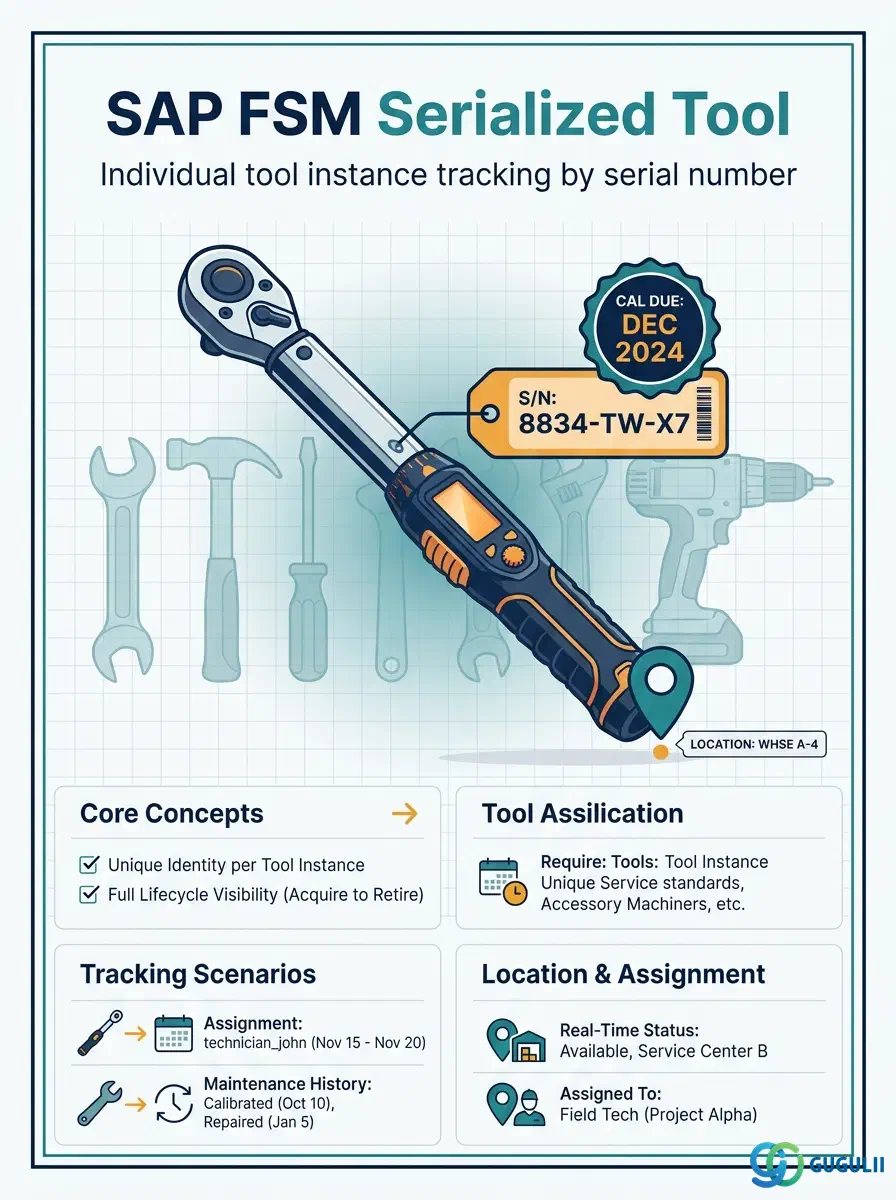
Serialized Tool is FSM’s master record for a single, individually identified physical tool — a specific torque wrench, diagnostic meter, or gas detector — tracked by a unique serial number rather than by aggregate quantity. It exists only as a specialization of an existing Generic Tool record (FSM-A05-02): where a Generic Tool answers “what type of tool is this, and how many do we have in aggregate,” a Serialized Tool answers “which exact physical unit is this, where is it right now, and when does it next need calibration, warranty service, or safety inspection.” Serialized Tool is the third of five objects — Item (FSM-A05-01), Generic Tool (FSM-A05-02), Serialized Tool, Warehouse (FSM-A05-04), and Van Stock (FSM-A05-05) — that this series covers in the Material & Tool Management domain (Phase 4, Zone D). This article maps every field FSM consultants configure on a Serialized Tool record, and how those fields connect it to Generic Tool, Equipment, Warehouse, Van Stock, and Person/Technician.
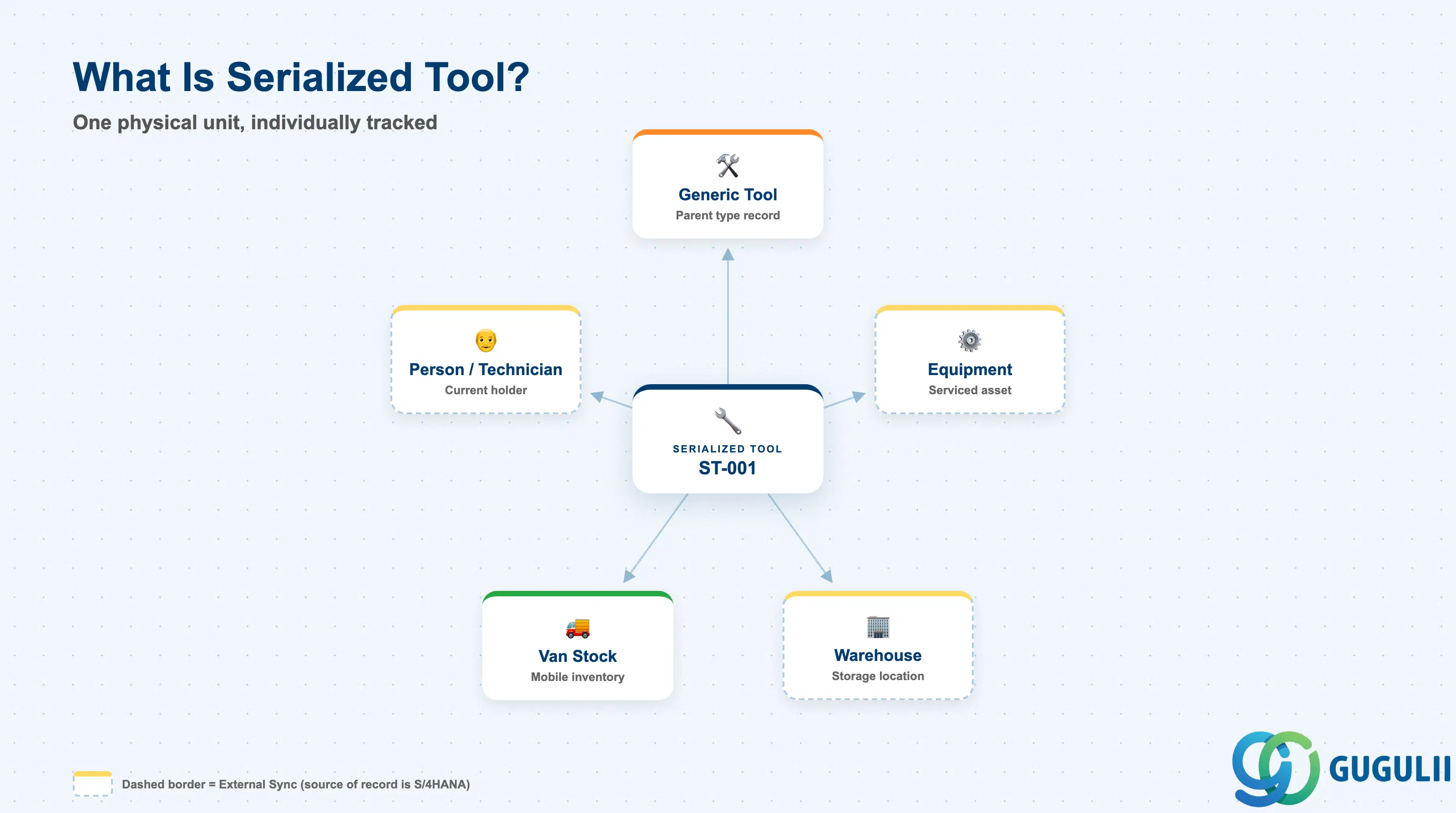
A Serialized Tool represents one specific, individually identifiable physical unit — not a tool type or category. It exists only as a specialization of a Generic Tool record already defined (FSM-A05-02), and it adds exactly what a Generic Tool cannot provide on its own: a unique serial number, a single current location, and — where relevant — calibration, warranty, or safety-inspection tracking for that one physical unit. Where a Generic Tool answers “how many of this tool type do we have, in aggregate,” a Serialized Tool always answers “where is this exact unit, right now.”
| Aspect | Details |
|---|---|
| Role | Master record of one individually serial-numbered physical tool instance, defined against an existing Generic Tool (FSM-A05-02); tracked by serial number and current location rather than aggregate quantity, and optionally carrying calibration, warranty, or safety-inspection dates |
| Modules using it | FSM (Material & Tool Management — sole owner; Serialized Tool is FSM-native, layered on top of a Generic Tool record that is itself layered on an Item) |
| Transactions | FSM Web UI “Master Data Management” app — Serialized Tool is maintained as an individual tool instance referencing an existing Generic Tool, in the same app used for most FSM master records |
| Key Tables | FSM: Serialized Tool business object (Core API / OData entity) — FSM is a multi-tenant cloud solution and does not use classical ABAP tables; there is no S/4HANA table equivalent |
| S/4HANA note | Serialized Tool is not replicated in from S/4HANA — it is created and maintained natively in FSM, always as a specialization of an existing Generic Tool record; unlike Item and Warehouse (both S/4HANA→FSM sync), Serialized Tool has no upstream S/4HANA source of record at all |
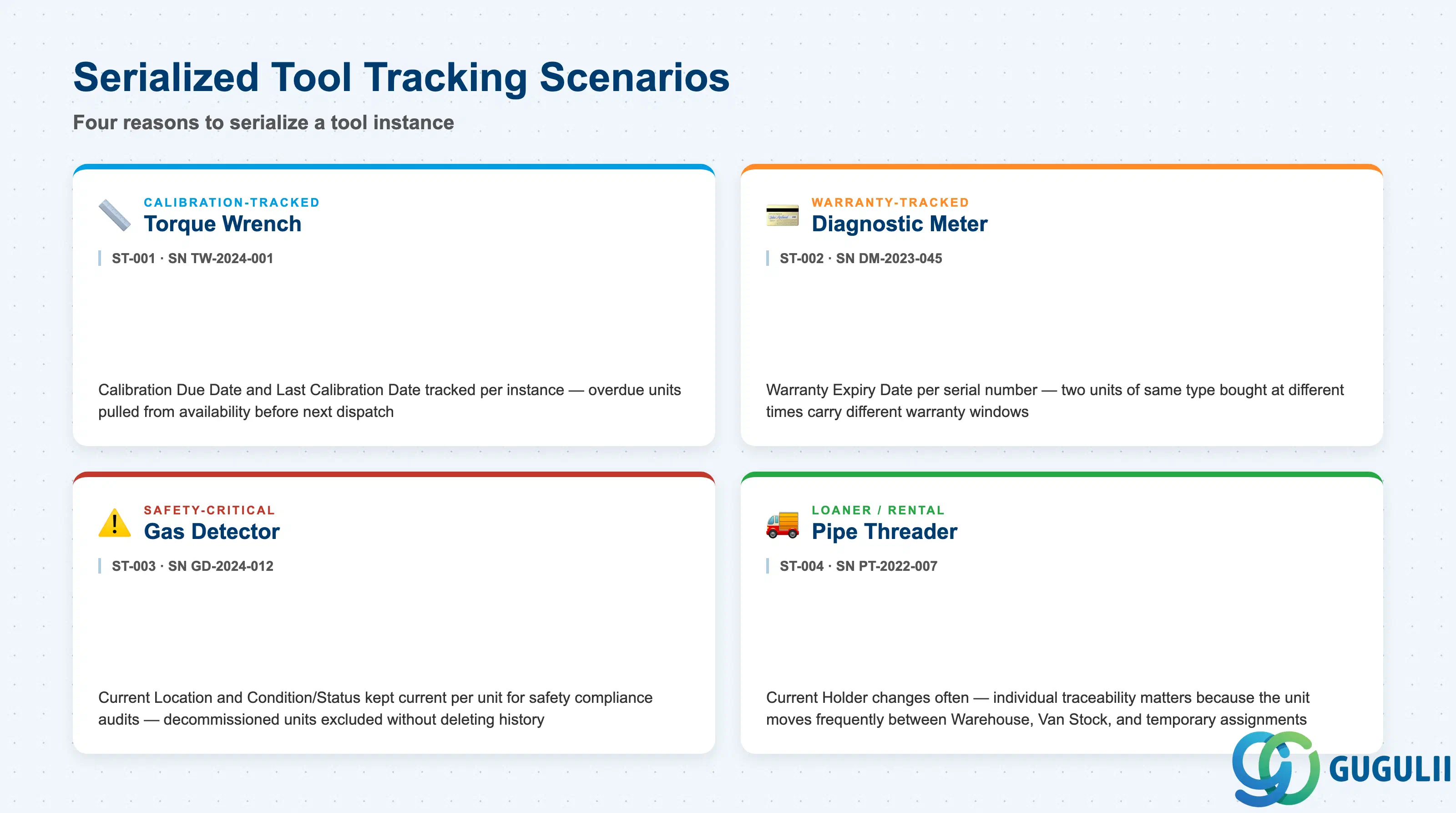
Not every Generic Tool that gets specialized into Serialized Tool instances is tracked for the same reason — which compliance or accountability need drives the decision to serialize shapes which fields on the instance actually matter to consultants and technicians day to day.
| Scenario | Example | Use Case | Key Behavior |
|---|---|---|---|
| Calibration-Tracked Tool | Serialized Tool ST-001 — SN TW-2024-001, instance of Generic Tool GT-001 (Torque Wrench) | Measurement or torque tools that must be periodically recalibrated to remain valid for use | Calibration Due Date and Last Calibration Date are tracked per instance; a unit overdue for calibration should be pulled from availability before it is dispatched on another Service Call |
| Warranty-Tracked Tool | Serialized Tool ST-002 (illustrative) — SN DM-2023-045, instance of a Diagnostic Meter Generic Tool | Higher-value tools purchased with a manufacturer warranty that varies by purchase date, not by tool type | Warranty Expiry Date is recorded per serial number, since two units of the same Generic Tool type bought at different times can carry different warranty windows |
| Safety-Critical Tool | Serialized Tool ST-003 (illustrative) — SN GD-2024-012, instance of a Gas Detector Generic Tool | Safety equipment where a specific unit’s inspection history and current condition must be individually auditable | Current Location and Condition/Status are kept current per instance to support safety compliance audits; a Decommissioned unit is excluded from technician tool-selection without deleting its history |
| Loaner/Rental Tool | Serialized Tool ST-004 (illustrative) — SN PT-2022-007, instance of a Pipe Threader Generic Tool | Tools that move frequently between Warehouse, a technician’s Van Stock, or a temporary rental period, rather than sitting in one place | Current Holder / Assigned Technician changes often; individual traceability matters precisely because the unit doesn’t stay put, unlike a pooled Generic Tool |
Design principle: The specific business reason for serializing a tool (calibration, warranty, safety, loaner) is a process decision layered on top of Serialized Tool’s fields — it is the presence of a Serial Number and a Current Location on the record, not any dedicated “scenario type” field, that makes an instance individually traceable in the first place.
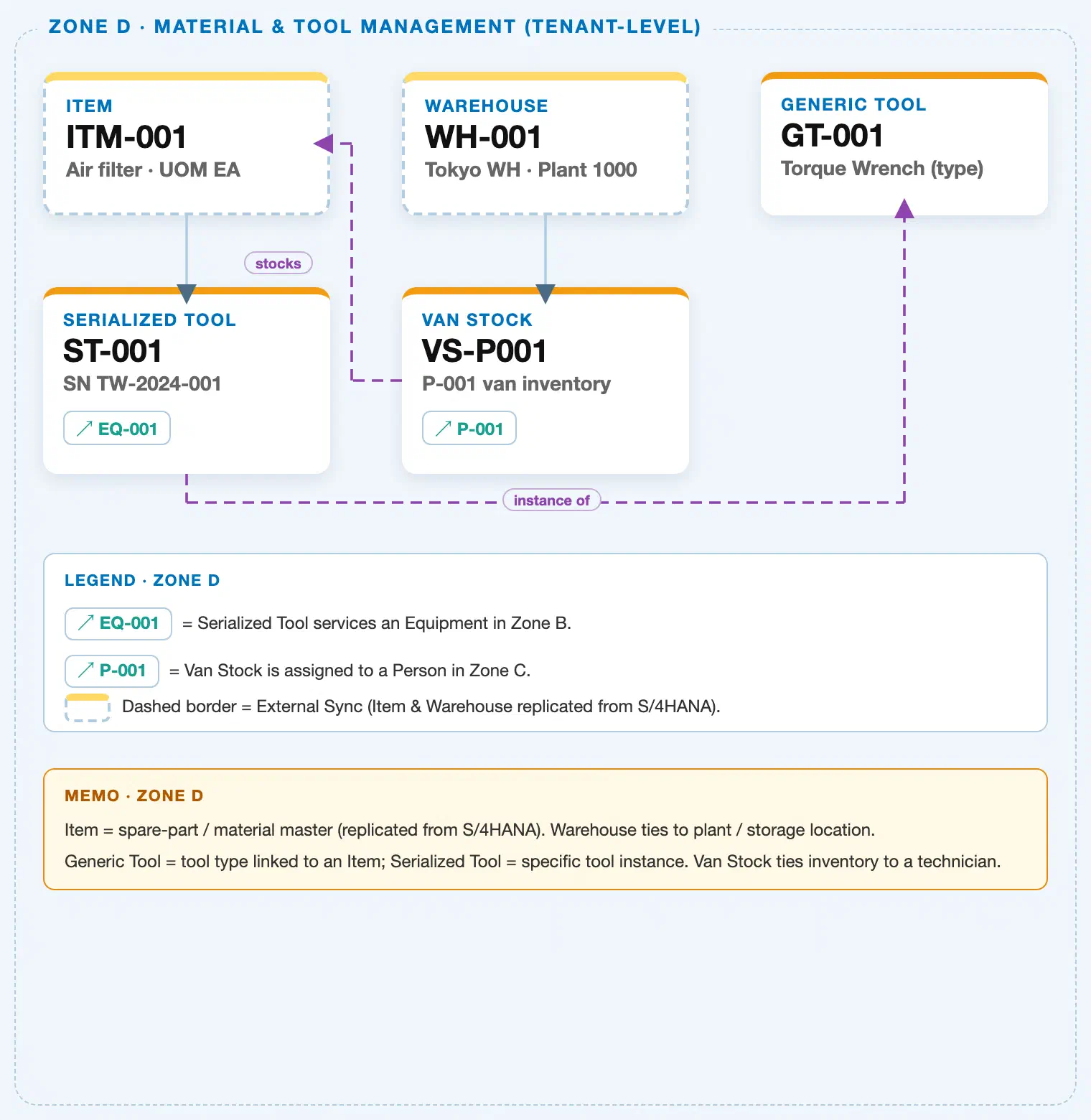
Data hierarchy with a concrete example (Zone D · Material & Tool Management — tenant-level; FSM has no Company Code / Plant scoping above these objects)
Client (FSM Tenant)
   │
   ├── Item ITM-001 — Air Filter, Item Type = Part            (illustrative Item/Warehouse example shown
   │                                                            elsewhere in this shared Zone D crop)
   ├── Warehouse WH-001 — Tokyo Warehouse, Plant 1000          (S/4HANA→FSM sync; tenant-level catalog)
   │
   └── Generic Tool GT-001 — Torque Wrench (tool type record; FSM-A05-02)
          ── references ──▶ Item (reference, Item Type = Tool — a distinct Tool-type Item record from
                              ITM-001 above, which illustrates a Part-type Item; not itself drawn as a
                              separate node in this shared Zone D crop)

Serialized Tool ST-001 — SN TW-2024-001 (individual physical instance; this article):
   Serialized Tool ST-001 ── instance of ──▶ Generic Tool GT-001
   Serialized Tool ST-001 ── services ──▶ Equipment EQ-001 (Zone B; cross-zone chip)
   Serialized Tool ST-001 ── current location (reference, not drawn in this shared Zone D crop) ──▶
      Warehouse WH-001, or a technician's Van Stock (FSM-A05-05) if currently checked out

Van Stock VS-P001 — P-001's mobile inventory (FSM-A05-05):
   Van Stock VS-P001 ── stocks ──▶ Item ITM-001 (illustrative; a Van Stock line item can reference any
   Item, including a Part such as ITM-001, a Consumable, or the Tool-type Item a Generic Tool is defined
   against)
   Van Stock VS-P001 ── assigned to ──▶ Person/Technician P-001 (Zone C; cross-zone chip)
Design principle: Serialized Tool is a specialization of Generic Tool, never of Item directly — the “instance of” step happens exactly once, at the Generic Tool layer (FSM-A05-02). What Serialized Tool adds beyond its parent Generic Tool record is exactly two kinds of fact: identity (a unique Serial Number) and individual traceability (current location, current holder, and — where the tracking scenario calls for it — calibration, warranty, or safety-inspection dates). Generic Tool itself carries none of these; it only tracks aggregate quantity and category.
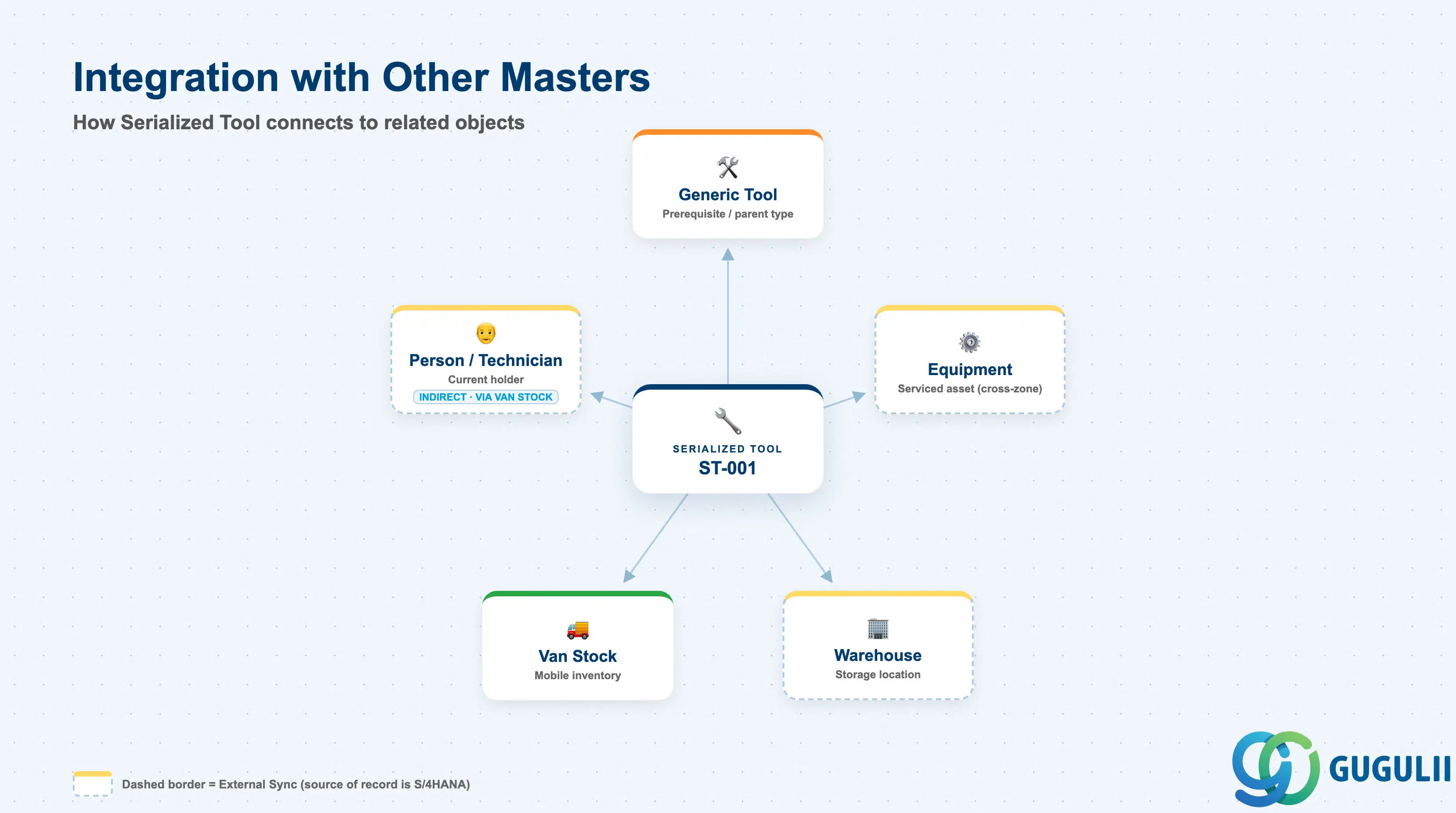
Serialized Tool does not stand alone. Every field on it exists to answer one question: which exact physical unit is this, and where — and in whose hands — is it right now?
| Object | Relationship | Practical Notes |
|---|---|---|
| Generic Tool (FSM-A05-02) | Prerequisite / parent type: every Serialized Tool record is defined against exactly one existing Generic Tool record | The mandatory prerequisite — a Serialized Tool cannot be created before its referenced Generic Tool exists. All instances sharing the same Generic Tool Reference are the same tool type/category, differing only by serial number and individual tracking data. |
| Equipment (FSM-A03-01) | Cross-zone reference: a Serialized Tool instance can reference the specific Equipment record it services or is calibrated against | Relevant for tools dedicated to one piece of equipment (e.g. a proprietary diagnostic probe); leave the reference blank for general-purpose tools used across many Equipment records. |
| Warehouse (FSM-A05-04) / Van Stock (FSM-A05-05) | Current location: a Serialized Tool instance’s own Current Location field points to whichever Warehouse or technician Van Stock physically holds it right now | The key contrast with Generic Tool (1.1): Generic Tool has no location field of its own and relies entirely on aggregate stock in Warehouse/Van Stock, while a Serialized Tool instance always has exactly one current location, tracked directly on its own record. |
| Person/Technician (FSM-A04-04) | Indirect, via Van Stock: when a Serialized Tool is checked out into a technician’s Van Stock, that technician becomes its Current Holder | Useful for accountability on the higher-value or safety-critical scenarios covered in 1.2 — answers “who has the calibrated meter today” without searching every technician’s Van Stock individually. |
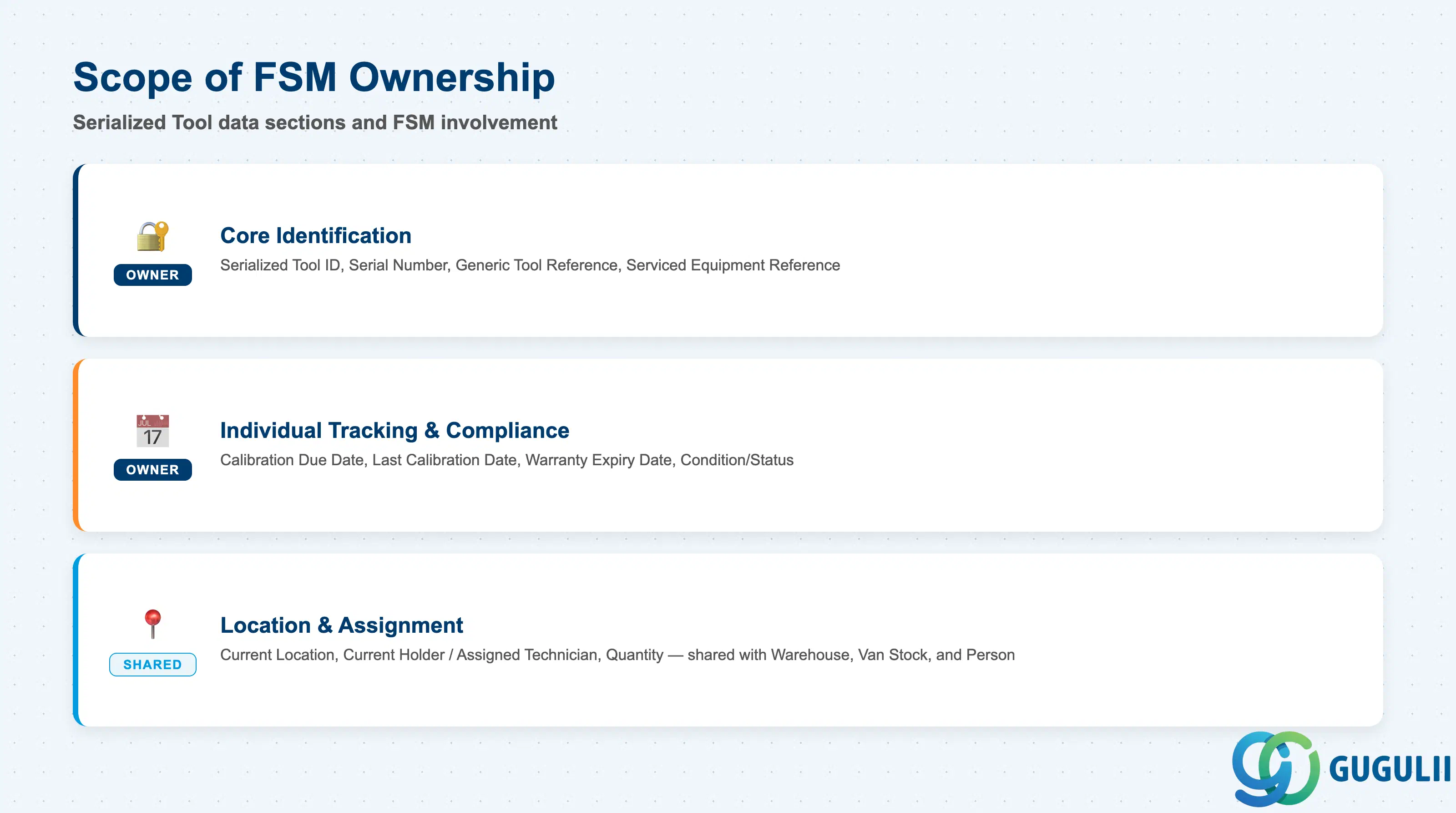
| Data Section | FSM Involvement | Notes |
|---|---|---|
| Core Identification | ◎ Owner | Serialized Tool ID, Serial Number, Generic Tool Reference, Serviced Equipment Reference — the fields that establish which exact physical unit this record is and which Generic Tool type it specializes |
| Individual Tracking & Compliance | ◎ Owner | Calibration Due Date, Last Calibration Date, Warranty Expiry Date, Condition/Status — the fields relevant when this instance’s tracking scenario (1.2) requires calibration, warranty, or safety-inspection history |
| Location & Assignment | ○ Shared with Warehouse / Van Stock / Person (FSM-A05-04 / FSM-A05-05 / FSM-A04-04) | Current Location, Current Holder/Assigned Technician, Quantity — how this specific physical unit is located, held, and (always) counted as exactly one |
Legend: ◎ = Owner / Critical, ○ = Direct involvement
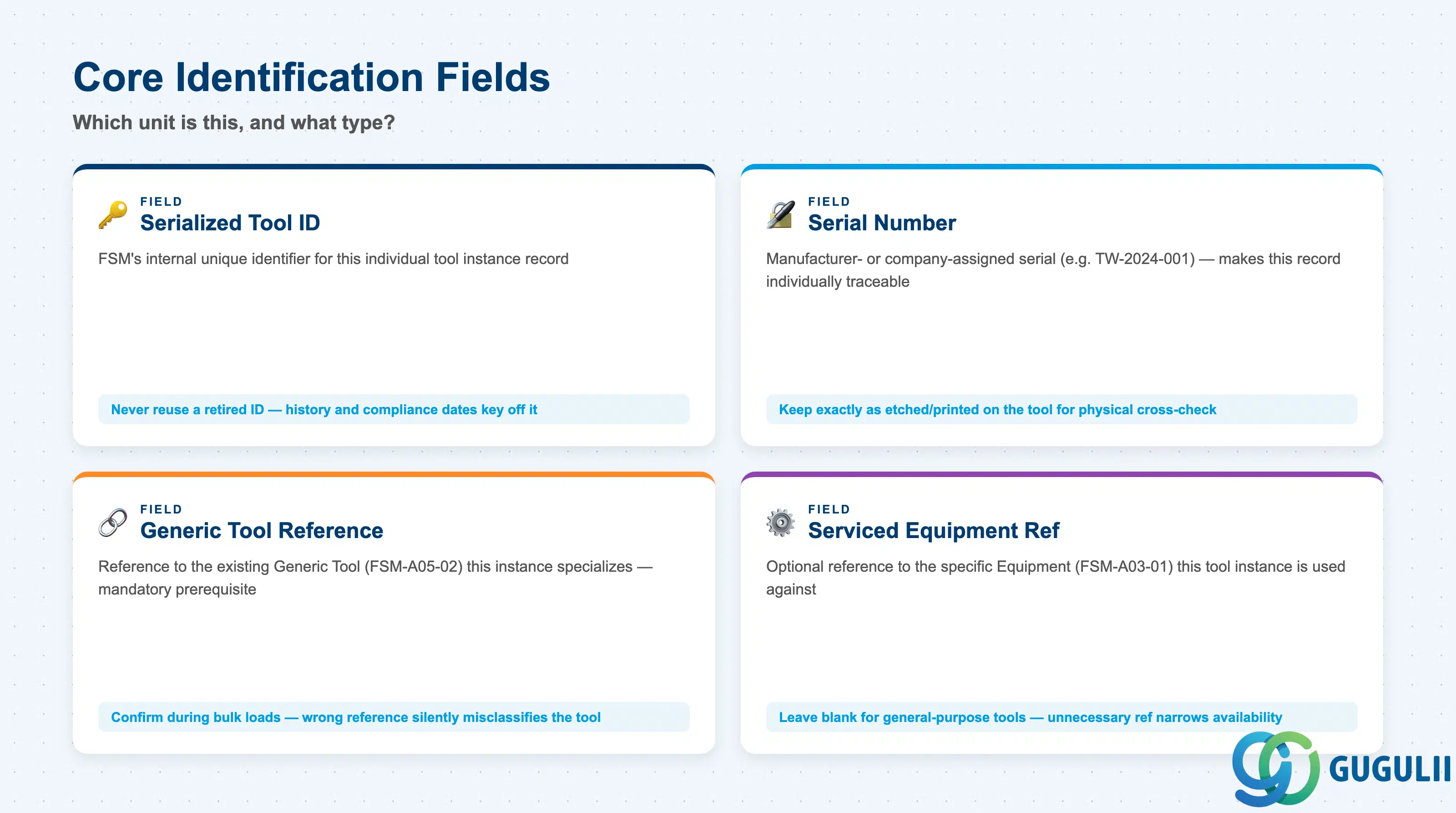
These four fields establish which exact physical unit a Serialized Tool record represents, before any compliance or location detail is layered on top.
| Field | Description | Practical Usage |
|---|---|---|
| Serialized Tool ID | FSM’s internal unique identifier for this individual tool instance record | Referenced wherever this specific physical unit’s location, service history, or calibration record needs to be traced. Never reuse a retired Serialized Tool ID for an unrelated physical unit — history and compliance dates key off it. |
| Serial Number | Manufacturer- or company-assigned serial number of the physical unit (e.g. “TW-2024-001”) | The field that makes this record individually traceable — keep it exactly as etched or printed on the tool itself, since technicians and auditors will cross-check it physically during calibration checks or safety inspections. |
| Generic Tool Reference | Reference to exactly one existing Generic Tool (FSM-A05-02) record that this instance specializes | The mandatory prerequisite — a Serialized Tool cannot be created without first selecting an existing Generic Tool type. Confirm this reference during bulk instance loads; attaching an instance to the wrong Generic Tool type silently misclassifies it in tool-selection lists. |
| Serviced Equipment Reference | Optional reference to the specific Equipment (FSM-A03-01) record this tool instance is used against or calibrated for | Relevant for tools dedicated to a single asset (e.g. a proprietary diagnostic probe); leave blank for general-purpose tools used across many Equipment records — an unnecessary reference here narrows the tool’s availability for dispatch. |
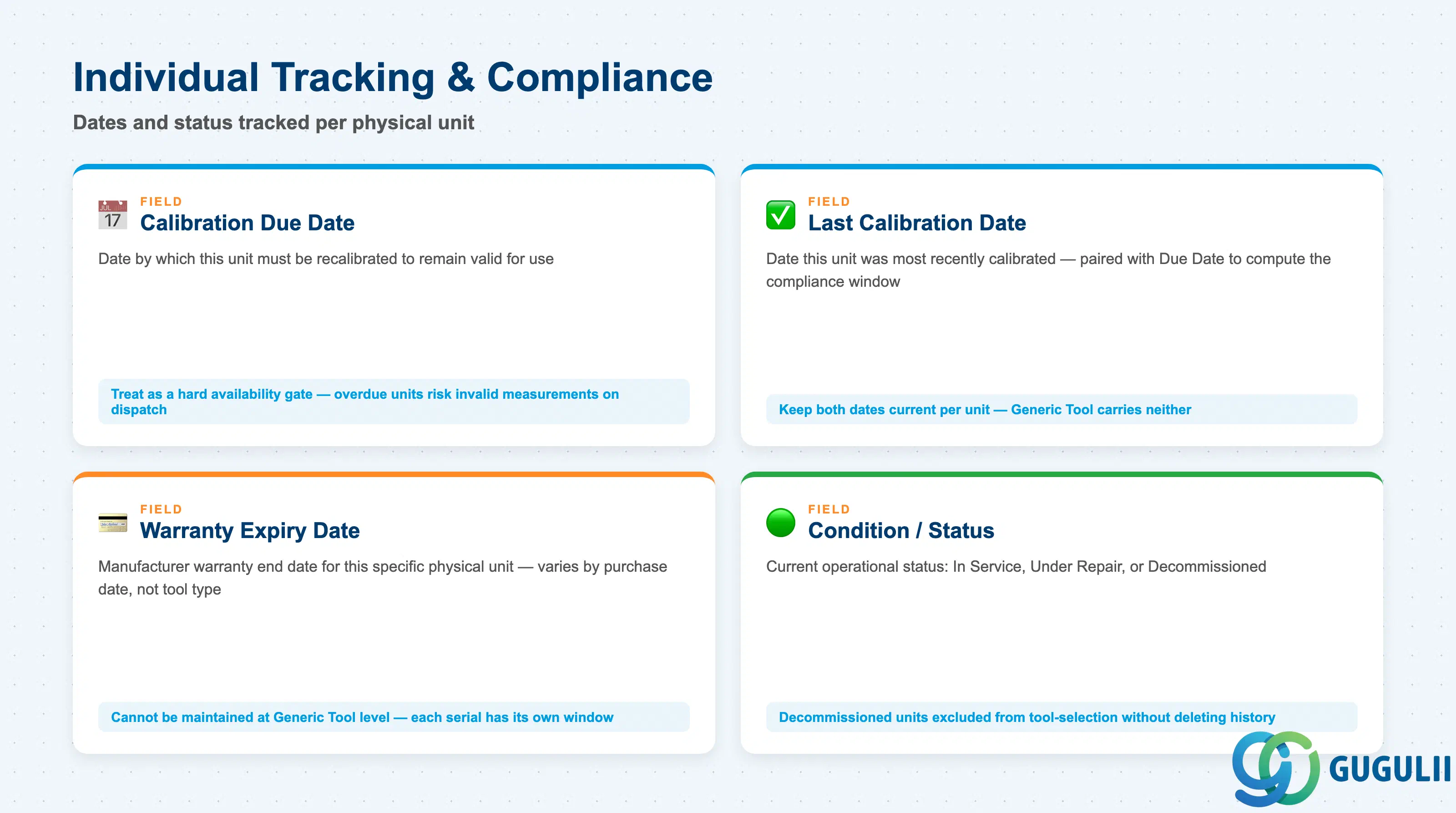
These fields exist because a Serialized Tool represents one physical unit, not a type — dates and status that would be meaningless averaged across a Generic Tool’s whole pooled quantity become exact and actionable at the instance level.
| Field | Description | Practical Usage |
|---|---|---|
| Calibration Due Date | Date by which this specific unit must be recalibrated to remain valid for use | The core reason many tool types are serialized in the first place (see 1.2). A technician dispatched with an overdue-calibration unit risks producing invalid measurements on a Service Call, not merely tripping a compliance flag — treat this date as a hard availability gate, not just a report column. |
| Last Calibration Date | Date this unit was most recently calibrated | Paired with Calibration Due Date to compute the compliance window for this instance; keep both fields current per unit, since Generic Tool carries neither — there is no type-level average to fall back on. |
| Warranty Expiry Date | Manufacturer warranty end date for this specific physical unit | Meaningful only per serial number, not per tool type — two units of the same Generic Tool bought at different times carry different warranty windows, so this cannot be maintained once at the Generic Tool level. |
| Condition / Status | Current operational status of this unit (e.g. In Service, Under Repair, Decommissioned) | Distinguishes a unit temporarily unavailable from one permanently retired. A Decommissioned Serialized Tool should be excluded from technician tool-selection lists without deleting its historical calibration and warranty record. |
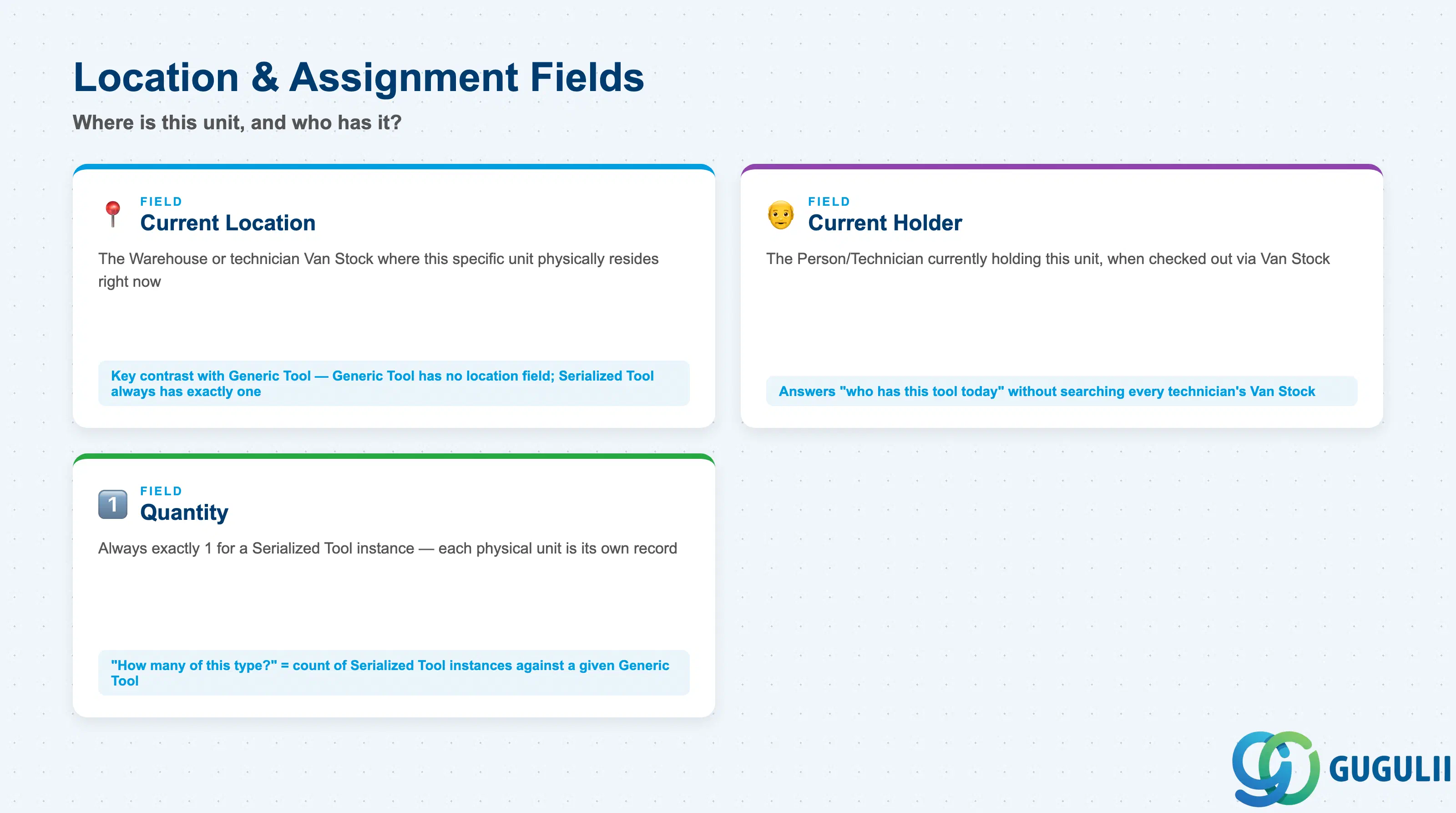
Unlike Generic Tool, which carries no location field of its own and relies entirely on aggregate stock elsewhere, a Serialized Tool instance always has exactly one current location and, at most, one current holder — these are the fields consultants check when tracing where a specific physical unit actually is.
| Field | Description | Practical Usage |
|---|---|---|
| Current Location | The Warehouse (FSM-A05-04) or technician Van Stock (FSM-A05-05) where this specific unit physically resides right now | The field that most concretely distinguishes Serialized Tool from Generic Tool: Generic Tool tracks aggregate quantity across many locations, while a Serialized Tool instance always has exactly one current location at any given time. |
| Current Holder / Assigned Technician | The Person/Technician (FSM-A04-04) currently holding this unit, when it has been checked out via Van Stock | Answers “who has this specific tool today” for accountability on the calibration-tracked, safety-critical, or loaner scenarios in 1.2, without needing to search every technician’s Van Stock individually. |
| Quantity | Always exactly 1 for a Serialized Tool instance | No aggregate quantity field exists on Serialized Tool the way it does on Generic Tool (see Generic Tool 2.2, FSM-A05-02) — each physical unit is its own record, so “how many do we have of this type” is answered by counting Serialized Tool instances against a given Generic Tool, not by a quantity value on any single record. |
Prerequisite: A Serialized Tool record cannot be created until its referenced Generic Tool (FSM-A05-02) already exists — Serialized Tool adds no tool-type or category fields of its own; it only adds the serial number, individual compliance dates, and current location/holder facts layered on top of the Generic Tool it specializes.
| ID | Category | Title |
|---|---|---|
| fsm-001 | Overview | What is SAP FSM? |
| ID | Category | Title |
|---|---|---|
| fsm-a01 | Overview | SAP FSM Master Data: Overview, Hierarchy & Relationships |
| fsm-a02-02 | Master Data | SAP FSM Contact |
| fsm-a02-03 | Master Data | SAP FSM Address |
| fsm-a03-01 | Master Data | SAP FSM Equipment |
| fsm-a03-02 | Master Data | SAP FSM Equipment Hierarchy |
| fsm-a03-03 | Master Data | SAP FSM Service History |
| fsm-a04-01 | Master Data | SAP FSM Skill |
| fsm-a04-02 | Master Data | SAP FSM Work Time Pattern |
| fsm-a04-03 | Master Data | SAP FSM Region |
| fsm-a04-04 | Master Data | SAP FSM Technician |
| fsm-a04-05 | Master Data | SAP FSM Crew |
| fsm-a04-06 | Master Data | SAP FSM Absence |
| fsm-a04-07 | Master Data | SAP FSM Skill Requirement |
| fsm-a05-02 | Master Data | SAP FSM Generic Tool |
| fsm-a05-03 | Master Data | SAP FSM Serialized Tool 📍 |
| fsm-a05-04 | Master Data | SAP FSM Warehouse |
| fsm-a05-05 | Master Data | SAP FSM Van Stock |
| fsm-a06-01 | Master Data | SAP FSM Partner Invitation |
| fsm-a06-02 | Master Data | SAP FSM Partner Registration |
| fsm-a06-03 | Master Data | SAP FSM Crowd Partner |
| fsm-a06-04 | Master Data | SAP FSM Partner Technician |
| ID | Category | Title |
|---|---|---|
| fsm-b01 | Overview | SAP FSM Transactions: Process Flow, Hierarchy & Relationships |