Title here
Summary here

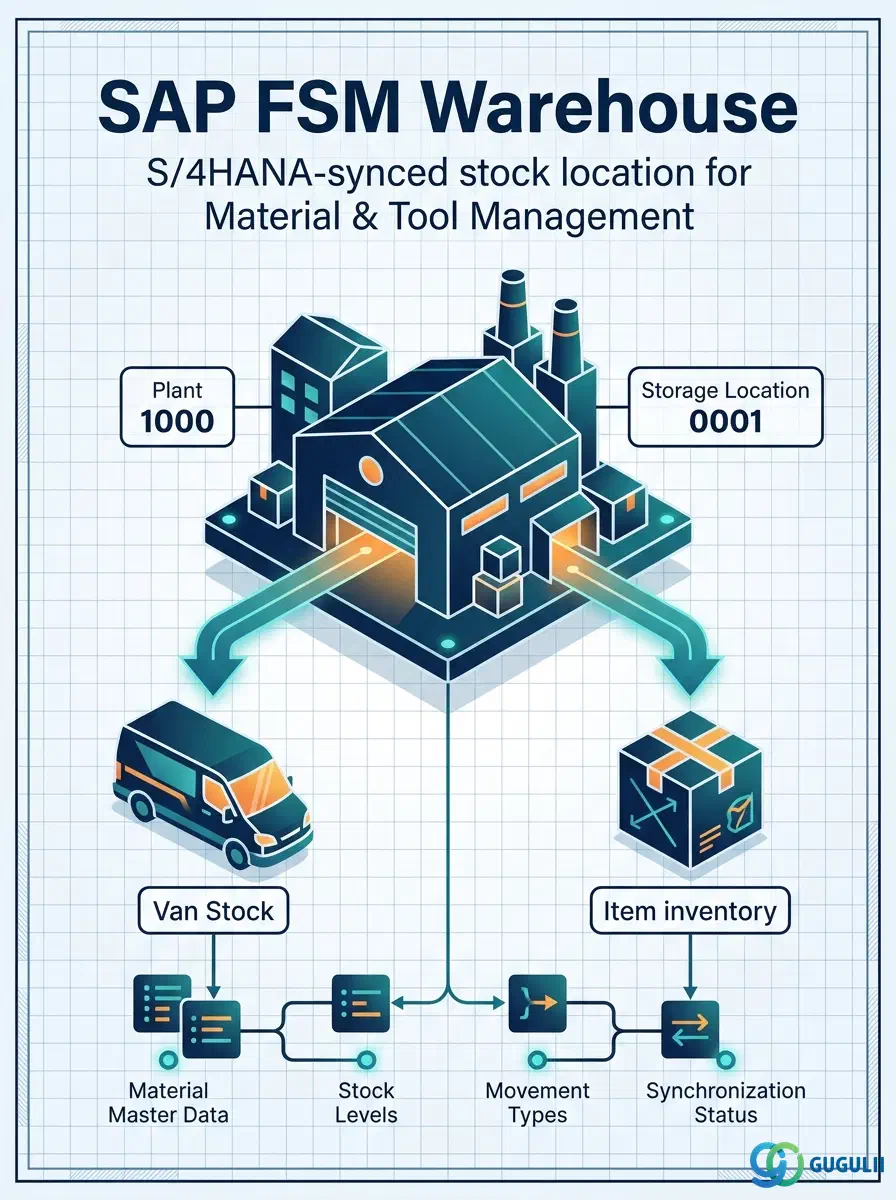
Warehouse is FSM’s master record for a physical or logical stock location — a distribution center, a regional depot, a returns/repair staging area — mapped one-to-one against an existing S/4HANA Plant and Storage Location combination rather than created natively in FSM. Unlike Generic Tool (FSM-A05-02) and Serialized Tool (FSM-A05-03), which are both FSM-native, Warehouse is synchronized in (S/4HANA→FSM): FSM does not define new Plant/Storage Location values, it only maintains the FSM-side reference and lets Item, Generic Tool, and Serialized Tool stock, and Van Stock replenishment, key off it. Warehouse is the fourth of five objects — Item (FSM-A05-01), Generic Tool (FSM-A05-02), Serialized Tool (FSM-A05-03), Warehouse, and Van Stock (FSM-A05-05) — that this series covers in the Material & Tool Management domain (Phase 4, Zone D), and it represents a fixed, physical location — the direct contrast to Van Stock (FSM-A05-05, next in series), which represents mobile, vehicle-based inventory rather than a stationary place. This article maps every field FSM consultants see on a Warehouse record, and how those fields connect it to Item, Generic Tool, Serialized Tool, and Van Stock.
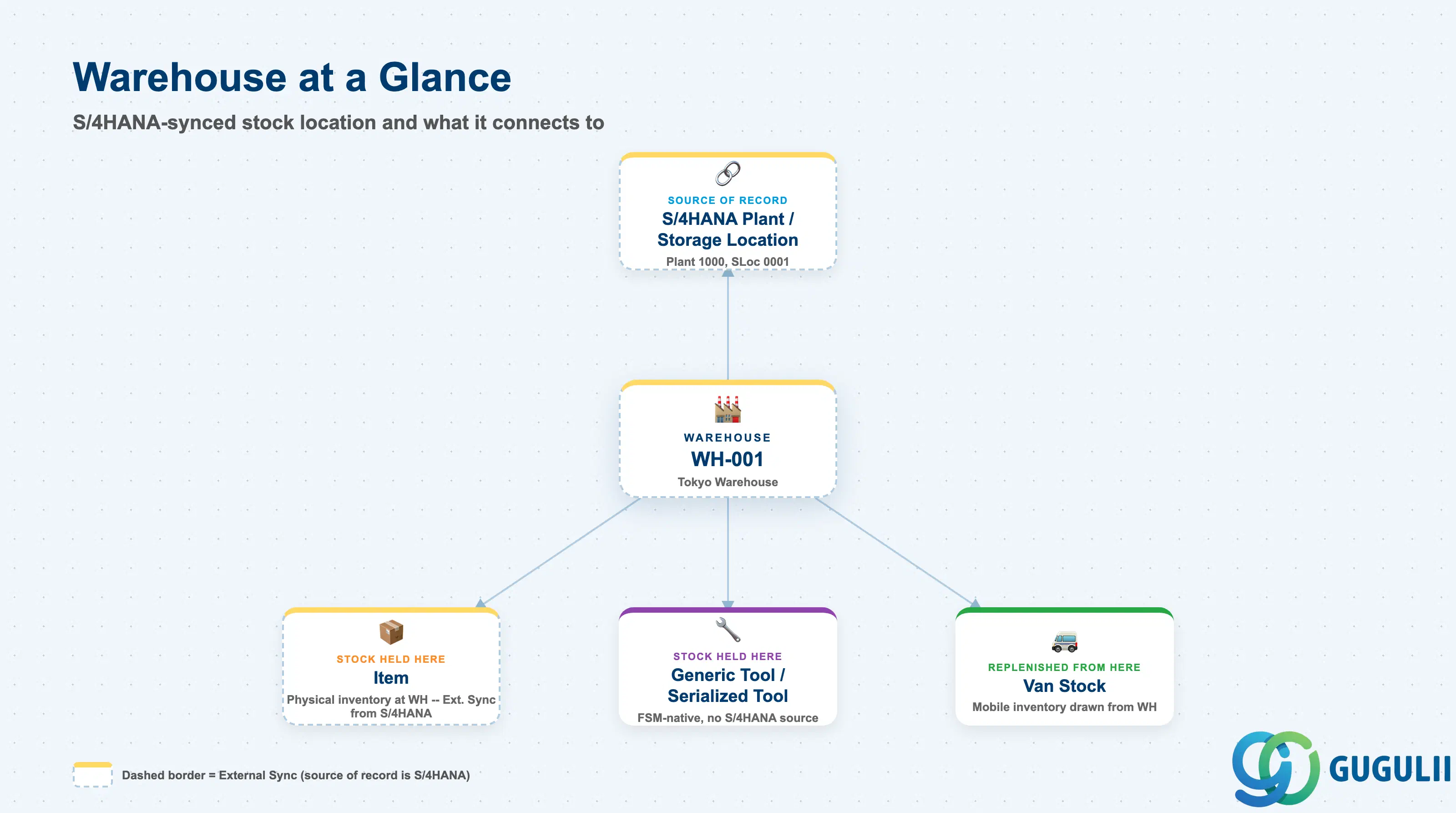
A Warehouse represents a stock location — a place where physical inventory sits — rather than a tool, part, or piece of equipment in its own right. It exists only because an equivalent Plant/Storage Location combination already exists in S/4HANA; FSM’s Warehouse record is a synchronized reference to that combination, not an independently authored master. Where Generic Tool and Serialized Tool answer “what tool is this,” Warehouse answers “where does inventory of any Material & Tool Management object physically sit before it is issued to a technician.”
| Aspect | Details |
|---|---|
| Role | Master record of a physical or logical stock location, replicated from S/4HANA; maps to a specific S/4HANA Plant + Storage Location combination and serves as the source location that Item, Generic Tool, and Serialized Tool stock is held in, and that Van Stock is replenished from |
| Modules using it | FSM (Material & Tool Management — consumes the record) and S/4HANA MM (source of record — the underlying Plant/Storage Location combination is defined and maintained in S/4HANA’s enterprise structure, not in FSM) |
| Transactions | FSM Web UI “Master Data Management” app — Warehouse is viewed/maintained on the FSM side as a synchronized record; the underlying Plant and Storage Location values themselves are defined in S/4HANA’s enterprise structure configuration, not created directly in FSM |
| Key Tables | FSM: Warehouse business object (Core API / OData entity), populated by inbound replication — FSM does not maintain classical ABAP tables; the system of record for the Plant/Storage Location combination itself is S/4HANA’s enterprise structure master data |
| S/4HANA note | Warehouse is one of only two Material & Tool Management objects synced in from S/4HANA (alongside Item, FSM-A05-01) — unlike Generic Tool and Serialized Tool, which are FSM-native with no S/4HANA equivalent, every FSM Warehouse record corresponds to a Plant + Storage Location combination that already exists on the S/4HANA side |
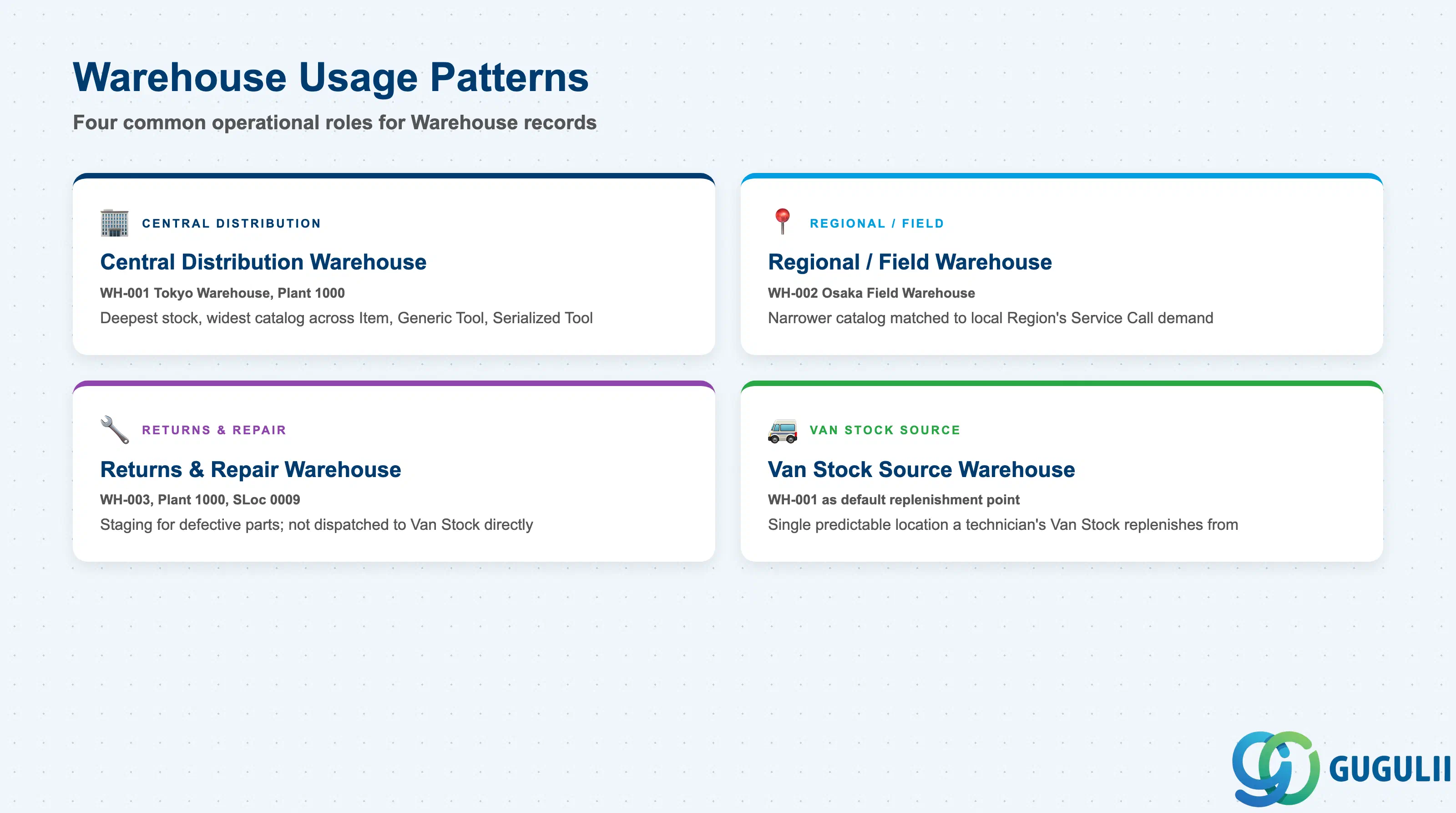
Warehouse carries no dedicated “type” field of its own — the fields on the record are the same (Warehouse ID, Warehouse Name, Plant, Storage Location, Address) regardless of how a given location is used operationally. Even so, consultants generally see the same handful of usage patterns repeat across implementations, and getting the operational role clear up front shapes which Warehouse a given Van Stock or replenishment flow should point to.
| Pattern | Example | Use Case | Key Behavior |
|---|---|---|---|
| Central Distribution Warehouse | Warehouse WH-001 — Tokyo Warehouse, Plant 1000, Storage Location 0001 | Primary regional stocking point supplying multiple technicians and, where modeled, smaller satellite Warehouses | Typically holds the deepest stock and the widest catalog breadth across Item, Generic Tool, and Serialized Tool; replenished directly from S/4HANA-side goods movements |
| Regional / Field Warehouse | Warehouse WH-002 (illustrative) — Osaka Field Warehouse, Plant 2000, Storage Location 0002 | Smaller, geography-specific stocking point placed closer to a Region’s technicians, reducing Van Stock replenishment travel time | Typically holds a narrower subset of the full Item/Tool catalog, matched to what that Region’s Service Calls most commonly consume |
| Returns & Repair Warehouse | Warehouse WH-003 (illustrative) — Returns & Repair Warehouse, Plant 1000, Storage Location 0009 | Staging location for defective parts returned from a Service Call, or for Serialized Tools awaiting calibration or repair before reissue | Stock staged here is not normally dispatched directly into a technician’s Van Stock; it typically routes back through S/4HANA-side inspection/repair status before becoming issuable again |
| Van Stock Source Warehouse | Warehouse WH-001 referenced as the default replenishment point for a technician’s Van Stock (FSM-A05-05) | The single Warehouse a given technician’s Van Stock is normally replenished from | Named as the reference point on Van Stock records (see 1.4); a technician’s replenishment requests route to a predictable physical location rather than an arbitrary one |
Design principle: There is no dedicated Warehouse Type field on the record — how a given Warehouse is used operationally (central, regional, returns, or Van Stock source) is a business/organizational decision expressed through which Plant/Storage Location it maps to and how it is referenced from Van Stock, not a value stored on the Warehouse record itself.
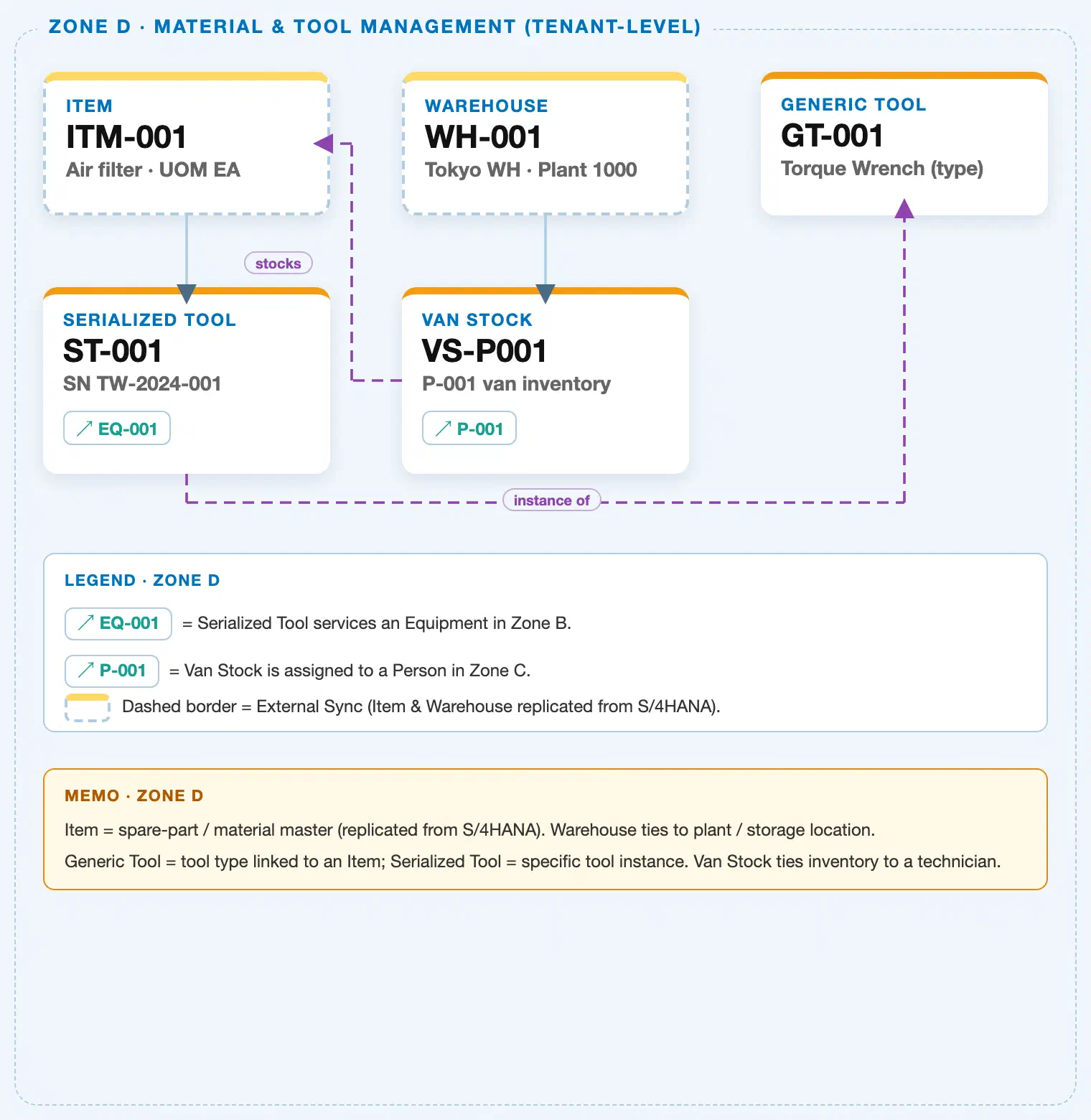
Data hierarchy with a concrete example (Zone D · Material & Tool Management — tenant-level; FSM has no Company Code / Plant scoping above these objects)
Client (FSM Tenant)
   │
   ├── Item ITM-001 — Air Filter, Item Type = Part            (illustrative Item/Tool example shown
   │                                                            elsewhere in this shared Zone D crop)
   │
   ├── Generic Tool GT-001 — Torque Wrench (tool type record; FSM-A05-02)
   │      └── Serialized Tool ST-001 — SN TW-2024-001 (individual instance; FSM-A05-03)
   │
   └── Warehouse WH-001 — Tokyo Warehouse, Plant 1000, Storage Location 0001 (this article)
          ── maps to ──▶ S/4HANA Plant 1000 / Storage Location 0001 (reference, external system of
                          record — not itself drawn as a separate node in this FSM-tenant diagram)
          │
          └── Van Stock VS-P001 — P-001's mobile inventory (FSM-A05-05)
                 Van Stock VS-P001 ── stocks ──▶ Item ITM-001 (illustrative; a Van Stock line item can
                 reference any Item, including a Tool-type Item a Generic Tool is defined against)
                 Van Stock VS-P001 ── assigned to ──▶ Person/Technician P-001 (Zone C; cross-zone chip)

Serialized Tool ST-001 ── current location (reference, not drawn as a landscape line) ──▶
   Warehouse WH-001, or a technician's Van Stock (FSM-A05-05) if currently checked out
Design principle: Warehouse is the only Zone D object whose “parent” sits outside FSM entirely — in S/4HANA’s enterprise structure, not in any FSM-native master. That is also why Warehouse carries no FSM-side prerequisite object of its own (Master Process Prerequisite = none), in contrast to Generic Tool (prerequisite: Item), Serialized Tool (prerequisite: Generic Tool), or Van Stock (prerequisite: Warehouse and Person/Technician). Warehouse feeds Van Stock directly — the landscape draws this as a solid hierarchy arrow — while its relationship to Item, Generic Tool, and Serialized Tool stock is a location fact recorded on those objects, not a line drawn from Warehouse itself.
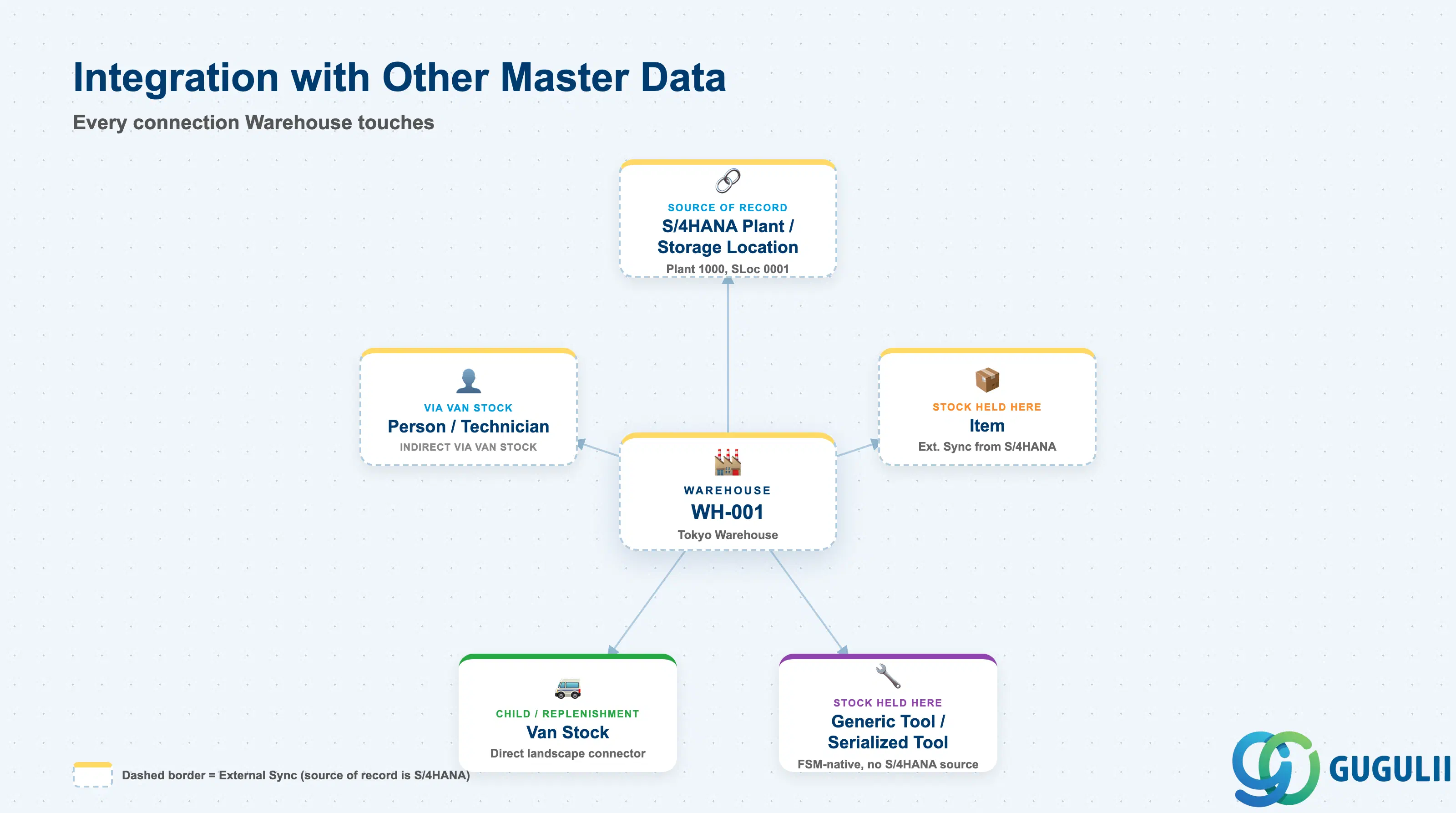
Warehouse does not stand alone. Every field on it exists to answer one question: which S/4HANA plant/storage location does this FSM stock location represent, and what does it feed?
| Object | Relationship | Practical Notes |
|---|---|---|
| S/4HANA Plant / Storage Location | Source of record: every FSM Warehouse record mirrors exactly one S/4HANA Plant + Storage Location combination | The mandatory upstream dependency — a new physical location must be defined in S/4HANA’s enterprise structure before it can be synchronized in as an FSM Warehouse. Plant/Storage Location changes flow one direction only, S/4HANA→FSM; they are never authored from the FSM side. |
| Item (FSM-A05-01) / Generic Tool (FSM-A05-02) / Serialized Tool (FSM-A05-03) | Indirect, via stock: physical quantity of Item and Generic Tool, and the Current Location of a Serialized Tool instance, can point at this Warehouse | Warehouse itself carries no reference back to any specific Item, Generic Tool, or Serialized Tool record — the pointer runs the other way, from those objects’ own stock/location fields toward a Warehouse ID. |
| Van Stock (FSM-A05-05) | Child / replenishment source: every Van Stock record is replenished from exactly one Warehouse | The landscape draws this as a direct solid hierarchy connector (Warehouse → Van Stock). Van Stock’s own prerequisite explicitly requires both a Warehouse and a Person/Technician to exist first — this is the field-level contrast with Warehouse (FSM-A05-04, this article): Warehouse is the fixed, physical source location; Van Stock is the mobile inventory drawn from it. |
| Person/Technician (FSM-A04-04) | Indirect, via Van Stock: once stock leaves a Warehouse into a technician’s Van Stock, the technician — not the Warehouse — becomes accountable for it | Useful when tracing a stock discrepancy: confirm first whether the quantity in question ever left the Warehouse (a Van Stock issue) before investigating the Warehouse’s own on-hand figures. |
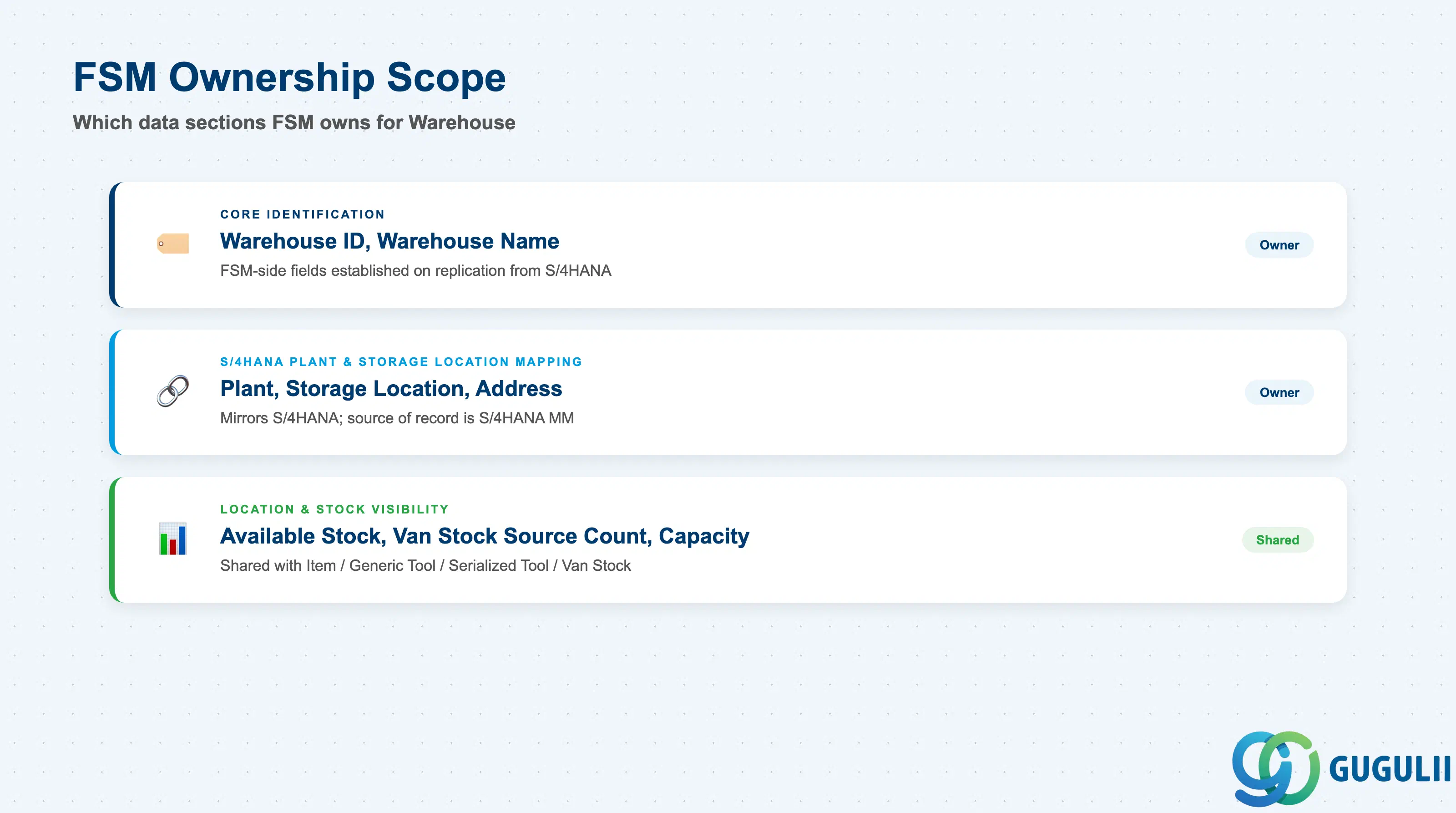
| Data Section | FSM Involvement | Notes |
|---|---|---|
| Core Identification | ◎ Owner (FSM-side record) | Warehouse ID, Warehouse Name — the FSM-side fields established the moment the S/4HANA-sourced Warehouse record is replicated in |
| S/4HANA Plant & Storage Location Mapping | ◎ Owner (mirrors S/4HANA; source of record is S/4HANA MM) | Plant, Storage Location, Address — the fields that tie this FSM Warehouse record to its underlying S/4HANA enterprise-structure combination; not editable from the FSM side |
| Location & Stock Visibility | ○ Shared with Item / Generic Tool / Serialized Tool / Van Stock (FSM-A05-01 / FSM-A05-02 / FSM-A05-03 / FSM-A05-05) | Available Stock (rollup), Van Stock Source Count (rollup), Capacity — the aggregate view of what inventory from other Material & Tool Management objects currently sits at, or is replenished from, this Warehouse |
Legend: ◎ = Owner / Critical, ○ = Direct involvement
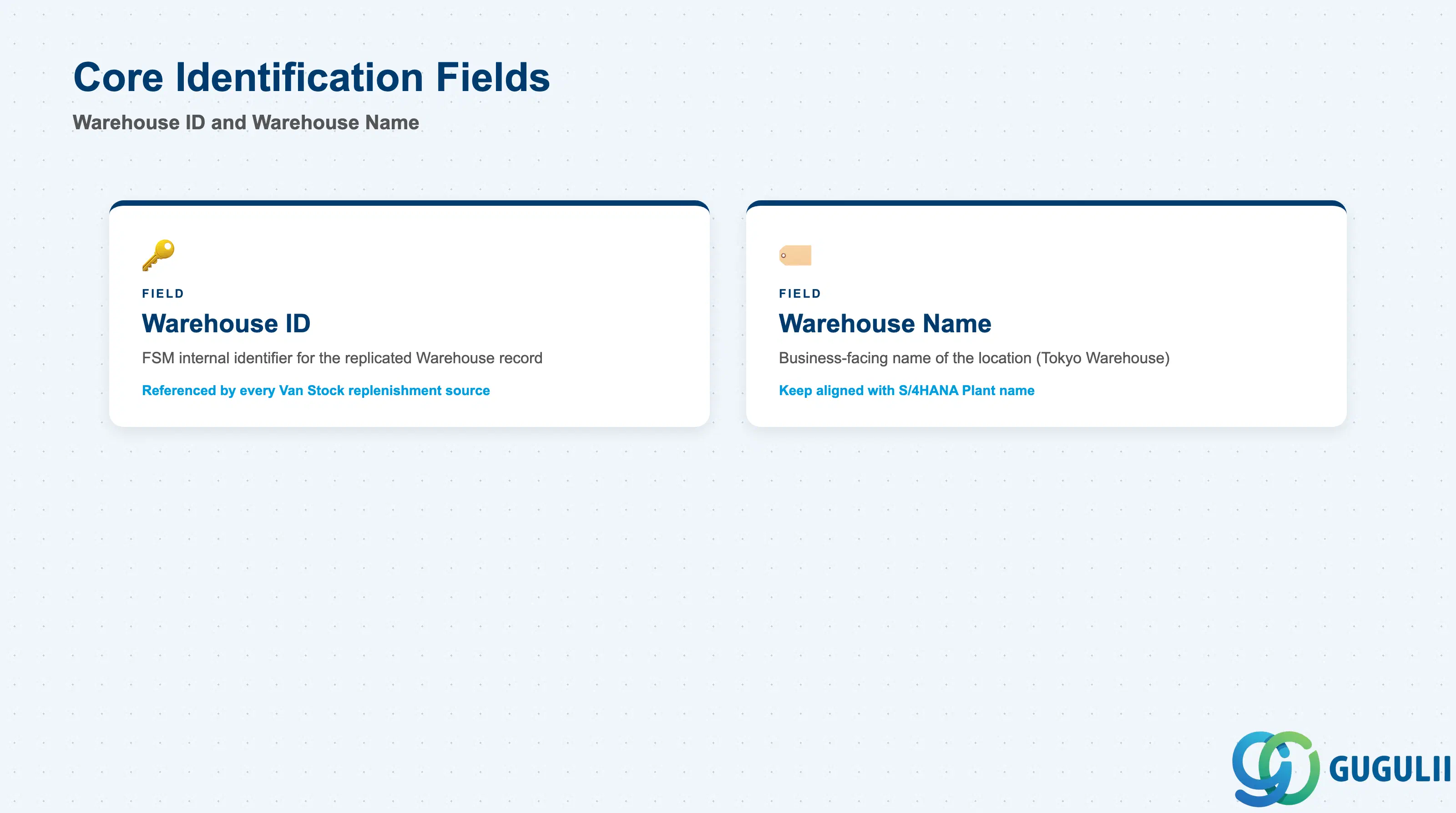
These two fields establish which physical or logical stock location a Warehouse record represents, before any S/4HANA mapping or stock detail is layered on top.
| Field | Description | Practical Usage |
|---|---|---|
| Warehouse ID | FSM’s internal identifier for the replicated Warehouse record | Referenced by every Van Stock record’s replenishment source, and by Item/Generic Tool/Serialized Tool stock and location fields. Never assume this ID is freely renumbered on the FSM side — it exists because the underlying S/4HANA Plant/Storage Location combination was synchronized in, and it is retired only when that upstream combination is. |
| Warehouse Name | Business-facing name of the location (e.g. “Tokyo Warehouse”) | Displayed wherever a dispatcher or technician selects a replenishment source or checks where stock currently sits. Keep the name aligned with what the underlying S/4HANA record calls the same Plant/Storage Location combination, so the two systems read as the same place to end users. |
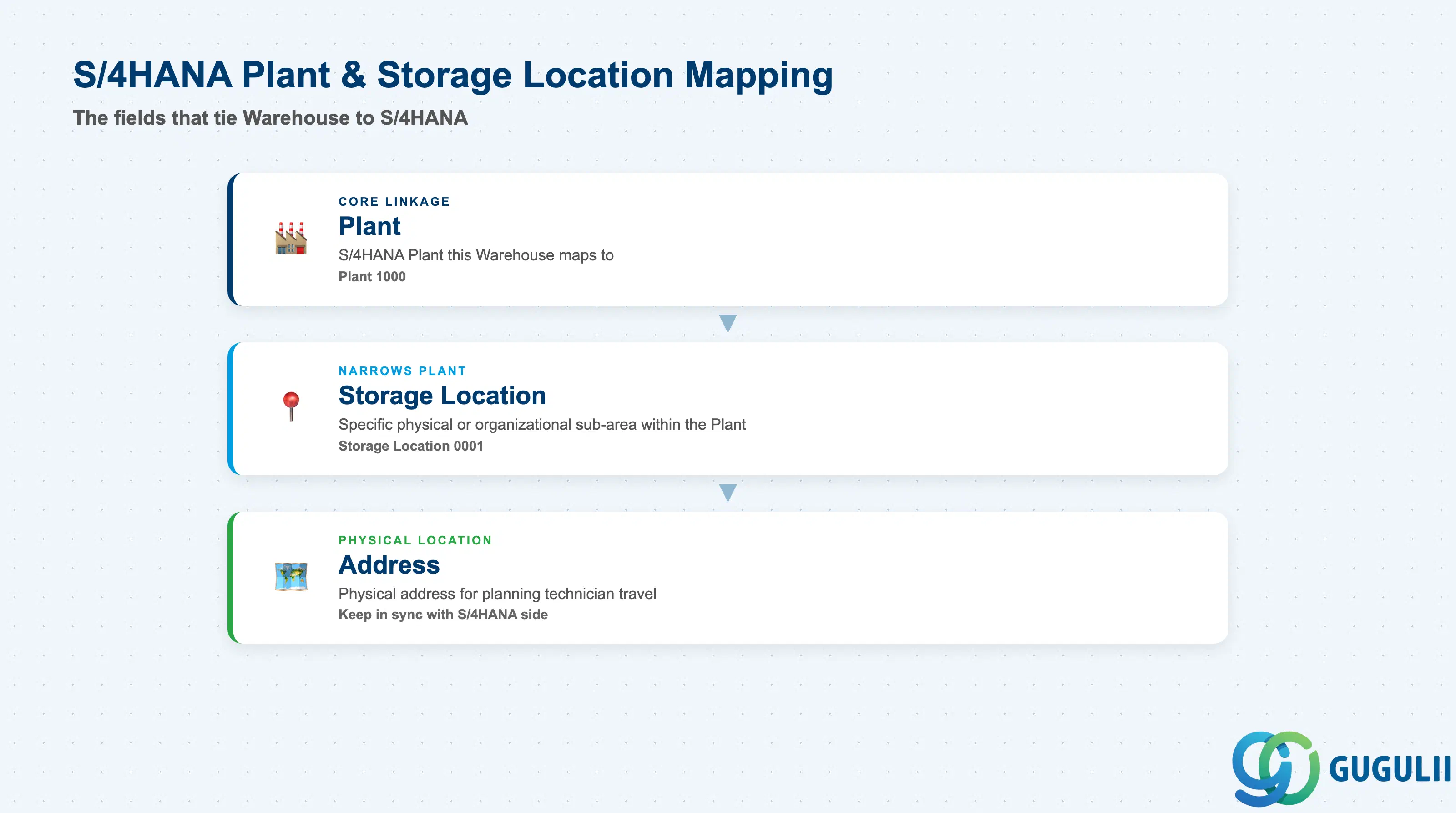
These fields exist because Warehouse is synced in, not authored natively — they tie the FSM-side record back to the exact S/4HANA enterprise-structure combination it represents.
| Field | Description | Practical Usage |
|---|---|---|
| Plant | The S/4HANA Plant this Warehouse maps to (e.g. “1000”) | The core linkage field for any consultant reconciling FSM stock visibility against S/4HANA MM inventory — confirm this value during go-live data checks, since a Warehouse mapped to the wrong Plant silently misroutes replenishment and stock-visibility reporting without raising an error on either side. |
| Storage Location | The S/4HANA Storage Location this Warehouse maps to (e.g. “0001”), narrowing the Plant to a specific physical or organizational sub-area | Together with Plant, this uniquely identifies the S/4HANA-side stock location FSM is mirroring. Multiple FSM Warehouse records can share the same Plant while pointing at different Storage Locations (e.g. a main store vs. a returns/repair area within the same Plant, see 1.2). |
| Address | Physical address associated with this Warehouse | Used for planning technician travel to and from the location and for display on the FSM Web UI’s Master Data Management app; keep in sync with the address maintained on the S/4HANA side to avoid technicians being routed to an outdated location. |
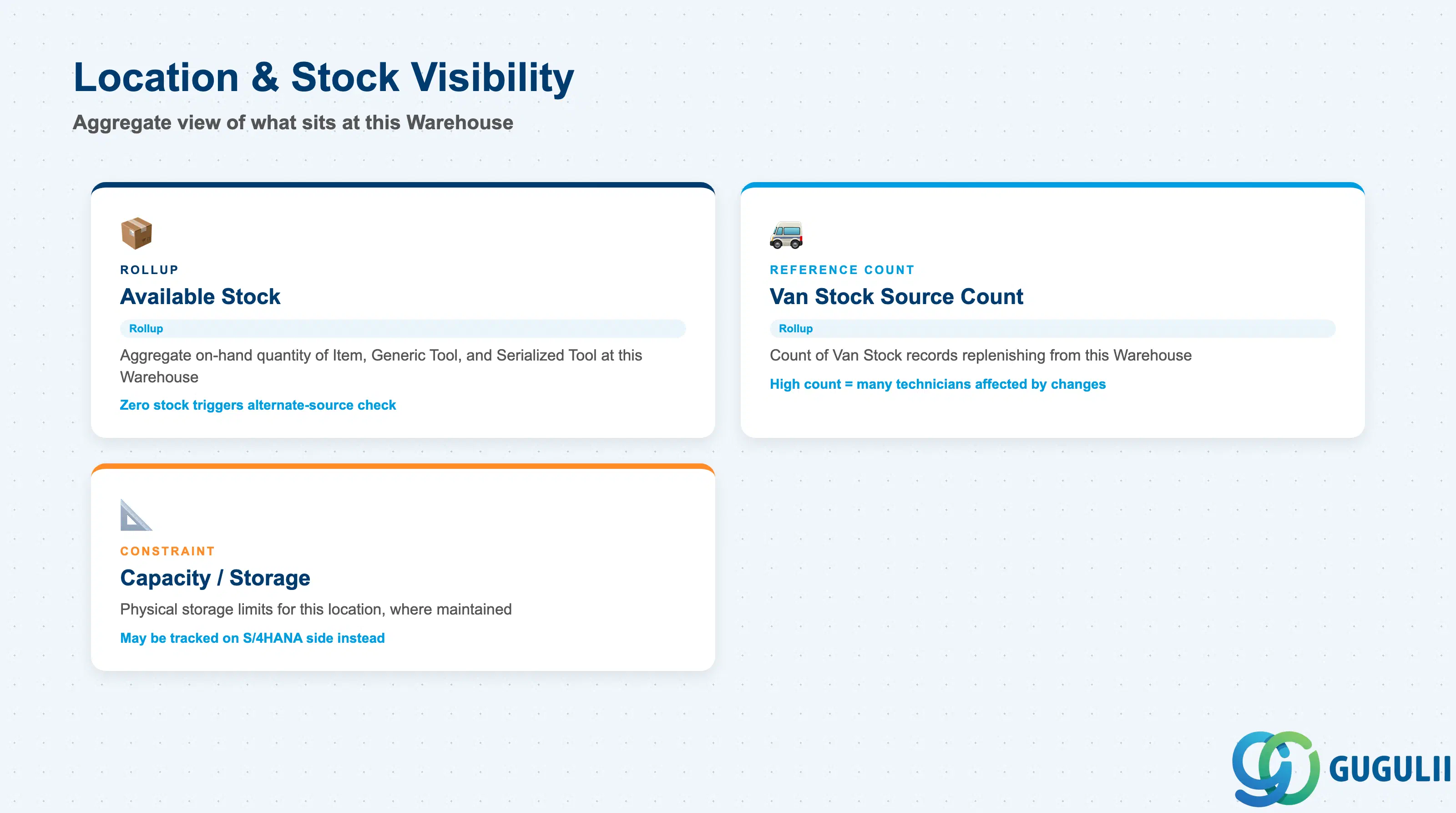
Warehouse itself carries no direct reference to any single Item, Generic Tool, Serialized Tool, or Van Stock record — these fields instead surface an aggregate, rollup view of what other Material & Tool Management objects currently point back at this Warehouse.
| Field | Description | Practical Usage |
|---|---|---|
| Available Stock (rollup) | Aggregate on-hand quantity of Item and Generic Tool stock, and count of Serialized Tool instances, currently attributed to this Warehouse | A quick coverage signal before dispatch planning — an Available Stock of zero for a tool type at the Warehouse a technician’s Van Stock normally replenishes from should trigger a check against a Returns & Repair or Regional Warehouse (see 1.2) rather than an assumption of true unavailability. |
| Van Stock Source Count (rollup reference) | Count of Van Stock (FSM-A05-05) records currently configured to replenish from this Warehouse | Surfaces before deactivating or reassigning a Warehouse — a high source count means the change affects many technicians’ replenishment routing at once, not just one isolated record. |
| Capacity / Storage Constraints | Physical storage capacity limits for this location, where maintained | Not evidenced as a dedicated field on the FSM-side Warehouse record in the source Master Process documentation — where a physical capacity constraint needs to be enforced, consultants should confirm whether it is tracked on the S/4HANA storage-location side instead, and treat its absence here as a documented gap rather than assume FSM enforces a capacity limit natively. |
Prerequisite: A Warehouse record has no FSM-side prerequisite object of its own — unlike Generic Tool (requires an existing Item) or Serialized Tool (requires an existing Generic Tool), Warehouse’s only prerequisite sits outside FSM entirely: the corresponding Plant and Storage Location combination must already exist in S/4HANA before it can be synchronized in.
| ID | Category | Title |
|---|---|---|
| fsm-001 | Overview | What is SAP FSM? |
| ID | Category | Title |
|---|---|---|
| fsm-a01 | Overview | SAP FSM Master Data: Overview, Hierarchy & Relationships |
| fsm-a02-02 | Master Data | SAP FSM Contact |
| fsm-a02-03 | Master Data | SAP FSM Address |
| fsm-a03-01 | Master Data | SAP FSM Equipment |
| fsm-a03-02 | Master Data | SAP FSM Equipment Hierarchy |
| fsm-a03-03 | Master Data | SAP FSM Service History |
| fsm-a04-01 | Master Data | SAP FSM Skill |
| fsm-a04-02 | Master Data | SAP FSM Work Time Pattern |
| fsm-a04-03 | Master Data | SAP FSM Region |
| fsm-a04-04 | Master Data | SAP FSM Technician |
| fsm-a04-05 | Master Data | SAP FSM Crew |
| fsm-a04-06 | Master Data | SAP FSM Absence |
| fsm-a04-07 | Master Data | SAP FSM Skill Requirement |
| fsm-a05-02 | Master Data | SAP FSM Generic Tool |
| fsm-a05-03 | Master Data | SAP FSM Serialized Tool |
| fsm-a05-04 | Master Data | SAP FSM Warehouse 📍 |
| fsm-a05-05 | Master Data | SAP FSM Van Stock |
| fsm-a06-01 | Master Data | SAP FSM Partner Invitation |
| fsm-a06-02 | Master Data | SAP FSM Partner Registration |
| fsm-a06-03 | Master Data | SAP FSM Crowd Partner |
| fsm-a06-04 | Master Data | SAP FSM Partner Technician |
| ID | Category | Title |
|---|---|---|
| fsm-b01 | Overview | SAP FSM Transactions: Process Flow, Hierarchy & Relationships |