Title here
Summary here

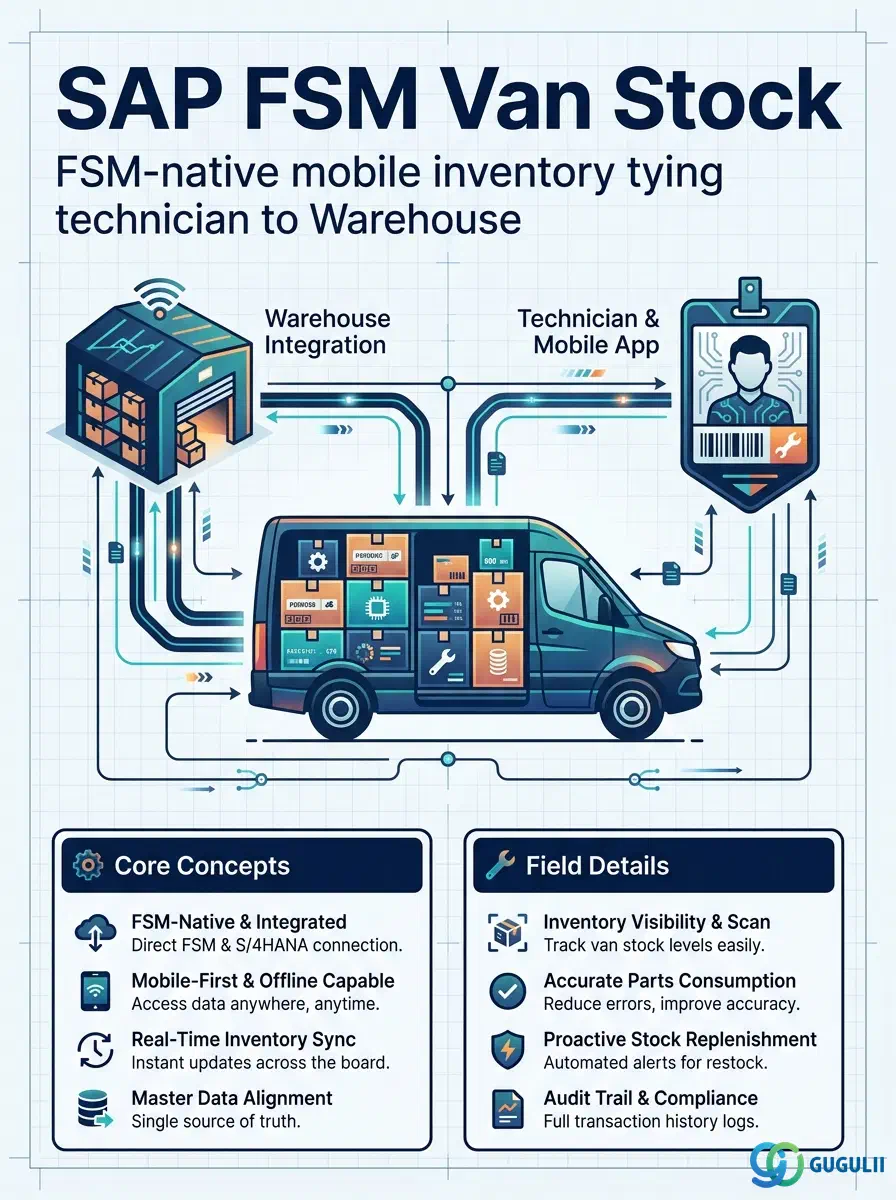
Van Stock is FSM’s master record for a technician’s mobile, vehicle-based inventory — the quantity of a given Item currently carried in a specific Person/Technician’s van, replenished from a designated Warehouse rather than picked ad hoc from wherever stock happens to be available. Unlike Warehouse (FSM-A05-04) and Item (FSM-A05-01), both synced in from S/4HANA, Van Stock is FSM-native: it has no S/4HANA equivalent, even though both of its prerequisite objects — Warehouse and Person/Technician (FSM-A04-04) — are themselves synced from S/4HANA. Van Stock is the fifth and final object — Item (FSM-A05-01), Generic Tool (FSM-A05-02), Serialized Tool (FSM-A05-03), Warehouse (FSM-A05-04), and Van Stock — that this series covers in the Material & Tool Management domain (Phase 4, Zone D), and its landscape ID convention (VS-P001) reflects its direct dependency on a specific technician (P-001): a Van Stock record answers “what does this technician currently have in their van, and where was it replenished from,” the direct mobile counterpart to Warehouse’s fixed physical location. This article maps every field FSM consultants see on a Van Stock record, and how those fields connect it to Warehouse, Person/Technician, and Item. With Van Stock complete, Zone D (Material & Tool Management) closes out; the series continues next into Zone E (Partner Management) — Partner Invitation, Partner Registration, Crowd Partner, and Partner Technician (FSM-A06-01 through FSM-A06-04).
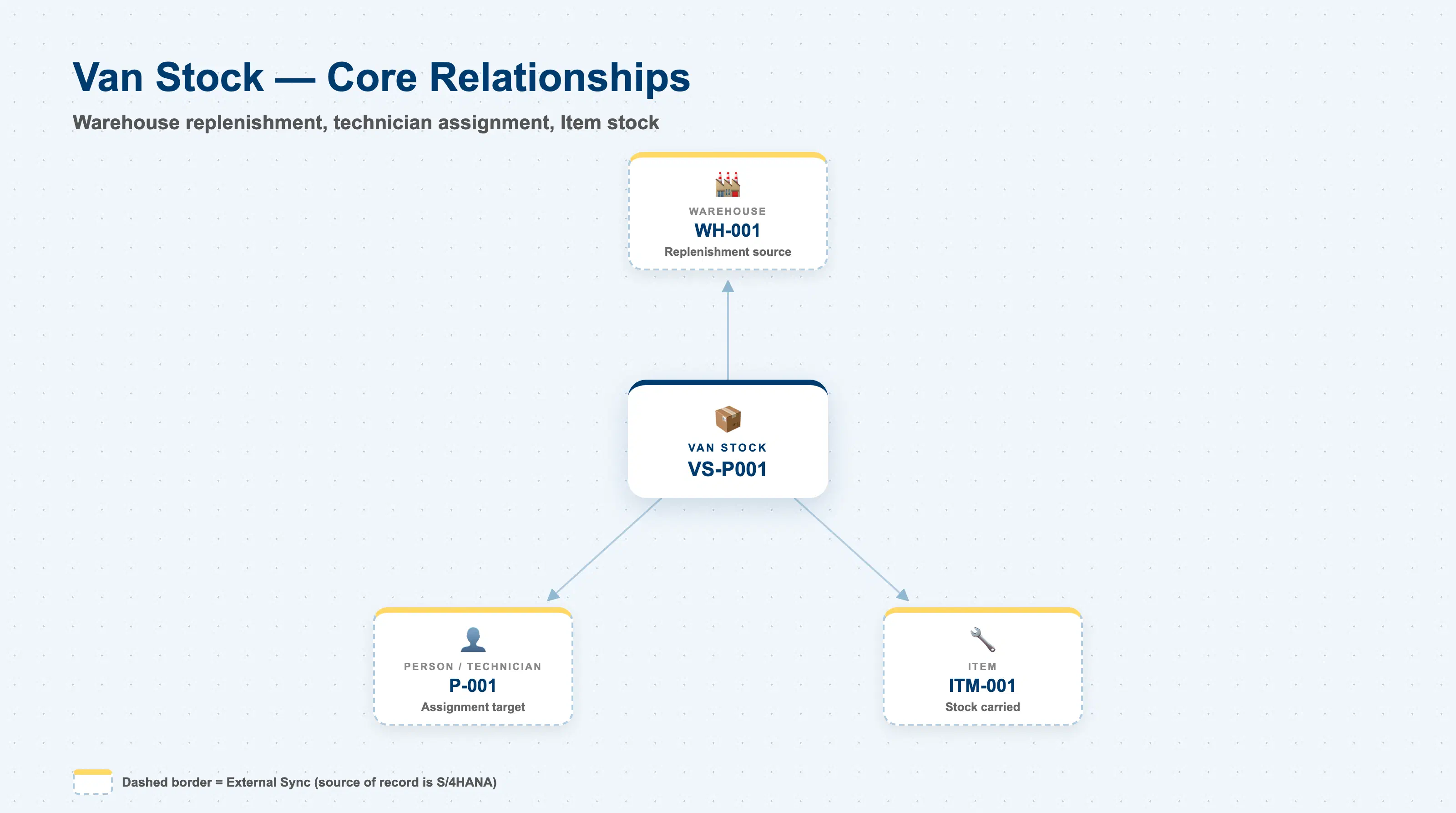
A Van Stock represents mobile inventory — physical stock that has left a fixed stocking location and now travels with a specific technician — rather than a location or a tool in its own right. Where Warehouse (FSM-A05-04) answers “where does inventory sit before it is issued,” Van Stock answers “what has already been issued to this technician, and how much of it do they currently have.”
| Aspect | Details |
|---|---|
| Role | Master record of a technician’s mobile, vehicle-based inventory; links a Person/Technician to the Warehouse they are replenished from and lists the Item stock (and quantity) currently carried in their van |
| Modules using it | FSM only (Material & Tool Management) — Van Stock is FSM-native, with no S/4HANA equivalent object, unlike Item and Warehouse, both of which are synced in from S/4HANA |
| Transactions | FSM Web UI “Master Data Management” app for maintaining Van Stock records; the FSM Mobile app surfaces a technician’s own Van Stock and consumes against it as Material Consumption during Service Call execution |
| Key Tables | FSM: Van Stock business object (Core API / OData entity) — FSM-native, authored directly in FSM; there is no inbound-replication table, since there is no S/4HANA source system for this object |
| S/4HANA note | Unlike Warehouse and Item — both synced in from S/4HANA and marked with a dashed external-sync border in the FSM Master Data Landscape — Van Stock carries no such marking; even though it depends on two S/4HANA-synced prerequisites (Warehouse and Person/Technician), the Van Stock record itself is authored and maintained natively in FSM |
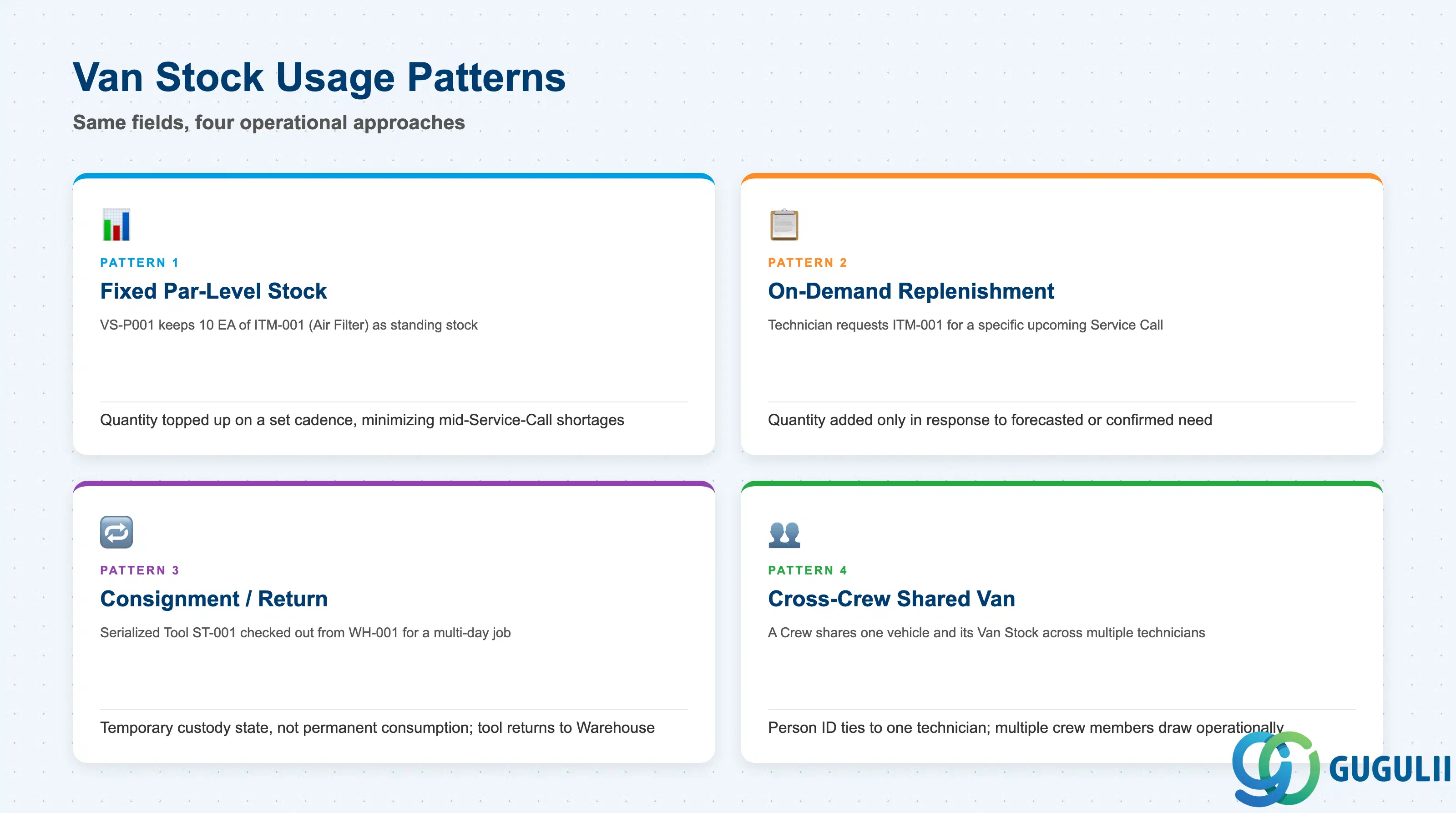
Van Stock carries no dedicated “type” field of its own — the same five fields (Van Stock ID, Person ID, Warehouse ID, Item ID, Quantity) apply regardless of how a given technician’s van is stocked and replenished operationally. Even so, consultants generally see the same handful of usage patterns repeat across implementations, and getting the pattern clear up front shapes how a Regional Warehouse’s replenishment cadence should be designed.
| Pattern | Example | Use Case | Key Behavior |
|---|---|---|---|
| Fixed Par-Level Stock | Van Stock VS-P001 keeps a standing par level of common consumables (e.g., 10 EA Item ITM-001 — Air Filter) | Standard replenishment for technicians expected to carry consistent day-to-day stock | Quantity is checked and topped up on a set cadence rather than at time of need, minimizing the risk of missing a common part mid-Service-Call |
| On-Demand Replenishment | A technician requests Item ITM-001 against a specific upcoming Service Call before dispatch | Low-frequency or high-value items not worth carrying at all times | Quantity is added to Van Stock only in response to a forecasted or confirmed need, tying replenishment closer to actual consumption |
| Consignment / Return Tracking | Serialized Tool ST-001 is checked out from Warehouse WH-001 into a technician’s Van Stock for a multi-day job, then returned | Tools and high-value parts issued temporarily rather than consumed | Presence in Van Stock represents a temporary custody state, not permanent consumption; the tool’s Current Location eventually moves back to a Warehouse |
| Cross-Crew Shared Van | A Crew (FSM-A04-05) shares one vehicle and its Van Stock across multiple Person/Technician records assigned to that Crew | Team-based dispatch where the vehicle, not the individual, is the stocking unit | Even though Van Stock’s Person ID field ties a record to one technician, more than one crew member may operationally draw against the same van — a process convention layered on top of the field, not a distinct field value |
Design principle: There is no dedicated Van Stock Type field on the record — how a given Van Stock is replenished and tracked (fixed par-level, on-demand, consignment, or cross-crew shared) is an operational/business-process decision, not a value stored on the record itself.
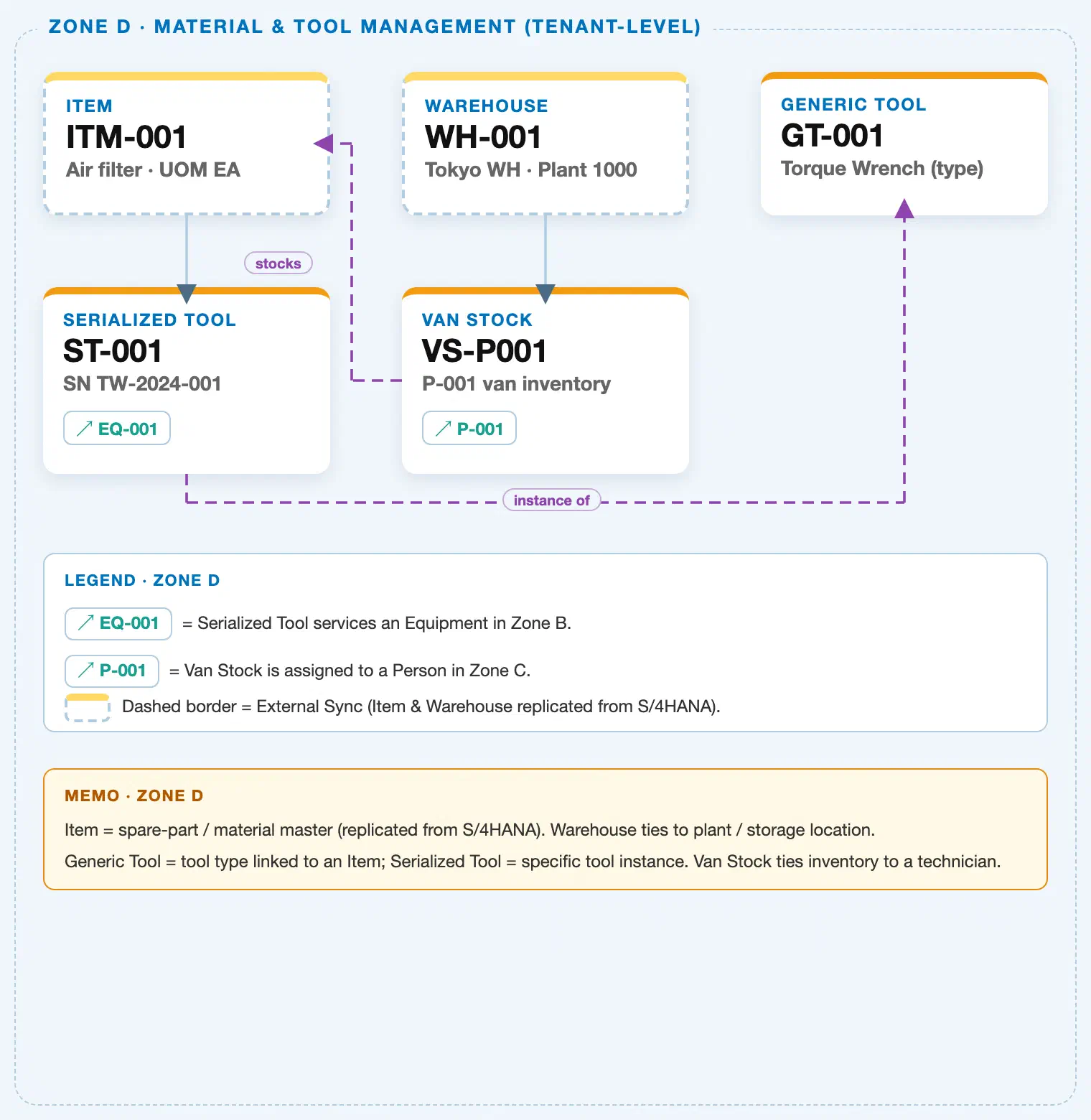
Data hierarchy with a concrete example (Zone D · Material & Tool Management — tenant-level; FSM has no Company Code / Plant scoping above these objects)
Client (FSM Tenant)
   │
   ├── Item ITM-001 — Air Filter, Item Type = Part            (S/4HANA-synced; FSM-A05-01)
   │
   ├── Generic Tool GT-001 — Torque Wrench (tool type record; FSM-A05-02)
   │      └── Serialized Tool ST-001 — SN TW-2024-001 (individual instance; FSM-A05-03)
   │
   └── Warehouse WH-001 — Tokyo Warehouse, Plant 1000, Storage Location 0001 (S/4HANA-synced; FSM-A05-04)
          │
          └── Van Stock VS-P001 — P-001's mobile inventory (this article; FSM-native, no S/4HANA sync)
                 Van Stock VS-P001 ── stocks ──▶ Item ITM-001 (a Van Stock line item can reference any
                 Item, including a Tool-type Item a Generic Tool is defined against)
                 Van Stock VS-P001 ── assigned to ──▶ Person/Technician P-001 (Zone C; cross-zone chip;
                 Person/Technician is itself S/4HANA-synced — see 1.4)

Serialized Tool ST-001 ── current location (reference, not drawn as a landscape line) ──▶
   Warehouse WH-001, or Van Stock VS-P001 (this article) if currently checked out to the technician
Design principle: Van Stock is the only Zone D object with two prerequisite objects rather than one or zero — it requires both an existing Warehouse (the replenishment source) and an existing Person/Technician (the assignment target) before it can be created, in contrast to Generic Tool (prerequisite: Item), Serialized Tool (prerequisite: Generic Tool), or Warehouse (no FSM-side prerequisite — sourced from S/4HANA). Van Stock is also the only Material & Tool Management object that depends on two S/4HANA-synced upstream masters (Warehouse and Person/Technician) while remaining itself entirely FSM-native — the landscape marks Van Stock with no dashed border, unlike either of the objects it is built on top of.
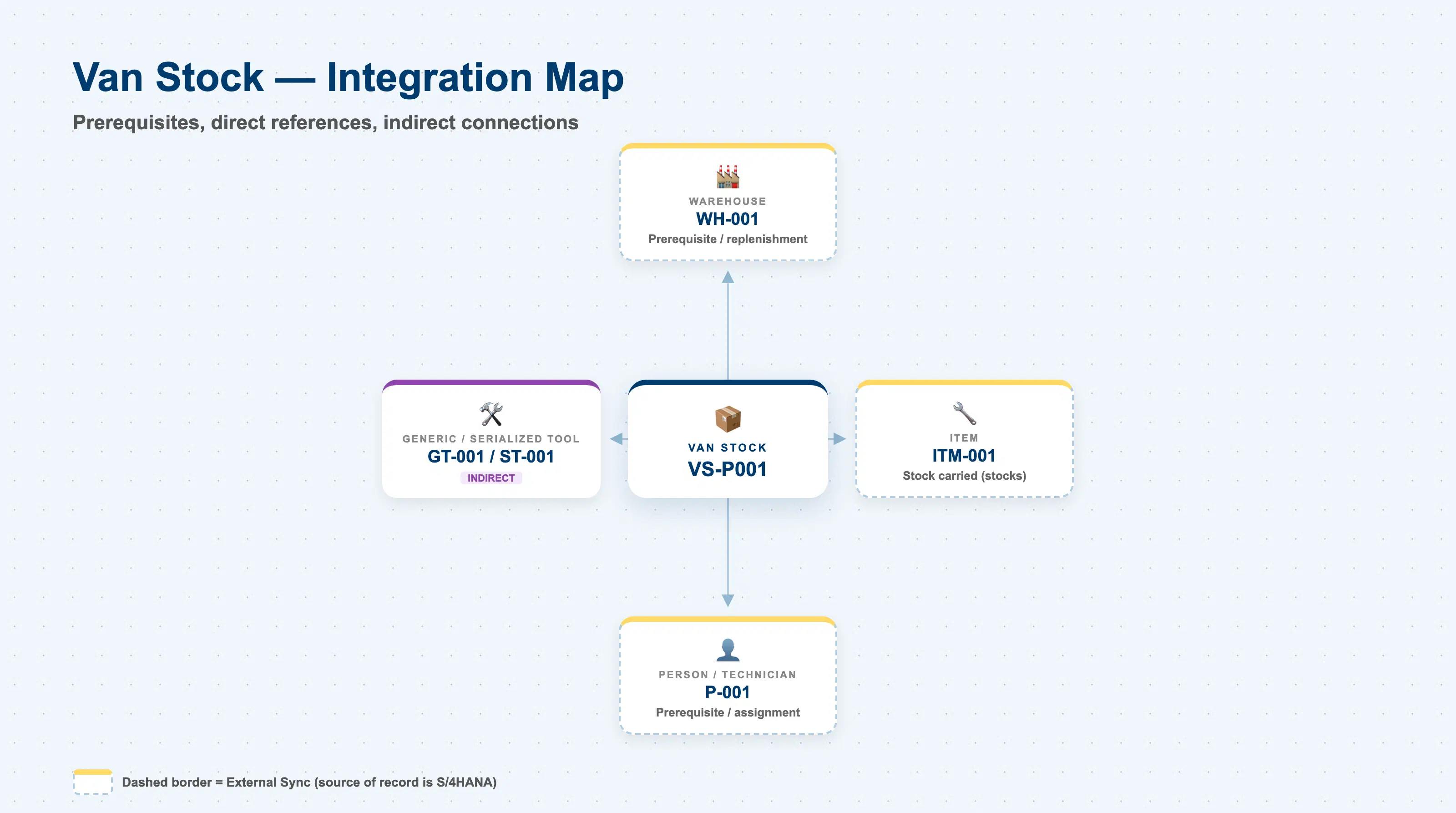
Van Stock does not stand alone. Every field on it exists to answer one question: which technician has how much of what, and where was it replenished from?
| Object | Relationship | Practical Notes |
|---|---|---|
| Warehouse (FSM-A05-04) | Prerequisite / replenishment source: every Van Stock record is replenished from exactly one Warehouse | The landscape draws this as a direct solid hierarchy connector (Warehouse → Van Stock). A Van Stock record cannot be created until its source Warehouse already exists — confirm the Warehouse ID is valid and active before provisioning a new technician’s Van Stock. |
| Person/Technician (FSM-A04-04) | Prerequisite / assignment target: every Van Stock record is assigned to exactly one Person/Technician | Drawn in the landscape as a cross-zone reference chip (↗ P-001) rather than a same-zone connector, since Person/Technician sits in Zone C (Technician Management), not Zone D. Person/Technician must already exist — and is typically marked Plannable — before a Van Stock record is created for them. |
| Item (FSM-A05-01) | Direct, dashed “stocks” connector: Van Stock’s Item ID and Quantity fields reference exactly one Item per record, though a technician’s van typically carries several Van Stock records, one per Item | Confirm Item ID validity and Quantity accuracy during cycle counts — a stale or incorrect Quantity on a Van Stock record is a common source of Material Consumption discrepancies at Service Call closure. |
| Generic Tool (FSM-A05-02) / Serialized Tool (FSM-A05-03) | Indirect: no direct field on Van Stock references either object, but a Serialized Tool’s Current Location can point at a Van Stock when a tool is checked out to a technician, and a Generic Tool’s underlying Item can itself appear as a Van Stock line item | Useful when tracing a missing or overdue tool — check whether its Current Location currently points at a technician’s Van Stock rather than a Warehouse before assuming the tool is lost. |
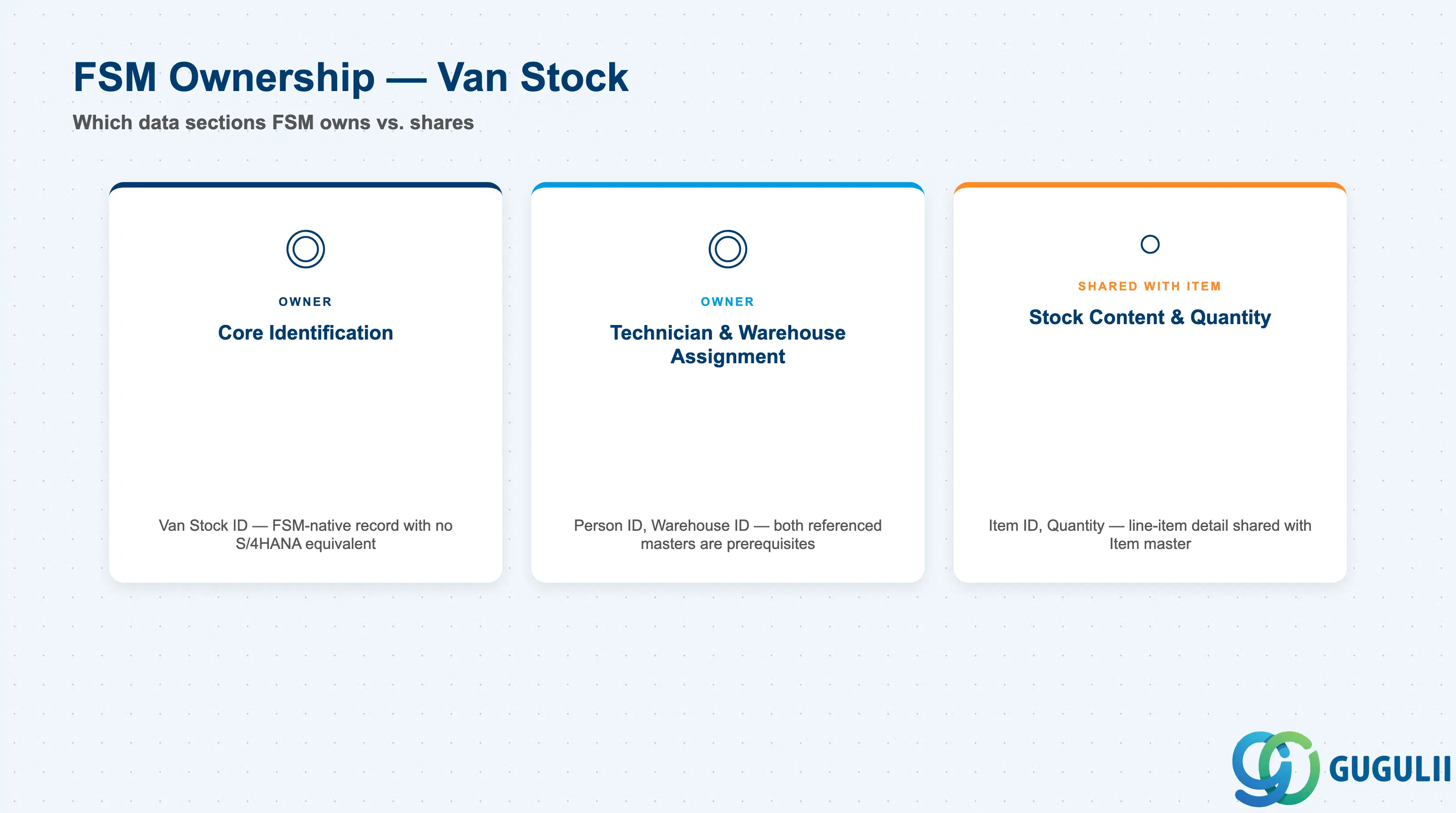
| Data Section | FSM Involvement | Notes |
|---|---|---|
| Core Identification | ◎ Owner (FSM-native record) | Van Stock ID — the single FSM-side field that establishes the record; Van Stock has no S/4HANA equivalent, so unlike Warehouse (FSM-A05-04) there is no external-mapping data section |
| Technician & Warehouse Assignment | ◎ Owner (FSM-native; both referenced masters are prerequisites) | Person ID, Warehouse ID — the two fields that tie a Van Stock record to the technician it belongs to and the Warehouse it is replenished from |
| Stock Content & Quantity | ○ Shared with Item (FSM-A05-01) | Item ID, Quantity — the line-item detail describing what, and how much, is currently carried in this Van Stock |
Legend: ◎ = Owner / Critical, ○ = Direct involvement
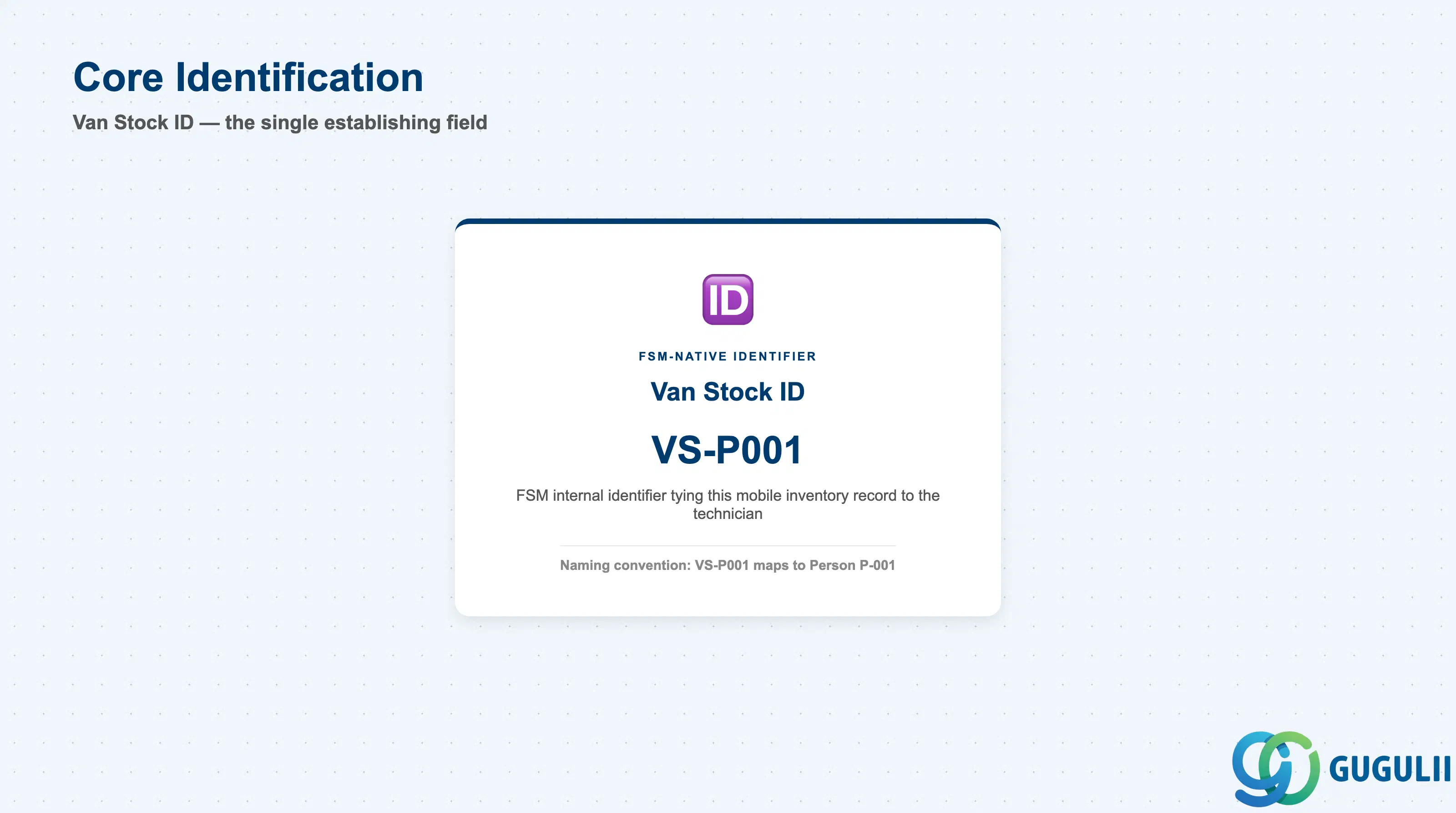
This one field establishes which technician’s mobile inventory record this is, before any assignment or stock detail is layered on top.
| Field | Description | Practical Usage |
|---|---|---|
| Van Stock ID | FSM’s internal identifier for the Van Stock record | Because the landscape’s naming convention ties this directly to the technician (VS-P001 ↔ Person P-001), consultants should expect — and validate during data design — a predictable one-Van-Stock-record-set-per-technician pattern, rather than assuming a shared ID space independent of the Person ID field. |
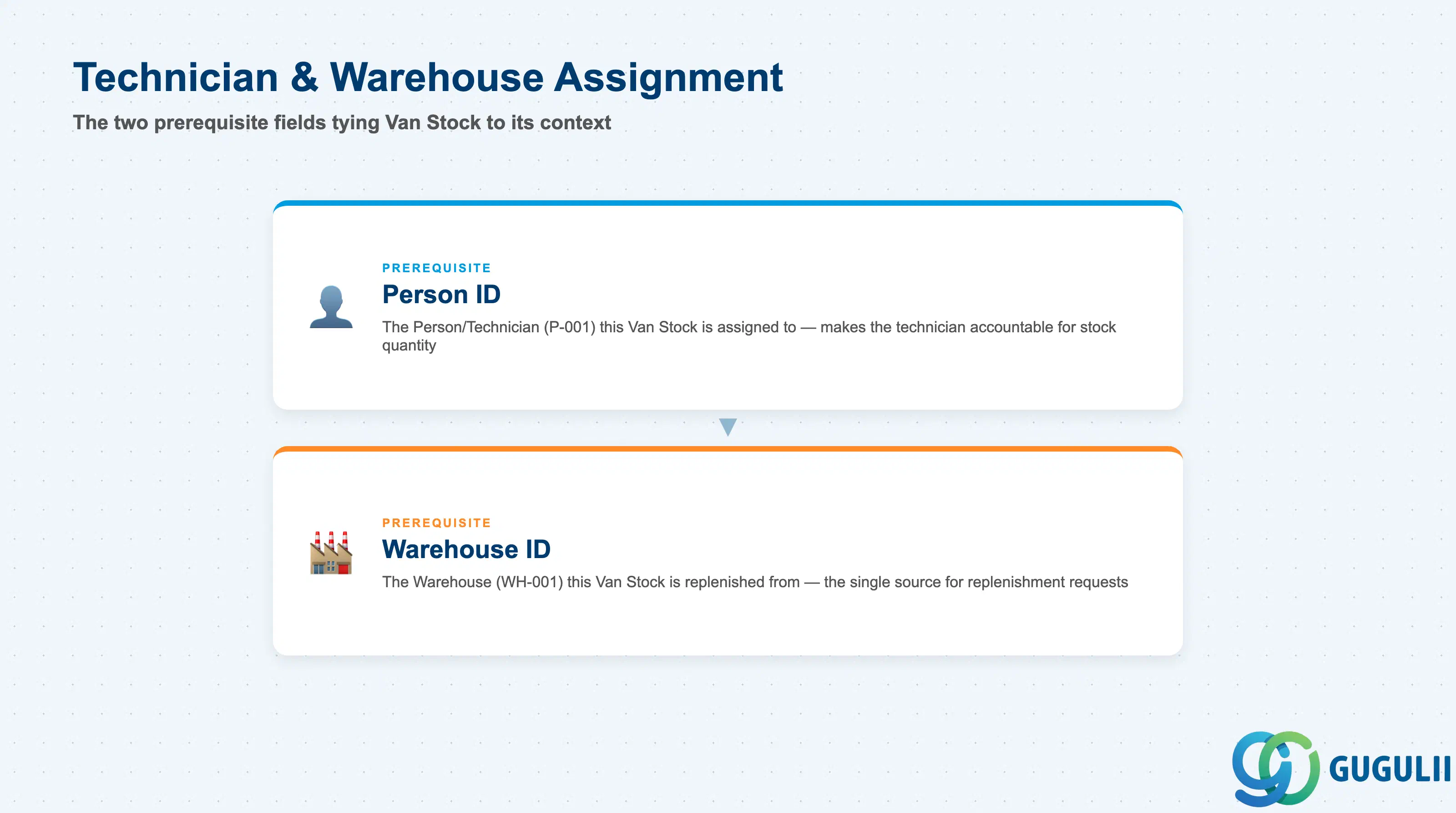
These two fields exist because Van Stock has no meaning in isolation — it only becomes usable once tied to the technician it belongs to and the Warehouse it is replenished from.
| Field | Description | Practical Usage |
|---|---|---|
| Person ID | The Person/Technician (FSM-A04-04) this Van Stock is assigned to | The field that makes a technician accountable for whatever quantity currently sits in their Van Stock. When investigating a stock discrepancy raised against a Warehouse, confirm first whether the quantity in question already moved into a specific technician’s Van Stock via this field — the same guidance given from the Warehouse side in FSM-A05-04’s Integration section (1.4). |
| Warehouse ID | The Warehouse (FSM-A05-04) this Van Stock is replenished from | Defines the single source location a given technician’s replenishment requests route to. Consultants configuring a new Region or technician pool should confirm this points at the correct Regional/Field Warehouse (see FSM-A05-04, 1.2) rather than defaulting every technician to the same Central Distribution Warehouse regardless of geography. |
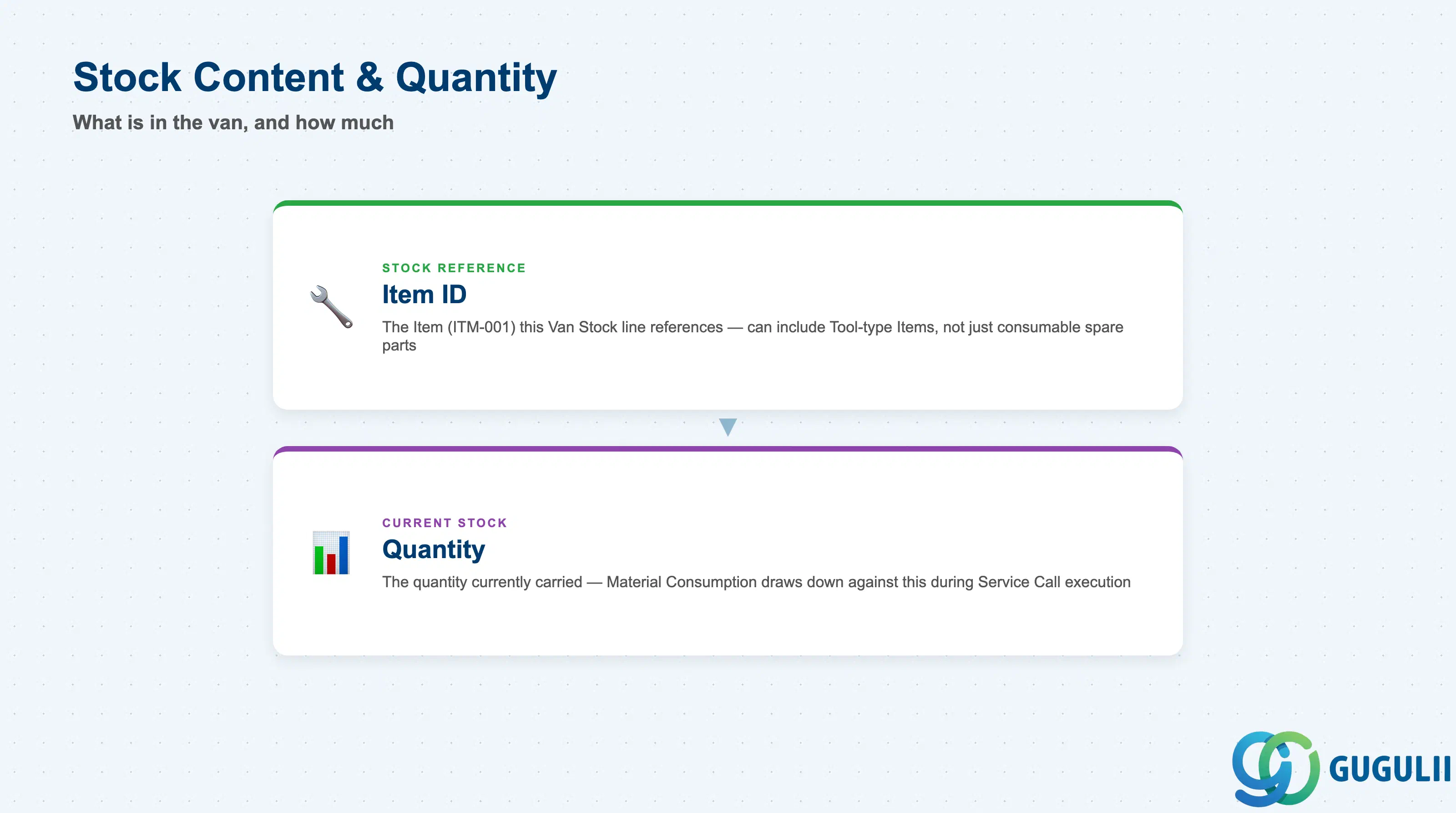
Once a Van Stock record is tied to a technician and a Warehouse, these two fields carry the actual line-item detail — what is in the van, and how much of it.
| Field | Description | Practical Usage |
|---|---|---|
| Item ID | The Item (FSM-A05-01) this Van Stock line references | A Van Stock line item can reference any Item, including a Tool-type Item that a Generic Tool record is itself defined against (FSM-A05-02) — do not assume Van Stock only ever carries consumable spare parts. A torque wrench carried informally as van stock, rather than checked out as a tracked Serialized Tool instance, is a common real-world data-quality gap worth flagging during design. |
| Quantity | The quantity of the referenced Item currently carried in this Van Stock record | The figure Material Consumption draws down against when a technician uses a part during a Service Call (FSM-B07, T&M Journal process). A Quantity that never decreases despite active Service Calls is a strong signal that Material Consumption is not being recorded consistently from the FSM Mobile app. |
Prerequisite: A Van Stock record requires both an existing Warehouse (FSM-A05-04) and an existing Person/Technician (FSM-A04-04) before it can be created — the only Material & Tool Management object in this series with two prerequisite objects rather than one (Generic Tool: Item; Serialized Tool: Generic Tool) or none on the FSM side (Item, Warehouse — both sourced from S/4HANA).
| ID | Category | Title |
|---|---|---|
| fsm-001 | Overview | What is SAP FSM? |
| ID | Category | Title |
|---|---|---|
| fsm-a01 | Overview | SAP FSM Master Data: Overview, Hierarchy & Relationships |
| fsm-a02-02 | Master Data | SAP FSM Contact |
| fsm-a02-03 | Master Data | SAP FSM Address |
| fsm-a03-01 | Master Data | SAP FSM Equipment |
| fsm-a03-02 | Master Data | SAP FSM Equipment Hierarchy |
| fsm-a03-03 | Master Data | SAP FSM Service History |
| fsm-a04-01 | Master Data | SAP FSM Skill |
| fsm-a04-02 | Master Data | SAP FSM Work Time Pattern |
| fsm-a04-03 | Master Data | SAP FSM Region |
| fsm-a04-04 | Master Data | SAP FSM Technician |
| fsm-a04-05 | Master Data | SAP FSM Crew |
| fsm-a04-06 | Master Data | SAP FSM Absence |
| fsm-a04-07 | Master Data | SAP FSM Skill Requirement |
| fsm-a05-02 | Master Data | SAP FSM Generic Tool |
| fsm-a05-03 | Master Data | SAP FSM Serialized Tool |
| fsm-a05-04 | Master Data | SAP FSM Warehouse |
| fsm-a05-05 | Master Data | SAP FSM Van Stock 📍 |
| fsm-a06-01 | Master Data | SAP FSM Partner Invitation |
| fsm-a06-02 | Master Data | SAP FSM Partner Registration |
| fsm-a06-03 | Master Data | SAP FSM Crowd Partner |
| fsm-a06-04 | Master Data | SAP FSM Partner Technician |
| ID | Category | Title |
|---|---|---|
| fsm-b01 | Overview | SAP FSM Transactions: Process Flow, Hierarchy & Relationships |