Title here
Summary here

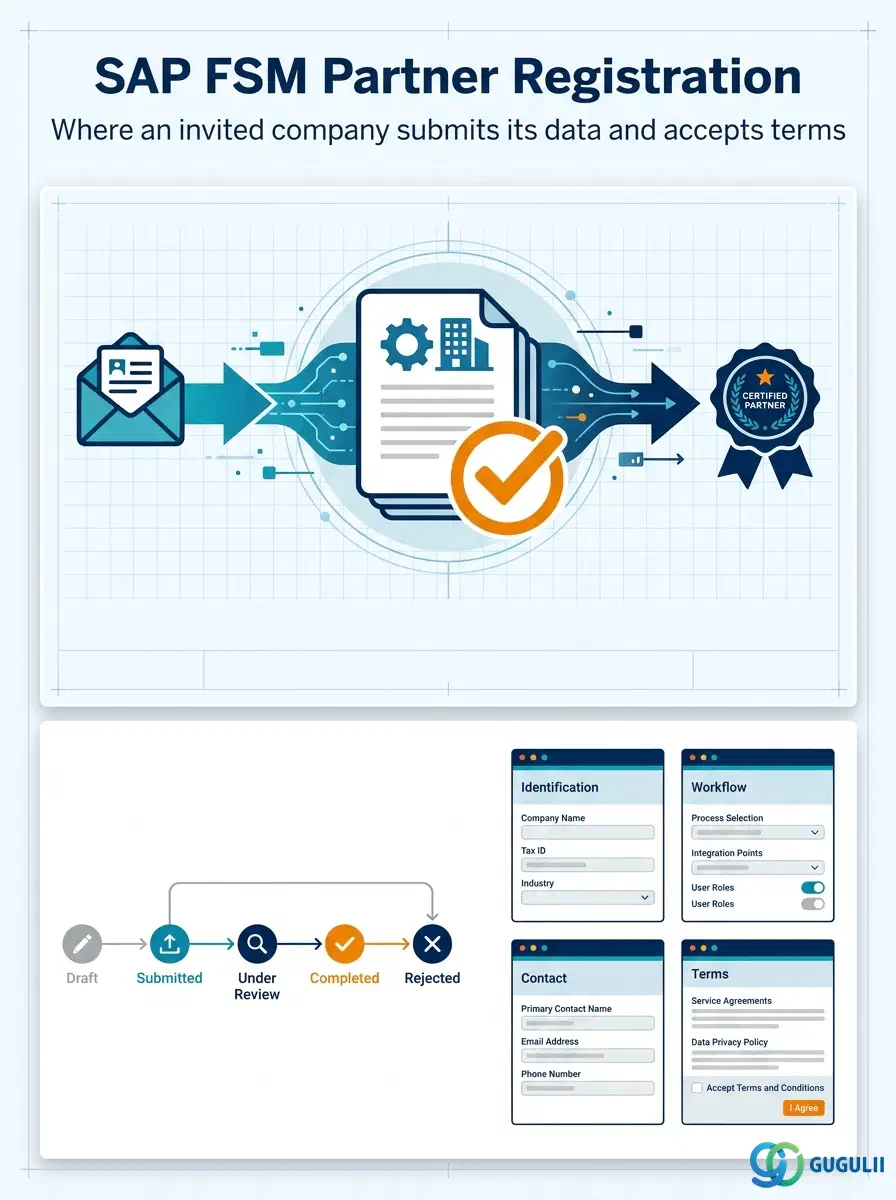
Partner Registration is the record created the moment an invited external company accepts its Partner Invitation and submits its own company information through the Partner Portal — legal name, contact details, and acceptance of the governing terms. It is the second link in the Partner Ecosystem chain (Partner Invitation → Partner Registration → Crowd Partner → Partner Technician), converting a one-way invite into a two-way data exchange, and its completion is what allows the Crowd Owner to review and activate the company as a Crowd Partner. This article covers the concept and its position in that chain (Part 1), then its FSM-specific field details (Part 2).
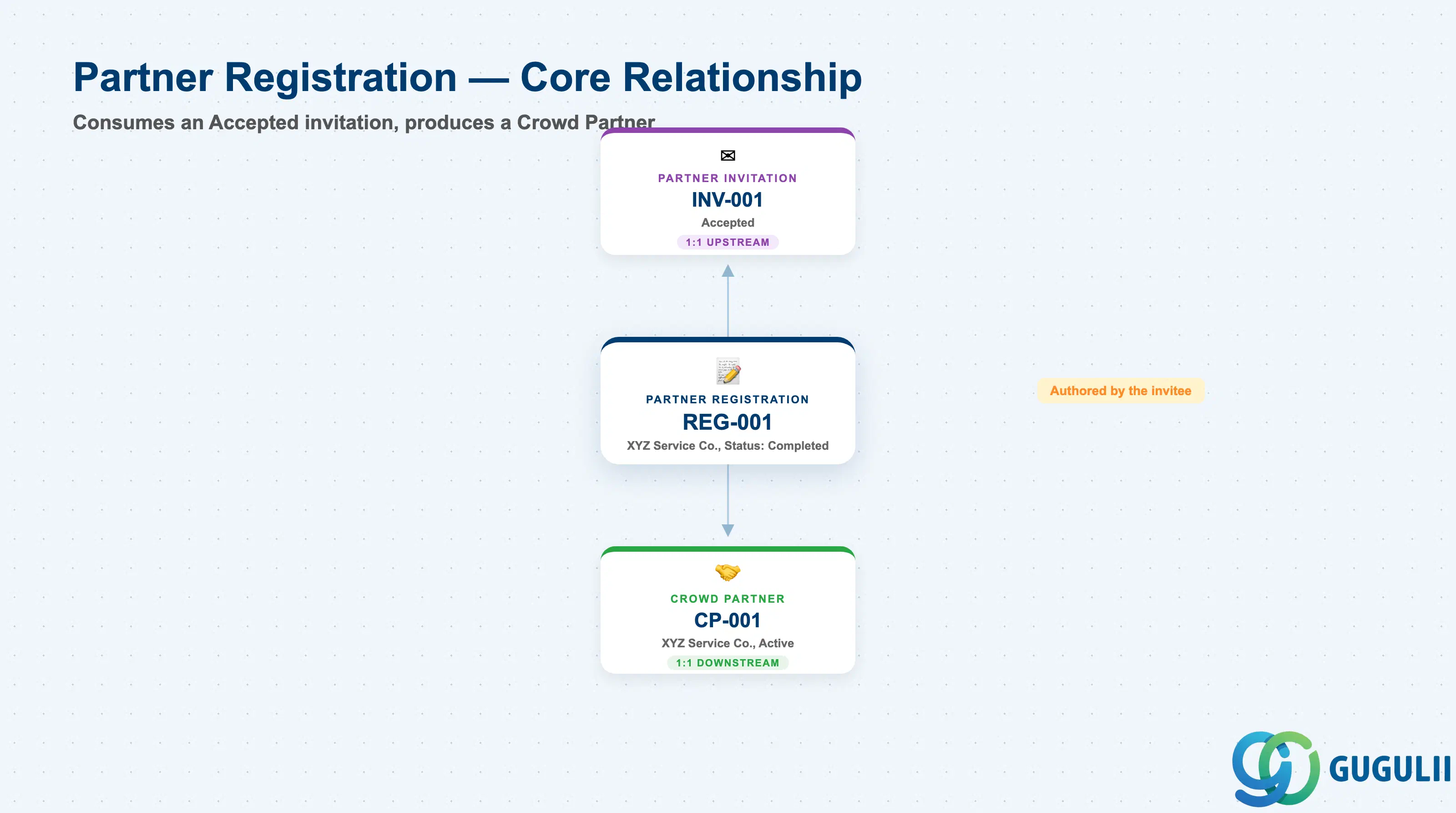
Partner Registration is the self-service intake form an invited company fills out to formally identify itself to the FSM tenant — the first point at which the invitee, rather than the inviting tenant, becomes the party entering data. Conceptually it is the hinge of the Partner Ecosystem chain: everything before it (Partner Invitation) is tenant-authored, and everything after it (Crowd Partner, Partner Technician) is tenant-governed again, but Partner Registration itself is authored by the outside company.
| Aspect | Details |
|---|---|
| Role | The record an invited company submits to formally provide its company data and accept onboarding terms |
| Modules using it | FSM only (Crowd Service / Partner Ecosystem) — no S/4HANA or ECC equivalent object |
| Transactions | Partner Portal (external-facing self-service UI used by the Partner Admin) — distinct from the Crowd Company Management work center the Crowd Owner uses for Partner Invitation; no classic Tr-Cd since FSM is a stand-alone cloud UI |
| Key Tables | FSM-native SaaS data model, exposed via FSM OData/REST API only — no customer-visible ABAP table |
| S/4HANA note | Not applicable at this object. Partner Registration is FSM-native with no ECC/S/4HANA predecessor; the company data captured here may later be cross-referenced to an S/4HANA Business Partner/Vendor once the partner is approved, for billing and procurement purposes |
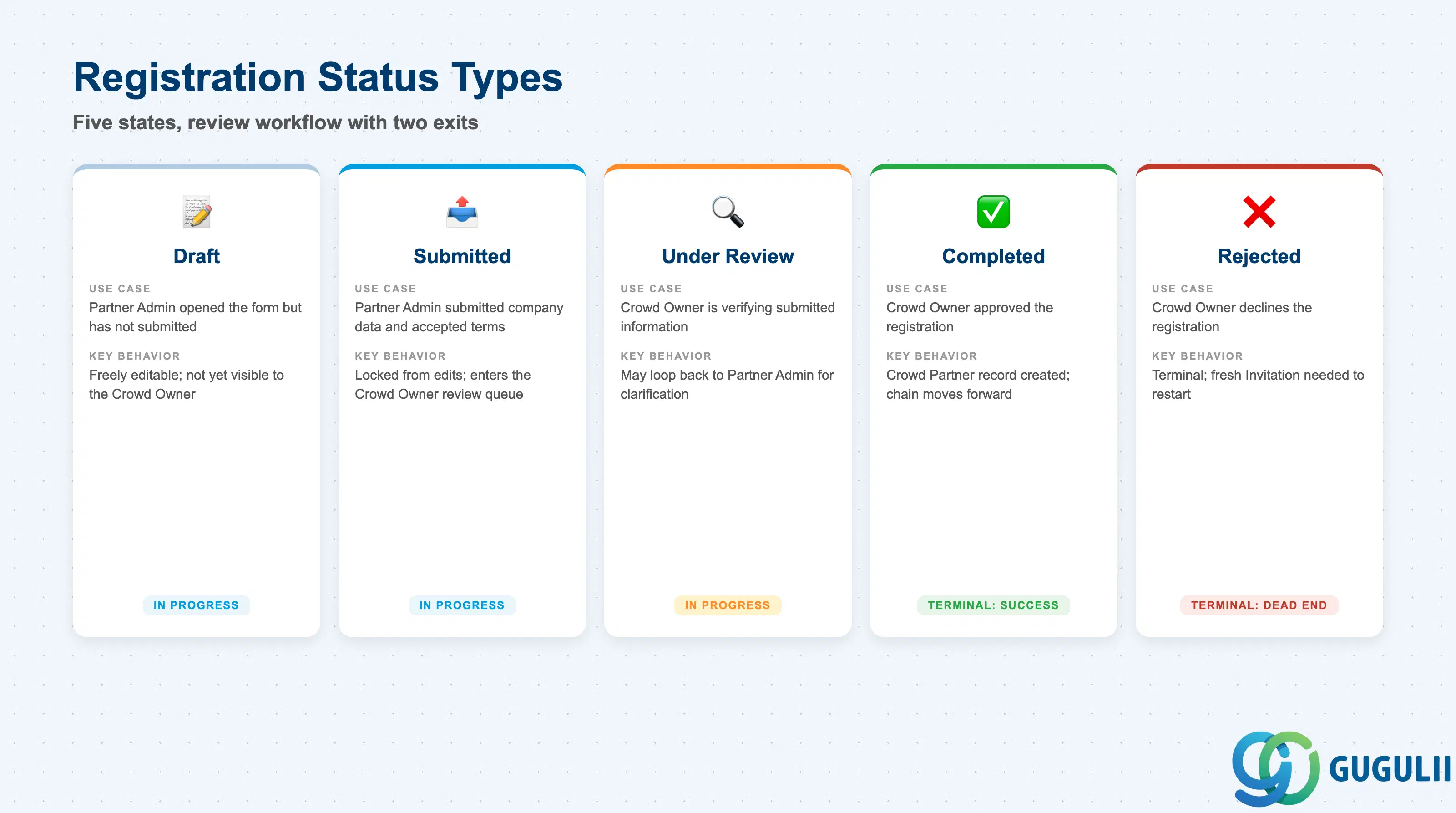
A registration is not submitted and approved in a single step — it moves through a review workflow between the moment the Partner Admin starts filling it out and the moment the Crowd Owner either completes it (creating a Crowd Partner) or rejects it. Getting the status right matters operationally: an incomplete registration left in “Draft” indefinitely stalls the entire onboarding pipeline, and a rejected registration must be distinguishable from one still awaiting review.
| Status | Use Case | Key Behavior |
|---|---|---|
| Draft | Partner Admin has opened the Partner Portal form but has not yet submitted it | Freely editable by the Partner Admin; not visible to the Crowd Owner as a reviewable item yet |
| Submitted | Partner Admin has submitted company information and accepted the terms | Locked from further edits by the Partner Admin; appears in the Crowd Owner’s review queue |
| Under Review | Crowd Owner is verifying the submitted company information and any attached documents | May trigger a request-for-more-information loop back to the Partner Admin without reopening full Draft status |
| Completed | Crowd Owner has approved the registration | Terminal success state — a Crowd Partner record is now created and carries the relationship forward |
| Rejected | Crowd Owner declines the registration (incomplete data, failed compliance check, etc.) | Terminal state on this record; the Crowd Owner must issue a fresh Partner Invitation to restart the chain — there is no “reopen and resubmit” action on the same registration |
Design principle: Partner Registration exists to move the burden of data entry to the party that actually knows it — the invited company — while keeping final approval authority with the Crowd Owner. The record itself never grants dispatch rights; that only happens once it converts into an Active Crowd Partner.
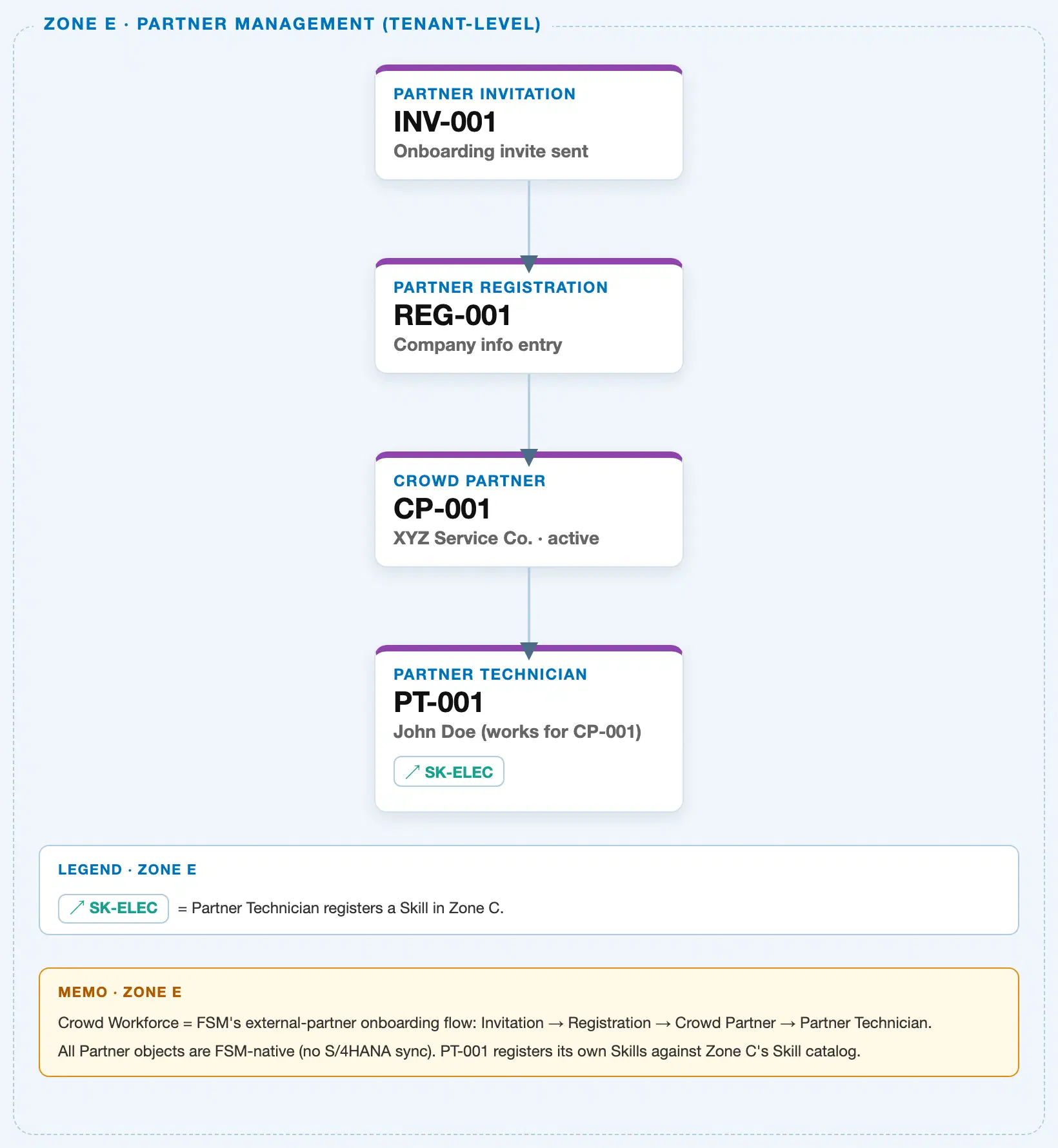
Data hierarchy with a concrete example
Client (FSM Tenant)
└── Partner Invitation "INV-001" — invite sent to partner@example.com, Status: Accepted
    └── Partner Registration "REG-001" — company info submitted by XYZ Service Co., Status: Completed
        └── Crowd Partner "CP-001" — XYZ Service Co., Status: Active
            └── Partner Technician "PT-001" — John Doe, works for CP-001
                                                          ── registers skill ──> Skill "SK-ELEC" (Zone C, Electrical Work L3)
Partner Registration sits in the middle of the Partner Ecosystem chain, directly beneath an Accepted Partner Invitation and directly above the resulting Crowd Partner — both containment links are 1:1 (one Invitation produces exactly one Registration; one completed Registration produces exactly one Crowd Partner). Crowd Partner → Partner Technician is 1:N, and Partner Technician’s link to Skill remains a cross-zone reference, drawn as a side arrow rather than nested underneath, exactly as in the sibling Partner Invitation article.
Note on scope: Like Partner Invitation, Partner Registration does not sit under a Business Partner, Plant, or Region — it is still part of the self-contained, tenant-level onboarding flow. Organizational-unit dependency (Region, Skill Requirement matching) only enters the picture once the chain reaches Crowd Partner and Partner Technician.
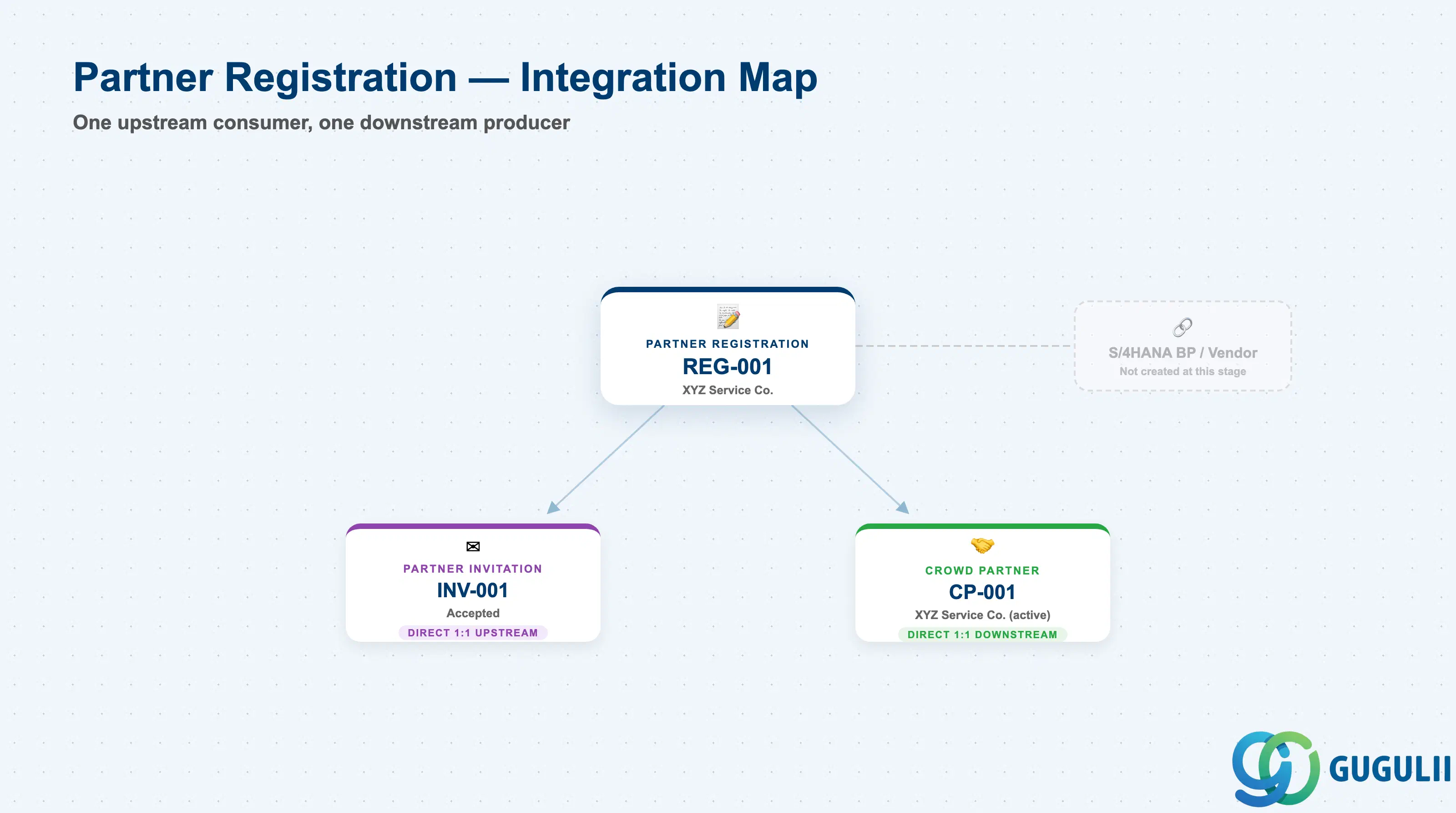
Partner Registration is the pivot point of the Partner Ecosystem chain — it consumes exactly one upstream object and produces exactly one downstream object, with no other master data integration of its own.
| Object | Relationship | Practical Notes |
|---|---|---|
| Partner Invitation | Direct 1:1 upstream — a Partner Registration can only exist because an invitation was Accepted | Consultants should treat the Invitation’s Contact Email as the audit trail back to who was originally invited; Partner Registration does not re-capture that link explicitly beyond the originating invitation reference |
| Crowd Partner | Direct 1:1 downstream — Crowd Owner approval of a Completed registration creates exactly one Crowd Partner record | This is the only path to becoming a dispatchable Crowd Partner; there is no way to create one without a prior Completed Partner Registration |
| S/4HANA / ECC Business Partner or Vendor (external, indirect) | Not created at this stage — only referenced once the eventual Crowd Partner is set up for procurement-based dispatch (Purchase Requisition/Order, Service Entry Sheet) | Confirms that Partner Registration itself has no ERP-side master counterpart; consultants should not expect a Business Partner or Vendor record to exist yet at Registration time |
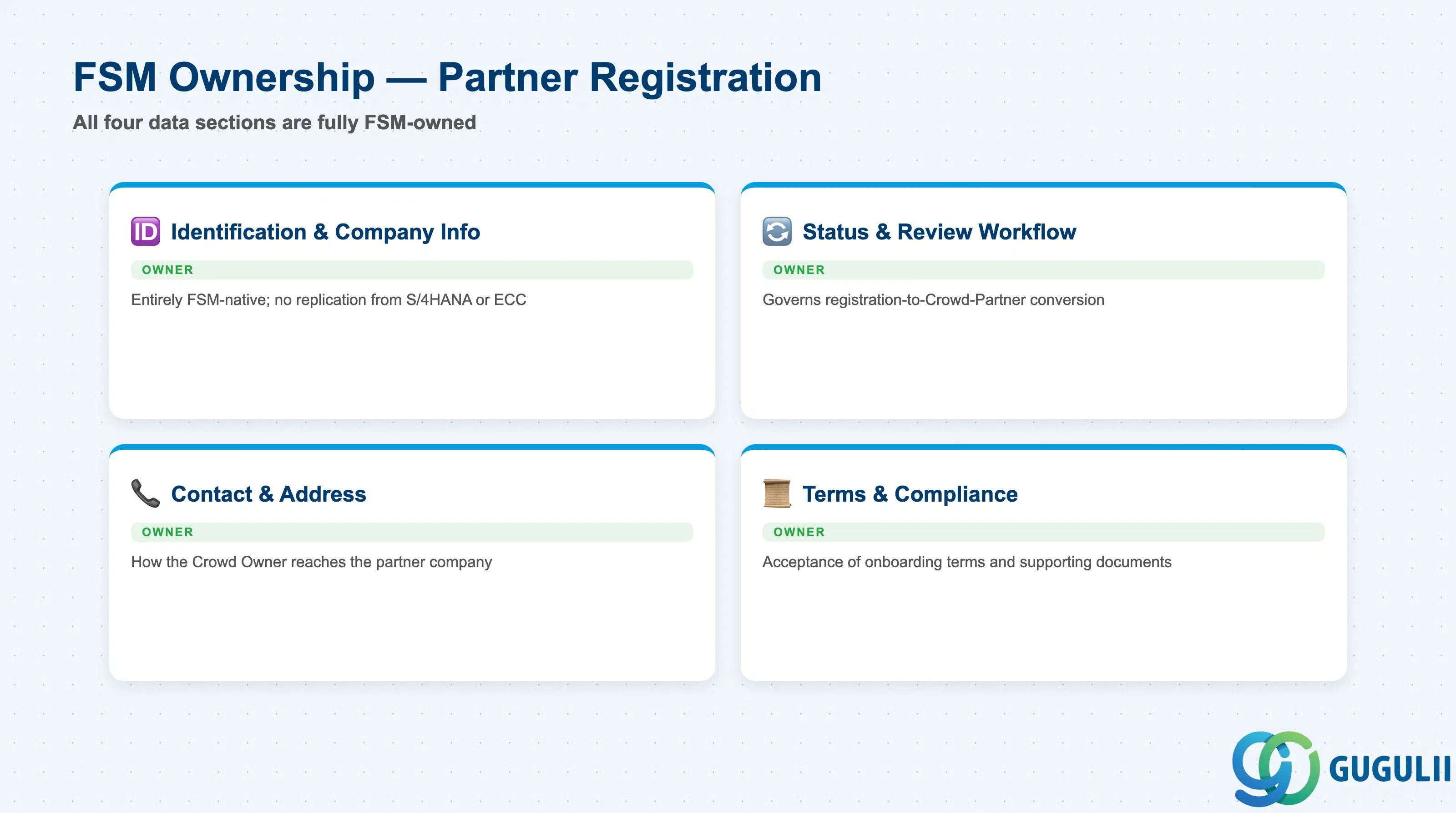
| Data Section | FSM Involvement | Notes |
|---|---|---|
| Identification & Company Information | ◎ Owner | Entirely FSM-native; no replication from S/4HANA or ECC at this stage |
| Status & Review Workflow | ◎ Owner | Governs when (and whether) the registration converts into a Crowd Partner |
| Contact & Address | ◎ Owner | Captures how the Crowd Owner and future dispatch processes reach the partner company |
| Terms & Compliance | ◎ Owner | Records the invited company’s acceptance of onboarding terms and any supporting documentation |
Legend: ◎ = Owner / Critical, ○ = Direct involvement
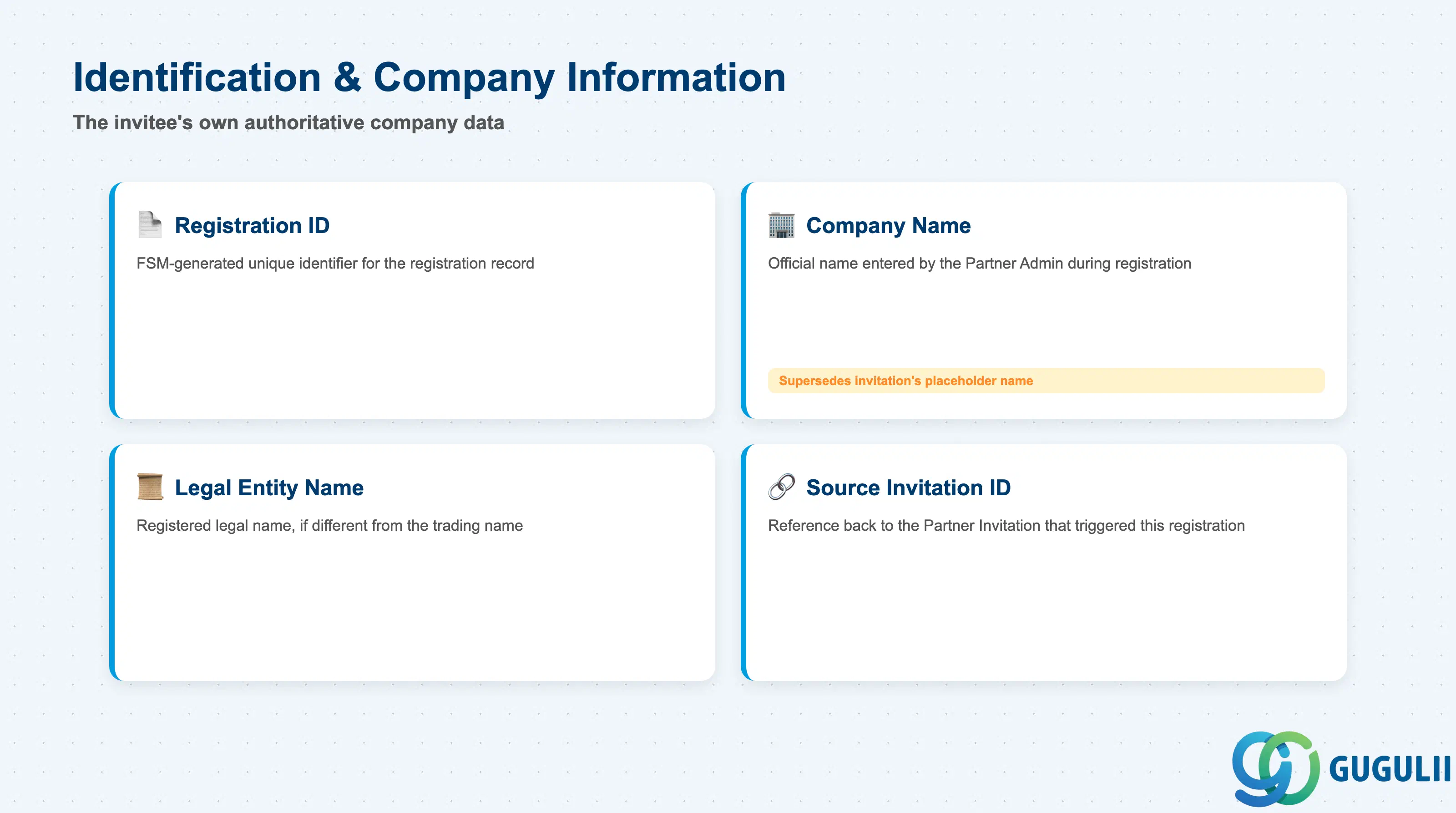
This section identifies the registration record itself and the company behind it — the data that replaces the invitation’s placeholder “Proposed Company Name” with an authoritative, invitee-supplied value.
| Field | Description | Practical Usage |
|---|---|---|
| Registration ID | FSM-generated unique identifier for the registration record (e.g. REG-001) | Becomes the primary tracking key for the review queue once the Invitation ID is superseded; consultants should carry this ID forward into the eventual Crowd Partner record for end-to-end traceability |
| Company Name | Official company name as entered by the Partner Admin during registration | Supersedes the Invitation’s free-text “Proposed Company Name”; treat any mismatch between the two as expected, since the invitee’s own entry is the authoritative value from this point forward |
| Legal Entity Name | Registered legal name of the company, if different from its trading/brand name | Important for compliance and eventual S/4HANA Vendor master creation; flag discrepancies between trading name and legal name early, since procurement teams downstream will need the legal name for contracting |
| Source Invitation ID | Reference back to the Partner Invitation this registration originated from | The only formal link tying this record to its origin; useful for auditing onboarding SLAs from Invitation-Sent through to Registration-Completed |
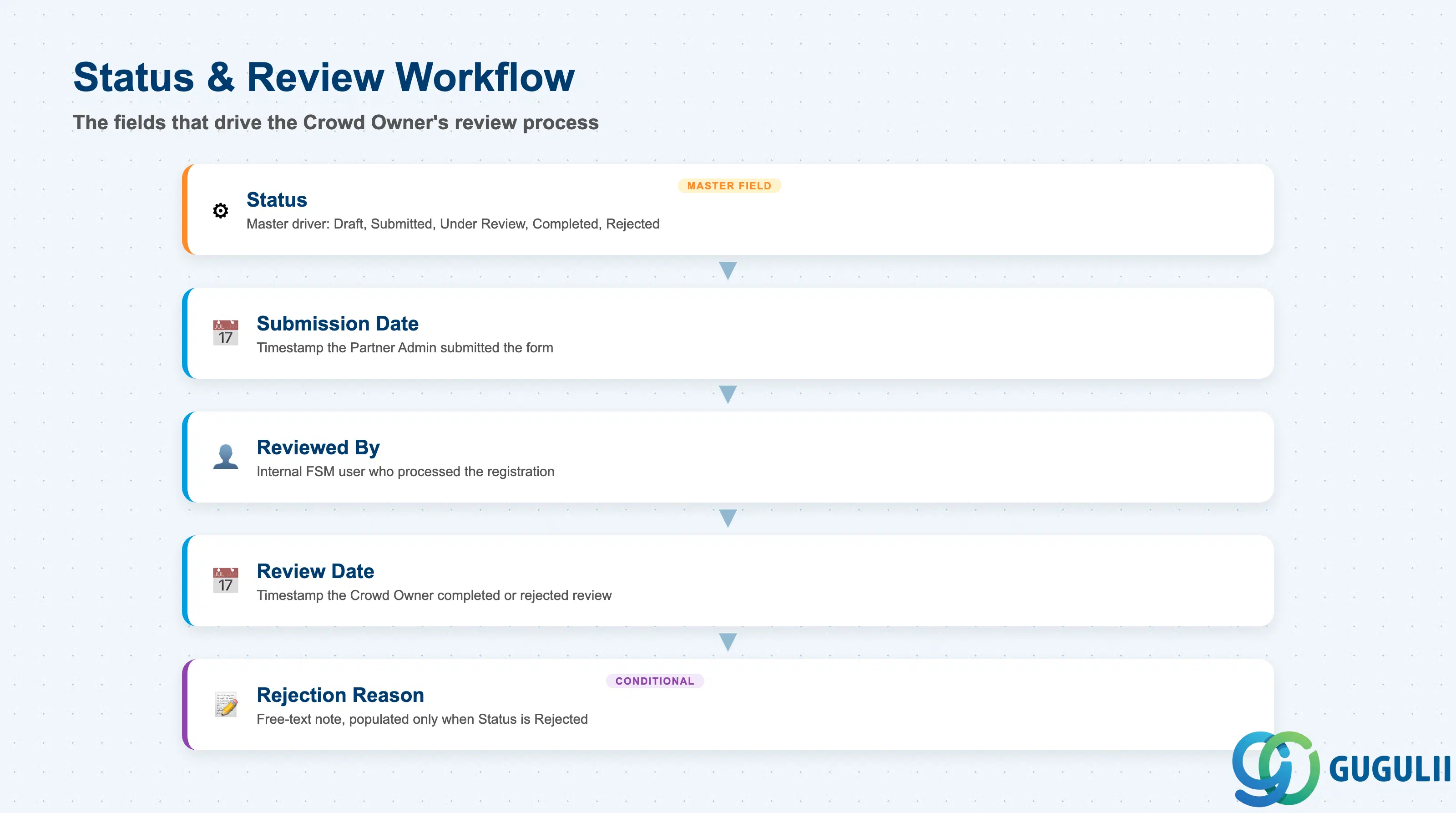
These fields drive the registration’s review process — who is looking at it, when, and with what outcome.
| Field | Description | Practical Usage |
|---|---|---|
| Status | Current workflow state — Draft, Submitted, Under Review, Completed, or Rejected | Drives which actions are available (e.g. “Approve”/“Reject” are only valid in Under Review); build any onboarding-review dashboard around this field first |
| Submission Date | Timestamp the Partner Admin submitted the completed registration form | Anchor point for SLA tracking on the review side — the clock for “days to review” starts here, not at Invitation acceptance |
| Reviewed By | The internal FSM user (typically the Crowd Owner) who processed the registration | Provides accountability for approval/rejection decisions; useful when a rejected partner disputes the outcome |
| Review Date | Timestamp the Crowd Owner completed or rejected the review | Combined with Submission Date, gives the actual review turnaround time — a common KPI for crowd-workforce onboarding teams |
| Rejection Reason | Free-text note explaining why a registration was rejected, if applicable | Only populated when Status is Rejected; consultants should encourage consistent use of a short controlled vocabulary here (e.g. “Incomplete documentation,” “Failed compliance check”) rather than free-form prose, to keep rejection reporting analyzable |
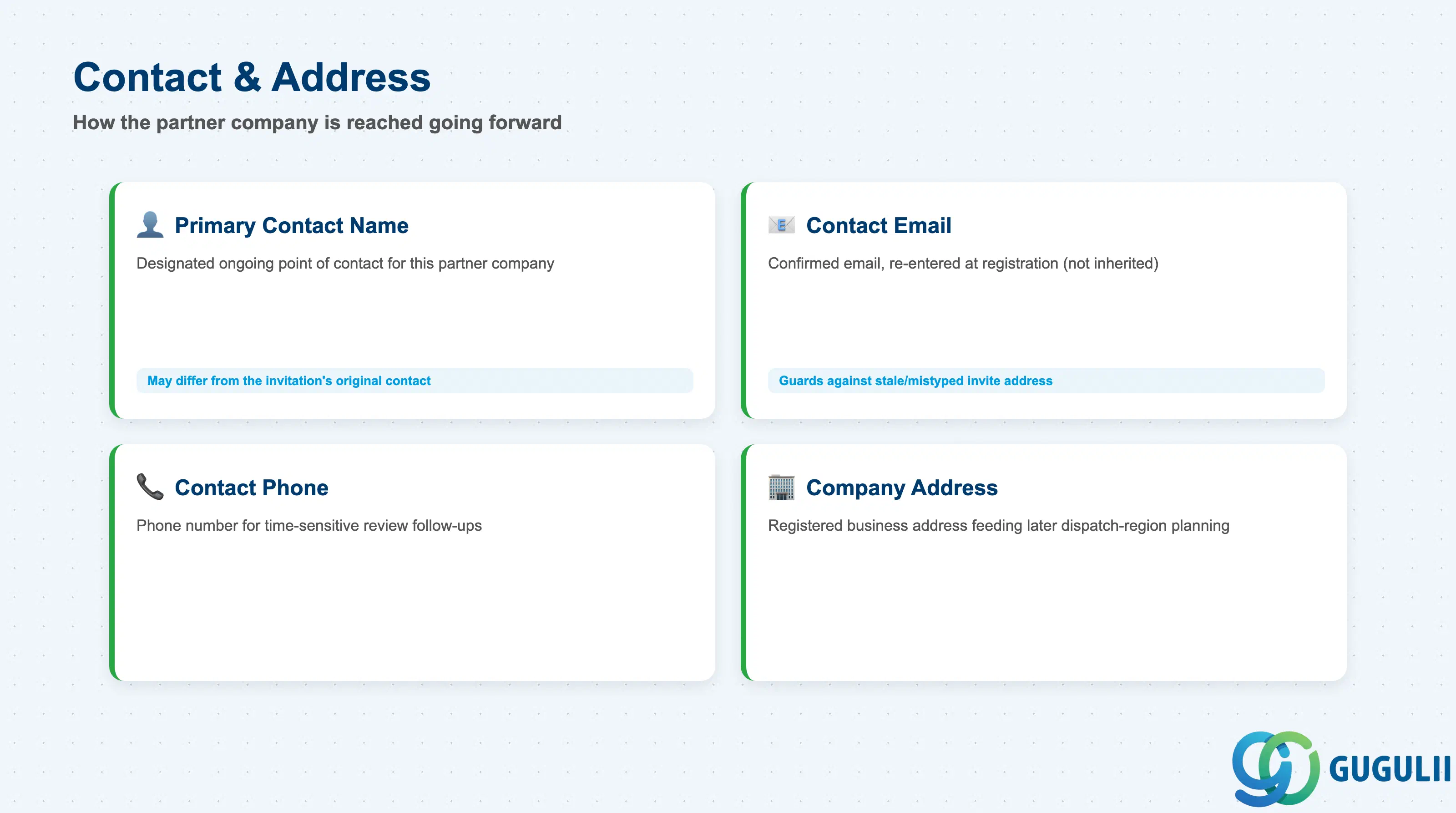
These fields establish how the Crowd Owner — and later, dispatch processes — reach the partner company once it becomes active, distinct from the one-time contact captured on the original invitation.
| Field | Description | Practical Usage |
|---|---|---|
| Primary Contact Name | Name of the individual designated as the ongoing point of contact for this partner company | May differ from the Partner Invitation’s original Contact Person — the invitee often nominates a different operational contact once registering formally |
| Contact Email | Confirmed email address for the registered company, re-entered (not inherited) at registration time | Re-capturing rather than inheriting from the invitation guards against a stale or mistyped address on the original invite persisting downstream |
| Contact Phone | Phone number for the partner company’s primary contact | Used for time-sensitive review follow-ups (e.g. requesting missing documentation) where email response is too slow |
| Company Address | Registered business address of the partner company | Feeds into later dispatch-region planning once the partner is Active as a Crowd Partner; consultants should confirm this is the company’s operating address, not just a billing address, if the two differ |
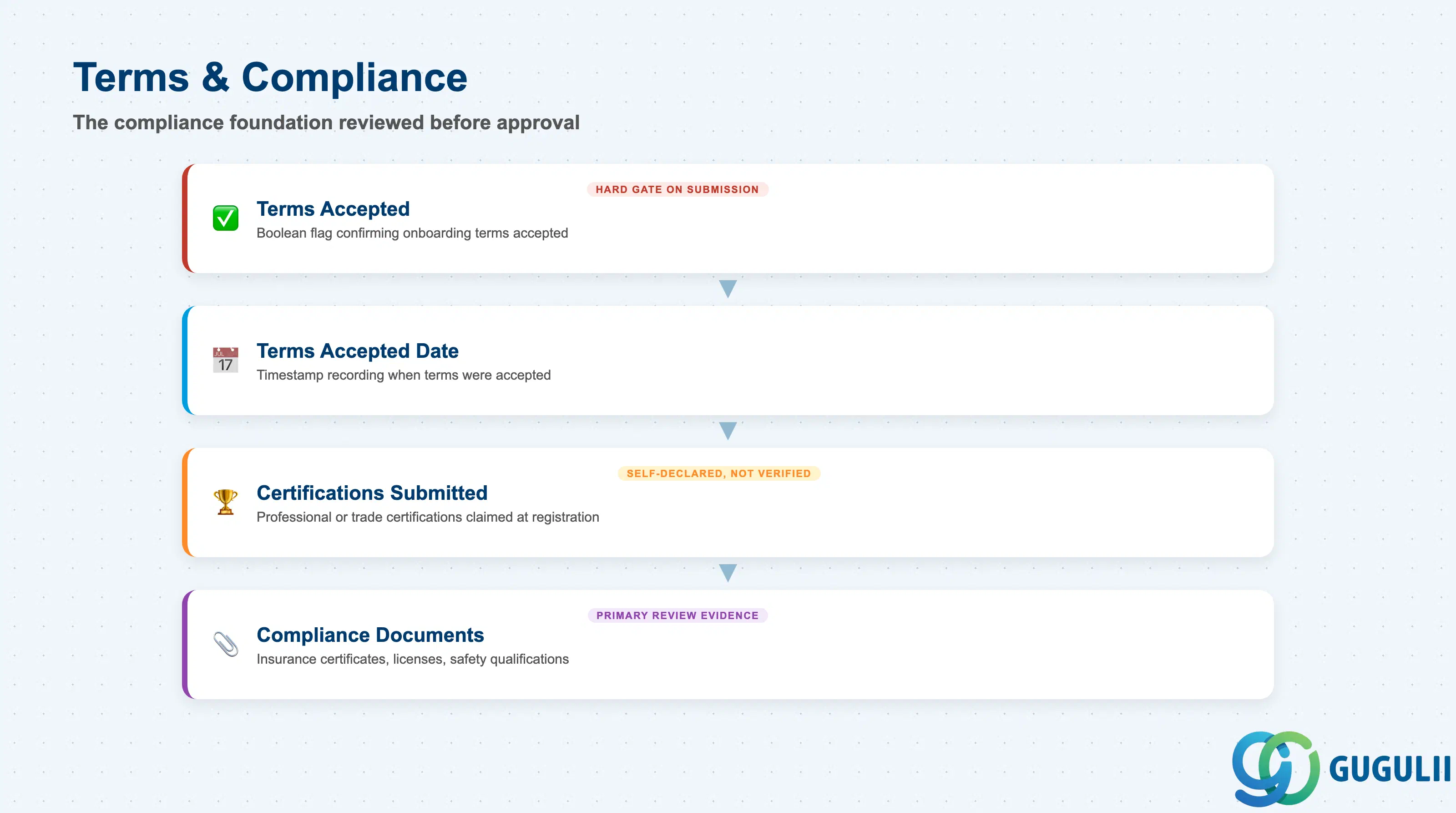
These fields record what the invited company formally agreed to and what it provided as evidence — the compliance foundation the Crowd Owner reviews before approving.
| Field | Description | Practical Usage |
|---|---|---|
| Terms Accepted | Boolean flag confirming the Partner Admin accepted the tenant’s onboarding terms and conditions | Should be a hard gate — the Partner Portal should not allow Submission without this flag set; consultants should confirm this behavior is enforced during configuration testing, not just assumed |
| Terms Accepted Date | Timestamp the terms were accepted | Provides a defensible audit record separate from the overall Submission Date, useful if terms wording changes between onboarding cycles |
| Certifications Submitted | List of professional or trade certifications the company claims to hold at registration time | Distinct from the eventual Crowd Partner’s verified “Certification Status” — this is the partner’s self-declared claim, not yet independently confirmed |
| Compliance Documents | Attached files such as insurance certificates, business licenses, or safety qualifications | The Crowd Owner’s primary evidence during Under Review; consultants should agree a required-document checklist with the client up front so incomplete submissions can be rejected consistently rather than case-by-case |
| ID | Category | Title |
|---|---|---|
| fsm-001 | Overview | What is SAP FSM? |
| ID | Category | Title |
|---|---|---|
| fsm-a01 | Overview | SAP FSM Master Data: Overview, Hierarchy & Relationships |
| fsm-a02-02 | Master Data | SAP FSM Contact |
| fsm-a02-03 | Master Data | SAP FSM Address |
| fsm-a03-01 | Master Data | SAP FSM Equipment |
| fsm-a03-02 | Master Data | SAP FSM Equipment Hierarchy |
| fsm-a03-03 | Master Data | SAP FSM Service History |
| fsm-a04-01 | Master Data | SAP FSM Skill |
| fsm-a04-02 | Master Data | SAP FSM Work Time Pattern |
| fsm-a04-03 | Master Data | SAP FSM Region |
| fsm-a04-04 | Master Data | SAP FSM Technician |
| fsm-a04-05 | Master Data | SAP FSM Crew |
| fsm-a04-06 | Master Data | SAP FSM Absence |
| fsm-a04-07 | Master Data | SAP FSM Skill Requirement |
| fsm-a05-02 | Master Data | SAP FSM Generic Tool |
| fsm-a05-03 | Master Data | SAP FSM Serialized Tool |
| fsm-a05-04 | Master Data | SAP FSM Warehouse |
| fsm-a05-05 | Master Data | SAP FSM Van Stock |
| fsm-a06-01 | Master Data | SAP FSM Partner Invitation |
| fsm-a06-02 | Master Data | SAP FSM Partner Registration 📍 |
| fsm-a06-03 | Master Data | SAP FSM Crowd Partner |
| fsm-a06-04 | Master Data | SAP FSM Partner Technician |
| ID | Category | Title |
|---|---|---|
| fsm-b01 | Overview | SAP FSM Transactions: Process Flow, Hierarchy & Relationships |