Title here
Summary here

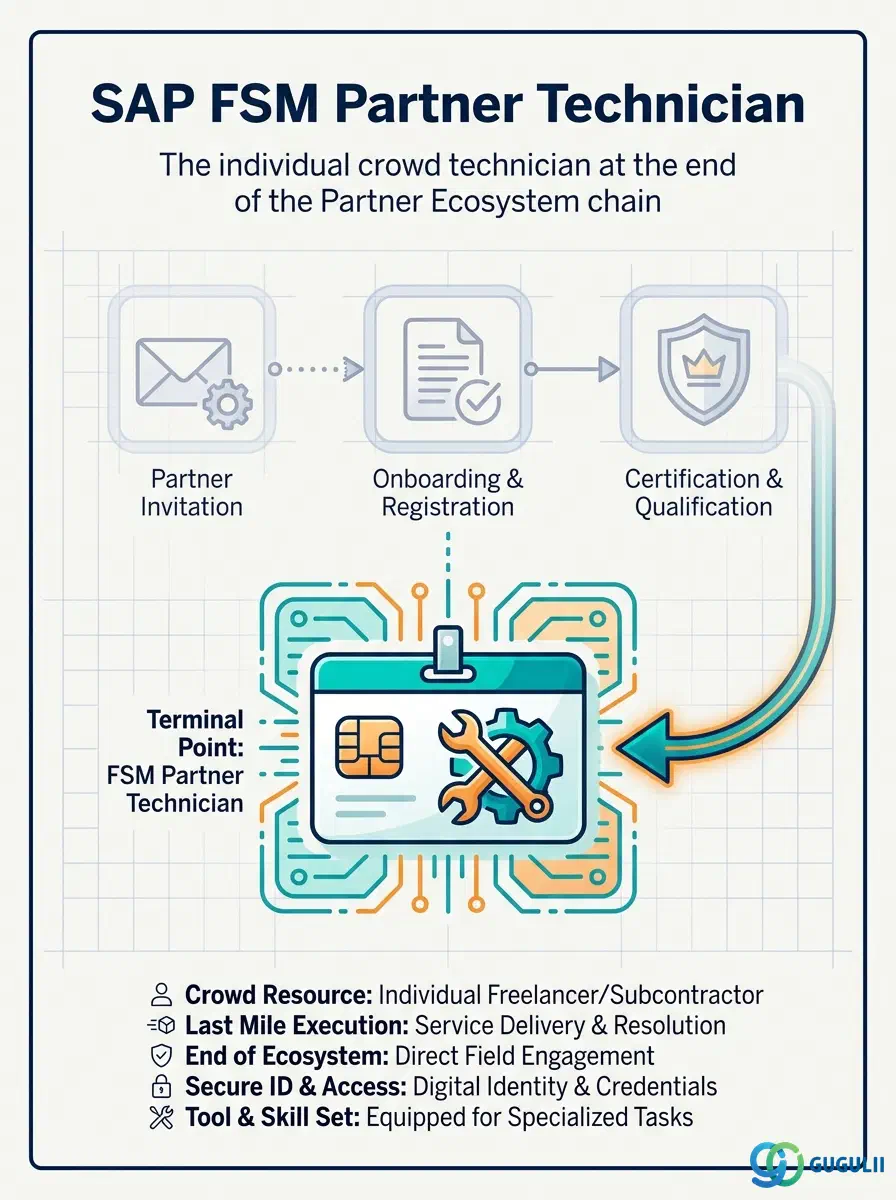
Partner Technician is the record a Partner Admin creates for an individual person employed by or affiliated with an Active Crowd Partner — the actual human being who accepts a dispatched Activity, travels to the customer site, and executes the work, as distinct from the Crowd Partner company record that merely makes them eligible to exist. It is the fourth and final link in the Partner Ecosystem chain (Partner Invitation → Partner Registration → Crowd Partner → Partner Technician): every Partner Technician requires an Active Crowd Partner as its 1:N master data prerequisite, and per SAP-FSM_Master.md’s Master Data Setup Flow, Hierarchy Structure, and ER Diagram, no further FSM master data object nests beneath it — Partner Technician is a true leaf node, not a further pass-through. This article covers the concept and its position in that chain (Part 1), then its FSM-specific field details (Part 2).
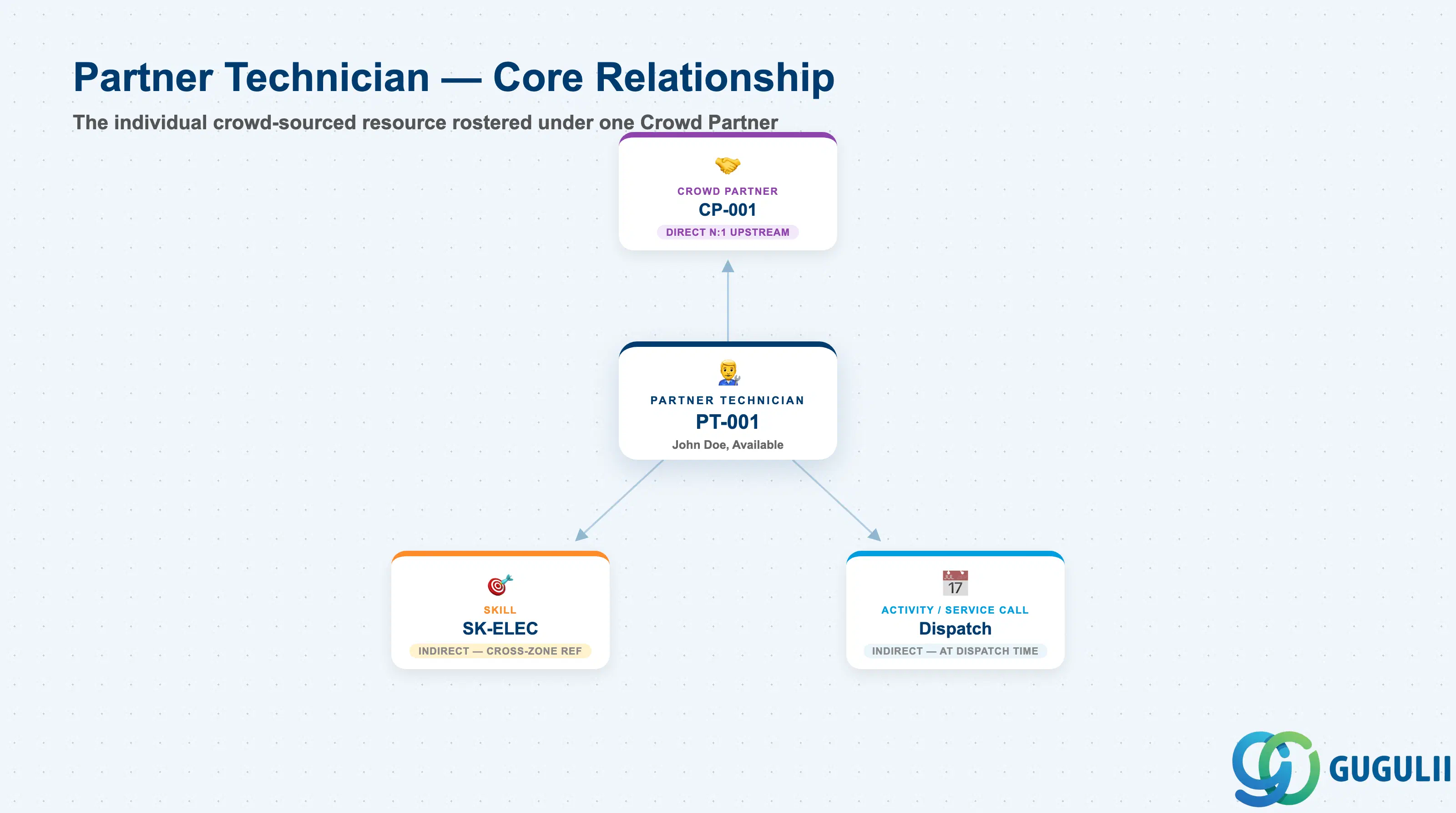
Partner Technician represents a single, individually identifiable field service resource supplied through the Crowd Workforce channel rather than through the organization’s own Technician Management domain — the crowd-sourced counterpart to the internal Person/Technician object (FSM-A04-04), but modeled and administered as a separate object because it sits outside the tenant’s own workforce data. Conceptually it is where the Partner Ecosystem chain stops being about a company (Invitation, Registration, Crowd Partner) and becomes about a person again, the same shift Person/Technician represents inside the organization’s own Technician Management domain.
| Aspect | Details |
|---|---|
| Role | Master record of an individual crowd-sourced field service technician, rostered under exactly one Active Crowd Partner |
| Modules using it | FSM only (Crowd Service / Partner Ecosystem) — no S/4HANA or ECC equivalent object |
| Transactions | Partner Portal (Partner Admin registers and maintains the technician roster); Mobile Field Service App (the technician’s own execution interface once dispatched) — no classic Tr-Cd since FSM is a stand-alone cloud UI |
| Key Tables | FSM-native SaaS data model, exposed via FSM OData/REST API only — no customer-visible ABAP table |
| S/4HANA note | Not applicable directly. Partner Technician has no S/4HANA/ECC counterpart of its own; only its parent Crowd Partner may later be cross-referenced to an S/4HANA Business Partner/Vendor for the Crowd Service Procurement flow, and that cross-reference does not extend down to the individual technician level |
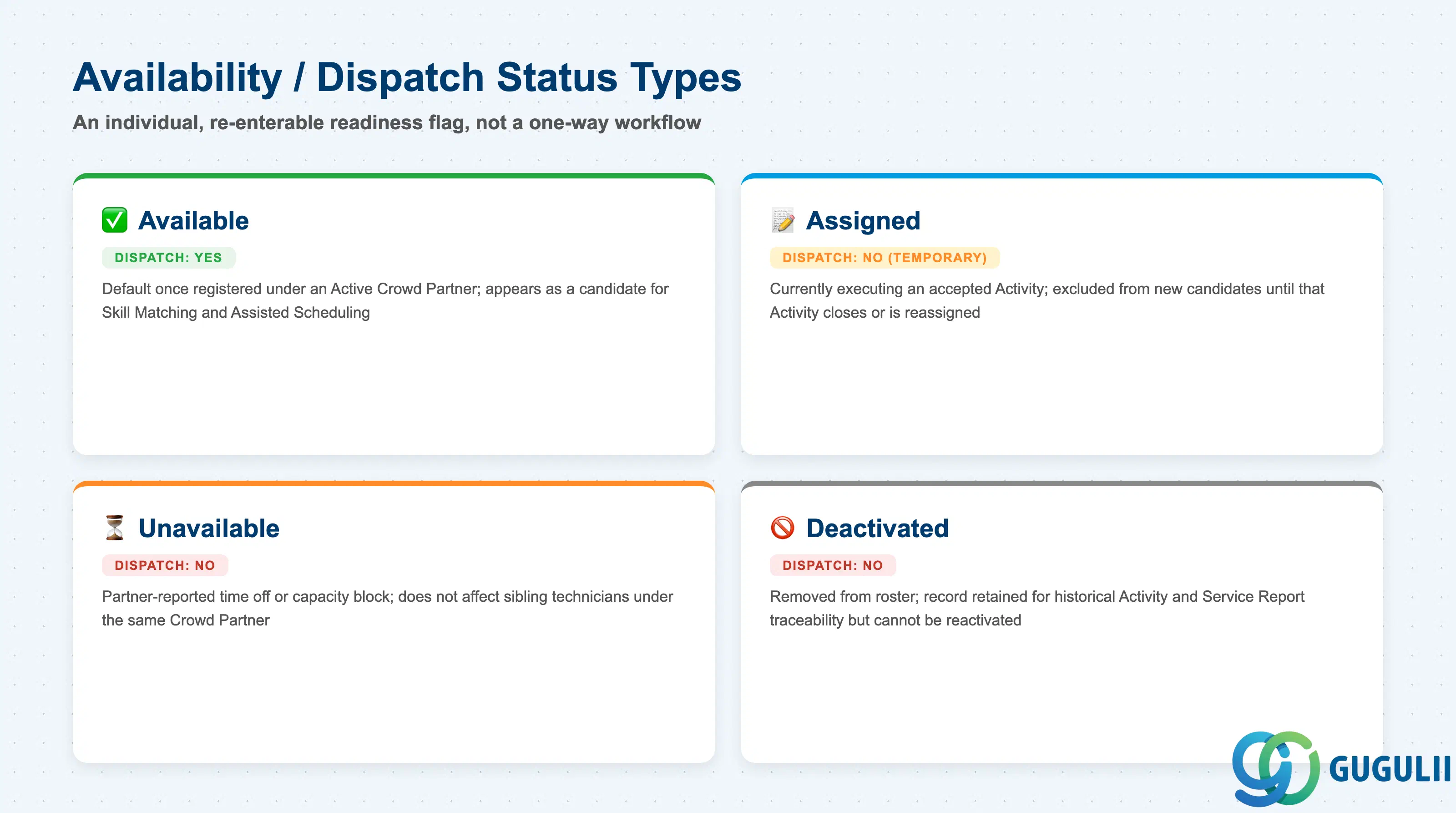
Unlike Crowd Partner’s company-level Status or the one-way workflow statuses of Partner Invitation and Partner Registration, Partner Technician’s status is the individual, re-enterable readiness flag checked every time Skill Matching or Crowd Dispatching considers this specific person for a job — conceptually the crowd-side equivalent of the internal Person/Technician’s single Plannable flag, expanded into a richer set because a partner-side technician can be temporarily unavailable, mid-job, or removed from the roster entirely, each with a different downstream implication.
| Status | Dispatch Allowed | Key Behavior |
|---|---|---|
| Available | Yes | Default state once the Partner Admin registers the technician and their Crowd Partner is Active; appears as a Skill Matching / Assisted Scheduling candidate whenever an Activity is routed to that partner |
| Assigned | No (temporarily) | Technician has accepted a specific Activity via Partner Activity Acceptance and is currently executing it; excluded from new candidate lists until the Activity closes or is reassigned |
| Unavailable | No | Partner-reported time off or capacity block — the partner-side analogue of Absence on the internal Person/Technician object; does not affect sibling technicians under the same Crowd Partner |
| Deactivated | No | Partner Admin or Crowd Owner has removed the technician from the roster (e.g. they left the partner company); the record is retained for historical Activity and Service Report traceability but can never be reactivated for future dispatch under this Partner ID |
Design principle: Partner Technician’s status is scoped to the individual, while Crowd Partner’s own Status is scoped to the whole company. A technician can be Unavailable while their Crowd Partner remains Active, but a Blocked or Inactive Crowd Partner overrides every one of its technicians’ individual status — consultants should model dispatch eligibility as a check against both levels, not the technician’s own status alone.
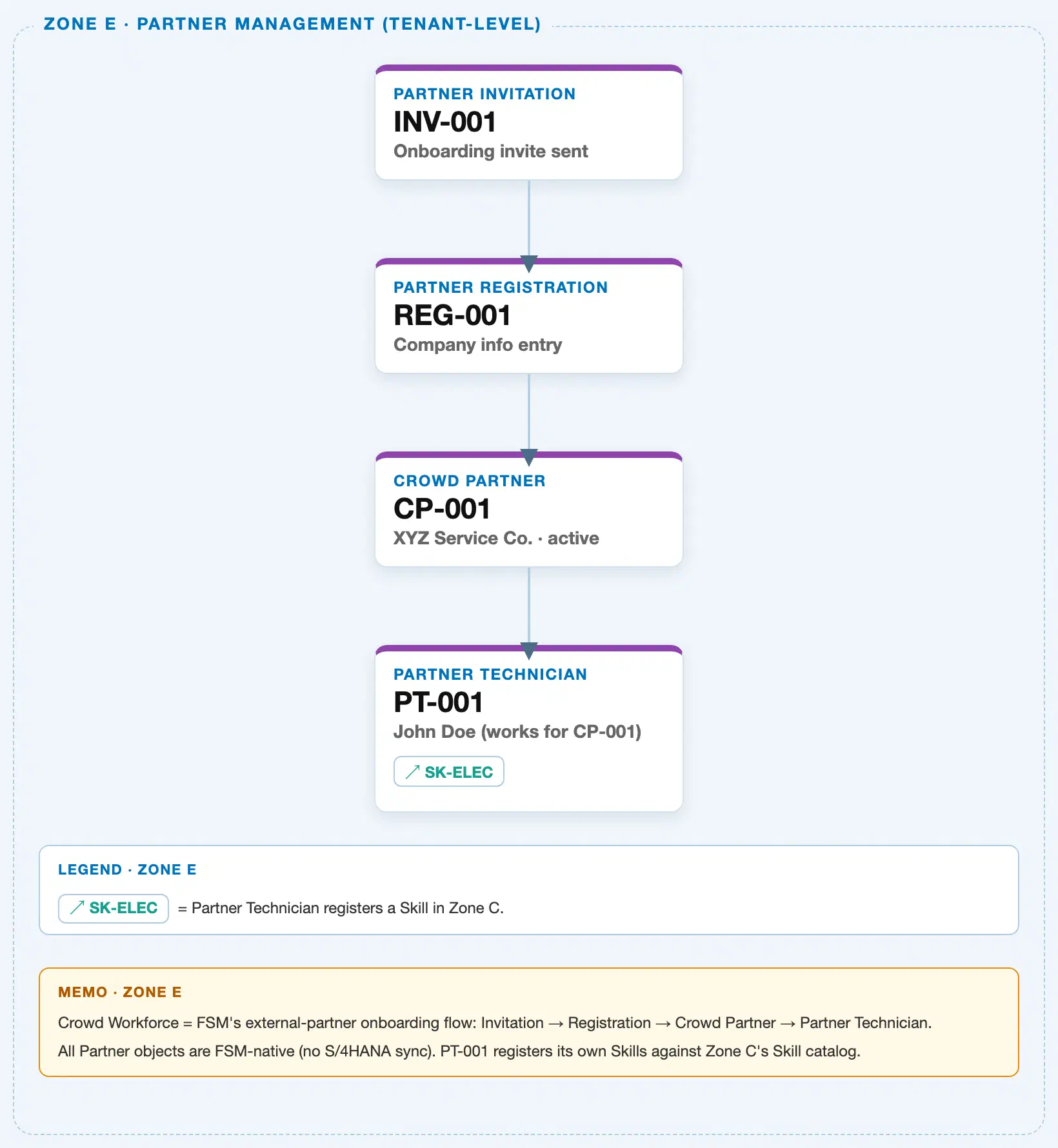
Data hierarchy with a concrete example
Client (FSM Tenant)
└── Partner Invitation "INV-001" — invite sent to partner@example.com, Status: Accepted
    └── Partner Registration "REG-001" — company info submitted by XYZ Service Co., Status: Completed
        └── Crowd Partner "CP-001" — XYZ Service Co., Status: Active
            └── Partner Technician "PT-001" — John Doe, works for CP-001, Status: Available
                                                          ── registers skill ──> Skill "SK-ELEC" (Zone C, Electrical Work L3)
Partner Technician sits at the base of the Partner Ecosystem chain, directly beneath an Active Crowd Partner — a 1:N containment link, since one company can roster any number of individual technicians. Per SAP-FSM_Master.md’s Master Data Setup Flow, Hierarchy Structure, and ER Diagram, this is confirmed as the terminal node of the chain: no further FSM master data object is shown nesting beneath Partner Technician anywhere in the source. Its only outbound line is the cross-zone reference to Skill (Zone C), drawn as a side arrow rather than nested underneath, exactly as in the sibling Partner Invitation, Partner Registration, and Crowd Partner articles — Partner Technician registers/claims Skills for matching purposes but does not own or contain the Skill master record.
Note on scope: Like its three chain siblings, Partner Technician does not sit under a Business Partner, Plant, or Region in the org hierarchy itself — it remains part of the self-contained, tenant-level Partner Ecosystem flow. Region-style coverage enters only as an attribute value (inherited from the parent Crowd Partner’s Service Region Coverage, see 2.3), not as a containing parent. The technician’s transactional touchpoint with Activity/Service Call at dispatch time is likewise not part of this master data tree — see 1.4.
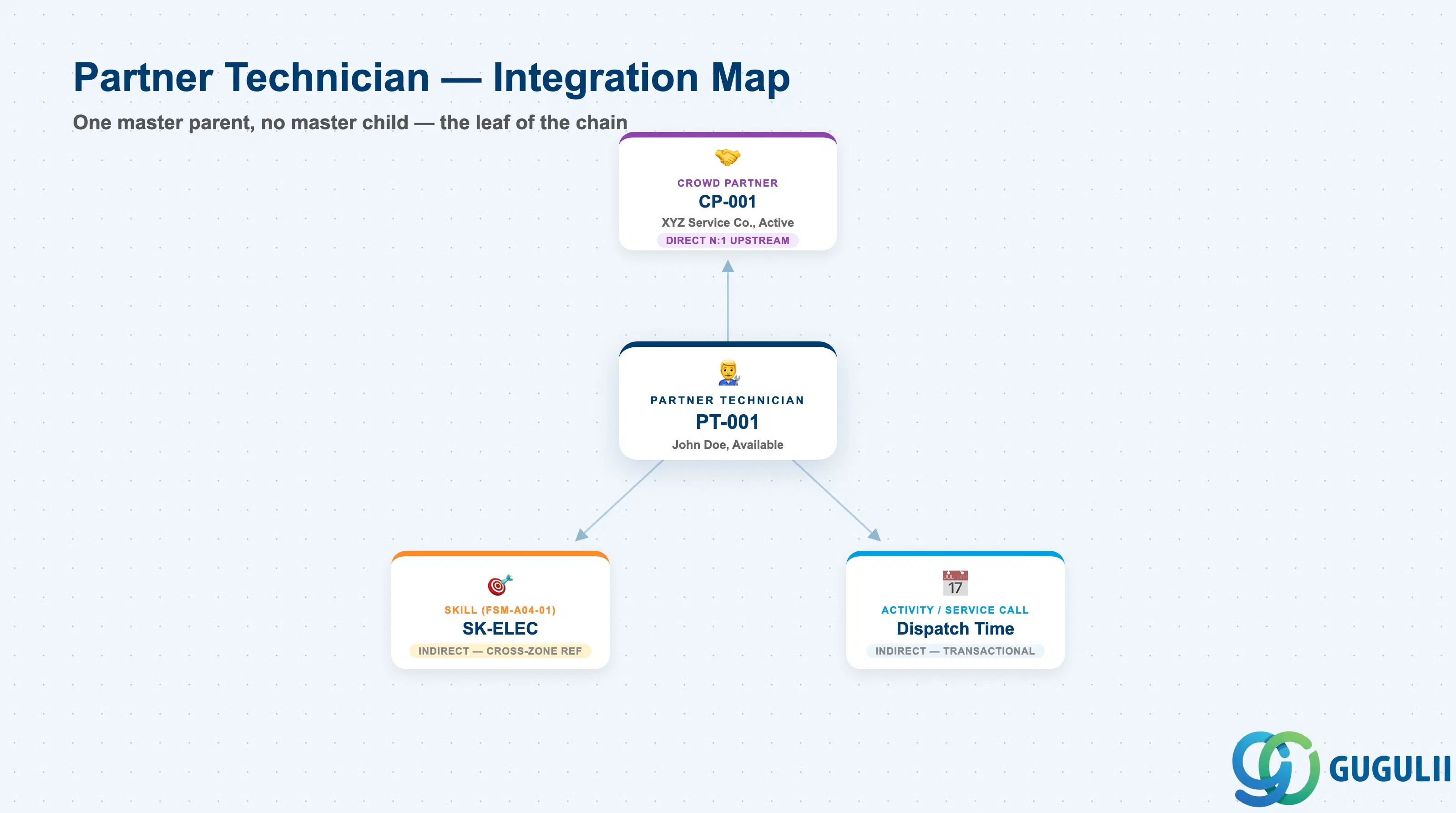
Partner Technician is the leaf of the Partner Ecosystem chain — it has exactly one master data prerequisite (Crowd Partner) and no downstream master data child at all. Its only other connections are two indirect touchpoints that matter operationally even though neither is a containment relationship: a cross-zone reference to Skill, and a transactional reference to Activity/Service Call at dispatch time.
| Object | Relationship | Practical Notes |
|---|---|---|
| Crowd Partner | Direct N:1 upstream — every Partner Technician must belong to exactly one Active Crowd Partner; a Crowd Partner can roster any number of them | Consultants should treat the parent Partner ID as mandatory at creation — there is no path to register a Partner Technician independent of an already-Active Crowd Partner, and a Crowd Partner moving to Blocked or Inactive overrides every one of its technicians’ individual status |
| Skill (FSM-A04-01, cross-zone, INDIRECT) | Reference, not containment — the technician’s own claimed Skills list is compared against a Service Call or Equipment’s Skill Requirement | Structurally the same idea as the internal Person/Technician’s Skill assignment (FSM-A04-04), but the Skills recorded here typically originate from the partner’s own declaration rather than an internally verified training record; consultants should confirm whether the client’s process requires Crowd Owner sign-off before trusting this list the same way as an internal technician’s Skills |
| Activity / Service Call (transactional, INDIRECT) | Referenced only at dispatch time, after Activity [Assigned to Partner] and Partner Activity Acceptance — not a stored master data link | Mirrors how the internal Person/Technician object relates to Activity: the Partner Technician record carries no field pointing to any specific Activity, and the assignment lives as a run-time relationship on the Activity/Transaction side, not on the master record itself |
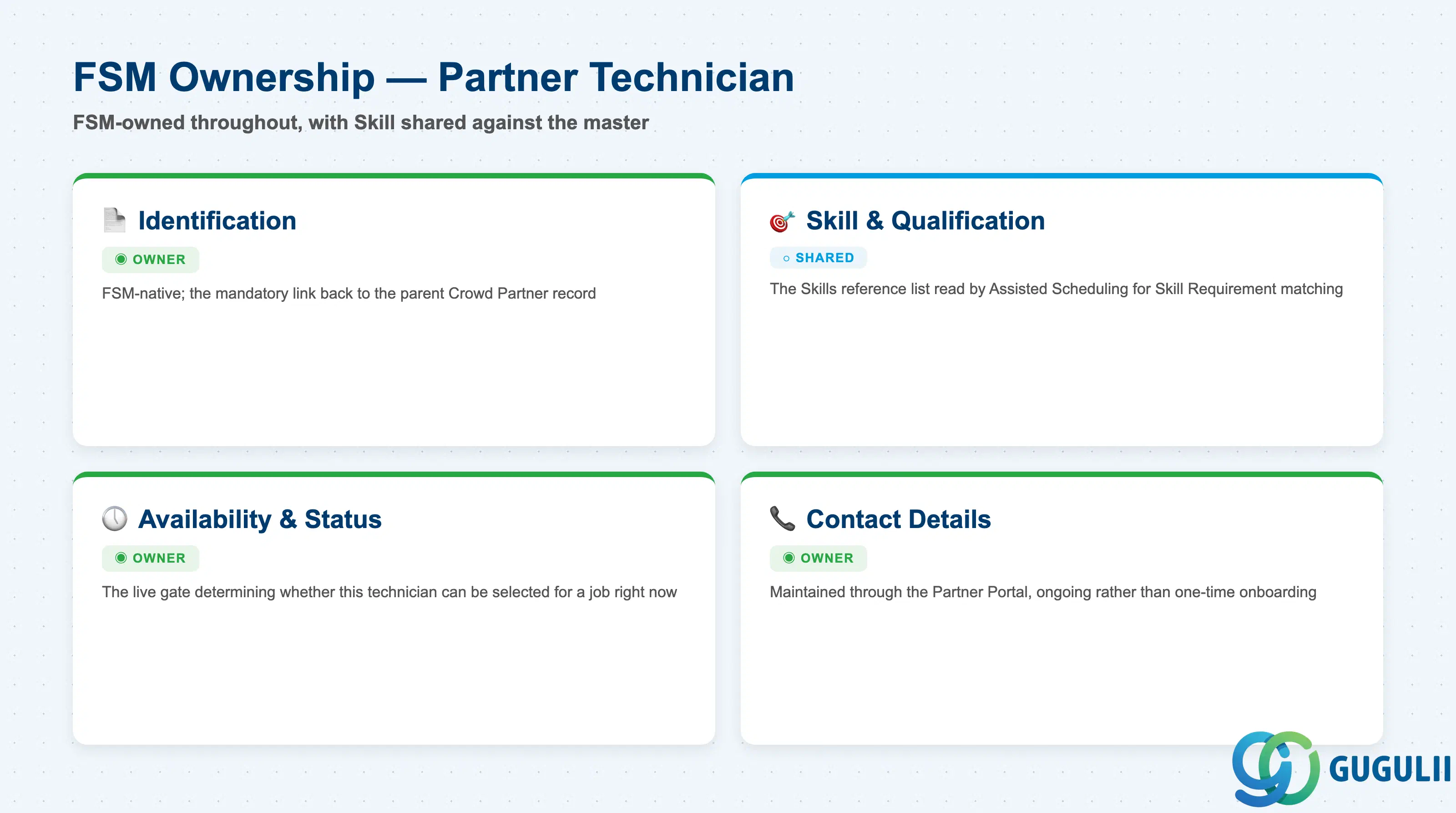
| Data Section | FSM Involvement | Notes |
|---|---|---|
| Identification & Partner Linkage | ◎ Owner | Entirely FSM-native; the mandatory link back to the parent Crowd Partner record |
| Skill & Qualification | ○ Shared with Technician Management (Skill master) | The Skills reference list read by Assisted Scheduling / Skill Matching for Skill Requirement matching |
| Availability & Dispatch Status | ◎ Owner | The live gate that determines whether this specific technician can be selected for a job right now |
| Contact Details | ◎ Owner | Maintained through the Partner Portal, ongoing rather than a one-time onboarding snapshot |
Legend: ◎ = Owner / Critical, ○ = Direct involvement
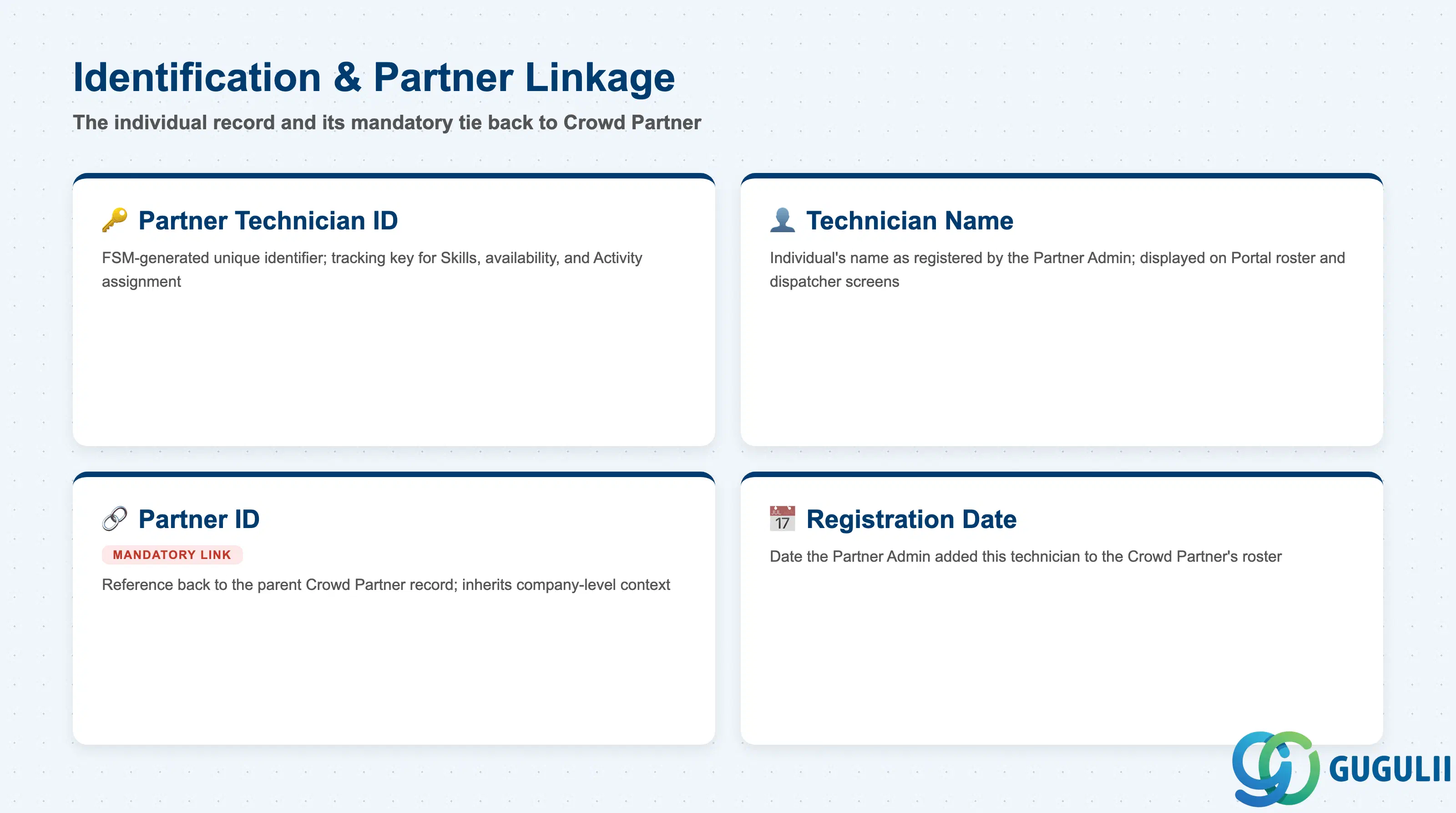
This section identifies the individual technician record and preserves the mandatory link back to the Crowd Partner company they are rostered under — the data that ties a person to the company that vouches for them.
| Field | Description | Practical Usage |
|---|---|---|
| Partner Technician ID | FSM-generated unique identifier for the technician record (e.g. PT-001) | Becomes the tracking key referenced by the Skills list, availability status, and — once dispatched — the Activity assignment itself; never reuse a retired ID for a replacement technician, since Service Report and execution history both key off it |
| Technician Name | Name of the individual as registered by the Partner Admin | Displayed on the Partner Portal roster and, once an Activity is Assigned, on the same dispatcher- and customer-facing screens as an internal Person/Technician’s name |
| Partner ID | Mandatory reference back to the parent Crowd Partner record | Inherits the company-level context (Status, Commodity Codes, Service Region Coverage) that this technician does not repeat on their own record; carry it forward whenever exporting technician-level data for audit or reporting |
| Registration Date | Date the Partner Admin added this technician to the Crowd Partner’s roster | Complements the parent Crowd Partner’s own Onboarding Date for tenure reporting; a common filter when checking whether a partner’s roster growth matches its contracted service volume |
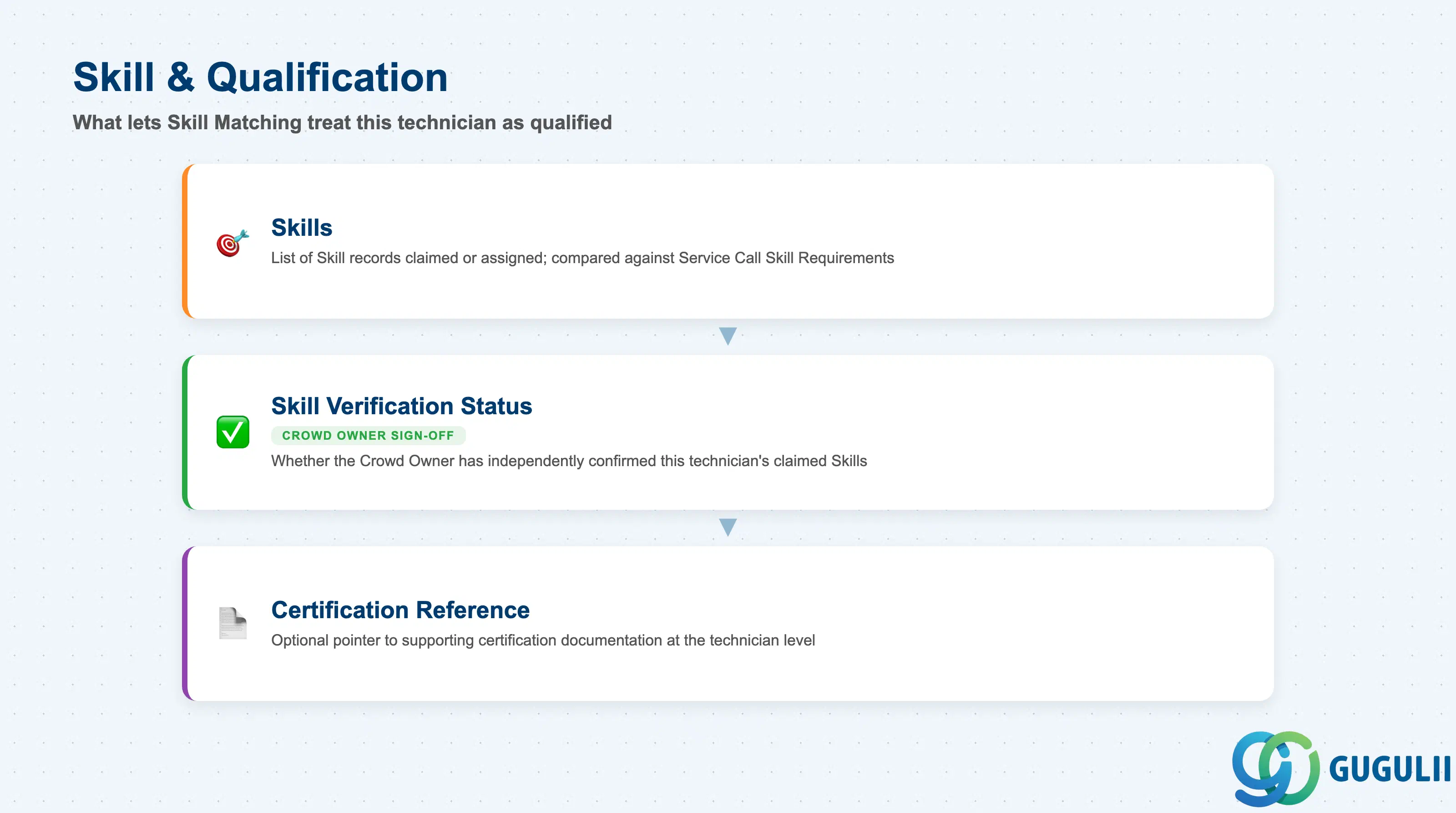
These fields are what let Skill Matching and Assisted Scheduling treat this specific crowd technician as qualified — or not — for a given piece of work, structurally the same idea as the internal Person/Technician’s own Skills field.
| Field | Description | Practical Usage |
|---|---|---|
| Skills | List of Skill records claimed or assigned to this Partner Technician (reference to the Skill master, FSM-A04-01) | The same field Assisted Scheduling compares against a Service Call or Equipment’s Skill Requirement, whether the candidate is internal or crowd-sourced; an incomplete list here silently excludes an otherwise-qualified partner technician from matching |
| Skill Verification Status | Whether the Crowd Owner has independently confirmed this technician’s claimed Skills | Without this check, dispatch risks relying on a self-declared claim with no verification behind it — consultants should confirm during blueprinting whether the client’s process requires sign-off before treating a Partner Technician’s Skills list as trustworthy as an internal technician’s |
| Certification Reference | Optional pointer to supporting certification documentation attached at the technician level | Worth confirming with the client whether certifications are tracked per technician here or only at the parent Crowd Partner’s own Certification Status field — tracking the same evidence at both levels is a common source of drift if not scoped clearly up front |
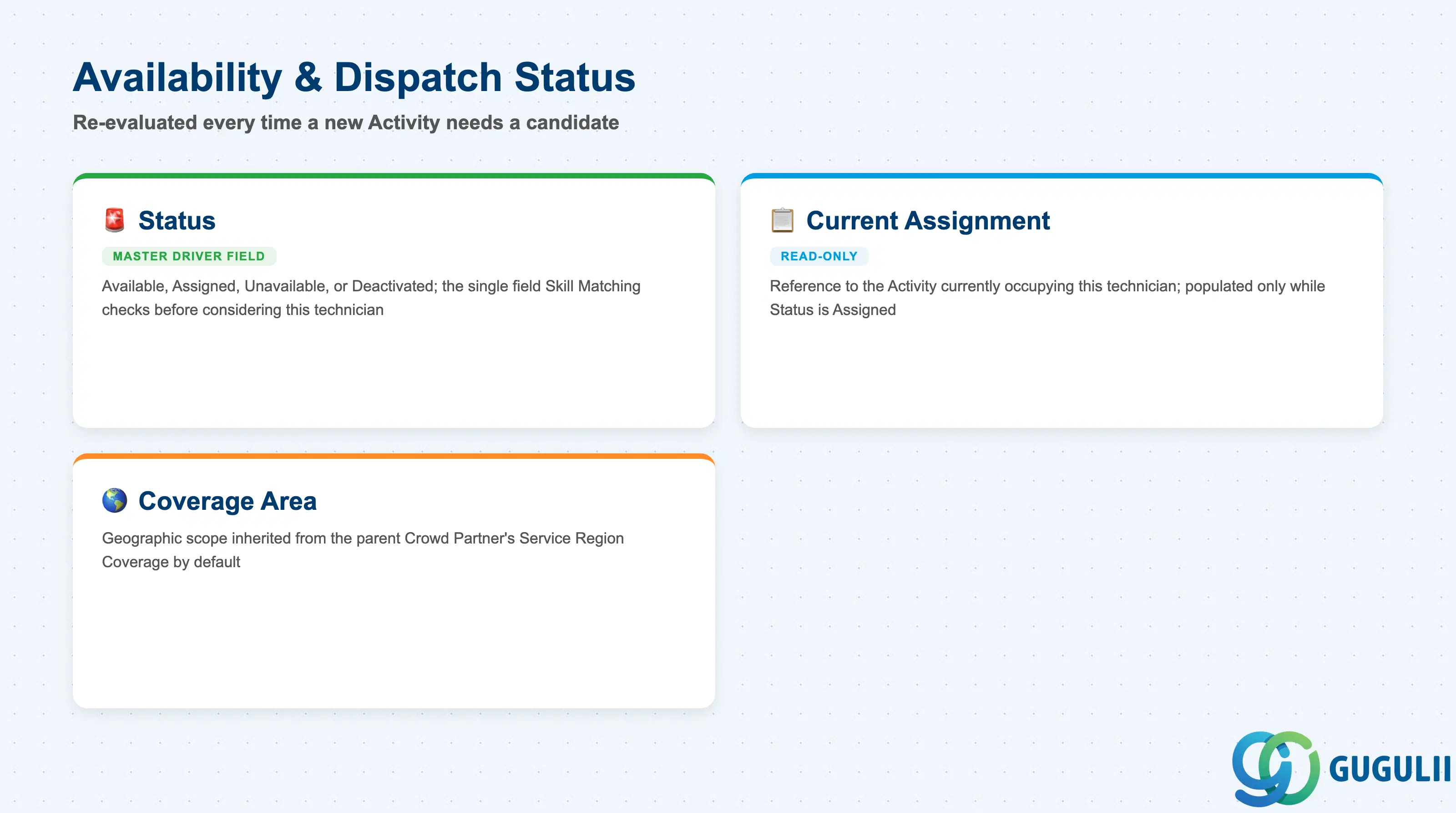
These fields drive whether — and where — this individual technician can actually be dispatched right now, re-evaluated every time a new Activity needs a candidate rather than set once at registration.
| Field | Description | Practical Usage |
|---|---|---|
| Status | Current readiness state — Available, Assigned, Unavailable, or Deactivated | The single field Skill Matching and Crowd Dispatching check before considering this technician for a job; build any partner-roster health dashboard around this field first, alongside the parent Crowd Partner’s own Status |
| Current Assignment | Read-only reference to the Activity currently occupying this technician, populated only while Status is Assigned | Exists for visibility on the Partner Portal and dispatcher side only — the authoritative assignment record lives on the Activity object itself, not here, mirroring how Person/Technician carries no stored field pointing back to an Activity |
| Coverage Area | Geographic scope this technician actually operates within, inherited by default from the parent Crowd Partner’s Service Region Coverage | Confirm with the client whether per-technician overrides are permitted — many implementations lock this to the parent partner’s region so an individual technician cannot be dispatched outside the company’s contracted coverage |
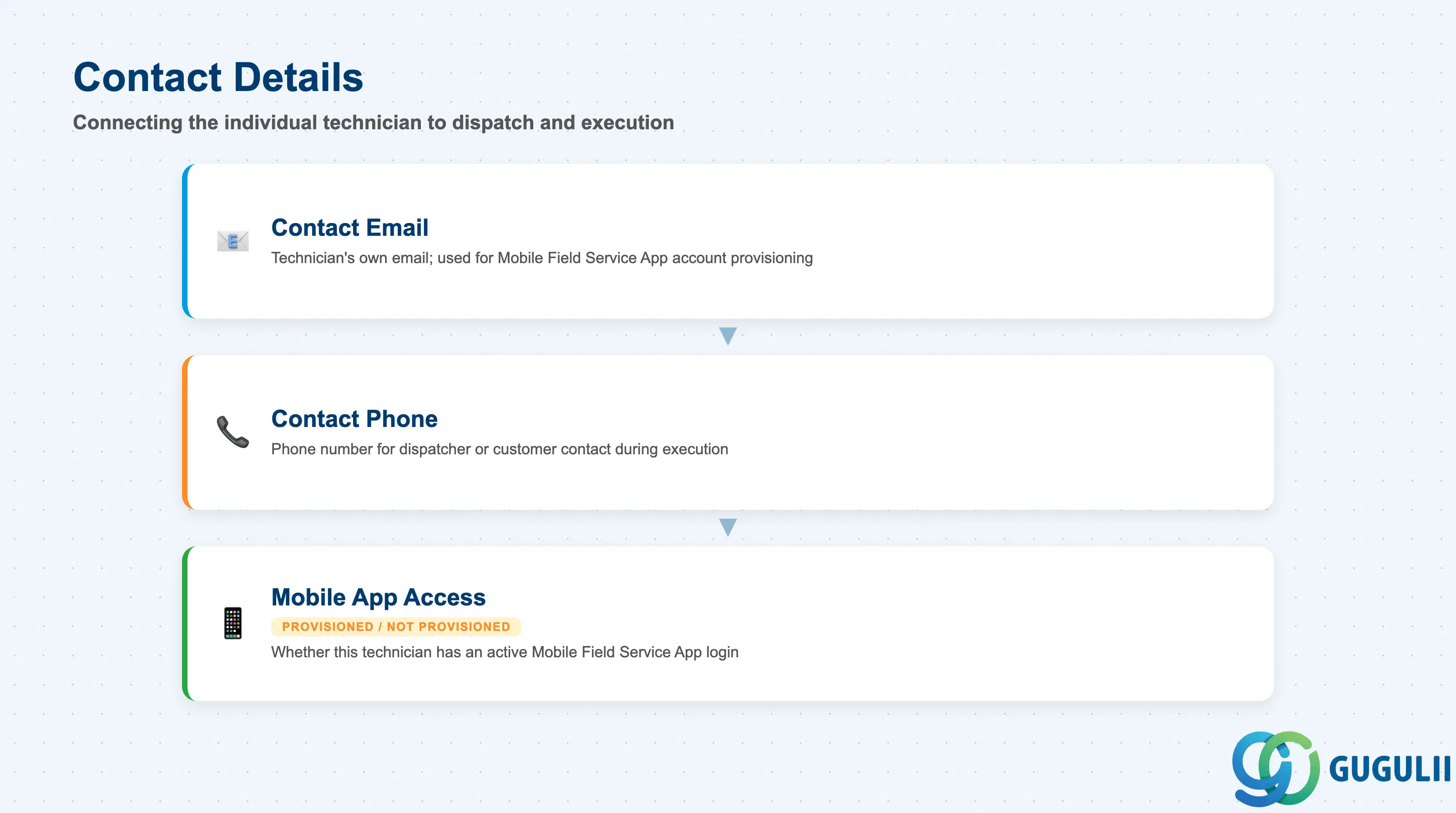
These fields connect the individual technician to the systems and people that need to reach them once they are dispatchable — the Mobile Field Service App on one side, and dispatchers and customers on the other.
| Field | Description | Practical Usage |
|---|---|---|
| Contact Email | Technician’s own reachable email address, provisioned through the Partner Portal | Used for Mobile Field Service App account provisioning; unlike the internal Person/Technician’s Email, this is entered by the Partner Admin rather than internal user administration, so keeping it current is the partner’s own responsibility |
| Contact Phone | Phone number for dispatcher or customer contact during execution | Used identically to the internal Person/Technician’s Phone field once an Activity moves to Assigned — surfaced to the customer for ETA notification where the client’s configuration allows it |
| Mobile App Access | Whether this technician has an active, provisioned Mobile Field Service App login | A technician can exist as Available on the roster without app access yet configured; confirm this is provisioned before assuming the technician can actually receive and execute a dispatched Activity, not just appear as a candidate |
| ID | Category | Title |
|---|---|---|
| fsm-001 | Overview | What is SAP FSM? |
| ID | Category | Title |
|---|---|---|
| fsm-a01 | Overview | SAP FSM Master Data: Overview, Hierarchy & Relationships |
| fsm-a02-02 | Master Data | SAP FSM Contact |
| fsm-a02-03 | Master Data | SAP FSM Address |
| fsm-a03-01 | Master Data | SAP FSM Equipment |
| fsm-a03-02 | Master Data | SAP FSM Equipment Hierarchy |
| fsm-a03-03 | Master Data | SAP FSM Service History |
| fsm-a04-01 | Master Data | SAP FSM Skill |
| fsm-a04-02 | Master Data | SAP FSM Work Time Pattern |
| fsm-a04-03 | Master Data | SAP FSM Region |
| fsm-a04-04 | Master Data | SAP FSM Technician |
| fsm-a04-05 | Master Data | SAP FSM Crew |
| fsm-a04-06 | Master Data | SAP FSM Absence |
| fsm-a04-07 | Master Data | SAP FSM Skill Requirement |
| fsm-a05-02 | Master Data | SAP FSM Generic Tool |
| fsm-a05-03 | Master Data | SAP FSM Serialized Tool |
| fsm-a05-04 | Master Data | SAP FSM Warehouse |
| fsm-a05-05 | Master Data | SAP FSM Van Stock |
| fsm-a06-01 | Master Data | SAP FSM Partner Invitation |
| fsm-a06-02 | Master Data | SAP FSM Partner Registration |
| fsm-a06-03 | Master Data | SAP FSM Crowd Partner |
| fsm-a06-04 | Master Data | SAP FSM Partner Technician 📍 |
| ID | Category | Title |
|---|---|---|
| fsm-b01 | Overview | SAP FSM Transactions: Process Flow, Hierarchy & Relationships |