Title here
Summary here

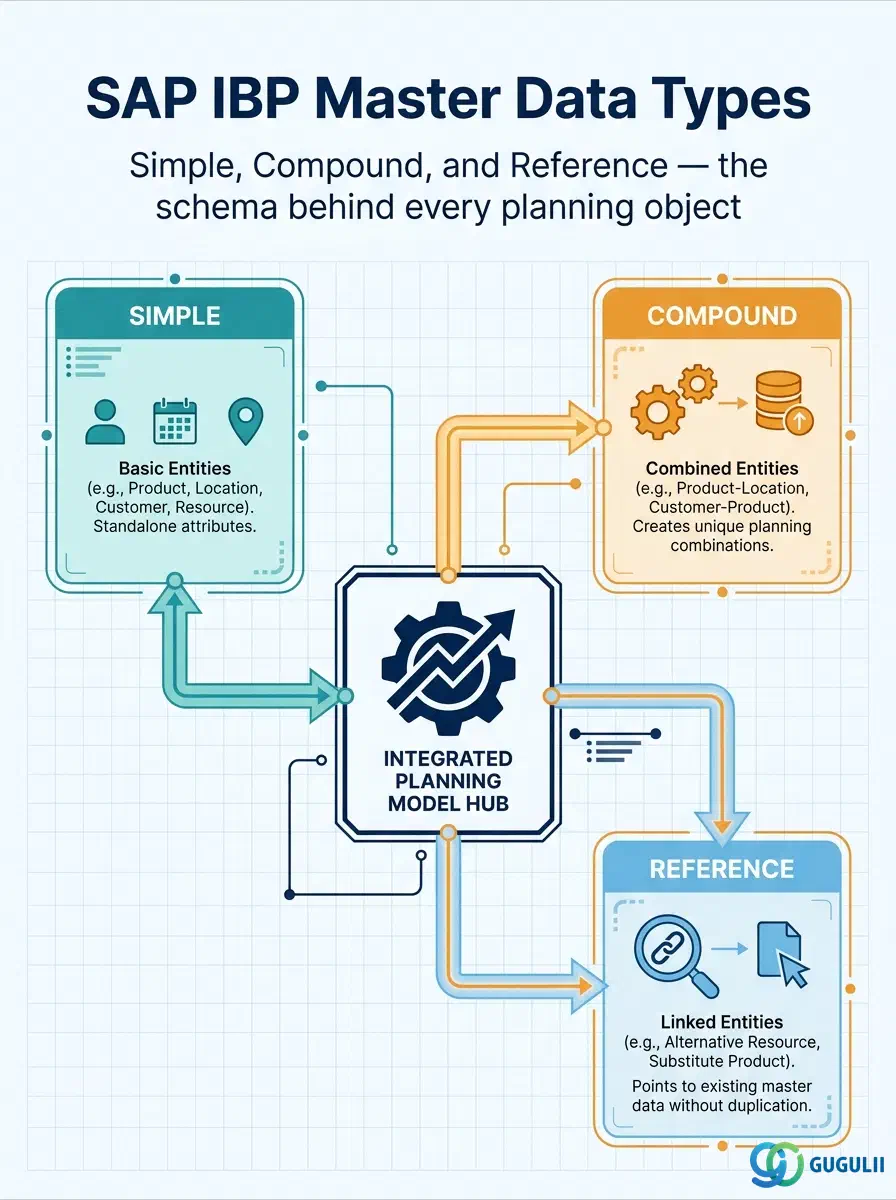
Master Data Types are the predefined internal technical objects that SAP IBP uses to represent categories of information — product, location, customer, and the combinations and references between them — and to segment planning data accordingly. Every Attribute, every Product/Location/Customer Master record, and every Planning Area in an SAP IBP model is ultimately built on top of a Master Data Type definition, which is why it is the first object a consultant designs when standing up a new planning model. This article maps the three official Master Data Type categories, their placement in the model’s data hierarchy, and the field-level detail of the Master Data Types app used to configure them.
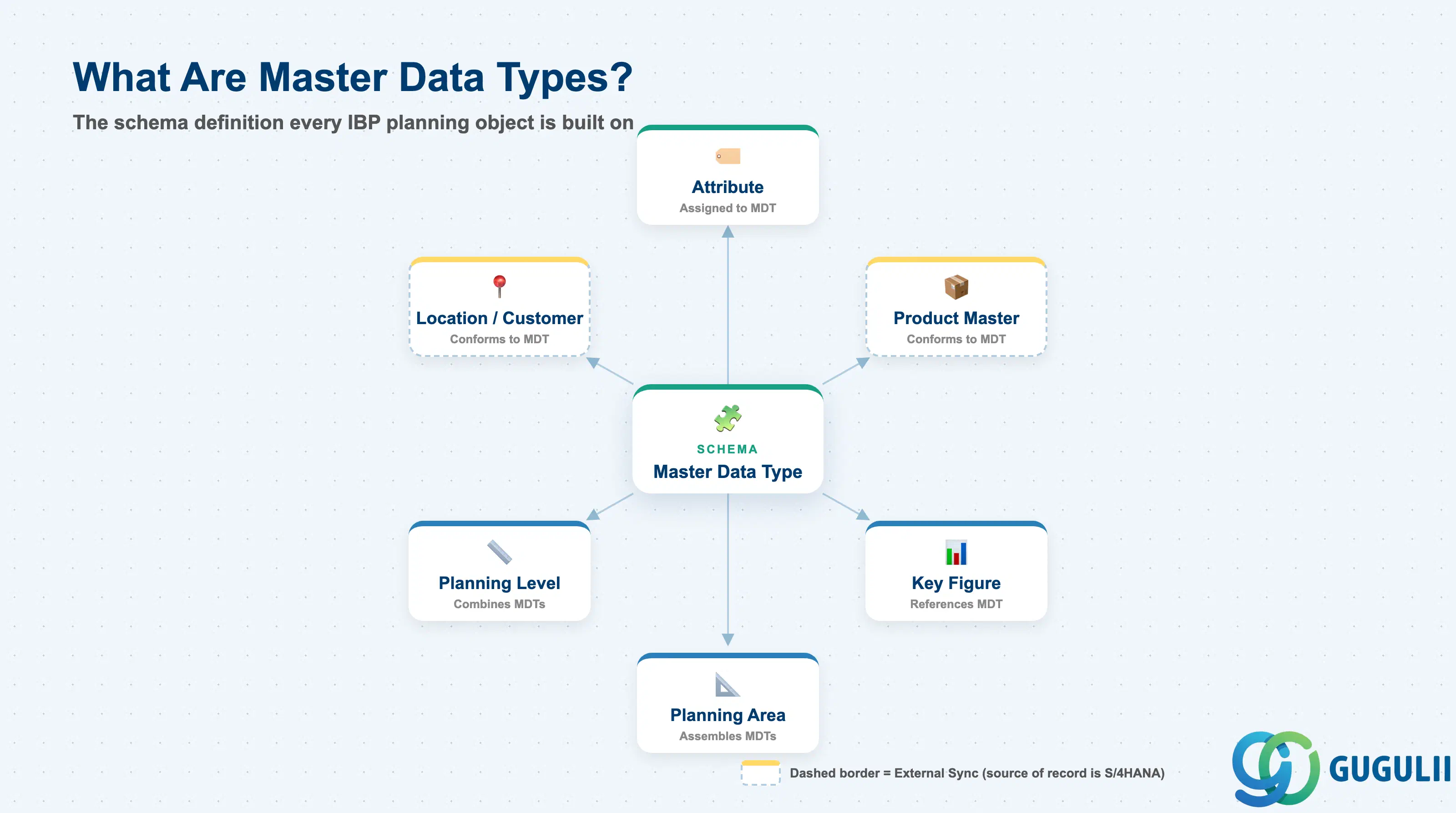
A Master Data Type is not business data itself — it is the schema definition that tells SAP IBP what kind of data a category represents and which Attributes belong to it. Conceptually it plays the same role that a table/entity definition plays in a data model: Product, Location, and Customer are examples of Master Data Types, while an actual product such as “PROD-001” is an instance (a master data record) that conforms to that type. Every planning model must have its Master Data Types designed and activated before any master data records, Key Figures, or Planning Areas can be built on top of them.
| Aspect | Details |
|---|---|
| Role | Defines the technical schema (category + attributes) that all master data records, Key Figures, Planning Levels, and Planning Areas are built on |
| Modules using it | SAP IBP only — a native, IBP-internal configuration object with no S/4HANA equivalent. Referenced indirectly by every planning object built on top of it (Attributes, Product/Location/Customer Masters, Key Figures, Planning Levels, Planning Areas). |
| Transactions / Apps | Master Data Types app (Fiori launchpad, Model Configuration group) — create, edit, delete Simple/Compound/Reference types. Distinct from the Manage Master Data app, which manages master data records, not type definitions. |
| Key Tables | Not published as customer-facing database tables — SAP IBP model configuration objects (Master Data Types, Attributes) are stored in the IBP model repository rather than a documented table set. |
| SAP IBP note | Master Data Types are model-specific. SAP’s delivered reference model (SAPIBP1) ships with predefined types such as PRODUCT (fixed key attribute PRDID); custom models define their own types via the Master Data Types app, following a mandatory naming prefix rule (see Section 2.5). |
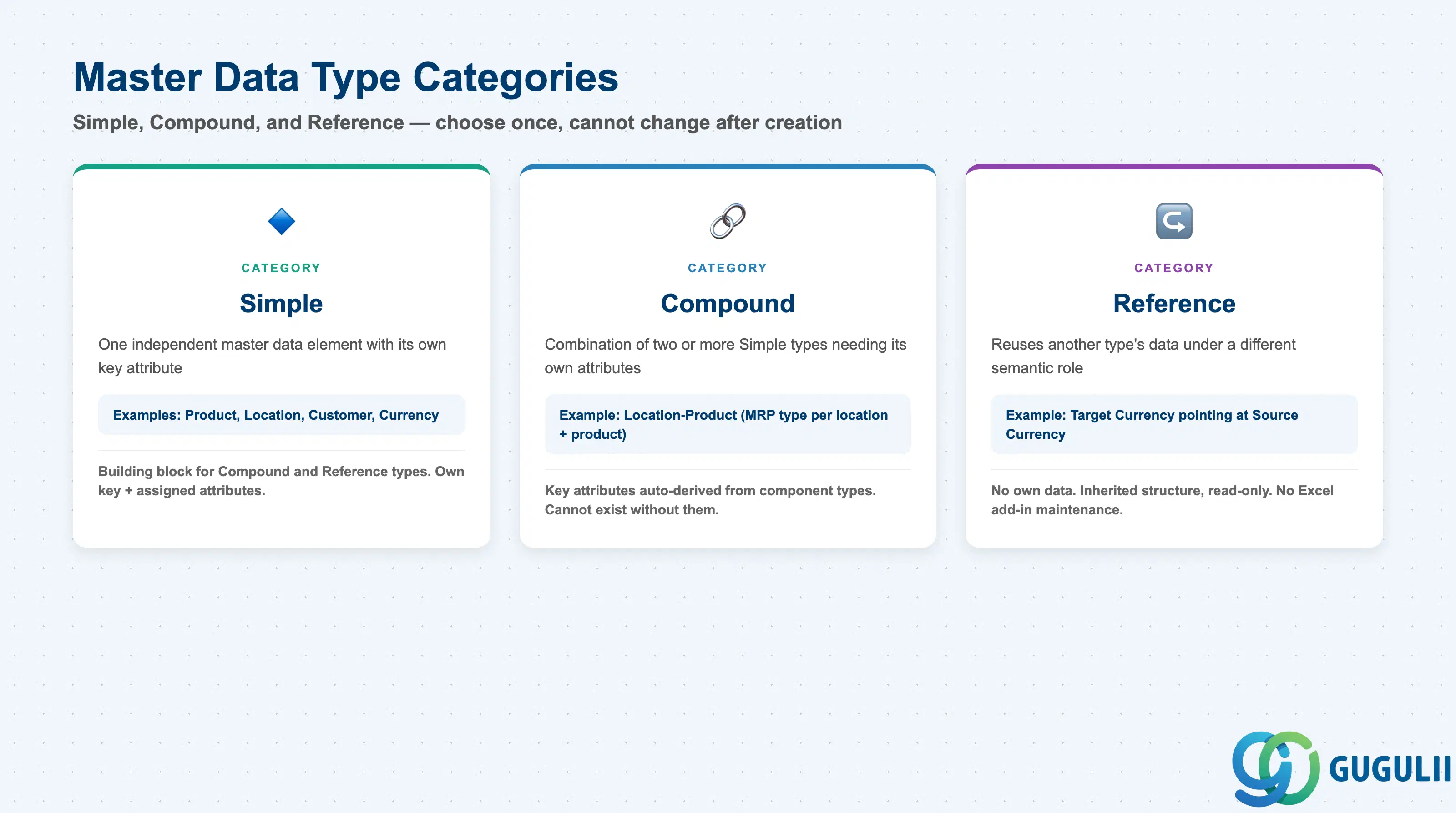
SAP IBP recognizes exactly three Master Data Type categories, selected explicitly when a type is created in the Master Data Types app (New → Simple / Compound / Reference). Picking the wrong category is a structural design error — a type’s category cannot be changed after creation, only deleted and recreated, which cascades to every Attribute, Planning Level, and master record built on it. This decision belongs in model design, before any master data load.
| Category | Creation Option | Use Case | Key Behavior |
|---|---|---|---|
| Simple | New → Simple | One independent master data element — Product, Location, Customer, Currency | Holds its own key attribute and any number of assigned attributes. The building block every other category is defined in terms of. |
| Compound | New → Compound | A combination of two or more Simple types where the combination itself needs its own attributes — e.g. “Location Product” for a location-specific MRP type | Key attributes are auto-derived from the component Simple types when they are selected; only non-key attributes are added manually. Cannot exist without its component Simple types already defined. |
| Reference | New → Reference | Reusing another type’s data under a different semantic role without duplicating it — e.g. “Target Currency” pointing at “Source Currency”, or “Ship From Location” pointing at “Location” | Holds no data of its own; inherits the referenced type’s structure. Cannot be maintained via the Excel add-in. |
Design principle: Reference types exist specifically to avoid loading duplicate data for the same underlying master (a currency or location playing two roles in one model) — model a Reference type before considering a second Simple type for the same real-world object.
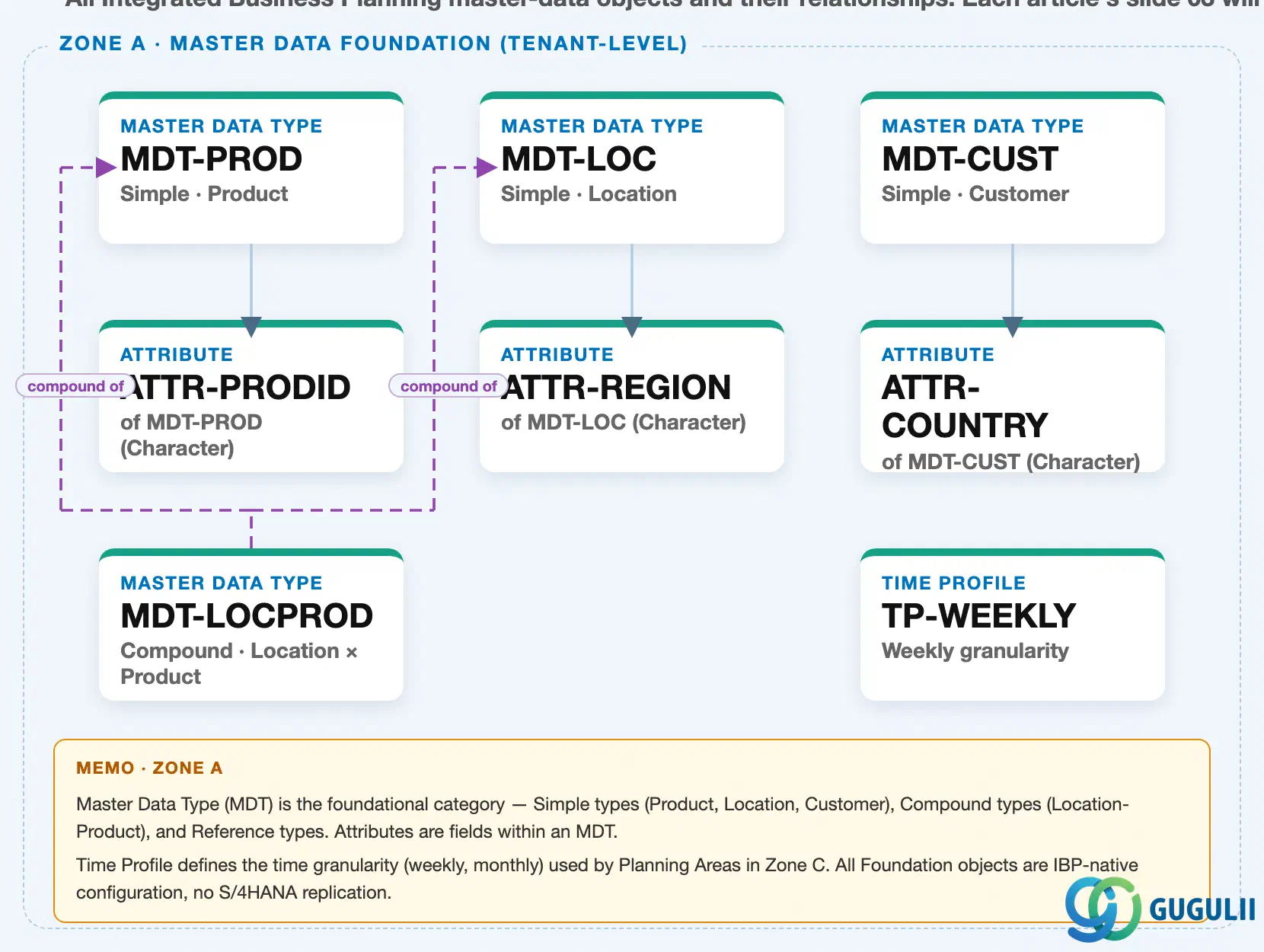
Data hierarchy with a concrete example
Client (SAP IBP tenant / Model)
   │
   ├── Master Data Type "MDT-PROD" — Simple · Product
   │      └── Attribute "ATTR-PRODID" — Product ID (Character, key attribute)
   │
   ├── Master Data Type "MDT-LOC" — Simple · Location
   │      └── Attribute "ATTR-REGION" — Region (Character)
   │
   ├── Master Data Type "MDT-CUST" — Simple · Customer
   │      └── Attribute "ATTR-COUNTRY" — Country/Region (Character)
   │
   └── Master Data Type "MDT-LOCPROD" — Compound · Location × Product
          MDT-LOCPROD ── compound of ──> MDT-LOC
          MDT-LOCPROD ── compound of ──> MDT-PROD
Design principle: Master Data Types sit at the top of the model hierarchy — they exist independently of any single Planning Area and are typically defined once per model, then reused across every Planning Area built in that model (see Section 1.4).
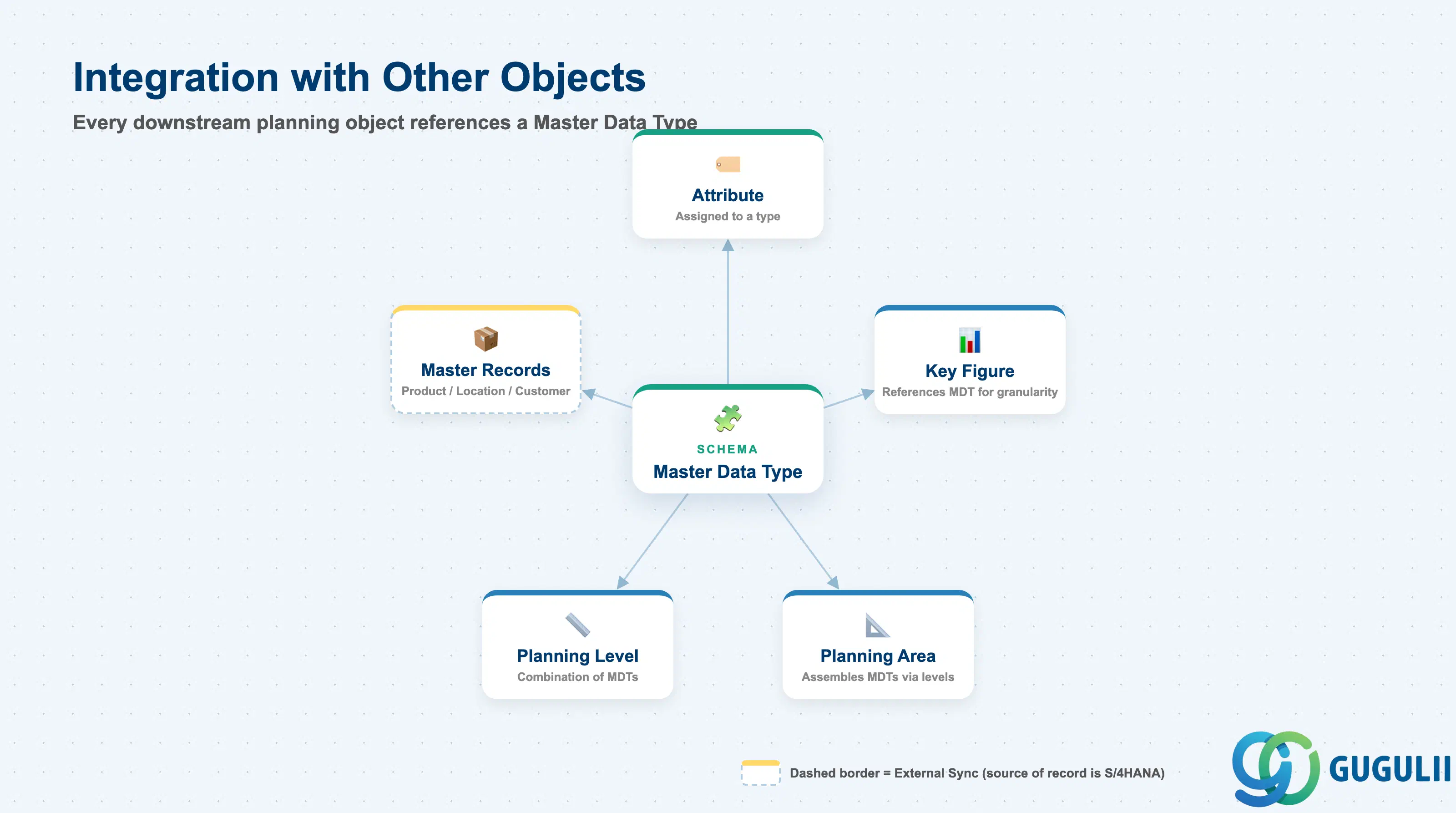
A Master Data Type never stands alone — it is the schema that every downstream planning object depends on. Attributes, master data records, Key Figures, Planning Levels, and Planning Areas all carry an explicit reference back to the Master Data Type(s) they are built from, and that reference cannot be changed once significant master data or planning data exists without a model redesign.
| Object | Relationship | Practical Notes |
|---|---|---|
| Attribute | Assigned to a Master Data Type; one attribute is marked as the type’s key attribute | Attributes are configured independently in the Attributes app and then mapped to a Master Data Type as a separate configuration step — not created inline within the type itself. See IBP-A02-02. |
| Product / Location / Customer Master | Every master data record instance conforms to (references) exactly one Simple Master Data Type | The PRODUCT type (key attribute PRDID) is a fixed, mandatory technical name in SAP’s reference model; custom models may define their own product-equivalent type under a project-specific prefix. |
| Key Figure | References the Master Data Type(s) that define the planning granularity the figure is stored at | Example: a Demand Quantity Key Figure defined at product level references MDT-PROD — this determines the lowest level the figure can be disaggregated to. |
| Planning Level | Defined as a combination of Master Data Type(s) plus Attributes | A Product × Location Planning Level references both MDT-PROD and MDT-LOC; this combination becomes the planning granularity used by every Planning Area built on that level. |
| Planning Area | Assembles Time Profile, Key Figures, and Planning Level(s) — and therefore indirectly the Master Data Types behind them — into a runnable planning model | Master Data Types cannot be swapped out of an active Planning Area without a structural model change; get the type design right before the first Planning Area is created. |
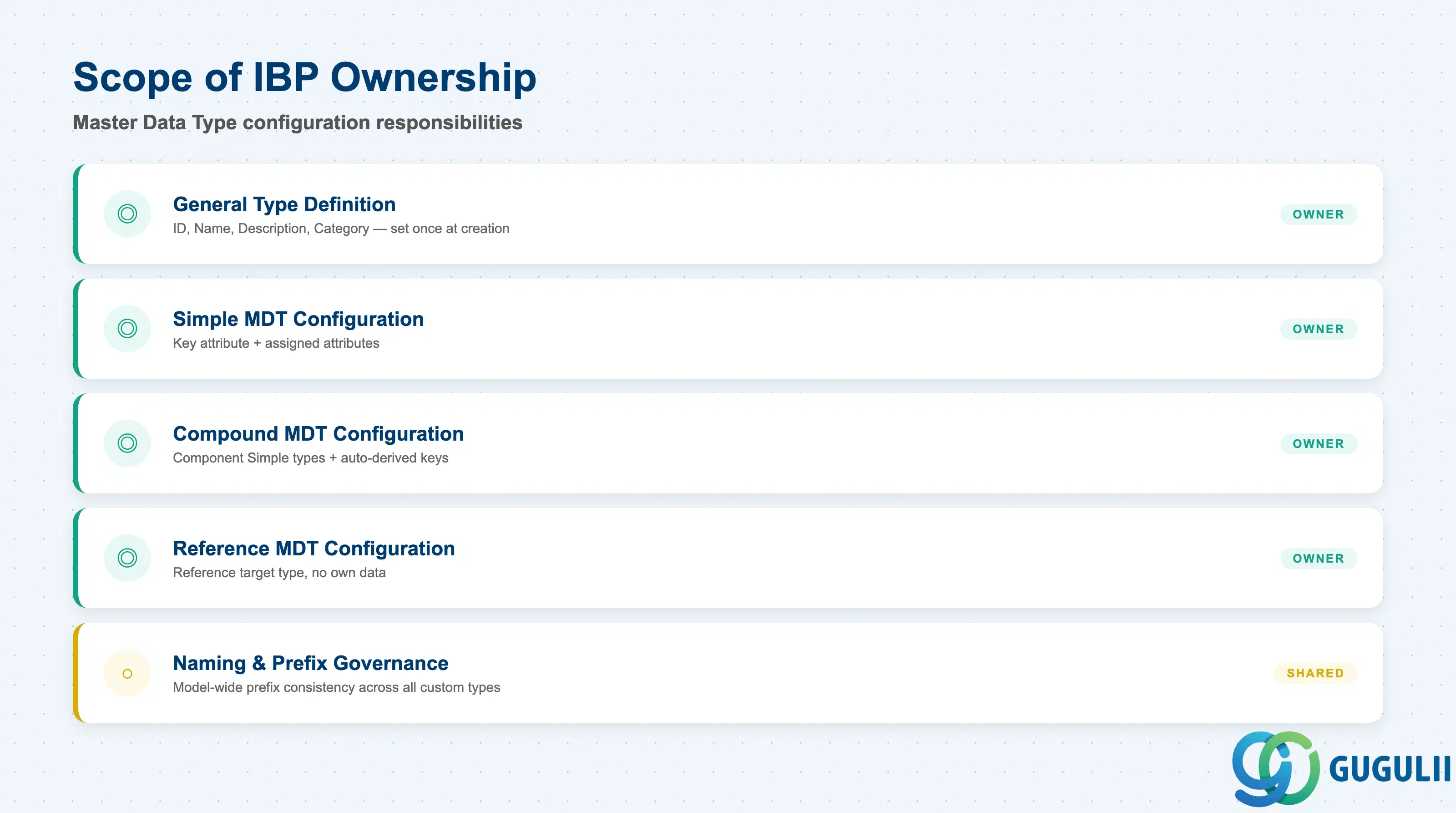
| Data Section | IBP Involvement | Notes |
|---|---|---|
| General Type Definition | ◎ Owner | ID, Name, Description, Category — set once at creation and rarely changed afterward |
| Simple Master Data Type Configuration | ◎ Owner | Key attribute + assigned attributes |
| Compound Master Data Type Configuration | ◎ Owner | Component Simple types + auto-derived key attributes |
| Reference Master Data Type Configuration | ◎ Owner | Reference target type, no own data |
| Naming Convention & Prefix Governance | ○ Shared with Model Governance / Basis | Model-wide 2–3 letter prefix consistency across all custom types |
Legend: ◎ = Owner / Critical, ○ = Direct involvement
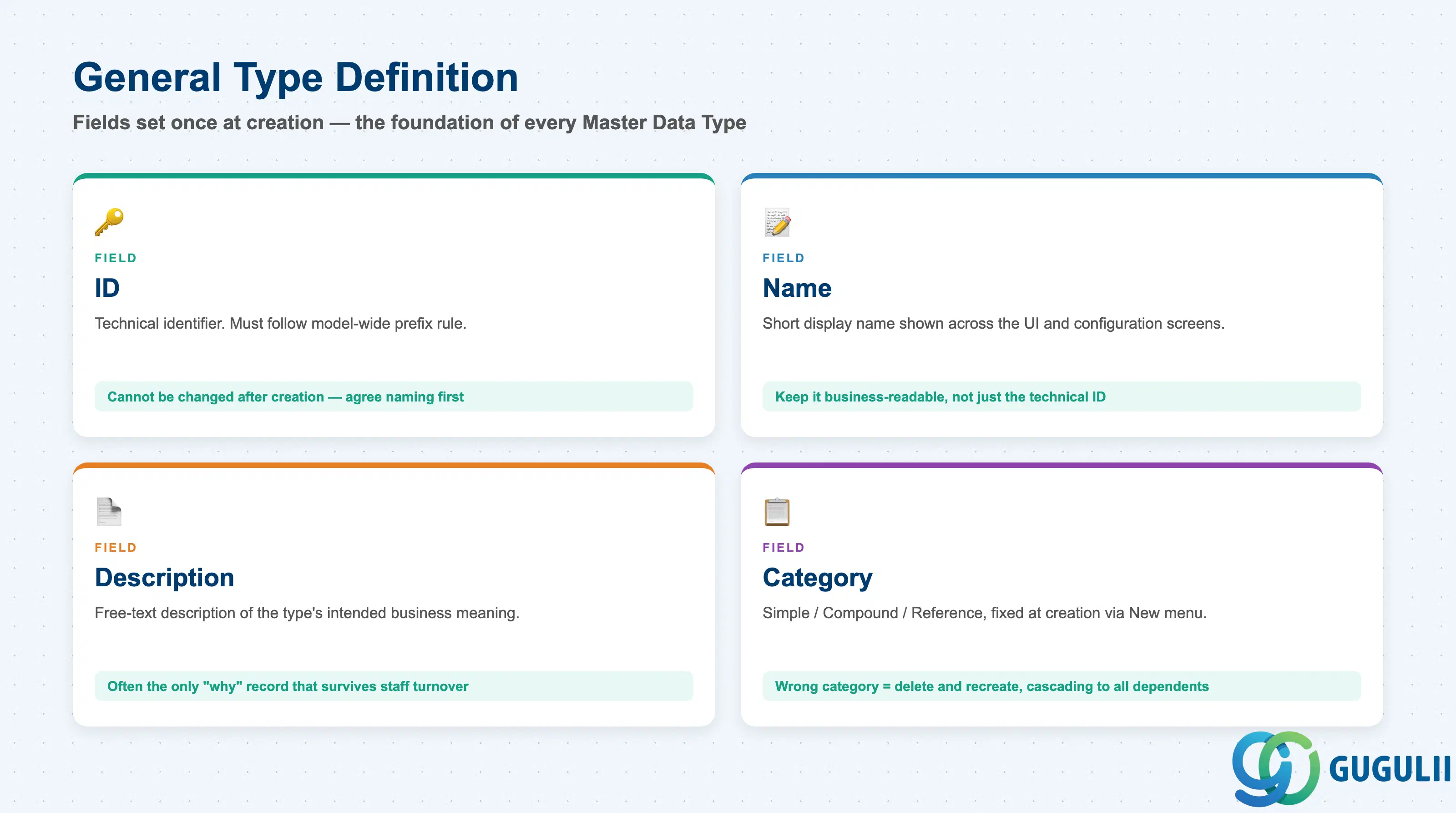
Every Master Data Type — regardless of category — starts from the same short identification screen in the Master Data Types app. These fields are entered once at creation and are the foundation every later configuration step (attribute assignment, compounding, referencing) is layered on top of.
| Field | Description | Practical Usage |
|---|---|---|
| ID | Technical identifier of the Master Data Type | Must follow the model-wide 2–3 letter naming prefix (Section 2.5), except for a small set of SAP-fixed technical names (e.g. PRODUCT). Cannot be changed after creation — agree the naming convention before the first type is built. |
| Name | Short display name | Shown throughout the UI (Planning Level configuration, Attribute mapping screens). Keep it business-readable, not just the technical ID, since configurators outside the original design team will read it later. |
| Description | Longer free-text description | Document the intended business meaning and, for Compound/Reference types, the design rationale — this is often the only record of “why” that survives staff turnover. |
| Category | Simple / Compound / Reference, fixed at creation | Selected via the New menu and cannot be changed later. Choosing the wrong category means deleting and recreating the type, cascading to every Attribute, Planning Level, and master record built on it — validate the choice in a sandbox model first. |
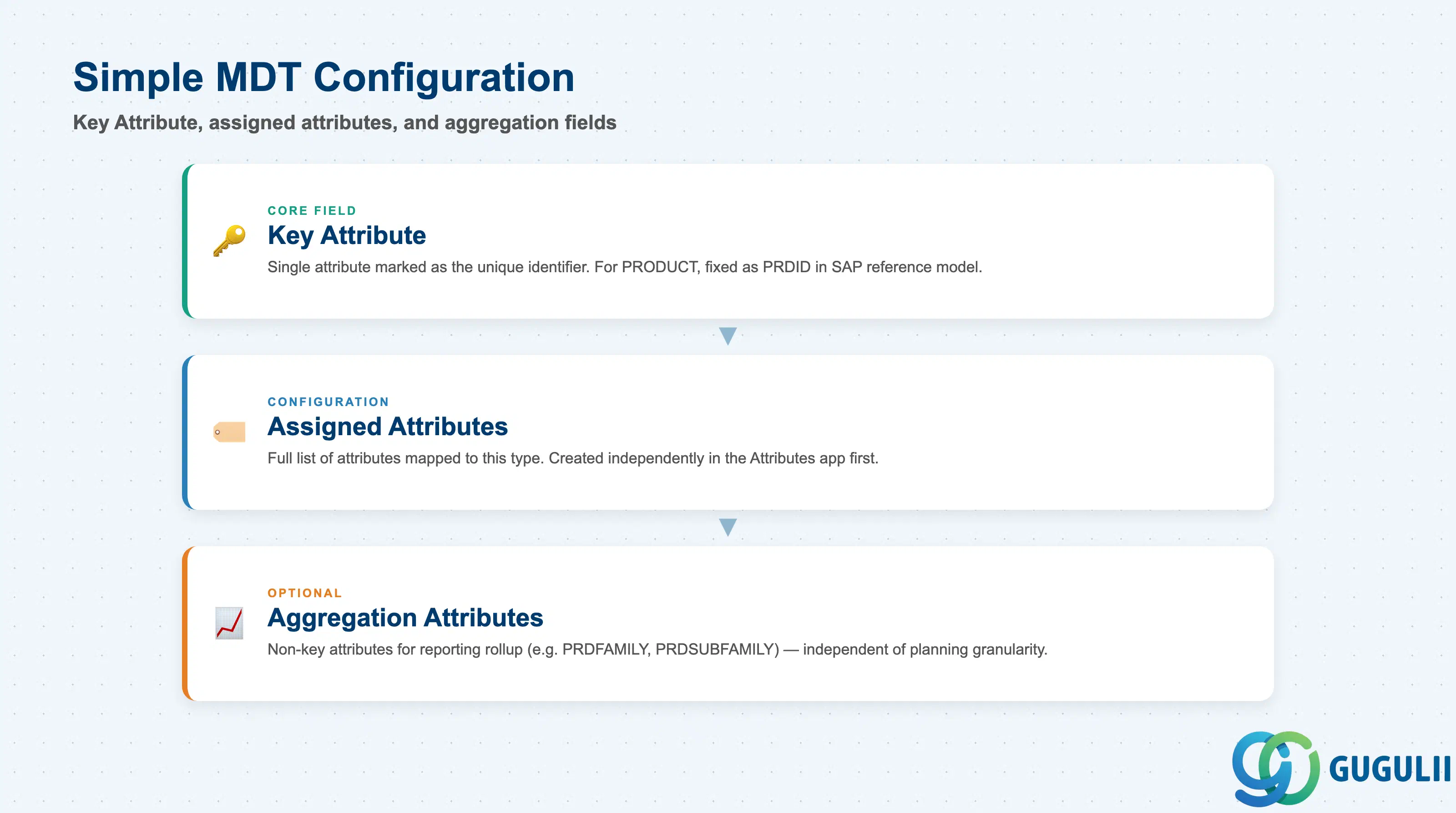
Simple types are where actual attribute data is assigned. Configuration here defines both what the type stores and which single attribute uniquely identifies each record.
| Field | Description | Practical Usage |
|---|---|---|
| Key Attribute | The single Attribute marked as this type’s unique identifier | Set via the “Key” checkbox on the attribute’s row in the Assigned Attributes list. For SAP’s reference product model, the key attribute of PRODUCT is fixed as PRDID — replicate this exact technical naming if the project plans to reuse SAP-delivered content or integration templates. |
| Assigned Attributes | The full list of Attributes mapped to this type | Added via Add → filter/select in the Assigned Attributes area. Attributes are built independently in the Attributes app first (IBP-A02-02) — this screen only assigns/maps existing attributes, it does not create new ones. |
| Aggregation Attributes | Optional non-key attributes used purely for aggregation, independent of the physical supply chain structure | Example: PRDFAMILY, PRDSUBFAMILY, PRDSERIES on a Product type — used to roll up demand or supply plans by product family in reporting, without affecting the planning-level granularity itself. |
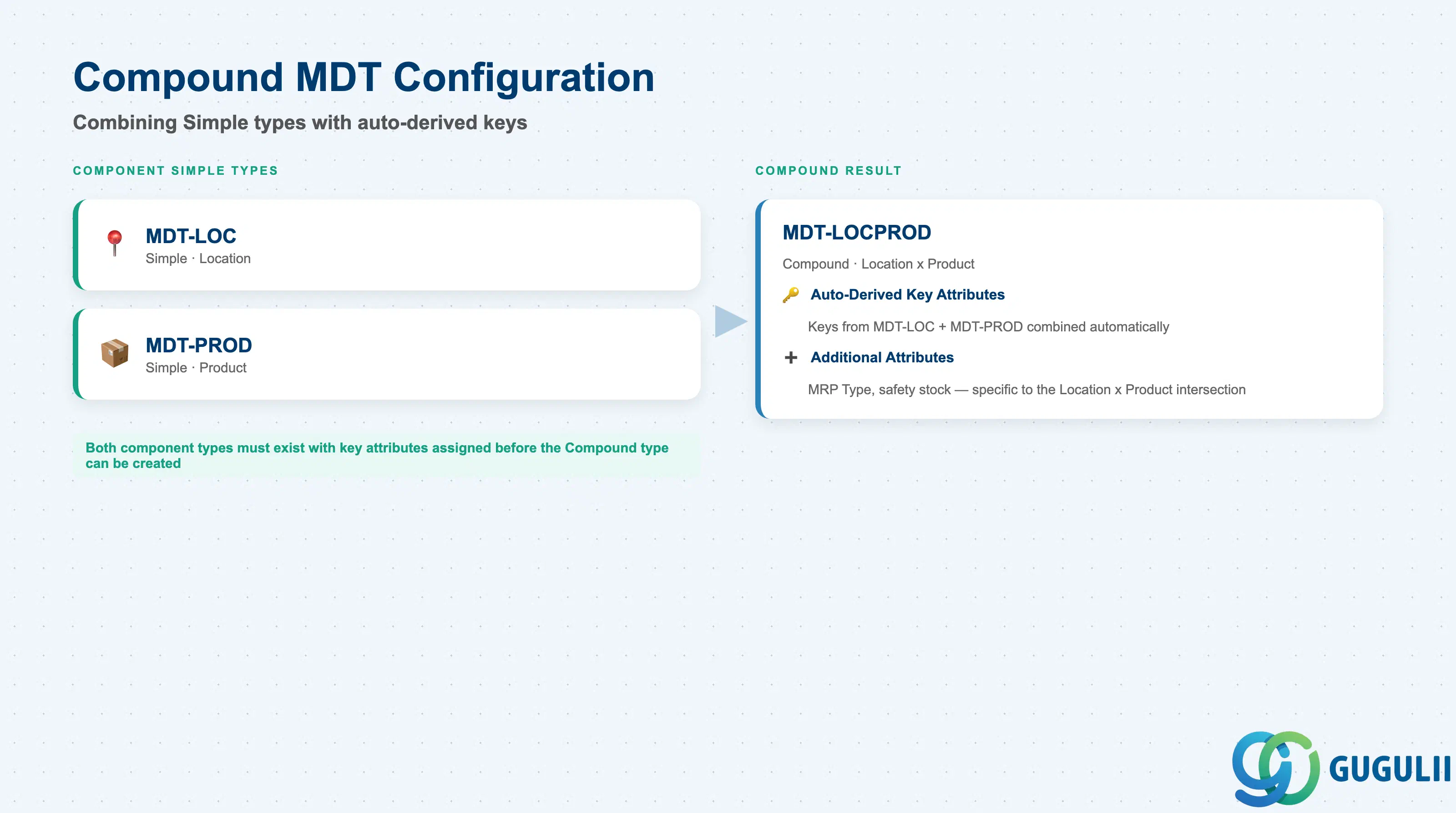
A Compound type stores attribute values that only make sense for a specific combination of two or more Simple types — for example, an MRP type that differs by Location and Product together, not by either alone.
| Field | Description | Practical Usage |
|---|---|---|
| Component Master Data Types | The two (or more) Simple types being combined | Selected explicitly when the Compound type is created (e.g. MDT-LOC + MDT-PROD for a “Location Product” type). Both component types must already exist and be active. |
| Auto-Derived Key Attributes | Key attributes of the component types, combined automatically into the Compound type’s own key | The system derives this combination — it is not manually re-entered. This is why component types must have their key attribute finalized before a Compound type is built on top of them. |
| Additional Attributes | Non-key attributes specific to the combination itself | Example: MRP Type only makes sense at the Location × Product intersection, not at Location or Product alone — it belongs on the Compound type, not on either component Simple type. |
Prerequisite: Component Simple types must exist with their key attribute already assigned before a Compound type referencing them can be created — the compound key derivation reads that assignment at creation time.
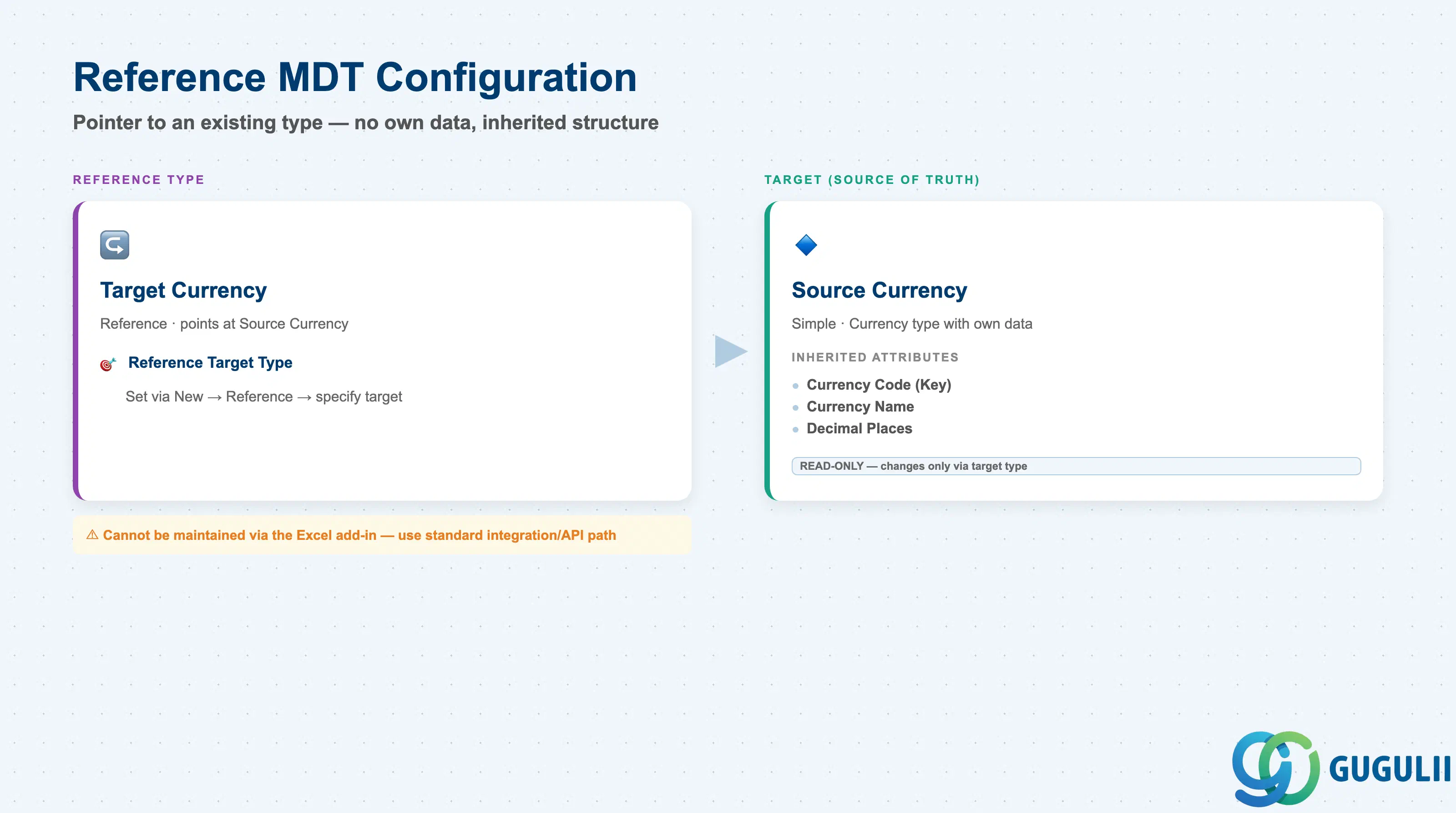
A Reference type is deliberately empty of its own data — it exists to let the same underlying values play a second semantic role without a duplicate load.
| Field | Description | Practical Usage |
|---|---|---|
| Reference Target Type | The existing Master Data Type this Reference type points to | Set via New → Reference → specify target type. Example pattern: a “Target Currency” Reference type pointing at “Source Currency” for exchange-rate use cases, so both roles read from one loaded currency list instead of two. |
| Inherited Attributes | The referenced type’s attribute structure, exposed read-only through the Reference type | Cannot be edited independently — any structural change must be made on the target type. |
| Maintenance Restriction | Reference master data cannot be maintained via the Excel add-in | Plan data loads for Reference types through the standard integration/API path rather than the Excel add-in used for Simple/Compound types — a common early-project surprise if not flagged during blueprint. |
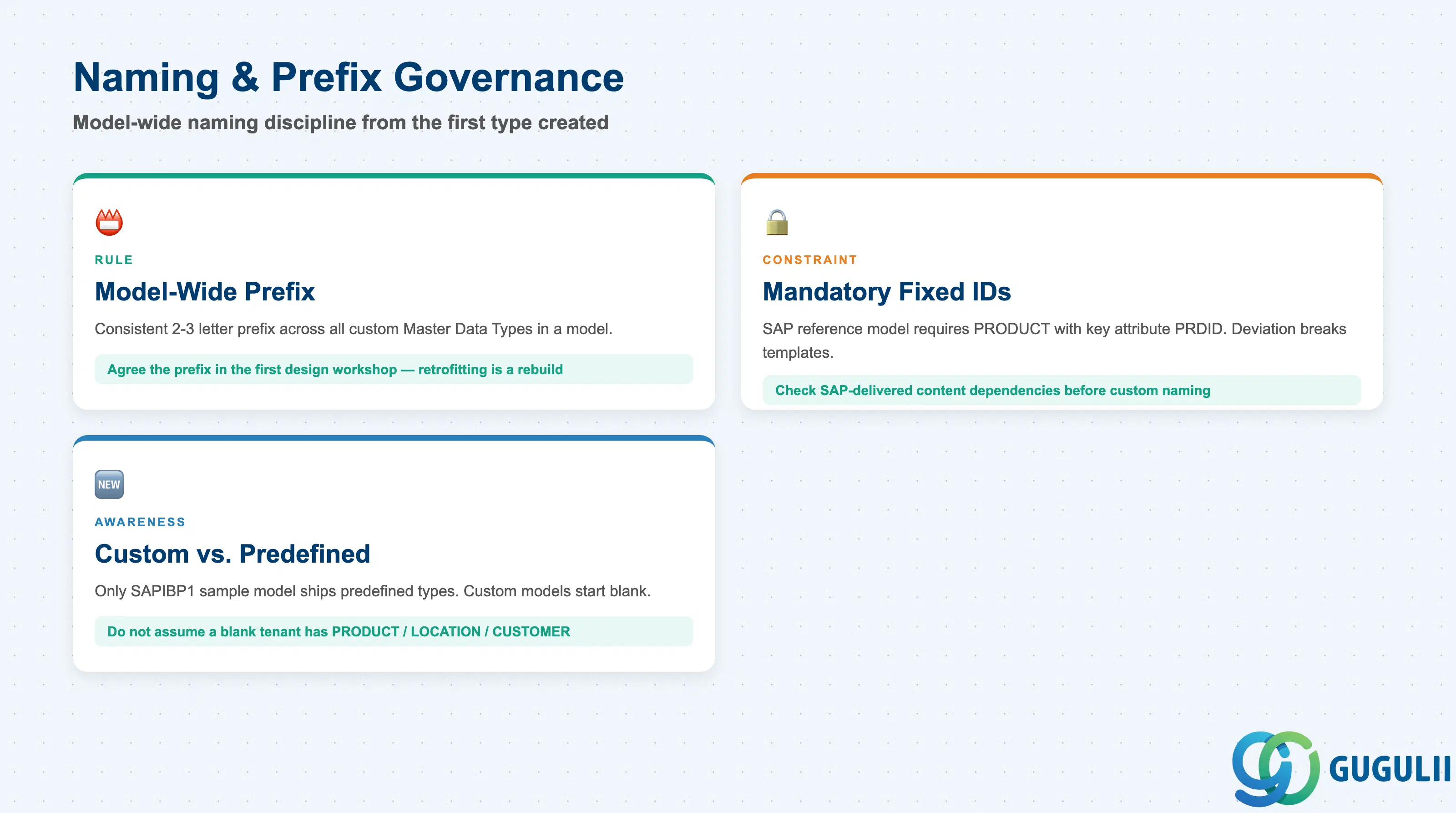
Because Master Data Type IDs are referenced throughout the model — by Attributes, Planning Levels, Key Figures, and every Planning Area — SAP enforces, and best practice reinforces, a strict, model-wide naming discipline from the very first type created.
| Field / Rule | Description | Practical Usage |
|---|---|---|
| Model-Wide Prefix | A consistent 2- or 3-letter prefix used across all custom Master Data Types in a given model | SAP’s SAPIBP1 sample model uses the prefix IBP (e.g. IBPPRODUCT). Agree the project’s own prefix (client or project code) in the first design workshop — retrofitting a prefix after types are built is a rebuild, not a rename. |
| Mandatory Fixed IDs | A small number of technical names are fixed by SAP for its reference/standard content | The product-based reference model requires the product type to be named exactly PRODUCT with key attribute PRDID. Deviating from this breaks compatibility with SAP-delivered sample content and templates. |
| Custom vs. Predefined | Only SAP’s reference/sample models (e.g. SAPIBP1) ship with predefined types; a net-new model has no built-in Master Data Types | Do not assume a blank IBP tenant already contains PRODUCT/LOCATION/CUSTOMER types — every custom model designs and creates its own Master Data Types from scratch via this app, even when it reuses SAP’s naming conventions as a reference pattern. |
| ID | Category | Title |
|---|---|---|
| ibp-001 | Overview | What is SAP IBP? |
| ID | Category | Title |
|---|---|---|
| ibp-a01 | Overview | SAP IBP Master Data: Overview, Hierarchy & Relationships |
| ibp-a02-01 | Master Data | SAP IBP Master Data Types 📍 |
| ibp-a02-02 | Master Data | SAP IBP Attribute |
| ibp-a02-03 | Master Data | SAP IBP Time Profile |
| ibp-a02-05 | Master Data | SAP IBP Location Master |
| ibp-a03-01 | Master Data | SAP IBP Key Figure |
| ibp-a03-02 | Master Data | SAP IBP Planning Level |
| ibp-a03-03 | Master Data | SAP IBP Planning Area |
| ibp-a03-04 | Master Data | SAP IBP Planning Version |
| ibp-a03-05 | Master Data | SAP IBP Planning View |
| ibp-a04-01 | Master Data | SAP IBP Integration Model |
| ibp-a05-01 | Master Data | SAP IBP Planning Operator |
| ID | Category | Title |
|---|---|---|
| ibp-b01 | Overview | SAP IBP Transactions: Process Flow, Hierarchy & Relationships |