Title here
Summary here

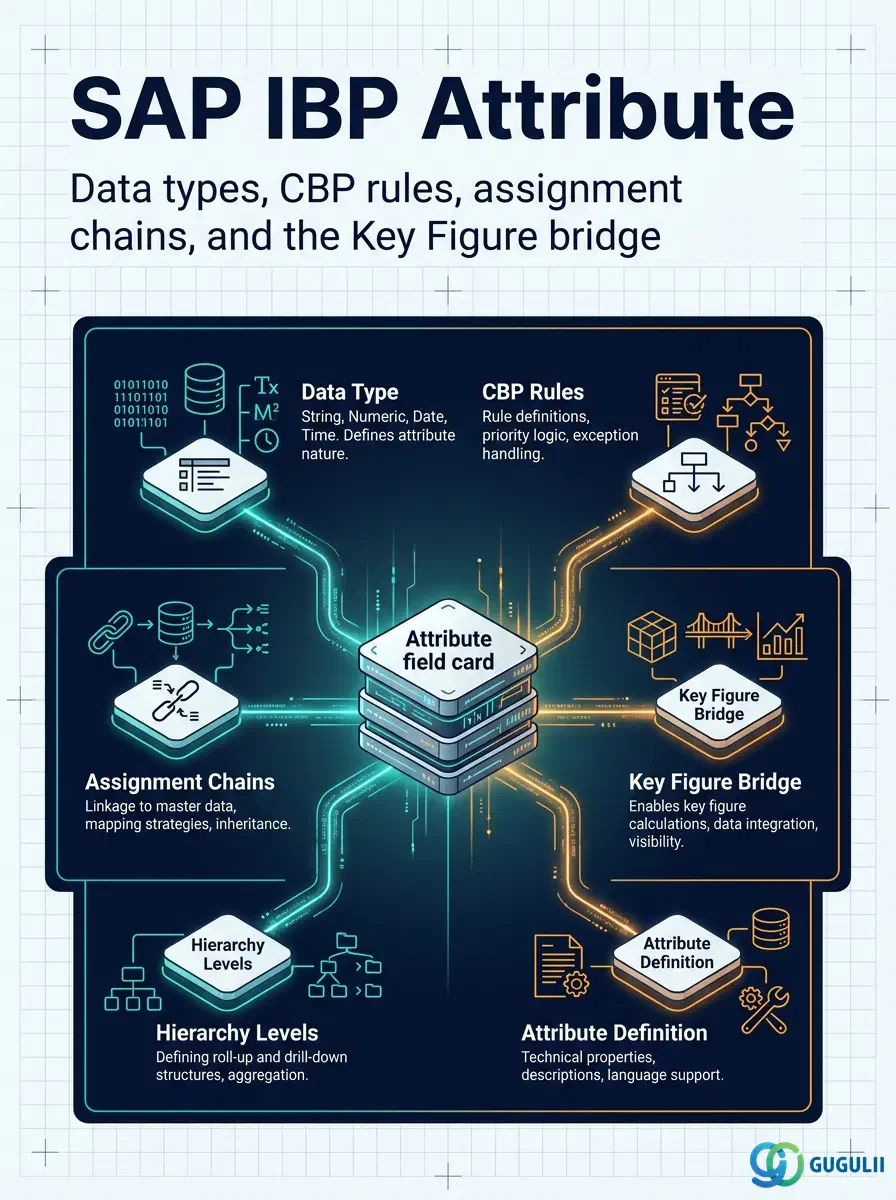
An Attribute is the smallest configurable unit of descriptive information in an SAP IBP model — a single characteristic, such as Region, Product Family, or Unit Price, that is created independently and then assigned to one or more Master Data Types so it can be used in a Planning Area. Every Master Data Type is effectively a named collection of Attributes, and every downstream planning object — master data record, Planning Level, Key Figure, Planning View — ultimately reads its granularity and filtering behavior from the Attributes assigned beneath it. This article maps what an Attribute is, its supported data types and constraints, its place in the master data hierarchy, and the field-level detail of the Attributes app used to configure it.
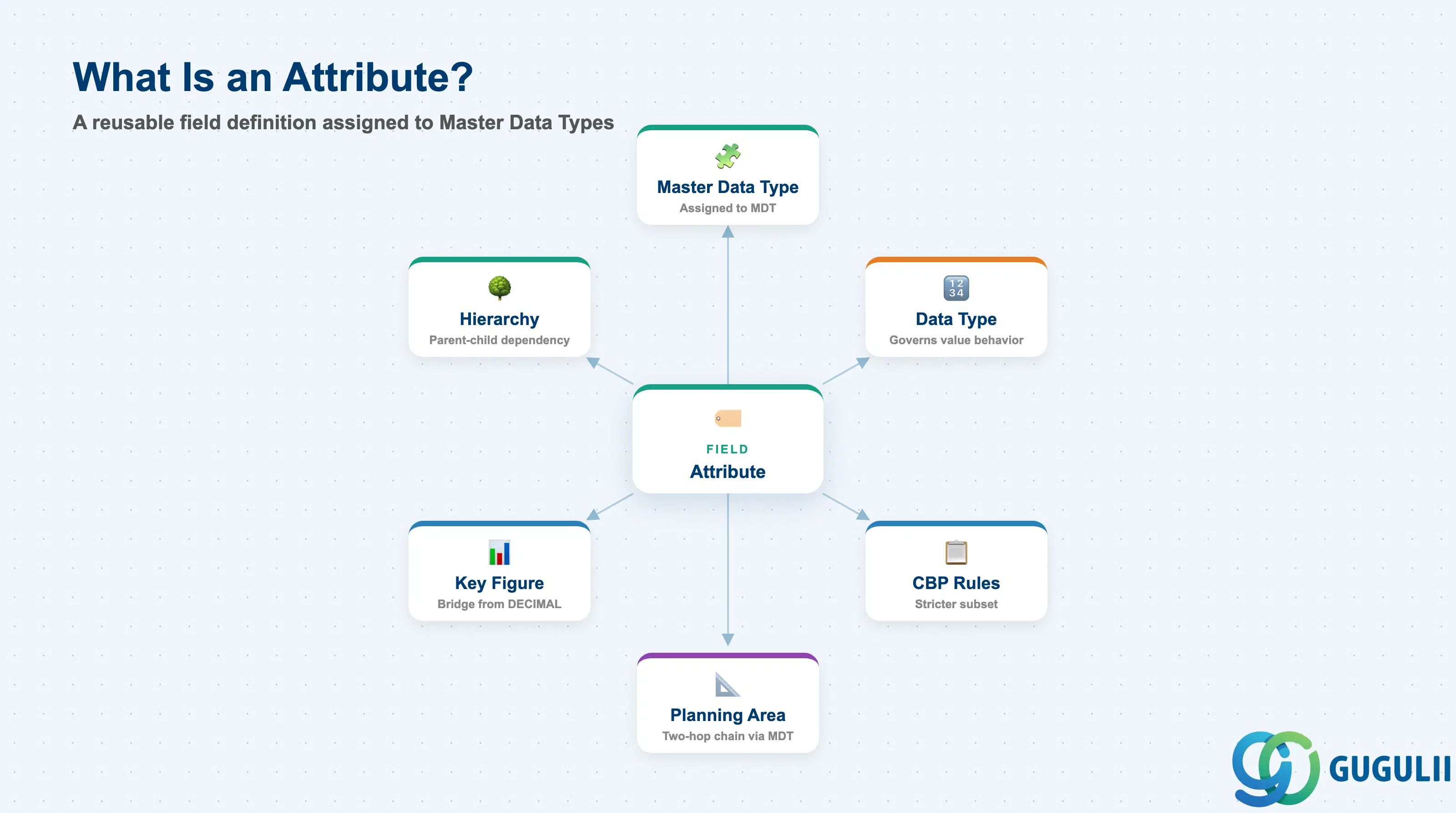
An Attribute is not a standalone data record — it is a reusable field definition that describes one characteristic of a Master Data Type, such as “country” or “region” on a Customer type. Attributes are created once in the Attributes app (or inline within the Master Data Types app) and then mapped to any Master Data Type that needs them, which is why the same Attribute definition can be reused across several types in a model instead of being redefined per type.
| Aspect | Details |
|---|---|
| Role | Defines a single reusable characteristic (field) that is assigned to a Master Data Type to add descriptive detail and enable filtering/analysis at that granularity |
| Modules using it | SAP IBP only — a native, IBP-internal configuration object with no S/4HANA equivalent. Consumed indirectly wherever Master Data Types, Planning Levels, master data records, or Key Figures reference an assigned Attribute. |
| Transactions / Apps | Attributes app (Fiori launchpad, Model Configuration group) — create, edit, delete Attributes. Attributes can also be created inline from within the Master Data Types app, but are always displayed/edited/deleted centrally in the Attributes app regardless of where they were created. |
| Key Tables | Not published as customer-facing database tables — SAP IBP model configuration objects (Master Data Types, Attributes) are stored in the IBP model repository rather than a documented table set. |
| SAP IBP note | Most Attributes are defined as NVARCHAR (character); numeric data types (DECIMAL, INTEGER) are also supported. There is no fixed universal catalog of “standard” Attributes — SAP’s reference model (SAPIBP1) ships example Attributes (e.g. PRDID), but custom models define their own to fit the project’s planning design. |
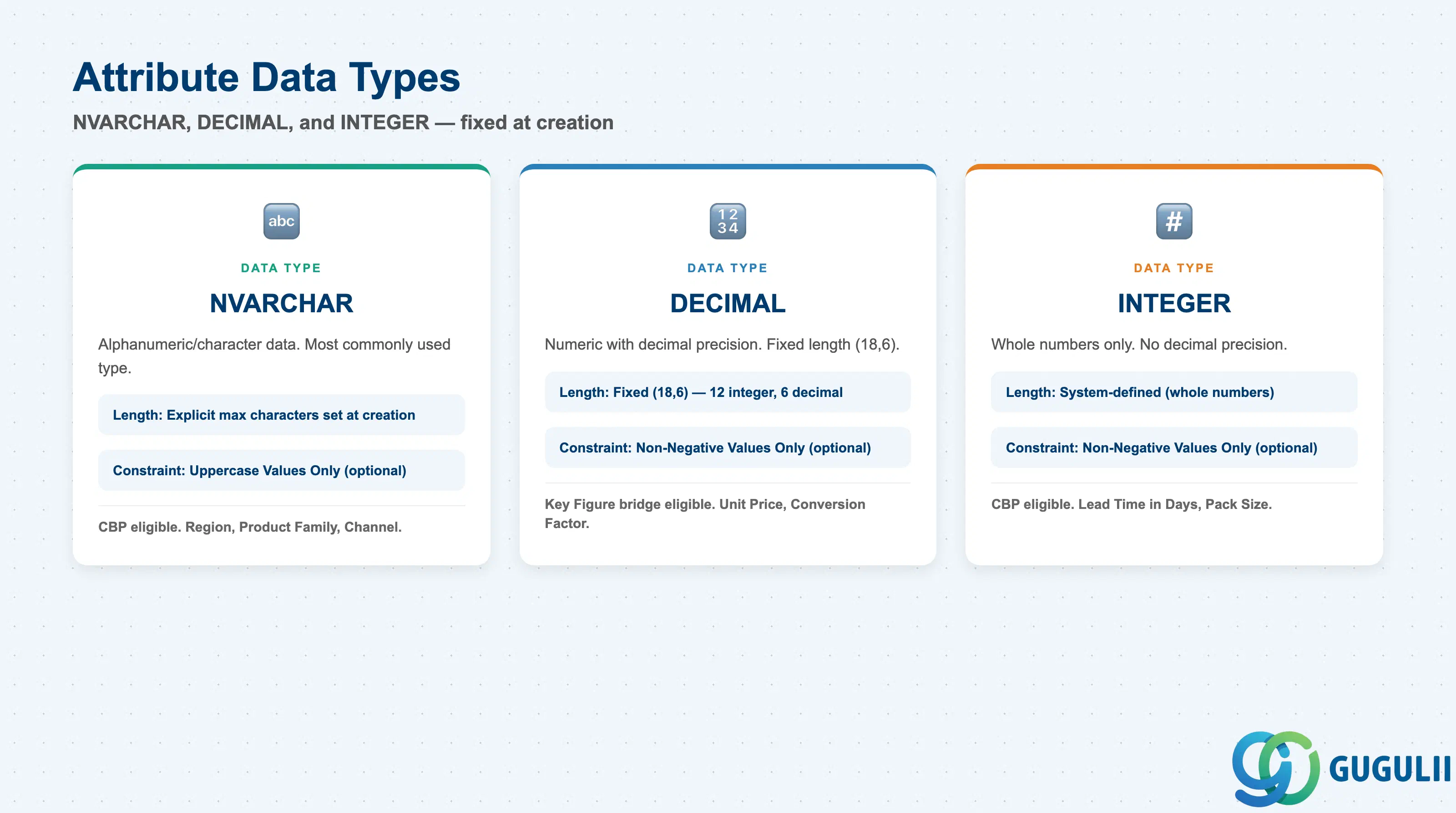
Data Type is chosen at creation time and is a hard technical constraint — it determines what values the Attribute can hold, which optional value-restriction setting is available, and whether the Attribute is eligible for Characteristics-Based Planning (CBP). Getting this wrong is costly because changing a Data Type after go-live means recreating the Attribute and re-mapping every Master Data Type, Planning Level, and downstream object built on it.
| Data Type | Length Behavior | Use Case | Key Behavior |
|---|---|---|---|
| NVARCHAR | Length = maximum number of characters, set explicitly at creation | Alphanumeric/character data — the most commonly used type, e.g. Region, Product Family, Channel | Optional Uppercase Values Only setting restricts the Attribute to accept only uppercase values when consumed by IBP applications |
| DECIMAL | Fixed length of (18,6) — 12 integer places, 6 decimal places | Numeric values that need decimal precision, e.g. Unit Price, Conversion Factor | Optional Non-Negative Values Only setting; can also be exposed as a Key Figure via the Attribute-as-Key-Figure feature (Section 2.5) |
| INTEGER | Whole numbers only | Numeric values with no decimal precision, e.g. Lead Time in Days, Pack Size | Optional Non-Negative Values Only setting; together with NVARCHAR, the only data types eligible for CBP Attributes (Section 2.3) |
Design principle: Data Type is fixed at Attribute creation and cannot be changed afterward — decide it based on how the value will actually be consumed downstream (plain descriptive filter vs. numeric value that may later become a Key Figure or a CBP characteristic), not just how it looks in a sample file.
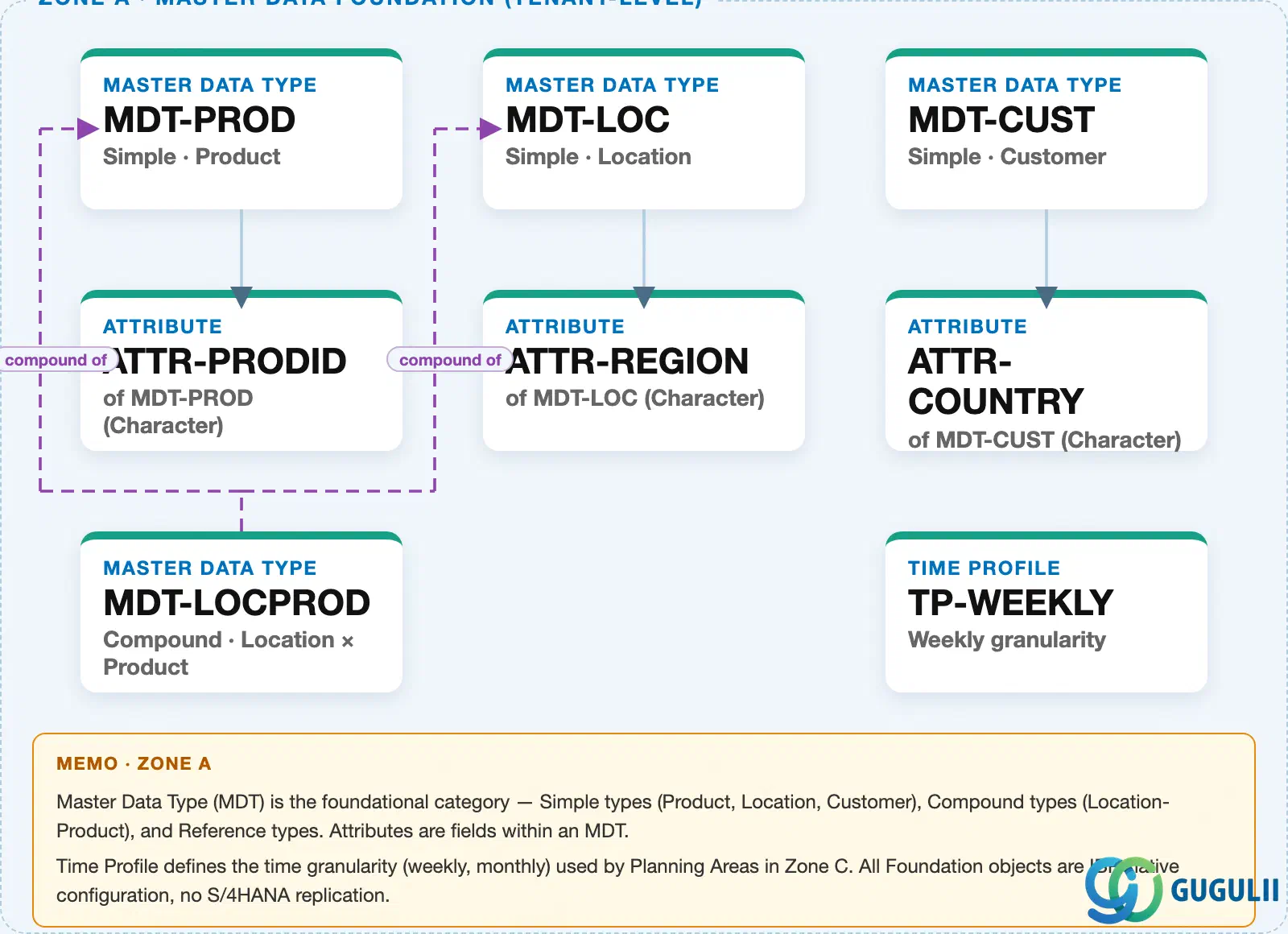
Data hierarchy with a concrete example
Client (SAP IBP tenant / Model)
   │
   ├── Master Data Type "MDT-PROD" — Simple · Product
   │      └── Attribute "ATTR-PRODID" — Product ID (NVARCHAR, key attribute)
   │
   ├── Master Data Type "MDT-LOC" — Simple · Location
   │      └── Attribute "ATTR-REGION" — Region (NVARCHAR)
   │
   ├── Master Data Type "MDT-CUST" — Simple · Customer
   │      └── Attribute "ATTR-COUNTRY" — Country/Region (NVARCHAR)
   │
   └── Master Data Type "MDT-LOCPROD" — Compound · Location × Product
          MDT-LOCPROD ── compound of ──> MDT-LOC
          MDT-LOCPROD ── compound of ──> MDT-PROD
Design principle: Attributes always sit one level below the Master Data Type they are assigned to — an Attribute has no independent position in the org hierarchy of its own. Its practical scope comes entirely from which Master Data Type(s) it is mapped to and, one hop further out, which Planning Area those types are ultimately used in (Section 2.4).
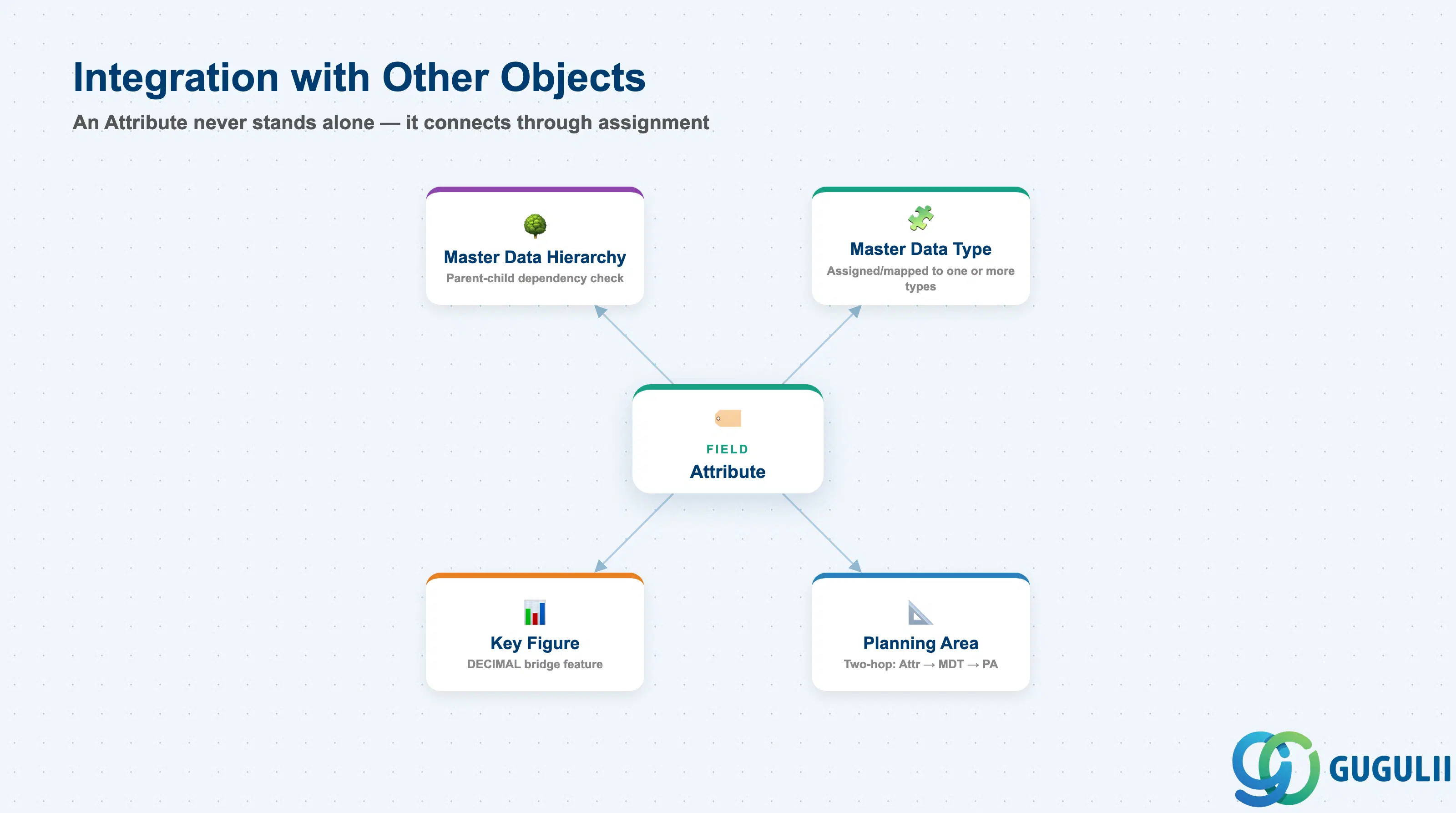
An Attribute never stands alone — it only becomes usable once assigned to a Master Data Type, and that assignment must itself be carried one hop further before the Attribute is usable inside a Planning Area’s planning levels and views.
| Object | Relationship | Practical Notes |
|---|---|---|
| Master Data Type | Attribute is assigned/mapped to one or more Master Data Types; one assigned Attribute is marked as the type’s key attribute | Configured as a distinct mapping step in the Master Data Types app, separate from Attribute creation itself. See IBP-A02-01. |
| Planning Area | Once assigned to a Master Data Type, the Attribute must be separately assigned to a Planning Area before it is usable at the planning-level/planning-view layer | Two-hop assignment chain: Attribute → Master Data Type → Planning Area. Missing the second hop is a common go-live gap — the Attribute exists and is mapped, but is invisible in planning views until explicitly added to the Planning Area. |
| Key Figure | A qualifying Attribute (typically DECIMAL) can be exposed as a Key Figure via the Attribute-as-Key-Figure feature | Distinct from a native Key Figure — the value still originates as master-data-level information (single value per unique key combination) rather than a planned/calculated time series. See Section 2.5. |
| Master Data Hierarchy | Where an Attribute participates in a hierarchical master data structure, a parent-child relationship must be explicitly defined between the child and parent Attribute | Dependency checks flow from child object to parent object — e.g. a Region Attribute checked against a Country Attribute. See Section 2.6. |
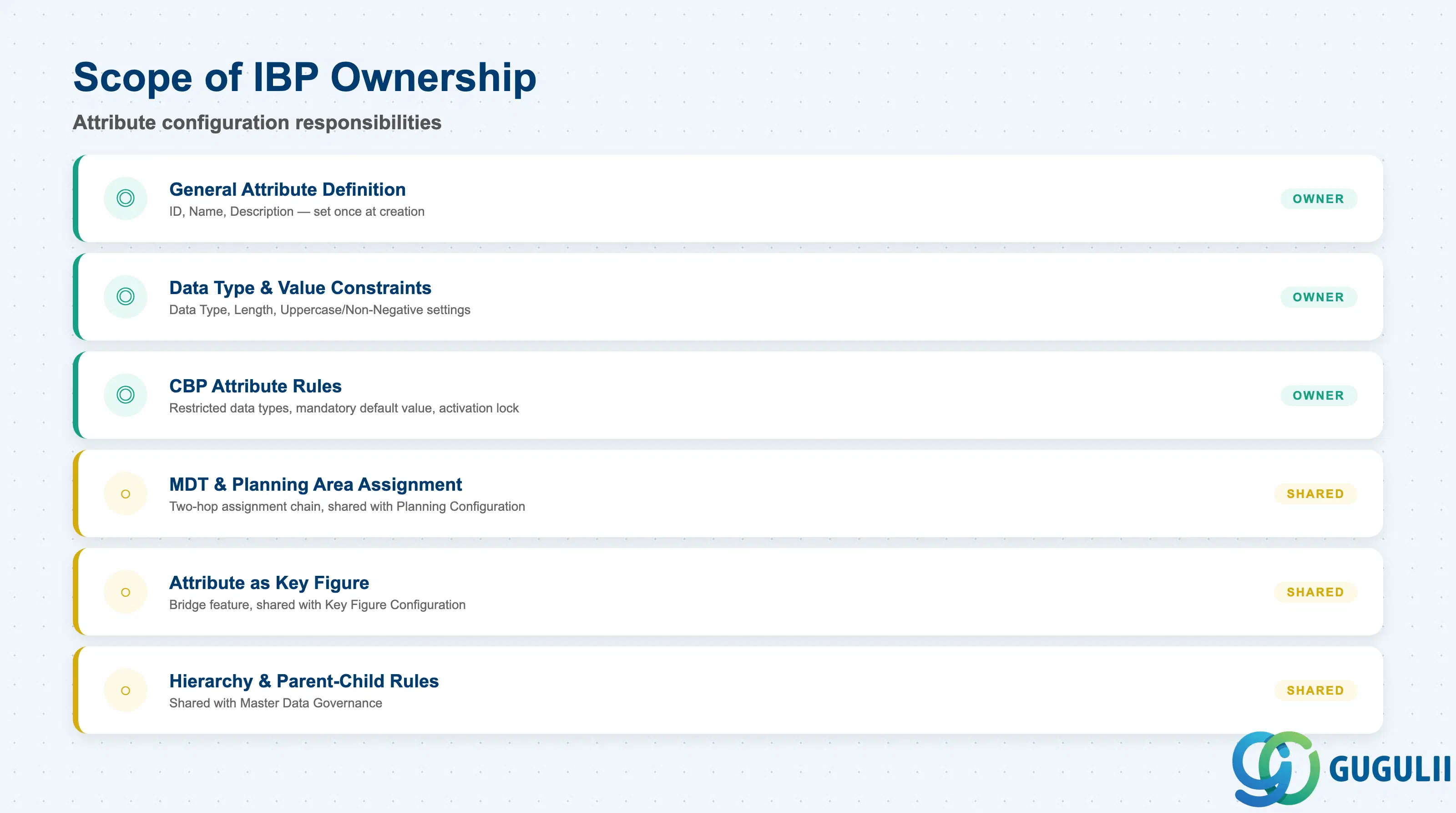
| Data Section | IBP Involvement | Notes |
|---|---|---|
| General Attribute Definition | ◎ Owner | ID, Name, Description — set once at creation |
| Data Type & Value Constraints | ◎ Owner | Data Type, Length, Uppercase/Non-Negative settings |
| CBP (Characteristics-Based Planning) Attribute Rules | ◎ Owner | Restricted data types, mandatory default value, activation lock |
| Master Data Type & Planning Area Assignment | ○ Shared with Planning Configuration | Two-hop assignment chain, owned jointly with Planning Level/Planning Area design |
| Attribute as Key Figure | ○ Shared with Key Figure Configuration | Bridge feature between master-data Attribute and planning Key Figure |
| Master Data Hierarchy & Parent-Child Rules | ○ Shared with Master Data Governance | Applies only where the Attribute participates in a hierarchical structure |
Legend: ◎ = Owner / Critical, ○ = Direct involvement
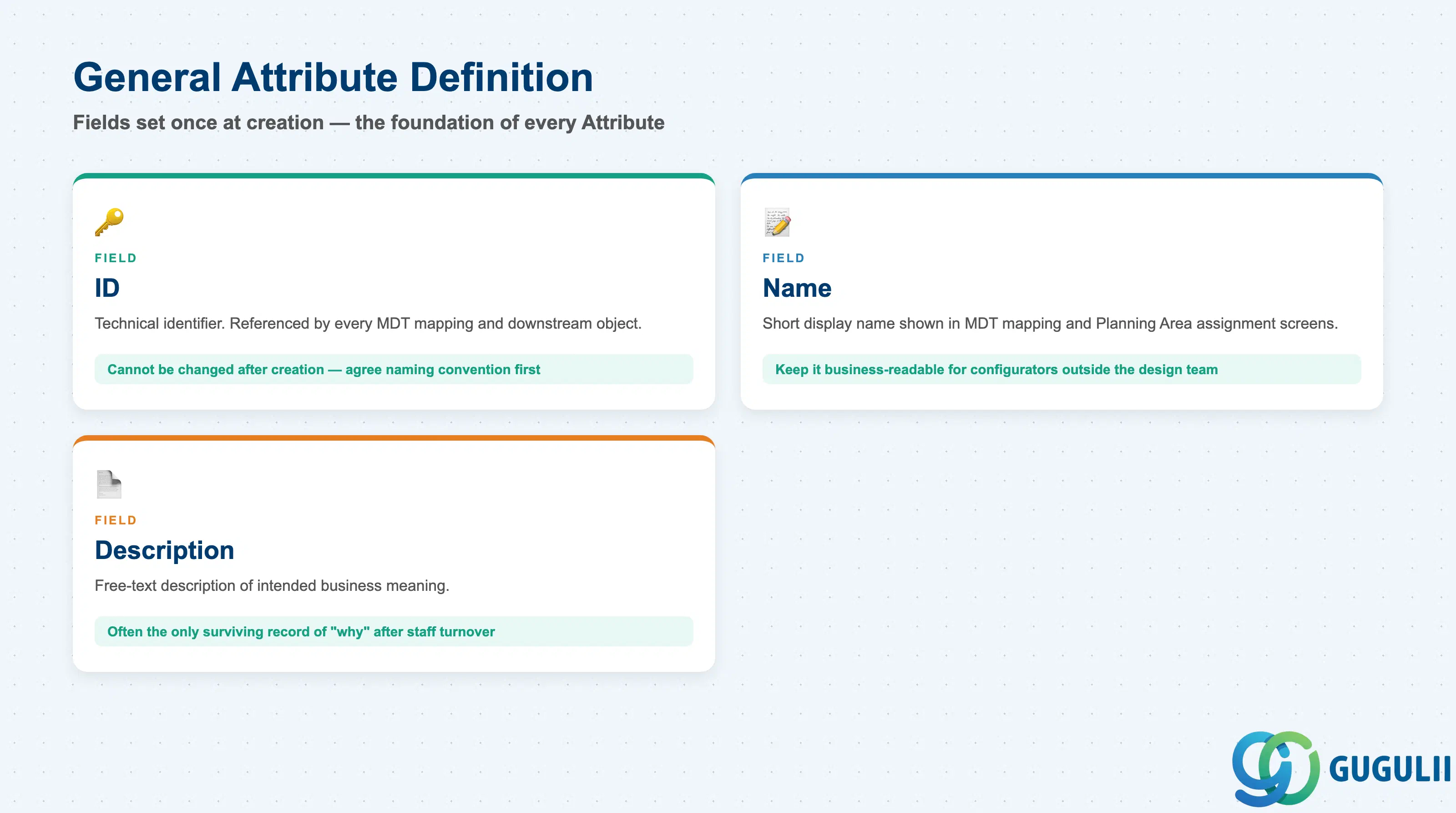
Every Attribute — regardless of data type — starts from the same short identification screen in the Attributes app (New → enter ID, Name, Description, Data Type, Length → Save). These fields are entered once at creation and are the foundation every later mapping step (to a Master Data Type, then to a Planning Area) is layered on top of.
| Field | Description | Practical Usage |
|---|---|---|
| ID | Technical identifier of the Attribute | Referenced by every Master Data Type mapping and every downstream Planning Level/Key Figure that uses it. Cannot be changed after creation — agree the model’s naming convention before the first Attribute is built. |
| Name | Short display name | Shown in the Master Data Type mapping screen and Planning Area assignment screen. Keep it business-readable so configurators outside the original design team can identify it later. |
| Description | Longer free-text description | Document the intended business meaning, especially for Attributes later exposed as a Key Figure (Section 2.5) or used in a hierarchy (Section 2.6) — this is often the only surviving record of “why” after staff turnover. |
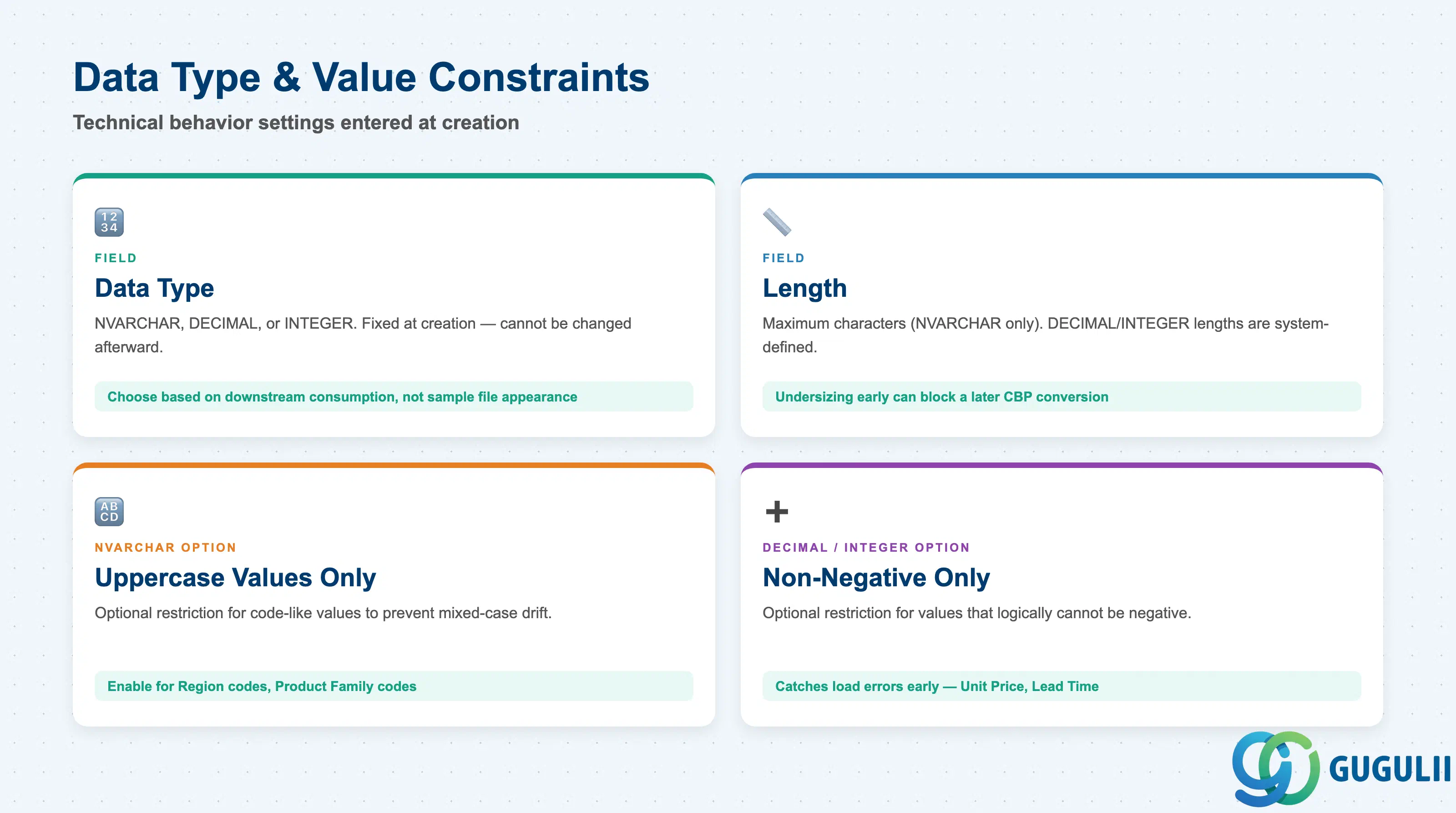
These fields are entered at the same creation screen as Section 2.1 but govern the technical behavior of the Attribute’s values, not just its identity.
| Field | Description | Practical Usage |
|---|---|---|
| Data Type | NVARCHAR, DECIMAL, or INTEGER — fixed at creation | Choose based on downstream consumption, not appearance in a sample file (see the Section 1.2 design principle). DECIMAL is fixed at length (18,6); NVARCHAR requires an explicit Length. |
| Length | Maximum number of characters (NVARCHAR only; DECIMAL/INTEGER lengths are system-defined) | Set generously enough for the longest realistic value, but note that Length also caps the default-value length for NVARCHAR CBP Attributes (Section 2.3) — undersizing it early can block a later CBP conversion. |
| Uppercase Values Only | Optional restriction available for NVARCHAR Attributes | Enable for code-like values (e.g. Region codes, Product Family codes) that must be consistent for filtering/matching across the model — prevents mixed-case data quality drift from manual entry or interface loads. |
| Non-Negative Values Only | Optional restriction available for DECIMAL and INTEGER Attributes | Enable for any Attribute representing a physical quantity, price, or count that logically cannot be negative (e.g. Unit Price, Lead Time in Days) — catches load/interface errors early rather than downstream in a planning view. |
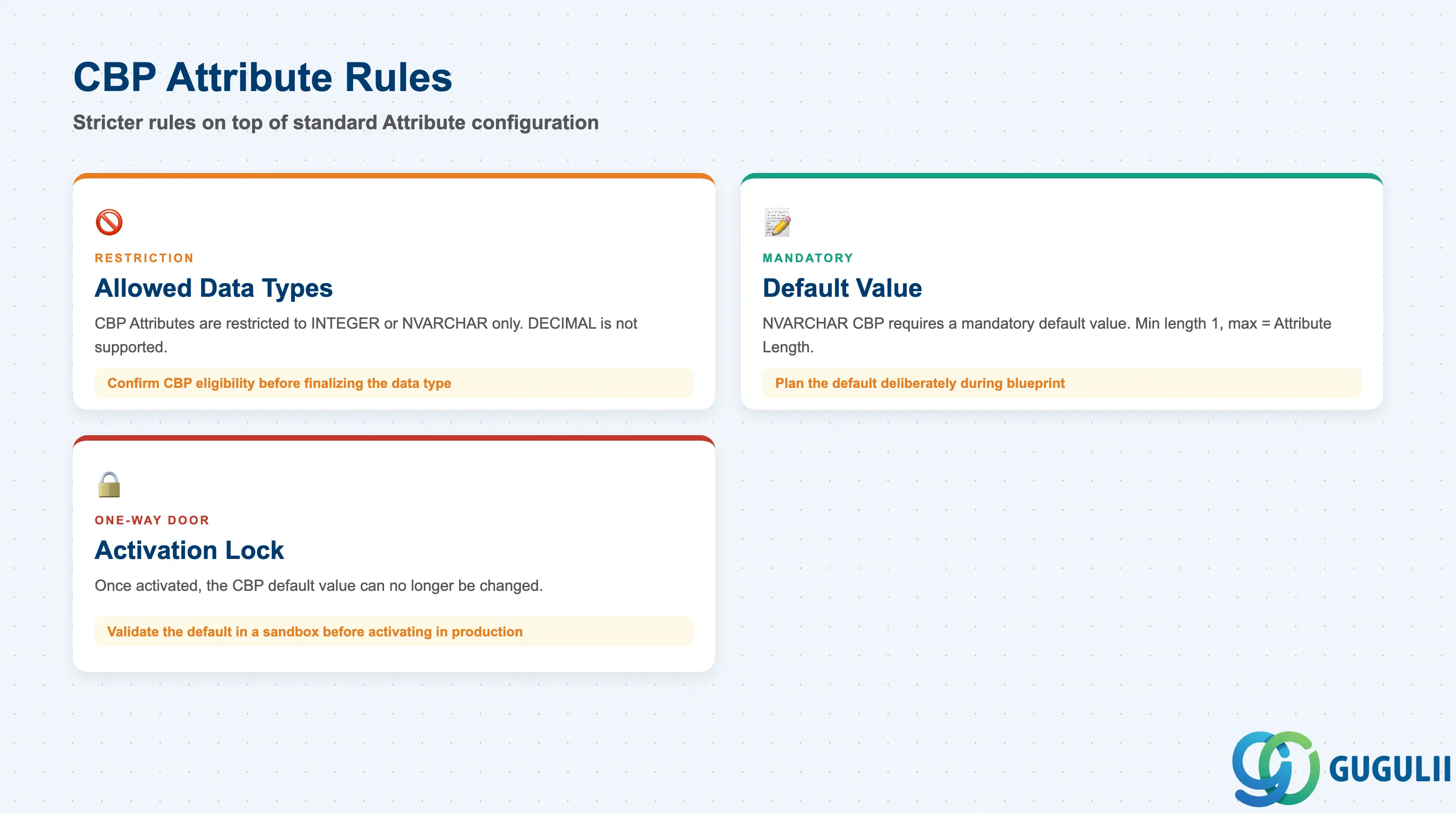
Attributes used for Characteristics-Based Planning (CBP) — planning at the level of product/order characteristics rather than a fixed material number — follow a stricter, additional rule set on top of the standard Attribute configuration.
| Field / Rule | Description | Practical Usage |
|---|---|---|
| Allowed Data Types | CBP Attributes are restricted to INTEGER or NVARCHAR only | DECIMAL is not supported for CBP — if a characteristic conceptually needs decimal precision, it cannot be modeled as a CBP Attribute; confirm CBP eligibility before finalizing the data type in Section 2.2. |
| Default Value (NVARCHAR CBP only) | A mandatory default value, minimum length 1 and no longer than the Attribute’s defined Length; pre-filled with a recommended value that can be overwritten | Plan the default value deliberately during blueprint, not as an afterthought at activation — it directly constrains what “unspecified” looks like across every CBP planning scenario using this Attribute. |
| Activation Lock | Once a CBP Attribute has been activated, its default value can no longer be changed | Treat CBP Attribute activation as a one-way door for the default value specifically — validate the default in a sandbox model before activating in a model that already carries planning data. |
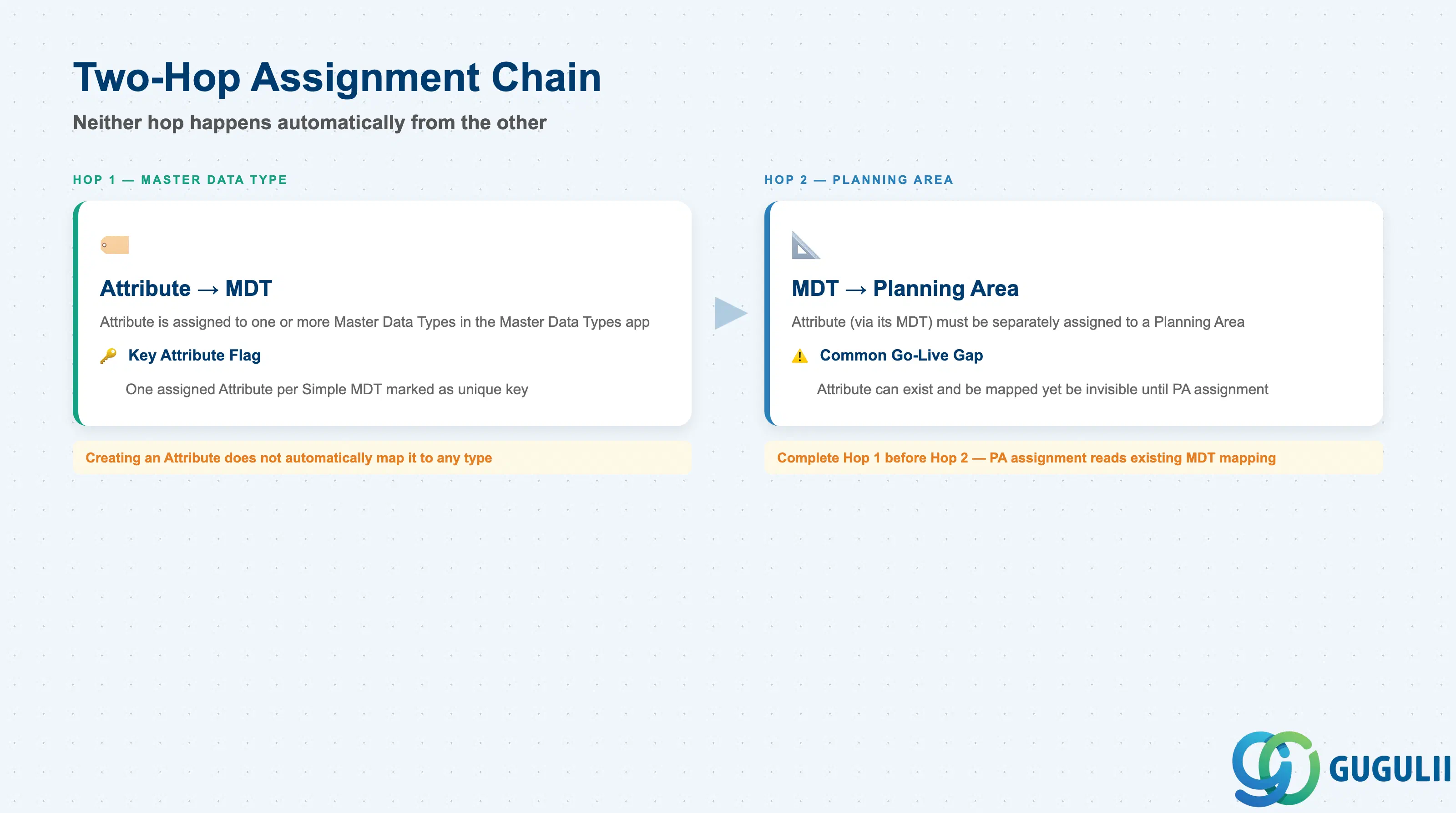
An Attribute becomes usable in exactly two deliberate configuration steps — neither of which happens automatically from the other.
| Field / Step | Description | Practical Usage |
|---|---|---|
| Hop 1 — Master Data Type Mapping | The Attribute is assigned to one or more Master Data Types in the Master Data Types app | Performed as a distinct step from Attribute creation itself — creating an Attribute in the Attributes app does not automatically map it to any type. |
| Key Attribute Flag | One assigned Attribute per Simple Master Data Type is marked as the type’s unique key | Set via the “Key” checkbox on the Attribute’s row in the Assigned Attributes list; for SAP’s reference Product type this is fixed as PRDID — replicate this technical naming if the project plans to reuse SAP-delivered content. |
| Hop 2 — Planning Area Assignment | The Attribute (via its Master Data Type) must be separately assigned to a Planning Area before it appears in that area’s planning levels and views | This second hop is a common go-live gap: an Attribute can be fully created and mapped to its Master Data Type yet still be invisible to planners until explicitly added to the Planning Area configuration. |
Prerequisite: Complete Hop 1 (Master Data Type mapping) before attempting Hop 2 — Planning Area assignment reads the existing Master Data Type mapping and has nothing to assign if that mapping is not yet in place.
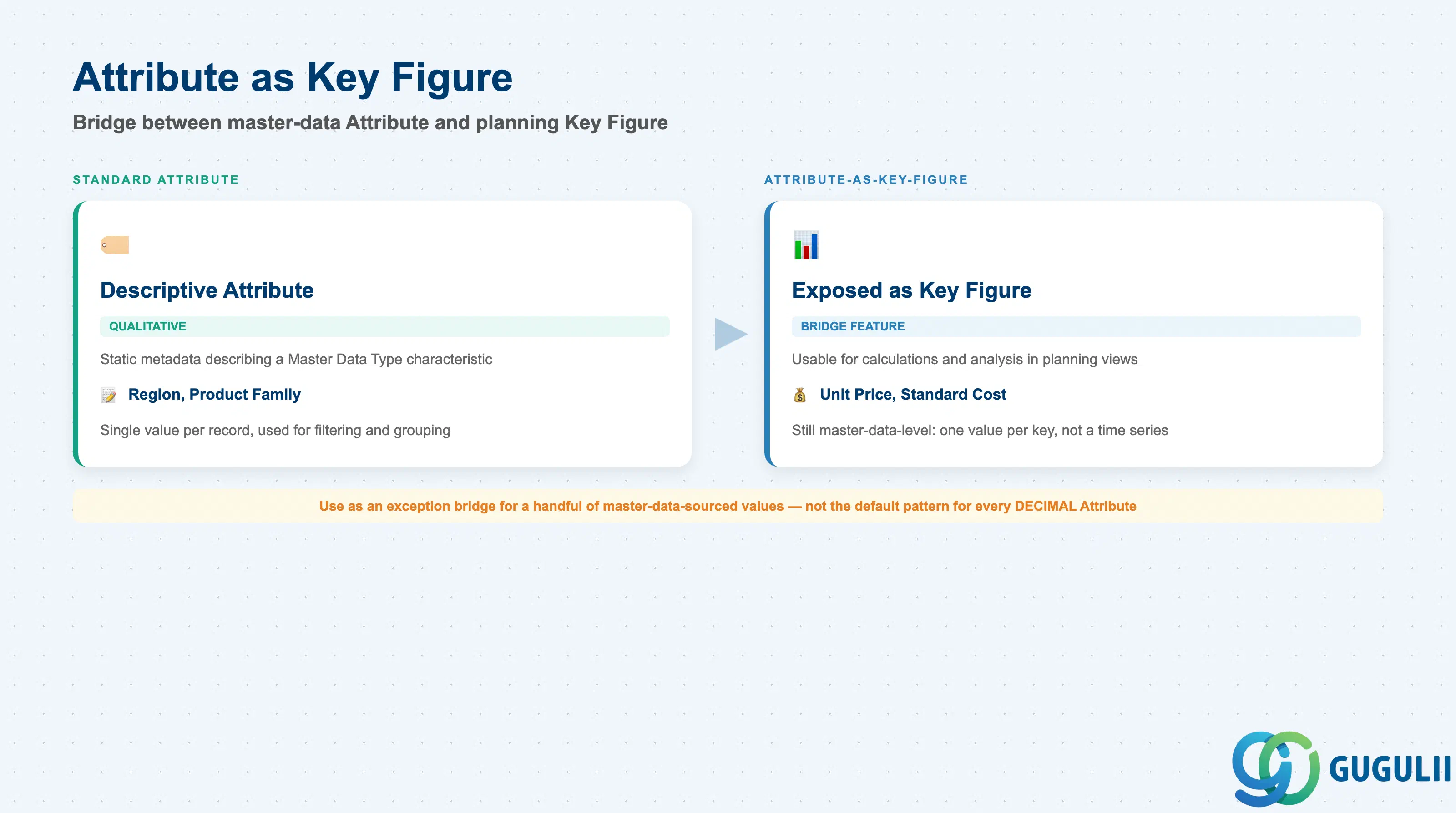
Attributes and Key Figures are related but distinct object categories: Attributes are descriptive/qualitative master-data characteristics (largely static metadata, e.g. Region, Product Family), while Key Figures are the quantitative planning values — demand, supply, inventory quantities — that are stored or calculated and consumed in planning views. SAP IBP provides a deliberate bridge between the two for specific use cases.
| Field / Concept | Description | Practical Usage |
|---|---|---|
| Eligible Attribute | Typically a DECIMAL Attribute on a Compound Master Data Type, e.g. Unit Price on a Customer-Product compound type | Confirm the source Attribute’s data type and Master Data Type placement first — not every Attribute is a sensible Attribute-as-Key-Figure candidate. |
| Resulting Behavior | The Attribute value becomes usable for calculations, analysis, and reporting inside a planning view, while still originating as master-data-level information — a single value per unique key combination, not a planned/calculated time series | Do not confuse this with a native Key Figure: the value still behaves like master data (one value per key), it is simply exposed through the Key Figure layer for consumption convenience. |
| Typical Use Case | Exposing a reference/master value (price, standard cost) alongside true planning Key Figures in the same planning view, without duplicating it as a separately maintained Key Figure | Use deliberately for a handful of clearly master-data-sourced values — treat it as an exception bridge, not the default pattern for every DECIMAL Attribute. |
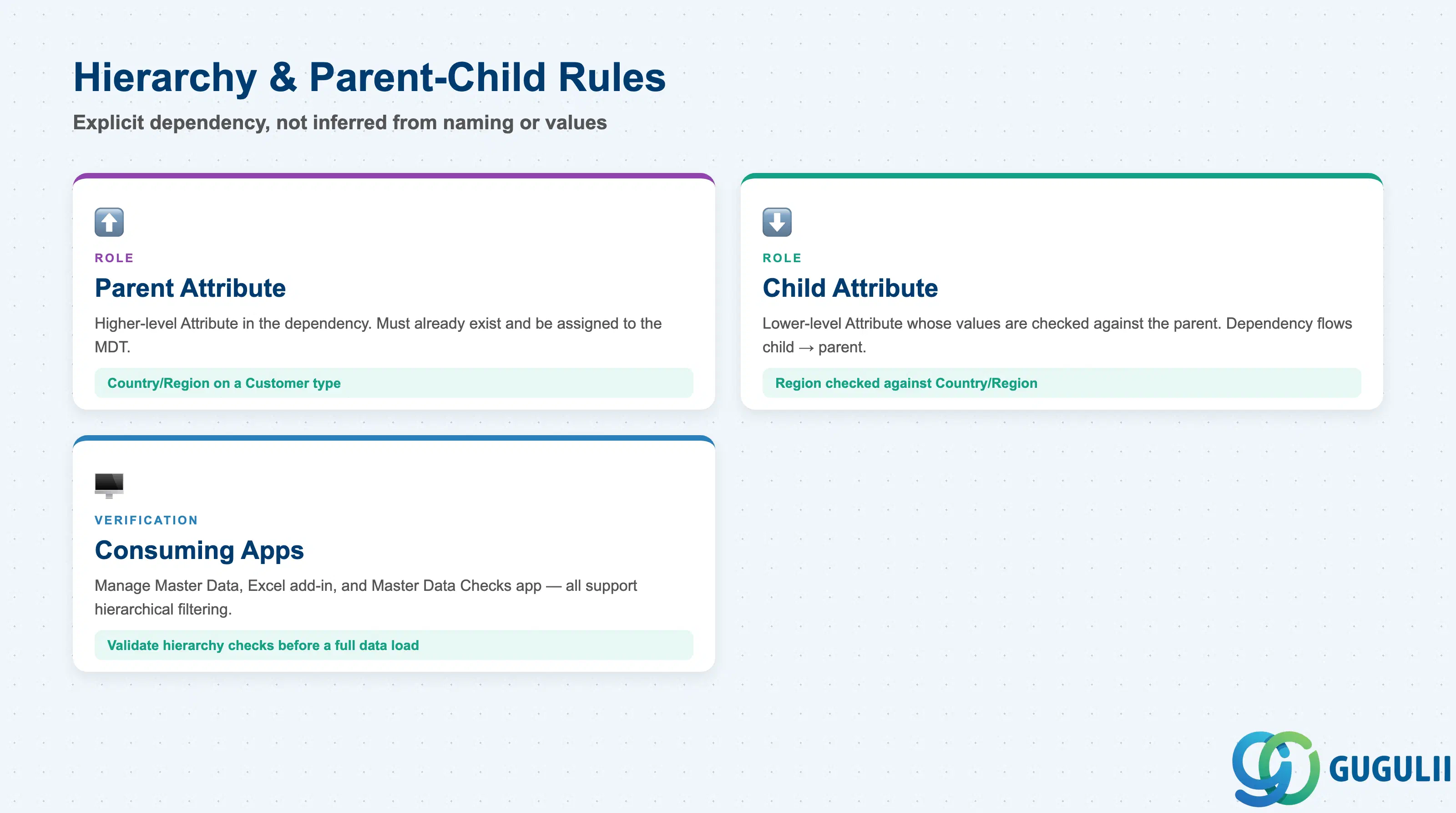
Where an Attribute participates in a hierarchical master data structure — a structure of parent-child dependencies that can span multiple levels — the relationship must be explicitly defined rather than inferred from naming or values alone.
| Field / Rule | Description | Practical Usage |
|---|---|---|
| Parent Attribute | The higher-level Attribute in the dependency, e.g. Country/Region on a Customer type | Must already exist and be assigned to the relevant Master Data Type before the child dependency can be defined against it. |
| Child Attribute | The lower-level Attribute whose values are checked against the parent, e.g. Region on the same Customer type | The dependency check flows from child to parent — a Region value is only valid if it correctly rolls up to an existing Country/Region value, not the other way around. |
| Consuming Applications | The Manage Master Data app, the Excel add-in, and the Manage Master Data Checks app all support searching, selecting, and filtering master data by Attribute values, including hierarchical ones, with varying capability between apps (e.g. bi-directional filtering in the Excel add-in) | Validate hierarchy dependency checks in the Manage Master Data Checks app before a full data load — catching an orphaned child value there is far cheaper than catching it downstream in a planning view. |
| ID | Category | Title |
|---|---|---|
| ibp-001 | Overview | What is SAP IBP? |
| ID | Category | Title |
|---|---|---|
| ibp-a01 | Overview | SAP IBP Master Data: Overview, Hierarchy & Relationships |
| ibp-a02-01 | Master Data | SAP IBP Master Data Types |
| ibp-a02-02 | Master Data | SAP IBP Attribute 📍 |
| ibp-a02-03 | Master Data | SAP IBP Time Profile |
| ibp-a02-05 | Master Data | SAP IBP Location Master |
| ibp-a03-01 | Master Data | SAP IBP Key Figure |
| ibp-a03-02 | Master Data | SAP IBP Planning Level |
| ibp-a03-03 | Master Data | SAP IBP Planning Area |
| ibp-a03-04 | Master Data | SAP IBP Planning Version |
| ibp-a03-05 | Master Data | SAP IBP Planning View |
| ibp-a04-01 | Master Data | SAP IBP Integration Model |
| ibp-a05-01 | Master Data | SAP IBP Planning Operator |
| ID | Category | Title |
|---|---|---|
| ibp-b01 | Overview | SAP IBP Transactions: Process Flow, Hierarchy & Relationships |