Title here
Summary here

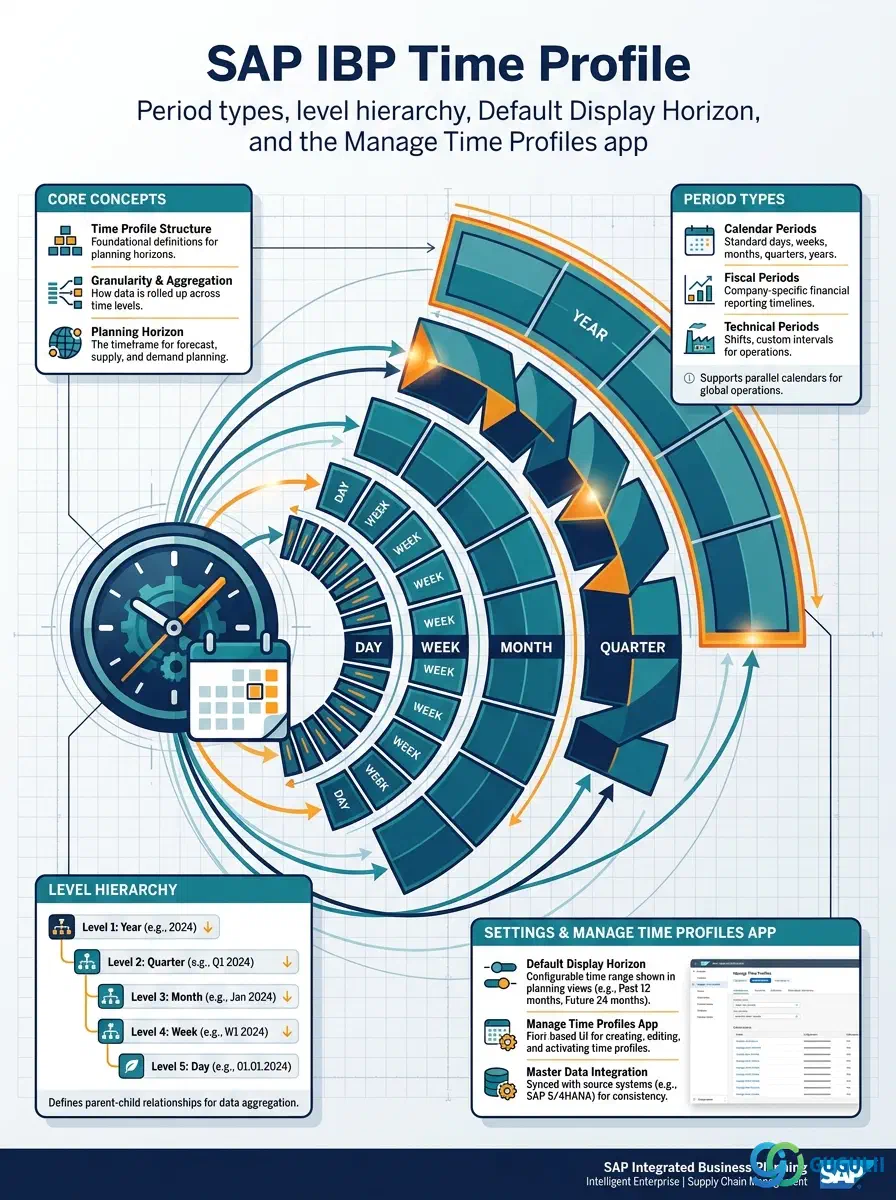
A Time Profile is the configuration object that defines the time dimension of planning in SAP IBP — the ordered, non-overlapping sequence of period buckets (day, week, month, and so on) that every Planning Area’s planning views are ultimately expressed in. It sits in the same Phase 1 Master Data Foundation tier as Master Data Type and Attribute, but runs independently of both: Time Profile has no prerequisite of its own, and unlike Attribute it does not feed Planning Level — it feeds Planning Area directly. This article maps the standard period types Time Profile supports, its internal level hierarchy, and the field-level detail of the Manage Time Profiles app used to configure it.
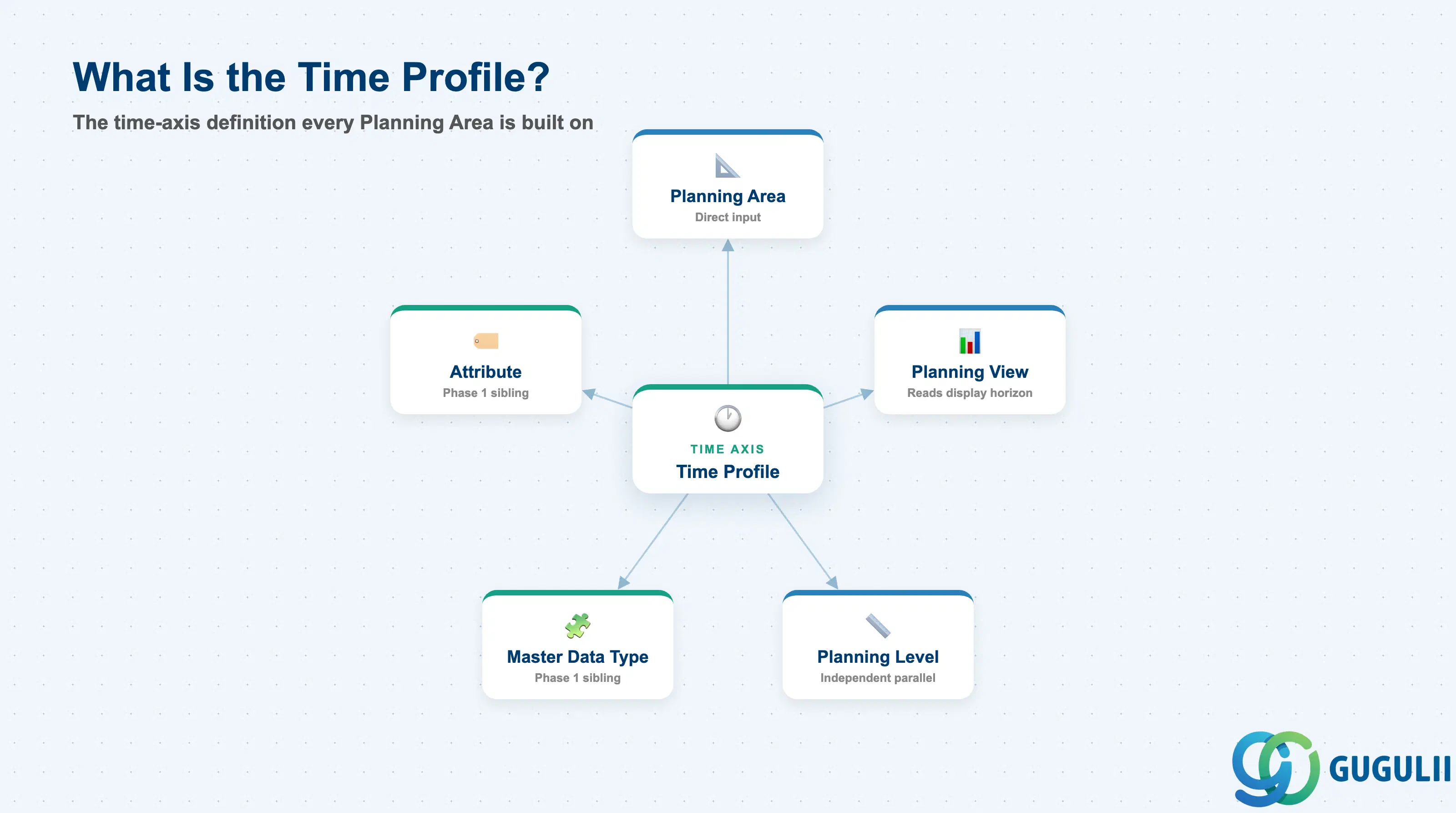
A Time Profile is not planning data itself — it is the structural definition of the timeline that planning data is later recorded against. Conceptually it plays the role a calendar/fiscal-period table plays in any planning system: it does not hold a single demand or supply number, but every number recorded downstream is stamped against one of its periods. Every Planning Area must have exactly one Time Profile assigned before it can be activated, which is why Time Profile design is typically finalized early, alongside Master Data Type and Attribute, in Phase 1 of a model build.
| Aspect | Details |
|---|---|
| Role | Defines the time-axis structure (period types, level hierarchy, planning/history horizon) that every Planning Area’s planning views are built on |
| Modules using it | SAP IBP only — a native, IBP-internal configuration object with no S/4HANA equivalent. Every Planning Area, and therefore every Planning View built on that Planning Area, references exactly one Time Profile. |
| Transactions / Apps | Manage Time Profiles app (Fiori launchpad, Model Configuration group) — create, edit, and activate custom Time Profiles. |
| Key Tables | Not published as customer-facing database tables — SAP IBP model configuration objects (Time Profile, Master Data Type, Attribute) are stored in the IBP model repository rather than a documented table set. |
| SAP IBP note | Time Profile is listed as a Required (not Optional) master for every Planning Area implementation. SAP IBP ships sample Time Profiles as part of its sample planning area content (e.g. the SAPIBP1 reference model); a net-new custom model has no Time Profile until one is explicitly created. |
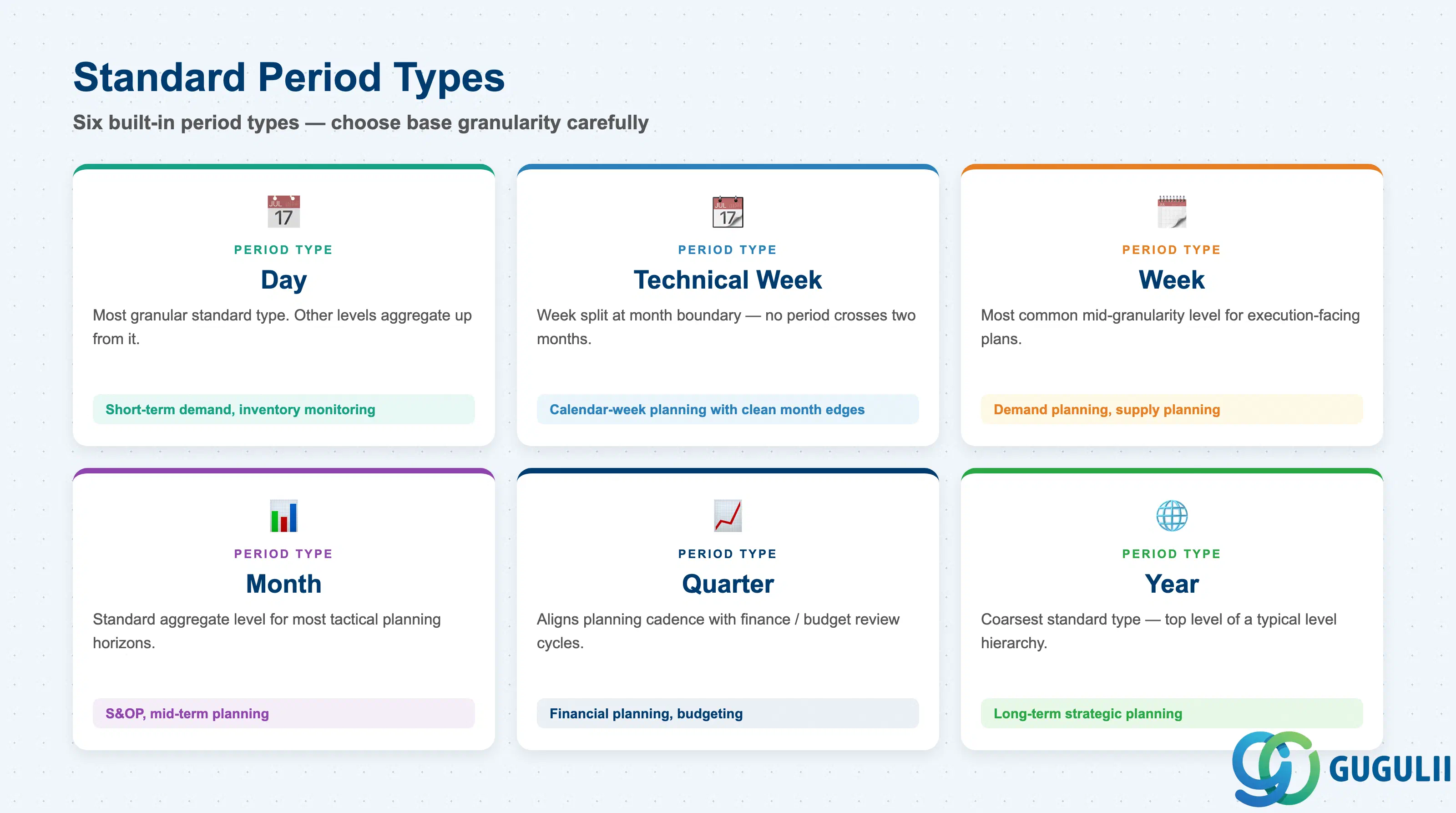
SAP IBP supports six standard period types out of the box, and picking the wrong base granularity for a planning process is expensive to correct — every level in a Time Profile is built from one of these six, and levels feeding an already-active Planning Area cannot be swapped without regenerating the profile and re-pointing everything built on it.
| Period Type | Typical Use Case | Key Behavior |
|---|---|---|
| Day | Short-term demand planning, inventory monitoring | The most granular standard period type; other levels aggregate up from it. |
| Technical Week | Calendar-week-based short-term planning where clean month boundaries matter | Addresses the case where a calendar week spans two months — SAP IBP splits that week into two Technical Week periods so no period crosses a month boundary. |
| Week | Demand planning, supply planning | The most common mid-granularity level for execution-facing planning processes. |
| Month | S&OP, mid-term planning | The standard aggregate level for most tactical planning horizons. |
| Quarter | Financial planning, budgeting | Aligns the planning cadence with typical finance/budget review cycles. |
| Year | Long-term strategic planning | The coarsest standard period type — typically the top level of a Time Profile’s level hierarchy. |
Design principle: SAP IBP also supports fiscal periods, but unlike the six standard period types above, fiscal periods must be loaded manually rather than generated automatically — factor this into the data-load plan whenever a design calls for fiscal-calendar-aligned Quarter/Year buckets.
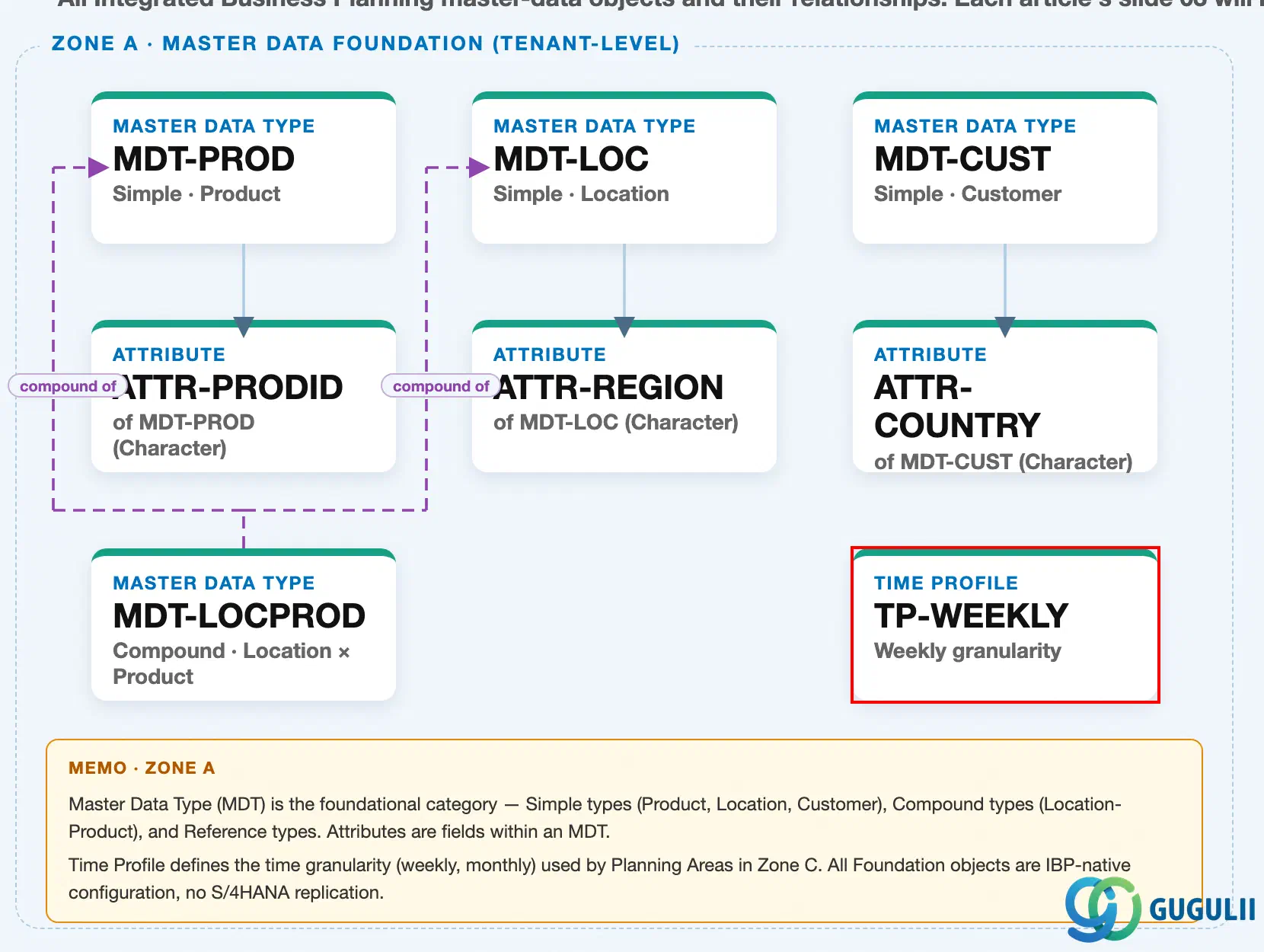
Data hierarchy with a concrete example
Client (SAP IBP tenant / Model)
   │
   ├── Master Data Type "MDT-PROD" — Simple · Product          (Zone A sibling — see IBP-A02-01)
   │
   └── Time Profile "TP-WEEKLY" — Weekly granularity
          ├── Level 0 "WEEK" — most granular level
          │      Default Display Horizon: 0 to 104 (current week + 104 weeks ahead)
          ├── Level 1 "MONTH" — aggregates WEEK
          │      Default Display Horizon: -6 to 24 (6 months history + 24 months ahead)
          └── Level 2 "QUARTER" — aggregates MONTH
                 Default Display Horizon: -4 to 8 (4 quarters history + 8 quarters ahead)
Design principle: Time Profile sits at the same tenant-level, Phase 1 tier as Master Data Type and Attribute — it exists independently of any single Planning Area and, per internal design guidance, is typically standardized and shared across every Planning Area built on that Time Profile’s cadence, rather than recreated per Planning Area (Section 2.4).
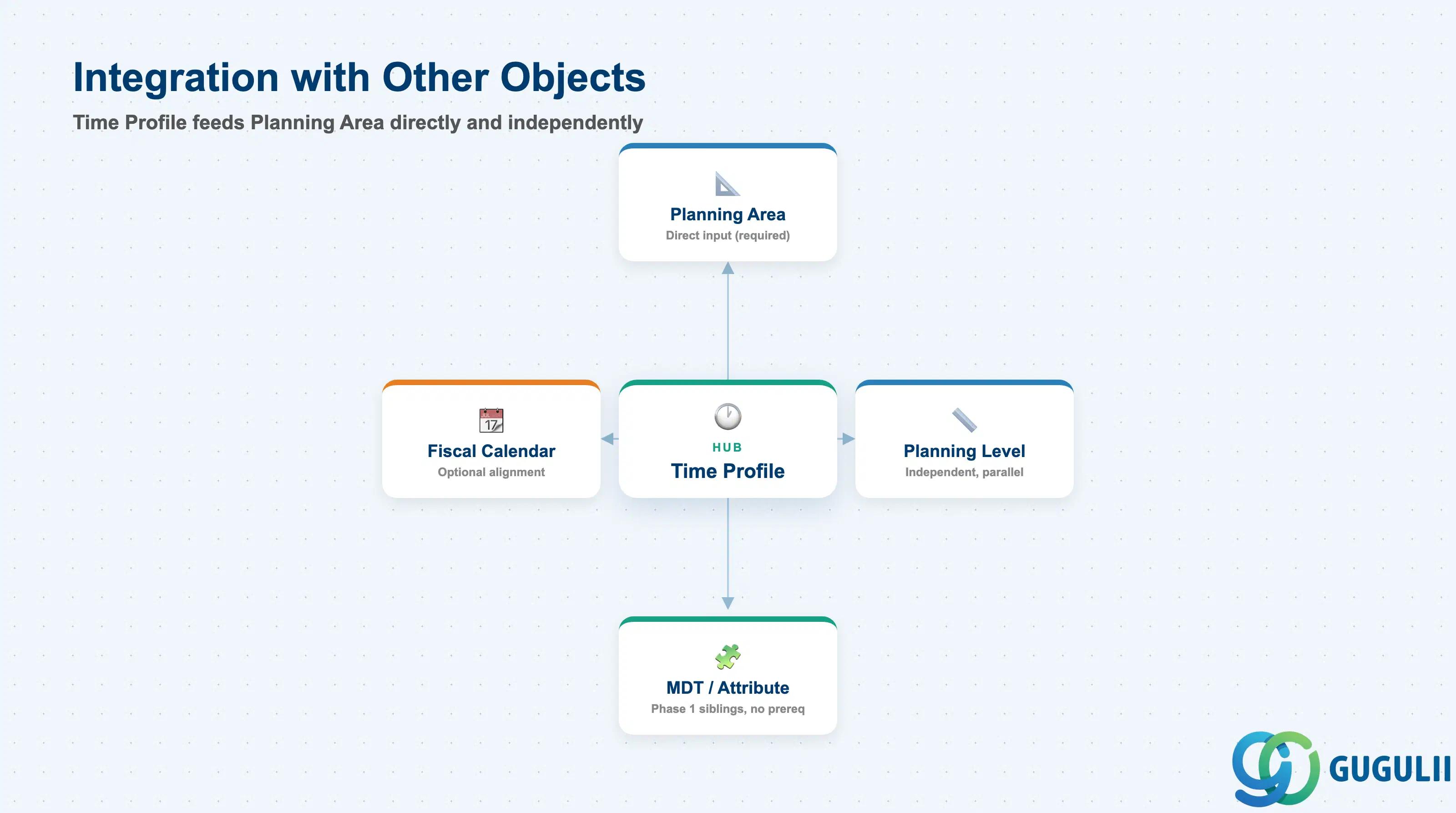
A Time Profile never stands alone — it is one of the direct inputs a Planning Area assembles, alongside Key Figure and Planning Level, but it takes an entirely separate path to get there from those other two objects.
| Object | Relationship | Practical Notes |
|---|---|---|
| Planning Area | Time Profile is a direct input to Planning Area, alongside Key Figure and Planning Level | A Planning Area cannot be activated without exactly one Time Profile assigned. Per the internal Master Data Setup Flow, Time Profile feeds Planning Area directly and does not pass through Planning Level. See IBP-A03-03. |
| Planning Level | Independent, parallel input — no direct relationship to Time Profile | Planning Level is derived purely from Master Data Type + Attribute combinations (see IBP-A02-01, IBP-A02-02). A Planning Area assembles Time Profile and Planning Level as two separate, unrelated inputs, not a chain where one depends on the other. |
| Master Data Type / Attribute | Zone A sibling objects, configured independently in the same Phase 1 step | Time Profile has no prerequisite of its own and runs parallel to Master Data Type/Attribute configuration — all three can be built in any order relative to each other, but all three must exist before a Planning Area can be created. |
| Fiscal Calendar | Optional alignment setting configured on the Time Profile itself | Fiscal periods can be modeled inside a Time Profile but, unlike the six standard period types, must be loaded manually rather than generated automatically — confirm the fiscal calendar load process during blueprint if the design requires it. |
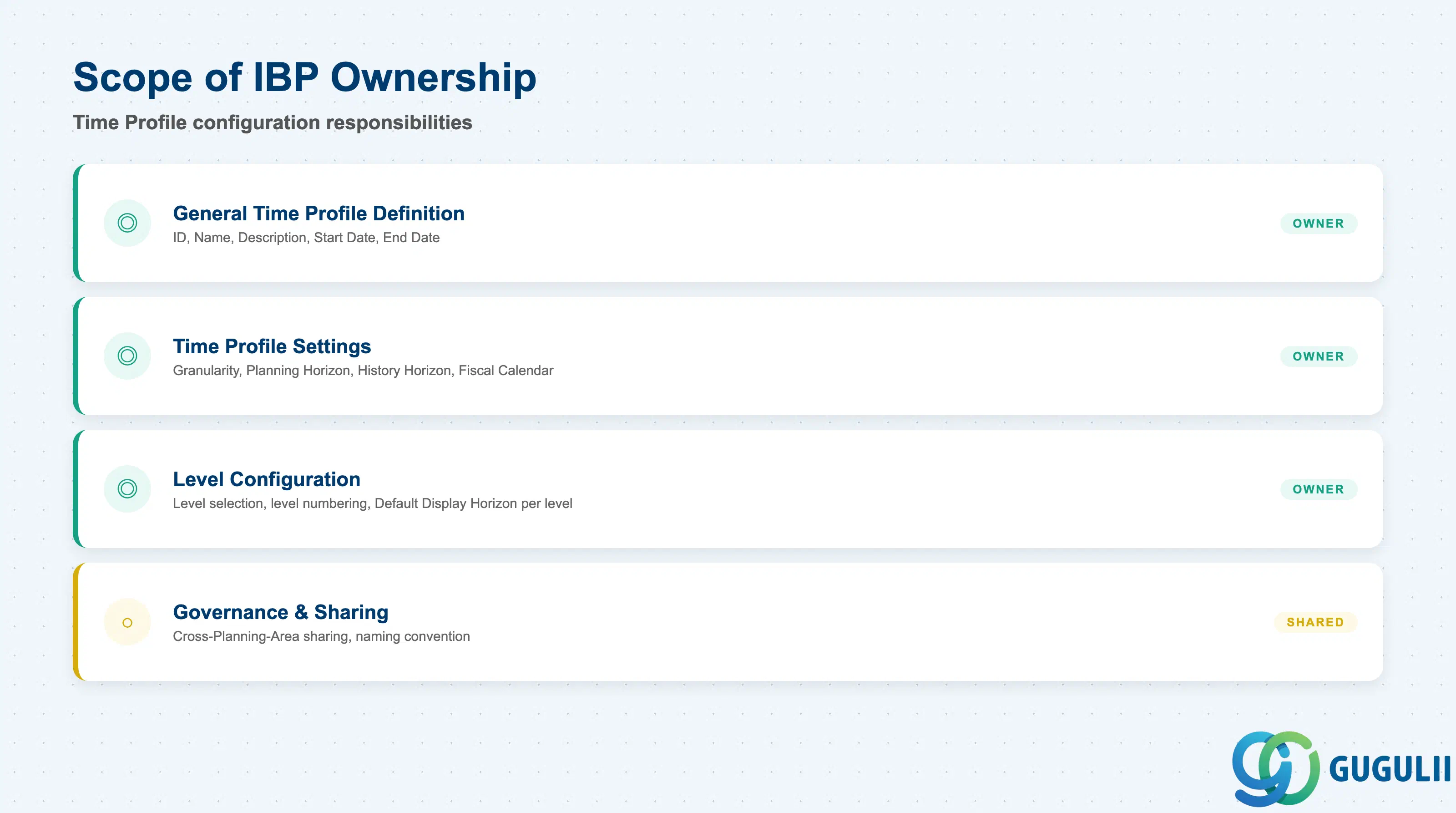
| Data Section | IBP Involvement | Notes |
|---|---|---|
| General Time Profile Definition | ◎ Owner | ID, Name, Description, Start Date, End Date — set once at creation |
| Time Profile Settings | ◎ Owner | Granularity, Planning Horizon, History Horizon, Fiscal Calendar |
| Time Profile Level Configuration | ◎ Owner | Level selection, level numbering, Default Display Horizon per level |
| Governance & Sharing | ○ Shared with Model Governance | Cross-Planning-Area sharing, naming convention |
Legend: ◎ = Owner / Critical, ○ = Direct involvement
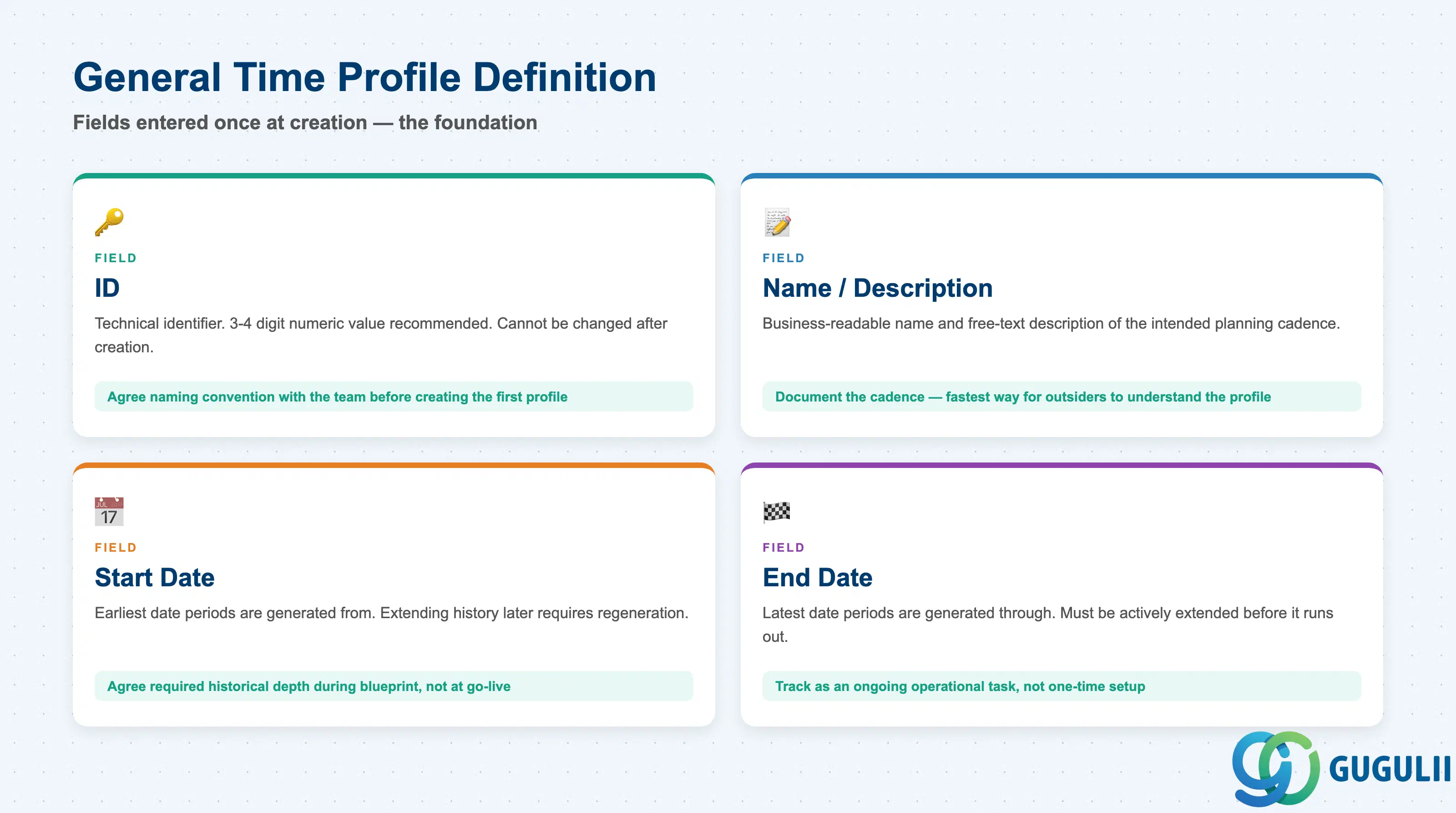
Every Time Profile — regardless of the levels it contains — starts from the same short identification screen in the Manage Time Profiles app (New → enter ID → select levels → Name/Description → Start/End Date → Save). These fields are entered once at creation and are the foundation the level configuration in Section 2.3 is layered on top of.
| Field | Description | Practical Usage |
|---|---|---|
| ID | Technical identifier of the Time Profile | Practitioner guidance recommends a 3–4 digit numeric value; combine with the naming governance in Section 2.4 to keep IDs consistent across a program running multiple Planning Areas. Cannot be changed after creation. |
| Name / Description | Business-readable name and free-text description | Document the intended planning cadence (e.g. “weekly demand planning, 2-year rolling horizon”) — this is often the fastest way for a configurator outside the original design team to understand what the profile is for without opening every level. |
| Start Date | The earliest date the Time Profile’s periods are generated from | Set deliberately — extending history later is possible but requires regenerating periods. Agree the required historical depth (e.g. 2–3 years of actuals) during blueprint rather than defaulting to “today”. |
| End Date | The latest date the Time Profile’s periods are generated through | Bounds the physical period records the profile actually produces. A Time Profile with too short an End Date will silently stop producing new buckets and must be extended before it runs out — track this as an ongoing operational task, not a one-time setup step. |
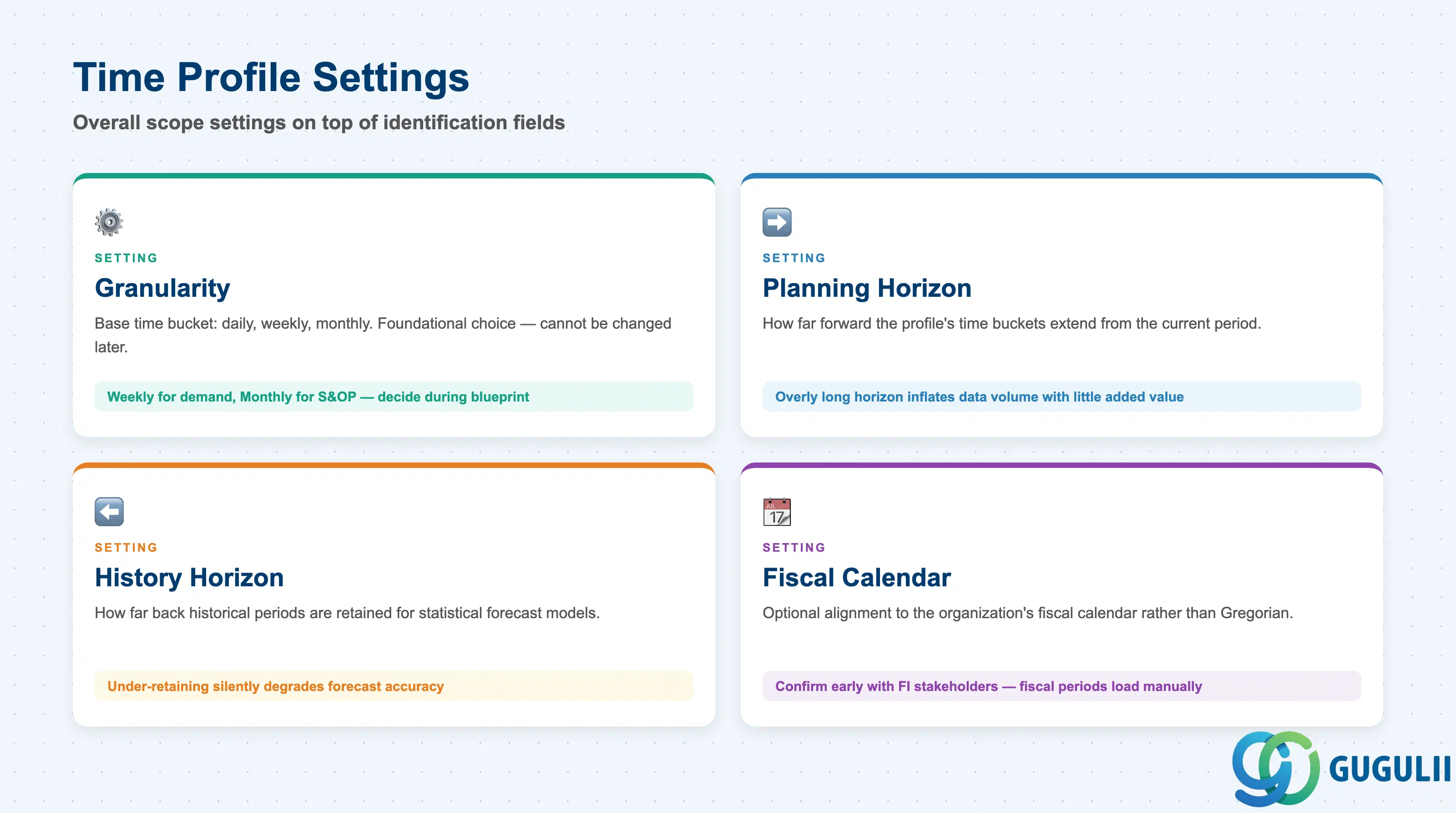
These settings govern the overall scope of the Time Profile as a whole, on top of the identification fields entered in Section 2.1.
| Setting | Description | Practical Usage |
|---|---|---|
| Granularity | The base time bucket the profile is built around (daily, weekly, monthly, etc.) | Choosing Weekly for a demand planning process versus Monthly for S&OP is a foundational design decision — it cannot be changed later without recreating the profile and re-pointing every Planning Area and Planning View built on it. |
| Planning Horizon | How far forward from the current period the Time Profile’s buckets extend | Set in line with the process being planned — a short-term supply plan needs a much shorter forward horizon than a long-term S&OP profile. An overly long horizon inflates data volume with little added planning value. |
| History Horizon | How far back historical periods are retained | Retain enough history to support the statistical forecast models run against this profile (Planning Operator, see IBP-A05-01) — under-retaining history silently degrades forecast model accuracy without an obvious error message. |
| Fiscal Calendar | Optional alignment of the profile’s periods to the organization’s fiscal calendar rather than the standard (Gregorian) calendar | Needed wherever Quarter/Year buckets must match Finance’s fiscal periods rather than calendar quarters — confirm early with FI/Finance stakeholders, since fiscal periods load manually rather than generating automatically. |
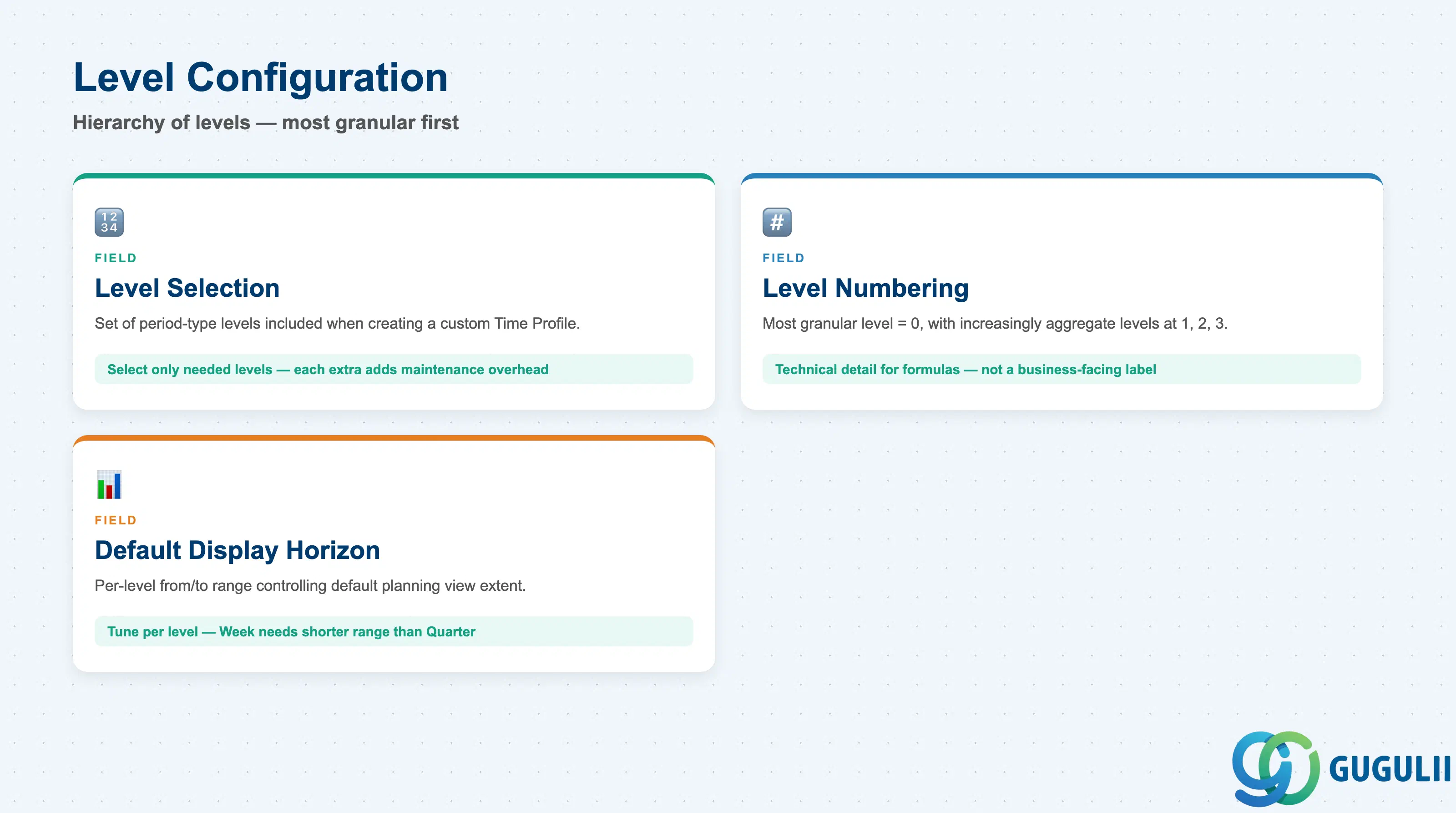
A Time Profile is built from a hierarchy of levels — most granular first — where a period on a lower level rolls up to exactly one parent period on the next level up, and the timeline at every level must be continuous with no gaps and no overlaps. Creating a custom Time Profile follows a fixed sequence in the Manage Time Profiles app: choose New, select the required levels, enter an ID and descriptive name, set Start/End Date, configure each level’s name and Default Display Horizon, then save and activate.
| Field | Description | Practical Usage |
|---|---|---|
| Level Selection | The set of period-type levels included when creating a custom Time Profile | Select only the levels the planning process actually needs — every extra level adds maintenance and generation overhead. A demand-planning profile typically needs Week/Month/Quarter, not all six standard period types. |
| Level Numbering | The most granular level is conventionally numbered 0, with increasingly aggregate levels numbered 1, 2, 3, and so on | [Medium confidence — corroborated by search-indexed SAP Help Portal content, not independently verified via a direct page read] Relevant mainly as an internal reference when levels are addressed by formulas/calculations rather than by name — treat the numeric ID as a technical detail, not a business-facing label. |
| Default Display Horizon | Per-level setting controlling how much of the timeline a planning view shows by default for that level, expressed as a from/to range | Tune per level, not just once for the whole profile — a Week level typically needs a shorter display range than a Quarter level in the same profile. Getting this wrong means planners see either too little near-term detail or too much long-range noise by default. |
Two more advanced level-hierarchy capabilities — a “Rolling Time Profile Level” mode and technical
PERIODID(n)attributes used in formula/Key Figure calculations — exist as distinct SAP Help Portal topics but sit outside the scope of a field-level master data reference. Their mechanics could not be independently verified for this article; consult the SAP Help Portal’s dedicated topics directly before configuring either one.
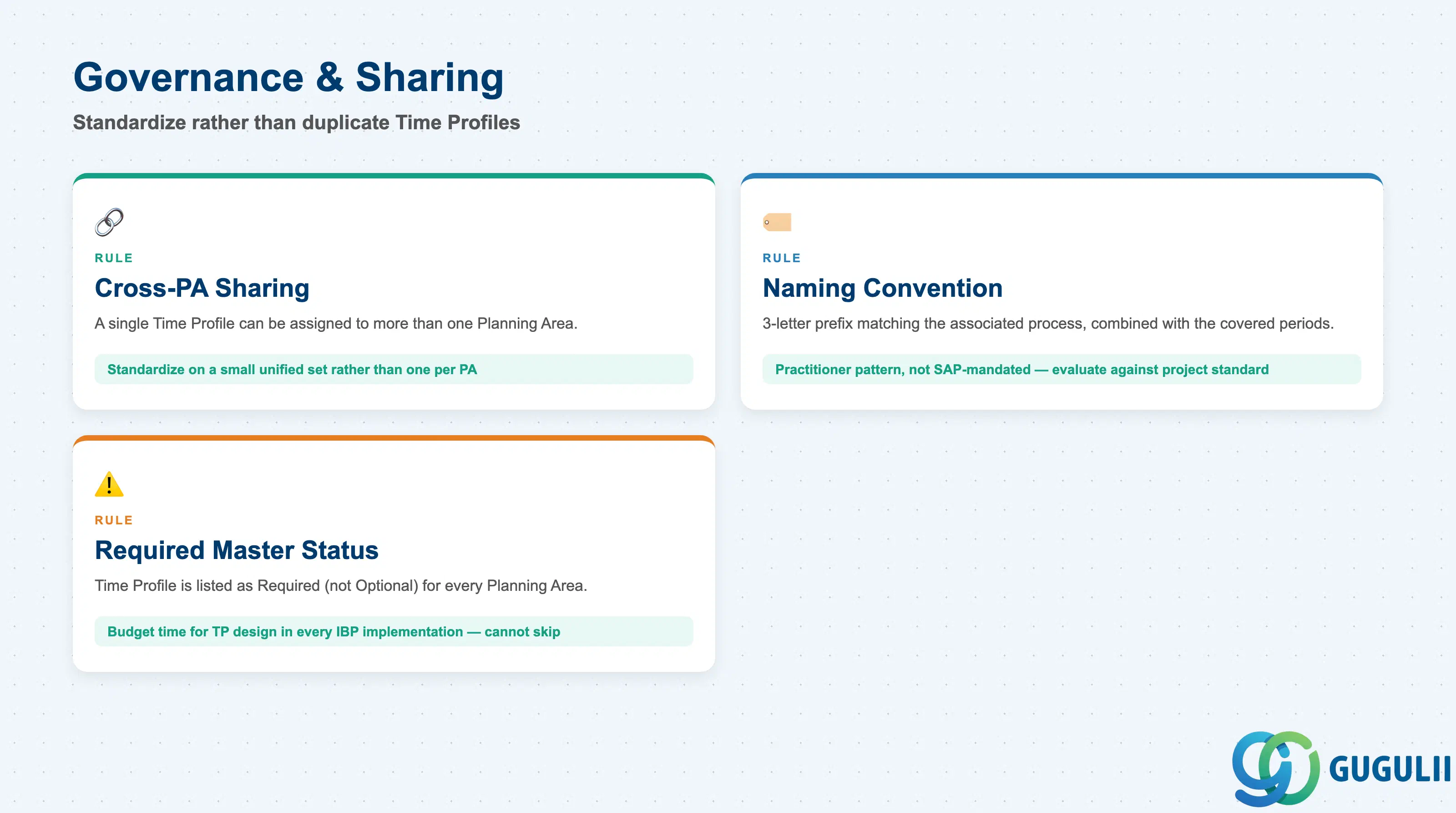
Because a Time Profile can outlive and outgrow the single Planning Area it was first built for, SAP IBP’s own design guidance and practitioner experience both push toward standardizing rather than duplicating.
| Field / Rule | Description | Practical Usage |
|---|---|---|
| Cross-Planning-Area Sharing | A single Time Profile can be assigned to more than one Planning Area | Internal design guidance recommends standardizing on a small, unified set of Time Profiles across a model rather than creating a bespoke profile per Planning Area — this keeps planning cadences comparable across processes (demand, supply, S&OP) that need to be reviewed together. |
| Naming Convention | [Medium/low confidence — single third-party practitioner source] A 3-letter prefix matching the associated Master Data Type/process, combined with the covered periods, in the profile’s ID or description | Not an SAP-mandated standard — treat as one practitioner pattern to evaluate against the project’s own naming convention (see also IBP-A02-01 Section 2.5 for the Master Data Type prefix rule), not something to copy verbatim without review. |
| Required Master Status | Time Profile is listed as a Required (not Optional) master for every Planning Area implementation | Unlike some optional master objects, project planning must budget time for Time Profile design in every IBP implementation — it cannot be deferred or skipped. |
| ID | Category | Title |
|---|---|---|
| ibp-001 | Overview | What is SAP IBP? |
| ID | Category | Title |
|---|---|---|
| ibp-a01 | Overview | SAP IBP Master Data: Overview, Hierarchy & Relationships |
| ibp-a02-01 | Master Data | SAP IBP Master Data Types |
| ibp-a02-02 | Master Data | SAP IBP Attribute |
| ibp-a02-03 | Master Data | SAP IBP Time Profile 📍 |
| ibp-a02-05 | Master Data | SAP IBP Location Master |
| ibp-a03-01 | Master Data | SAP IBP Key Figure |
| ibp-a03-02 | Master Data | SAP IBP Planning Level |
| ibp-a03-03 | Master Data | SAP IBP Planning Area |
| ibp-a03-04 | Master Data | SAP IBP Planning Version |
| ibp-a03-05 | Master Data | SAP IBP Planning View |
| ibp-a04-01 | Master Data | SAP IBP Integration Model |
| ibp-a05-01 | Master Data | SAP IBP Planning Operator |
| ID | Category | Title |
|---|---|---|
| ibp-b01 | Overview | SAP IBP Transactions: Process Flow, Hierarchy & Relationships |