Title here
Summary here

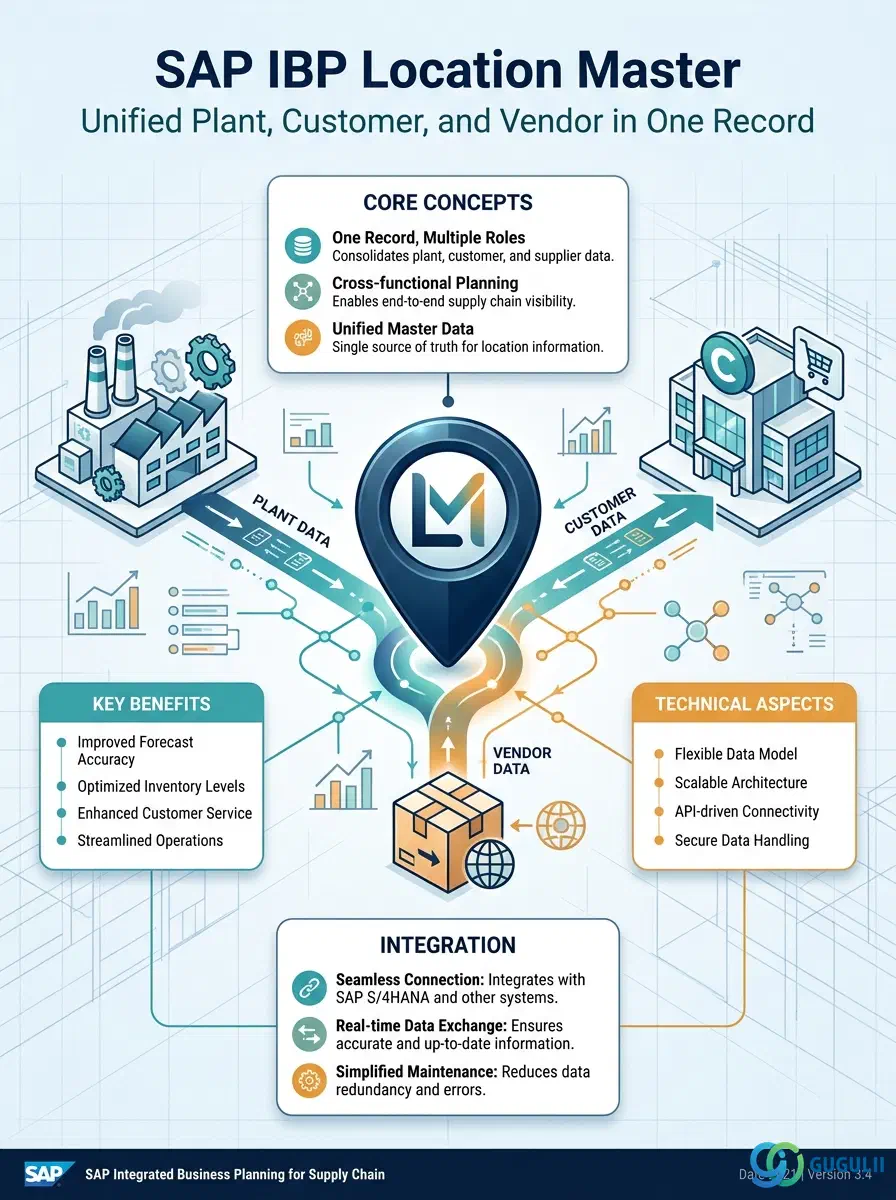
Location Master is the SAP IBP master data type that represents every physical or organizational node in a supply network — plants, distribution centers, warehouses, cross-docks, customer sites, and vendor/supplier sites — as instances of a single, unified object. Unlike S/4HANA, which keeps Plant, Customer, and Vendor as three separate master data objects, SAP IBP collects and transforms all three into one Location record, differentiated only by a LocationType field (P = Plant, C = Customer, V = Vendor/supplier). This article maps what a Location record is, how its type dimension works, its place in the master data hierarchy, and the field-level detail of the Manage Locations app used to create, edit, and delete it.
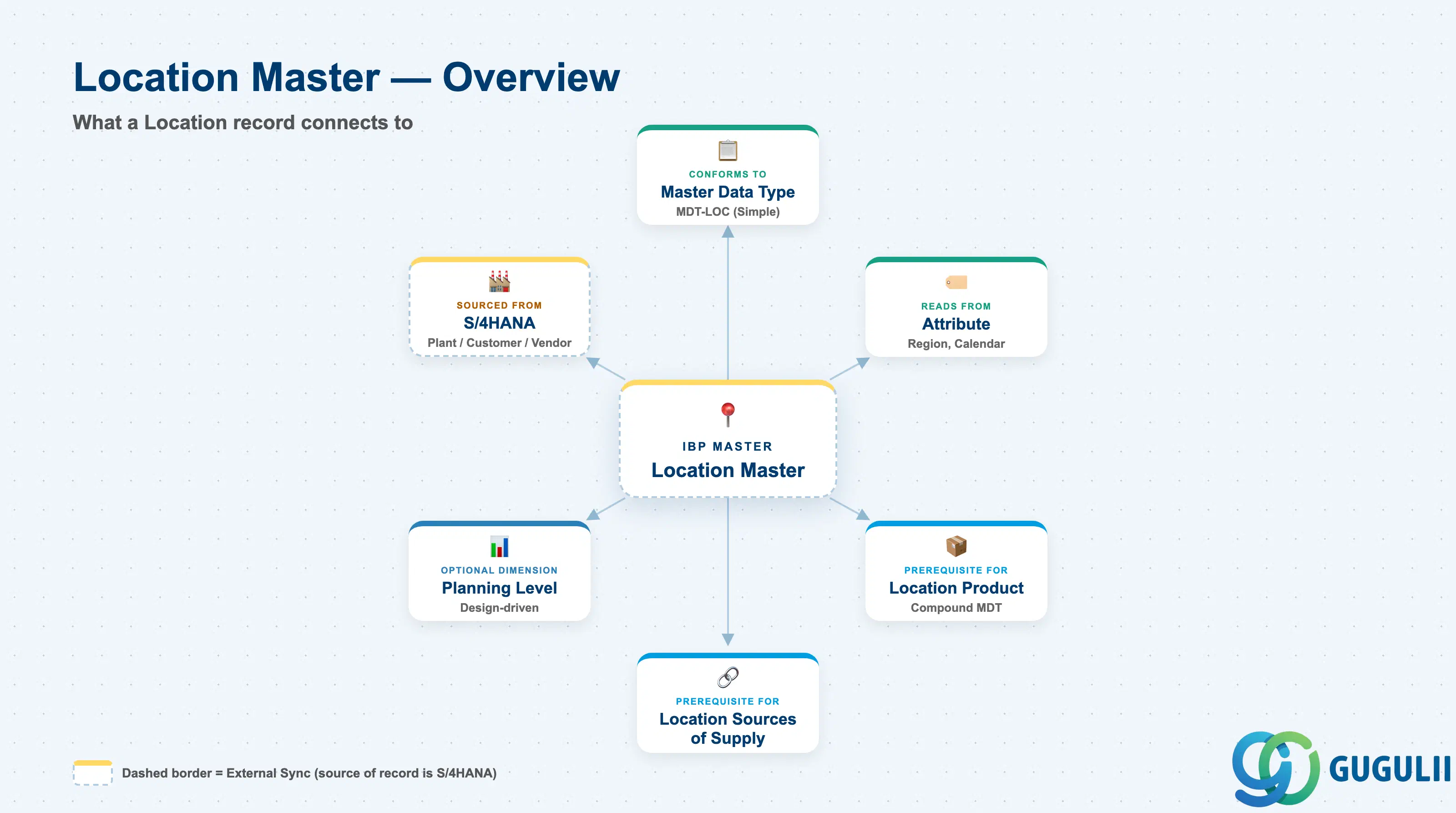
A Location record is not a schema definition — it is the actual master data instance that conforms to the Location Master Data Type (MDT-LOC, see IBP-A02-01). Every plant, distribution center, customer ship-to site, or vendor/supplier site that a planning model needs to reference must exist as a Location record before it can be used in a Planning Level, a Location Product, or a Location Source of Supply relationship. Location Master is classified as an Optional master in SAP IBP’s Phase 1 Master Data build — it is required only when a planning area plans by location; a pure product-and-customer demand plan, for example, may never need it.
| Aspect | Details |
|---|---|
| Role | Represents every plant, distribution center, customer site, and vendor/supplier site in the supply network as a single, unified master data record, differentiated by the LocationType field |
| Modules using it | SAP IBP only, as a native master data record — sourced from S/4HANA (or SAP ECC) Plant, Customer, and Vendor masters via master data integration |
| Transactions / Apps | Manage Locations Fiori app (Fiori Apps Reference Library App ID F3404) — create, edit, delete Location records manually; automated creation via the S/4HANA integration model is the more common path in production models |
| Key Tables | Not published as customer-facing database tables — Location records are stored as instances of the Location Master Data Type in the IBP model repository, not a documented ECC/S4HANA-style table set |
| SAP IBP note | Location Master is an Optional master — required only when a planning area plans “by location,” unlike Master Data Types, Attribute, and Time Profile, which are Required for every model |
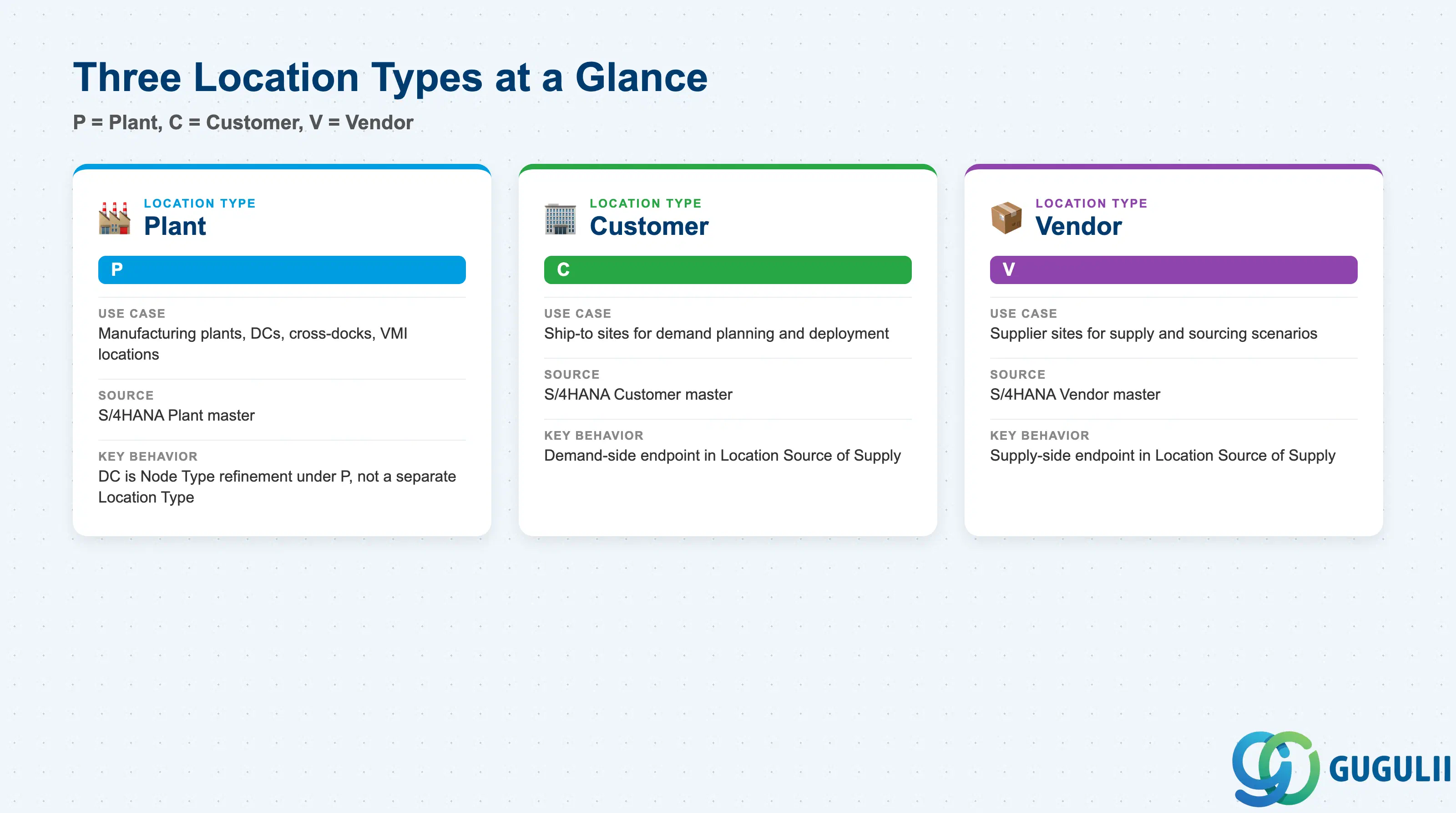
SAP IBP does not model Plant, Customer, and Vendor as three separate master data objects the way S/4HANA does — it collects and transforms all three into a single Location record at integration time, and the LocationType field is the only thing that tells the planning model which real-world role a given Location plays. Assuming Plant, Customer, and Vendor remain separate objects when designing an integration model is a common early-project misunderstanding, since every downstream object (Location Product, Location Source of Supply, Planning Level) reads type-specific behavior off this one field.
| Location Type | Code | Use Case | Key Behavior |
|---|---|---|---|
| Plant | P | Manufacturing plants, distribution centers, cross-docks, and VMI locations replicated from S/4HANA | A plant flagged as a distribution center in the source ERP system is still transferred with LocationType P; internally it is represented under a Plant node type DC rather than PL — DC is a node-type refinement under P, not a separate top-level Location Type |
| Customer | C | Customer ship-to sites used in demand planning and deployment | Sourced from the S/4HANA Customer master via the integration model; used as the demand-side endpoint in Location Source of Supply relationships |
| Vendor | V | Supplier sites used in supply and sourcing scenarios (“vendor” in S/4HANA terminology, “supplier” in SAP IBP terminology) | Sourced from the S/4HANA Vendor master; used as the supply-side endpoint in Location Source of Supply relationships |
Design principle: A Vendor-Managed Inventory (VMI) location generated from a customer-material info record is automatically created with LocationType
P, notC— treat VMI locations as a plant-type exception, not a customer-type pattern, when validating integration results.
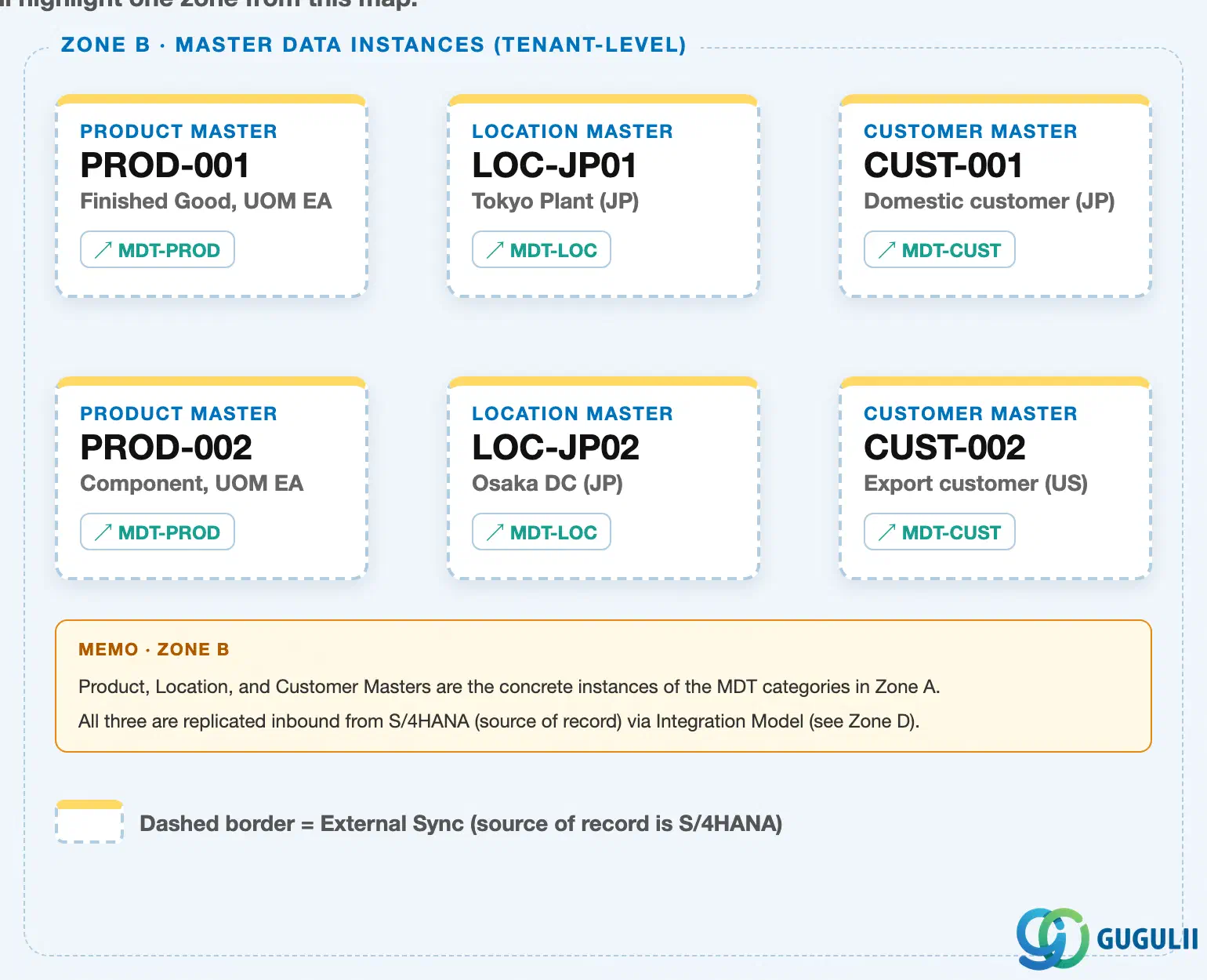
Data hierarchy with a concrete example
Client (SAP IBP tenant / Model)
   │
   ├── Master Data Type "MDT-LOC" — Simple · Location             (Zone A — see IBP-A02-01)
   │      └── Attribute "ATTR-REGION" — Region (NVARCHAR)           (Zone A — see IBP-A02-02)
   │
   └── Location Master (instances, Zone B)
          ├── Location "LOC-JP01" — Tokyo Plant, LocationType P (Plant)
          │      LOC-JP01 ── conforms to ──> MDT-LOC
          └── Location "LOC-JP02" — Osaka DC, LocationType P (Plant, node type DC)
                 LOC-JP02 ── conforms to ──> MDT-LOC
Design principle: Location sits in Zone B (Master Data Instances) as a concrete record conforming to the
MDT-LOCschema defined in Zone A — the same client-tenant relationship every Simple Master Data Type’s instances follow (see IBP-A02-01 Section 1.3 for the schema-level view of Zone A). Because Location ID must be globally unique across all three Location Types, a Customer location and a Plant location can never share the same ID even though LOC-JP01 and LOC-JP02 above are both Plant-type — flag this integration model design constraint during blueprint.
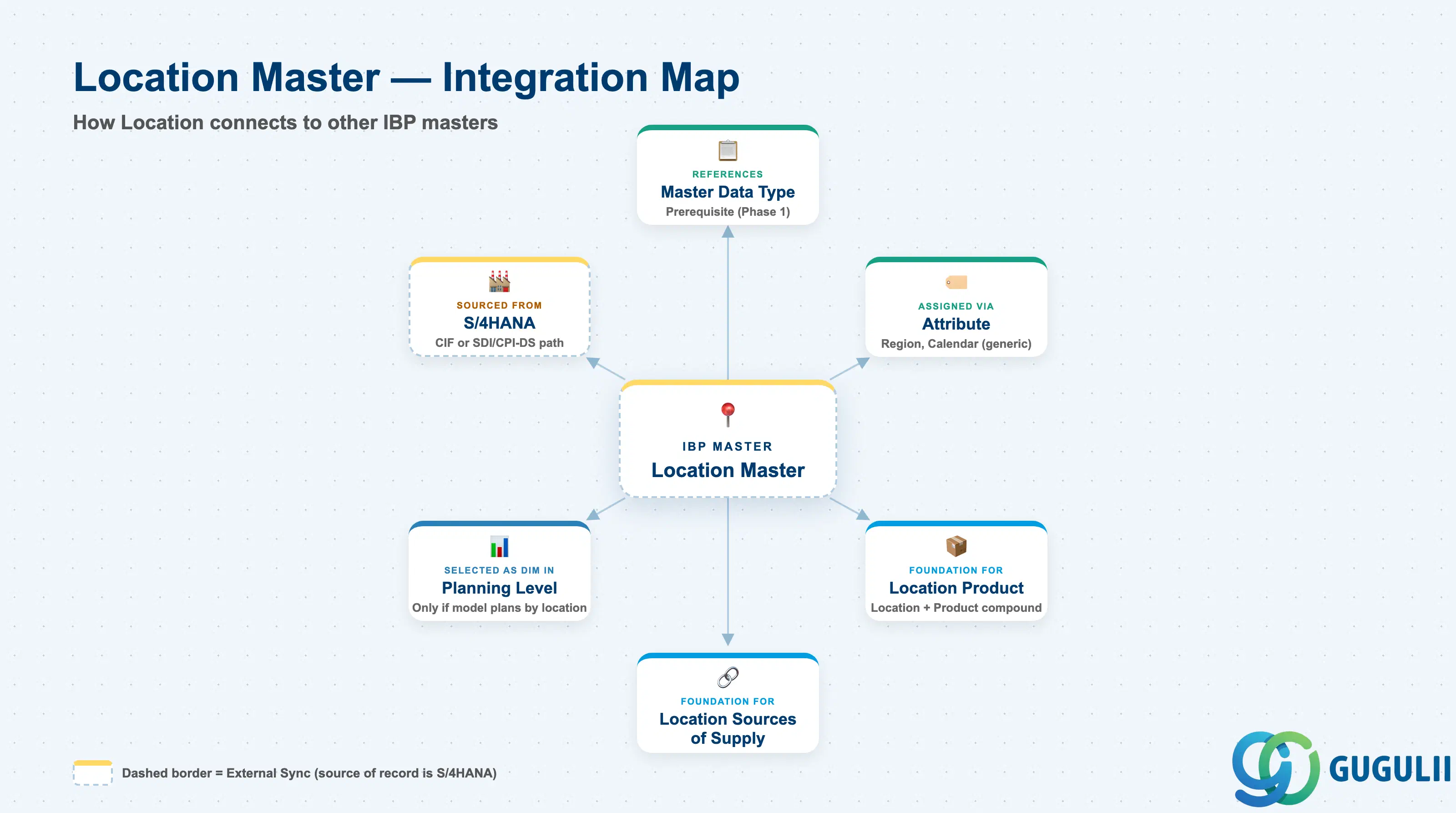
Location Master does not stand alone — it is both a consumer (it conforms to Master Data Type and reads calendar/region detail through Attribute) and a foundation (nearly every downstream planning object that needs a location dimension is built on top of it).
| Object | Relationship | Practical Notes |
|---|---|---|
| Master Data Type | Every Location record conforms to (references) the Simple Master Data Type Location | Location requires Master Data Types and Attribute as prerequisites per the internal Phase 1 dependency chain. See IBP-A02-01. |
| Attribute | Region/country groupings and calendar references are modeled as Attributes assigned to the Location Master Data Type, not as fixed schema fields | Calendar assignment (typically a custom attribute) and Planning Calendar linkage are Attribute mechanics — see IBP-A02-02 rather than duplicating them here. |
| Location Product | Compound Master Data Type combining Location + Product; represents how a product’s inventory is held at, and flows through, a location | Location Master must exist before Location Product-level planning objects can be built — a prerequisite relationship, not a peer one. |
| Location Sources of Supply | Represents supply relationships between two Locations (e.g. a DC replenished from a Plant), carrying a sourcing-ratio key figure and validity date ranges | Feeds transportation and supply-network sourcing logic in supply planning; both endpoint Locations must already exist as Location records. |
| Planning Level / Planning Area | Location is selected as a planning dimension only where the model design calls for it | Because Location Master is Optional, a Planning Level/Planning Area never references it unless the process explicitly plans “by location.” See IBP-A03-02. |
| S/4HANA Plant / Customer / Vendor (source) | Location records are typically created by master data integration from S/4HANA (or SAP ECC), scoped by an activated Integration Model | Two parallel transfer mechanisms depending on planning area type: Core Interface (CIF) for order-based planning areas, or SAP HANA Smart Data Integration (SDI) / SAP Cloud Integration for Data Services (CPI-DS) with CDS views for time-series planning areas. |
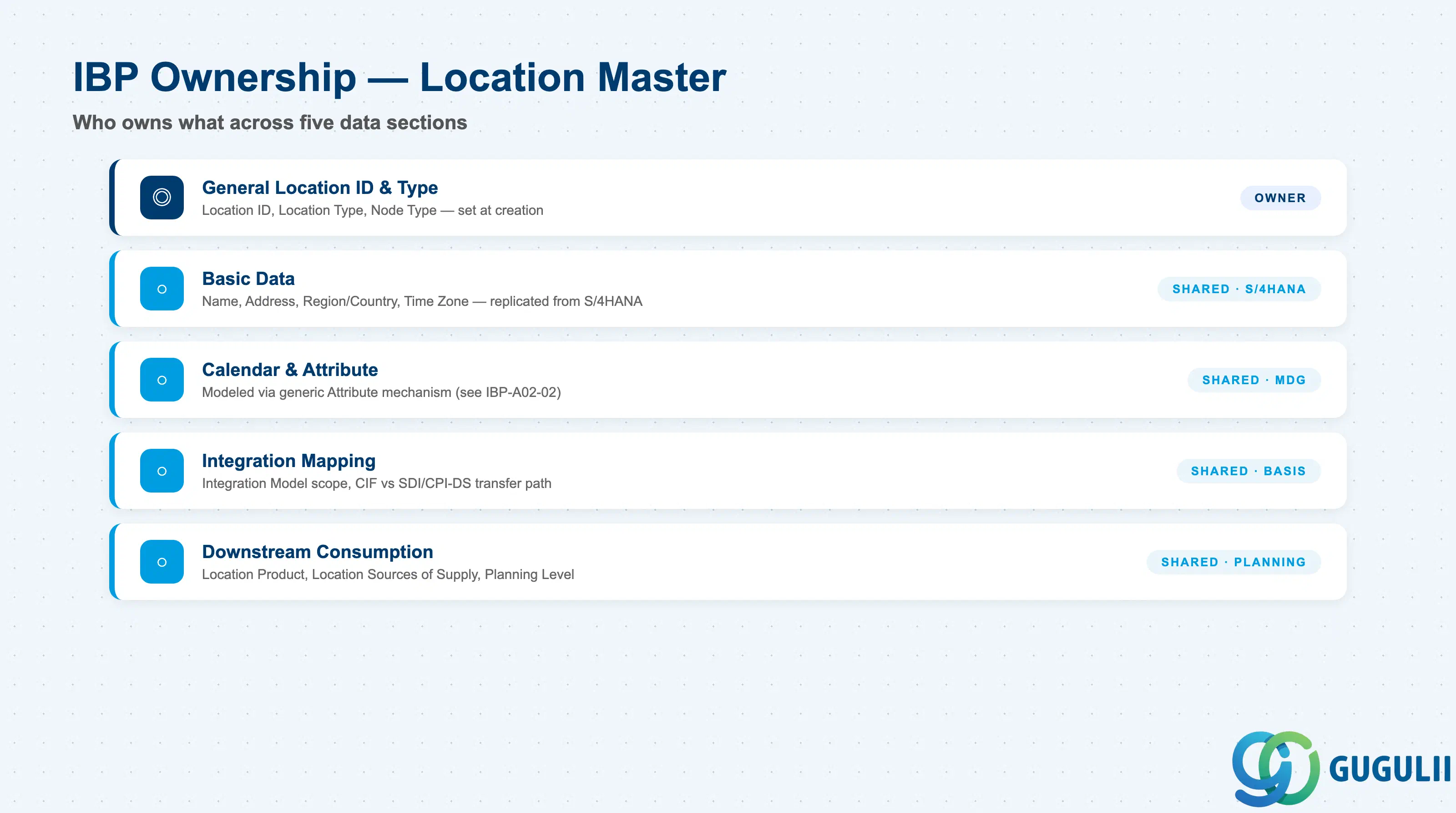
| Data Section | IBP Involvement | Notes |
|---|---|---|
| General Location Identification & Type | ◎ Owner | Location ID, Location Type, Node Type — set at creation, structurally significant |
| Basic Data | ○ Shared with S/4HANA (source) | Name, Address, Region/Country, Time Zone — typically replicated, not manually re-entered |
| Calendar & Attribute Assignment | ○ Shared with Master Data Governance | Modeled via the generic Attribute mechanism, see IBP-A02-02 |
| Integration & Source System Mapping | ○ Shared with S/4HANA Basis / Integration | Integration Model scope, CIF vs. SDI/CPI-DS transfer path |
| Downstream Consumption | ○ Shared with Planning Configuration | Location Product, Location Sources of Supply, Planning Level |
Legend: ◎ = Owner / Critical, ○ = Direct involvement
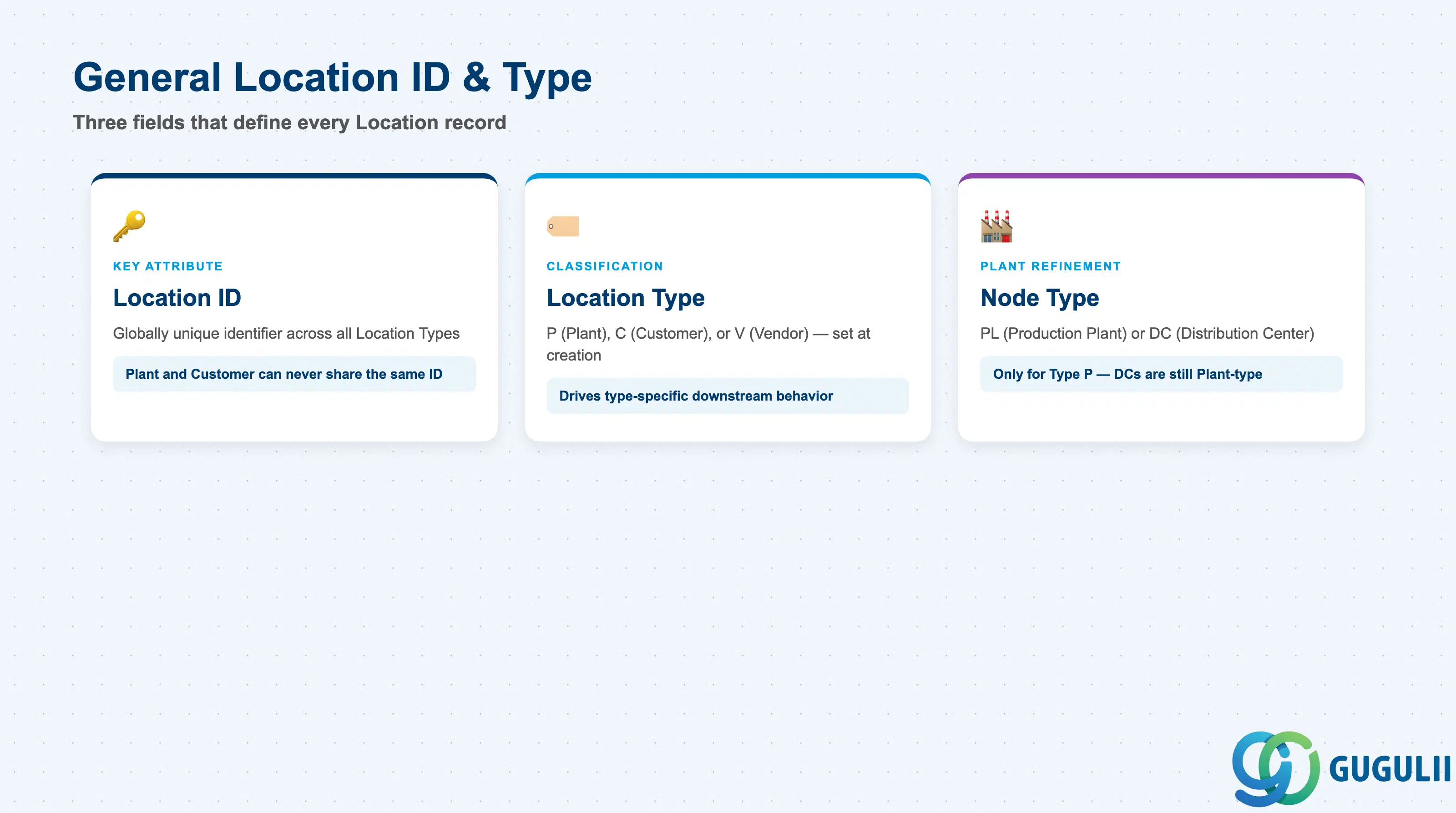
Every Location record — regardless of which real-world role it plays — starts from the same identification fields, whether entered manually in the Manage Locations app or populated automatically by master data integration from S/4HANA.
| Field | Description | Practical Usage |
|---|---|---|
| Location ID | Technical, globally unique identifier of the Location record — the key attribute of the Location Master Data Type | Uniqueness applies across all Location Types at once: a Plant and a Customer can never share the same ID, even though they are conceptually different real-world objects. Agree the integration model’s ID mapping rule (e.g. Plant code vs. Customer number namespace) before the first load. |
| Location Type | P (Plant), C (Customer), or V (Vendor/supplier) — set at creation or derived by the integration model from the source object | Drives type-specific downstream behavior throughout the model — Location Source of Supply, for instance, expects a supply-side (P/V) and demand-side (C/P) endpoint. Verify this field before troubleshooting any location-dependent planning issue. |
| Node Type (Plant refinement) | For LocationType P only: PL (production plant) or DC (distribution center) | A source-system plant flagged as a distribution center is still integrated with LocationType P and Node Type DC — do not expect a distinct top-level Location Type for distribution centers; look at Node Type instead. |
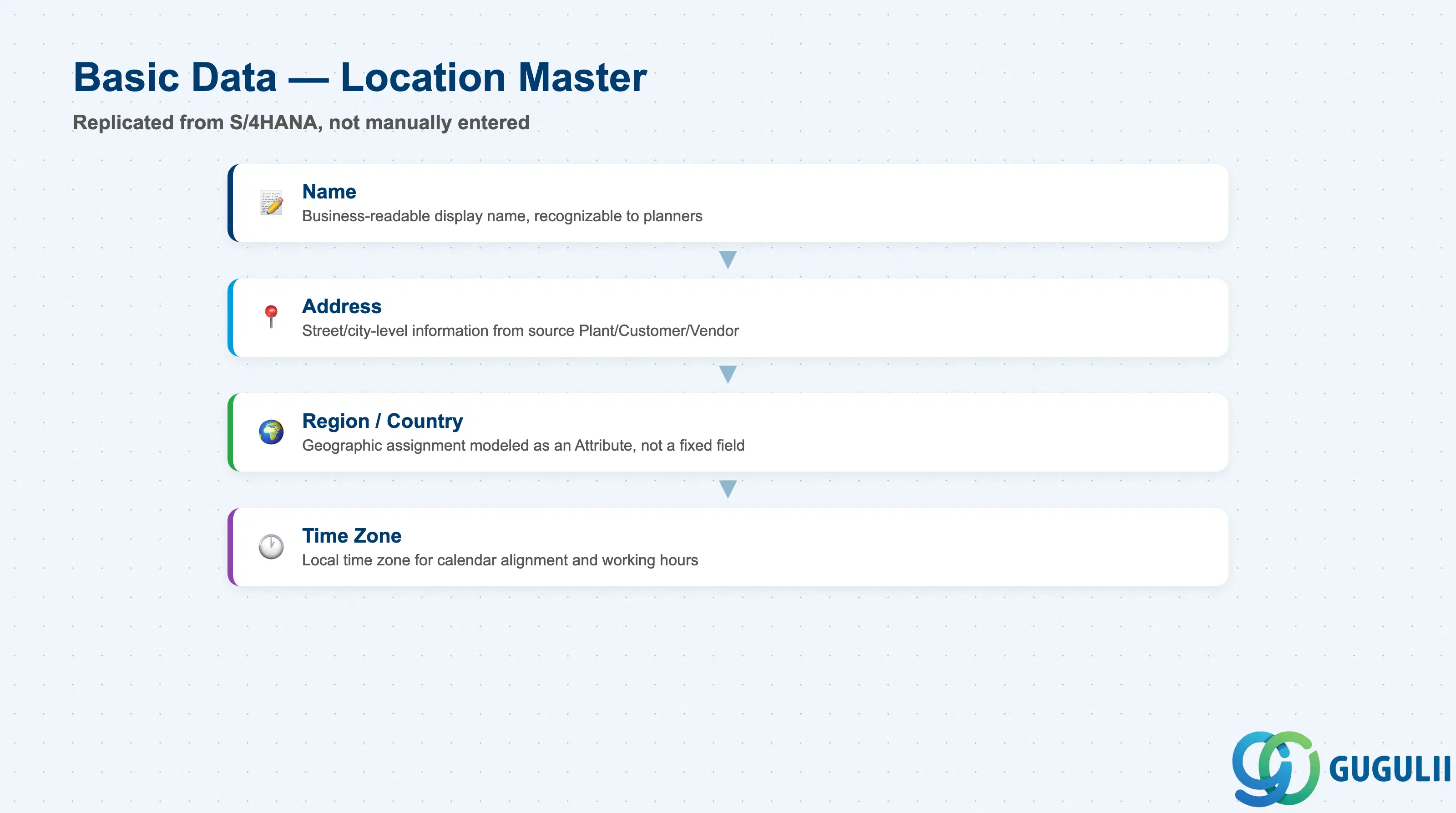
Basic data fields describe the Location in business terms. For integrated Locations, these fields are collected and transformed from the source Plant/Customer/Vendor master rather than typed manually — manual entry is typically reserved for sandbox models or Locations with no S/4HANA counterpart.
| Field | Description | Practical Usage |
|---|---|---|
| Name | Business-readable display name of the Location | Shown throughout planning views and the Manage Locations app; keep it recognizable to planners who never open the source ERP system directly. |
| Address | Street/city-level address information | Collected from the source Plant/Customer/Vendor master during integration; relevant mainly for reporting and downstream logistics-facing consumption rather than for planning-level calculation logic itself. |
| Region / Country | Geographic assignment used for grouping and aggregated reporting | Modeled as an Attribute assigned to the Location Master Data Type (Section 2.3) rather than a fixed schema field of its own — confirm the Attribute-based approach before assuming a dedicated “Region” column exists on the base record. |
| Time Zone | Local time zone of the Location | Collected as part of the standard basic-data set for Plant-type Locations during integration; relevant wherever planning logic needs to account for local working hours or calendar alignment. |
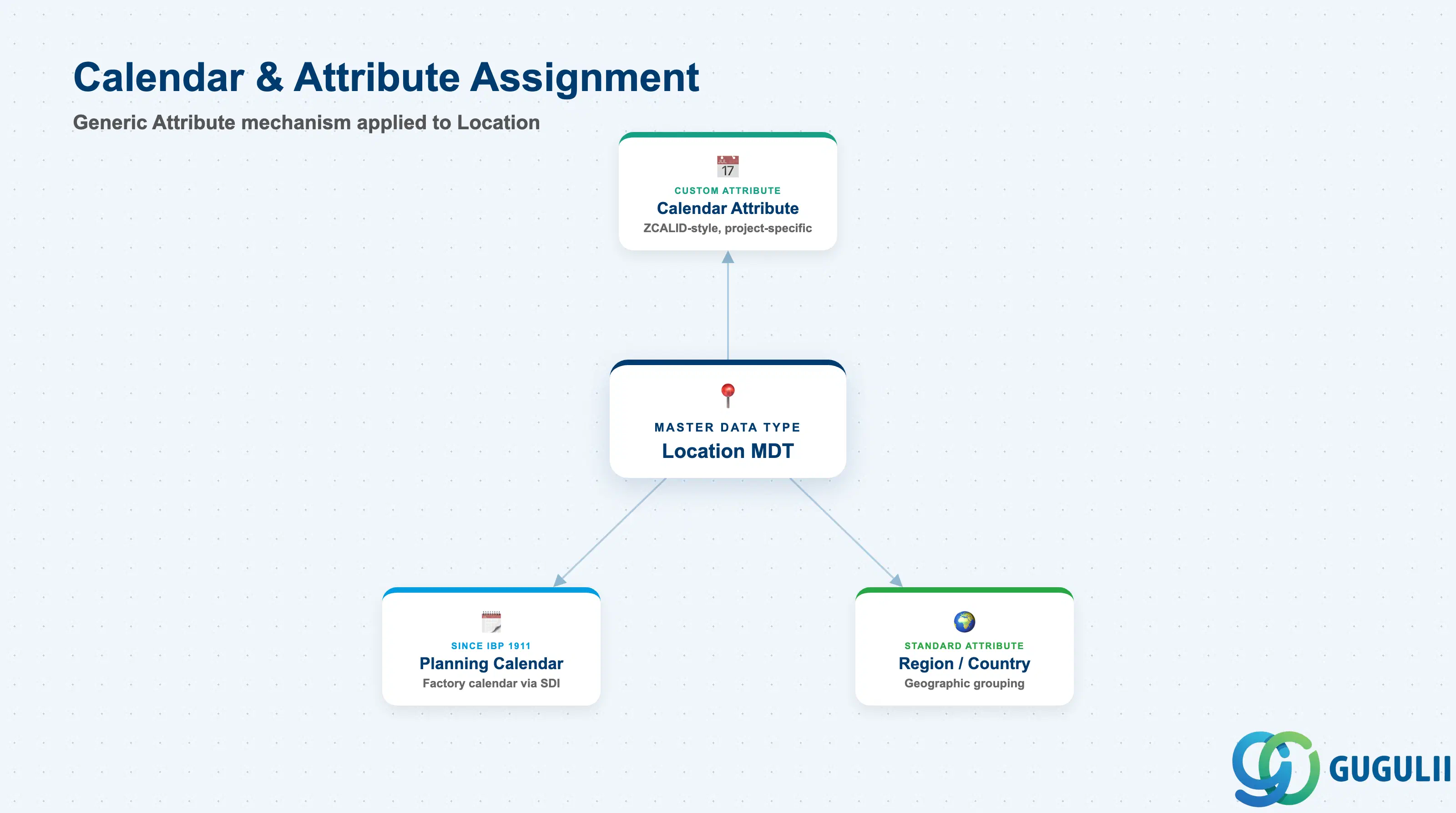
Location Master does not carry a dedicated calendar-type field in its base schema. Calendar and region grouping are both implemented through the same generic Attribute mechanism already covered in IBP-A02-02 — this section only cross-references how that mechanism applies specifically to Location, rather than re-explaining Attribute configuration itself.
| Field / Concept | Description | Practical Usage |
|---|---|---|
| Calendar Attribute | A custom Attribute (e.g. a ZCALID-style field) assigned to the Location Master Data Type to carry calendar/time-zone reference information | Not a standard, SAP-delivered field — it is a project-specific Attribute assignment. Confirm the exact attribute name and its data type with the model’s Attribute configuration (IBP-A02-02) before relying on it in a formula. |
| Planning Calendar Linkage | Starting with SAP IBP 1911, Planning Calendars generated from integrated S/4HANA factory calendars can be referenced from Location (and Location Source) attributes for working-day-aware planning | Factory calendars are integrated via SAP HANA Smart Data Integration; confirm the target SAP IBP release supports Planning Calendars before designing working-day logic around this linkage. |
| Region / Country Attribute | The same Attribute used for aggregated regional reporting (Section 1.4 / 2.2) is what carries geographic grouping for a Location | See IBP-A02-02 for how Attributes are created and mapped to a Master Data Type — this article does not duplicate that configuration detail. |
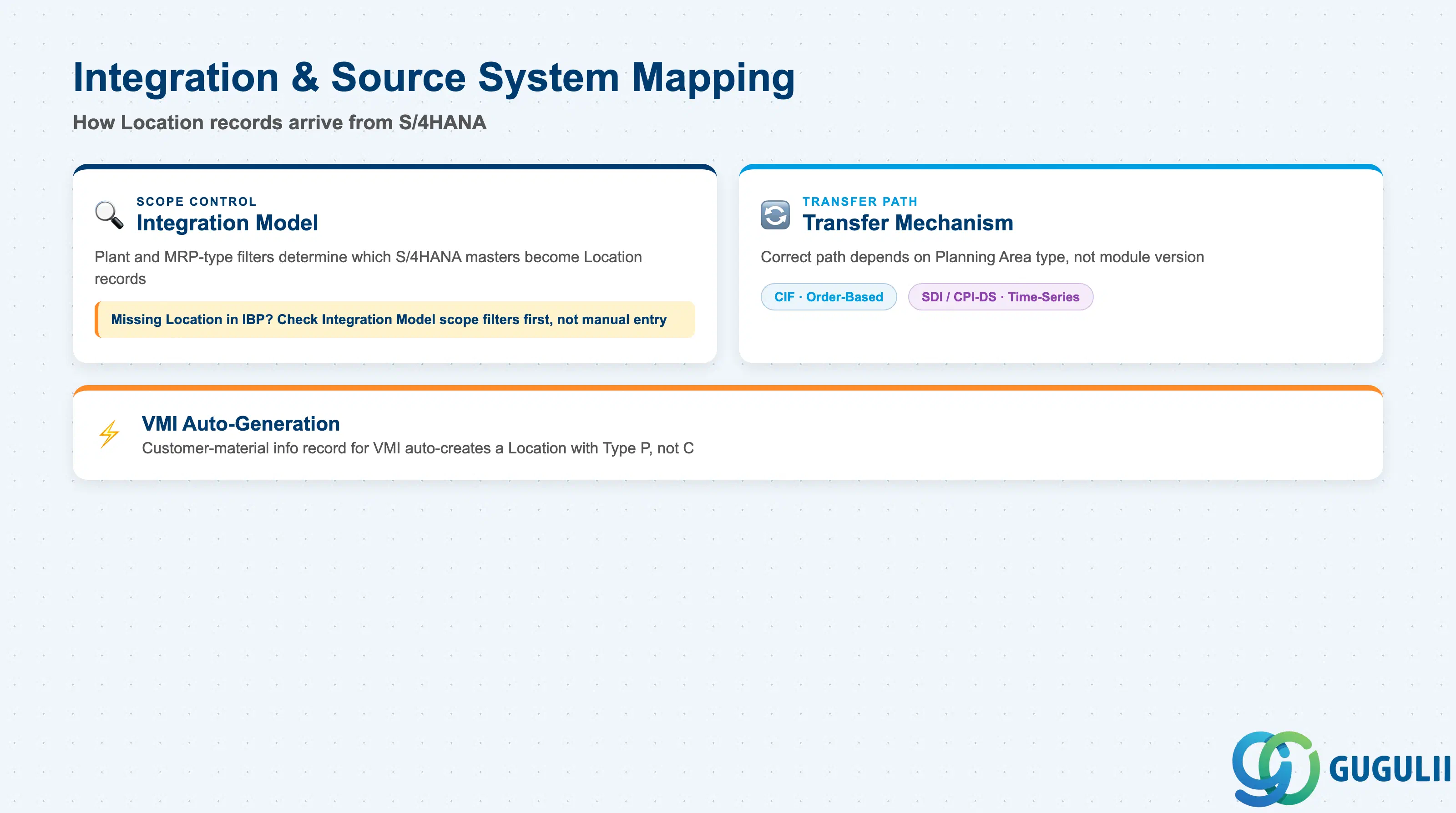
Location Master records are, in practice, most often created and kept current by master data integration from S/4HANA rather than manual entry — understanding the scoping and transfer mechanics is central to troubleshooting missing or stale Location data.
| Field / Concept | Description | Practical Usage |
|---|---|---|
| Integration Model Scope | Only plants and materials matching the customized plant and MRP-type filters configured in an activated Integration Model are collected, transformed, and created as Location records in SAP IBP | A Location that is “missing” in IBP is frequently an Integration Model scoping gap, not a manual data-entry gap — check the model’s plant/MRP-type filters before assuming a load failure. |
| Transfer Mechanism | Core Interface (CIF), historically used for order-based planning areas, versus SAP HANA Smart Data Integration (SDI) / SAP Cloud Integration for Data Services (CPI-DS) with CDS views for time-series-based planning areas | The correct mechanism depends on the target Planning Area type, not just the module version — confirm which mechanism the project’s Planning Area design requires before troubleshooting a transfer issue as if it were the other one. |
| VMI Auto-Generation | When a customer-material info record tied to Vendor-Managed Inventory is transferred, SAP IBP automatically generates a corresponding Location with LocationType P | This is an automatic, integration-driven creation path distinct from standard Plant/Customer/Vendor replication — do not expect a manually maintained VMI Location entry in the source system. |
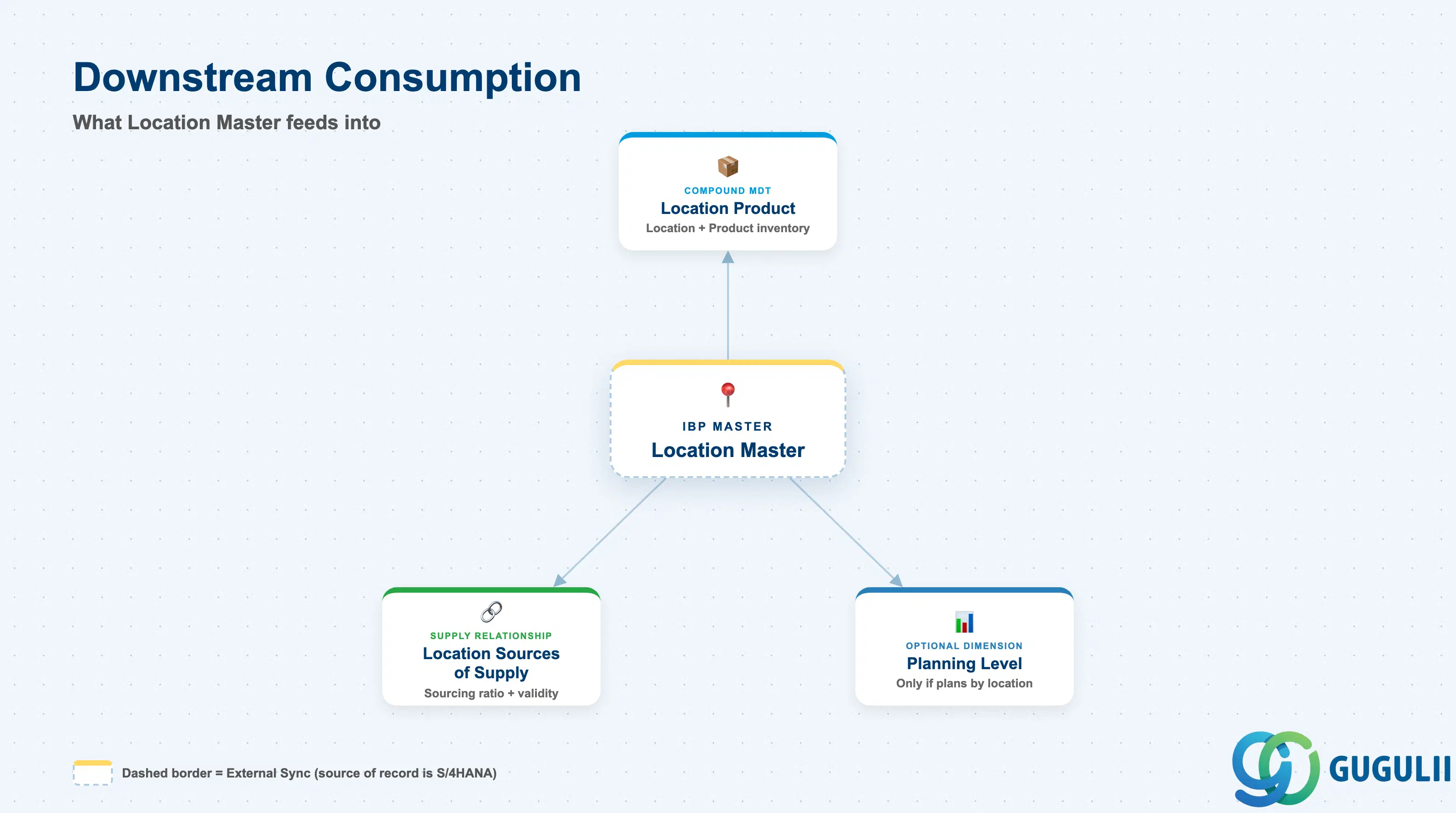
Once created, a Location record becomes the reusable building block that several downstream planning objects reference — this section maps what those objects are, without duplicating their own field-level detail.
| Object | Description | Practical Usage |
|---|---|---|
| Location Product | Compound master data type combining Location + Product, representing how a product’s inventory is held at and flows through a Location | The standard next configuration step once both Location Master and Product Master exist — treat Location Master as a hard prerequisite, not an optional nice-to-have, before Location Product-level planning is configured. |
| Location Sources of Supply | Supply relationship between two Locations (e.g. DC replenished from Plant), carrying a sourcing ratio (LOCATIONRATIO / TRATIO) and Location Source Validity date ranges | Both the supply-side and demand-side Location must already exist as Location records before a Source of Supply relationship referencing them can be created — relevant when scoping the go-live sequence of a supply planning implementation. |
| Planning Level / Planning Area | Location is included as a planning dimension only where the Planning Level’s combination of Master Data Types requires it | Because Location Master is Optional overall, its downstream use is entirely design-driven — confirm during blueprint whether the target Planning Area actually plans “by location” before treating Location Master configuration as mandatory scope. See IBP-A03-02. |
| ID | Category | Title |
|---|---|---|
| ibp-001 | Overview | What is SAP IBP? |
| ID | Category | Title |
|---|---|---|
| ibp-a01 | Overview | SAP IBP Master Data: Overview, Hierarchy & Relationships |
| ibp-a02-01 | Master Data | SAP IBP Master Data Types |
| ibp-a02-02 | Master Data | SAP IBP Attribute |
| ibp-a02-03 | Master Data | SAP IBP Time Profile |
| ibp-a02-05 | Master Data | SAP IBP Location Master 📍 |
| ibp-a03-01 | Master Data | SAP IBP Key Figure |
| ibp-a03-02 | Master Data | SAP IBP Planning Level |
| ibp-a03-03 | Master Data | SAP IBP Planning Area |
| ibp-a03-04 | Master Data | SAP IBP Planning Version |
| ibp-a03-05 | Master Data | SAP IBP Planning View |
| ibp-a04-01 | Master Data | SAP IBP Integration Model |
| ibp-a05-01 | Master Data | SAP IBP Planning Operator |
| ID | Category | Title |
|---|---|---|
| ibp-b01 | Overview | SAP IBP Transactions: Process Flow, Hierarchy & Relationships |