Title here
Summary here

A Planning Level is the SAP IBP object type that defines a specific, named combination of dimensions — drawn from Master Data Types and their Attributes (Product, Location, Customer, and so on) — at which planning data can be stored, viewed, and analyzed. It answers the question “at what granularity does this number exist?” Where Key Figure (IBP-A03-01) defines what is measured, Planning Level defines at what granularity that measurement exists — and this article is where the “base planning level” concept that IBP-A03-01 introduced but deliberately deferred is fully defined. This article covers what a Planning Level is, the base-level-vs-aggregate-level structure at its core, its position in the org/data hierarchy, and every field a consultant configures when creating one.
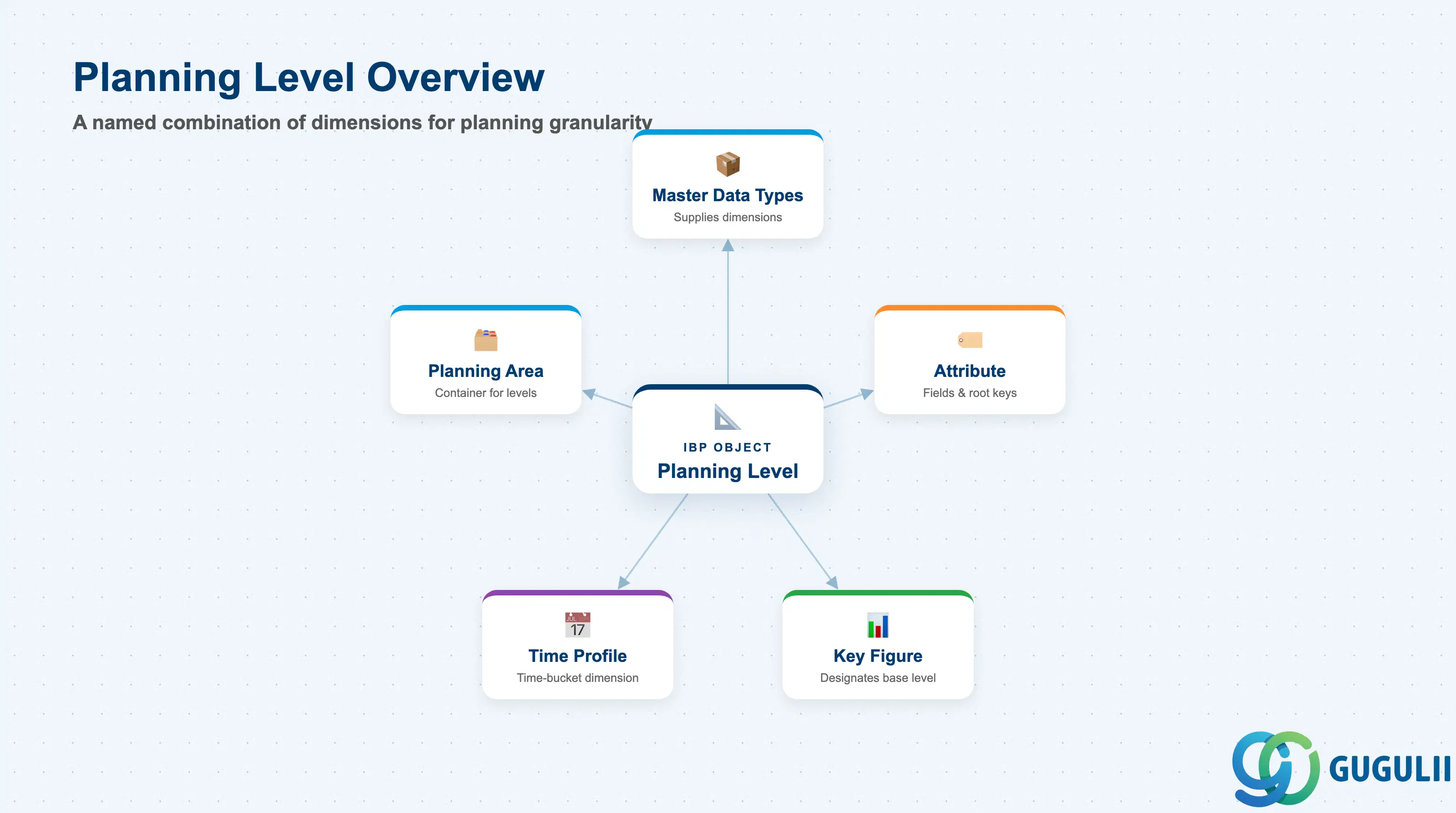
A Planning Level holds no data of its own — it is a structural definition, a named combination of Master Data Type attributes that determines the granularity at which a Key Figure’s values exist. It is configured inside a Planning Area, not maintained as an independent, freestanding master data object the way Product or Location Master are.
| Aspect | Details |
|---|---|
| Role | Defines the combination of Master Data Types and Attributes at which planning data can be stored, viewed, and analyzed — the dimensional/structural counterpart to Key Figure’s “value” axis |
| Built from | Master Data Types (Product, Location, Customer, etc.) and a selected subset of their Attributes — see IBP-A02-01 (Master Data Types) and IBP-A02-02 (Attribute) for how these building blocks are defined |
| Where it’s configured | Inside a specific Planning Area’s configuration — commonly referenced in the setup flow as “Configure Planning Levels” — not maintained as a fully standalone, freestanding master-data app |
| Time dimension | Not included directly. A Planning Level’s root attributes are described as “non-time” root attributes, since the time-bucket dimension is supplied separately by Time Profile (IBP-A02-03) — a Key Figure’s full storage key is its Planning Level’s root attributes plus a time-bucket value from Time Profile |
| Classification | A Required master, alongside Master Data Types, Attribute, Time Profile, Key Figure, and Planning Area |
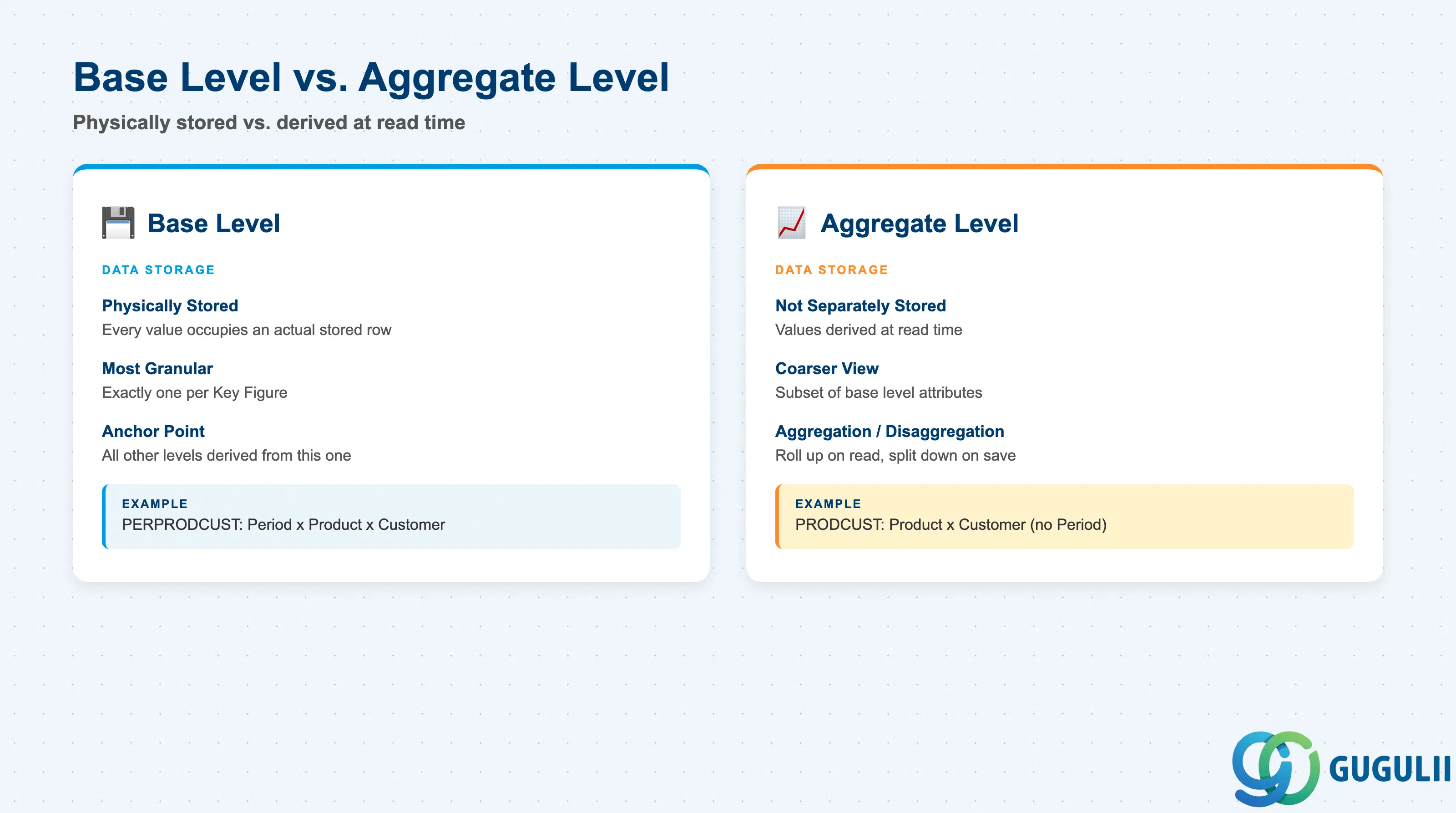
Every Planning Level’s data is either physically stored or derived at run time — this is the structural axis at the heart of the object, and the one IBP-A03-01 (Key Figure) referenced as pre-existing vocabulary without fully defining it.
| Level Type | Data Storage | Use Case | Key Behavior |
|---|---|---|---|
| Base Level | Physically stored — every value at this level occupies an actual stored row | The most granular level a given Key Figure needs — e.g. Period × Product × Customer for a sales forecast tracked down to the customer | Exactly one Planning Level is designated as the base level for each stored Key Figure. All other levels that Key Figure is viewed or planned at are derived from this one. |
| Aggregate Level | Not separately stored — values are derived at read time, or split back down when a planner edits at this level | A coarser view built from a subset of the base level’s attributes — e.g. Product × Customer with the time bucket dropped, or Product alone | Reached by rolling values up from the base level (aggregation) on read, or by splitting a value entered here back down to the base level (disaggregation) on save. |
Design principle: A Planning Level is not inherently “base” or “aggregate” in isolation — that status is set by which single level a given Key Figure designates as its Base Level (Section 2.3). The same Planning Level can be the base level for one Key Figure and an aggregate level relative to another Key Figure’s coarser base. The aggregation/disaggregation mechanics that move values between levels are Key Figure’s settings (Storage Type, Aggregation Mode, Disaggregation Mode), covered in sibling article IBP-A03-01 — this article defines what a “level,” “base level,” and “aggregate level” structurally are.
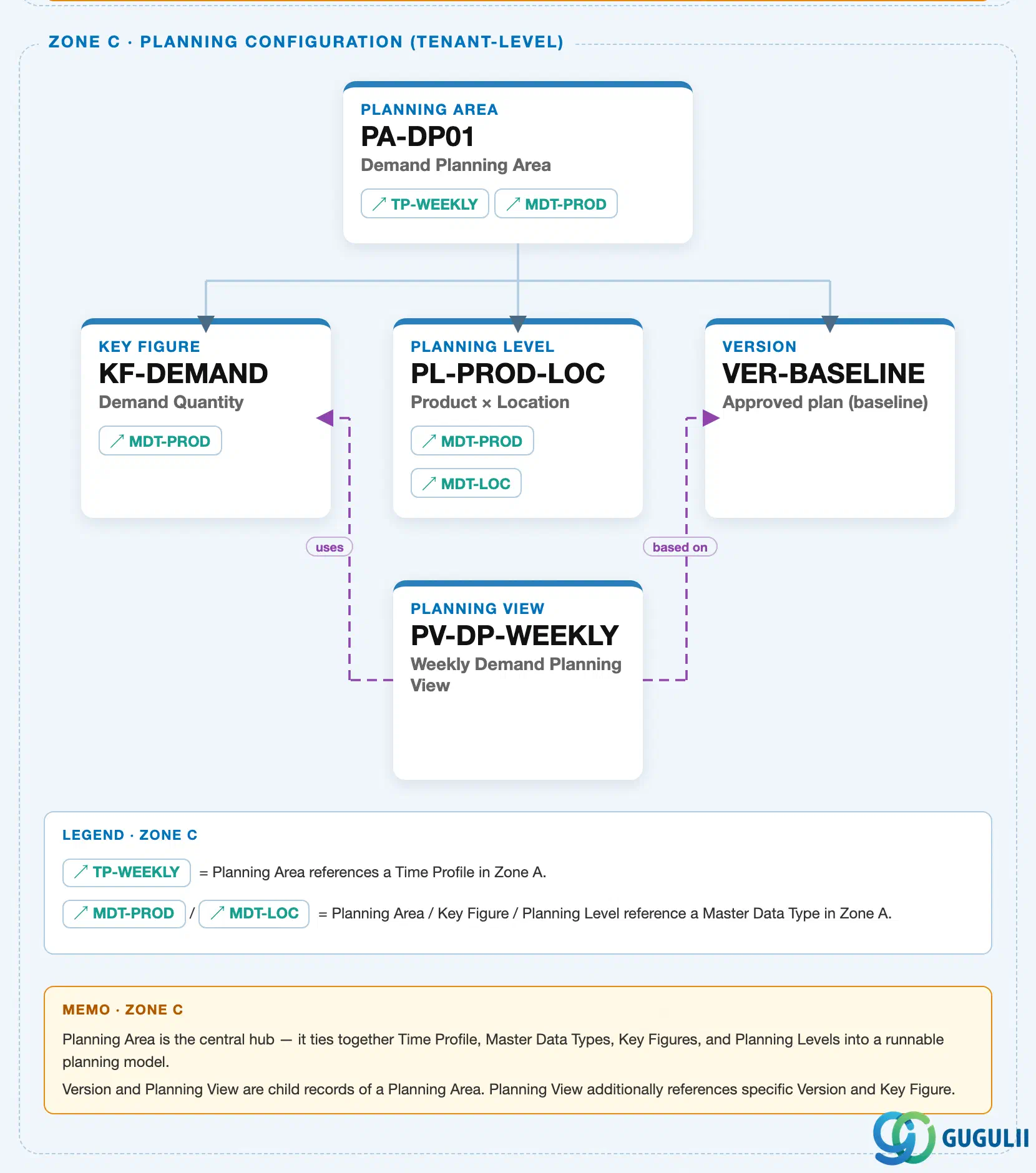
Data hierarchy with a concrete example
Client (SAP IBP Tenant)
   │
   └── Planning Area "PA-DP01" — Demand Planning Planning Area          (IBP-A03-03)
          │
          ├── Key Figure "KF-DEMAND" — Demand Quantity                    (IBP-A03-01)
          │
          ├── Planning Level "PL-PROD-LOC" — Product x Location            [this article's object]
          │
          ├── Version "VER-BASELINE" — Approved plan (baseline)            (IBP-A03-04)
          │
          └── Planning View "PV-DP-WEEKLY" — Weekly Demand Planning View   (IBP-A03-05)
Design principle: Key Figure, Planning Level, and Version are structurally parallel children of a Planning Area — none nests inside another. A Planning Level defines the dimensional granularity (which combination of Master Data Type attributes form a row of data); the full mechanics of what a Key Figure does with this anchor (Storage Type, Aggregation Mode, Disaggregation Mode) are covered in sibling article IBP-A03-01. How Planning Level, together with Time Profile and Key Figure, is bundled into a Planning Area is covered in IBP-A03-03.
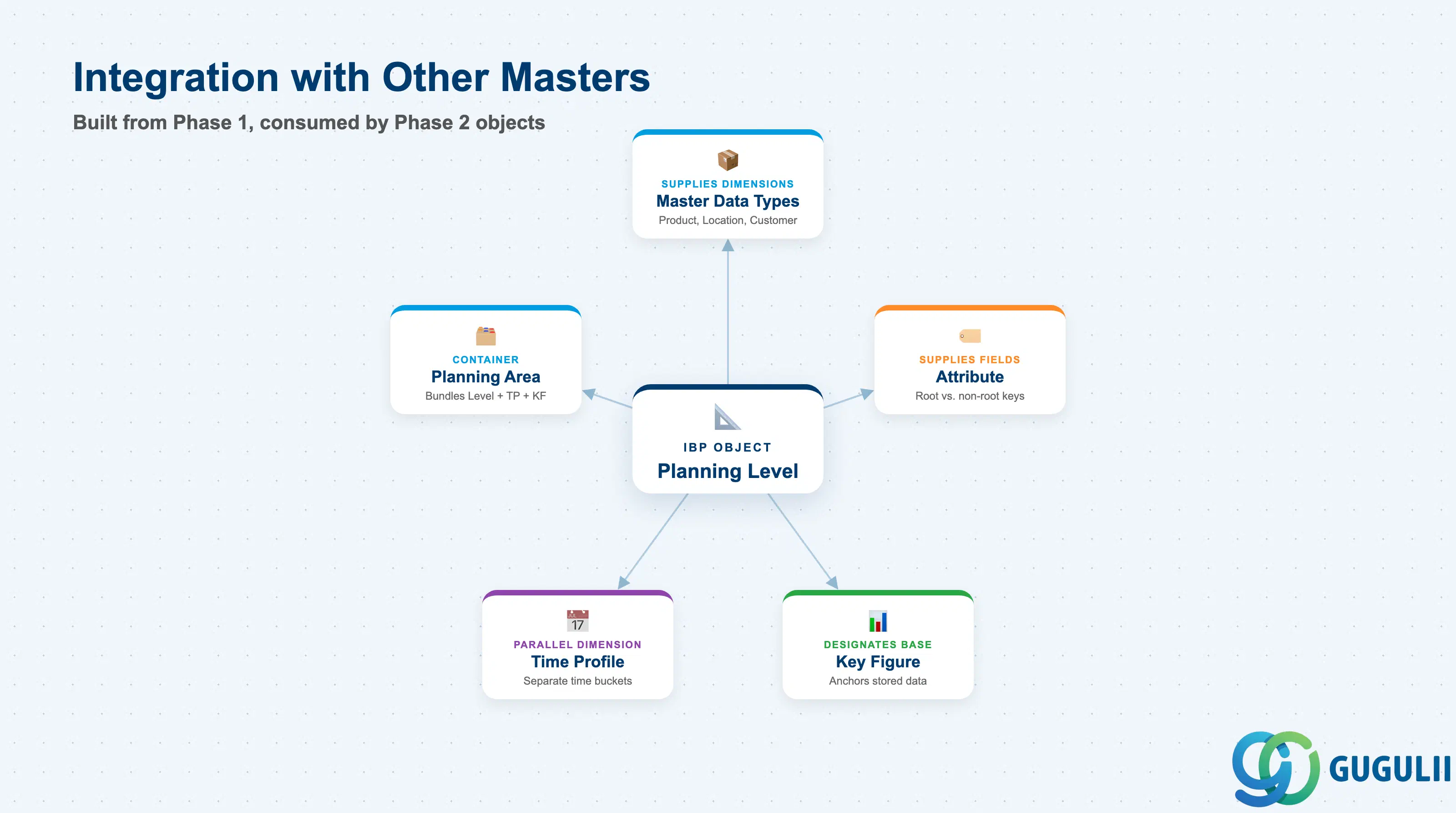
A Planning Level does not stand alone — it is built from Phase 1 master data objects and consumed by the Phase 2 planning-configuration objects around it.
| Object | Relationship | Practical Notes |
|---|---|---|
| Master Data Types | Supplies the dimensions (Product, Location, Customer, etc.) a Planning Level combines | Full mechanics in IBP-A02-01 — a Planning Level does not define new master data of its own, it only selects which types to combine. |
| Attribute | Supplies the specific fields within each Master Data Type a Planning Level includes, and which of those fields are marked as root attributes | Full mechanics in IBP-A02-02 — Attribute defines the field itself; Planning Level decides which attributes participate and whether they key the level. |
| Time Profile | Supplies the separate time-bucket dimension that combines with a Planning Level’s non-time root attributes to form a Key Figure’s full storage key | Full mechanics in IBP-A02-03 (already deployed) — Planning Level and Time Profile are structurally parallel “Level 1” building blocks, not nested inside one another. |
| Key Figure | Every stored Key Figure designates exactly one Planning Level as its base level; the same Key Figure can be viewed at any coarser aggregate level built from a subset of the base level’s attributes | Full mechanics of Storage Type, Aggregation Mode, and Disaggregation Mode covered in sibling article IBP-A03-01 — this article defines the level structure Key Figure points to. |
| Planning Area | Planning Level is one of three required inputs — alongside Time Profile and Key Figure — that combine into an activatable Planning Area | Full mechanics covered in the next article, IBP-A03-03 — this article treats Planning Area only as the container Planning Level feeds into. |
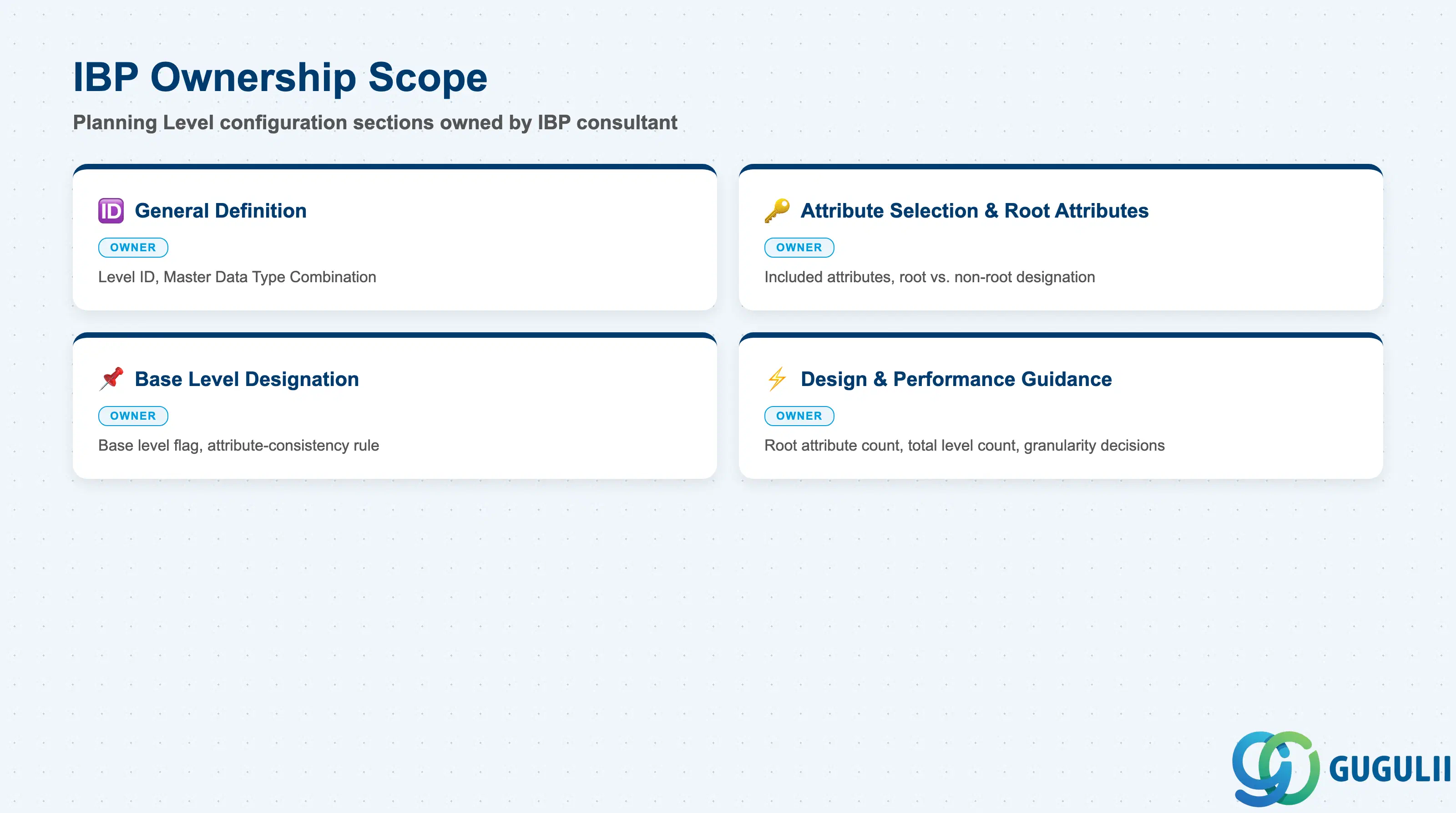
| Data Section | IBP Involvement | Notes |
|---|---|---|
| General Definition | ◎ Owner | Level ID, Master Data Type Combination |
| Attribute Selection & Root Attributes | ◎ Owner | Which attributes are included, and which are marked root (structural/keying) vs. non-root (descriptive) |
| Base Level Designation | ◎ Owner | Whether this level is the physically-stored base level for a given Key Figure, and the attribute-consistency rule that governs a valid base level |
| Design & Performance Guidance | ◎ Owner | Root attribute count, total Planning Level count, and granularity decisions that materially affect Planning Area performance |
Legend: ◎ = Owner / Critical, ○ = Direct involvement
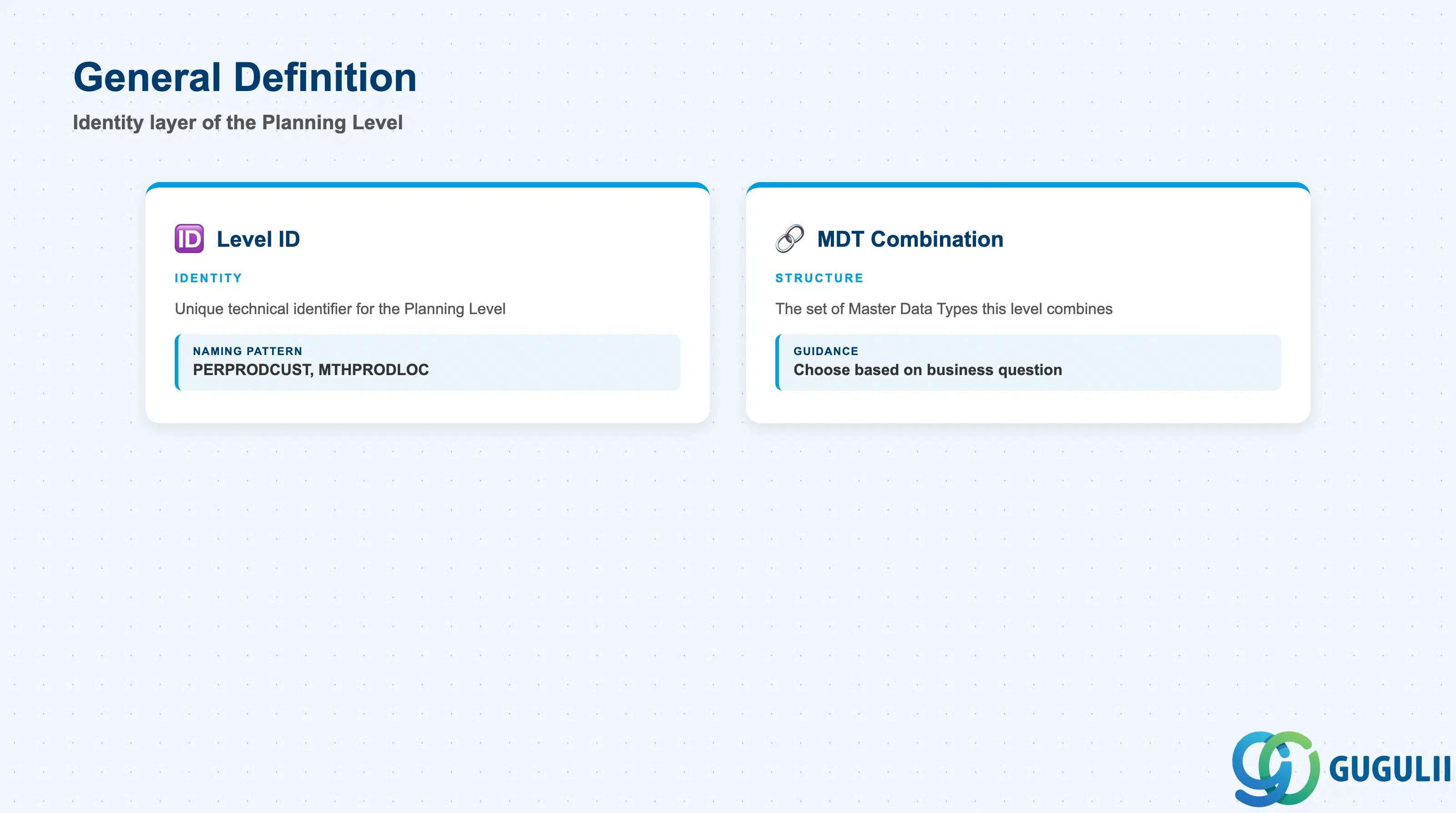
General Definition is the identity layer of the Planning Level — set once when the level is created, inside the owning Planning Area’s configuration.
| Field | Description | Practical Usage |
|---|---|---|
| Level ID | Unique technical identifier for the Planning Level | Naming patterns commonly concatenate a time-granularity or process prefix with the master-data-type dimensions it combines — e.g. PERPRODCUST (Period × Product × Customer) or MTHPRODLOC (Month × Product × Location). Adopt a consistent scheme early; levels multiply quickly once several Key Figures each need their own base level. |
| Master Data Type Combination | The set of Master Data Types (Product, Location, Customer, etc.) this level combines | Choose based on the business question the level needs to answer, not for convenience — adding a Master Data Type “just in case” widens every root-attribute combination that depends on it and increases the stored-data volume of every Key Figure based on this level. |
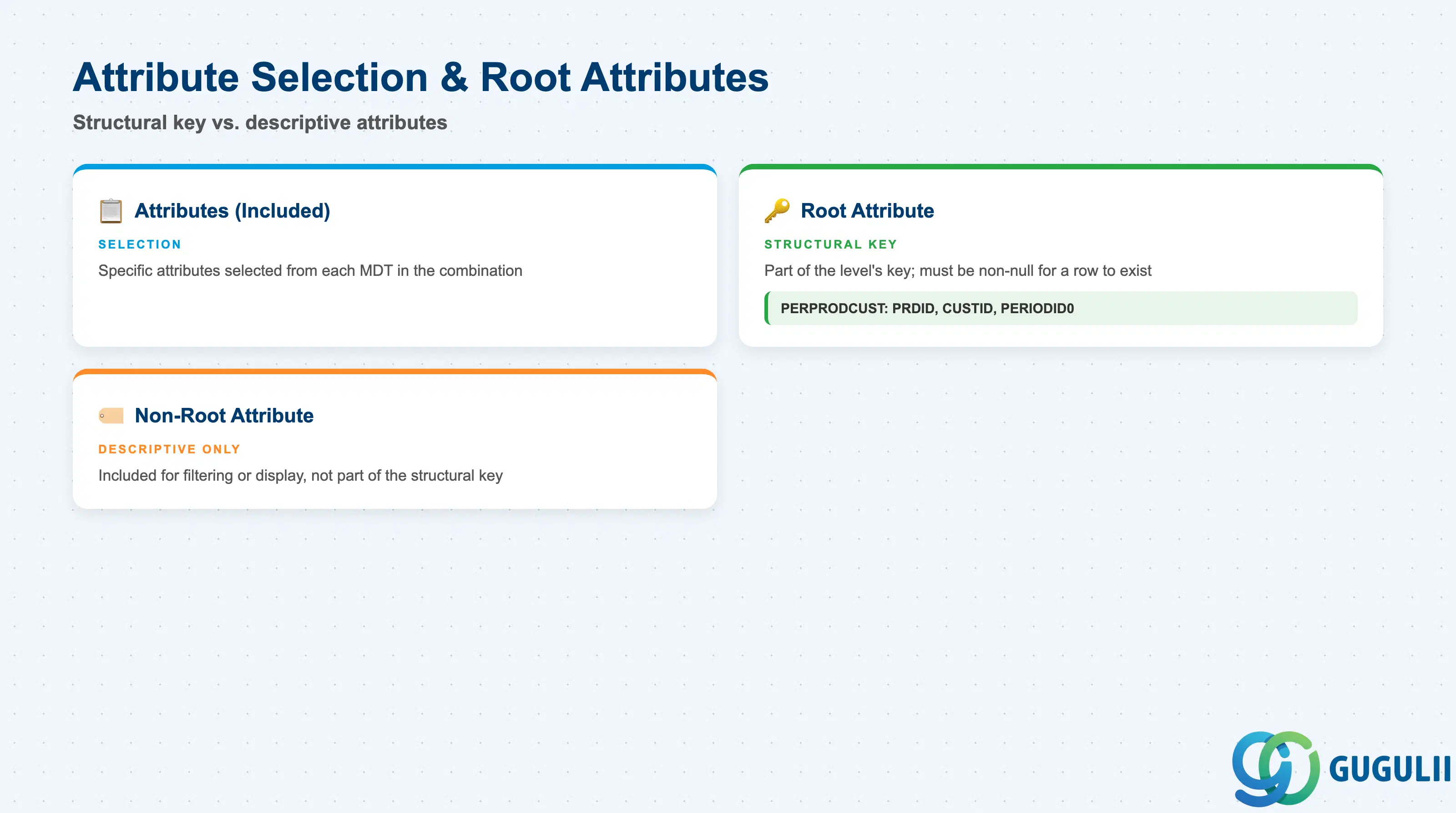
Not every Attribute included in a level plays the same structural role — this is the single most load-bearing configuration concept for the object.
| Field | Description | Practical Usage |
|---|---|---|
| Attributes (included) | The specific Attributes selected from each Master Data Type in the combination | Pull in only what this level actually needs to identify or describe data — see IBP-A02-02 for how Attributes themselves are defined. |
| Root Attribute | An attribute flagged as part of the level’s structural key — must carry a non-null value for a row to exist at this level; the full set of root attributes uniquely identifies a stored value | Worked example: Planning Level PERPRODCUST has three root attributes — PRDID (Product ID), CUSTID (Customer ID), and PERIODID0 (Period) — meaning every stored row at this level requires all three to be populated. Keep the root attribute count as low as the business question allows (Section 2.4). |
| Non-Root Attribute | An attribute included at this level for filtering or display, but not part of the structural key | Useful for decorating data (e.g. a Product’s category or a Customer’s region) without widening the key. A non-root attribute is generally not visible when viewing data at an aggregate level above where it was assigned — don’t rely on it surviving an aggregation. |
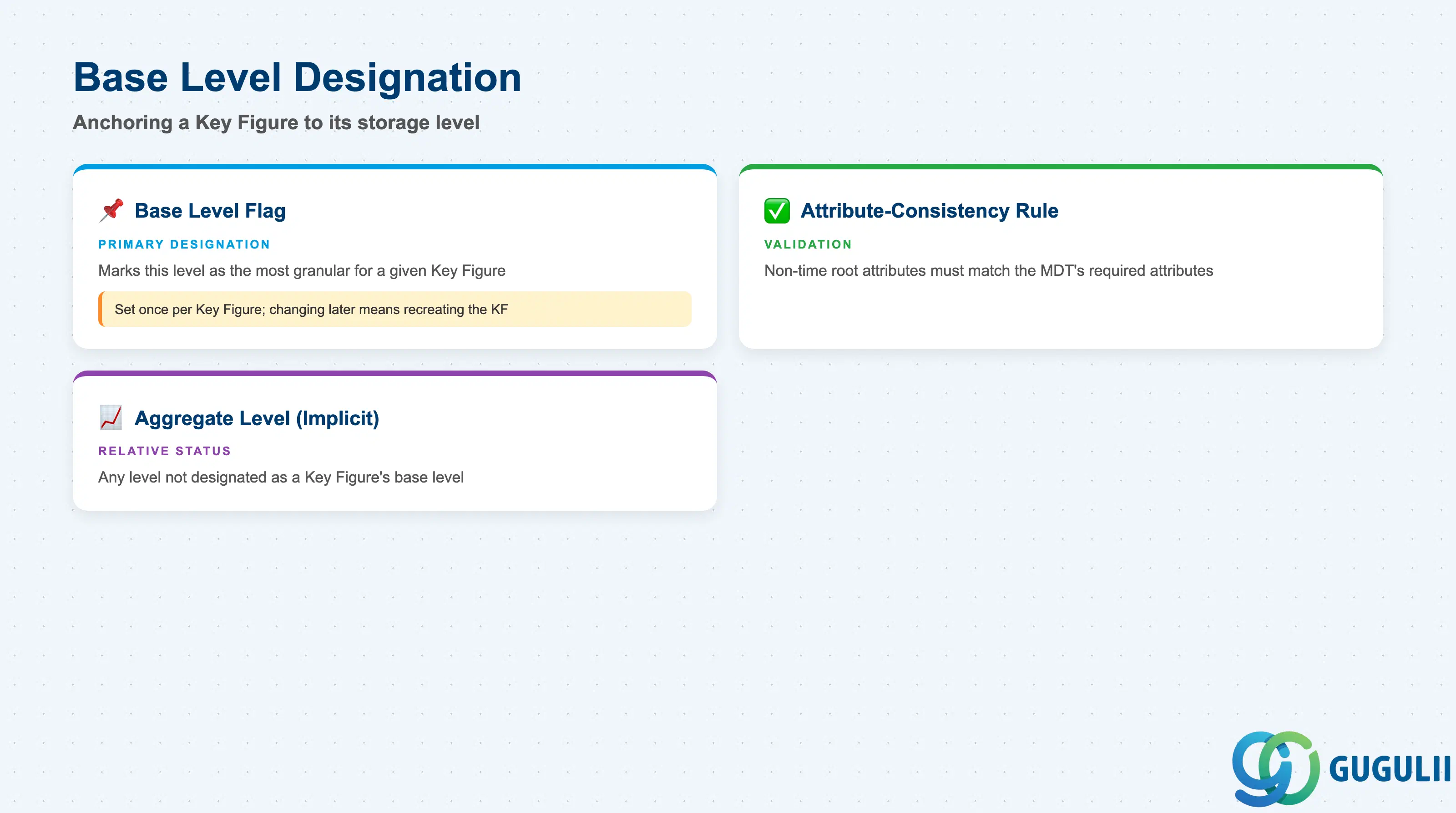
The Base Level flag is what turns a generic Planning Level definition into the specific anchor a Key Figure’s stored data depends on.
| Field | Description | Practical Usage |
|---|---|---|
| Base Level flag | Marks whether this Planning Level is the most granular level for a given Key Figure — the level at which its data is physically stored | Set once per Key Figure (see IBP-A03-01, Section 2.1, “Base Planning Level” field) — changing it later typically means recreating the Key Figure and reloading history. |
| Attribute-consistency rule | The non-time root attributes of a Key Figure’s chosen base level must exactly match the required attributes of the Master Data Type(s) it draws from | Selecting a base level with only a subset of the required attributes risks generating inconsistent data. Validate this alignment during design, not after Key Figures are already loading data against the level. |
| Aggregate Level (implicit) | Any Planning Level a Key Figure is viewed at that is not its designated base level | Not a separate flag on the Planning Level itself — a level’s status as “aggregate” is relative to a given Key Figure’s base level choice, not an intrinsic property of the level. The same Planning Level can be the base for one Key Figure and an aggregate view for another. |
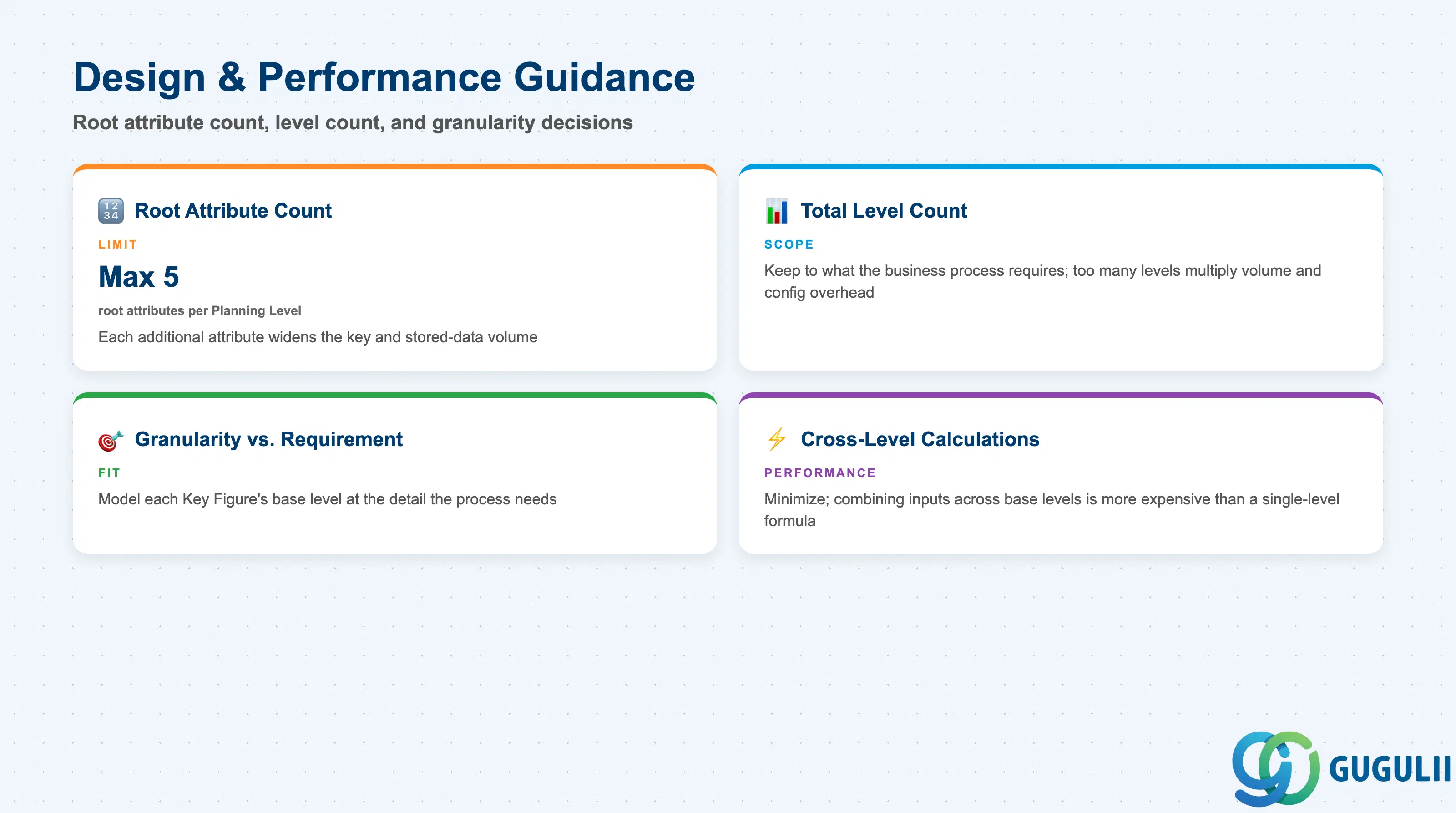
Every additional root attribute and every additional Planning Level adds keying complexity and potential stored-data volume — this is why Planning Level design is a distinct decision, not a technical formality.
| Field / Concept | Description | Practical Usage |
|---|---|---|
| Root attribute count | Recommended limit on the number of root attributes per Planning Level | Guidance commonly cited: no more than 5 root attributes per level. Each additional root attribute widens the structural key and increases the stored-data volume of every Key Figure based on that level. |
| Total Planning Level count | Recommended limit on the number of distinct Planning Levels defined within a Planning Area | Keep the total to what the business process actually requires. There is a genuine trade-off — over-consolidating levels can force Key Figures into a coarser shared level than some processes need, while too many levels multiply stored-data volume and configuration overhead. |
| Granularity vs. requirement | Model each Key Figure’s base level at the detail actually required by the process it supports | Planning at unnecessarily fine granularity (e.g. individual ship-to customer when the process only needs region) creates a real, measurable performance cost without a corresponding business benefit. |
| Cross-level calculations | Calculated Key Figures that reference inputs stored at different Planning Levels | Minimize these where possible — combining inputs across multiple base levels is more expensive than a calculation whose inputs already share a common level, since IBP must aggregate or disaggregate each input to a common level before evaluating the formula. |
| ID | Category | Title |
|---|---|---|
| ibp-001 | Overview | What is SAP IBP? |
| ID | Category | Title |
|---|---|---|
| ibp-a01 | Overview | SAP IBP Master Data: Overview, Hierarchy & Relationships |
| ibp-a02-01 | Master Data | SAP IBP Master Data Types |
| ibp-a02-02 | Master Data | SAP IBP Attribute |
| ibp-a02-03 | Master Data | SAP IBP Time Profile |
| ibp-a02-05 | Master Data | SAP IBP Location Master |
| ibp-a03-01 | Master Data | SAP IBP Key Figure |
| ibp-a03-02 | Master Data | SAP IBP Planning Level 📍 |
| ibp-a03-03 | Master Data | SAP IBP Planning Area |
| ibp-a03-04 | Master Data | SAP IBP Planning Version |
| ibp-a03-05 | Master Data | SAP IBP Planning View |
| ibp-a04-01 | Master Data | SAP IBP Integration Model |
| ibp-a05-01 | Master Data | SAP IBP Planning Operator |
| ID | Category | Title |
|---|---|---|
| ibp-b01 | Overview | SAP IBP Transactions: Process Flow, Hierarchy & Relationships |