Title here
Summary here

Integration Model is the sole object comprising Phase 3 (“Integration”) of the SAP IBP Master Data model — the configuration layer that decides how planning data gets from S/4HANA (or another external system) into an already-activated Planning Area. Its only listed prerequisite is a Planning Area (IBP-A03-03); unlike most objects in this series, it does not depend on Key Figure, Planning Level, Version, or Planning Operator directly, because it treats an activated Planning Area as a single integration target rather than reaching into any one sub-object within it. This article centers on the batch, CPI-DS-oriented Integration Model — the object with Source System, Target Planning Area, Mapping Rules, Transformation, and Schedule fields documented in the internal knowledge base — and covers its configuration, its CPI-DS load mechanics, the boundary around Excel Add-in mass maintenance, and the Data Realignment step required after a master-data change lands. It also flags, with appropriate hedging, that SAP uses the same phrase “integration model” for an older, distinct real-time object (created in S/4HANA/ECC via transactions CFM1/CFM2) so readers do not conflate the two. The object this article configures feeds directly into Data Load — covered in the Transaction-layer series, out of scope here but referenced as a forward pointer.
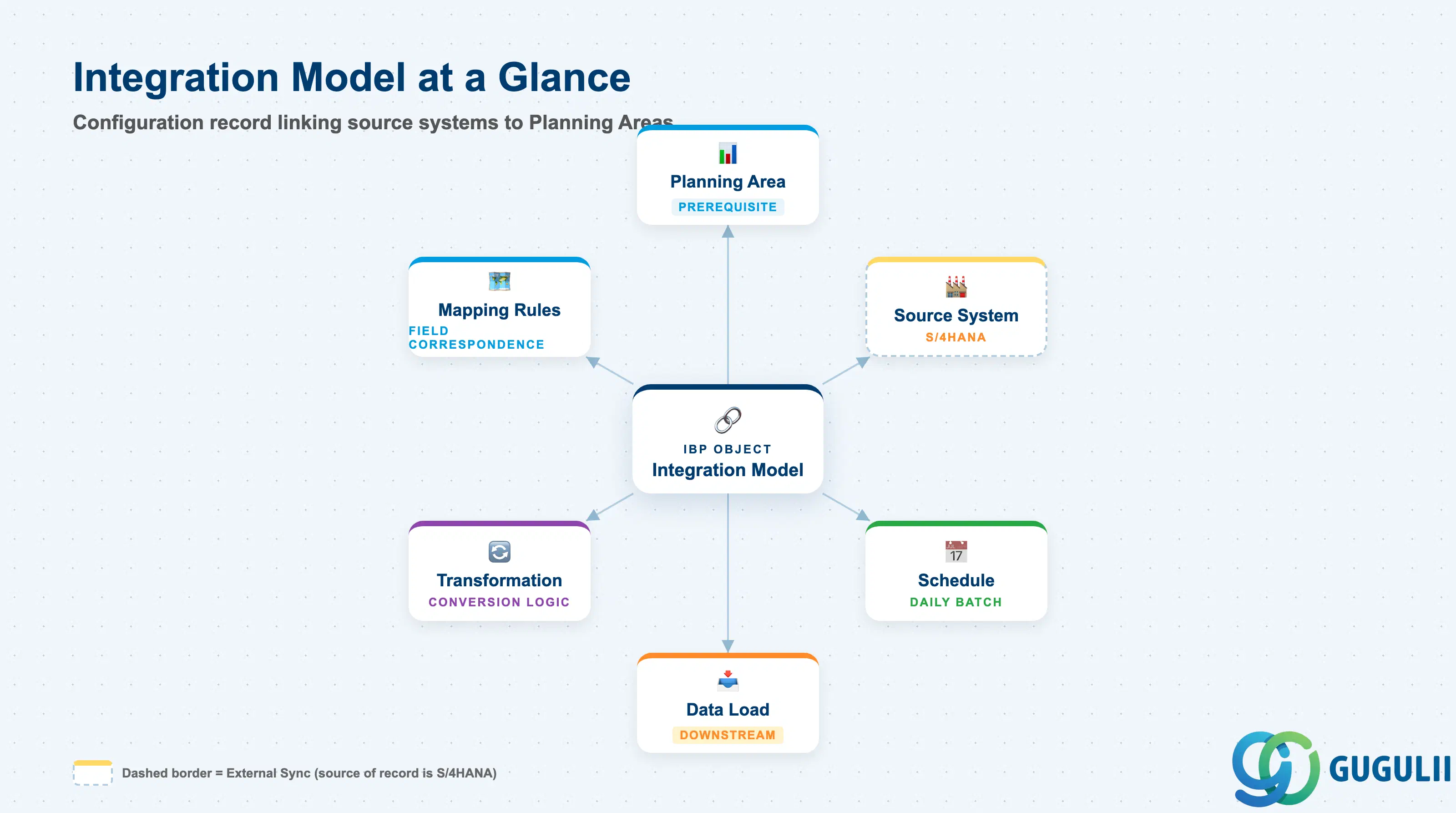
An Integration Model holds no planning data of its own — it is a configuration record that tells SAP IBP which source system to read from, which Planning Area to populate, how source fields map onto IBP master data, what transformation logic applies, and on what schedule the transfer runs. It is the design-time counterpart to Data Load’s run-time execution: the internal knowledge base’s own process flow reduces the pair to a two-step chain, “Integration Model → Data Load,” the simplest chain documented for any SAP IBP object relationship.
| Aspect | Details |
|---|---|
| Role | Defines the mapping, transformation, and schedule that move S/4HANA (or external system) data into an activated Planning Area |
| Modules using it | SAP IBP only, as a native configuration object — consumes S/4HANA (or ECC) master and transaction data as its source |
| Transactions / Apps | Configure Integration Models (per the internal knowledge base’s Master Process table); publicly, this capability is closely related to — and may overlap with — the Application Mappings app in the Model Configuration app group. The exact current Fiori tile name could not be independently confirmed via a fully rendered SAP Help Portal page; treat the capability (source/target/mapping/transformation/schedule configuration) as confirmed, the precise tile label as unconfirmed. |
| Key Tables | Not published as customer-facing tables at the IBP model layer. On the CPI-DS side, the load target is always a STAG-prefixed staging table (e.g. SAPSOPG.SOPMD_STAG_PRODUCT) — see Section 2.2. |
| SAP IBP note | Integration Model is classified as an ad hoc activity — configured once, or revisited only when a new source system or mapping is added. The recurring, daily cadence belongs to Data Load, not to Integration Model itself. |
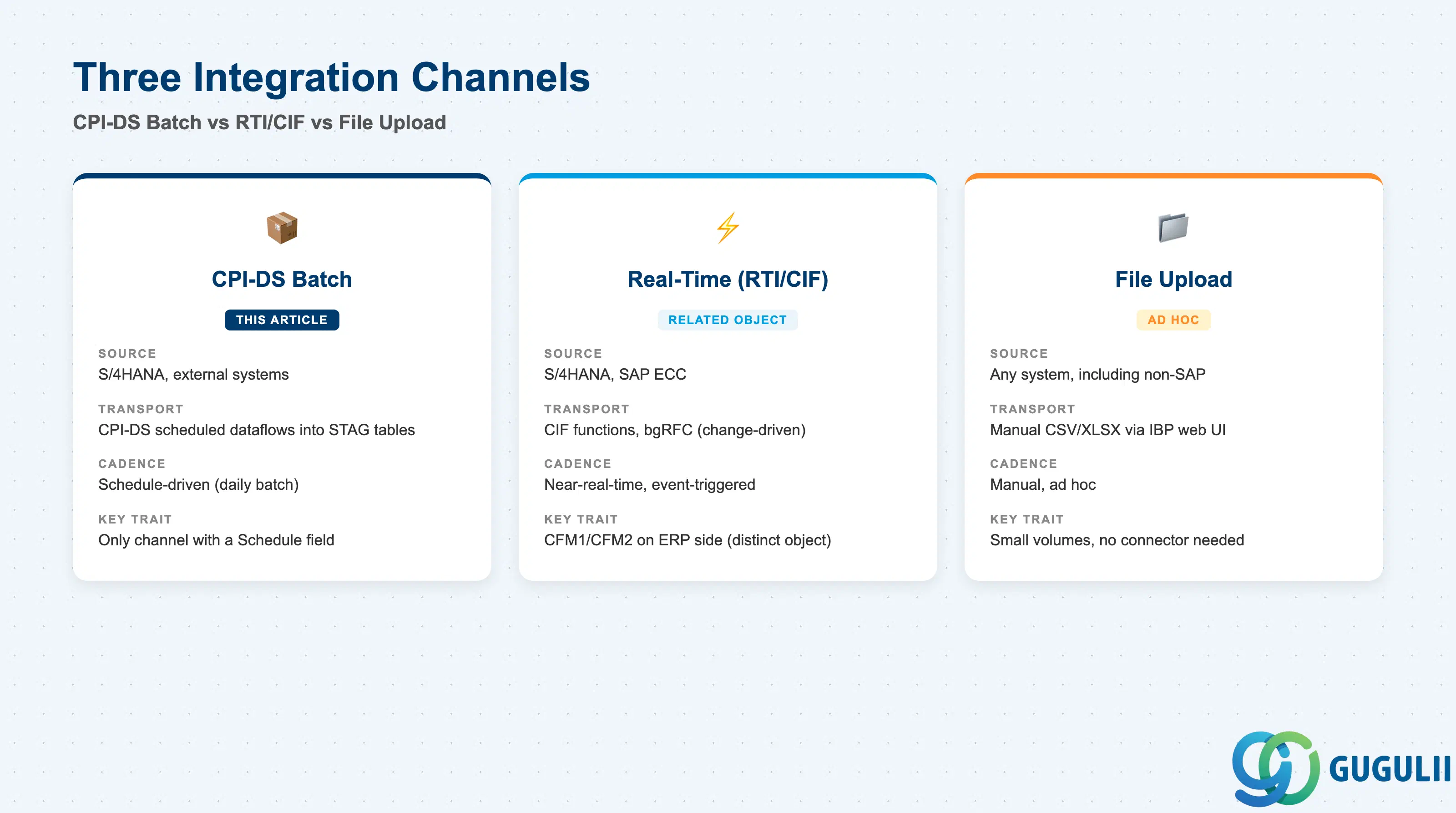
Not every “integration model” a consultant encounters is the same object. This article follows the internal knowledge base’s definition — a batch, schedule-driven configuration object transported by SAP Cloud Integration for Data Services (CPI-DS) — because its documented field set (Source System, Target Planning Area, Mapping Rules, Transformation, Schedule) matches a scheduled batch pattern, not a real-time one. Getting the channel right up front matters: troubleshooting a “missing” record as a CPI-DS mapping problem when it is actually a Real-Time Integration issue (or vice versa) wastes a support cycle.
| Channel | Source | Transport Mechanism | Key Behavior |
|---|---|---|---|
| CPI-DS Batch (this article’s primary subject) | S/4HANA, external systems | SAP Cloud Integration for Data Services (CPI-DS), scheduled dataflows loading into STAG-prefixed staging tables | Schedule-driven (e.g. daily batch); the only channel with a documented “Schedule” field, and the one every S/4HANA integration scenario in the internal knowledge base routes through |
| Real-Time Integration (RTI) / Core Interface (CIF) | S/4HANA, SAP ECC | Change-driven, near-real-time transfer via CIF functions and background RFC (bgRFC) — no scheduled batch job | Terminology hedge: SAP documentation uses the exact phrase “integration model” for a distinct, older technical object created in S/4HANA/ECC via transaction CFM1 and activated via CFM2 — this is a different configuration surface (scoped on the ERP side, not the IBP side) from the CPI-DS object this article otherwise describes. Do not assume the two share one settings screen. |
| File Upload | Any source, including non-SAP systems without a ready-made connector | Manual .csv/.xlsx-style upload via the SAP IBP web UI | Suited to small data volumes, systems without a connector, or one-off/ad hoc corrections — not a primary mass-integration path (see also Section 2.3, which covers the related but distinct Excel Add-in mass maintenance boundary) |
Design principle: Default to the CPI-DS/batch definition of “Integration Model” documented in this article — it is the definition with a Schedule field, the definition every S/4HANA integration scenario in the internal knowledge base routes through, and the definition configured against a named Target Planning Area. Only reach for the CFM1/CFM2 (RTI/CIF) reading if a colleague or a piece of documentation explicitly references those transaction codes on the ERP side.
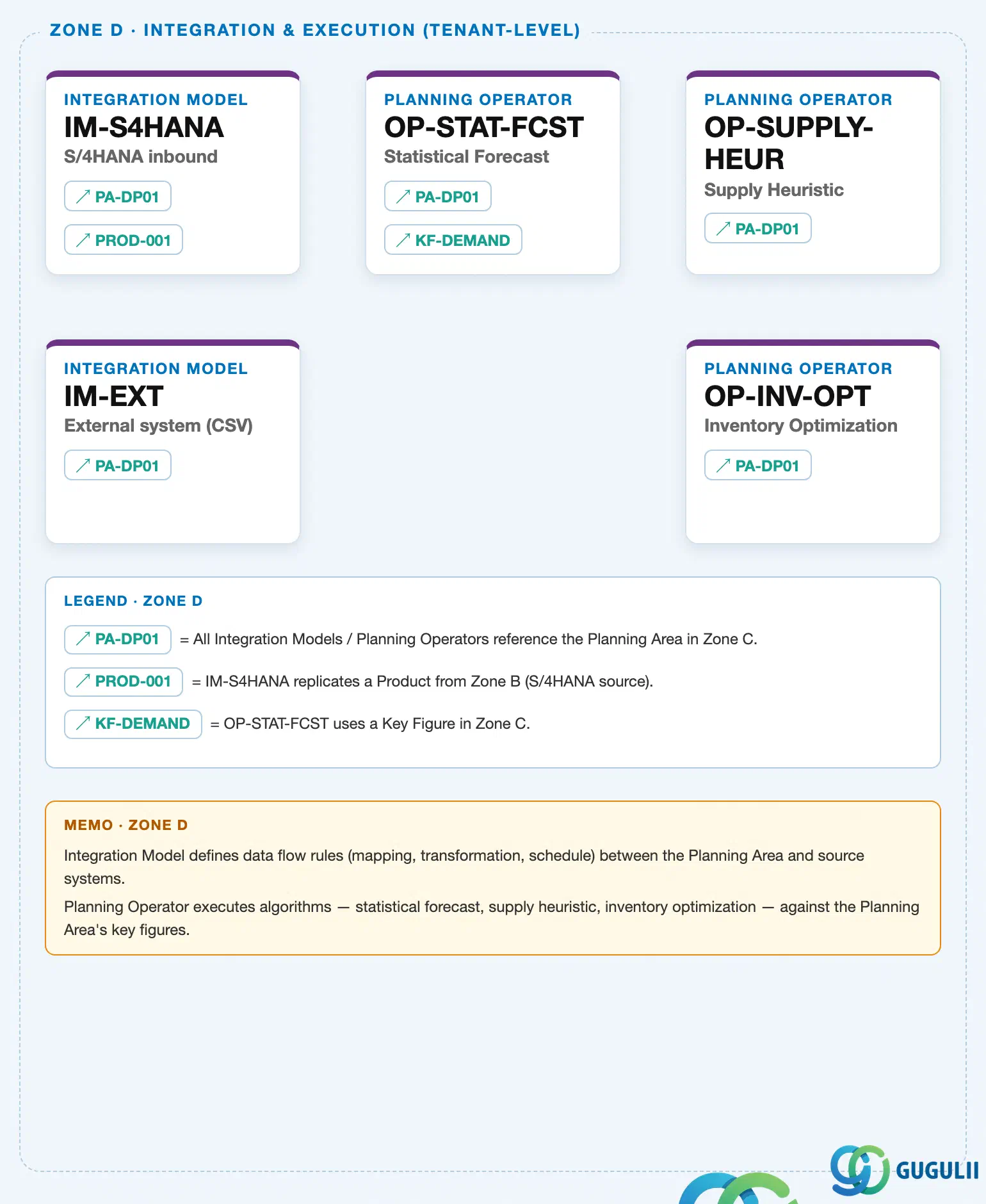
Data hierarchy with a concrete example
ZONE D · Integration & Execution (Tenant-Level)
   │
   ├── Integration Model "IM-S4HANA" — S/4HANA inbound                    [this article's object]
   │      [↗ PA-DP01 (Planning Area, Zone C, IBP-A03-03)]
   │      [↗ PROD-001 (Product Master, Zone B, IBP-A02-04 — not yet covered)]
   │
   ├── Integration Model "IM-EXT" — External system (CSV)                 [this article's object]
   │      [↗ PA-DP01 (Planning Area, Zone C, IBP-A03-03)]
   │
   ├── Planning Operator "OP-STAT-FCST" — Statistical Forecast            (Transaction layer, IBP-B0x — out of scope)
   │      [↗ PA-DP01 / ↗ KF-DEMAND (Key Figure, Zone C, IBP-A03-01)]
   │
   ├── Planning Operator "OP-SUPPLY-HEUR" — Supply Heuristic              (Transaction layer, IBP-B0x — out of scope)
   │      [↗ PA-DP01]
   │
   └── Planning Operator "OP-INV-OPT" — Inventory Optimization           (Transaction layer, IBP-B0x — out of scope)
          [↗ PA-DP01]
Design principle: Integration Model does not nest as a structural child of Planning Area the way Key Figure, Planning Level, and Version do (IBP-A03-01/02/04) — the landscape draws no solid parent-child arrow between them. Instead, every Integration Model instance carries a reference (
↗ PA-DP01) pointing at the Planning Area it populates, exactly the same reference-only relationship the three Planning Operators shown alongside it also hold. This is why Section 1.3’s image crops Zone D (Integration & Execution) rather than Zone C (Planning Configuration, where Planning Area itself and its true children live) — Integration Model’s own nodes physically sit in Zone D, and the crop and this tree deliberately show it there rather than inventing a containment relationship the source landscape does not draw.
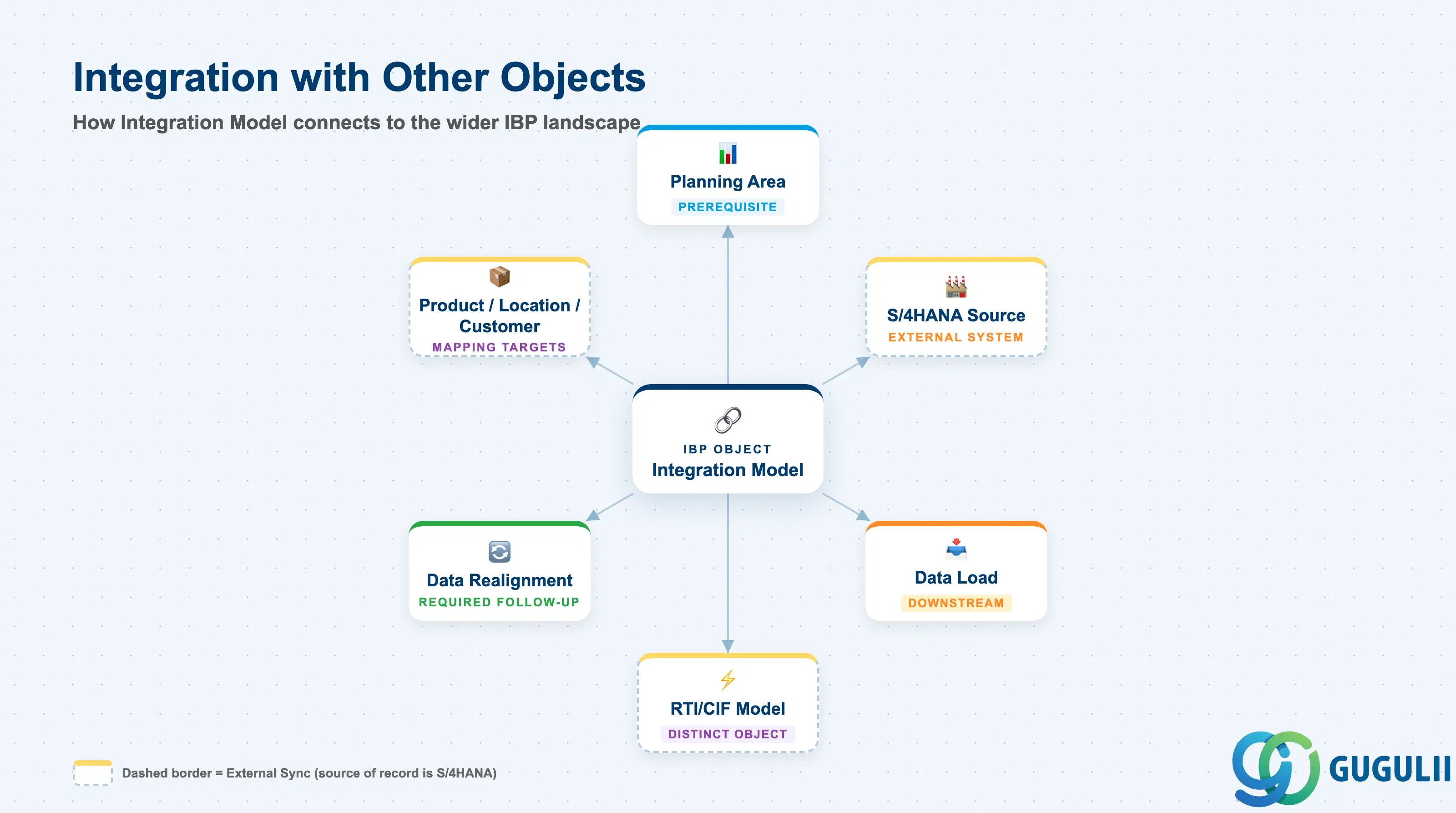
Integration Model does not stand alone — it is configured against exactly one prerequisite object, but its mapping and transformation logic reaches across several Phase 1 masters, and its downstream effects extend into both a Transaction-layer object and a required data-maintenance step.
| Object | Relationship | Practical Notes |
|---|---|---|
| Planning Area | Sole prerequisite — every Integration Model is configured with a named Target Planning Area | Full mechanics in IBP-A03-03. The Planning Area’s own Master Data Types, Attributes, Key Figures, and Planning Levels define the exact shape any inbound Integration Model must conform to — see IBP-A03-03 Section 2.4 for the Planning Area-side view of this same boundary. |
| Product / Location / Customer Master | Mapping Rules is the layer that reconciles S/4HANA terminology (Material, Plant, Customer) with IBP master data terms (Product, Location, Customer) | See IBP-A02-04 (Product Master, not yet covered in this batch), IBP-A02-05 (Location Master), IBP-A02-06 (Customer Master, not yet covered) for the target-side field detail these mappings populate. |
| Data Load (Transaction layer) | Direct downstream consumer — Data Load requires both a configured Integration Model and an active Planning Area to execute | Out of scope for this Master Data article; covered under the Transaction-layer series (IBP-B0x). Integration Model configures the mapping; Data Load runs it, monitors it, and handles data-quality error re-runs. |
| Real-Time Integration Model (S/4HANA/ECC-side, CFM1/CFM2) | Related-but-distinct object — see Section 1.2’s terminology hedge | Not configured from within SAP IBP; created and activated on the ERP side. Mentioned here only so a reader who encounters “CFM1 integration model” terminology elsewhere does not conflate it with this article’s CPI-DS-oriented object. |
| Excel Add-in Mass Maintenance | A manual, ad hoc editing tool for master data already in SAP IBP — explicitly not a substitute for Integration Model / Data Load-driven integration | See Section 2.3 for the documented scope limitation. |
| Data Realignment | A required follow-up step whenever a master-data change lands through Integration Model / Data Load | Full general mechanics in IBP-A03-03 Section 2.3; Section 2.4 of this article frames the specific trigger from the Integration Model side. |
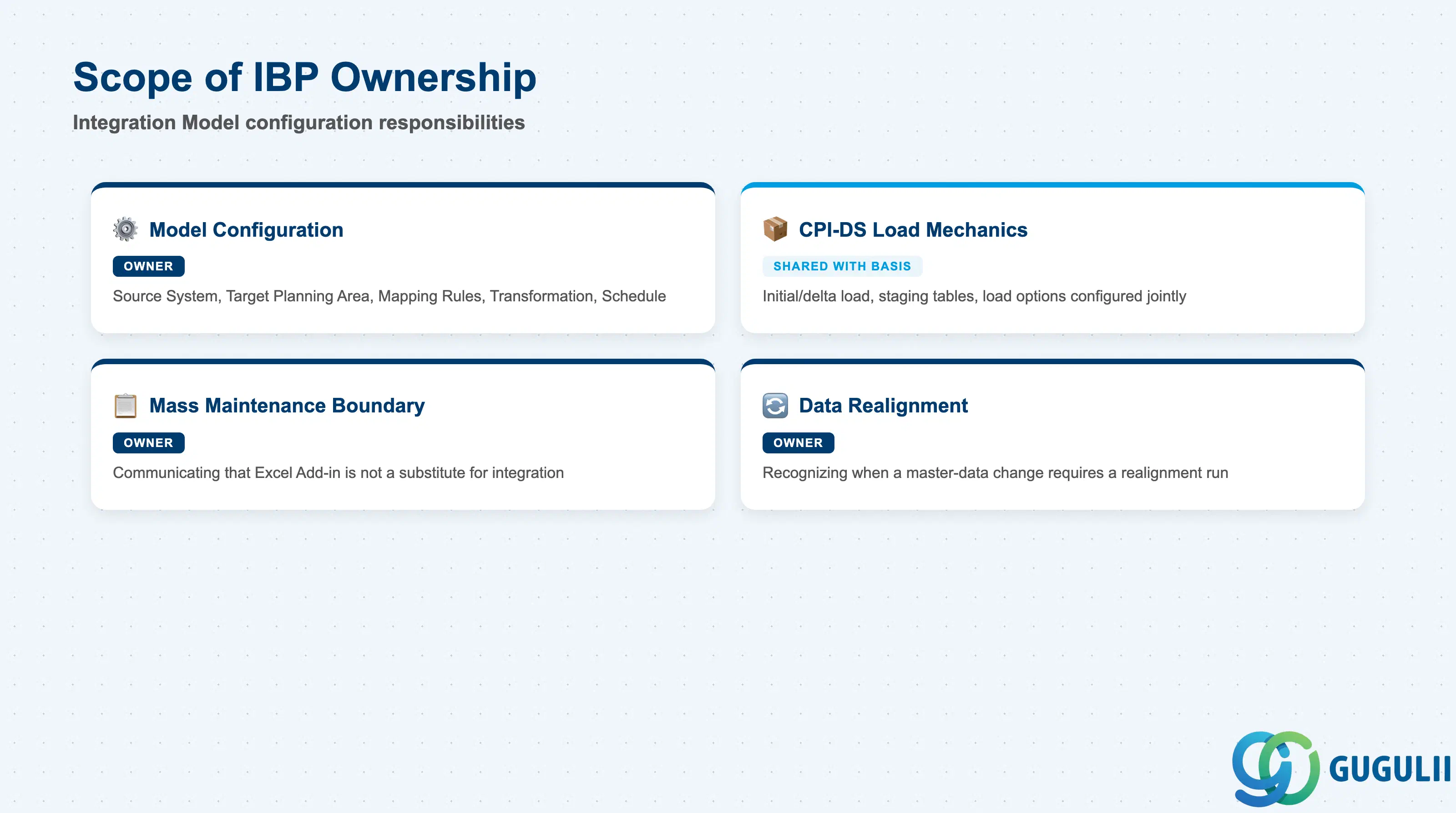
| Data Section | IBP Involvement | Notes |
|---|---|---|
| Model Configuration | ◎ Owner | Source System, Target Planning Area, Mapping Rules, Transformation, Schedule — the five fields set when an Integration Model is defined |
| CPI-DS Load Mechanics | ○ Shared with S/4HANA Basis / Integration team | Initial-vs-delta load behavior, staging tables, and load options are configured within CPI-DS dataflows, typically a joint effort with the middleware/Basis team |
| Mass Maintenance Boundary | ◎ Owner | Communicating that the Excel Add-in’s mass maintenance function is not a substitute for this object’s regular integration is an IBP consultant responsibility |
| Data Realignment | ◎ Owner | Recognizing when a master-data change requires a realignment run is a consultant judgment call, even though the realignment mechanics themselves are shared with Master Data Governance |
Legend: ◎ = Owner / Critical, ○ = Direct involvement
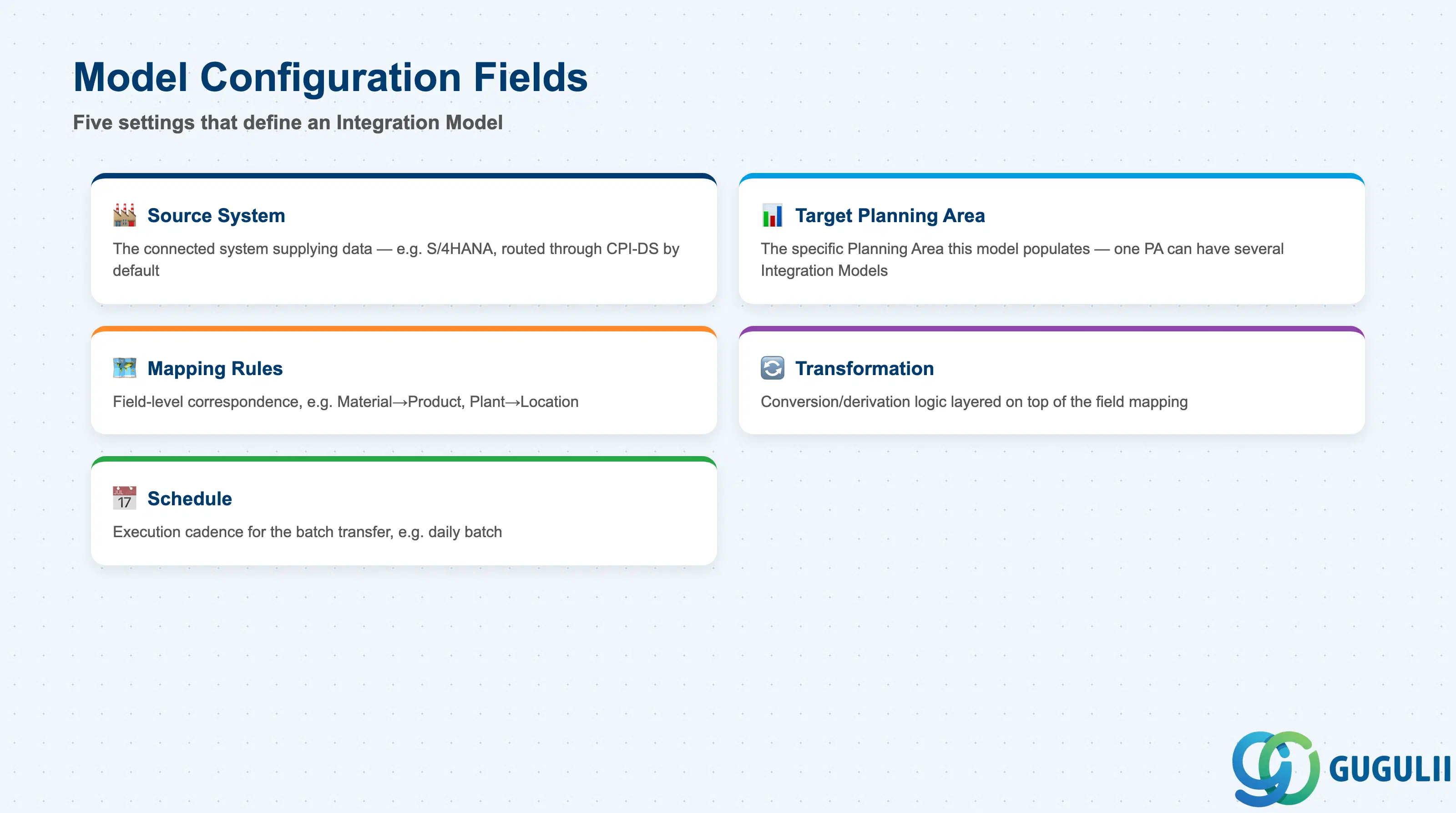
These are the five settings the internal knowledge base’s Integration Model settings table lists — configured inside the Configure Integration Models capability when a new source-system connection is defined.
| Field | Description | Practical Usage |
|---|---|---|
| Source System | The connected system supplying data (e.g. S/4HANA) | Every S/4HANA integration scenario documented in the internal knowledge base routes through CPI-DS as the assumed default middleware — confirm this is still the case for a given landscape before assuming a different transport. |
| Target Planning Area | The specific Planning Area this Integration Model populates | A Planning Area can have multiple Integration Models targeting it (Section 1.3); naming Integration Models after their source (e.g. IM-S4HANA for the S/4HANA batch inbound, IM-EXT for an external file-based load) keeps a multi-model landscape readable. |
| Mapping Rules | Field-level correspondence between source and target, e.g. Material→Product, Plant→Location | Not fully free-form: at the CPI-DS dataflow level, any master-data attribute flagged as Key or Required on the target Master Data Type must be mapped, or the load fails validation (Section 2.2). Field mapping and data validation are also where upstream source-data quality problems (inconsistent hierarchies, duplicated groupings) tend to surface first. |
| Transformation | Data conversion/derivation logic applied during the transfer | Documented as a distinct setting from Mapping Rules in the internal source, but its exact technical scope (unit-of-measure conversion, currency conversion, calculated fields) is not elaborated in any source found during research — treat Mapping Rules as field correspondence and Transformation as conversion/derivation logic layered on top, without asserting specific transformation types beyond what a given project’s design confirms. |
| Schedule | The execution cadence for the batch transfer (e.g. daily batch) | The practical example in the internal source (Schedule: 日次バッチ, daily batch) is consistent with Data Load’s own daily cadence — Integration Model sets the schedule; Data Load is the object that actually runs on it and can be monitored via the Data Integration Monitor app. |
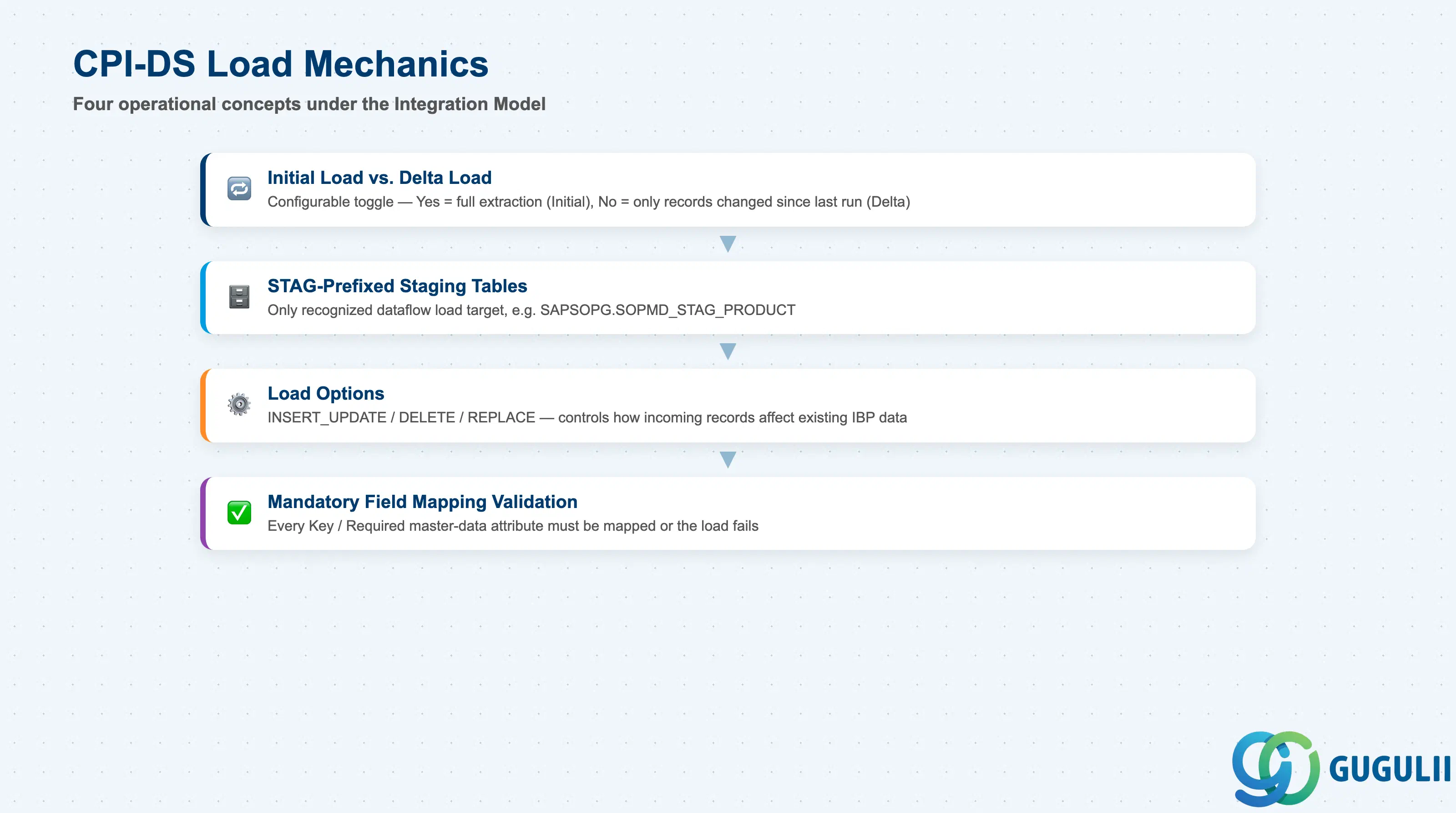
Underneath the five configuration fields in Section 2.1 sits a set of concrete CPI-DS dataflow mechanics a consultant needs to know to configure — and troubleshoot — an Integration Model correctly.
| Field / Concept | Description | Practical Usage |
|---|---|---|
| Initial Load vs. Delta Load | A configurable parameter, not two separate mechanisms: set to “Yes,” the dataflow performs a full extraction (Initial Load); set to “No,” it returns only records changed since the last run (Delta Load) | Run with Initial Load on the first execution against a new Integration Model, then switch to Delta Load for the recurring schedule — leaving Initial Load on indefinitely re-extracts the full source dataset every cycle and defeats the point of a scheduled delta process. |
| STAG-prefixed staging tables | CPI-DS master-data load targets are recognizable by the STAG prefix, e.g. SAPSOPG.SOPMD_STAG_PRODUCT — only these staging tables can be used as a load target | If a load appears to complete without errors but the expected Master Data Type record still doesn’t show up in IBP, verify the dataflow actually targets the correct STAG table for that Master Data Type before escalating as a mapping bug. |
Load Options (INSERT_UPDATE / DELETE / REPLACE) | Controls how incoming records affect existing IBP data — upsert, delete matching records, or destructively replace the target set | REPLACE is the highest-risk option; confirm scope and filter conditions carefully before using it against a Planning Area already holding productive data, since a mis-scoped Replace can silently remove records outside the intended source-record set. |
| Mandatory Field Mapping Validation | Master-data attributes flagged Key and/or Required at the Master Data Type definition must always be mapped in the dataflow | A load failing data-quality validation is a common, documented reason for needing a manual re-run (per the internal source’s Data Integration Monitor examples) — check for an unmapped Key/Required attribute before assuming the source data itself is at fault. |
Prerequisite: An Integration Model cannot be validated or run successfully until every Key and Required attribute of its Target Planning Area’s relevant Master Data Types has a Mapping Rule assigned — confirm this before scheduling a new model’s first execution.
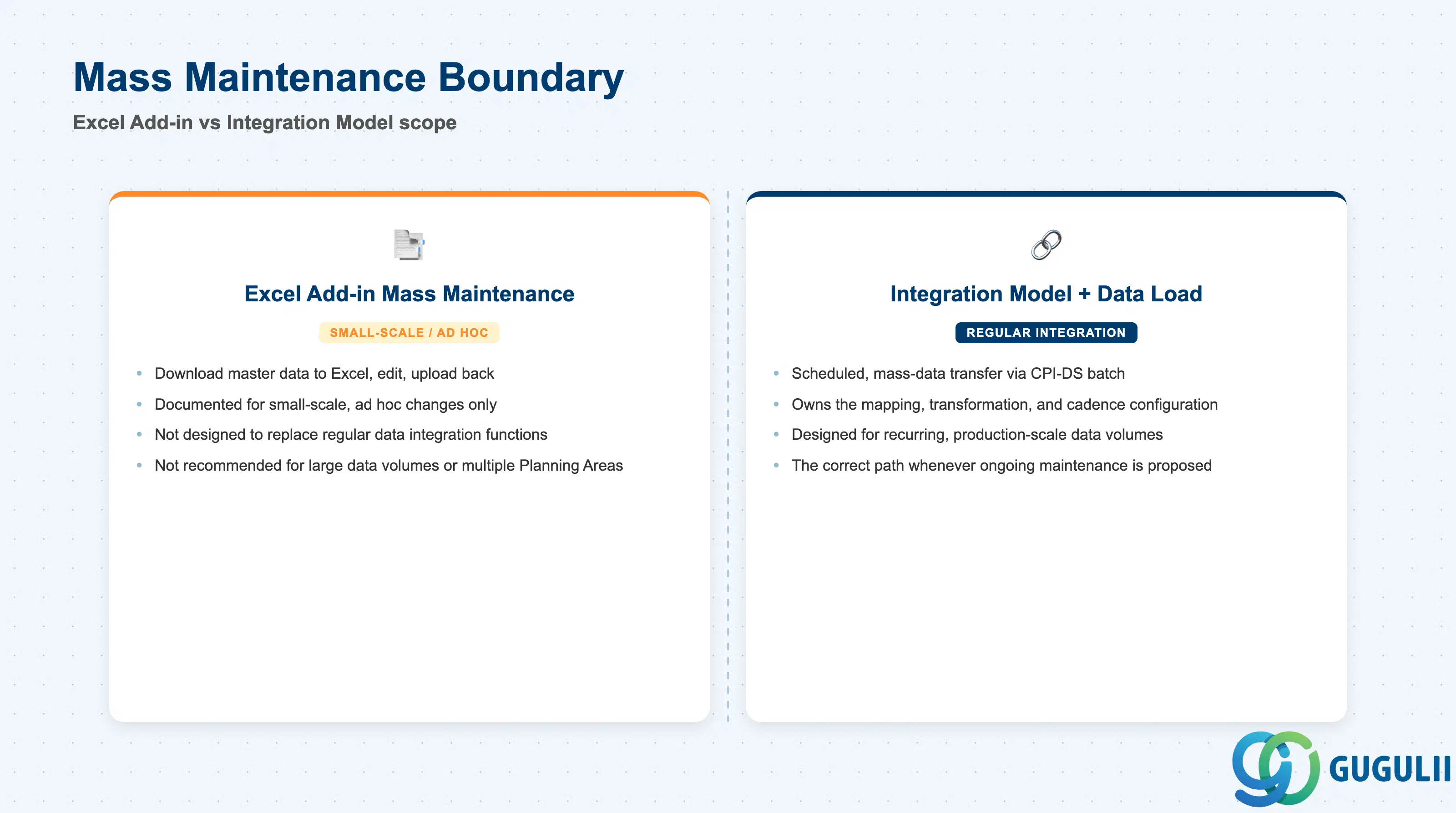
The SAP IBP add-in for Microsoft Excel includes a mass maintenance function that looks, at first glance, like it could replace a properly configured Integration Model for smaller projects. SAP’s own documentation draws a firm boundary around this assumption.
| Field / Concept | Description | Practical Usage |
|---|---|---|
| Excel Add-in mass maintenance | Lets users download master data records to an Excel worksheet for viewing and editing, then upload changes back | Convenient for a planner or configurator making a handful of ad hoc corrections without opening the Manage Master Data app screen by screen. |
| Documented scope: small-scale, ad hoc only | SAP explicitly documents this function as intended for small-scale, ad hoc changes | Do not scope a project’s ongoing master-data maintenance process around this function — it is a convenience tool, not a designed bulk-load path. |
| Not a substitute for regular integration | SAP states this function is not designed to replace regular data integration functions | Whenever a stakeholder proposes “just maintaining products in Excel” as the long-term integration approach, point to this explicit SAP guidance — CPI-DS/RTI-driven Integration Model and Data Load own the mass-integration role, not the Excel Add-in. |
| Performance caveat | Not recommended for systems with large data volumes or multiple planning areas, due to response-time and performance concerns | Treat repeated mass-maintenance use against a large or multi-Planning-Area model as a signal that a proper Integration Model / Data Load path is missing or under-scoped, not as a sustainable operating pattern. |
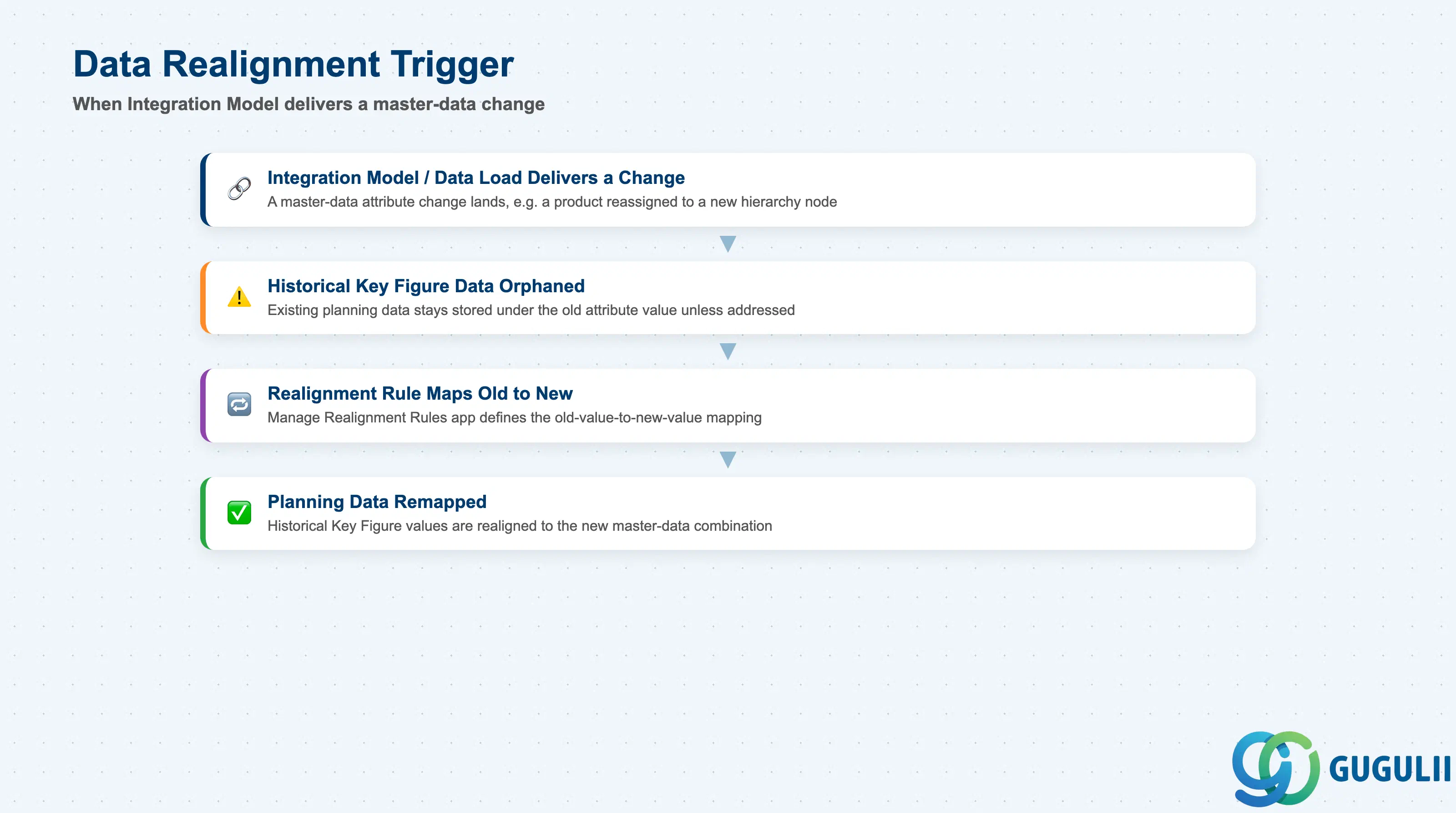
An Integration Model / Data Load bringing in a master-data change — a product reassigned to a new hierarchy node, a location’s region attribute updated upstream in S/4HANA — does not, by itself, retroactively realign historical planning data already stored under the old attribute value. This section frames the specific trigger from the Integration Model side; full realignment mechanics (the Manage Realignment Rules app, processing order, cleanup) are covered in IBP-A03-03 Section 2.3 and are not duplicated here.
| Field / Concept | Description | Practical Usage |
|---|---|---|
| Realignment trigger from Integration Model / Data Load | A master-data attribute change delivered through a scheduled Integration Model run is a data-level event, not a Planning Area structural change — it does not require Planning Area reactivation, but it can leave historical Key Figure values orphaned under the old attribute value if left unaddressed | Build “check whether this incoming master-data change requires a realignment run” into the standard post-load review whenever an Integration Model delivers a hierarchy or attribute change, not only when a planner happens to notice missing history. |
| Source and target must already exist | Both the source and target master-data entities generally must already exist in SAP IBP before a realignment run referencing them can execute | Sequence the Integration Model’s Initial/Delta load of the new master-data record before triggering the corresponding realignment rule, not after. |
| Target must differ from source | A realignment mapping a value to itself is not meaningful and is not permitted | Validate the mapping isn’t a no-op before running a realignment tied to an Integration Model delivering a corrected (rather than genuinely changed) attribute value. |
| Full mechanics: see IBP-A03-03 | Processing order (master data first, then Key Figure values) and superseded-data cleanup are covered at the Planning Area level | This article’s scope stops at recognizing when an Integration-Model-driven change requires realignment; see IBP-A03-03 Section 2.3 for how to actually run and clean up the realignment itself. |
| ID | Category | Title |
|---|---|---|
| ibp-001 | Overview | What is SAP IBP? |
| ID | Category | Title |
|---|---|---|
| ibp-a01 | Overview | SAP IBP Master Data: Overview, Hierarchy & Relationships |
| ibp-a02-01 | Master Data | SAP IBP Master Data Types |
| ibp-a02-02 | Master Data | SAP IBP Attribute |
| ibp-a02-03 | Master Data | SAP IBP Time Profile |
| ibp-a02-05 | Master Data | SAP IBP Location Master |
| ibp-a03-01 | Master Data | SAP IBP Key Figure |
| ibp-a03-02 | Master Data | SAP IBP Planning Level |
| ibp-a03-03 | Master Data | SAP IBP Planning Area |
| ibp-a03-04 | Master Data | SAP IBP Planning Version |
| ibp-a03-05 | Master Data | SAP IBP Planning View |
| ibp-a04-01 | Master Data | SAP IBP Integration Model 📍 |
| ibp-a05-01 | Master Data | SAP IBP Planning Operator |
| ID | Category | Title |
|---|---|---|
| ibp-b01 | Overview | SAP IBP Transactions: Process Flow, Hierarchy & Relationships |