Title here
Summary here

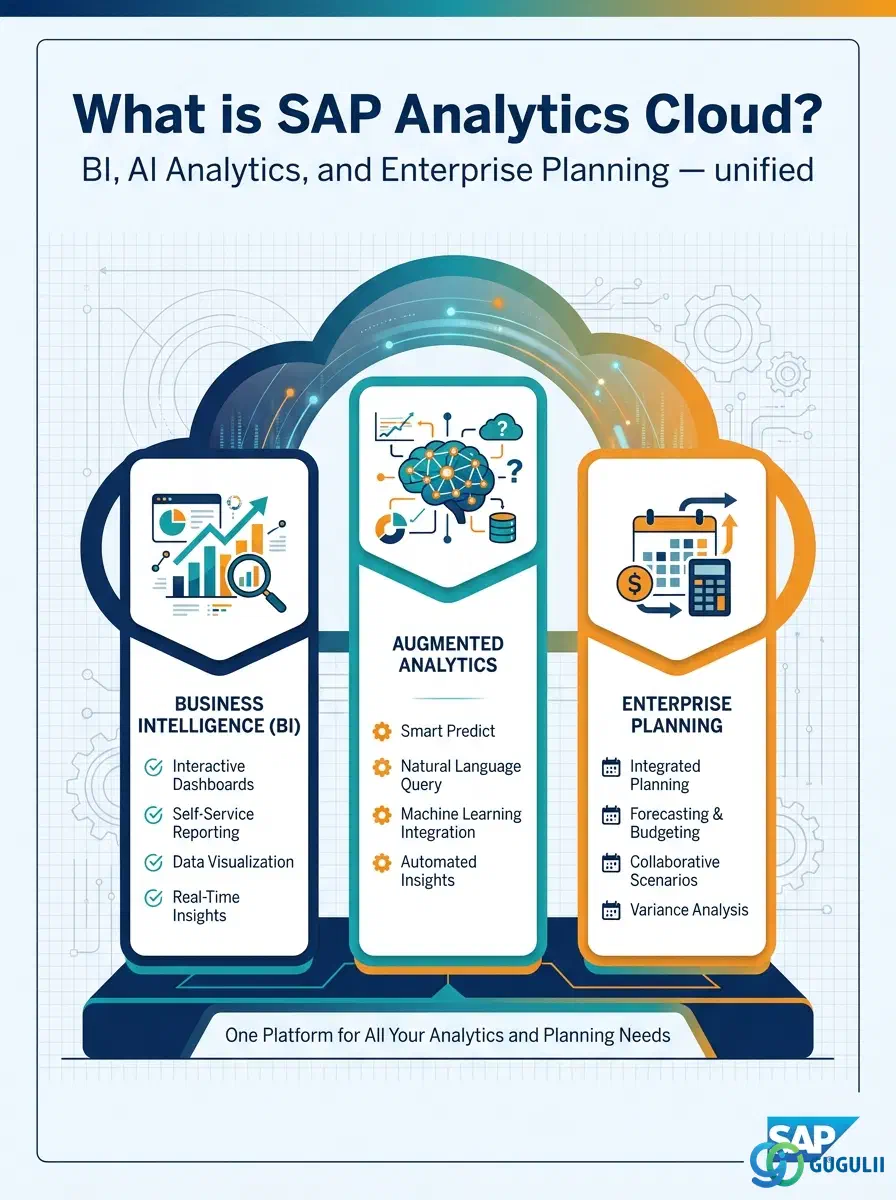
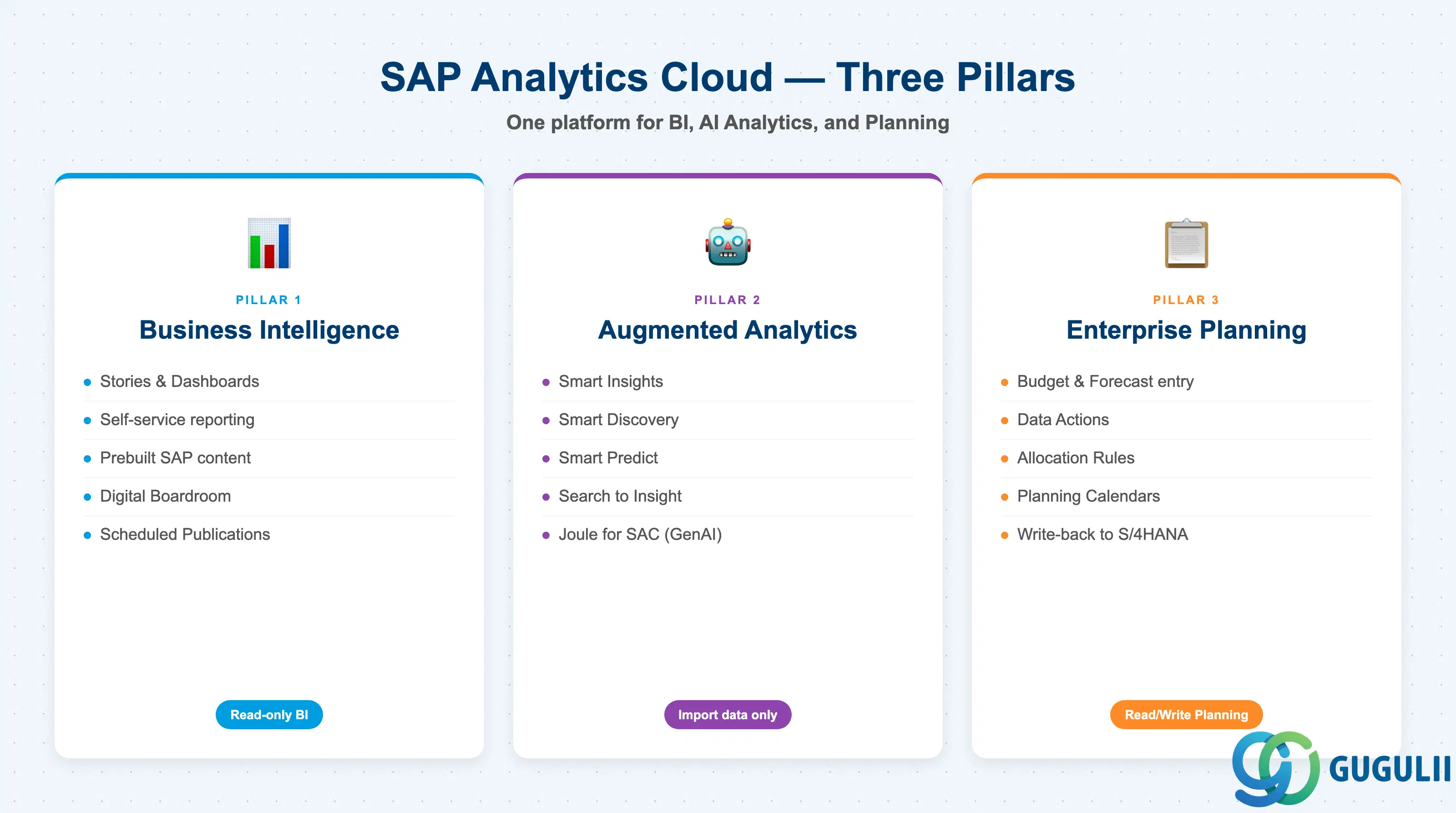
SAP Analytics Cloud is SAP’s cloud-native analytics platform, built on SAP Business Technology Platform (BTP). It consolidates three historically separate product categories — business intelligence, AI-augmented analytics, and enterprise planning — into a single tenant and a single data model layer. Every user, from a finance planner to a supply chain analyst, works in the same environment.
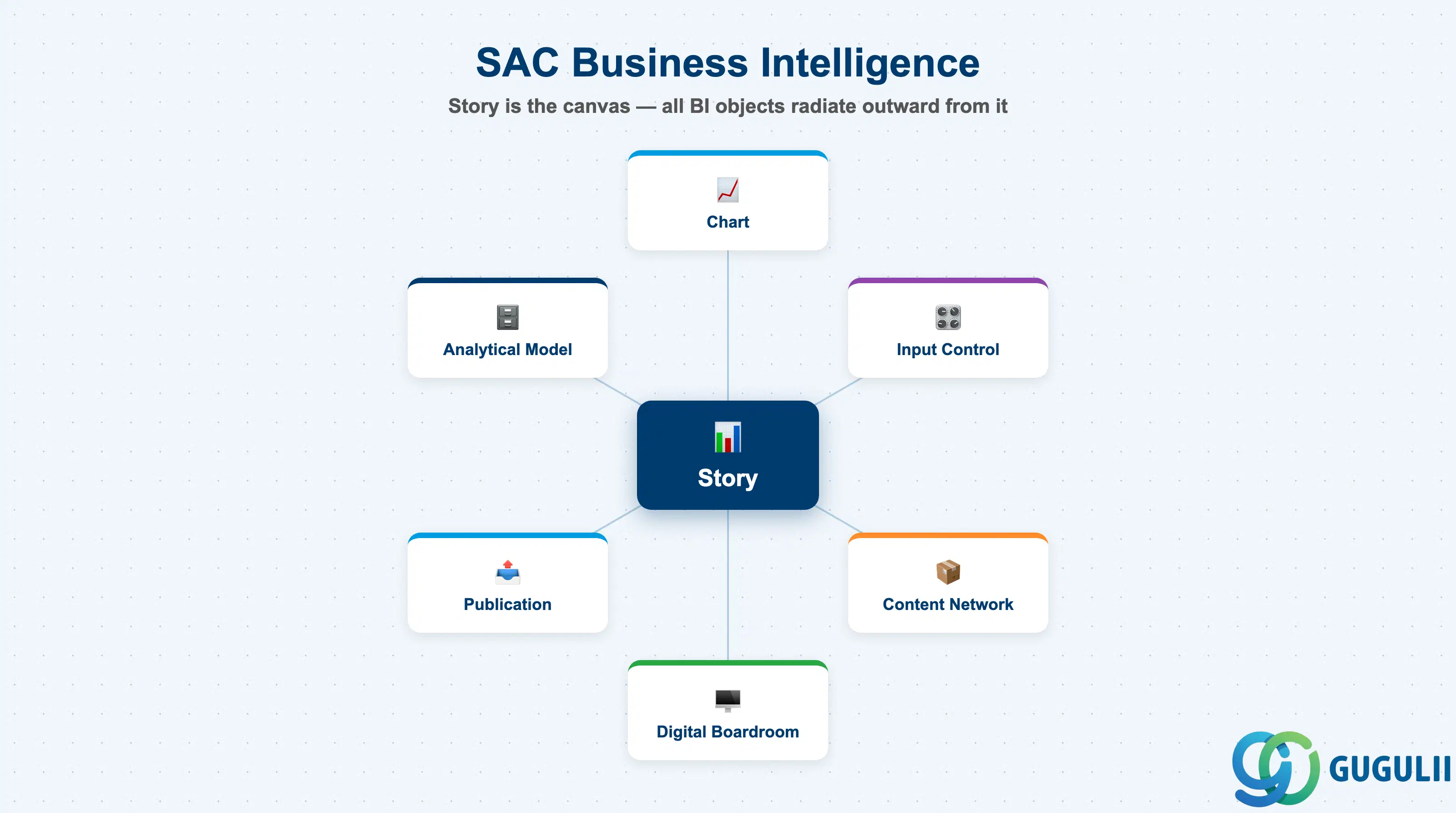
SAC’s BI capability delivers self-service reporting and data visualization through Stories — canvas-based dashboards that combine charts, tables, input controls, and free-form text. Stories can run against live data from SAP source systems or against data imported into SAC models.
| Key Object | Description |
|---|---|
| Story | The primary BI deliverable: a multi-page canvas combining charts, tables, and filters |
| Model (Analytical) | Read-only data structure backing a Story; requires an Account dimension |
| Chart | Visual element within a Story (bar, line, waterfall, geo map, etc.) |
| Input Control | Filter widget that lets report consumers slice data interactively |
| Publication | Scheduled distribution of Stories via email or Digital Boardroom |
| Digital Boardroom | Presentation layer for executive meetings with live data |
SAC ships prebuilt content packages for SAP source systems (S/4HANA, SuccessFactors, IBP), reducing the time to first report. Prebuilt packages are available via the SAP Content Network and are imported directly into the tenant.
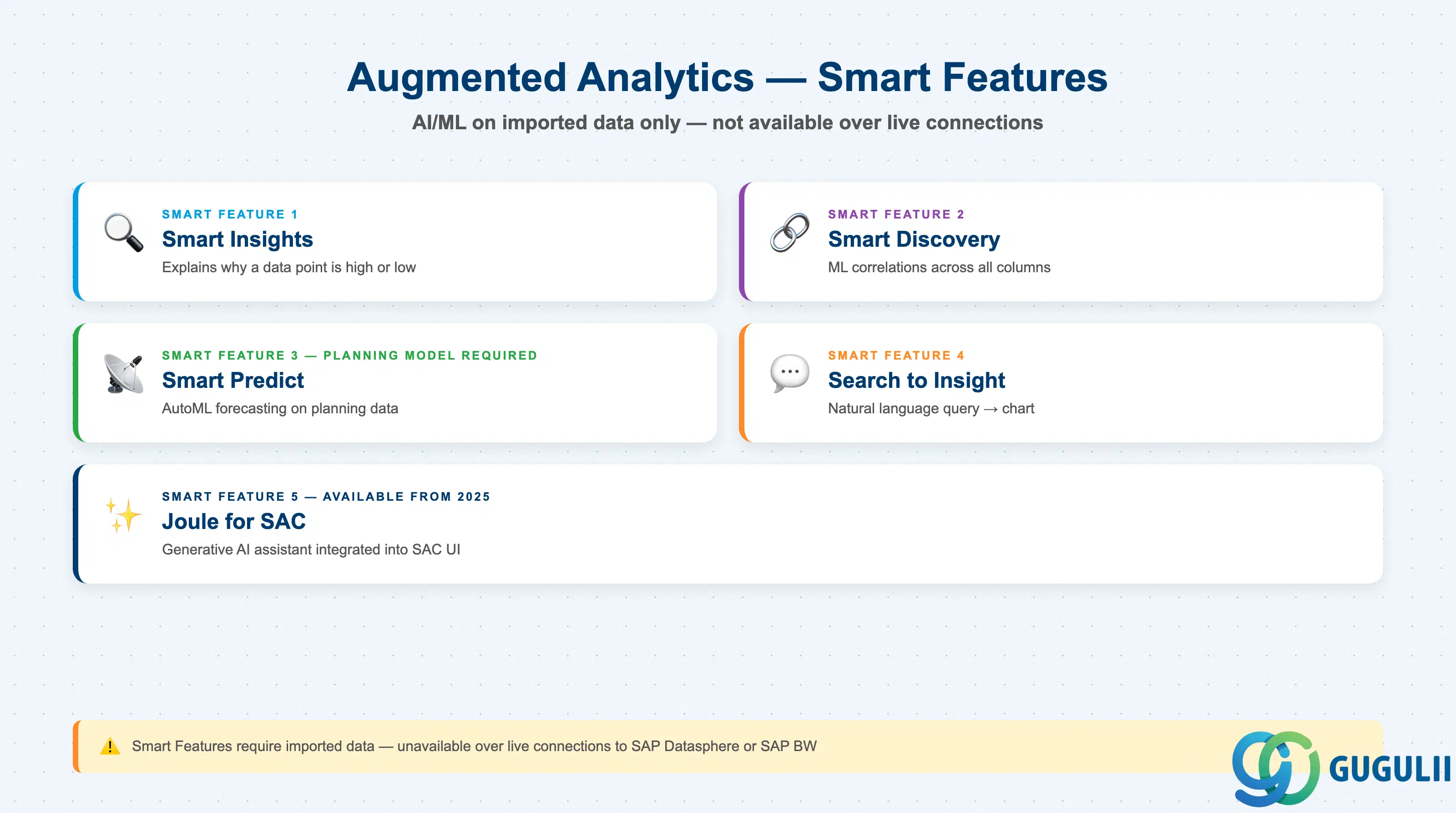
Augmented Analytics (also called Smart Features) applies machine learning and AI to surface insights that analysts might otherwise miss. All Smart Features operate on data stored inside SAC — they are unavailable over live connections to SAP Datasphere and SAP BW.
| Feature | What it does |
|---|---|
| Smart Insights | Statistical analysis that automatically explains why a data point is high or low |
| Smart Discovery | ML-based correlation analysis — identifies relationships and influencers across all columns |
| Smart Predict | Trains predictive models on planning model data using SAP AutoML; generates forecasts |
| Search to Insight | Natural language query interface — type a question in plain English to get a chart |
| Joule for SAC | Generative AI assistant integrated into the SAC UI (available from 2025 onwards) |
Smart Predict is the only Augmented Analytics feature that requires a Planning Model as its data source. The others work with Analytical Models.
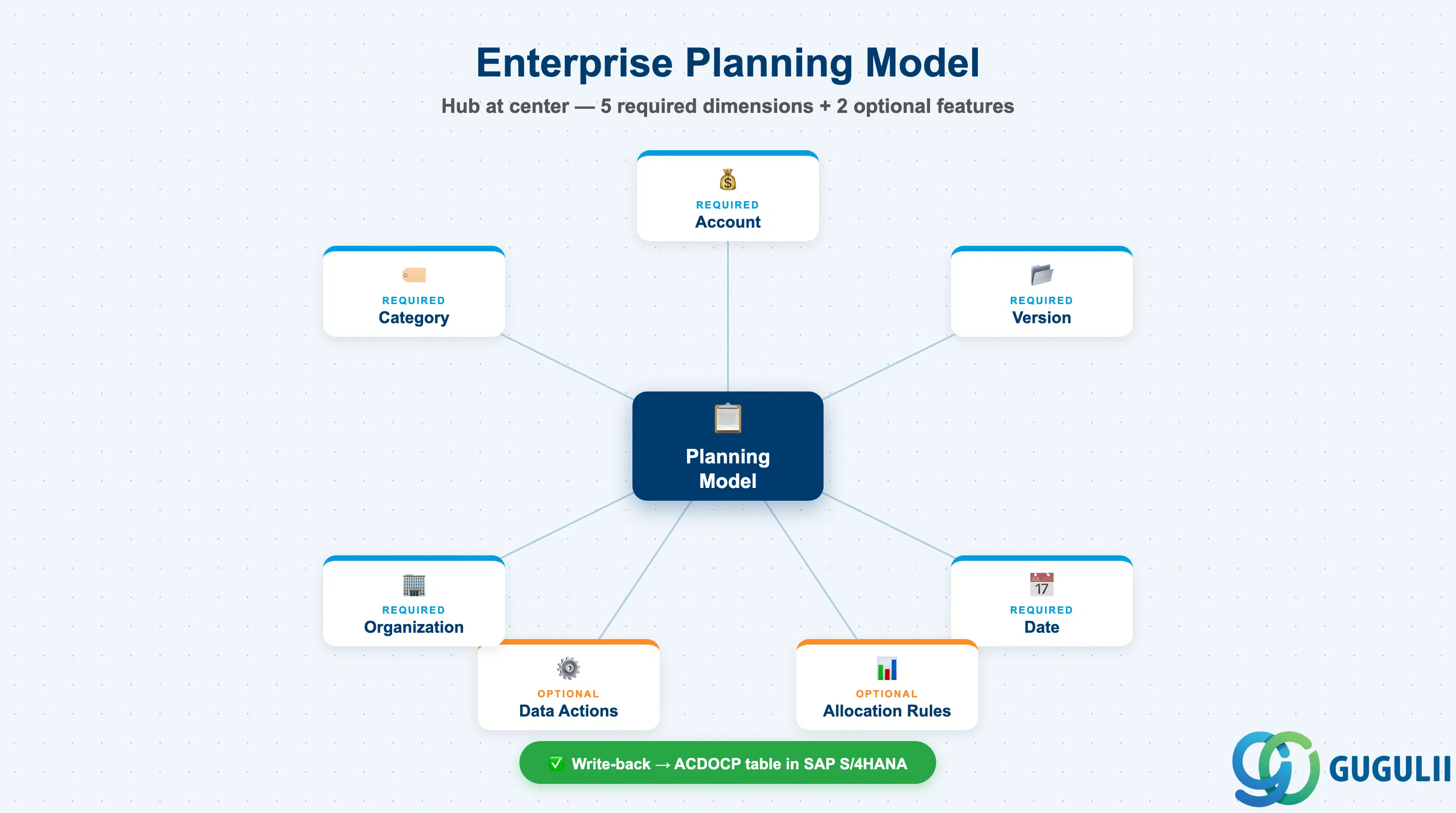
SAC Planning enables organizations to replace spreadsheet-based budgeting with a governed, collaborative, cloud-native planning process. Planning models support multi-version data entry, data actions (automated calculations), allocation rules, and write-back to SAP S/4HANA and BW/4HANA.
| Key Object | Description |
|---|---|
| Planning Model | Read/write data model with required dimensions: Account, Version, Date, Category, Org |
| Version | Tracks variants of plan data (Actual, Budget, Forecast, etc.) within one model |
| Data Action | Automated calculation script (copy, distribute, allocate, formula, advanced) |
| Allocation Rule | Distributes values across dimension members using a defined driver |
| Planning Calendar | Workflow tool for coordinating multi-user planning rounds with tasks and deadlines |
| xP&A | Extended Planning & Analysis: integrates financial planning (SAC) with operational planning (IBP, S/4HANA) |
Write-back from SAC Planning to SAP S/4HANA uses the ACDOCP table. Actuals are read from ACDOCA. This two-table architecture is the foundation of the Integrated Financial Planning (IFP) package.
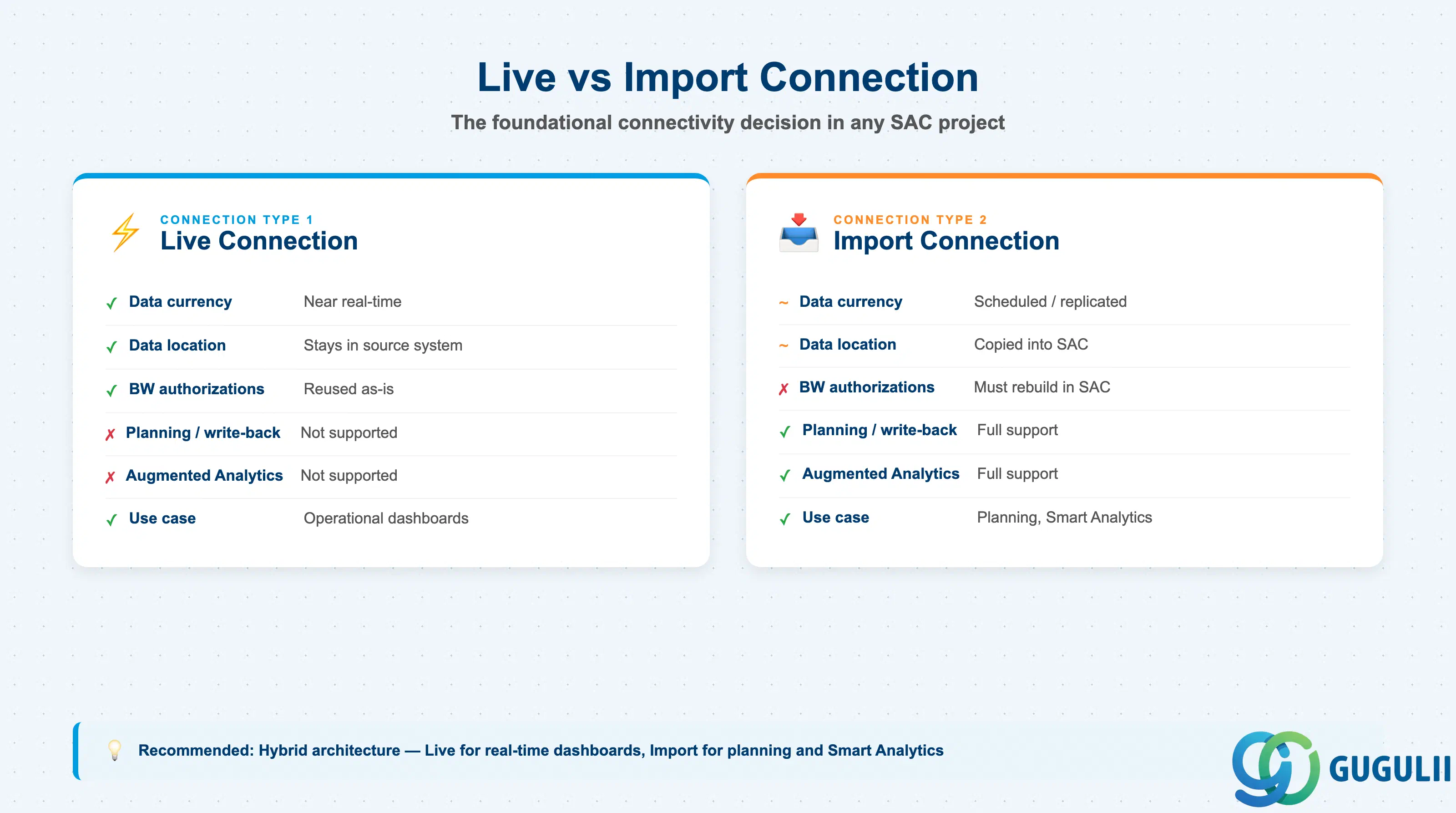
SAC connects to source systems via two fundamental connection types. Choosing between them is one of the most consequential early decisions in any SAC implementation.
| Criterion | Live Connection | Import Connection |
|---|---|---|
| Data currency | Near real-time | Scheduled / replicated |
| Data location | Stays in source system | Copied into SAC |
| Data governance | Superior — no cloud transfer | Data stored in SAC tenant |
| Planning / write-back | Not supported (except BPC Embedded for BW) | Full support |
| Augmented Analytics | Not supported | Full support |
| BW authorizations | Reused as-is | Must be rebuilt in SAC row-level security |
| Infrastructure | CORS (none) or Cloud Connector | Cloud Connector ± SAC Agent |
Recommended pattern: Hybrid architecture — live connection for real-time operational dashboards (S/4HANA CDS views, BW/4HANA cubes); import connection for planning models, Smart Analytics, and cross-source data blending.
SAC connects to the following SAP source systems:
| Source System | Live Connection | Import Connection | Notes |
|---|---|---|---|
| SAP S/4HANA | Yes — CONSUMPTION CDS views (@analytics.query:true) | Yes — OData (@Odata.publish:true) + Gateway activation | S/4HANA Cloud: SAC embedded natively in Fiori |
| SAP BW/4HANA | Yes — reporting only | Yes — full feature set | BPC Embedded exception for live write-back |
| SAP IBP | Yes — since IBP 2405 (May 2024) | Yes — older approach | xP&A: SAC (finance) + IBP (supply chain) |
| SAP SuccessFactors | Yes — People Analytics Stories | Yes — WFA Connector | Q4 2024: live connection copyable to SAC Enterprise |
| SAP Datasphere | Yes — reporting only (no planning, no Smart Features) | Yes | BDC foundation: Datasphere + SAC together |
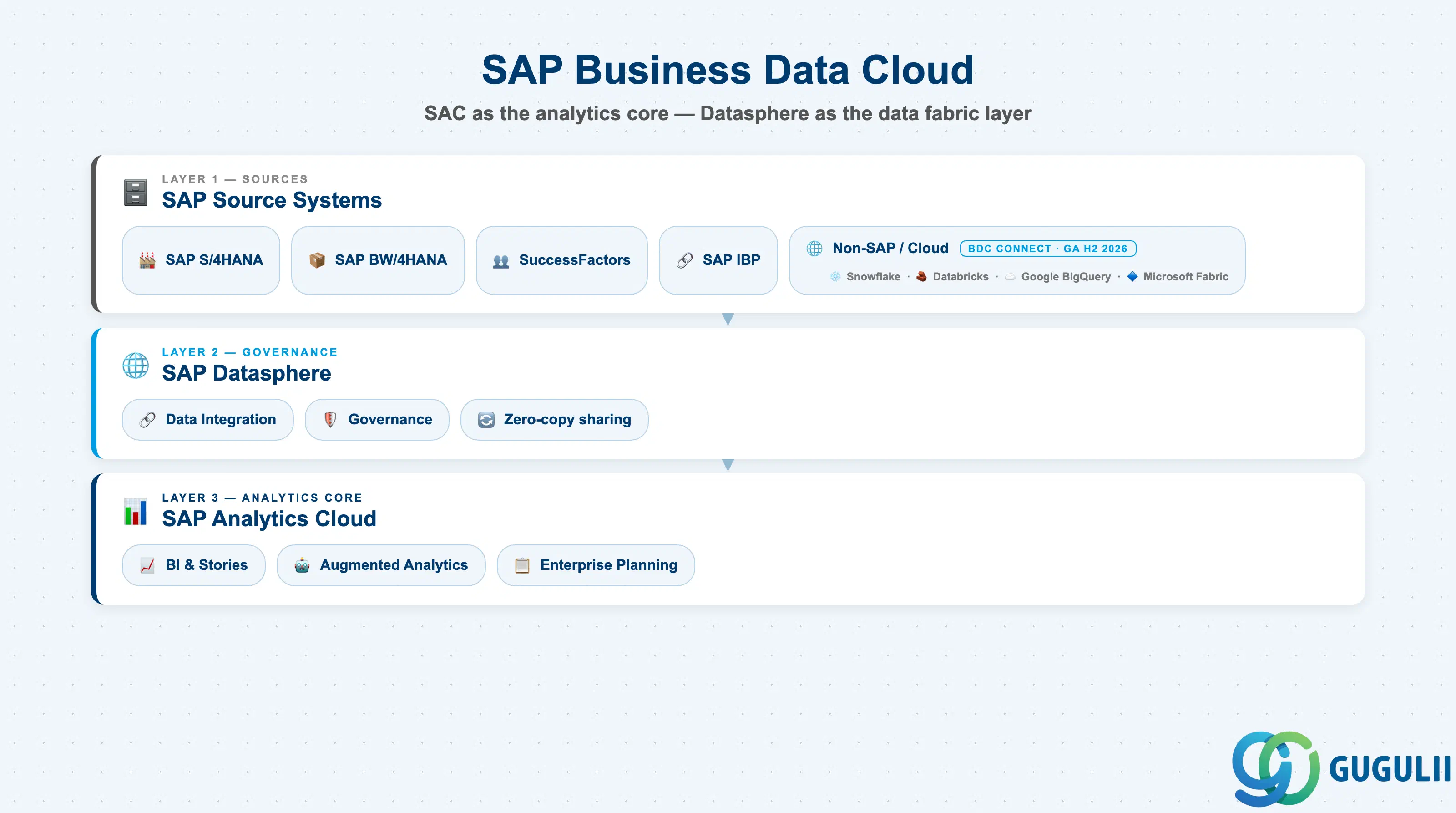
SAP Business Data Cloud (BDC), announced in 2025–2026, is SAP’s next-generation business data fabric that places SAC at its analytics core. BDC combines SAP Datasphere (data integration and governance layer) with SAC (analytics and planning layer) and extends outward to third-party platforms via BDC Connect — enabling zero-copy data sharing with Snowflake, Databricks, Google BigQuery, and Microsoft Fabric (GA planned H2 2026). SAC is the recommended platform for all new planning and analytics projects, including migrations from SAP BusinessObjects.
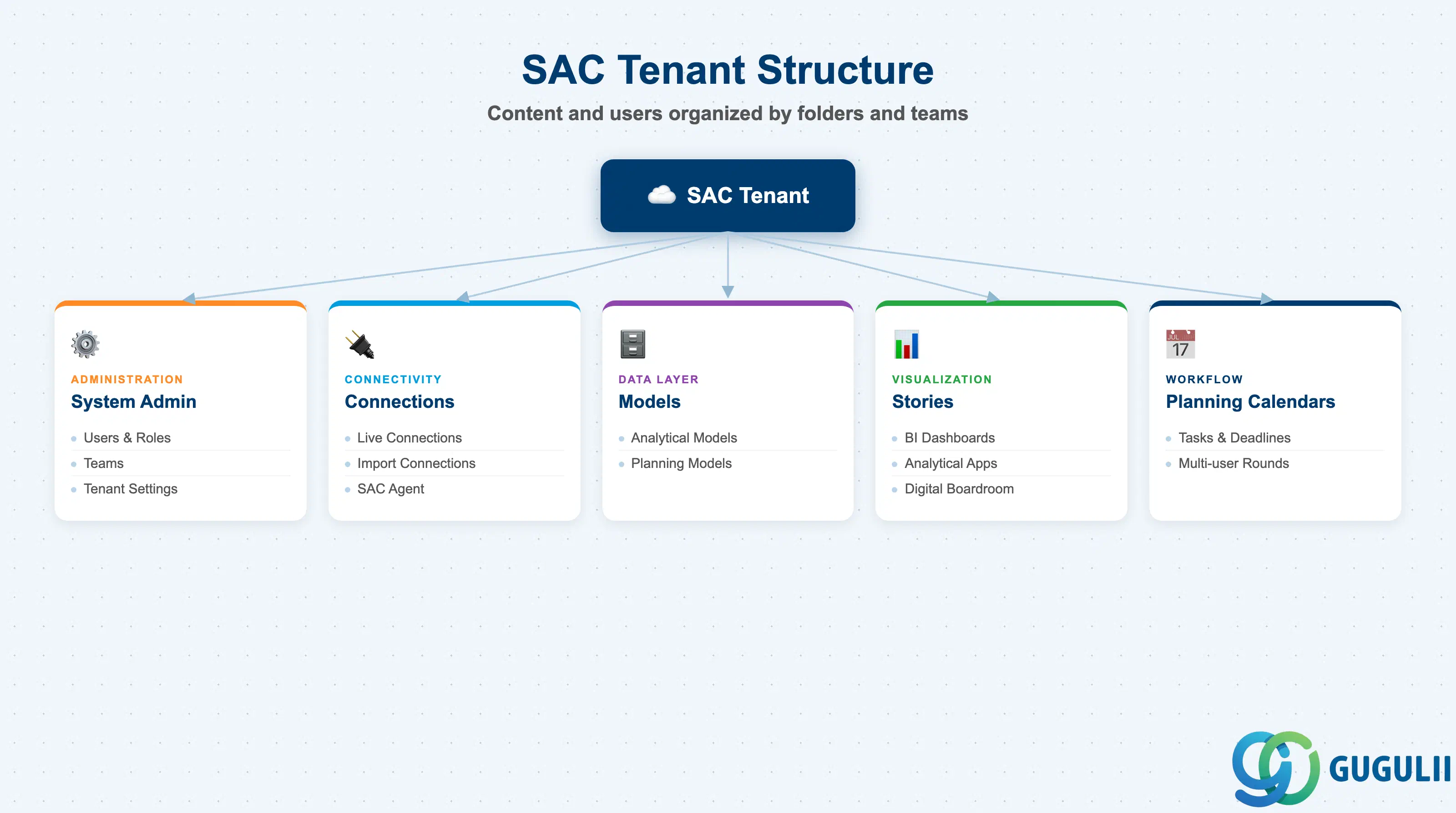
SAC is a multi-tenant SaaS application. The tenant is the top-level organizational unit. Within a single tenant, content, users, and connections are partitioned using a folder and team structure rather than an SAP organizational hierarchy.
SAC Tenant
├── System Administration
│   ├── Users & Roles
│   ├── Teams
│   └── Tenant Settings (theme, locale, data privacy)
├── Connections (Live & Import)
│   ├── SAP S/4HANA (Live / Import)
│   ├── SAP BW/4HANA (Live / Import)
│   └── Other source systems
├── Models
│   ├── Analytical Models (read-only)
│   └── Planning Models (read/write)
├── Stories (BI dashboards)
├── Analytical Applications (developer-built apps)
└── Planning Calendars (workflow)
Organizational dimensions in Planning Models map directly to the enterprise hierarchy. At minimum, one Organizational dimension is required (typically Company Code or Business Unit). Additional dimensions such as Cost Center, Profit Center, and Plant are added to match the planning granularity defined in requirements.
| Dimension Type | Required in Analytical Model | Required in Planning Model |
|---|---|---|
| Account | Yes | Yes |
| Version | No | Yes (auto-created) |
| Date (Time) | No | Yes (auto-created) |
| Category | No | Yes (auto-created) |
| Organization | No | Yes (at least one) |
| Generic (e.g., Cost Center, Customer) | Optional | Optional |
Key design decision: Planning model dimensions cannot be changed after data is loaded. Define the full dimension set — and the granularity of each dimension — during the blueprint phase, before model creation.
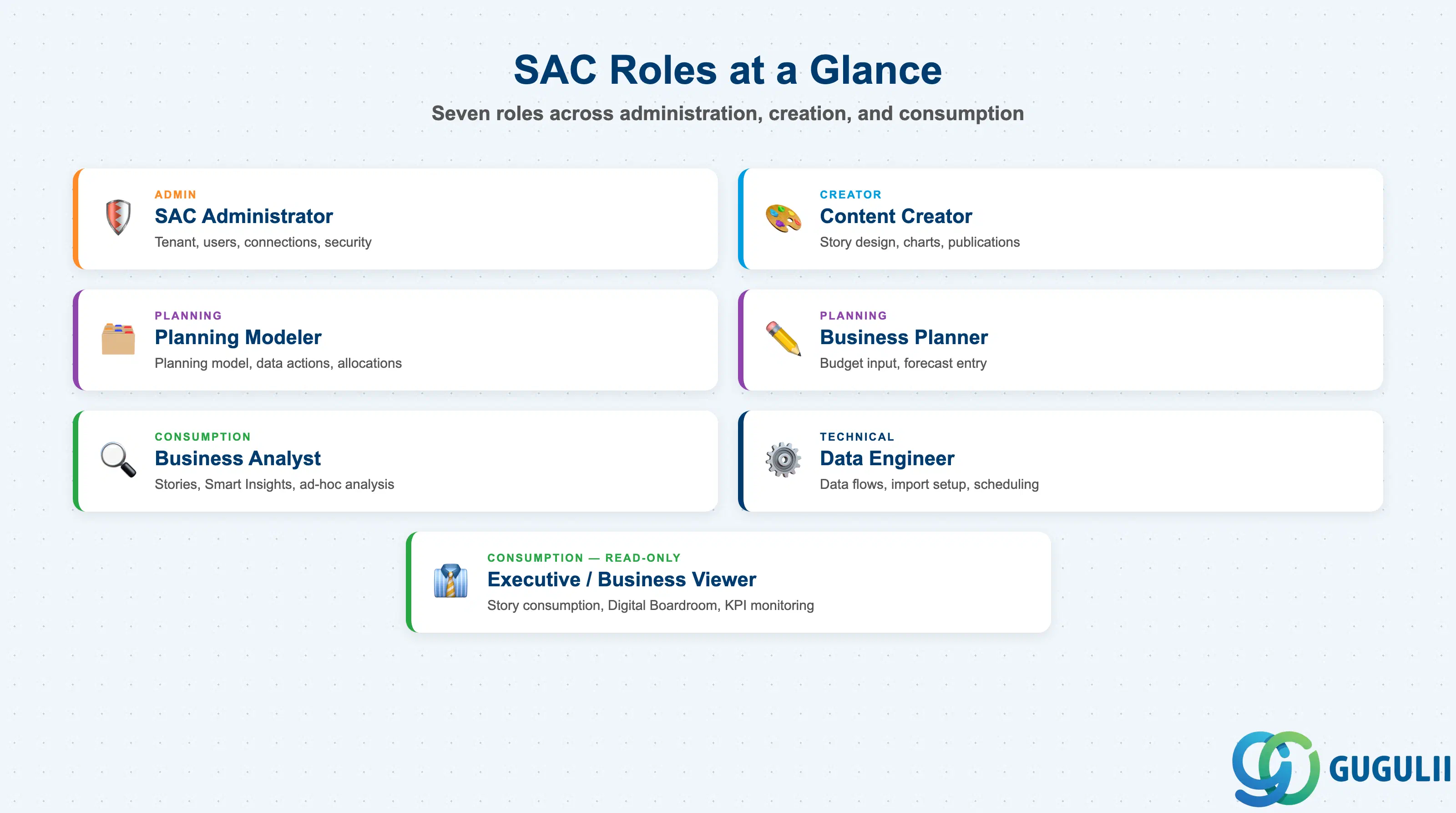
| Role | Primary Activities |
|---|---|
| SAC Administrator | Tenant settings, user/license management, connection setup, content network imports, security model ownership |
| Content Creator (BI Developer) | Story design, model creation (Analytical), chart layout, input control configuration, story publication and scheduling |
| Planning Modeler | Planning model design, dimension setup, data action creation, allocation rule definition, version management, planning calendar setup |
| Business Planner | Budget input, forecast entry, version comparison, data submission via planning calendar tasks |
| Business Analyst | Story consumption, ad-hoc analysis, Smart Insights / Smart Discovery, Search to Insight queries |
| Data Engineer | Data flow design, import connection setup, scheduling, transformation logic, data quality checks |
| Executive / Business Viewer | Read-only Story consumption, Digital Boardroom presentations, KPI monitoring |
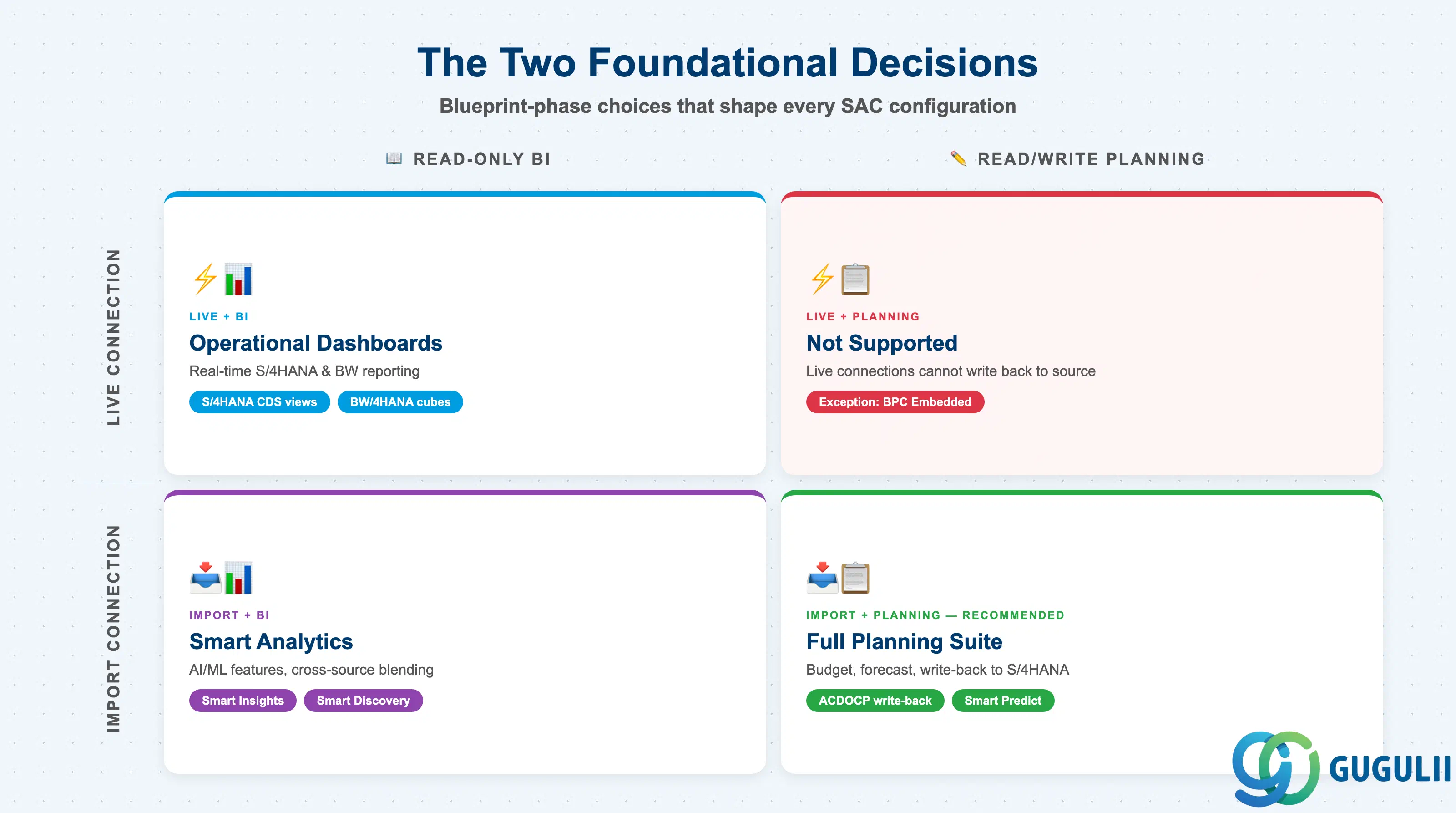
SAP Analytics Cloud occupies a unique position in the SAP ecosystem: it is the single platform that spans business intelligence, AI-powered augmented analytics, and enterprise planning. For consultants, the two most important architectural questions at project start are (1) which connection type — live or import — best balances real-time data access against feature completeness, and (2) whether the use case calls for an Analytical Model (read-only BI) or a Planning Model (read/write planning). Getting these two decisions right during the blueprint phase shapes every subsequent configuration choice.
SAC is also SAP’s strategic go-forward analytics platform. As part of SAP Business Data Cloud, it serves as the analytics and planning layer for the next generation of the SAP data ecosystem — making foundational SAC knowledge an increasingly essential skill for SAP practitioners across all domains.
The next article in this series examines SAC business processes and integration patterns in detail.
| ID | Category | Title |
|---|---|---|
| sac-001 | Overview | What is SAP Analytics Cloud? 📍 |