Title here
Summary here

The Organizational Unit is SAP Service Cloud’s master record for a node in the internal reporting hierarchy of the service organization operating the tenant — a department, section, or regional office that every Employee is assigned to. It has no prerequisite of its own and sits at the very top of the Employee & Org phase: Employee, Team, and (indirectly) Case Routing Rule all depend on an Organizational Unit already existing. This article maps its hierarchy model, its relationship to the other Employee & Org masters, and every field administrators configure when building out the org structure.
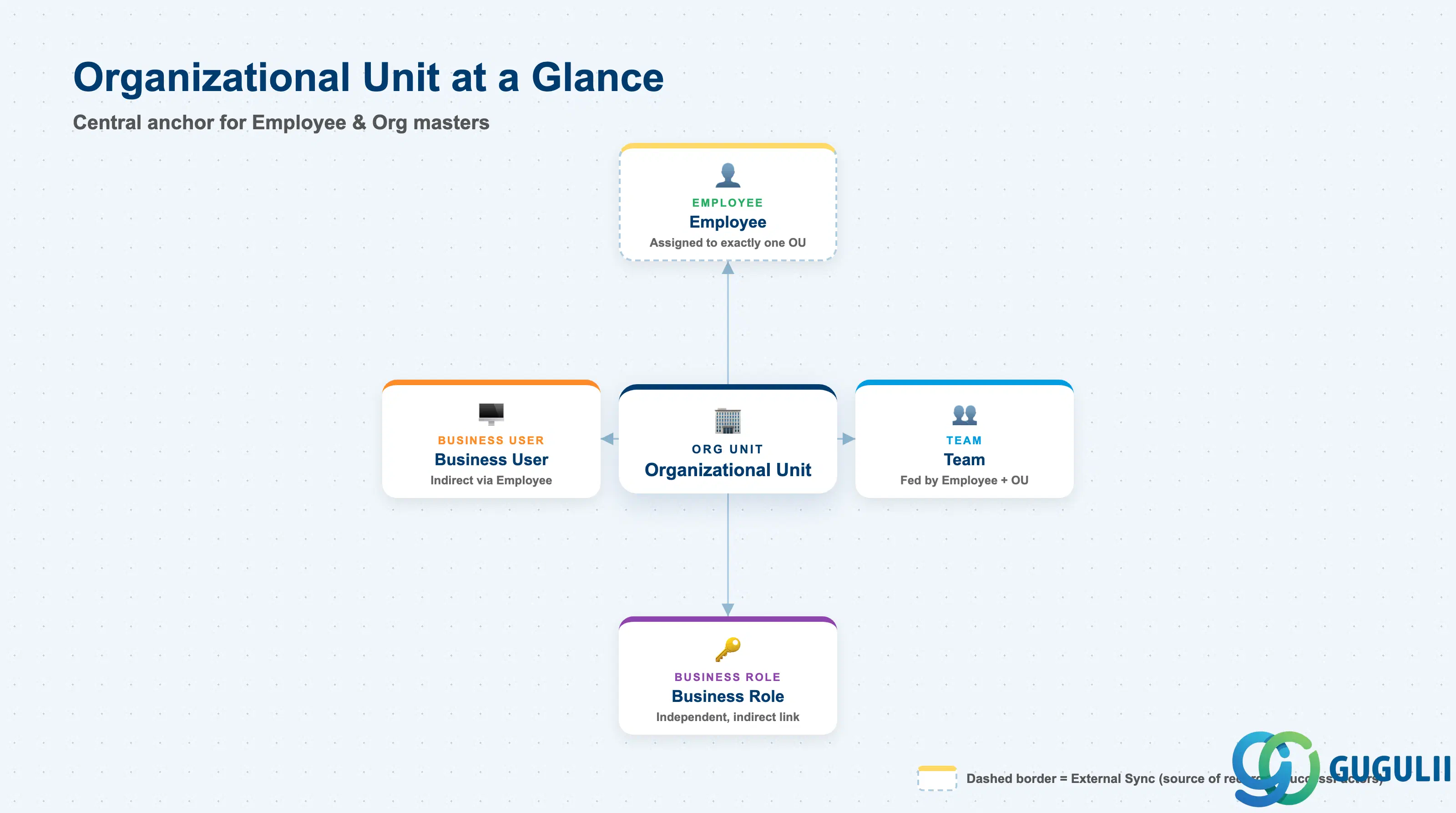
The Organizational Unit represents a node in the service organization’s internal reporting structure — not a customer, not a piece of equipment, but the internal department or section that Employees belong to. It exists so that every other Employee & Org master (Employee, Team, and indirectly Case Routing Rule) has a consistent, hierarchical home to attach to, rather than each Employee floating unattached in the tenant.
| Aspect | Details |
|---|---|
| Role | Tenant-level organizational hierarchy node; every Employee is assigned to exactly one Organizational Unit |
| Modules using it | SAP Service Cloud (Employee & Org — primary and sole owner); referenced indirectly by Team (SC-A02-05) and Case Routing Rule (SC-A07-01) through the Employees assigned to it |
| Transactions | SAP Service Cloud Admin Console: Settings > Org Structures |
| Key Tables | SAP Service Cloud: OrganizationalUnit business object (Admin/Core API OData entity) — SAP Service Cloud is a multi-tenant SaaS solution and does not expose classical ABAP tables to consultants |
| S/4HANA note | Organizational Unit is created and maintained natively inside the Service Cloud tenant; it is not replicated from S/4HANA or SuccessFactors. This differs from Employee (SC-A02-02), which is commonly synchronized from SuccessFactors Employee Central — Organizational Unit is the one Phase 1 master with no external system of record. |
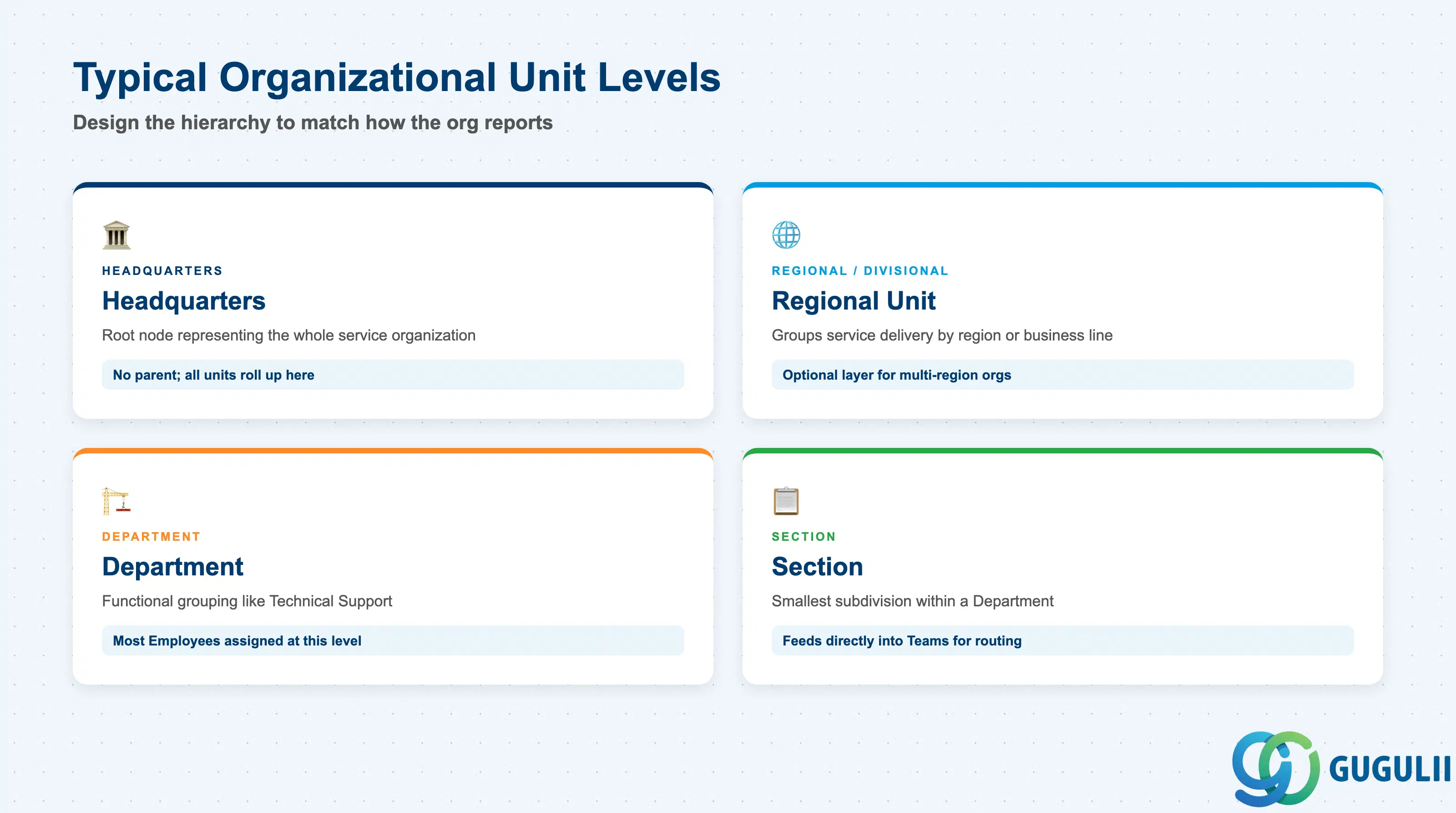
Service Cloud does not deliver a fixed set of Organizational Unit types — administrators design the hierarchy to mirror how the service organization actually reports and routes work. Getting the depth and grouping wrong either buries case routing under unnecessary layers, or collapses genuinely distinct teams into one unit that can no longer be reported on separately.
| Org Unit Level | Typical Role | Use Case | Key Behavior |
|---|---|---|---|
| Headquarters (top-level) | Root node of the tenant’s org hierarchy | Single top-level unit representing the whole service organization | Has no parent; every other Organizational Unit ultimately rolls up here for org-wide reporting |
| Regional / Divisional Unit | Groups service delivery by region, business line, or brand | Multi-region or multi-brand service organizations | Optional layer — single-site organizations often go straight from Headquarters to Department |
| Department | Functional grouping such as Technical Support or Field Coordination | The level most Employees are directly assigned to | Typically the level referenced in org-based reporting and default routing scope |
| Section | Smallest reporting subdivision within a Department | Splits a large department into shift-, product-, or skill-based sub-groups | Employees assigned here feed directly into one or more Teams (SC-A02-05) for case assignment |
Design principle: Model only the hierarchy depth the organization actually reports against — extra levels that nobody uses for reporting or routing add maintenance overhead without operational benefit.
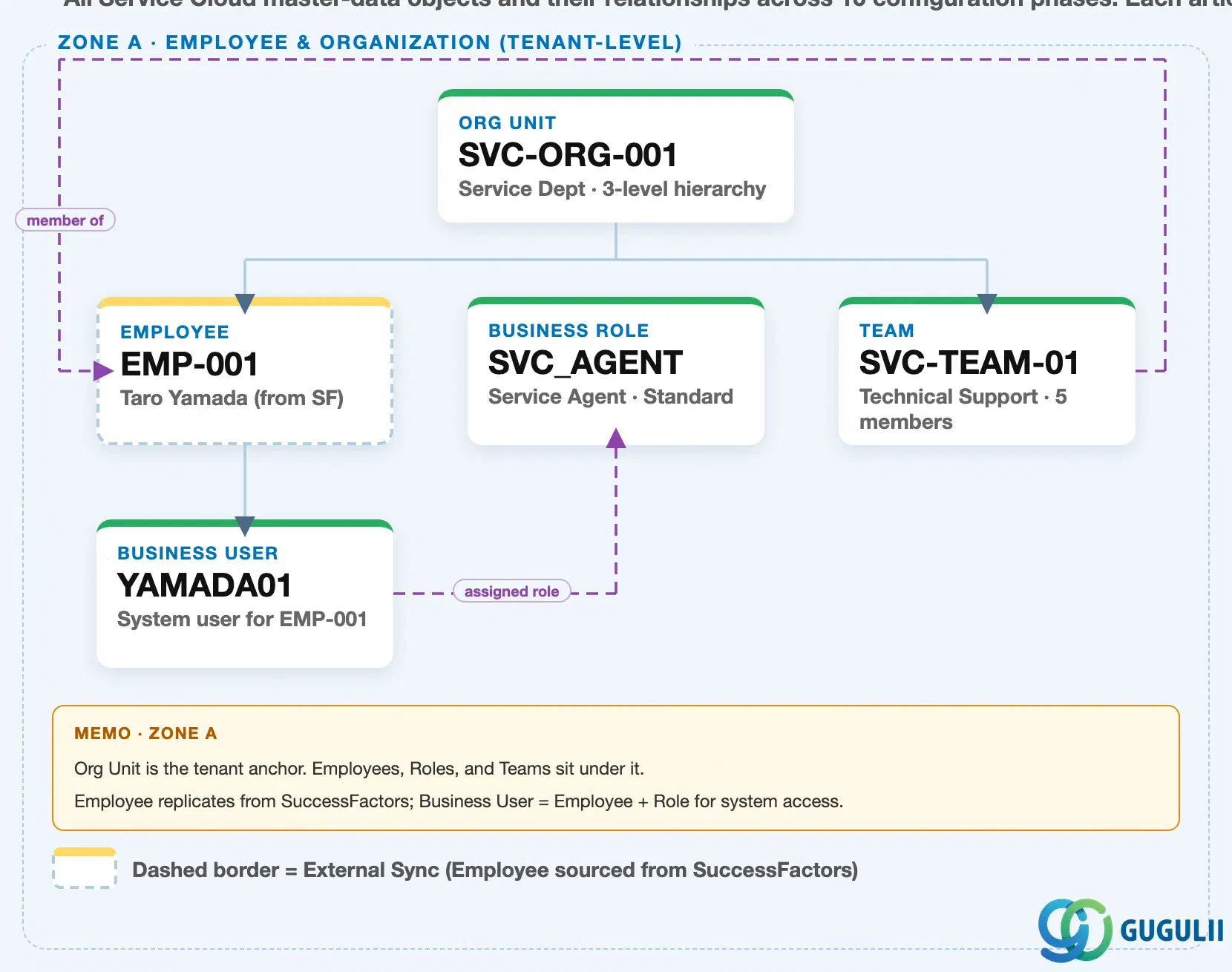
Data hierarchy with a concrete example (Zone A · Employee & Organization — tenant-level; SAP Service Cloud has no Company Code / Plant scoping above this)
Client (SAP Service Cloud Tenant)
   │
   ├── Organizational Unit "SVC-ORG-001" — Service Dept (3-level hierarchy: HQ → Dept → Section)
   │      │
   │      ├── Employee "EMP-001" — Taro Yamada (synced from SuccessFactors)
   │      │      │
   │      │      └── Business User "YAMADA01" — system login for EMP-001
   │      │
   │      └── Team "SVC-TEAM-01" — Technical Support (5 members)
   │
   └── Business Role "SVC_AGENT" — Service Agent · Standard (independent master, no prerequisite)

Business User "YAMADA01" ── assigned to ──> Business Role "SVC_AGENT"
Team "SVC-TEAM-01" ── references ──> Employee "EMP-001" (team lead / member)
Design principle: Organizational Unit is the only Phase 1 master with no prerequisite — model and create it first, since both Employee and Team depend on it already existing.
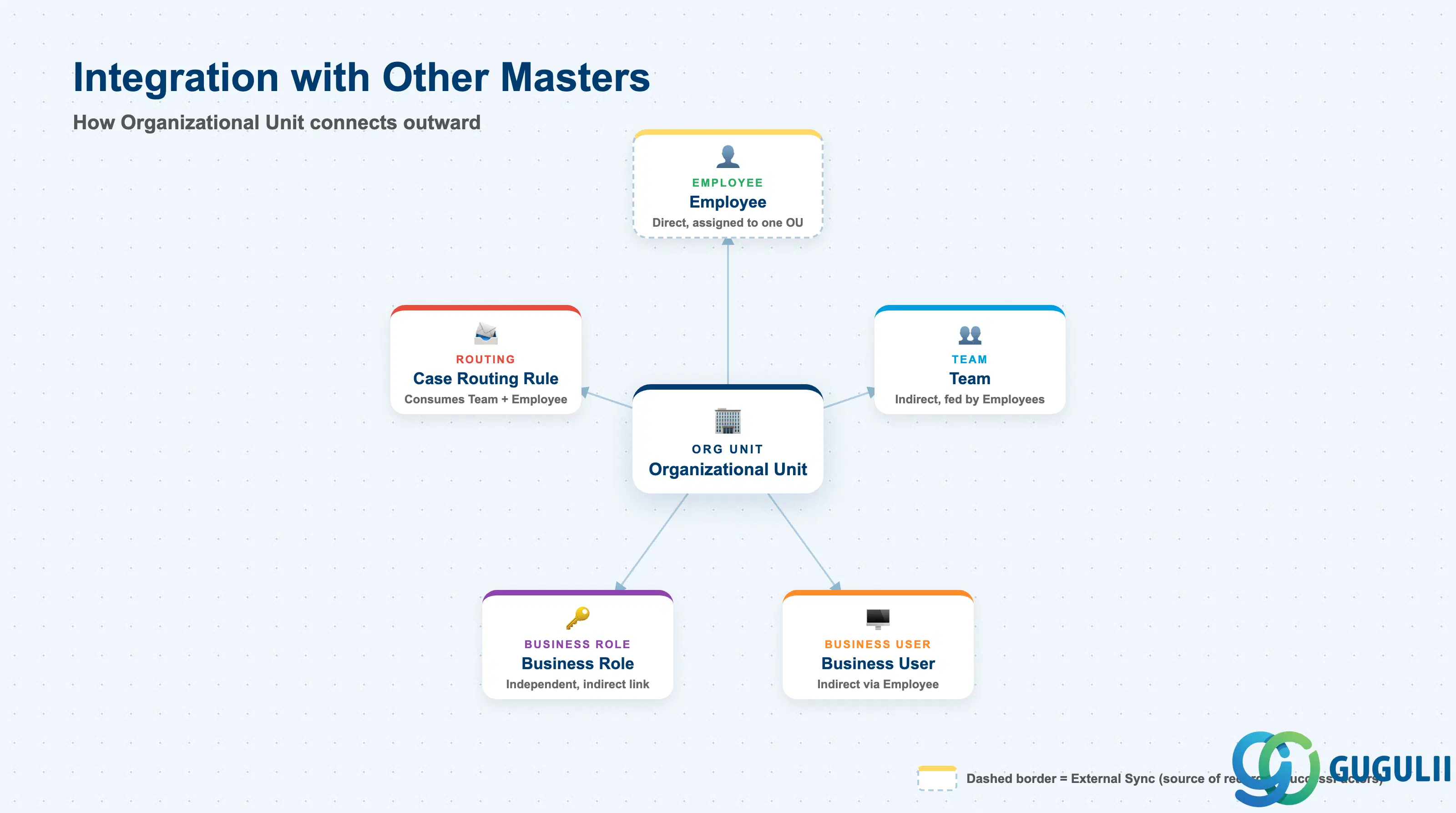
Organizational Unit does not stand alone — it is the structural backbone that Employee and Team attach to, and that Business Role and Business User reach only indirectly.
| Object | Relationship | Practical Notes |
|---|---|---|
| Employee (SC-A02-02) | Every Employee is assigned to exactly one Organizational Unit | Determines the Employee’s reporting line and default org-based reporting scope; the Organizational Unit must be created before the Employee record can be saved. |
| Team (SC-A02-05) | Team is fed by Employee + Organizational Unit, not nested directly under Org Unit | Not a direct parent-child link — reassigning an Employee’s Organizational Unit does not automatically move that Employee’s Team membership; both must be maintained. |
| Business Role (SC-A02-03) | Independent master, not organizationally nested under Organizational Unit | Business Role governs access rights and has no prerequisite of its own; it reaches an Organizational Unit only indirectly, through the Business User assigned to it. |
| Business User (SC-A02-04) | Indirectly related via Employee, not directly via Organizational Unit | Business User inherits organizational context only through the Employee record it is linked to; Organizational Unit is never referenced directly on the Business User record. |
| Case Routing Rule (SC-A07-01) | Consumes Team and Employee, which are in turn scoped by Organizational Unit | Case routing decisions ultimately trace back through Team or Employee to the Organizational Unit those Employees belong to — a mis-assigned Org Unit is a common root cause of cases landing with the wrong group. |
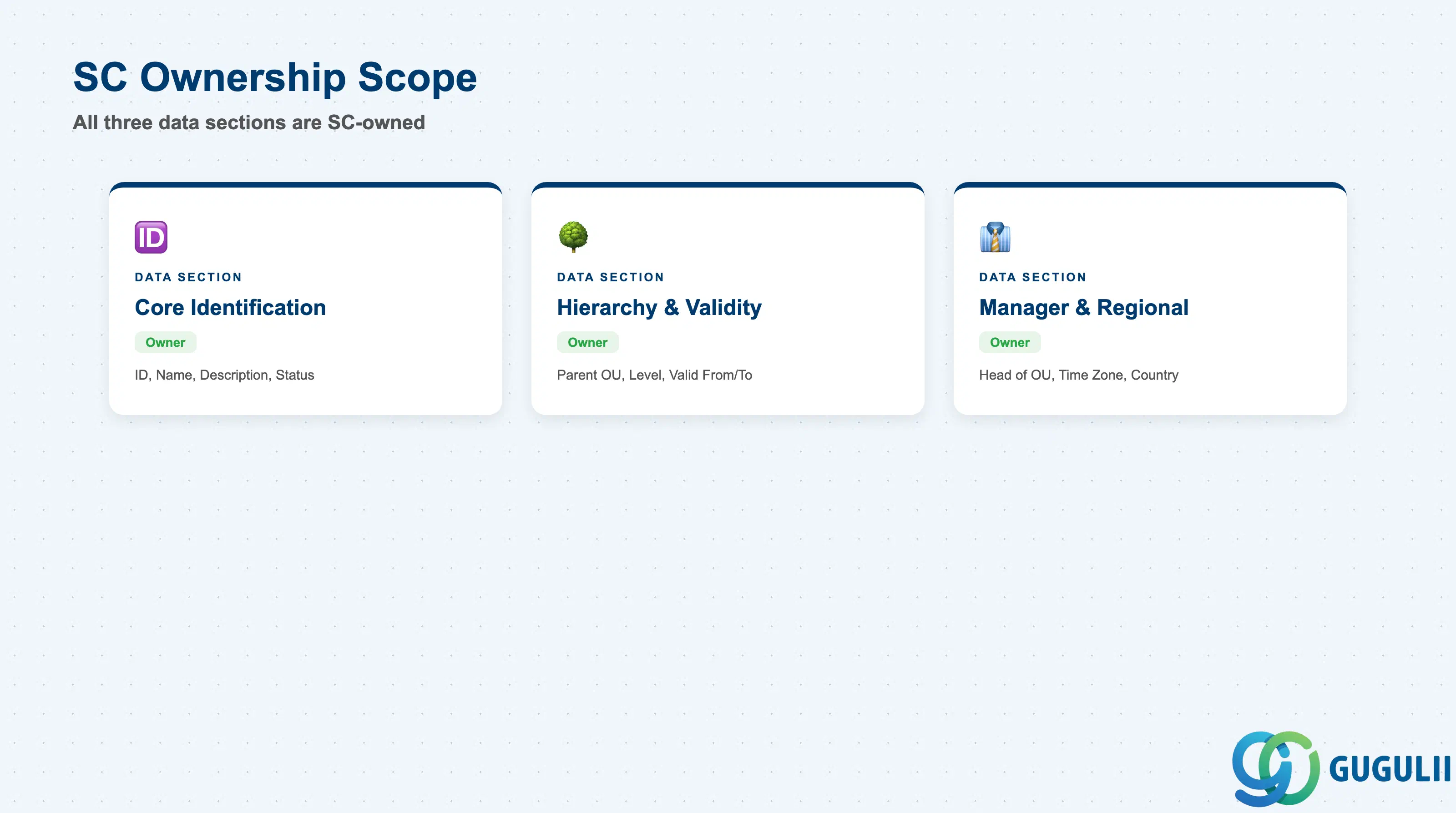
| Data Section | SC Involvement | Notes |
|---|---|---|
| Core Identification | ◎ Owner | Organizational Unit ID, Name, Description, Status — establishes which unit this is |
| Hierarchy & Validity | ◎ Owner | Parent Organizational Unit, Hierarchy Level, Valid From/To — places the unit inside the tree and controls its lifecycle |
| Manager & Regional Context | ◎ Owner | Head of Organizational Unit, Time Zone, Country/Region — who leads the unit and where it operates |
Legend: ◎ = Owner / Critical, ○ = Direct involvement
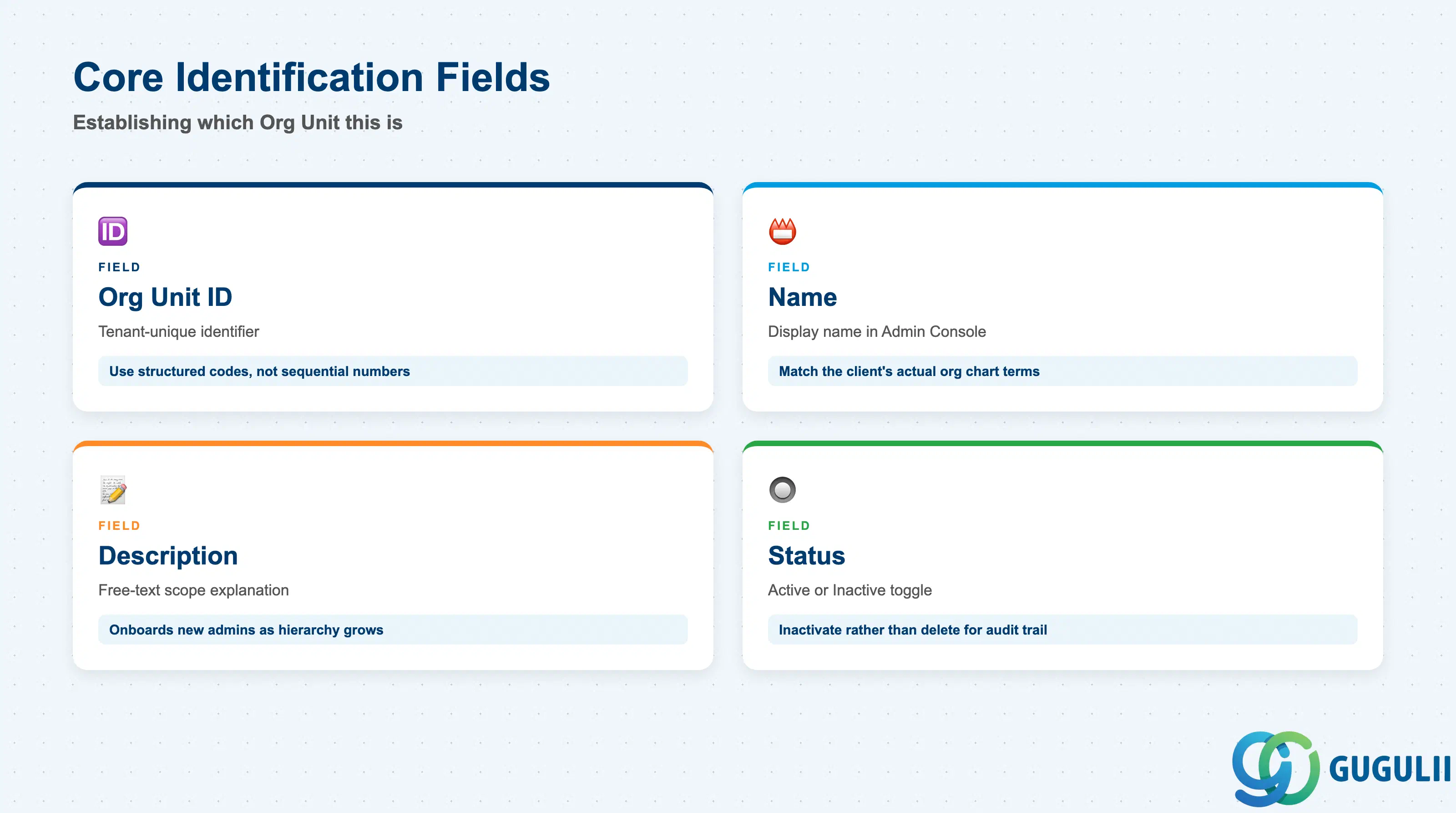
These fields establish which Organizational Unit this is and whether it is still in active use — every hierarchy and assignment field below only makes sense once these are set.
| Field | Description | Practical Usage |
|---|---|---|
| Organizational Unit ID | Tenant-unique identifier for the org unit (e.g. SVC-ORG-001) | Assign a short, structured code (department or region prefix) rather than a sequential number — the ID surfaces in every Employee-assignment dropdown and audit log, and a readable code speeds up admin troubleshooting later. |
| Organizational Unit Name | Display name shown throughout the Admin Console and Web UI | Keep names consistent with the client’s actual org chart terminology; a mismatch between the SAP name and the business’s own department names is a frequent source of confusion during UAT. |
| Description | Free-text explanation of the unit’s scope or responsibility | Use this to onboard new administrators — a one-line description of what a Section actually covers saves repeated questions once the hierarchy grows past a handful of units. |
| Status (Active / Inactive) | Indicates whether the org unit currently accepts new Employee assignments | Set to Inactive rather than deleting when a department is dissolved or merged — Employees historically assigned to it, and any case history routed through it, remain queryable for audit. |
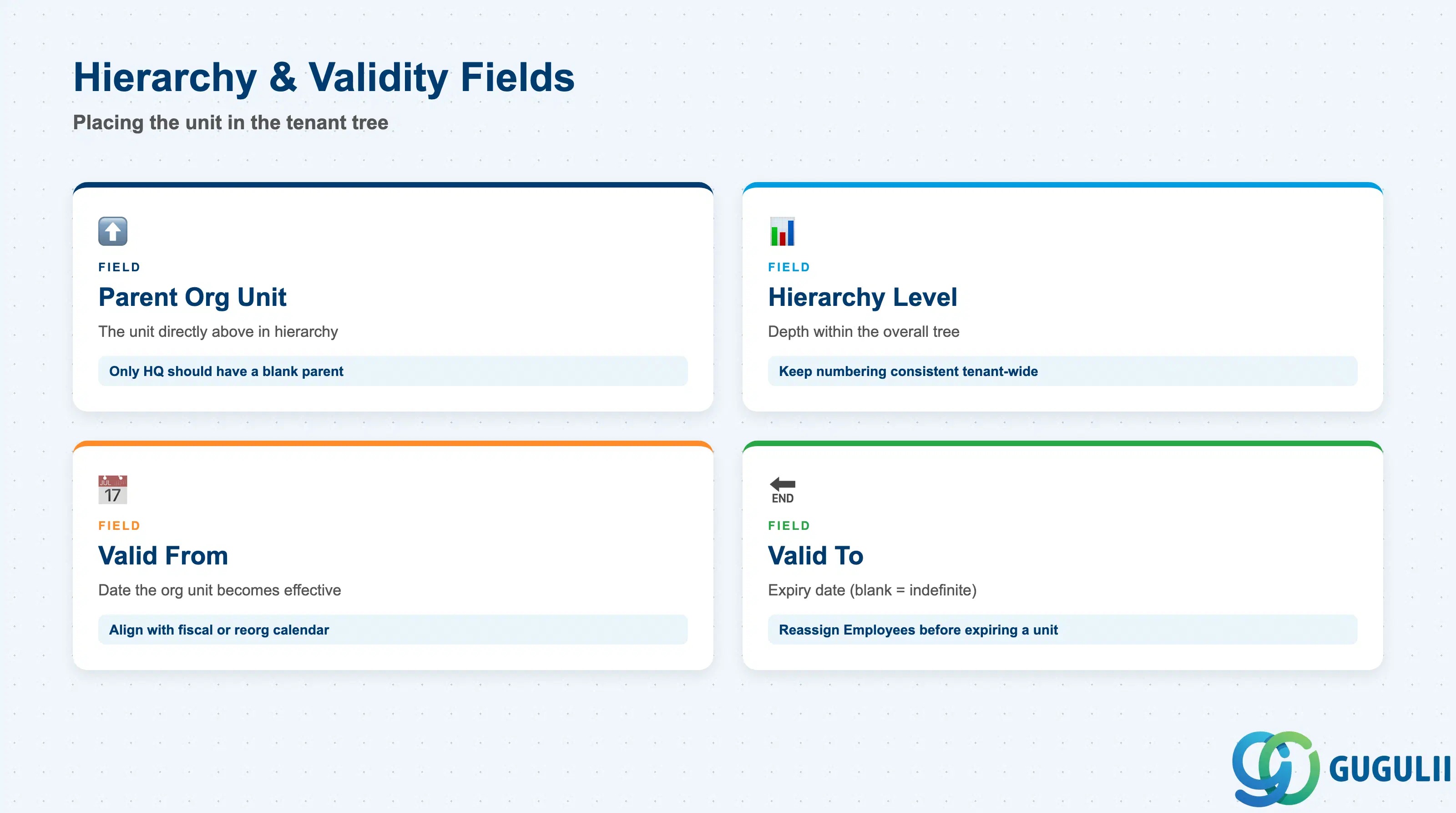
These fields place the org unit inside the tenant’s overall structure and control when it is considered valid — getting them right up front avoids re-parenting units later, which can silently shift org-based reporting scope for every Employee underneath.
| Field | Description | Practical Usage |
|---|---|---|
| Parent Organizational Unit | The org unit directly above this one in the hierarchy (blank for the top-level unit) | Only the top-level (Headquarters) unit should have a blank parent; every other unit must resolve to exactly one parent to avoid an ambiguous rollup during org-based reporting. |
| Hierarchy Level | Numeric or labeled depth of this unit within the overall tree (e.g. Level 1 = Headquarters) | Keep level numbering consistent tenant-wide; inconsistent leveling across departments makes cross-department reporting comparisons unreliable. |
| Valid From | Date the org unit becomes effective | Align with the client’s fiscal or organizational-restructuring calendar — creating a unit with a future Valid From date lets administrators pre-build a reorg before it goes live. |
| Valid To | Date the org unit is no longer effective (blank = indefinite) | Used together with Status to phase out a unit gracefully; setting Valid To without first reassigning its Employees leaves those Employees pointing at an expired org unit. |
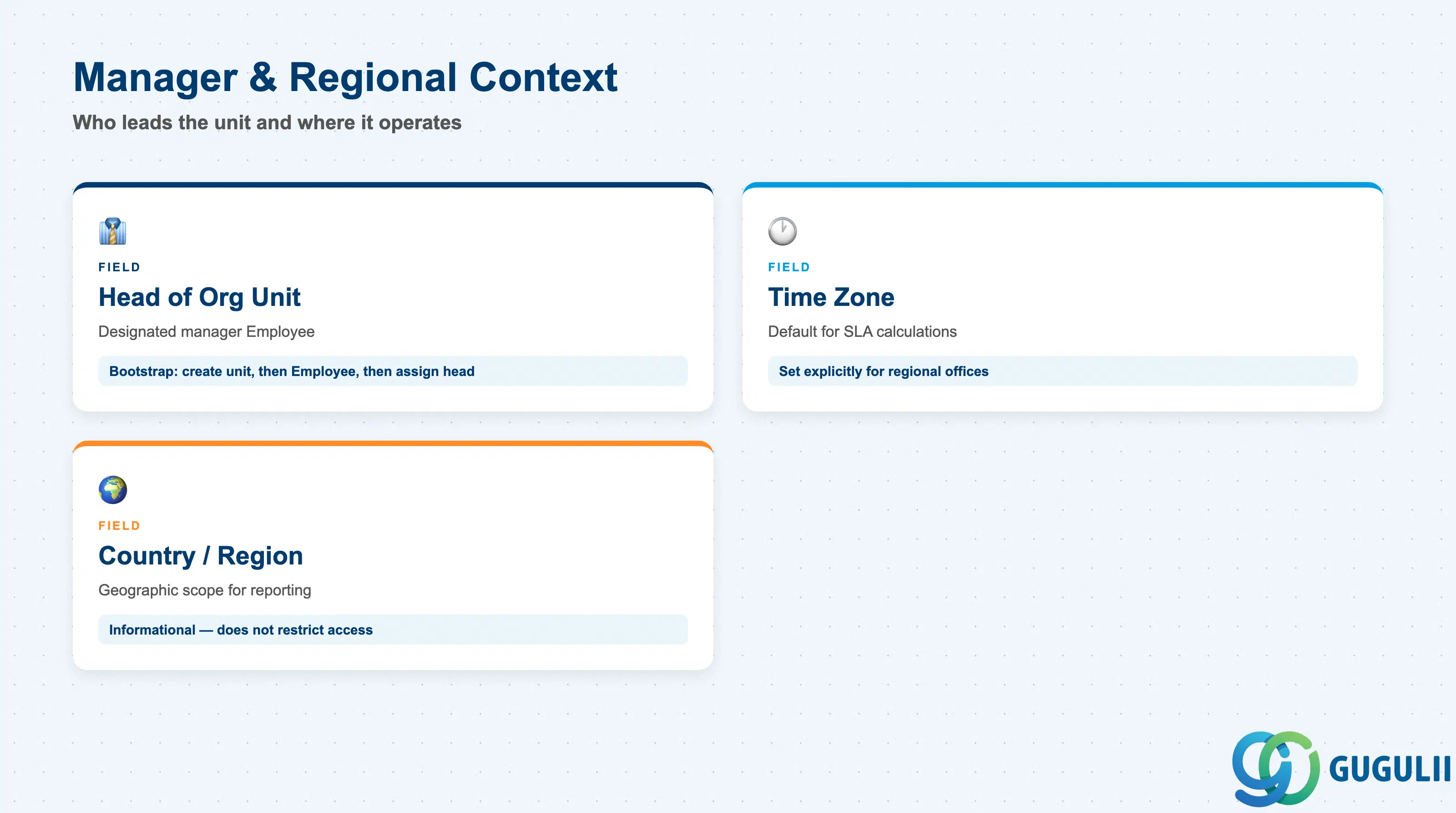
These fields round out the org unit with who leads it and where it operates — details that matter most once the tenant spans more than one country or time zone.
| Field | Description | Practical Usage |
|---|---|---|
| Head of Organizational Unit | The Employee designated as the unit’s manager or lead | Must reference an existing Employee record (SC-A02-02); since Employee itself requires an Organizational Unit to already exist, the first Head assignment on a new tenant typically happens after a short bootstrap sequence — create the unit without a head, create the Employee, then update the unit. |
| Time Zone | Default time zone applied to reporting and SLA calculations for this unit | Set explicitly rather than relying on the tenant default for any regional office — an incorrect time zone here silently skews Service Level (SC-A06-01) response-time reporting for every case handled by that unit. |
| Country / Region | Geographic scope the org unit represents | Mainly informational and used for regional grouping in reporting; it does not by itself restrict which Accounts or Cases the unit’s Employees can work on unless combined with separate authorization configuration. |
| ID | Category | Title |
|---|---|---|
| sc-001 | Overview | What is SAP Service Cloud? |
| ID | Category | Title |
|---|---|---|
| sc-a01 | Overview | SAP Service Cloud Master Data: Overview, Hierarchy & Relationships |
| sc-a02-01 | Master Data | SAP Service Cloud Organizational Unit 📍 |
| sc-a02-02 | Master Data | SAP Service Cloud Employee |
| sc-a02-03 | Master Data | SAP Service Cloud Business Role |
| sc-a02-04 | Master Data | SAP Service Cloud Business User |
| sc-a02-05 | Master Data | SAP Service Cloud Team |
| sc-a03-01 | Master Data | SAP Service Cloud Email Channel |
| sc-a03-02 | Master Data | SAP Service Cloud Email Template |
| sc-a04-01 | Master Data | SAP Service Cloud Knowledge Base Provider |
| sc-a05-01 | Master Data | SAP Service Cloud Service Catalog |
| sc-a05-02 | Master Data | SAP Service Cloud Service Category |
| sc-a05-03 | Master Data | SAP Service Cloud Case Type |
| sc-a06-01 | Master Data | SAP Service Cloud Service Level |
| sc-a06-02 | Master Data | SAP Service Cloud Service Level Determination |
| sc-a07-01 | Master Data | SAP Service Cloud Case Routing Rules |
| sc-a10-04 | Master Data | SAP Service Cloud Warranty |
| sc-a11-01 | Master Data | SAP Service Cloud Installed Base |
| sc-a11-02 | Master Data | SAP Service Cloud Functional Location |
| ID | Category | Title |
|---|---|---|
| sc-b01 | Overview | SAP Service Cloud Transactions: Process Flow, Hierarchy & Relationships |