Title here
Summary here

The Employee is SAP Service Cloud’s master record for a person inside the service organization — a service agent, team lead, or administrator — who can be assigned to an Organizational Unit, linked to a Business User for system access, and named directly in case-routing rules. Unlike Organizational Unit, which is created natively inside the tenant, Employee is the one Phase 1 master ordinarily populated by an inbound replication from SuccessFactors Employee Central rather than manual entry in the Admin Console. This article maps its hierarchy model, its relationship to the other Employee & Org masters, and every field administrators encounter when reviewing or troubleshooting the synced record.
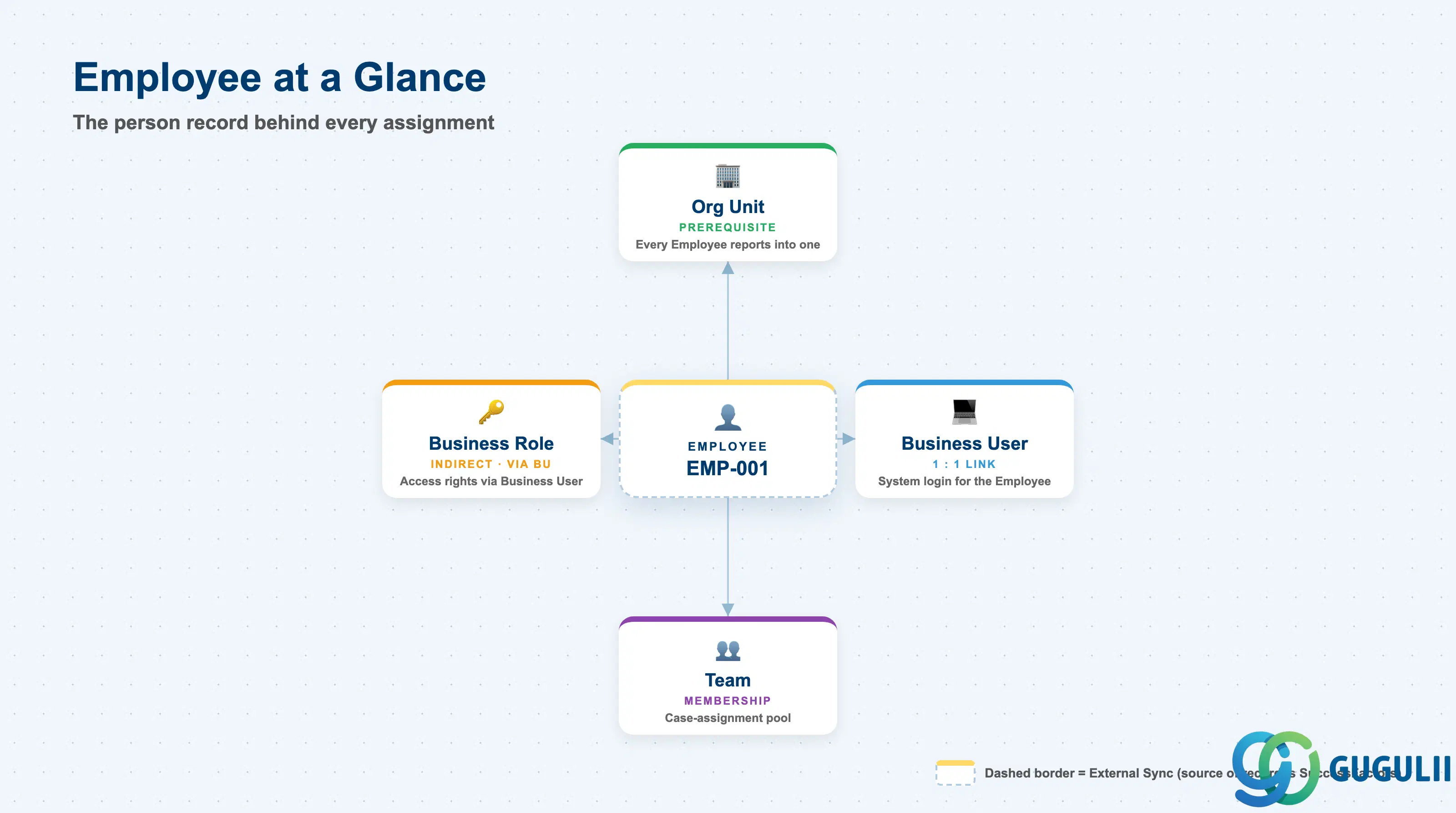
The Employee represents a real person working inside the service organization — the individual behind every case assignment, team membership, and system login. It exists so that every case-work-facing master (Business User, Team, Case Routing Rule) has a concrete person to attach to, rather than work being assigned to an abstract role with nobody actually accountable for it.
| Aspect | Details |
|---|---|
| Role | Tenant-level record of a person in the service organization; the anchor that Business User, Team membership, and direct case-routing assignment all reference |
| Modules using it | SAP Service Cloud (Employee & Org — primary owner of the tenant-local record); sourced from SAP SuccessFactors Employee Central (system of record for HR attributes) |
| Transactions | SAP Service Cloud Admin Console: Settings > Employees; inbound sync typically run via SAP Cloud Integration / SuccessFactors Employee Central replication |
| Key Tables | SAP Service Cloud: Employee business object (Admin/Core API OData entity) — SAP Service Cloud is a multi-tenant SaaS solution and does not expose classical ABAP tables to consultants |
| S/4HANA note | Employee is not sourced from S/4HANA. Its system of record is SuccessFactors Employee Central; Service Cloud stores a tenant-local copy used for org assignment, team membership, and case routing. This differs from Organizational Unit (SC-A02-01), which is created and maintained natively inside the tenant with no external system of record. |
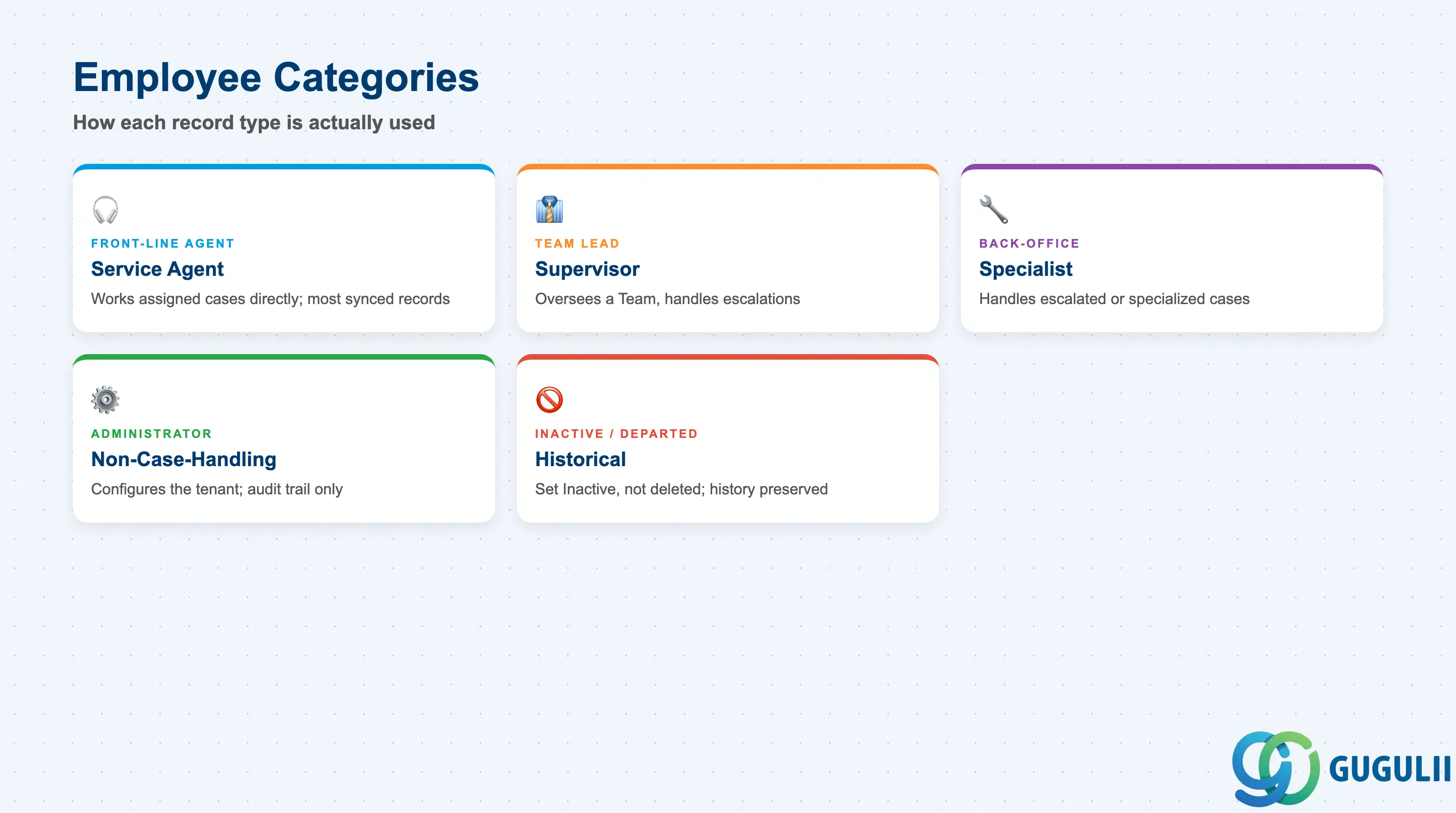
Service Cloud does not deliver a fixed “employee type” field — the practical categories below describe how an Employee record is actually used once it exists, and getting this distinction wrong either grants case-work access nobody intended, or leaves a genuine agent without the Business Role and Team assignment needed to receive cases.
| Employee Category | Typical Role | Use Case | Key Behavior |
|---|---|---|---|
| Front-line Service Agent | Works assigned cases directly | The majority of synced Employee records | Linked to a Business User carrying a case-work Business Role; a common Case Routing Rule target |
| Team Lead / Supervisor | Oversees a Team, handles escalations | Team management and reporting | Often also the Head of Organizational Unit (SC-A02-01) referenced on that unit’s record; visibility spans the whole Team’s case load |
| Back-Office / Specialist | Handles escalated or specialized cases | 2nd/3rd-line support | May belong to a different Organizational Unit than the front-line agents who first receive the case |
| Administrator (non-case-handling) | Configures the tenant, not assigned cases | IT/admin staff | Employee record still required so configuration actions carry an audit trail, even without a case-work Business Role |
| Inactive / Departed Employee | Historical reference only | Employee has left the organization | Status set to Inactive rather than deleted — Team membership history and case-assignment records remain attributed and queryable |
Design principle: Do not assume every synced Employee record needs case-work access — grant a Business Role and Team membership deliberately, based on the category above, rather than by default at sync time.
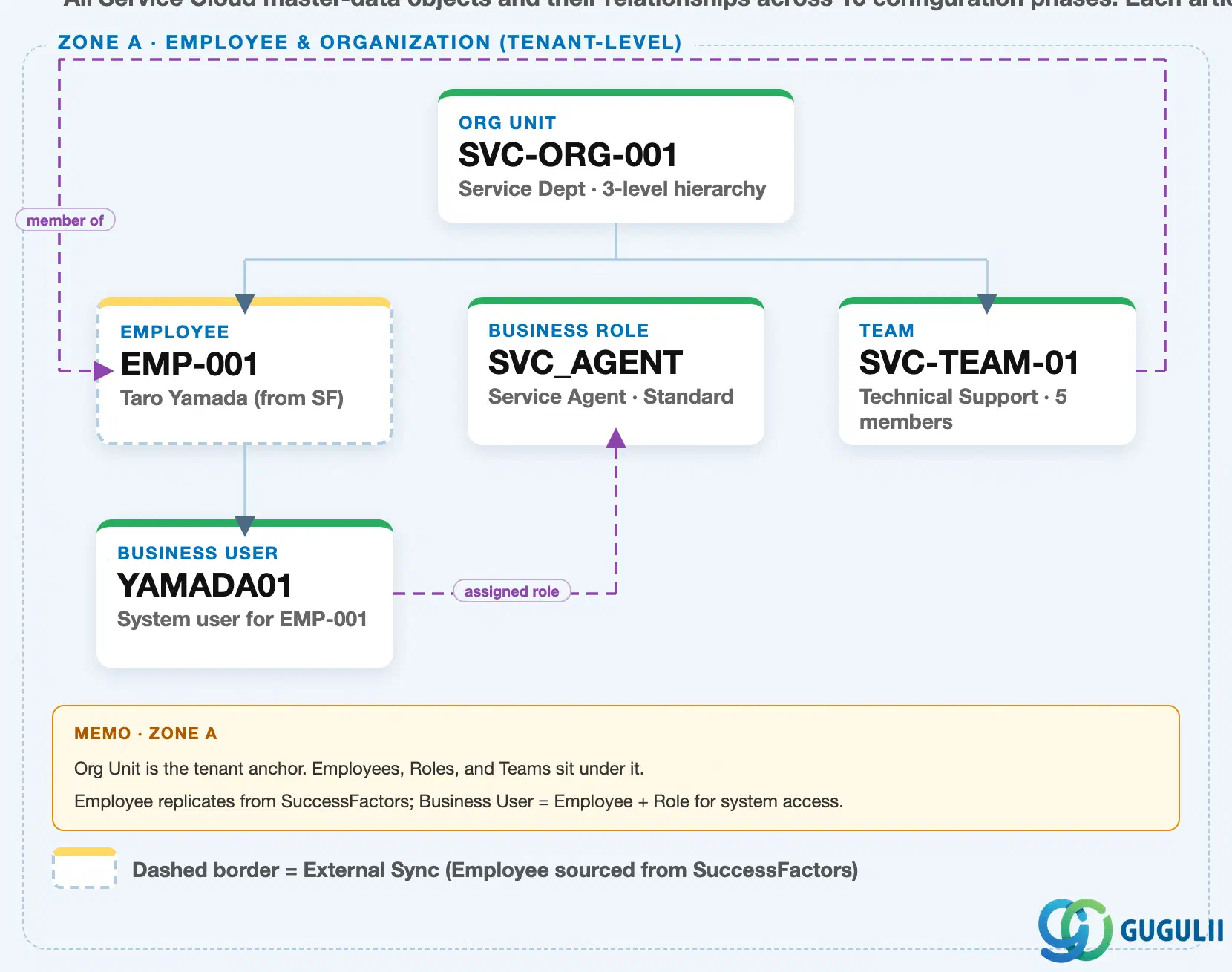
Data hierarchy with a concrete example (Zone A · Employee & Organization — tenant-level; SAP Service Cloud has no Company Code / Plant scoping above this)
Client (SAP Service Cloud Tenant)
   │
   └── Organizational Unit "SVC-ORG-001" — Service Dept (3-level hierarchy: HQ → Dept → Section)
          │
          ├── Employee "EMP-001" — Taro Yamada (external sync from SuccessFactors Employee Central)
          │      │
          │      └── Business User "YAMADA01" — system login for EMP-001
          │
          └── Team "SVC-TEAM-01" — Technical Support (5 members)

Business Role "SVC_AGENT" — Service Agent · Standard (independent master, no prerequisite)
Business User "YAMADA01" ── assigned to ──> Business Role "SVC_AGENT"
Team "SVC-TEAM-01" ── references ──> Employee "EMP-001" (team lead / member)
Design principle: Employee is the one Phase 1 master sourced from an external system rather than created natively — treat SuccessFactors Employee Central as the system of record, and avoid manually editing synced fields (Name, Email, Manager) directly in Service Cloud, since the next sync cycle overwrites local changes.
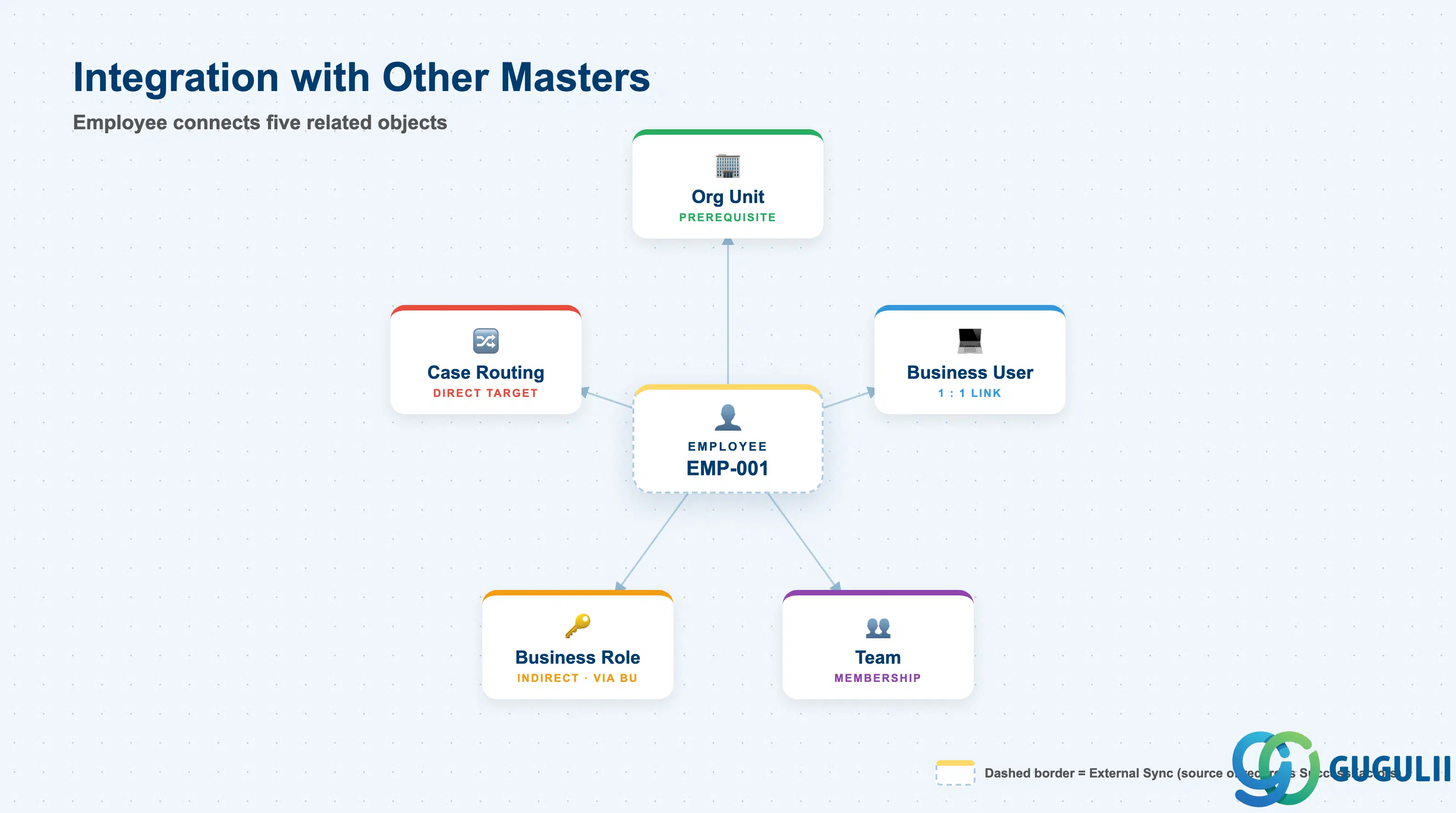
Employee does not stand alone — it is the person record that Organizational Unit anchors, that Business User mirrors for system access, and that Team and Case Routing Rule reference for assignment.
| Object | Relationship | Practical Notes |
|---|---|---|
| Organizational Unit (SC-A02-01) | Every Employee is assigned to exactly one Organizational Unit (prerequisite) | The Organizational Unit must exist before the Employee record can be saved; it determines the Employee’s default org-based reporting and routing scope. |
| Business User (SC-A02-04) | One Business User is typically linked one-to-one to one Employee | Business User inherits organizational context entirely through the linked Employee; it is created only once the Employee needs system login access, not automatically at sync time. |
| Team (SC-A02-05) | Team is fed by Employee + Organizational Unit, not nested directly under Employee | Team membership is maintained separately from Organizational Unit assignment — reassigning an Employee’s Organizational Unit does not automatically move their Team membership. |
| Business Role (SC-A02-03) | Reached indirectly, through the linked Business User | Employee itself carries no direct Business Role field; access rights flow through Business User, not through Employee directly. |
| Case Routing Rule (SC-A07-01) | Employee can be named as a direct routing target, alongside Team | A mis-synced or Inactive Employee record silently breaks any Case Routing Rule that names that Employee directly — a common root cause when cases stop being assigned after an org change upstream in SuccessFactors. |
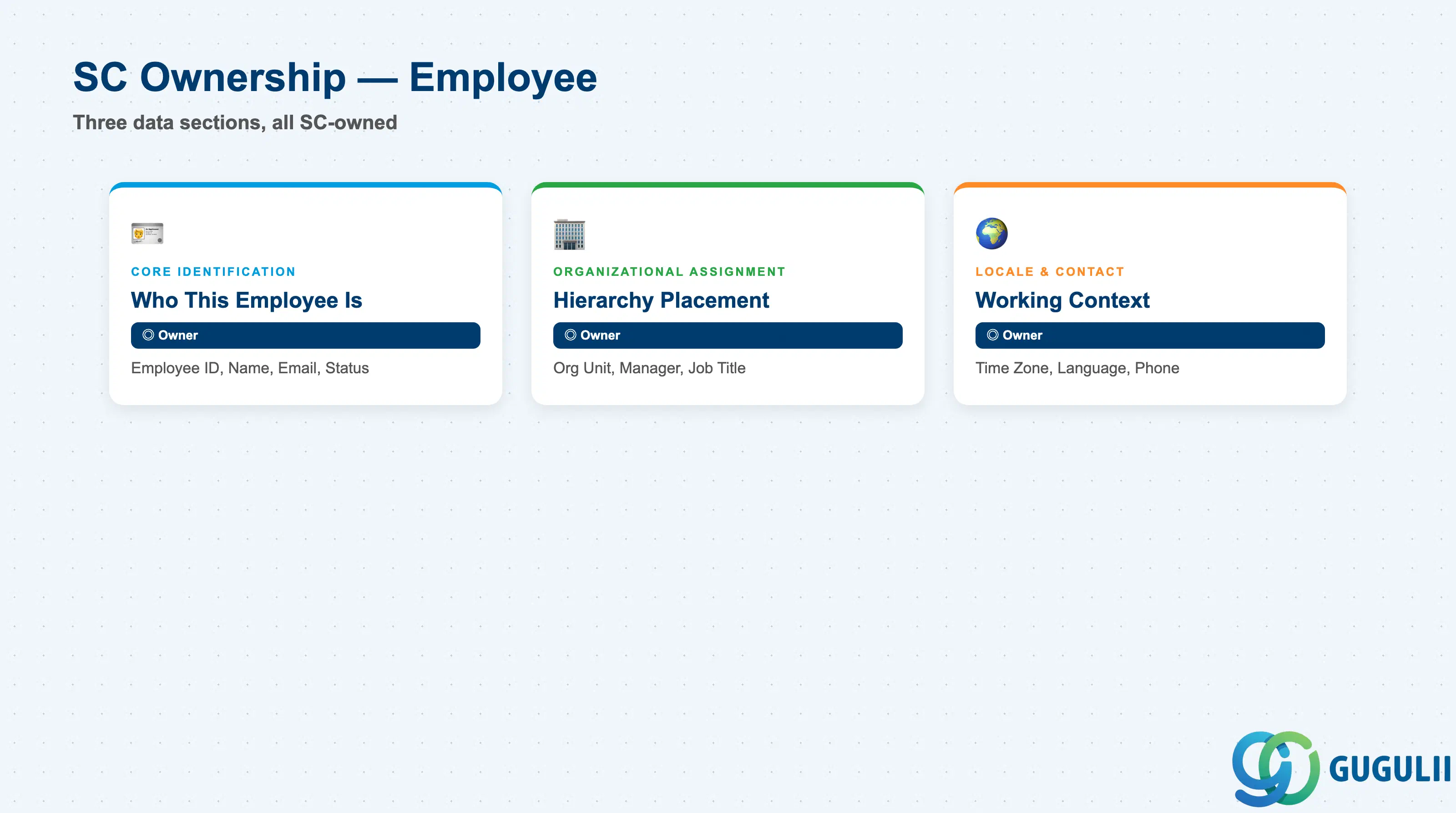
| Data Section | SC Involvement | Notes |
|---|---|---|
| Core Identification | ◎ Owner | Employee ID, Employee Name, Email, Status — establishes who this employee is inside the tenant, though most values are populated by the SuccessFactors sync |
| Organizational Assignment | ◎ Owner | Organizational Unit, Manager, Job Title — places the employee inside the reporting hierarchy that other Employee & Org masters reference |
| Locale & Contact | ◎ Owner | Time Zone, Language, Phone — details that affect SLA display, case-handling defaults, and channel-based matching for this employee |
Legend: ◎ = Owner / Critical, ○ = Direct involvement
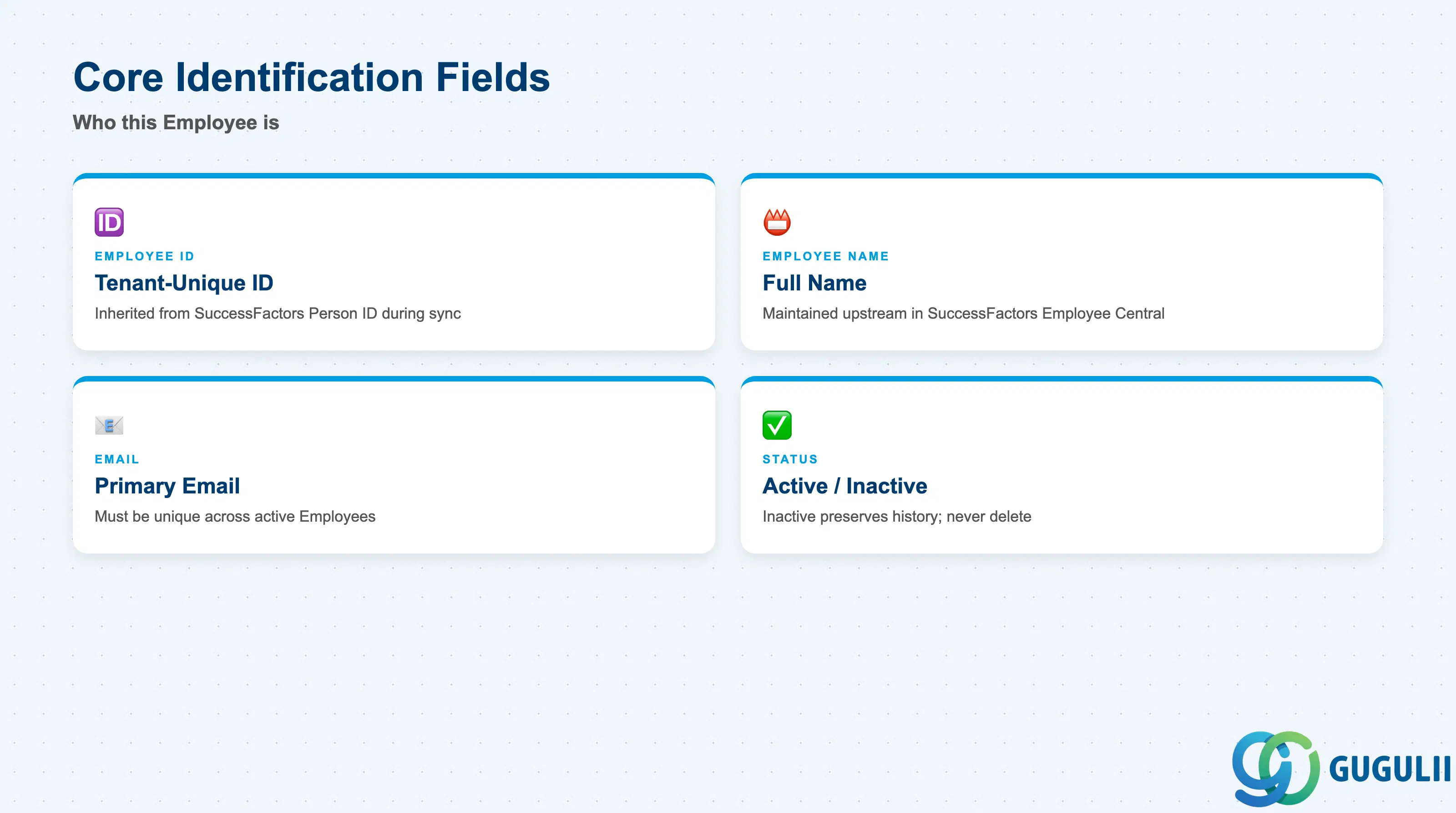
These fields establish which Employee this is and whether the record currently accepts assignments — every organizational and locale field below only matters once these are set.
| Field | Description | Practical Usage |
|---|---|---|
| Employee ID | Tenant-unique identifier for the employee record, typically inherited from the SuccessFactors Person ID during replication | Do not manually renumber a synced ID — since the inbound integration owns the field, a local override is overwritten on the next sync cycle and silently breaks the Business User linkage. |
| Employee Name | Full name as maintained upstream in SuccessFactors Employee Central | Displayed throughout case-assignment dropdowns and Team rosters; a stale or truncated name after sync usually points to a mapping issue in the integration, not a Service Cloud data-entry error. |
| Primary email address, used as the default recipient for internal notifications tied to case assignment | Must stay unique across active Employees — a duplicate address (e.g. a rehire reusing a former address before the prior record is set Inactive) causes ambiguous email-to-employee matching in Email Channel processing. | |
| Status (Active / Inactive) | Whether the employee currently accepts case, team, or routing assignments | Set to Inactive rather than deleted when an employee leaves — Team membership history and case-assignment audit trail remain queryable; the transition is typically driven by a SuccessFactors termination event flowing through the sync, not manual admin action. |
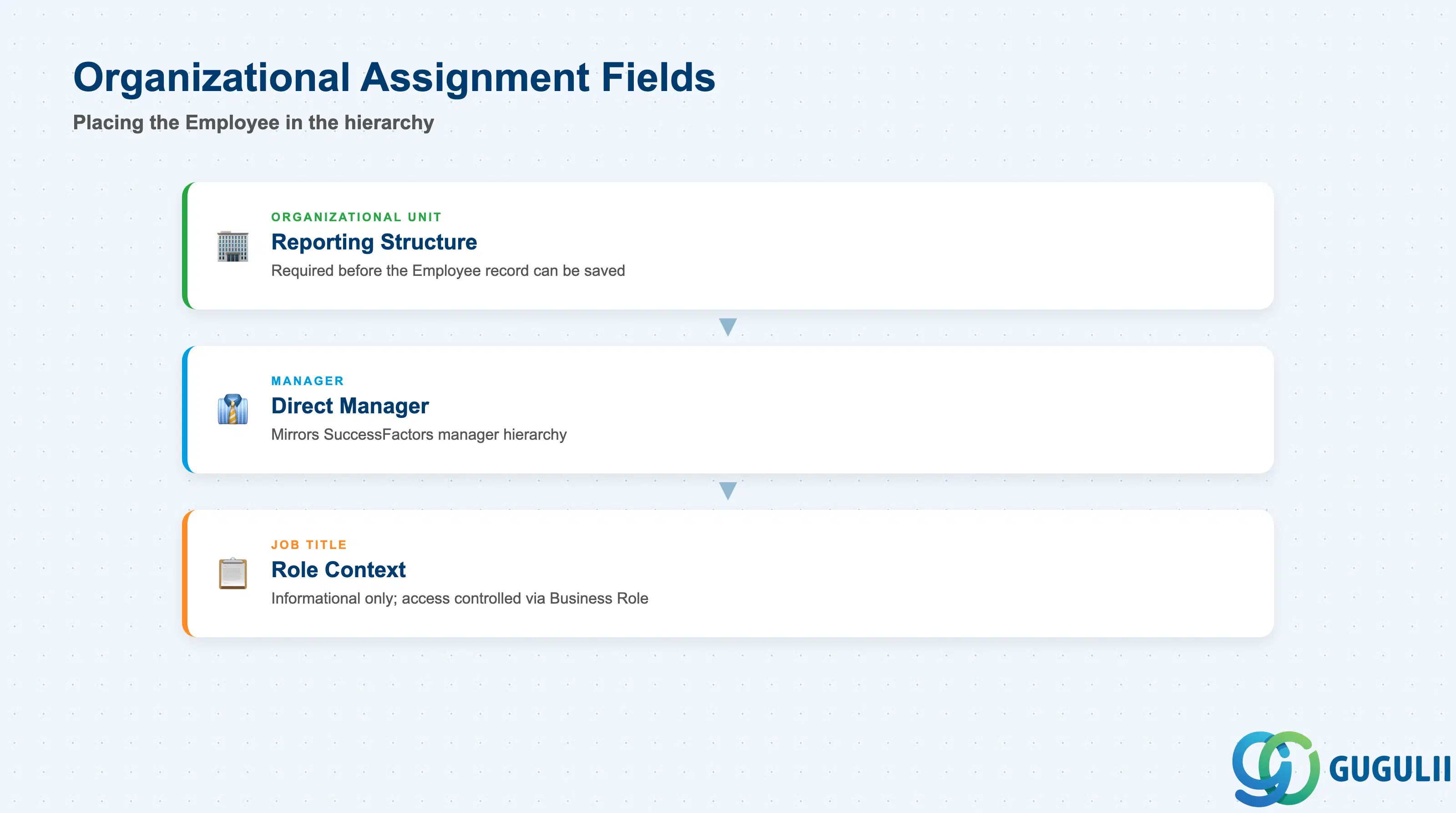
These fields place the Employee inside the tenant’s reporting structure — getting the Organizational Unit assignment right at sync time avoids case-routing and reporting scope silently shifting later.
| Field | Description | Practical Usage |
|---|---|---|
| Organizational Unit | The single Organizational Unit (SC-A02-01) this employee reports into | Required before the Employee record can be saved; determines the employee’s default org-based reporting scope and the pool of Teams they are realistically eligible to join. |
| Manager | The employee’s direct manager, itself typically another Employee record | Used for approval routing and org-chart display in the Admin Console; when sourced from SuccessFactors, this field usually mirrors SF’s own manager hierarchy rather than being independently maintained in Service Cloud. |
| Job Title | Free-text or coded job title inherited from the HR system | Mainly informational context for case handling (e.g. distinguishing a Field Technician profile from a Help Desk Agent profile) — it does not itself grant or restrict access; that is controlled through Business Role. |
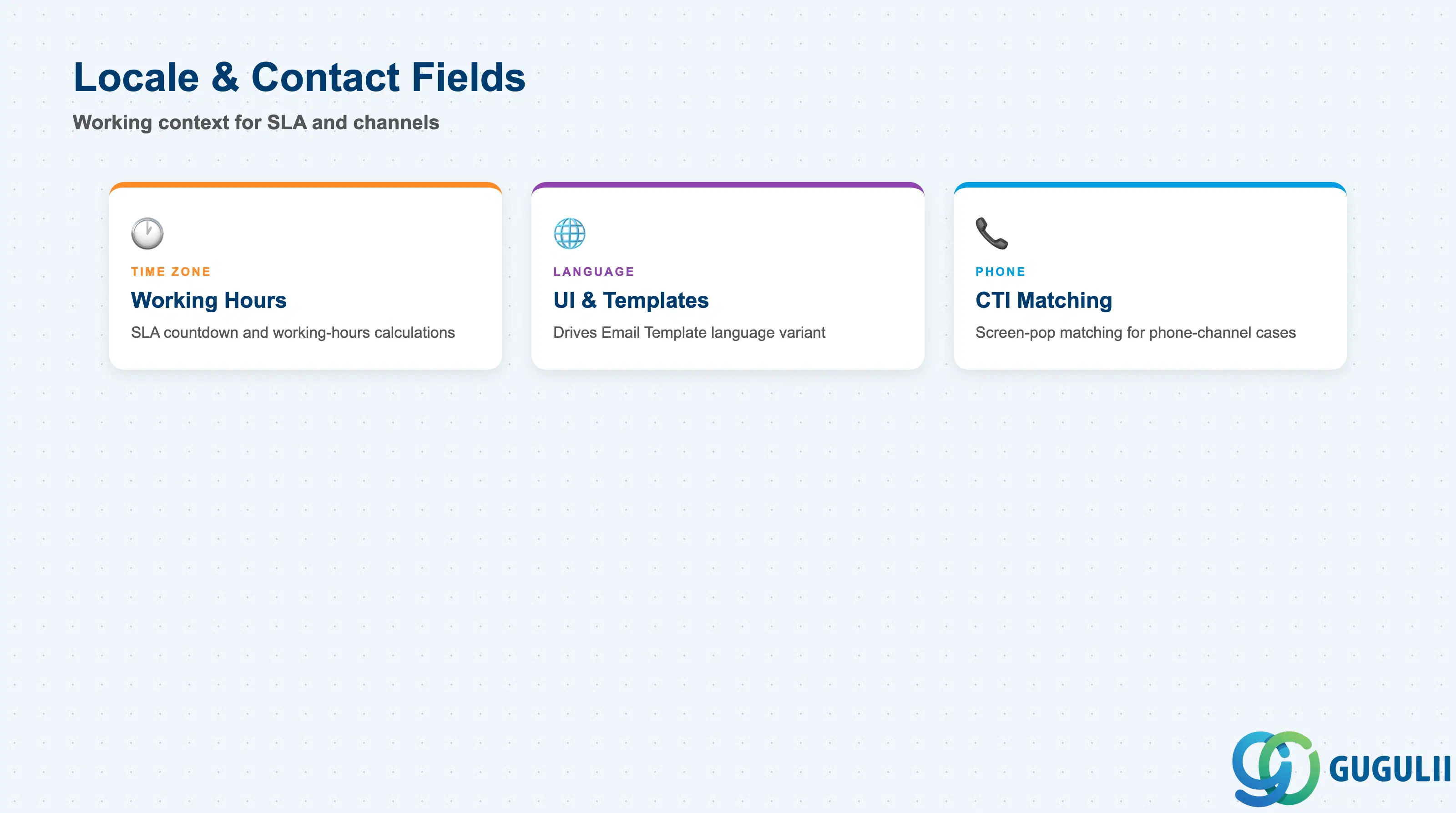
These fields round out the Employee record with the working context needed for SLA display and channel-based case handling — details that matter most once the tenant spans more than one country or time zone.
| Field | Description | Practical Usage |
|---|---|---|
| Time Zone | The employee’s working time zone, used for SLA countdown display and working-hours calculations relevant to that employee | Set explicitly for any Team spanning more than one region — an employee left on the tenant default Time Zone will see SLA countdowns that don’t match their actual working hours, a common complaint after a multi-region rollout. |
| Language | Preferred UI and communication language for the employee | Drives which language variant of Email Template (SC-A03-02) content the employee sees when composing replies, where template variants are maintained per language. |
| Phone | Direct or extension phone number | Populated mainly for CTI (Computer Telephony Integration) screen-pop matching on phone-channel cases; an unpopulated or outdated Phone field breaks automatic caller-to-employee matching in phone-based case routing. |
| ID | Category | Title |
|---|---|---|
| sc-001 | Overview | What is SAP Service Cloud? |
| ID | Category | Title |
|---|---|---|
| sc-a01 | Overview | SAP Service Cloud Master Data: Overview, Hierarchy & Relationships |
| sc-a02-01 | Master Data | SAP Service Cloud Organizational Unit |
| sc-a02-02 | Master Data | SAP Service Cloud Employee 📍 |
| sc-a02-03 | Master Data | SAP Service Cloud Business Role |
| sc-a02-04 | Master Data | SAP Service Cloud Business User |
| sc-a02-05 | Master Data | SAP Service Cloud Team |
| sc-a03-01 | Master Data | SAP Service Cloud Email Channel |
| sc-a03-02 | Master Data | SAP Service Cloud Email Template |
| sc-a04-01 | Master Data | SAP Service Cloud Knowledge Base Provider |
| sc-a05-01 | Master Data | SAP Service Cloud Service Catalog |
| sc-a05-02 | Master Data | SAP Service Cloud Service Category |
| sc-a05-03 | Master Data | SAP Service Cloud Case Type |
| sc-a06-01 | Master Data | SAP Service Cloud Service Level |
| sc-a06-02 | Master Data | SAP Service Cloud Service Level Determination |
| sc-a07-01 | Master Data | SAP Service Cloud Case Routing Rules |
| sc-a10-04 | Master Data | SAP Service Cloud Warranty |
| sc-a11-01 | Master Data | SAP Service Cloud Installed Base |
| sc-a11-02 | Master Data | SAP Service Cloud Functional Location |
| ID | Category | Title |
|---|---|---|
| sc-b01 | Overview | SAP Service Cloud Transactions: Process Flow, Hierarchy & Relationships |