Title here
Summary here

The Business User is SAP Service Cloud’s master record for a system login — the credential a person actually uses to sign in and work cases, as distinct from the Employee record that describes who that person is inside the service organization. It cannot exist without an Employee already in place: Business User is created FROM an Employee record, and it is assigned one or more Business Roles (N:M) to determine what that login can see and do. Unlike Employee, it never references Organizational Unit or Team directly — any organizational context it appears to carry is inherited only through the Employee record it is linked to. This article maps its dependencies, its relationship to the other Employee & Org masters, and every field administrators configure when provisioning or reviewing system access.
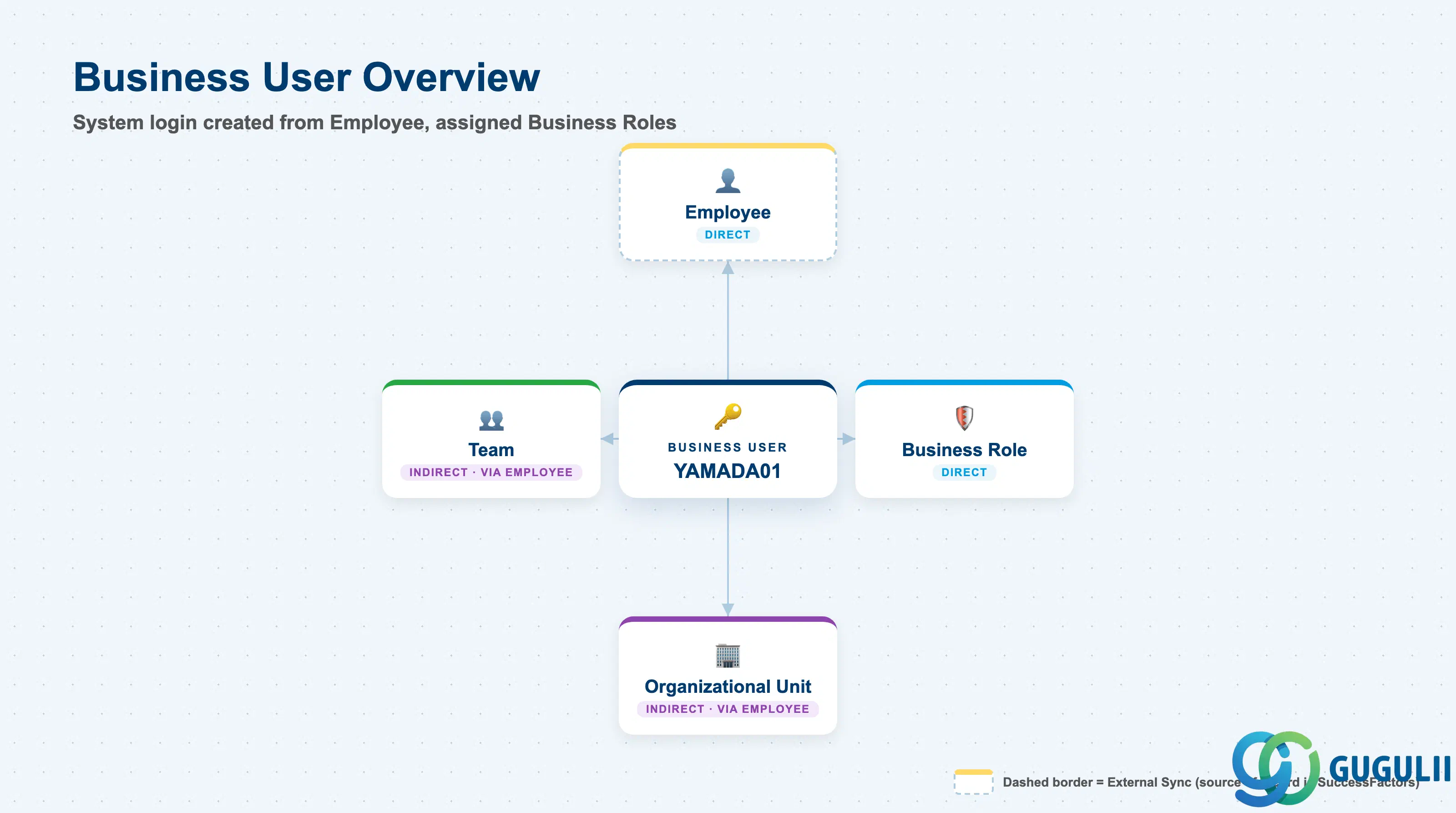
The Business User represents a system credential — not a person, and not a permission set on its own, but the login record that ties a specific Employee to a specific set of Business Roles. It exists so that system access can be granted, revoked, or reassigned independently of the underlying Employee record and independently of how access rights themselves are defined, rather than conflating “who this person is” with “what this login can do.”
| Aspect | Details |
|---|---|
| Role | Tenant-level system-login/credential record; created from exactly one Employee and assigned one or more Business Roles (N:M) |
| Modules using it | SAP Service Cloud (Employee & Org — sole owner); the record every case-work authorization check ultimately resolves against |
| Transactions | SAP Service Cloud Admin Console: Settings > Business Users |
| Key Tables | SAP Service Cloud: BusinessUser business object (Admin/Core API OData entity) — SAP Service Cloud is a multi-tenant SaaS solution and does not expose classical ABAP tables to consultants |
| S/4HANA note | Business User is created and maintained natively inside the Service Cloud tenant; it is not replicated from S/4HANA or SuccessFactors. Unlike Employee (SC-A02-02), it has no external system of record — but unlike Organizational Unit (SC-A02-01) and Business Role (SC-A02-03), it does carry a mandatory prerequisite: the linked Employee record must exist first. |
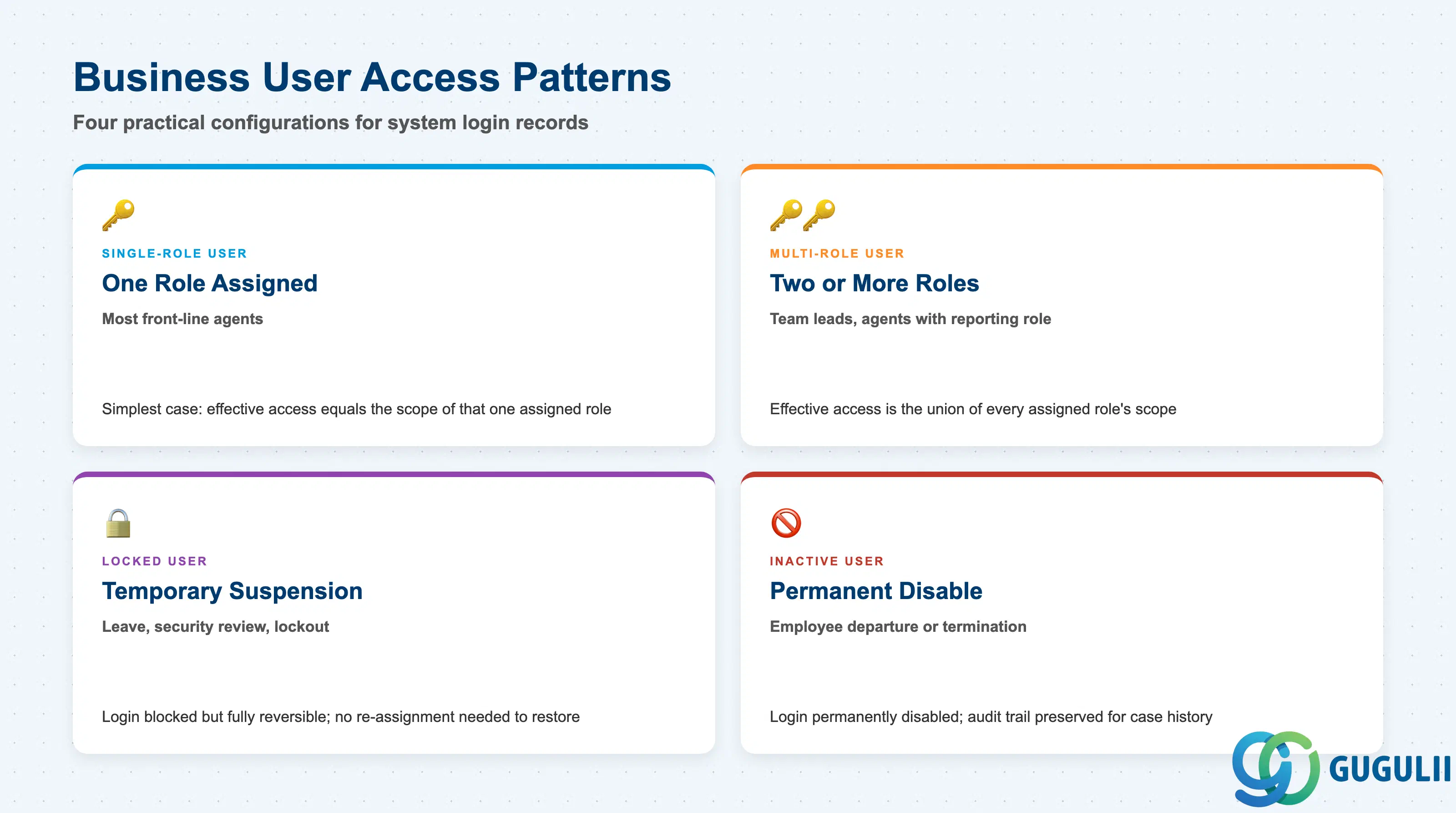
Service Cloud does not deliver a fixed “user type” field — the practical patterns below describe how a Business User record is actually configured and maintained once it exists. Getting this wrong either leaves a login over-scoped with roles nobody needs, or leaves a genuine agent unable to work the cases their job requires because a role assignment or the login itself was never completed.
| Business User Pattern | Typical Configuration | Use Case | Key Behavior |
|---|---|---|---|
| Single-Role User | Assigned exactly one Business Role | Most front-line agents | Simplest and most common case; effective access equals the scope of that one role’s Work Center, View, and Business Service assignments |
| Multi-Role User | Assigned two or more Business Roles (N:M) | Team Lead who also carries a front-line agent role, or an agent with an added reporting role | Effective access is the union of every assigned role — complexity, and the risk of over-granting, grows with each additional role |
| Locked User | Status set to Locked while the Employee link and all Business Role assignments remain intact | Temporary suspension (leave of absence, security review, forgotten-credential lockout) | Login blocked, but fully reversible — no Role assignment or Employee link needs to be re-created to restore access |
| Inactive User | Status set to Inactive, typically driven by the linked Employee leaving the organization | Employee departure or termination | Login permanently disabled; case-assignment history and Role-assignment history remain queryable for audit, unlike deletion |
Design principle: Grant only as many Business Roles as the underlying Employee’s actual job requires — a Multi-Role User accumulated through years of ad-hoc “just add this role too” requests is the most common source of an access review finding nobody can fully explain.
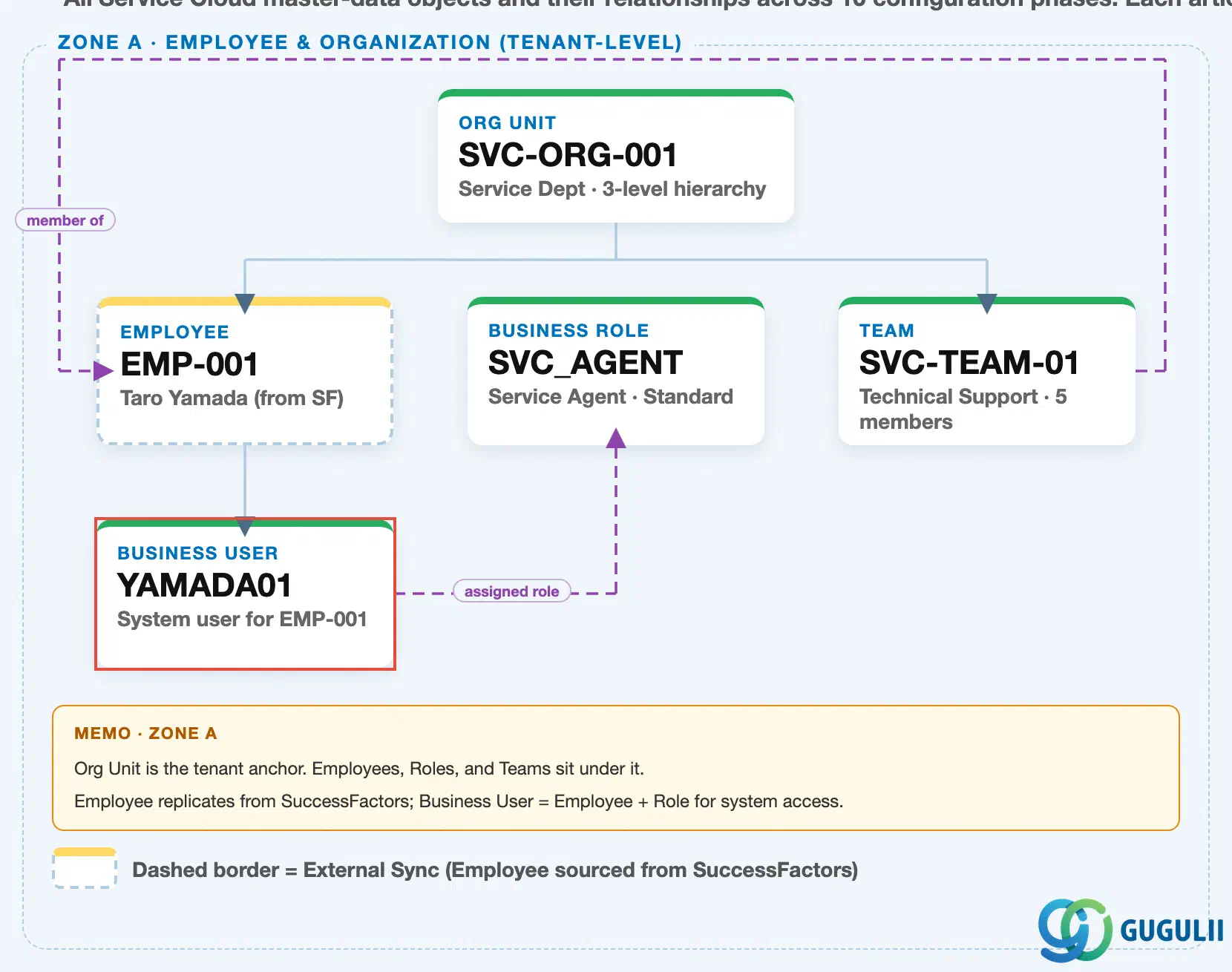
Data hierarchy with a concrete example (Zone A · Employee & Organization — tenant-level; SAP Service Cloud has no Company Code / Plant scoping above this)
Client (SAP Service Cloud Tenant)
   │
   └── Organizational Unit "SVC-ORG-001" — Service Dept (3-level hierarchy: HQ → Dept → Section)
          │
          ├── Employee "EMP-001" — Taro Yamada (external sync from SuccessFactors Employee Central)
          │      │
          │      └── Business User "YAMADA01" — system login for EMP-001
          │
          └── Team "SVC-TEAM-01" — Technical Support (5 members)

Business Role "SVC_AGENT" — Service Agent · Standard (independent master, no prerequisite)
Business User "YAMADA01" ── assigned to ──> Business Role "SVC_AGENT"
Team "SVC-TEAM-01" ── references ──> Employee "EMP-001" (team lead / member)
Design principle: Business User is the one Phase 1 master with a hard prerequisite on Employee — login “YAMADA01” cannot be created until Employee “EMP-001” already exists. Its Business Role assignment is a separate, independent dependency: both the Employee link and at least one Business Role must be in place before the login is fully functional, but neither one requires the other to exist first.
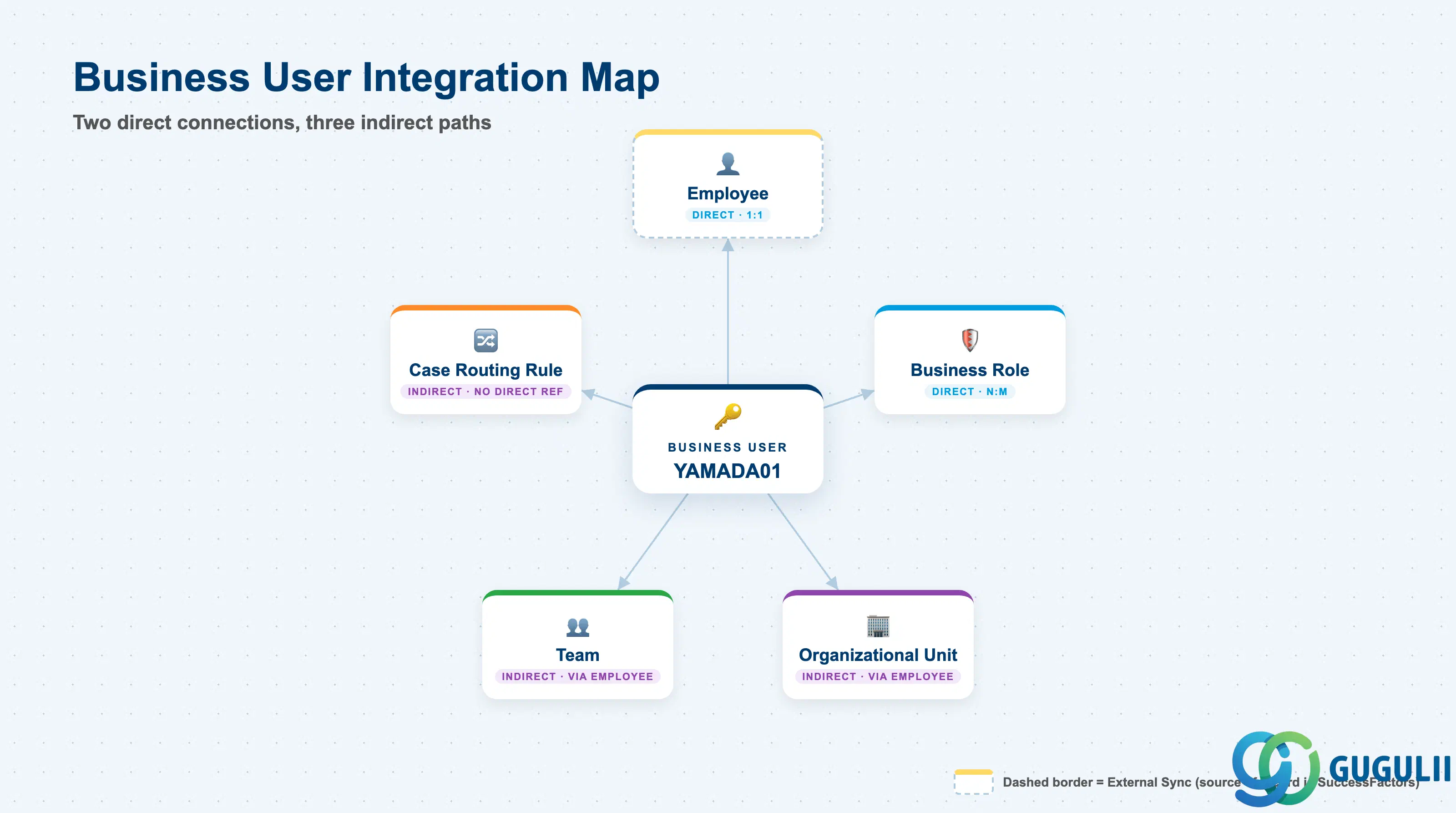
Business User does not stand alone — it has exactly two direct connections, to Employee and to Business Role, and reaches everything else in the Employee & Org phase only second-hand.
| Object | Relationship | Practical Notes |
|---|---|---|
| Employee (SC-A02-02) | 1:1 — Business User is created FROM an Employee record; the Employee must exist first | This is Business User’s one mandatory prerequisite. The Admin Console does not support creating a login before the underlying Employee record exists, and the reverse creation order is not possible. |
| Business Role (SC-A02-03) | N:M — a Business User is assigned one or more Business Roles, and a Business Role can be assigned to many Business Users | This is Business User’s other direct relationship, established independently of the Employee link — the login is fully provisioned only once both the Employee link and at least one Business Role assignment exist. |
| Organizational Unit (SC-A02-01) | Indirect only, through the linked Employee — never referenced directly on the Business User record | Business User inherits organizational context entirely through the Employee it is linked to. Reassigning that Employee’s Organizational Unit changes the Business User’s effective organizational context automatically, with no field to update on the Business User itself. |
| Team (SC-A02-05) | No direct relationship | Team is fed by Employee and Organizational Unit, not by Business User — team membership tracks the person (Employee), while system access tracks the login (Business User); the two are maintained on separate records. |
| Case Routing Rule (SC-A07-01) | No direct relationship — Case Routing Rule targets Team or Employee, not Business User | A rule that routes a case to an Employee relies on that Employee’s linked Business User to actually act on it; a missing or misconfigured Business Role on that Business User surfaces as an authorization error after the case is routed, not as a routing failure itself. |
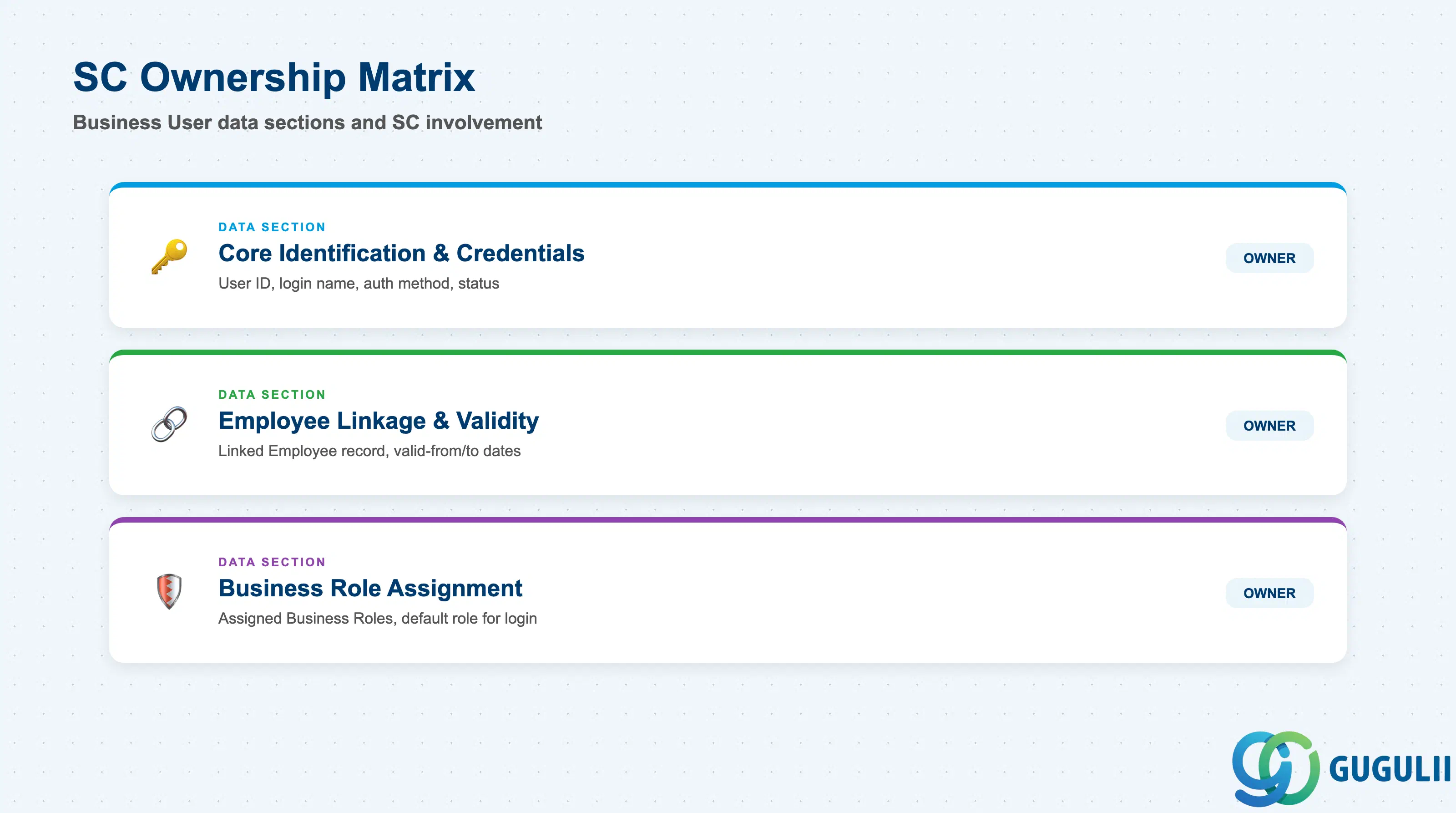
| Data Section | SC Involvement | Notes |
|---|---|---|
| Core Identification & Credentials | ◎ Owner | Business User ID, User Name, Authentication Method, Status — establishes which login this is, how it authenticates, and whether it currently accepts sign-in |
| Employee Linkage & Validity | ◎ Owner | Employee (linked record), Valid From, Valid To — ties this login to exactly one Employee and controls its account lifecycle |
| Business Role Assignment | ◎ Owner | Business Roles Assigned, Default Business Role — controls which Work Center, View, and Business Service access this login carries |
Legend: ◎ = Owner / Critical, ○ = Direct involvement
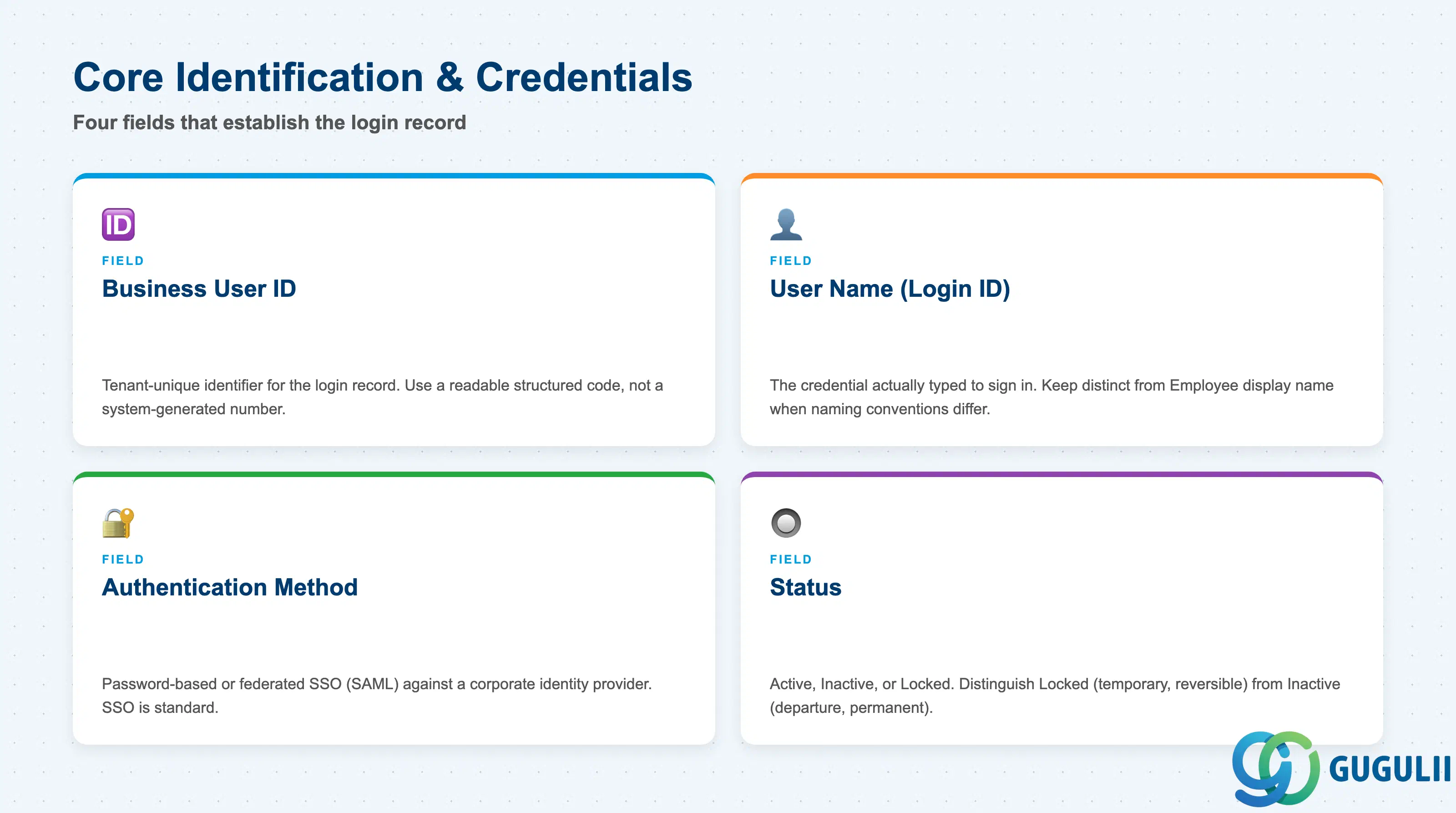
These fields establish which login this is, how it signs in, and whether it currently accepts sign-in at all — every linkage and role-assignment field below only matters once these are set.
| Field | Description | Practical Usage |
|---|---|---|
| Business User ID | Tenant-unique identifier for the login record (e.g. YAMADA01) | Assign a readable, structured code rather than a system-generated sequential number — this ID surfaces in every Business Role assignment screen and authorization-error message, and a readable code speeds up admin troubleshooting during a support case. |
| User Name (Login ID) | The credential the person actually types to sign in to the tenant | Keep this distinct from the Employee’s display name where the client uses a separate login-naming convention (e.g. corporate email vs. an internal user code) — the two records are linked, but their identifying values do not have to match. |
| Authentication Method | How the login authenticates — typically password-based or federated SSO (SAML) against a corporate identity provider | Federated SSO is the standard choice for any tenant integrated with a corporate identity provider; password-based login should be reserved for exception cases, since it puts credential-lifecycle management fully inside the Service Cloud tenant rather than the client’s central identity system. |
| Status (Active / Inactive / Locked) | Whether the login currently accepts sign-in | Distinguish Locked (temporary, fully reversible) from Inactive (tied to the Employee leaving) — collapsing both into a single “disabled” state loses the distinction between a login that should be quickly restored and one that should stay retired for audit purposes. |
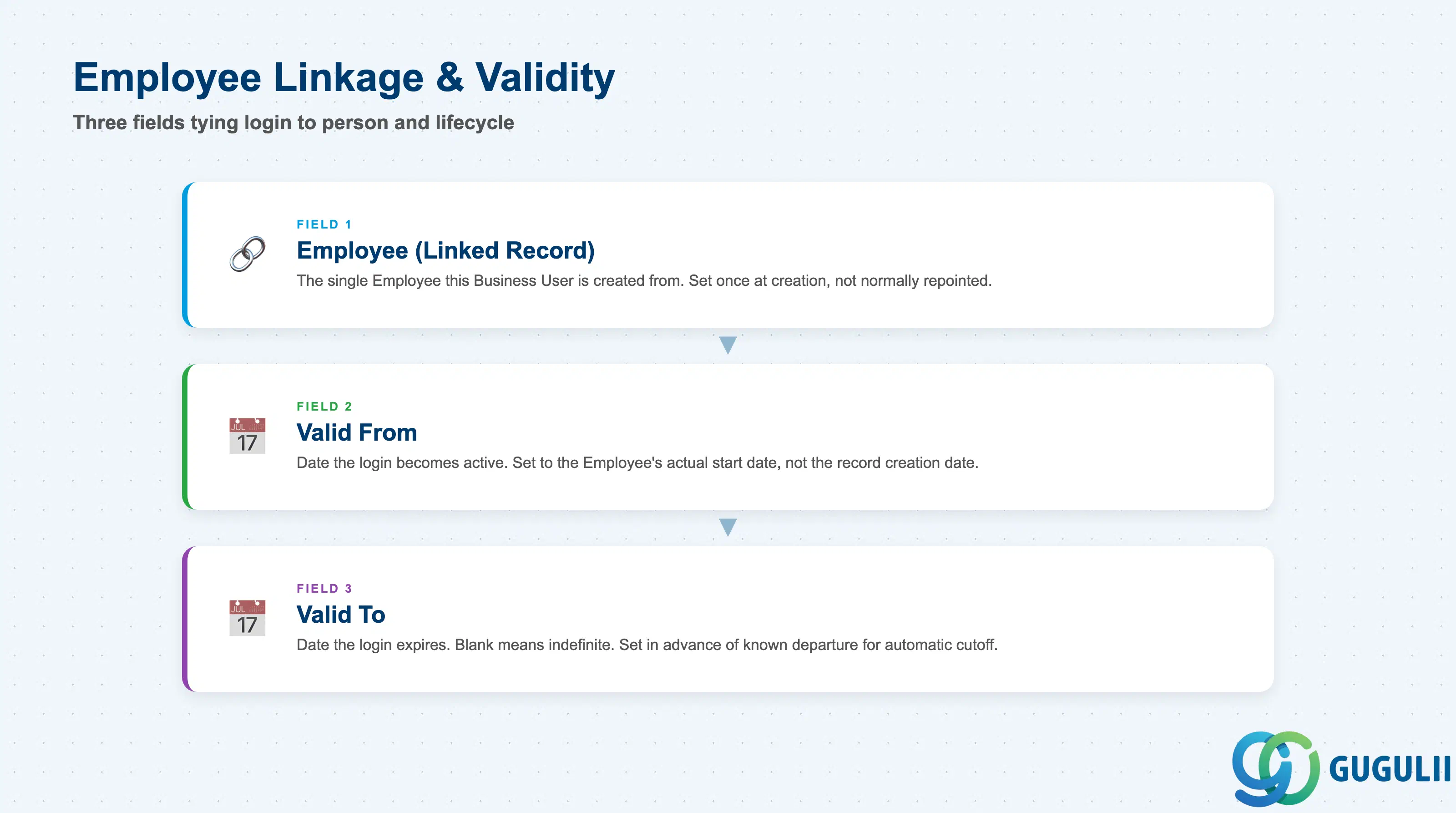
These fields tie the login to the one Employee it represents and bound the period during which that login is valid — getting the link right at creation time avoids a login pointing at the wrong person later.
| Field | Description | Practical Usage |
|---|---|---|
| Employee (Linked Record) | The single Employee record (SC-A02-02) this Business User is created from | This link is set once at creation and is not normally repointed to a different Employee — if the wrong Employee was linked, the practical fix is usually to deactivate the Business User and create a new one against the correct Employee, rather than editing the link. |
| Valid From | Date the login becomes active for sign-in | Typically set to match the Employee’s actual start date on case work, not the date the record happens to be created in the system — creating the login ahead of the person’s start date with a future Valid From lets administrators pre-provision access before day one. |
| Valid To | Date the login is no longer valid for sign-in (blank = indefinite) | Used together with Status to phase out access — setting a Valid To date in advance of a known departure lets access expire automatically on schedule, rather than relying on someone remembering to disable it manually. |
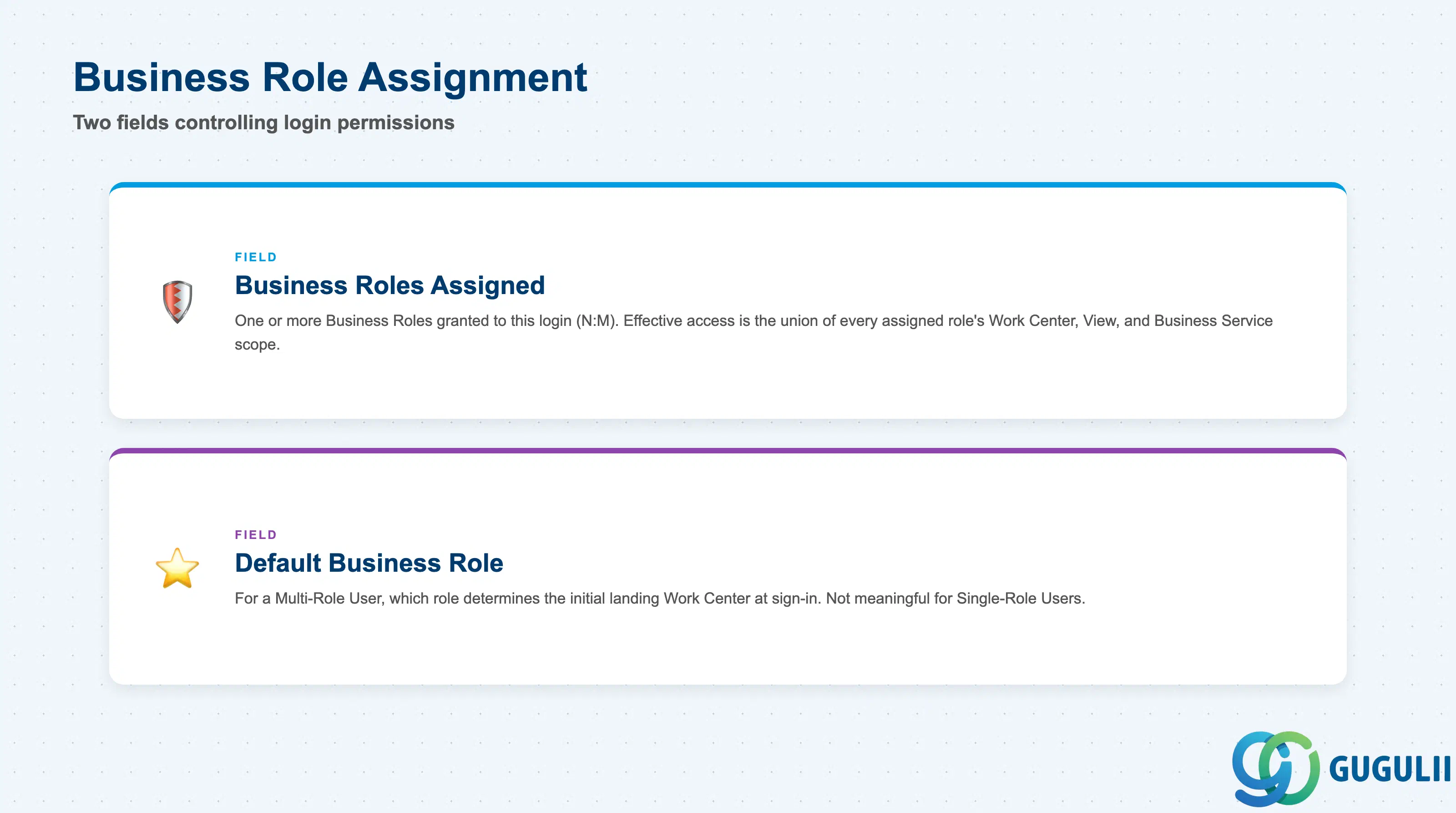
These fields determine what this specific login is actually permitted to see and do — everything defined on the Business Role (SC-A02-03) side only takes effect once the assignment recorded here is in place.
| Field | Description | Practical Usage |
|---|---|---|
| Business Roles Assigned | The one or more Business Role records (SC-A02-03) granted to this login (N:M) | Effective access is the union of every assigned role’s Work Center, View, and Business Service scope — when troubleshooting “why can this user see that case,” check every assigned role, not just the one that seems most relevant. |
| Default Business Role | For a Multi-Role User, which assigned role determines the initial landing Work Center at sign-in | Not meaningful for a Single-Role User, where the one assigned role is the default by definition; on a Multi-Role User, set this deliberately rather than leaving it to whichever role was assigned first, since it shapes the agent’s first screen every time they log in. |
| ID | Category | Title |
|---|---|---|
| sc-001 | Overview | What is SAP Service Cloud? |
| ID | Category | Title |
|---|---|---|
| sc-a01 | Overview | SAP Service Cloud Master Data: Overview, Hierarchy & Relationships |
| sc-a02-01 | Master Data | SAP Service Cloud Organizational Unit |
| sc-a02-02 | Master Data | SAP Service Cloud Employee |
| sc-a02-03 | Master Data | SAP Service Cloud Business Role |
| sc-a02-04 | Master Data | SAP Service Cloud Business User 📍 |
| sc-a02-05 | Master Data | SAP Service Cloud Team |
| sc-a03-01 | Master Data | SAP Service Cloud Email Channel |
| sc-a03-02 | Master Data | SAP Service Cloud Email Template |
| sc-a04-01 | Master Data | SAP Service Cloud Knowledge Base Provider |
| sc-a05-01 | Master Data | SAP Service Cloud Service Catalog |
| sc-a05-02 | Master Data | SAP Service Cloud Service Category |
| sc-a05-03 | Master Data | SAP Service Cloud Case Type |
| sc-a06-01 | Master Data | SAP Service Cloud Service Level |
| sc-a06-02 | Master Data | SAP Service Cloud Service Level Determination |
| sc-a07-01 | Master Data | SAP Service Cloud Case Routing Rules |
| sc-a10-04 | Master Data | SAP Service Cloud Warranty |
| sc-a11-01 | Master Data | SAP Service Cloud Installed Base |
| sc-a11-02 | Master Data | SAP Service Cloud Functional Location |
| ID | Category | Title |
|---|---|---|
| sc-b01 | Overview | SAP Service Cloud Transactions: Process Flow, Hierarchy & Relationships |