Title here
Summary here

Email Template is SAP Service Cloud’s master record for a reusable, HTML-based outbound email — the content and layout that either fires automatically from an Autoflow rule reacting to a Case, or gets inserted manually by a service agent replying to a Case. It sits conceptually downstream of Email Channel (SC-A03-01) in Phase 2 (Channel), but the link between the two objects is looser than it first appears: Email Template classifies itself with an Object Type (e.g. Case) and a Channel Type (e.g. Email) as a usage context, not as a field-level reference to one specific Email Channel record. This article maps Email Template’s scope, its actual downstream automation mechanism (Autoflow Rule), the objects it deliberately does not connect to, and every field administrators configure when authoring a template — including a genuine, currently-documented platform limitation on multi-language automated Case notifications.
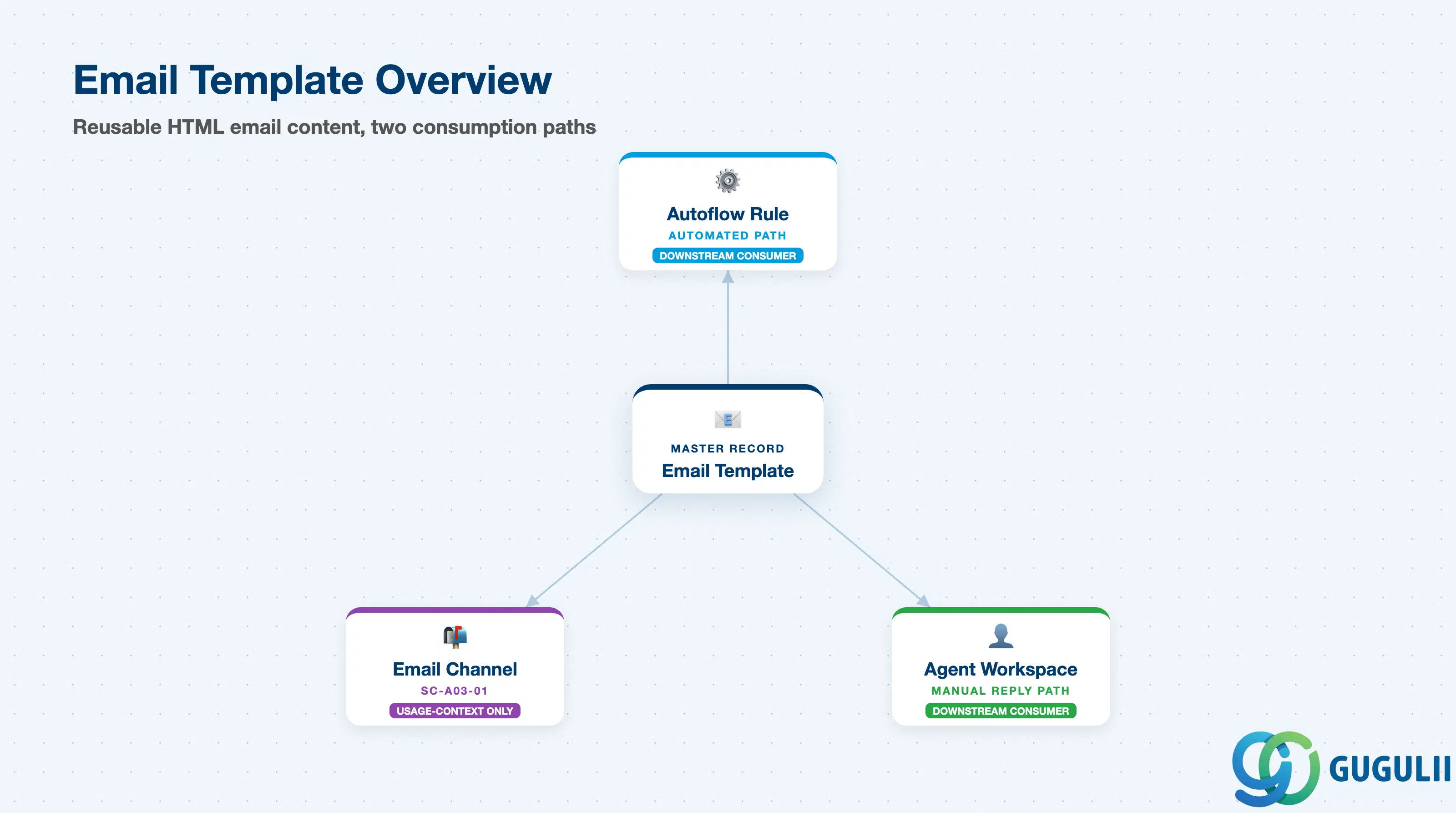
Email Template represents a piece of reusable outbound email content — an HTML document plus a set of dynamic placeholders — not a live message and not a channel configuration. It exists so that the wording, branding, and layout of a Case-related email (or a signature, a campaign email, an approval notice) can be authored once and then either triggered automatically or picked manually, instead of every outbound email being composed from scratch.
| Aspect | Details |
|---|---|
| Role | Tenant-level record defining reusable outbound email content (an uploaded HTML body plus placeholders), classified by Template Type, Object Type, and Channel Type |
| Modules using it | SAP Service Cloud (Channel — sole owner); selected by Autoflow Rule (Case entity, On Create/On Update trigger) for automated Case notifications; selected manually by service agents in the Case reply workspace |
| Transactions | SAP Service Cloud Admin Console: Settings > Emails > Templates (also referenced as Settings > All Settings > Email > Templates) |
| Key Tables | SAP Service Cloud: EmailTemplate business object (Admin/Core API OData entity) — SAP Service Cloud is a multi-tenant SaaS solution and does not expose classical ABAP tables to consultants |
| S/4HANA note | Email Template is created and maintained natively inside the Service Cloud tenant; it is not replicated from S/4HANA or any external system. Its Channel Type field is a category value (e.g. “Email”), not a foreign key to a specific Email Channel record — treat the two objects as tied by shared usage context, not by containment or any hard save-time creation dependency. |
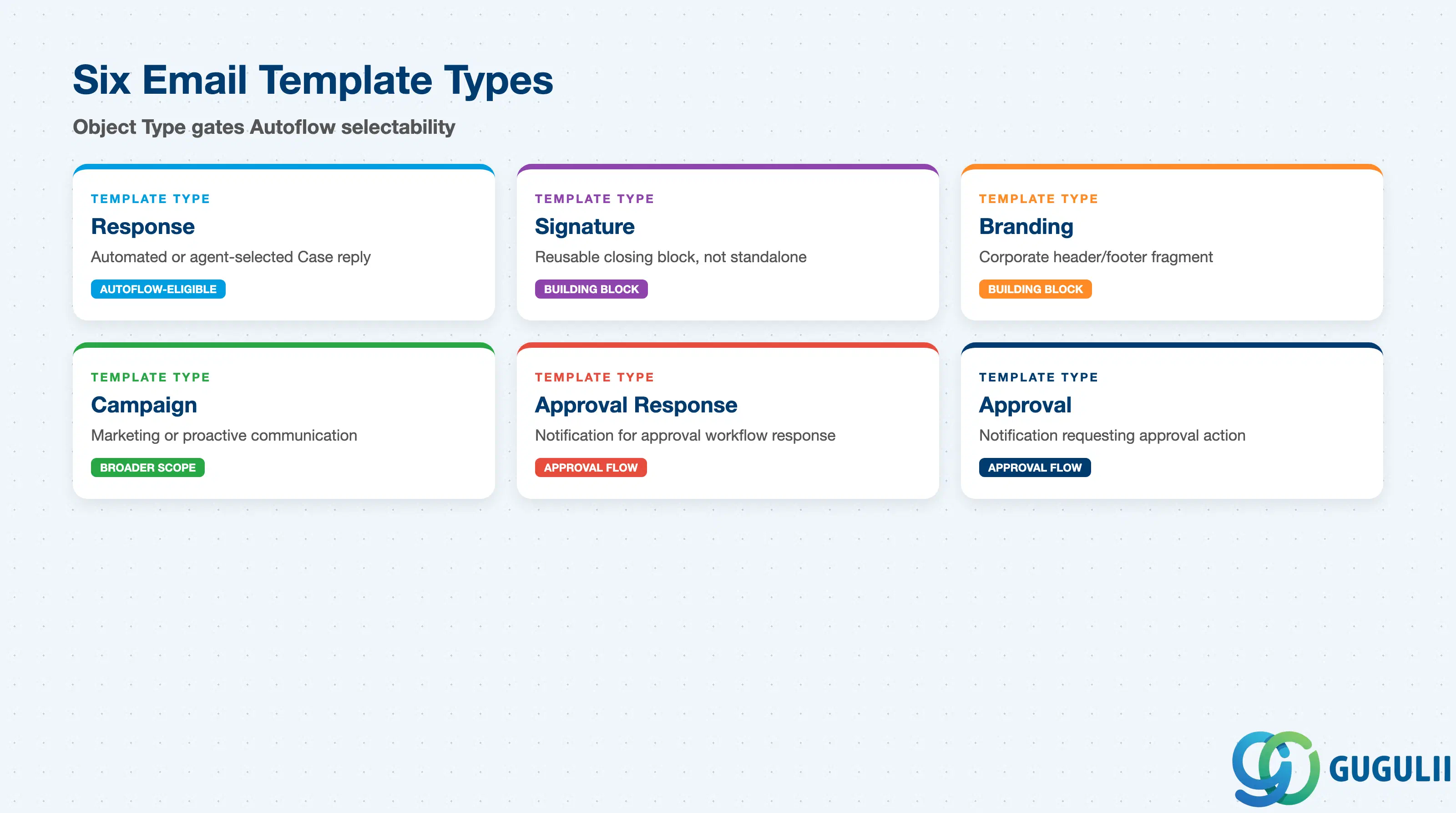
Email Template is a shared object type used across more scenarios than Case auto-responses alone. Getting the Template Type and Object Type wrong doesn’t just produce a cosmetically wrong email — it can make the template invisible to the Autoflow rule builder entirely, since only templates whose Object Type matches the target entity are offered as selectable options.
| Template Type | Typical Configuration | Use Case | Key Behavior |
|---|---|---|---|
| Response | Object Type = Case, Channel Type = Email, full HTML body | Automated or agent-selected Case reply (receipt confirmation, resolution, escalation) | The type used for the email-to-case workflow; combined with Object Type = Case, this is what an Autoflow rule’s “Send Email” action can pick up |
| Signature | Short HTML fragment | Reusable closing block (agent name, disclaimer) inserted into other outbound emails | Building-block content, not a standalone Case notification |
| Branding | Header/footer HTML fragment | Corporate letterhead or footer reused across many templates | Building-block content, typically combined with other templates rather than sent alone |
| Campaign | Full HTML body, broader Object Type scope | Marketing or proactive customer communication, outside the Case reply flow | Not tied to Case creation/update events the way Response templates are |
| Approval Response | Full HTML body | Notification sent as part of an approval workflow’s response step | Scoped to whichever Object Type the approval process operates on |
| Approval | Full HTML body | Notification requesting an approval action | Scoped to whichever Object Type the approval process operates on |
Design principle: Object Type is what actually gates automation — a template with the right wording but the wrong Object Type simply never appears in the Autoflow rule’s template picker for that entity. Set Template Type to match intent (Response for Case replies), but verify Object Type before assuming a template is ready for automated use.
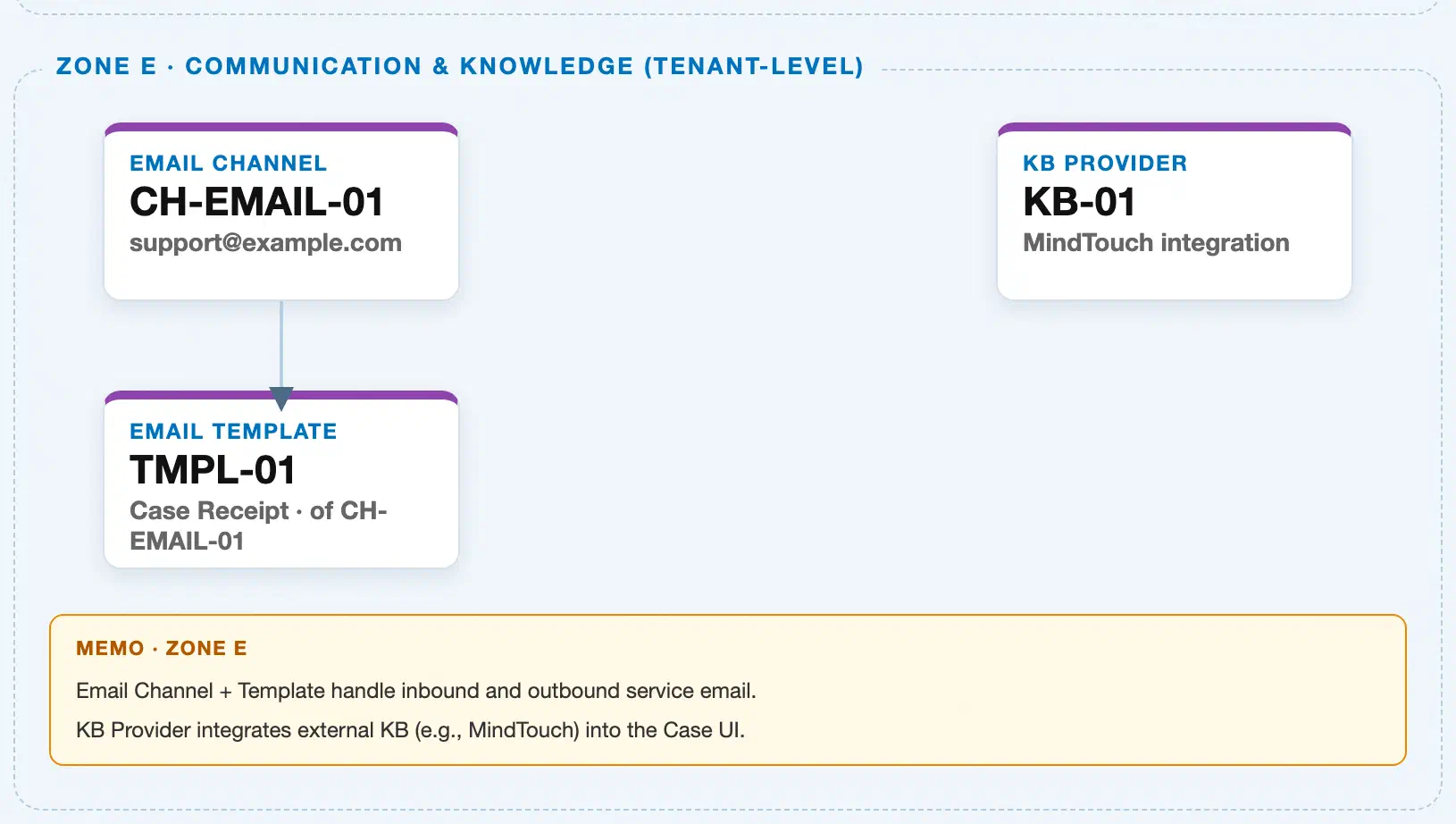
Data hierarchy with a concrete example (Zone E · Communication & Knowledge — tenant-level; SAP Service Cloud has no Company Code / Plant scoping above this)
Client (SAP Service Cloud Tenant)
   │
   ├── Email Channel "CH-EMAIL-01" — Technical Support Intake, Address "support@example.com"
   │
   └── Email Template "TMPL-01" — Case Receipt Confirmation
           Template Type: Response · Object Type: Case · Channel Type: Email · Language: English
           (Channel Type "Email" is a usage-context category, not a reference to CH-EMAIL-01 specifically)

Email Template "TMPL-01" ── selected by ──> Autoflow Rule "AF-CASE-CREATE-NOTIFY" (Case, On Create trigger)
                                                  └── "Send Email" action → outbound Case notification

Email Template "TMPL-01" ── manually inserted by ──> Service Agent (Case reply, agent workspace)
Design principle: Email Channel and Email Template are tenant-level siblings, not parent-and-child. Email Template’s Channel Type field categorizes what kind of channel the template’s content is designed for (Email, as opposed to other channel types) — it is a usage-context classification, not a field-level link to one specific Email Channel record. Nothing on the Email Template record technically requires an Email Channel record to exist first at save time; sources describe an Email Channel being maintained first as an operational sequencing consideration, not a hard creation-blocking prerequisite. SC-A03-01 describes this as a creation dependency (“cannot be created until an Email Channel already exists”); the more precise characterization is that the Channel needs to exist for operational reasons — an Email Template whose Channel Type = Email has no functional target without a real Email Channel to receive and route the mail it produces — but no documented system mechanism (no foreign-key constraint, no save-time validation) prevents an administrator from saving an Email Template record even if no matching Email Channel record exists yet.
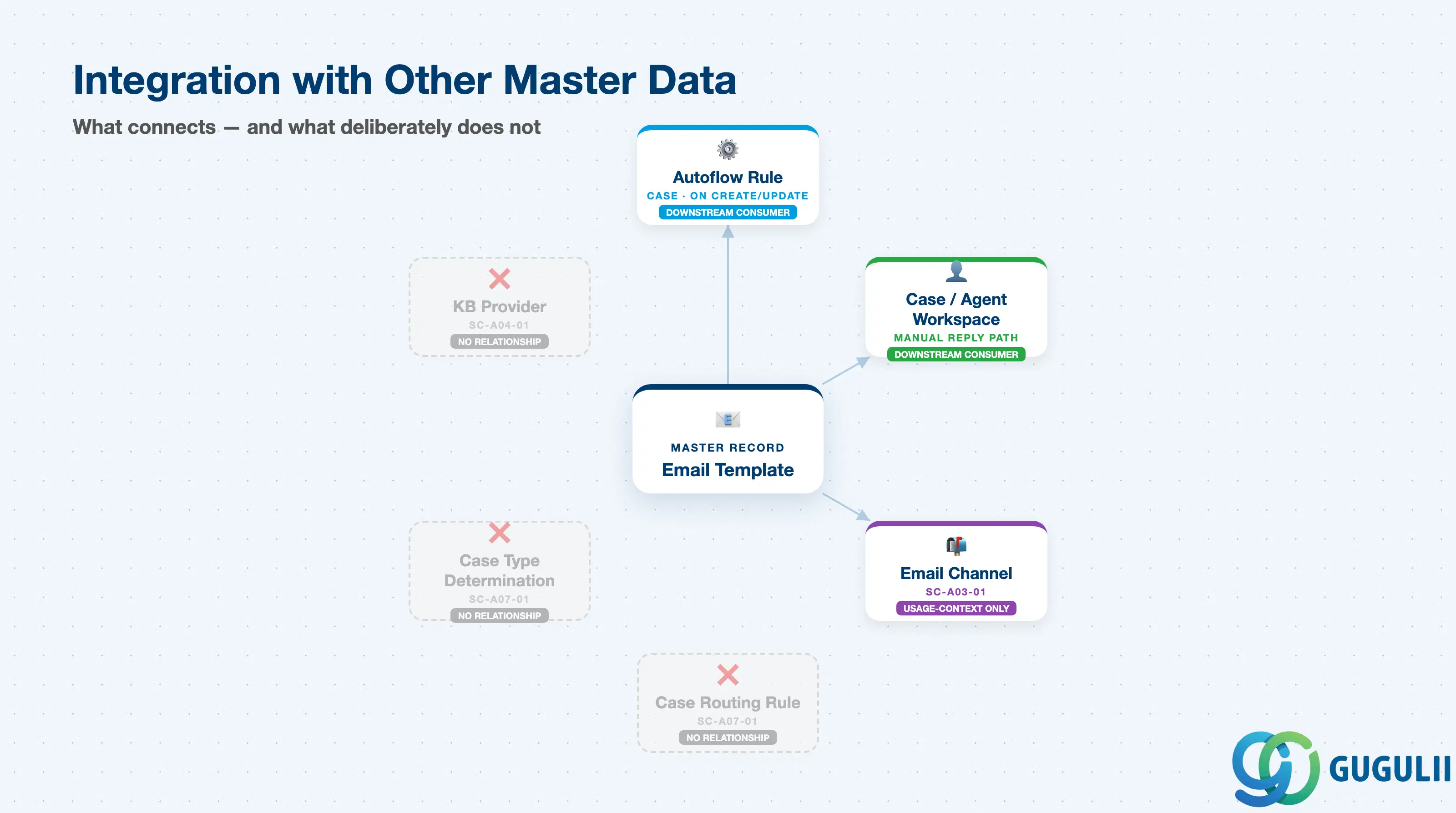
Email Template’s real downstream connection to Case automation runs through Autoflow Rule, not through any direct field on the Case object itself — and it is worth being precise about the objects it does not connect to, since Email Channel’s “routing” language from SC-A03-01 is easy to over-extend onto this object.
| Object | Relationship | Practical Notes |
|---|---|---|
| Email Channel (SC-A03-01) | Usage-context only, not a field-level reference | Email Template’s Channel Type field holds a category value (e.g. “Email”); it does not point to a specific Email Channel record. An Email Channel is operationally useful to have configured before a matching-type template goes into service, but nothing enforces this as a hard save-time prerequisite. |
| Autoflow Rule (Case entity, On Create / On Update trigger) | Downstream consumer, real automation link | An Autoflow rule’s “Send Email” action selects an Email Template filtered by Object Type = Case; this is the actual mechanism that fires an automated Case email notification. The reference direction runs from the Autoflow rule to the template — no field on the Email Template record points back to a specific Autoflow rule or Case Process transaction. |
| Case (agent workspace, manual reply) | Downstream consumer, manual path | Service agents resolving a Case can manually select and insert an Email Template into an outbound reply, alongside knowledge base article content. This path is agent-driven, not automatic, and does not depend on any Autoflow rule existing. |
| Case Type Determination Rule / Case Routing Rule (SC-A07-01) | No direct relationship | Case Type and routing are both resolved at the Email Channel / inbound-message-condition level (SC-A03-01, Section 2.3), entirely before — and independently of — any Email Template selection. No source reviewed shows Email Template referenced anywhere in Case Type Determination or Case Routing Rule configuration. |
| Knowledge Base Provider (SC-A04-01) | No relationship | Knowledge base articles are surfaced alongside templates only at the agent-workspace UI level (an agent may combine a template with a KB article in one reply) — this is a UI convenience, not a master-data relationship. |
| Organizational Unit, Employee, Business Role, Business User, Team (Phase 1) | No direct relationship on the Email Template record | A Sender Name/Email value may be set when configuring an Autoflow rule’s “Send Email” action and could reference a Business User, but this is an Autoflow-rule configuration detail — it is not a field stored on the Email Template object itself. |
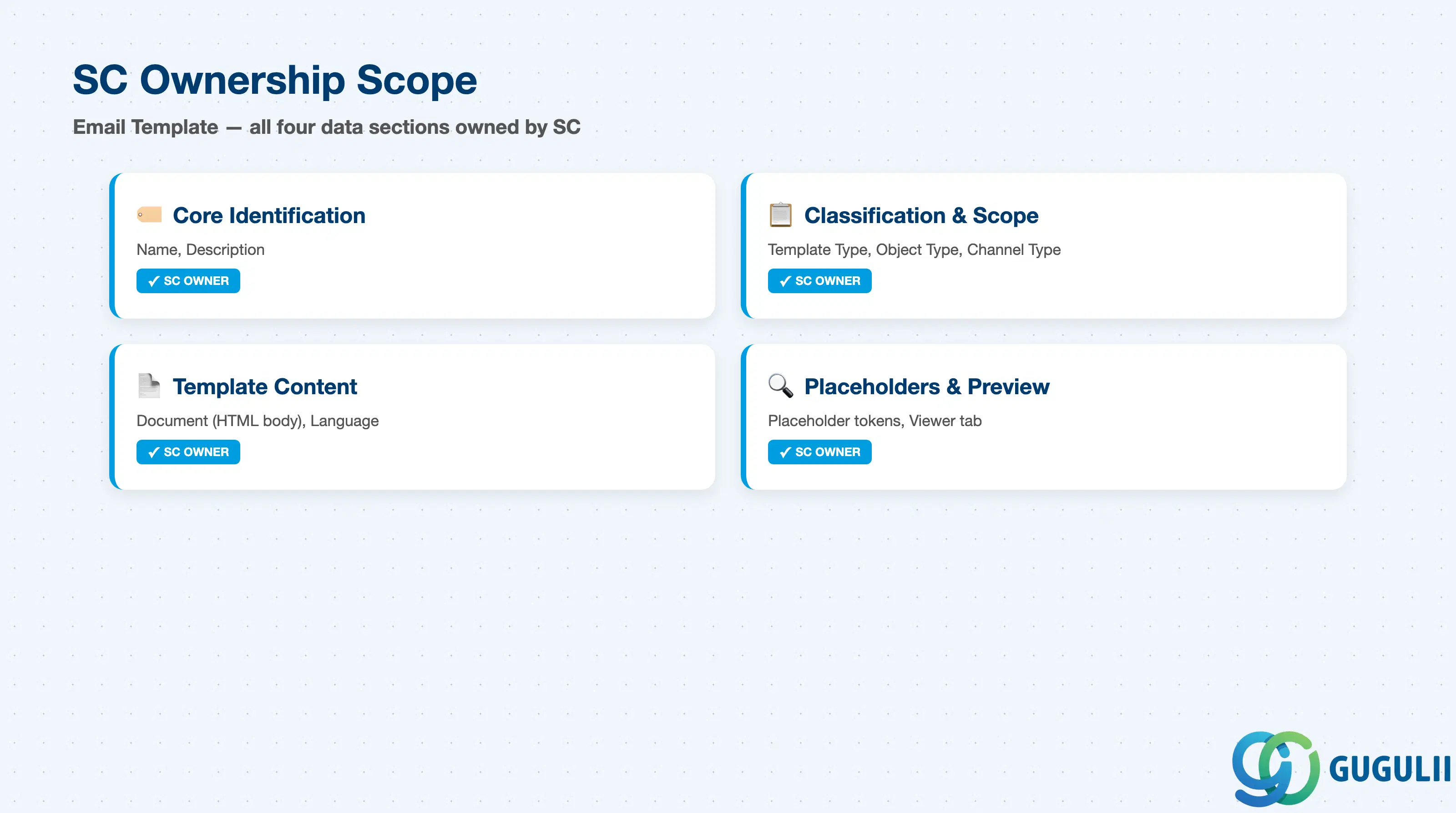
| Data Section | SC Involvement | Notes |
|---|---|---|
| Core Identification | ◎ Owner | Name, Description — the fields that identify which template this is |
| Classification & Object Scope | ◎ Owner | Template Type, Object Type, Channel Type — govern where and how the template can be used, including Autoflow selectability |
| Template Content & Language | ◎ Owner | Document, Language — the actual HTML body and the language it is authored in |
| Placeholders & Preview | ◎ Owner | Placeholder, Viewer — the dynamic tokens available inside the HTML and the rendered preview after saving |
Legend: ◎ = Owner / Critical, ○ = Direct involvement
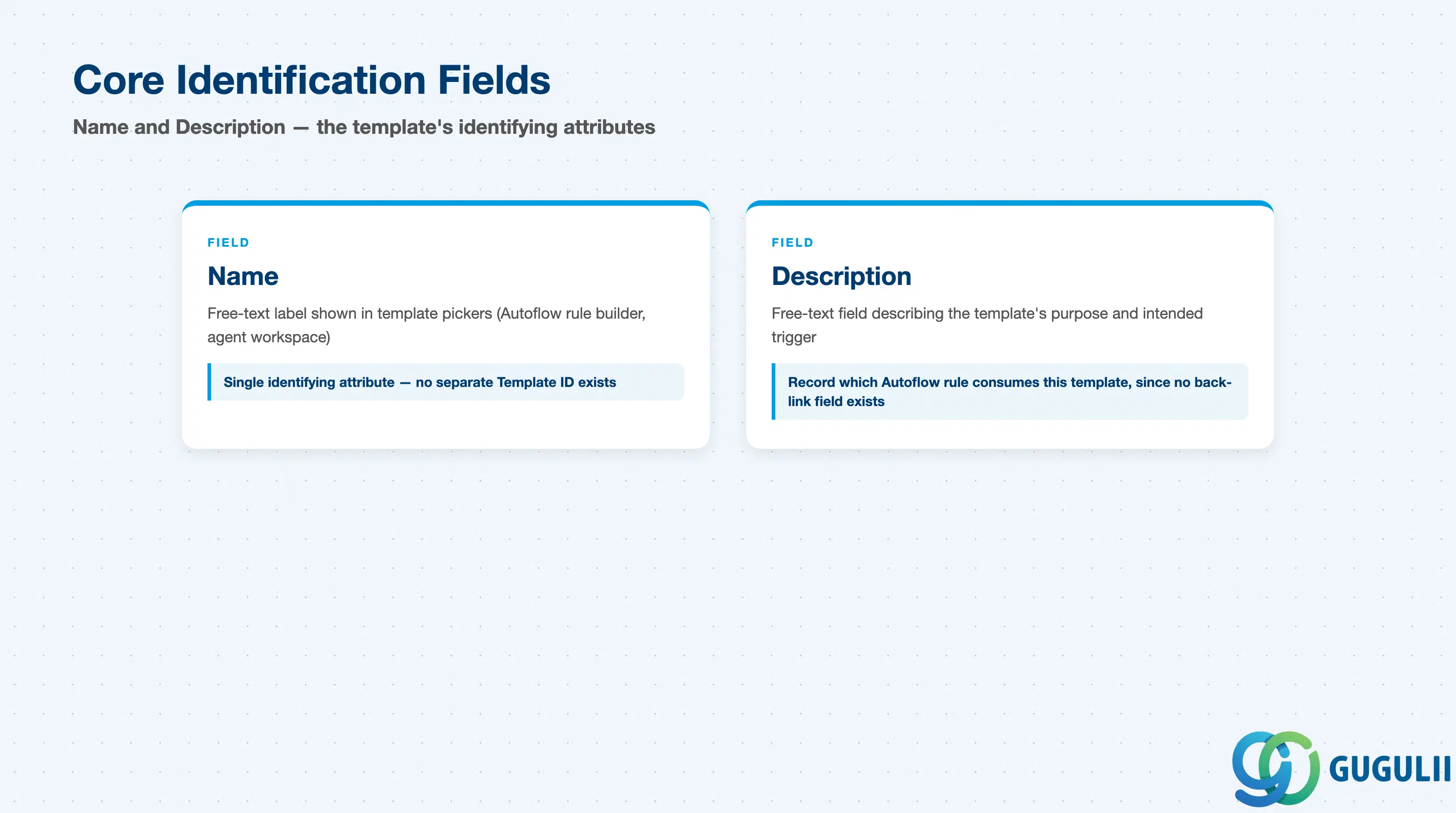
These two fields are what an administrator, an agent, and an Autoflow rule builder all see first when picking a template out of a list.
| Field | Description | Practical Usage |
|---|---|---|
| Name | Free-text identifying label for the template, shown in template pickers (Autoflow rule builder, agent workspace) | No source documents a separate system-generated Template ID distinct from Name — unlike Email Channel, which has both a Channel ID and a Channel Name (SC-A03-01, Section 2.1). Treat Name as the single identifying attribute for this object and choose a naming convention deliberately (e.g. prefix by Object Type and language) so templates stay distinguishable as the list grows. |
| Description | Free-text field describing the template’s purpose | Use this to record context that Name alone won’t carry — which trigger it’s meant for, which language variant it is, or which Autoflow rule consumes it — since there is no dedicated field on the object linking a template back to the Autoflow rule that fires it. |
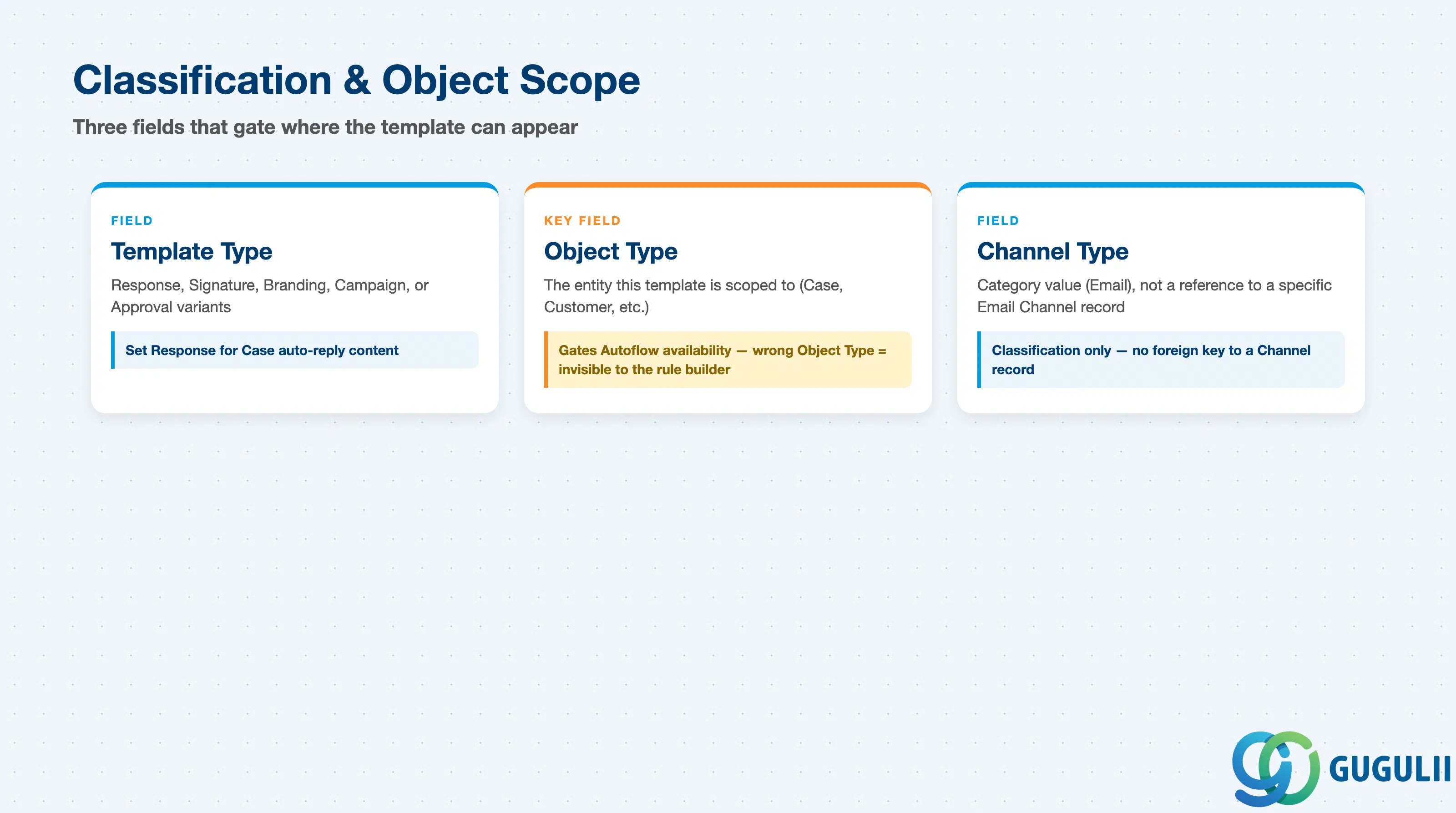
These three fields together determine where the template is even eligible to appear — most notably, whether an Autoflow rule can select it at all.
| Field | Description | Practical Usage |
|---|---|---|
| Template Type | Category of template content (Response, Signature, Branding, Campaign, Approval Response, Approval) | Set this to Response for Case auto-reply/notification content; use Signature or Branding only for reusable fragment content meant to be combined into other templates, not sent standalone. |
| Object Type | The entity the template is scoped to (e.g. Case, Customer) | This is the field that gates Autoflow availability: per SAP Knowledge Base Article 3454951, only templates whose Object Type matches the Autoflow rule’s target entity are offered in that rule’s template picker. A perfectly good template with Object Type set incorrectly will simply not appear as a selectable option — check this first when a template “is missing” from an Autoflow rule. |
| Channel Type | Category of communication channel the content is designed for (e.g. Email) | This is a classification value, not a reference to one specific Email Channel record — do not read Channel Type = “Email” as pointing to a particular inbox address such as support@example.com. It simply marks the template as intended for the email channel as opposed to some other channel type. |
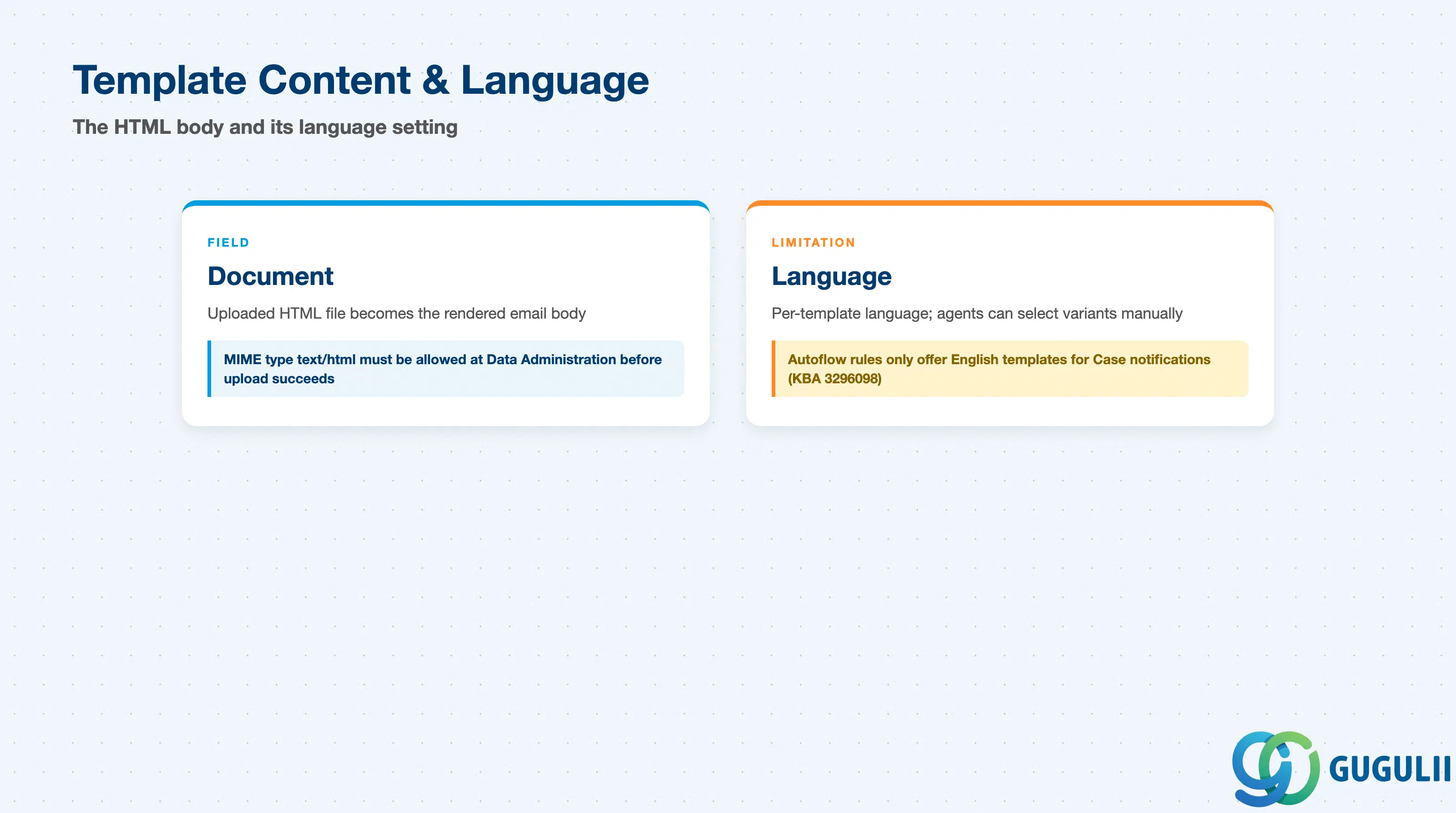
This is where the template actually becomes an email — and where a real, currently-documented platform limitation on multi-language automated notifications belongs.
| Field | Description | Practical Usage |
|---|---|---|
| Document | Uploaded HTML file authored offline, becomes the rendered email body | The MIME type text/html must be allowed at Settings > Data Administration > MIME Types for Attachments before an upload will succeed — a common first-time setup blocker. Author and test the HTML offline before uploading, since editing is not a documented in-tool workflow. |
| Language | Language selected for this specific template/document (e.g. English) | Email Template supports a Language field, and multiple language variants of a logical template can exist for agents to select manually when replying to a Case (agent-facing use is confirmed multi-language). However, a specific, currently-documented platform limitation applies to the automated path: SAP Knowledge Base Article 3296098 states that Autoflow rules for Case email notifications only offer Email Templates whose Language is set to English in the rule’s template picker — non-English variants are not selectable there, and the documented workaround is to maintain the Case-notification template itself in English regardless of the intended audience. A separate, older KBA describing a multi-language “Standard” checkbox pattern in the classic Cloud for Customer workflow engine should not be assumed to carry over unmodified to Service Cloud V2’s Autoflow. Treat automated Case-notification multi-language support as a genuinely open/limited area today, not a solved one. |
Scope note: Subject line and Sender Name/Email for an automated Case notification are set on the Autoflow rule’s “Send Email” action — they are not fields on the Email Template record itself. This article covers only fields documented on the Email Template object; Subject and Sender configuration belongs to the Autoflow Rule object and is out of scope here.
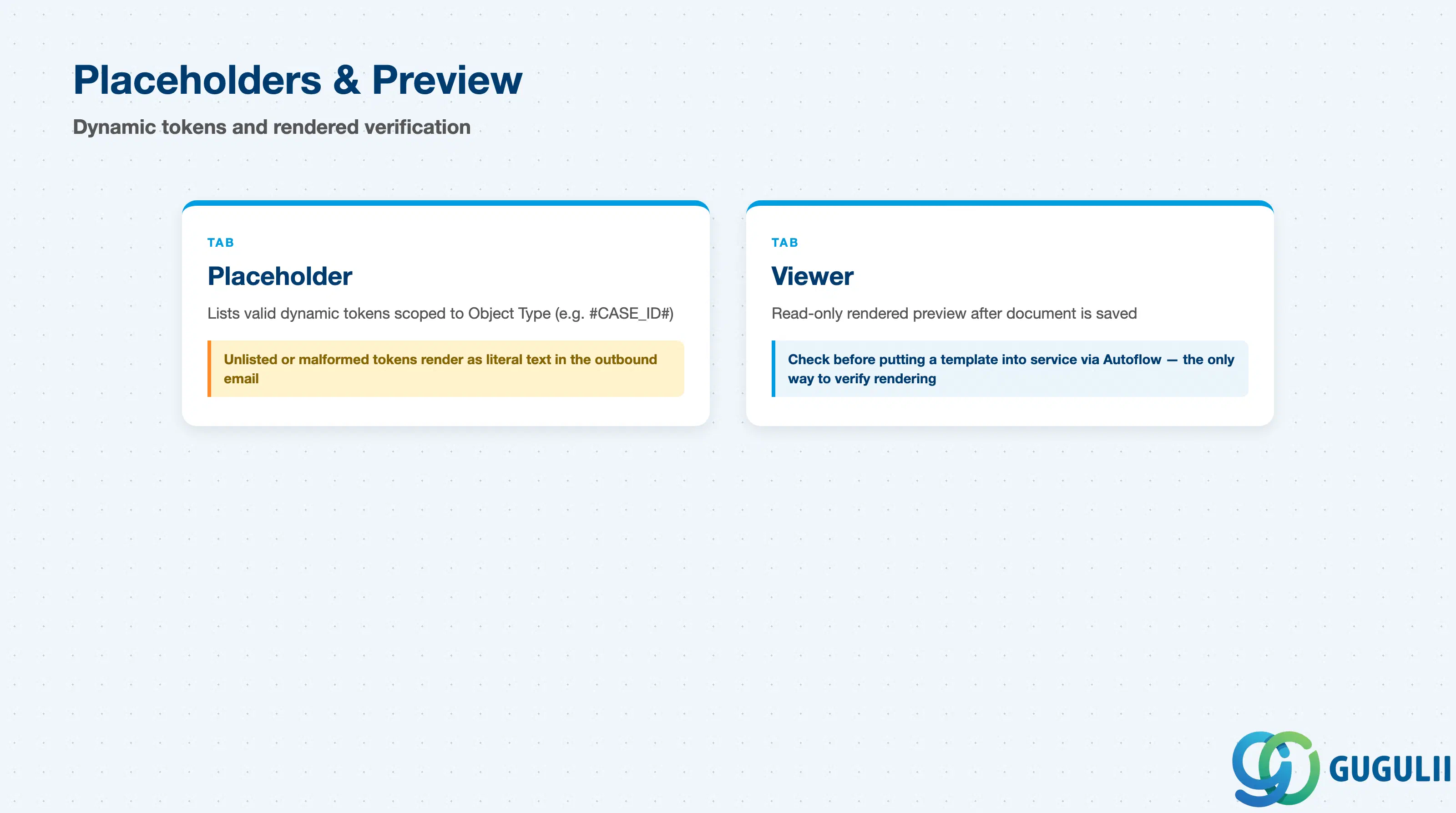
These two tabs surface, and let the administrator verify, the dynamic content that makes an uploaded HTML document into a personalized email.
| Field | Description | Practical Usage |
|---|---|---|
| Placeholder | Tab listing the valid dynamic tokens available for this template (e.g. Case ID, first name), scoped to the template’s Object Type | Use only placeholders listed in this tab rather than inventing new tokens. Placeholder syntax follows a documented convention: all caps, no special characters, wrapped in a leading and trailing hash (e.g. #CASE_ID#). An unlisted or malformed placeholder renders literally as text in the outbound email instead of being substituted. |
| Viewer | Read-only tab showing the rendered result after the Document is saved | Check the Viewer before putting a template into service via an Autoflow rule — it is the only way to confirm placeholder substitution and HTML layout actually render as intended, since the raw uploaded document is not rendered inline during editing. |
| ID | Category | Title |
|---|---|---|
| sc-001 | Overview | What is SAP Service Cloud? |
| ID | Category | Title |
|---|---|---|
| sc-a01 | Overview | SAP Service Cloud Master Data: Overview, Hierarchy & Relationships |
| sc-a02-01 | Master Data | SAP Service Cloud Organizational Unit |
| sc-a02-02 | Master Data | SAP Service Cloud Employee |
| sc-a02-03 | Master Data | SAP Service Cloud Business Role |
| sc-a02-04 | Master Data | SAP Service Cloud Business User |
| sc-a02-05 | Master Data | SAP Service Cloud Team |
| sc-a03-01 | Master Data | SAP Service Cloud Email Channel |
| sc-a03-02 | Master Data | SAP Service Cloud Email Template 📍 |
| sc-a04-01 | Master Data | SAP Service Cloud Knowledge Base Provider |
| sc-a05-01 | Master Data | SAP Service Cloud Service Catalog |
| sc-a05-02 | Master Data | SAP Service Cloud Service Category |
| sc-a05-03 | Master Data | SAP Service Cloud Case Type |
| sc-a06-01 | Master Data | SAP Service Cloud Service Level |
| sc-a06-02 | Master Data | SAP Service Cloud Service Level Determination |
| sc-a07-01 | Master Data | SAP Service Cloud Case Routing Rules |
| sc-a10-04 | Master Data | SAP Service Cloud Warranty |
| sc-a11-01 | Master Data | SAP Service Cloud Installed Base |
| sc-a11-02 | Master Data | SAP Service Cloud Functional Location |
| ID | Category | Title |
|---|---|---|
| sc-b01 | Overview | SAP Service Cloud Transactions: Process Flow, Hierarchy & Relationships |