Title here
Summary here

Knowledge Base Provider is SAP Service Cloud’s configuration record that connects the native Agent Desktop widget to an external knowledge base — powering recommended articles tied to the open Case or Registered Product, in-widget article search, a top-trending-articles list, copy-URL, and send-as-email. Unlike Email Channel (SC-A03-01) or Email Template (SC-A03-02), it is not a single flat master record: it is a Communication Configuration copied from one of three provider-type templates (NICE CXone Expert/Mindtouch, SAP Build Work Zone, or Generic), plus — only when the provider is Mindtouch — a separate credentials sub-record entered under Provider Settings. This article maps both layers, the widget-consumption behavior that depends on them, and the objects Knowledge Base Provider deliberately does not connect to.
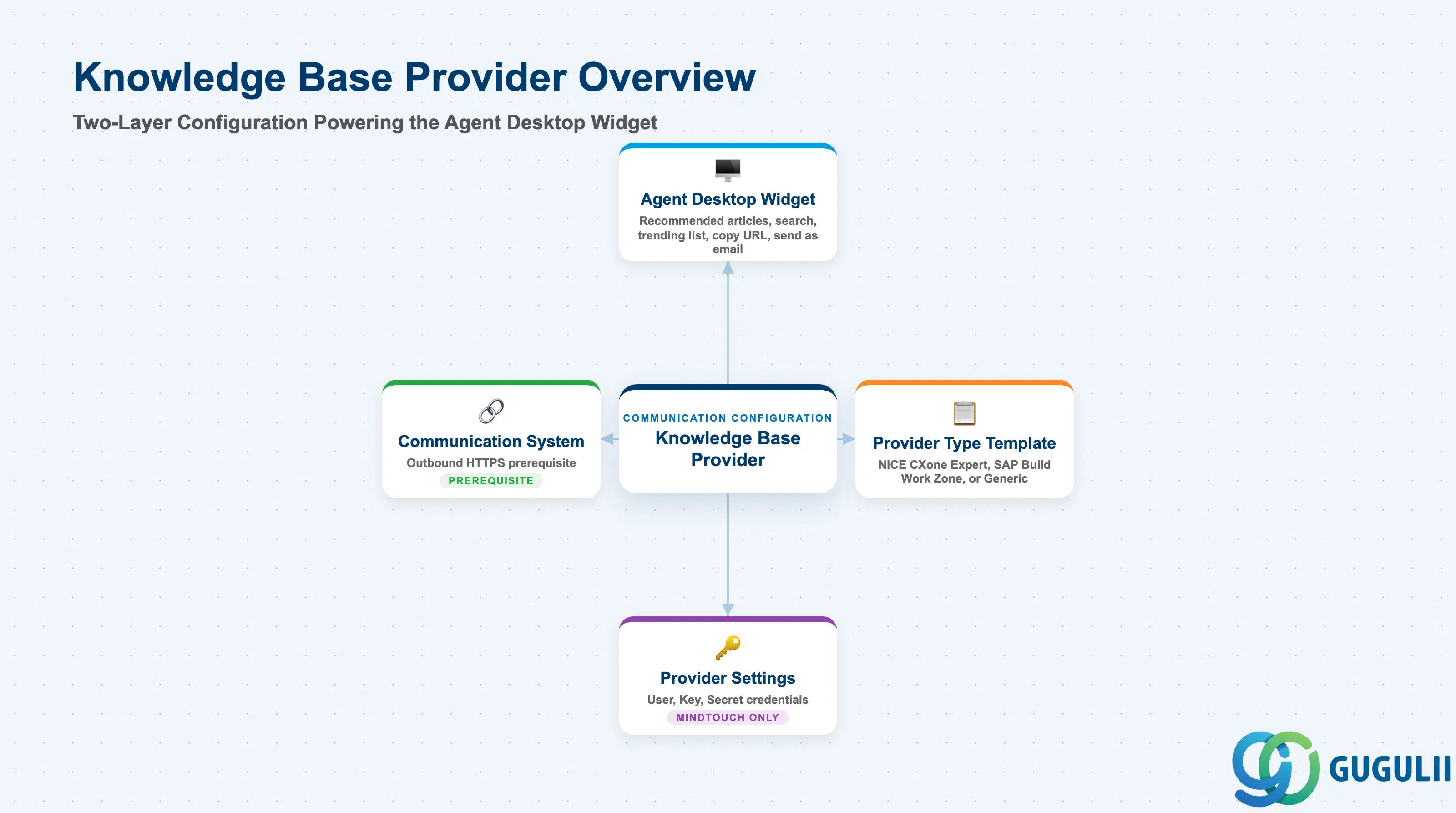
Knowledge Base Provider represents the connectivity that lets the Agent Desktop’s native Knowledge Base widget pull content from an external knowledge base system — it is a configuration record, not the article content itself. It exists so that recommended-article suggestions, in-widget search, and a trending-articles list can run against a live third-party knowledge base without custom development: the administrator points a Communication Configuration at the provider’s API endpoints and, for one specific provider type, supplies that provider’s credentials in a second, conditional record.
| Aspect | Details |
|---|---|
| Role | Tenant-level configuration connecting the Agent Desktop native Knowledge Base widget to an external knowledge base provider; not itself a content or article record |
| Modules using it | SAP Service Cloud (Knowledge — sole owner); consumed by the Agent Desktop native Knowledge Base widget (Customer Hub) for recommended articles, article search, a top-trending list, copy article URL, and send article as email |
| Transactions | SAP Service Cloud Admin Console: System Settings > Integration > Communication Configuration (base connectivity record, all provider types); System Settings > Knowledge Base > Provider Settings (Mindtouch/NICE CXone Expert credentials sub-record only) |
| Key Tables | SAP Service Cloud: Communication Configuration business object (Admin/Core API OData entity, a generic Integration object) plus a provider-specific credentials record for Mindtouch. SAP Service Cloud is a multi-tenant SaaS solution and does not expose classical ABAP tables to consultants |
| S/4HANA note | Knowledge Base Provider is configured natively inside the Service Cloud tenant against an external knowledge base system (e.g., NICE CXone Expert/Mindtouch, SAP Build Work Zone); it is not replicated from S/4HANA. A Communication System (generic Integration prerequisite, outbound protocol HTTPS) must exist before the Communication Configuration can be created — this is a platform-level Integration dependency, not a dependency on another Service Cloud business master data object |
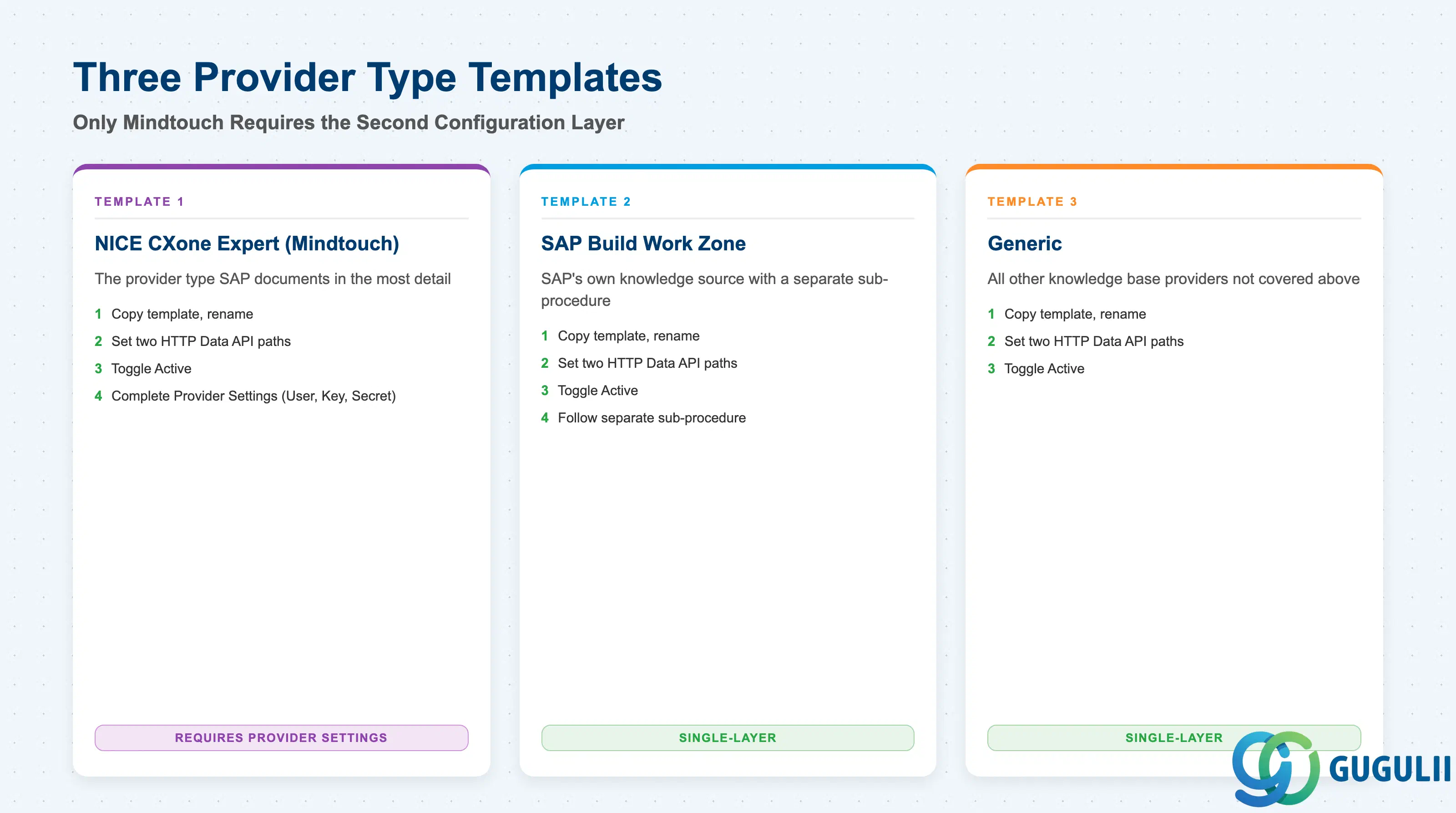
Knowledge Base Provider is not authored as a blank record. Administrators copy one of three pre-built templates at System Settings > Integration > Communication Configuration, and which template is copied determines both the API shape expected on the two HTTP Data paths and whether a second configuration layer (Provider Settings) is required at all.
| Provider Type Template | Typical Configuration | Use Case | Key Behavior |
|---|---|---|---|
| NICE CXone Expert (Mindtouch) | Copy template, rename, set the two HTTP Data API paths, toggle Active — then also complete Provider Settings (User / Key / Secret) | Integrating NICE’s Mindtouch-based knowledge base — the provider type SAP documents in the most detail | The only one of the three templates that requires the second configuration layer; without completing Provider Settings, the widget cannot authenticate to the Mindtouch API — articles will not be retrievable even if the Communication Configuration is Active and the API paths are correct |
| SAP Build Work Zone | Copy template, rename, set the two HTTP Data API paths, toggle Active; a separate cross-referenced sub-procedure (“Configure SAP Build Work Zone Native KB Widget Integration”) covers additional configuration | Integrating SAP’s own Build Work Zone as the knowledge source | The additional sub-procedure is named but not detailed in the same chapter — treat it as its own follow-up configuration step, not a Provider Settings-style credentials screen |
| Generic - all other knowledge base providers | Copy template, rename, set the two HTTP Data API paths, toggle Active — no second layer | Any other knowledge base provider not covered by the two named templates | Single-layer configuration only; no Provider Settings step applies regardless of the underlying vendor |
Design principle: Provider Type template selection is the single decision that determines whether a second configuration layer exists at all. Mindtouch is the only one of the three that requires completing Provider Settings; the other two stop at the Communication Configuration.
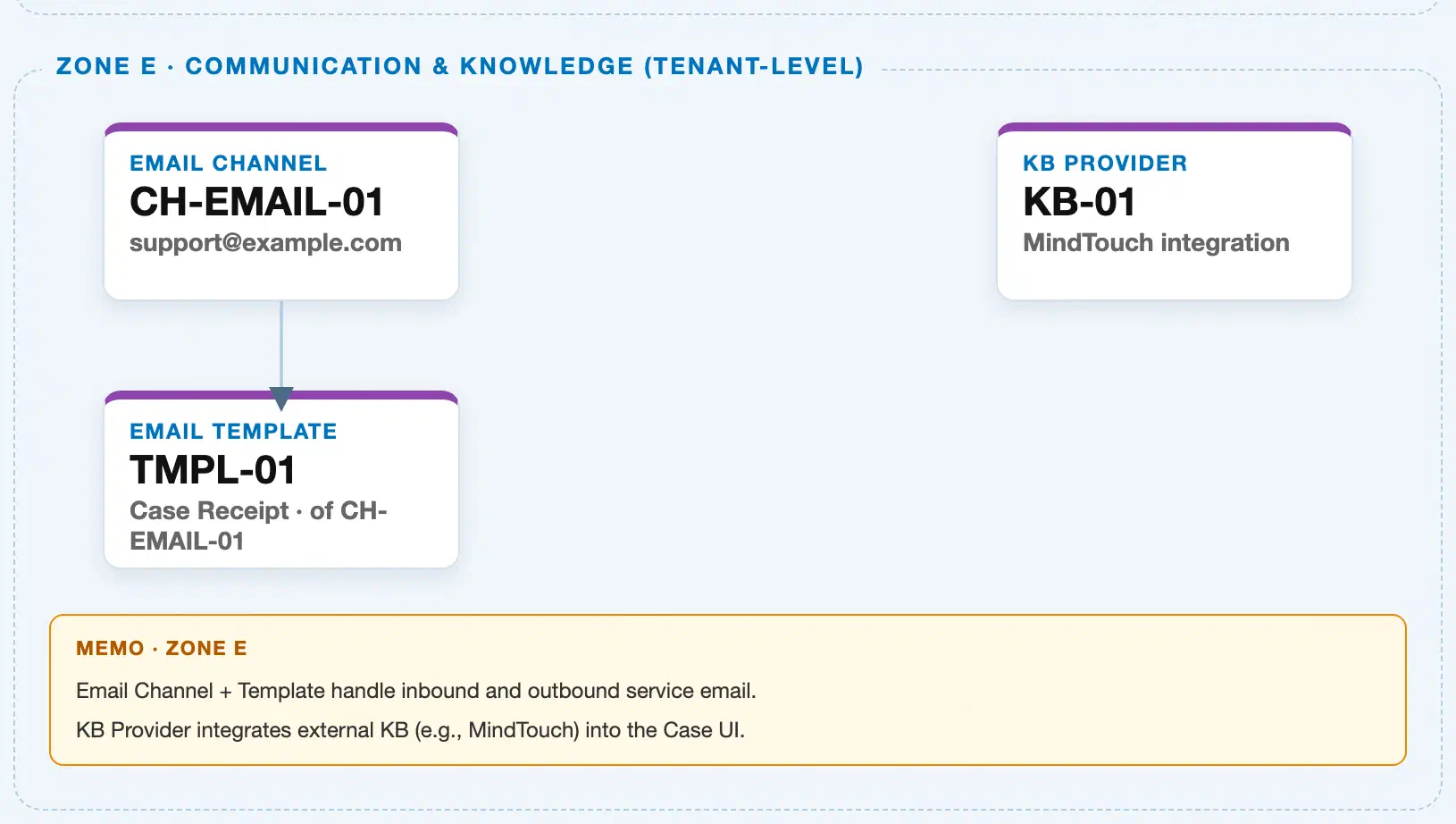
Data hierarchy with a concrete example (Zone E · Communication & Knowledge — tenant-level; SAP Service Cloud has no Company Code / Plant scoping above this)
Client (SAP Service Cloud Tenant)
   │
   ├── Communication System "COMSYS-KB-EXPERT" — outbound protocol HTTPS (Integration prerequisite, created first)
   │
   └── Communication Configuration "KB-PROVIDER-01" — copied from template "NICE CXone Expert (Mindtouch)"
           HTTP Data: "Retrieve articles based on..." API path · "Get Top Trending Articles from..." API path · Active: Yes
           │
           └── (Mindtouch template only) Provider Settings — "Knowledgebase Providers > NICE CXone Expert (Mindtouch)"
                   User: kb-integration-account · Key: •••••••• · Secret: ••••••••

Communication Configuration "KB-PROVIDER-01" ── read at runtime by ──> Agent Desktop native Knowledge Base widget (Customer Hub)
                                                                            └── recommended articles keyed off the linked Case or Registered Product
Design principle: Communication System sits above Communication Configuration as a true prerequisite — it must exist first. Provider Settings is a conditional child scoped only to the Mindtouch template; do not draw it as a step that applies uniformly to all three provider types, since SAP Build Work Zone and Generic providers never populate it.
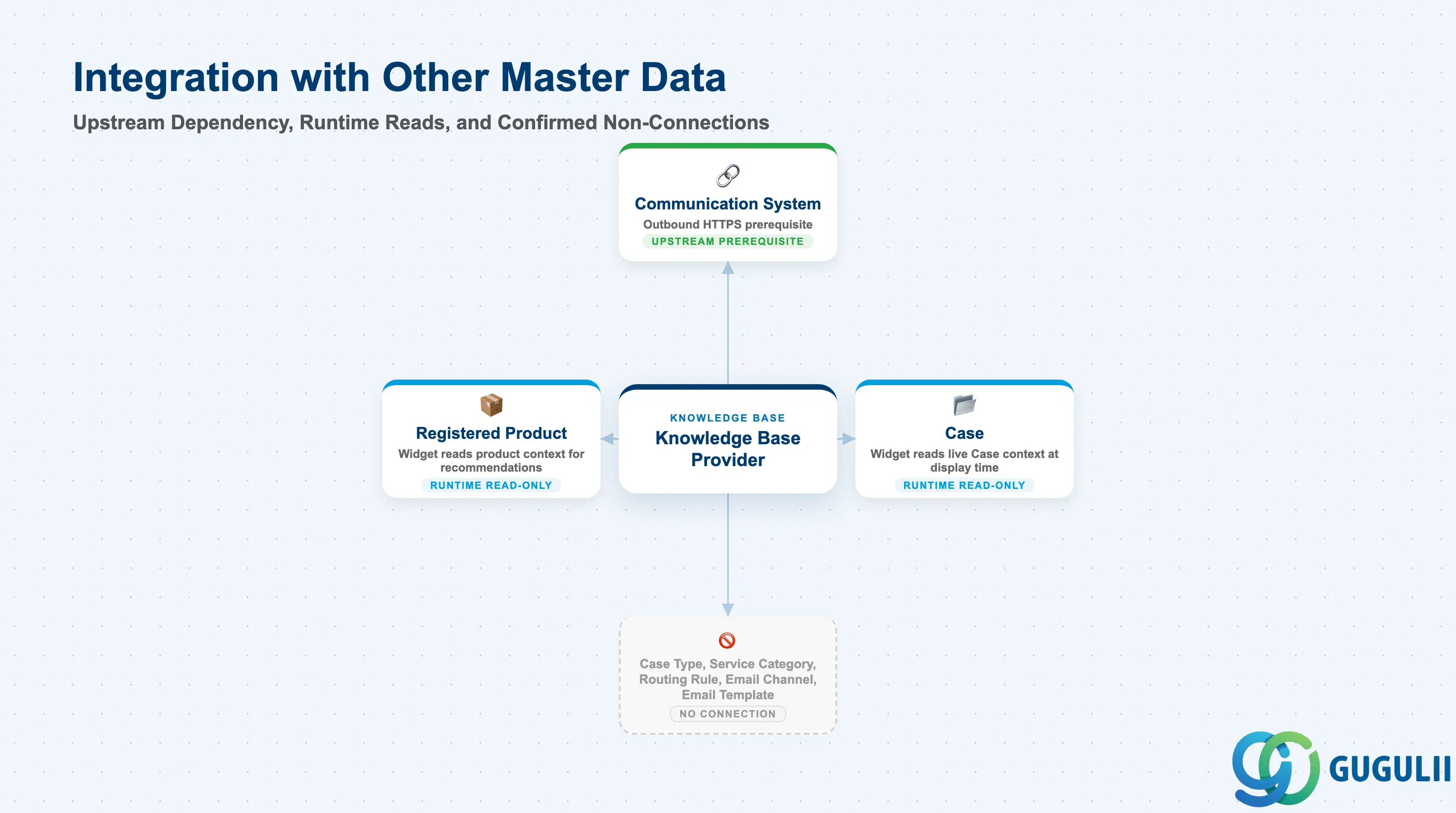
Knowledge Base Provider’s only true dependency runs upstream, to the generic Integration objects it is built on — its relationship to Case and Registered Product runs the other way, as a live read at widget display/search time, never as a stored field-level reference. It is worth being explicit about the objects it does not connect to, since Zone E’s other two members (Email Channel, Email Template) invite the same “is this object secretly wired to Case Type or routing?” question.
| Object | Relationship | Practical Notes |
|---|---|---|
| Communication System / Communication Configuration (generic Integration objects) | Upstream prerequisite | A Communication System must exist first (outbound protocol HTTPS); Knowledge Base Provider’s connectivity is a Communication Configuration copied from one of three provider-type templates. This is a generic platform/Integration dependency, not a Service Cloud business master data object. |
| Case (transaction object, not a master) | Runtime, read-only consumption only | The native widget surfaces “recommended articles based on linked Case” and can pass Case field data as a search query into the external knowledge base at display/search time — this is the widget reading live Case context, not a stored field-level reference between the Knowledge Base Provider record and the Case object or any Case master data (Case Type, Service Category). |
| Registered Product (master) | Runtime, read-only consumption only | The widget’s recommendations can also be driven by Registered Product context, following the same live-read pattern as Case — no stored master-data link was found. |
| Case Type (SC-A05-03) | No relationship | No relationship found in any source, including a full-text structural scan of the official Set Up Guide for co-occurrence with Knowledge Base terms. |
| Service Category (SC-A05-02) | No relationship | No relationship found in any source, per the same full-text structural scan. |
| Case Routing Rule (SC-A07-01) | No relationship | No relationship found in any source. |
| Email Channel (SC-A03-01) / Email Template (SC-A03-02) | No relationship | Corroborates both objects’ own findings (SC-A03-01, SC-A03-02). Any co-appearance of “knowledge base” and “template” concepts happens only at the agent-workspace UI level (an agent may combine a template with a KB article in one reply) — a UI convenience, not a master-data relationship. |
Scope note: SAP’s current Set Up Guide documents the Communication Configuration + Provider Settings path above as the native-widget mechanism. An older HTML Mashup / OpenSearch-based integration path — referenced in SAP Support knowledge base content and in the Mindtouch/NICE vendor’s own documentation — is described as usable for third-party OpenSearch-compliant providers outside the three built-in templates. This research did not find an SAP-official reconciliation of the two mechanisms; treat the mashup path as a documented alternate/legacy pattern, not one resolved into or superseded by the native widget with full certainty. Separately, whether this same admin-configured record also drives an external customer self-service portal (as opposed to only the internal Agent Desktop widget) is documented only in the knowledge-base vendor’s own materials, not confirmed by SAP-official Service Cloud V2 documentation — treat as an open item, not a confirmed capability.
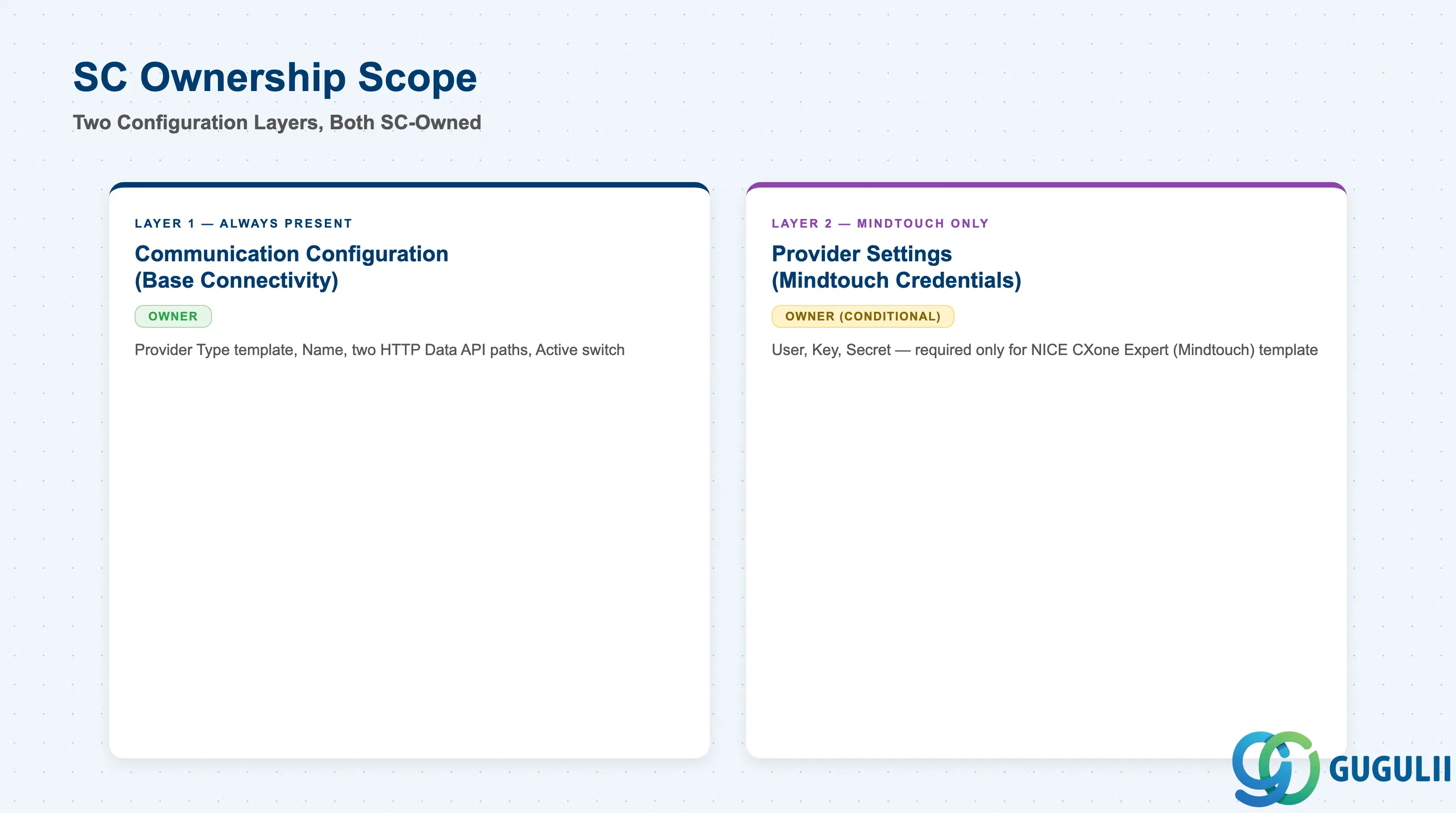
| Data Section | SC Involvement | Notes |
|---|---|---|
| Communication Configuration (Base Connectivity) | ◎ Owner | Provider Type template, Name, the two HTTP Data API paths, and the Active switch — the layer every Knowledge Base Provider configuration has, regardless of provider type. |
| Provider Settings (Mindtouch/NICE CXone Expert Credentials) | ◎ Owner (conditional) | User, Key, Secret — required only when the Communication Configuration was copied from the NICE CXone Expert (Mindtouch) template; SAP Build Work Zone and Generic providers do not populate this section. |
Legend: ◎ = Owner / Critical, ○ = Direct involvement
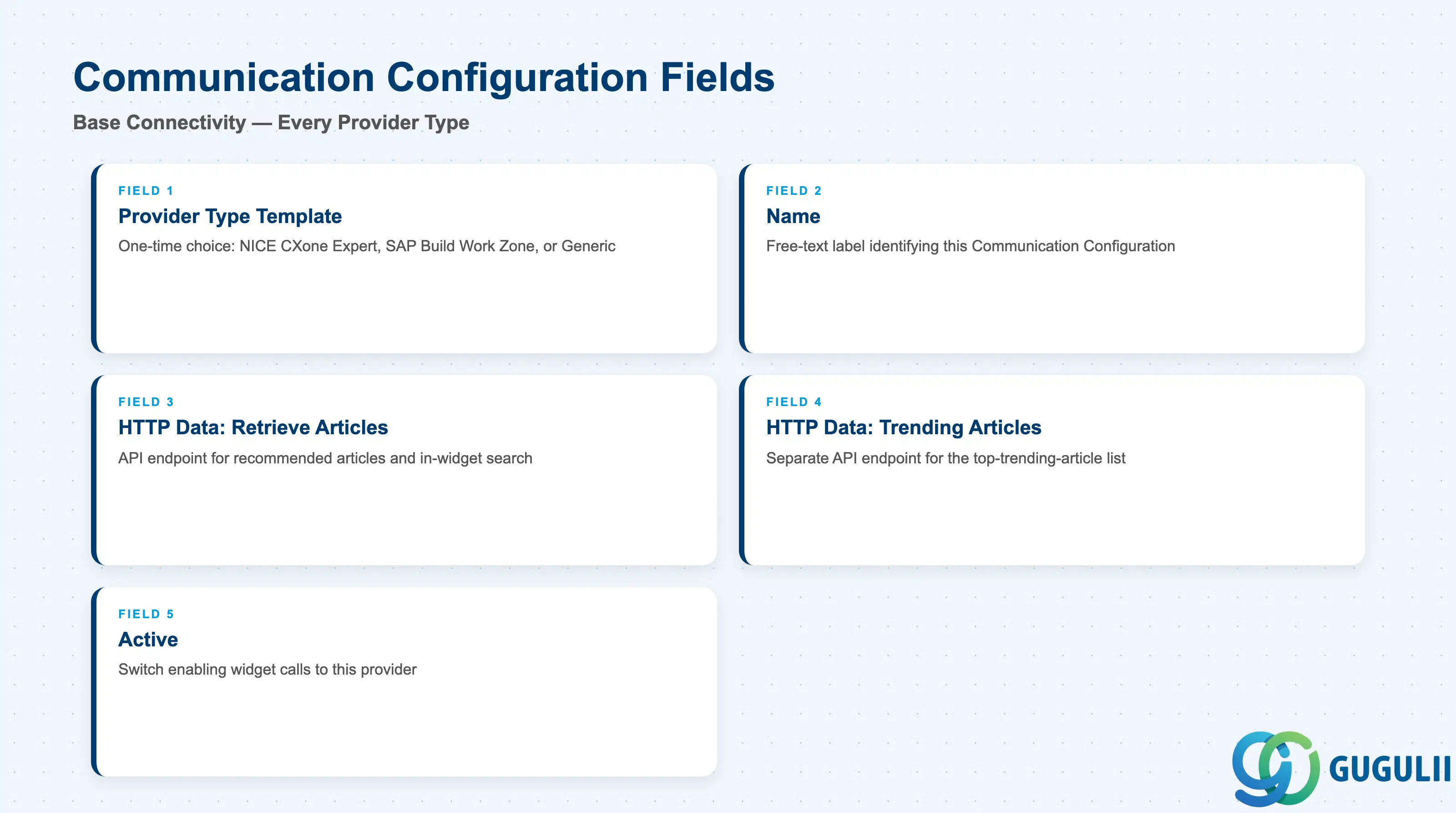
This is the layer every Knowledge Base Provider configuration goes through, regardless of which vendor sits behind it — get these fields right and the widget can at least call out to the provider.
| Field | Description | Practical Usage |
|---|---|---|
| Provider Type template | The pre-built template copied at System Settings > Integration > Communication Configuration: NICE CXone Expert (Mindtouch), SAP Build Work Zone, or Generic - all other knowledge base providers | This is a one-time, save-time choice made by copying the template and renaming the result; it also determines whether Provider Settings applies (Mindtouch only). Choosing “Generic” for a provider that is actually Mindtouch-compatible produces a record that may connect but never surfaces the vendor-specific “Knowledgebase Providers” credentials screen. |
| Name | Free-text label given to the Communication Configuration after copying the template | No source documents a separate system-generated ID distinct from Name for this record — treat Name as the single identifying attribute, and choose a naming convention that encodes the provider type (e.g., KB-MINDTOUCH-PROD, KB-GENERIC-PARTNER). |
| HTTP Data — “Retrieve articles based on…” API path | The outbound API endpoint the widget calls to fetch recommended and searchable articles | This path powers the widget’s recommended-articles and search functions; point it at the specific endpoint documented by the knowledge base vendor for this Communication Configuration’s provider type. |
| HTTP Data — “Get Top Trending Articles from…” API path | The outbound API endpoint the widget calls for the top-trending-article list | A separate endpoint from the retrieve-articles path above — both must be set correctly for all listed widget functions to work. |
| Active | Switch enabling the Communication Configuration | Must be toggled on before the widget will call out to this provider at all; a configured-but-inactive record is a possible reason the widget shows no knowledge base content immediately after setup. |
Prerequisite: A Communication System (outbound protocol HTTPS) must already exist before this Communication Configuration can be created — configure it first at System Settings > Integration > Communication System if one does not yet exist for this provider’s host.
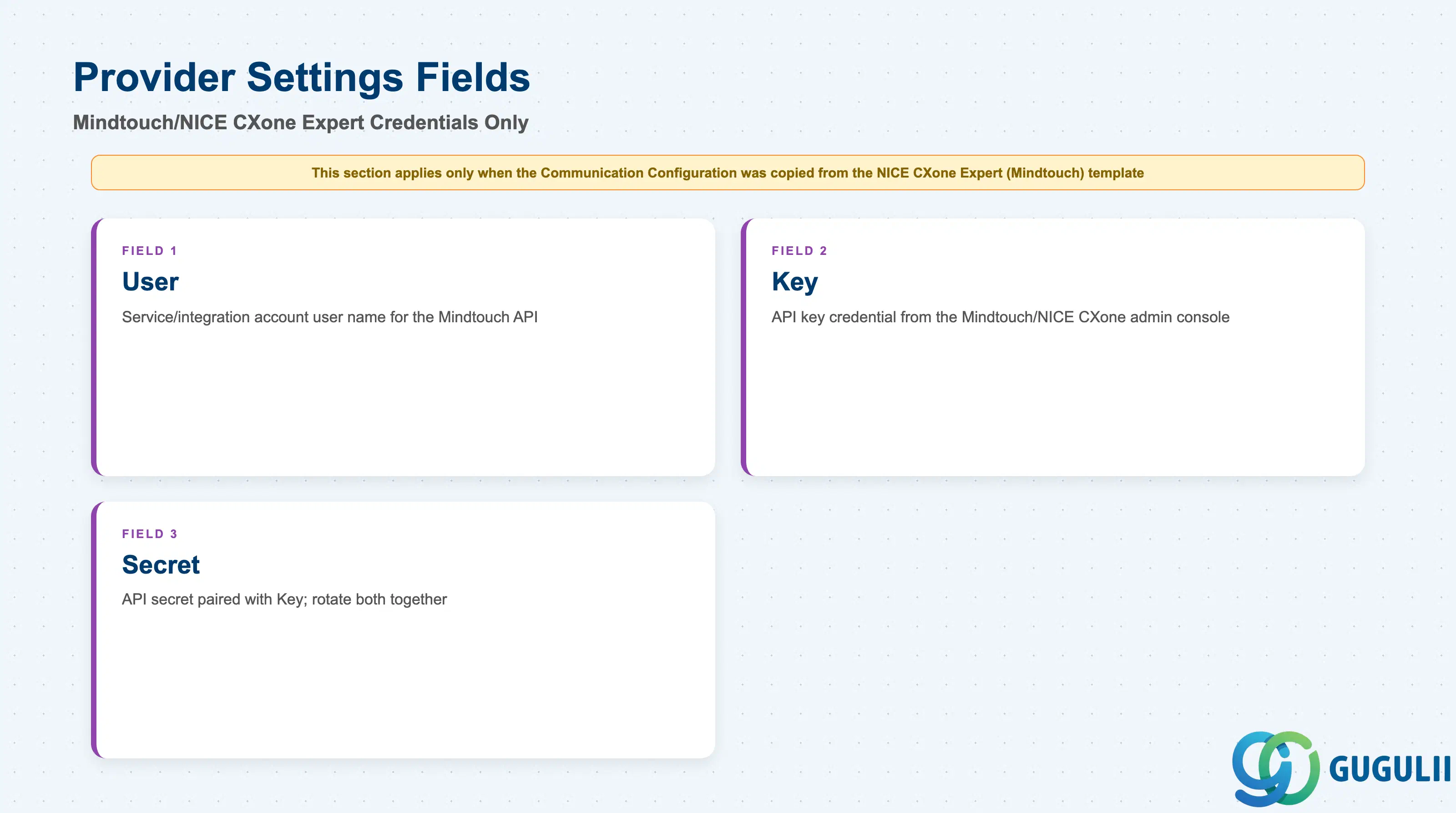
This second layer only exists for one of the three provider types — it carries the account credentials the widget authenticates with when calling out to a Mindtouch-based knowledge base.
| Field | Description | Practical Usage |
|---|---|---|
| User | User name for the Mindtouch/NICE CXone Expert account, entered at System Settings > Knowledge Base > Provider Settings under the “Knowledgebase Providers” screen | Enter the service/integration account’s user name, not an individual agent’s login — this is the account the widget authenticates as when calling the Mindtouch API. |
| Key | API key credential for the Mindtouch/NICE CXone Expert account | Obtained from the Mindtouch/NICE CXone Expert admin console on the vendor side; treat it with normal credential-hygiene practice, since it is entered as a plain configuration field on this screen. |
| Secret | API secret credential paired with Key | Always maintained together with Key; if either is rotated on the Mindtouch/NICE CXone Expert side, both must be re-entered here to keep the widget connected. |
Prerequisite: This section only applies when the Communication Configuration in Section 2.1 was copied from the NICE CXone Expert (Mindtouch) template — SAP Build Work Zone and Generic providers skip this step entirely.
| ID | Category | Title |
|---|---|---|
| sc-001 | Overview | What is SAP Service Cloud? |
| ID | Category | Title |
|---|---|---|
| sc-a01 | Overview | SAP Service Cloud Master Data: Overview, Hierarchy & Relationships |
| sc-a02-01 | Master Data | SAP Service Cloud Organizational Unit |
| sc-a02-02 | Master Data | SAP Service Cloud Employee |
| sc-a02-03 | Master Data | SAP Service Cloud Business Role |
| sc-a02-04 | Master Data | SAP Service Cloud Business User |
| sc-a02-05 | Master Data | SAP Service Cloud Team |
| sc-a03-01 | Master Data | SAP Service Cloud Email Channel |
| sc-a03-02 | Master Data | SAP Service Cloud Email Template |
| sc-a04-01 | Master Data | SAP Service Cloud Knowledge Base Provider 📍 |
| sc-a05-01 | Master Data | SAP Service Cloud Service Catalog |
| sc-a05-02 | Master Data | SAP Service Cloud Service Category |
| sc-a05-03 | Master Data | SAP Service Cloud Case Type |
| sc-a06-01 | Master Data | SAP Service Cloud Service Level |
| sc-a06-02 | Master Data | SAP Service Cloud Service Level Determination |
| sc-a07-01 | Master Data | SAP Service Cloud Case Routing Rules |
| sc-a10-04 | Master Data | SAP Service Cloud Warranty |
| sc-a11-01 | Master Data | SAP Service Cloud Installed Base |
| sc-a11-02 | Master Data | SAP Service Cloud Functional Location |
| ID | Category | Title |
|---|---|---|
| sc-b01 | Overview | SAP Service Cloud Transactions: Process Flow, Hierarchy & Relationships |