Title here
Summary here

Service Catalog is SAP Service Cloud’s parent/container master for Service Category: “Service catalogs are collections of service categories. Each service category must be assigned to a service catalog.” A catalog is a named, statused record scoped to one or more transactional object types — Case, Phone, Chat, Email — and it is the one master in this Phase 4 cluster with a genuine, explicitly documented structural link to another master data object: a Case Type may optionally reference a Service Catalog, but only while that case type is in draft status. This article maps that containment and assignment structure, the four-level category hierarchy a catalog carries, its field-level content, and the objects it deliberately does not connect to.
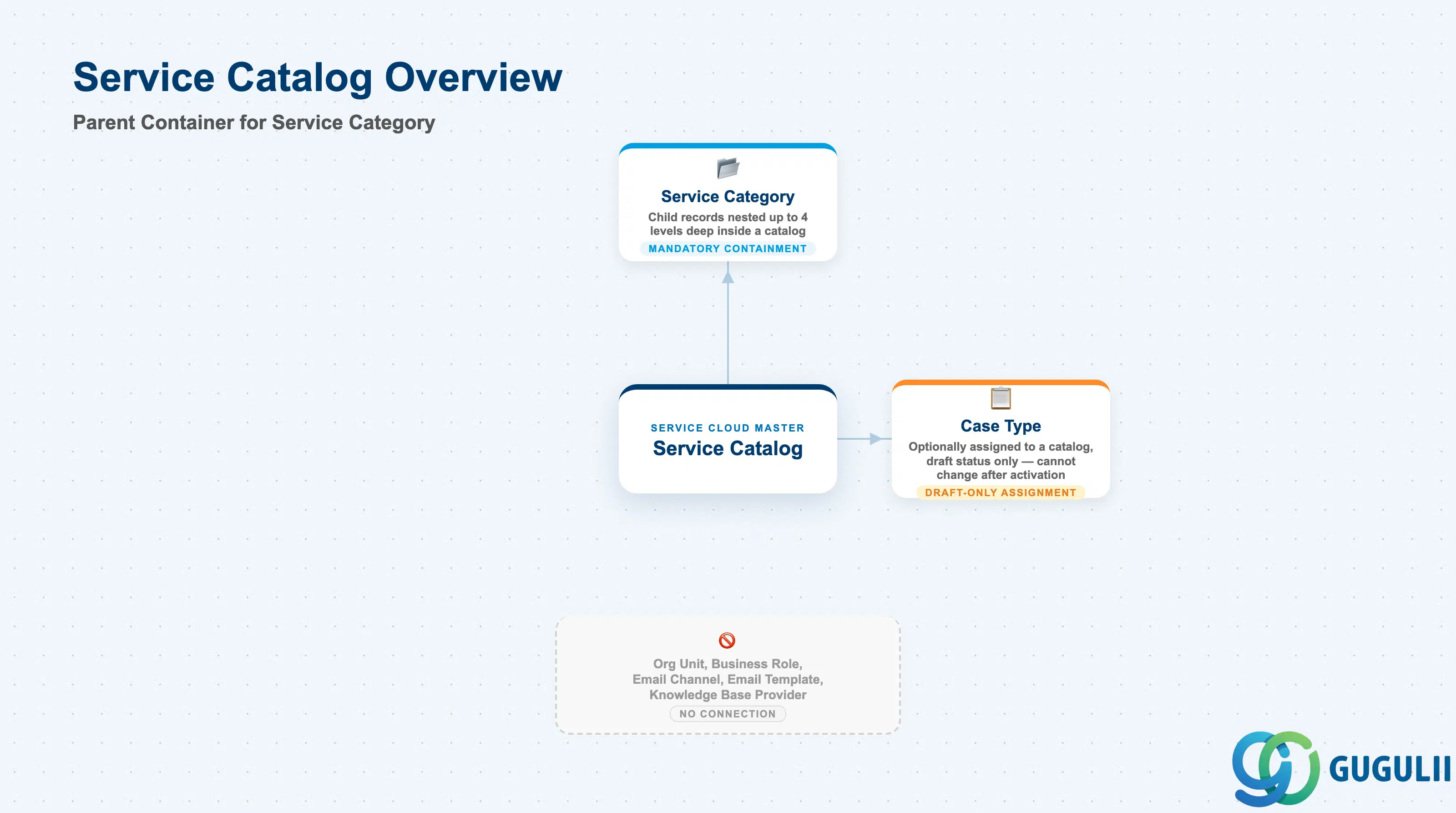
Service Catalog exists so that a company’s services can be classified consistently across every interaction channel a customer might use — a case, a phone call, a chat — rather than each channel inventing its own free-text labels. It is not the classification itself: the individual service labels live one level down, on Service Category (SC-A05-02). The catalog is the named, statused container that groups those categories together and declares which object types the whole grouping applies to.
| Aspect | Details |
|---|---|
| Role | Tenant-level parent/container master for Service Category; a named, statused collection scoped to one or more transactional object types that a Case Type can optionally reference |
| Modules using it | SAP Service Cloud (Service Category, sole owner); consumed by Case Type (SC-A05-03) configuration, the Case / Phone Call / Chat Quick Create and interaction screens, the Service Category Path display, and the Case Categorization AI/ML model |
| Transactions | Bulk: User Menu > System Settings > Monitoring > Data Import and Export (Service Catalog / Service Category entity templates). Case Type linkage: User Menu > System Settings > All Settings > Cases > Case Types (draft version only). A single-record UI is also reported at Settings > Service Catalog > Catalog Definition — medium confidence, sourced only from SAP training content, not independently verified against the official Set Up Guide |
| Key Tables | SAP Service Cloud: Service Catalog / Service Category business objects (Admin/Core API OData entities defined via the Data Import and Export field templates). SAP Service Cloud is a multi-tenant SaaS solution and does not expose classical ABAP tables to consultants |
| S/4HANA note | Service Catalog is configured natively inside the Service Cloud tenant; it is not replicated from S/4HANA. Its name is unrelated to the S/4HANA/Fiori “business catalog” authorization concept (a launchpad role-assignment construct) that also appears in SAP’s documentation set — the two share only a name, not a data model |
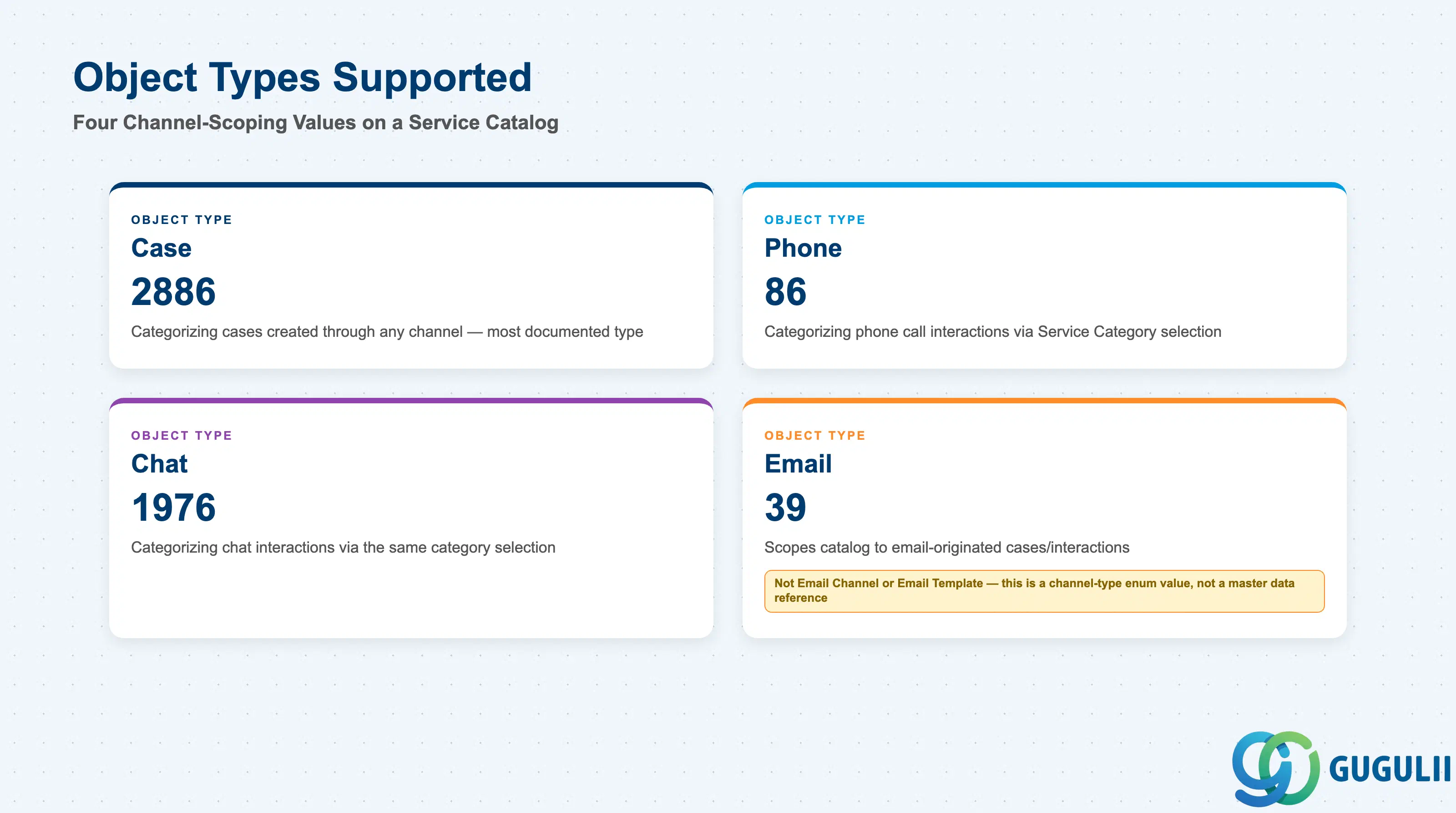
A catalog is not automatically available everywhere it might be used — each catalog declares, via a single multi-value field, which transactional object types its categories can be selected on. Getting this scoping wrong means a catalog cannot be assigned to Case Types or selected in the interaction dialogues for the object types it is missing. This is stated explicitly for the Case Type link: the Set Up Guide’s Ch. 10.6 Note on selecting a catalog for a Case Type reads, “You can only select catalogs set up for use with cases” — i.e., a catalog’s Object Types Supported value must include Case (2886) before it is even eligible to be assigned to a Case Type, regardless of its Catalog Status.
| Object Type | Code | Use Case | Key Behavior |
|---|---|---|---|
| Case | 2886 | Categorizing cases created through any channel (email, web form, agent-created) | The most heavily documented object type; once a case’s Case Type has this catalog assigned, the Case record captures up to four Category Level ID/Display ID field pairs from the catalog’s category hierarchy |
| Phone | 86 | Categorizing phone call interactions | Selectable directly in interaction dialogues via the Service Category Catalog Selection business service; whether an equivalent “Type” object gates catalog assignment for Phone the way Case Type does for Case was not confirmed in SAP documentation |
| Chat | 1976 | Categorizing chat interactions | Same direct-selection pattern and same unconfirmed Type-object gating as Phone |
| 39 | Categorizing cases created from an inbound email — the object-type enum value, not the Email Channel or Email Template master data records | Easy to conflate with Email Channel (SC-A03-01) or Email Template (SC-A03-02) by name alone; this value only scopes the catalog to email-originated case/interaction records and has no relationship to either master |
Design principle: “If the catalog is used for all object types, enter ‘2886’;‘86’;‘1976’;‘39’ in the field.” Object Types Supported is a combinable, multi-value field, not a single choice — a catalog can be scoped narrowly to one channel or broadly to all four.
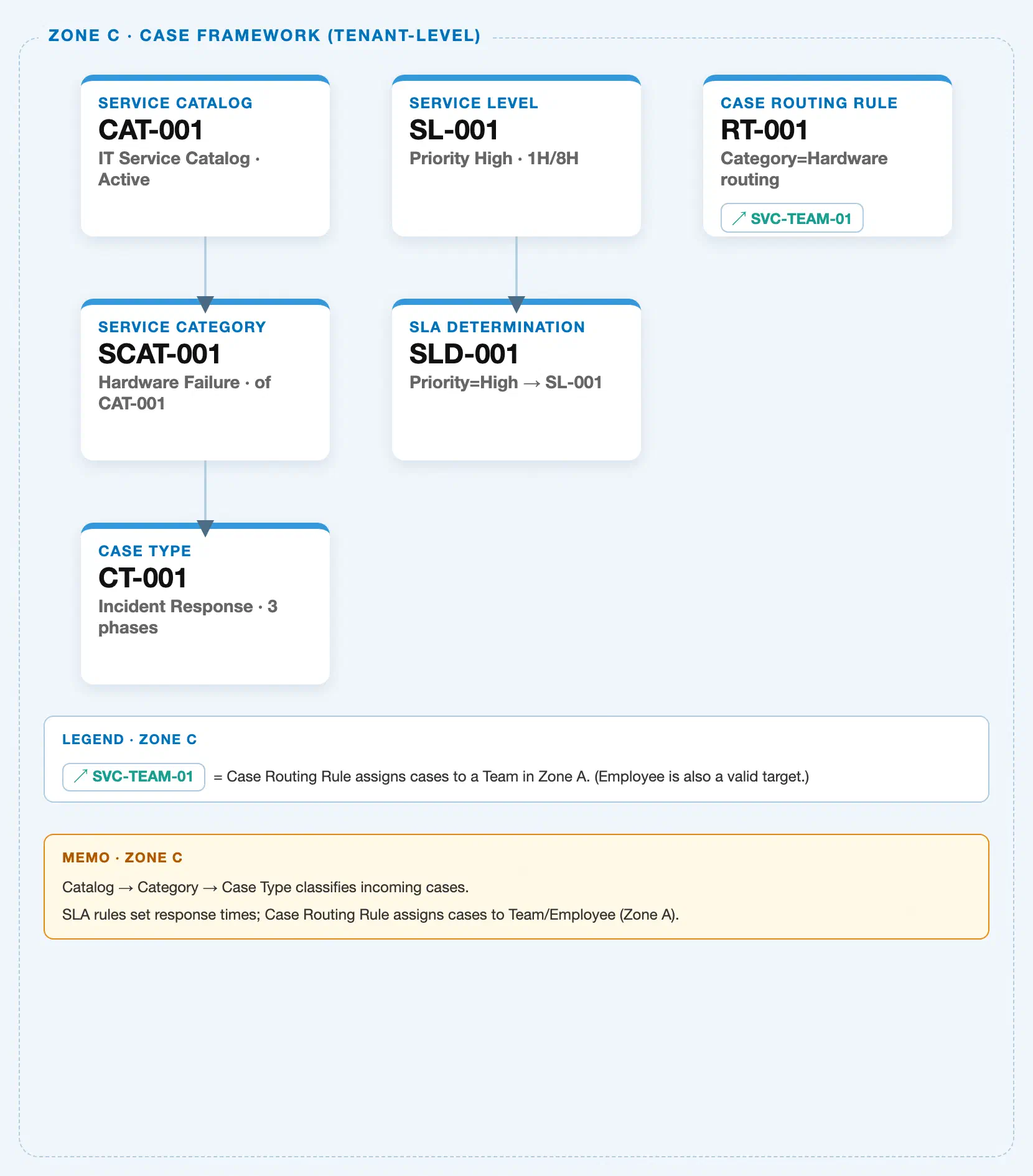
Data hierarchy with a concrete example (tenant-level; SAP Service Cloud has no Company Code / Plant scoping above this)
Client (SAP Service Cloud Tenant)
   │
   ├── Service Catalog "SVC-CATALOG-AUTO" — Object Types Supported: Case, Phone, Chat, Email; Catalog Status: Active
   │       │
   │       └── Service Category (Level 1) "Vehicle Service" — Catalog Display ID: SVC-CATALOG-AUTO
   │               │
   │               └── Service Category (Level 2) "Engine" — Parent Category Display ID: VEHICLE-SERVICE
   │                       │
   │                       └── Service Category (Level 3) "Oil Change" — Parent Category Display ID: ENGINE
   │                               │
   │                               └── Service Category (Level 4) "Synthetic Oil Change" — Parent Category Display ID: OIL-CHANGE (maximum depth)
   │
   └── Case Type "Vehicle Repair Case" ── assigned to (draft status only) ──> Service Catalog "SVC-CATALOG-AUTO"
Design principle: Service Category nests inside Service Catalog up to four levels deep — corroborated independently by both the Case entity’s
Category Level 1–4fields and the AI Configuration chapter’s “use up to four levels of categories” instruction. Case Type’s link to the catalog is a one-time assignment, not containment — the arrow above, not a nested box — because a case type does not own or contain the catalog; it merely references it, and only while still in draft status.
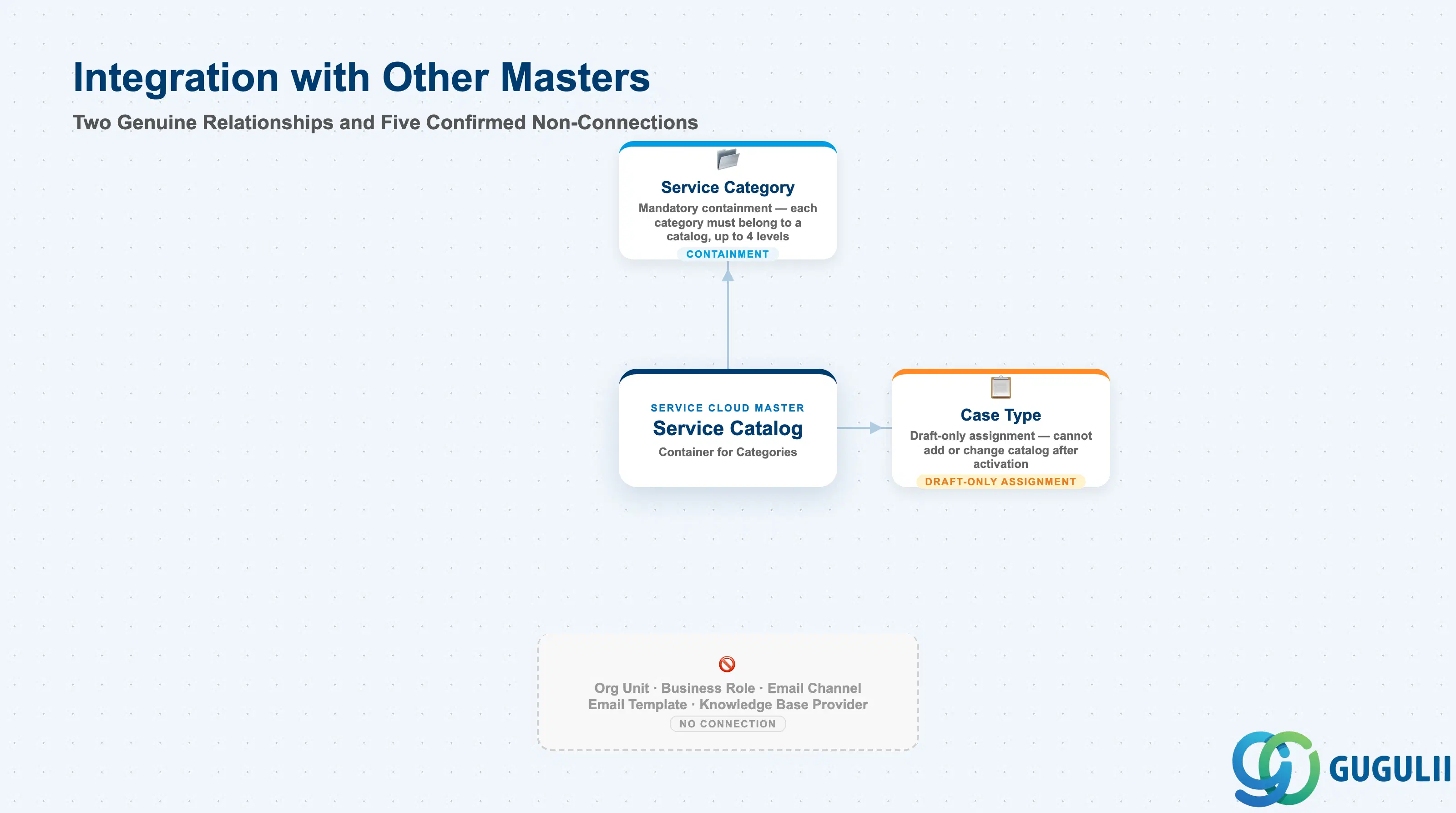
Service Catalog is the rare object in this batch with two genuine, sourced structural relationships rather than one — a mandatory containment relationship to its own child (Service Category) and an explicit, one-time assignment relationship to a master object outside its own hierarchy (Case Type). It is worth being just as explicit about what it does not connect to, since several of the objects below share a Phase, a chapter, or a business-service naming pattern with Service Catalog and could otherwise be assumed related.
| Object | Relationship | Practical Notes |
|---|---|---|
| Service Category (SC-A05-02) | Direct, mandatory containment | “Each service category must be associated with a service catalog.” Service Catalog is the parent/container; Service Category is the child, nested up to four levels deep within a single catalog. This is Service Catalog’s primary reason for existing as its own object rather than categories being flat, catalog-less tags. |
| Case Type (SC-A05-03) | Direct, explicit, one-time assignment — the article’s centerpiece relationship | Only catalogs with Case (2886) in their Object Types Supported value are eligible to be selected here at all — per the same Ch. 10.6 Note, “You can only select catalogs set up for use with cases.” A catalog meeting that scoping is optionally selected for a Case Type at Settings > Cases > Case Types, but only while the case type is in draft status; per the Set Up Guide: “you must select a catalog when the case type is in draft status. You cannot add a catalog later.” Changing it after activation requires creating a new draft version. This assignment is the mechanism by which a catalog’s categories become selectable on cases of that type. |
| Case (transaction, not a master) | Indirect, via Case Type | A Case inherits its available category options from its Case Type’s assigned catalog; the Case record itself stores up to four Category Level ID/Display ID field pairs, not a stored reference to the Catalog record directly. |
| Phone Call / Chat (transaction objects) | Same object-type scoping as Case, gating mechanism unconfirmed | A catalog’s Object Types Supported field can include Phone and Chat, and agents can select a catalog directly in these interaction dialogues. Whether Phone/Chat have an equivalent “Type” object with the same draft-only catalog-assignment rule as Case Type was not confirmed — flagged as a documentation gap, not stated as fact. |
| Organizational Unit | No relationship | No Catalog/Category match anywhere in the Organizational Structure or Organizational Unit import chapters of the official Set Up Guide. |
| Business Role | No data-level relationship | “Service Catalog” appears only as the name of a default, non-mandatory business service auto-assigned to new business roles — the generic access-control mechanism shared by every master data area, not a stored link between a Business Role record and a specific Catalog record. |
| Email Channel (SC-A03-01) / Email Template (SC-A03-02) | No relationship | Corroborates both objects’ own findings. The catalog’s “Email” Object Types Supported value scopes the catalog to email-originated cases/interactions as a channel type — it is not a reference to the Email Channel or Email Template master records themselves. |
| Knowledge Base Provider (SC-A04-01) | No relationship | Corroborates SC-A04-01’s own full-text structural scan, extended in the opposite direction here. |
Case Categorization (AI/ML) as a downstream consumer: Beyond Case Type and Case, the catalog structure feeds a third consumer that is not a data-import relationship but a practical one worth flagging on its own. The Case Categorization machine learning model learns from “your past cases and category catalog” to auto-propose a category on new cases once trained and activated. This carries a documented caveat any team planning to restructure a live catalog should know in advance: per the Set Up Guide’s model-configuration procedure, “If you update your service category catalog, you must map new category IDs to existing categories and retrain your model.” In other words, once Case Categorization is live, a catalog or category hierarchy change is not a free edit — it requires an explicit re-mapping and retraining step before the model’s proposals stay accurate.
Scope notes: (1) Naming collision — Service Cloud’s “Service Catalog” is unrelated to the S/4HANA/Fiori “business catalog” authorization concept that also appears in SAP’s documentation; the two share a name only, and this article’s Service Catalog is never used for authorization. (2) Whether a tenant can maintain multiple simultaneously-active catalogs of the same object-type scope, and if so how one is chosen at Case Type assignment time, is not documented in any SAP-official source found — the Feature Scope Description confirms a tenant can “configure one or more service catalogs,” but no source describes a precedence rule among them. Treat multi-catalog-per-object-type behavior as an open item, not a confirmed mechanism.
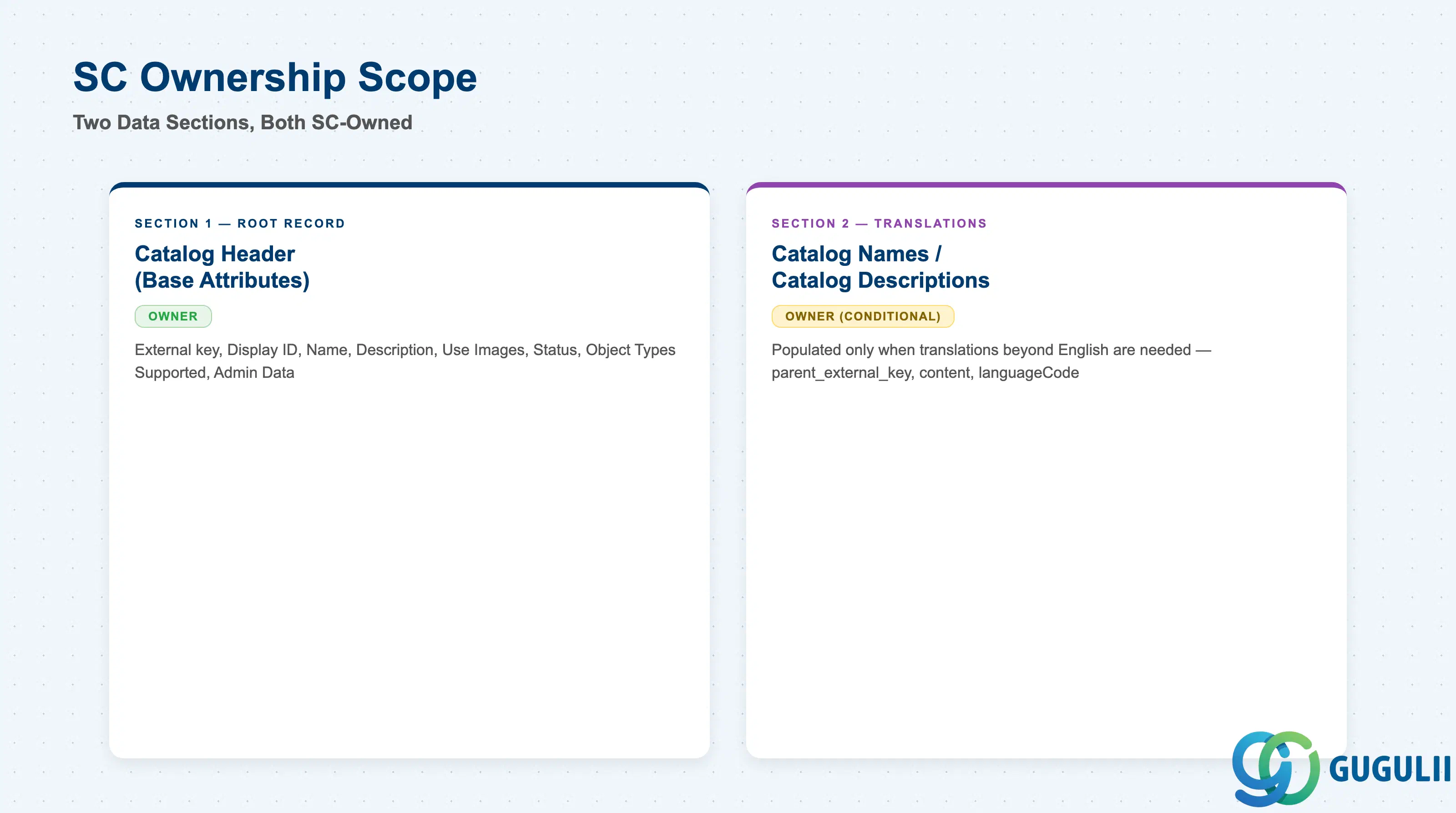
| Data Section | SC Involvement | Notes |
|---|---|---|
| Catalog Header (Base Attributes) | ◎ Owner | External key, display ID, name, description, image toggle, status, and Object Types Supported — the single root record every catalog has. |
| Catalog Names / Catalog Descriptions (Translation Sub-files) | ◎ Owner (conditional) | Populated only when the catalog needs Name/Description translations beyond the English values already stored in the root record. |
Legend: ◎ = Owner / Critical, ○ = Direct involvement
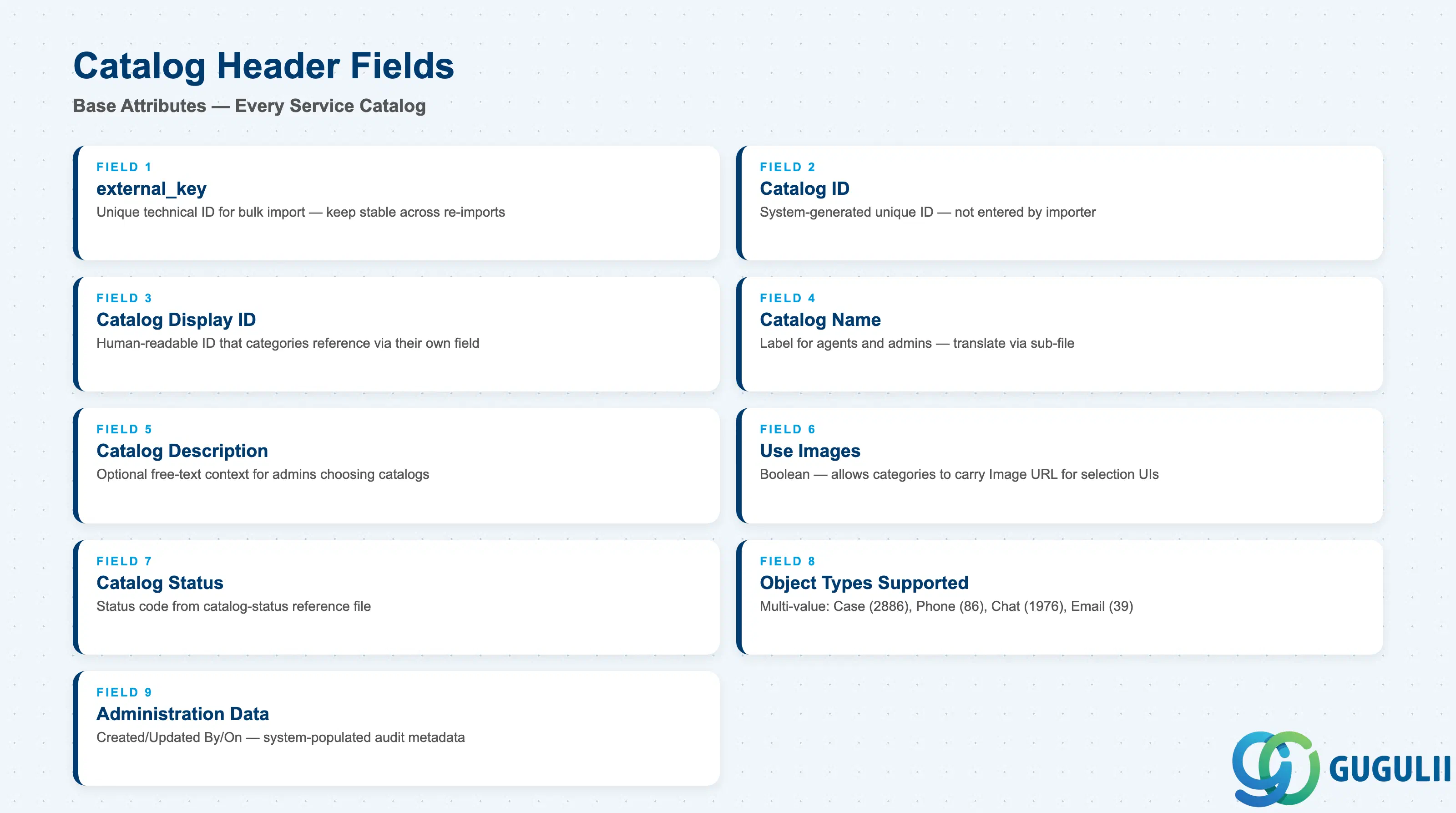
This is the single root record behind every Service Catalog — get these fields right and the catalog exists, is correctly statused, and is scoped to the right channels.
| Field | Description | Practical Usage |
|---|---|---|
external_key | Unique technical ID for the catalog, used only in the Data Import and Export file | This is the bulk-load-file identifier, not the field users see in the UI — keep it stable across re-imports so updates target the same catalog rather than creating duplicates. |
| Catalog ID | System-generated unique technical ID assigned once the catalog is created | System-generated, not entered by the importer; use Catalog Display ID for any human-facing reference instead. |
| Catalog Display ID | Required, human-readable identifier for the catalog | This is the value Service Category records reference via their own “Catalog Display ID” field to declare which catalog they belong to — get this value right before importing any categories. |
| Catalog Name | Required; stored for English in the root import file | The label agents and administrators see; translate via the Catalog Names sub-file (Section 2.2) rather than editing this field per language. |
| Catalog Description | Optional; stored for English in the root import file | Free-text context for administrators choosing between catalogs; translate via the Catalog Descriptions sub-file (Section 2.2). |
| Use Images | Boolean toggle | Controls whether the catalog’s categories can carry an Image URL for display in category-selection UIs — leave off for text-only catalogs to avoid maintaining unused image assets. |
| Catalog Status | Status code drawn from a separate catalog-status reference file | The status codes themselves, and their effect (if any) on catalog availability in the UI, are not detailed in the Set Up Guide’s Data Import and Export field-template documentation — this field is not the mechanism that governs Case Type or interaction-dialogue eligibility (that’s Object Types Supported; see Section 1.2). Confirm the active status code against the catalog-status reference file before bulk-loading catalogs intended for go-live use. |
| Object Types Supported | Multi-value array: Case (2886), Phone (86), Chat (1976), Email (39) | Scope narrowly if the catalog is channel-specific, or enter all four values if it should apply everywhere — see Section 1.2 for the full behavior of each value. |
| Catalog Administration Data (Created By/On, Updated By/On) | Standard audit metadata | System-populated at import time from the importing user and timestamp; useful for tracing which bulk-load run introduced or last touched a given catalog. |
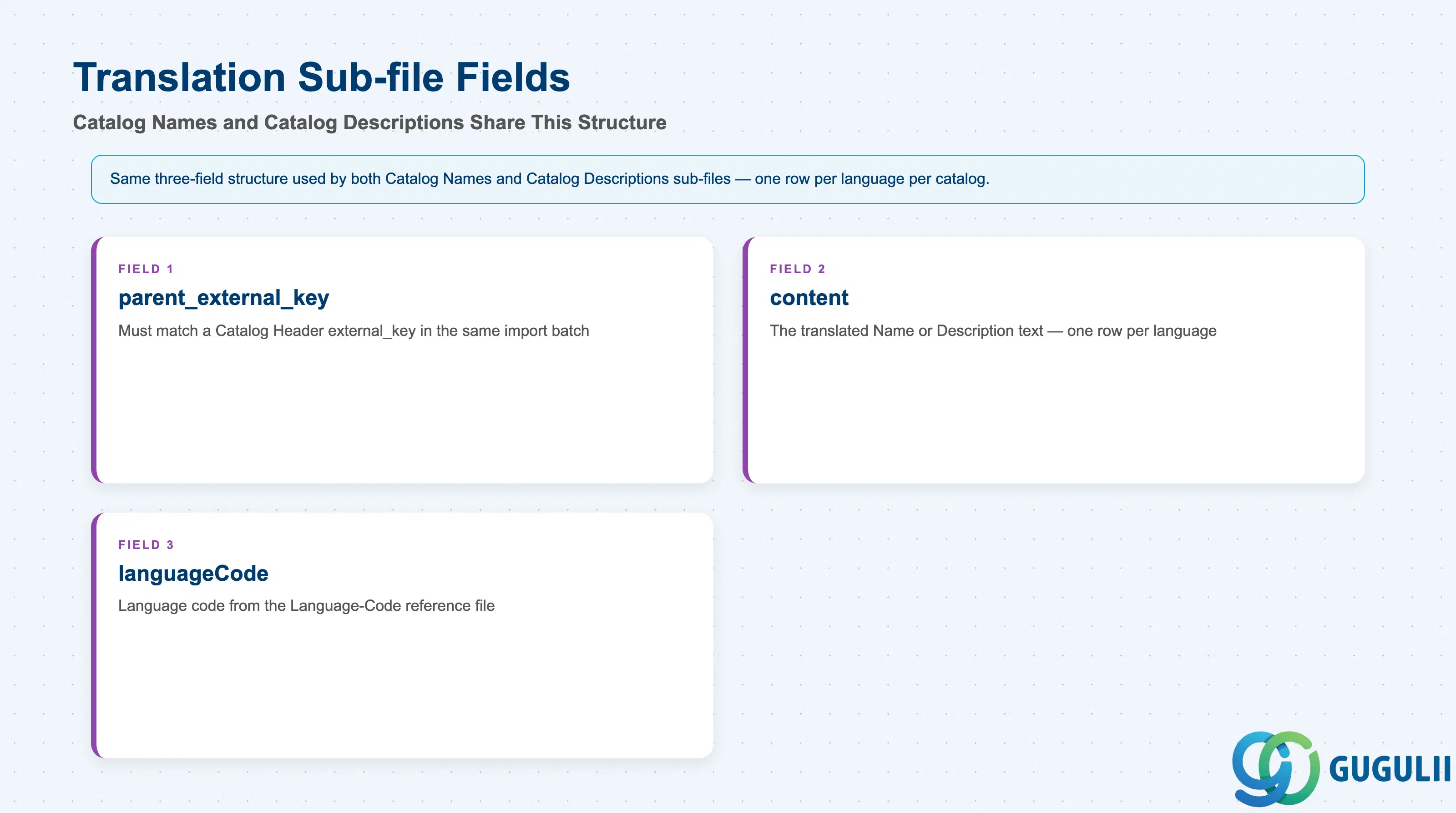
The root Catalog Header record only stores Name and Description in English. Additional languages are added through two parallel sub-files that share the same three-field structure.
| Field | Description | Practical Usage |
|---|---|---|
parent_external_key | The external_key of the Catalog Header record this translation belongs to | Must exactly match a Catalog Header row already present in the same import batch (or an existing catalog); as with any parent-key reference in a bulk import, validate this match before loading — the Set Up Guide’s field documentation does not specify how a mismatched key is handled. |
content | The translated Name (in the Catalog Names file) or Description (in the Catalog Descriptions file) | One row per language per catalog; there is no single multi-language field — each translation is its own row. |
languageCode | Language code drawn from a separate Language-Code reference file | Confirm the exact code format against the reference file before bulk-loading; the Set Up Guide’s field documentation does not specify how an unrecognized code is handled, so treat this as a general import-hygiene check rather than an assumption about a specific failure mode. |
Prerequisite: This pattern is identical to Service Category’s own Category Names / Category Descriptions sub-files one level down (SC-A05-02) — the same
parent_external_key/content/languageCodestructure repeats at both the catalog and category level.
| ID | Category | Title |
|---|---|---|
| sc-001 | Overview | What is SAP Service Cloud? |
| ID | Category | Title |
|---|---|---|
| sc-a01 | Overview | SAP Service Cloud Master Data: Overview, Hierarchy & Relationships |
| sc-a02-01 | Master Data | SAP Service Cloud Organizational Unit |
| sc-a02-02 | Master Data | SAP Service Cloud Employee |
| sc-a02-03 | Master Data | SAP Service Cloud Business Role |
| sc-a02-04 | Master Data | SAP Service Cloud Business User |
| sc-a02-05 | Master Data | SAP Service Cloud Team |
| sc-a03-01 | Master Data | SAP Service Cloud Email Channel |
| sc-a03-02 | Master Data | SAP Service Cloud Email Template |
| sc-a04-01 | Master Data | SAP Service Cloud Knowledge Base Provider |
| sc-a05-01 | Master Data | SAP Service Cloud Service Catalog 📍 |
| sc-a05-02 | Master Data | SAP Service Cloud Service Category |
| sc-a05-03 | Master Data | SAP Service Cloud Case Type |
| sc-a06-01 | Master Data | SAP Service Cloud Service Level |
| sc-a06-02 | Master Data | SAP Service Cloud Service Level Determination |
| sc-a07-01 | Master Data | SAP Service Cloud Case Routing Rules |
| sc-a10-04 | Master Data | SAP Service Cloud Warranty |
| sc-a11-01 | Master Data | SAP Service Cloud Installed Base |
| sc-a11-02 | Master Data | SAP Service Cloud Functional Location |
| ID | Category | Title |
|---|---|---|
| sc-b01 | Overview | SAP Service Cloud Transactions: Process Flow, Hierarchy & Relationships |