Title here
Summary here

A Case Type is not a simple category or classification value that an admin picks from a list — it is a copyable process template that carries its own phases, steps, approvals, automated flows, schemas, and feature toggles, and that a Case is instantiated against at creation time. There is no “create new” action for a Case Type; every new one starts life as a copy of an existing Case Type (SAP ships a starter template, “SMPL - Sample Case Type,” for this purpose), and it lives in Draft status until an administrator finishes configuring it and switches it to Active. This article covers what a Case Type record actually owns, why most of its settings can only be edited while in Draft, resolves the common assumption that it links directly to Service Category, and establishes the direction in which downstream objects like Case Routing Rules and Service Level Determination consume it.
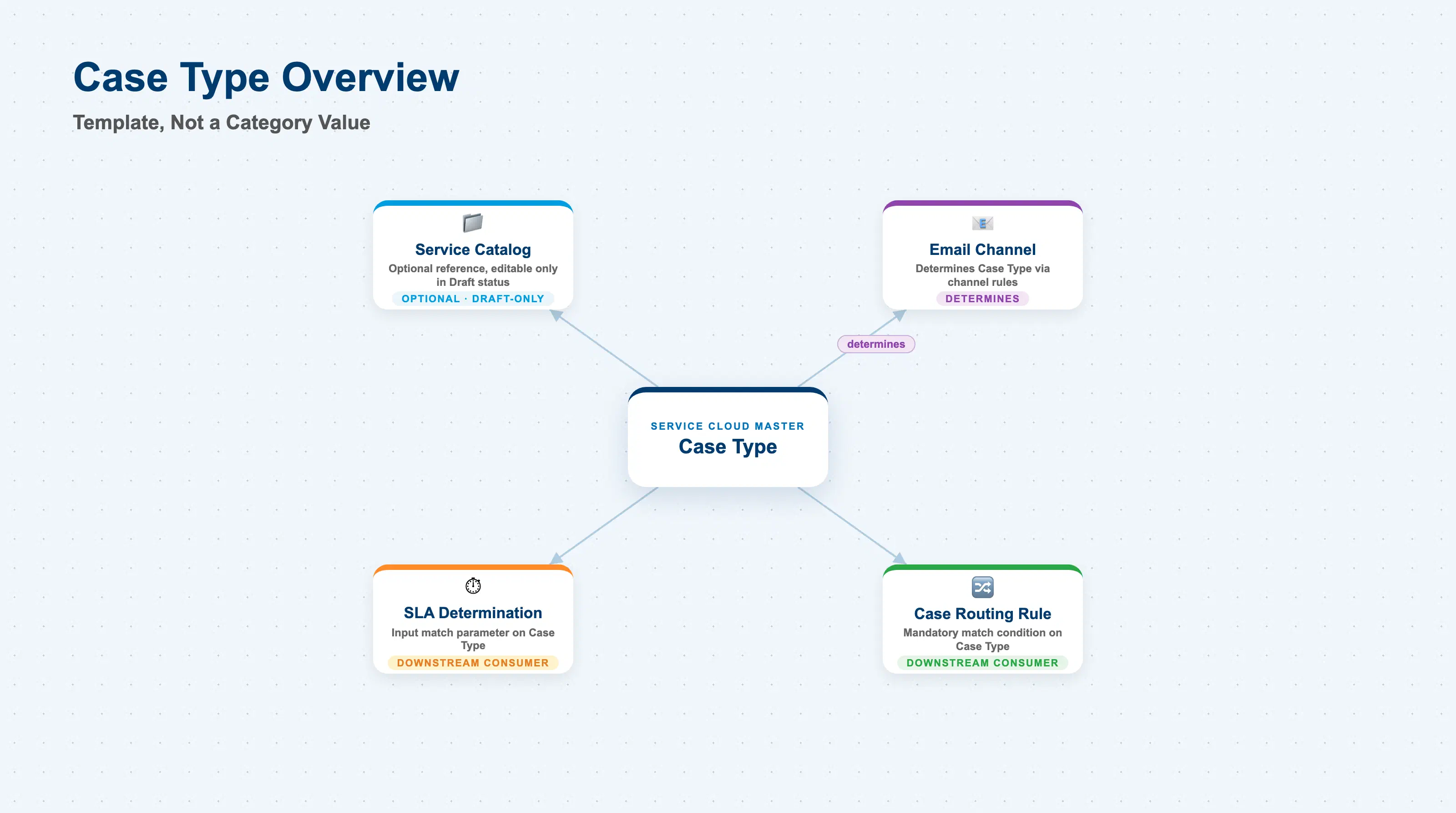
A Case Type exists to model one distinct service process — a product complaint, a warranty claim, a general service request — as a reusable template rather than a one-off configuration on every case. It is the object an administrator decides how many of are needed for the organization: “it is the administrator’s responsibility to determine if one or multiple Case Types are necessary.” Once instantiated, a Case is a live record of a request that runs through the phases, steps, approvals, and automated flows defined on its Case Type, visually guiding the agent through processing it.
| Aspect | Details |
|---|---|
| Role | Copyable process template that defines a case’s flow (phases/steps/approvals/automated flows), schemas, and optional catalog assignment; every Case is created against exactly one Case Type and one specific version of it |
| Modules using it | SAP Service Cloud (sole owner); consumed by Case (instantiation target), Case Type Determination Rules on Email Channels (an output of channel + content rules), Case Routing Rule (SC-A07-01, mandatory match condition), and Service Level Determination (SC-A06-02, input match parameter) |
| Transactions | User profile menu (top right) → Settings → All Settings tab → Case Types (under the Case Management section). No “create new” action — new Case Types are created only via “Copy to New Case Type” on an existing one (typically the shipped “SMPL - Sample Case Type”) |
| Key Tables | SAP Service Cloud: Case Type business object (Admin/Core API OData entity, configured through the Case Types settings screen, not a bulk-import field template). SAP Service Cloud is a multi-tenant SaaS solution and does not expose classical ABAP tables to consultants |
| S/4HANA note | Case Type is configured natively inside the Service Cloud tenant; it has no S/4HANA equivalent. Naming collision to watch for (medium confidence — see Section 1.4 for the sourcing caveat): classic on-premise SAP CRM/ERP Case Management (transaction SCASE, used in Records Management and FSCM Dispute/Credit Management scenarios) appears to have its own, unrelated “Case Type” customizing object built around a Record Model, status profile, terminology profile, and number interval — a different data model from the Service Cloud object described in this article. Consultants with an on-premise background who search generic SAP documentation for “Case Type” should confirm which product area a result belongs to before applying it here. |
Design principle — Case Type is a template, not a category. New Case Type codes must be created in the customer (Z) namespace — up to four characters, no spaces or special characters — and are always produced by copying an existing Case Type via “Copy to New Case Type,” never by a blank “create” form. After copying, the administrator sets a Case Type ID and Description and the record starts in Draft status. This copy-first, template-based creation pattern is itself evidence that a Case Type is a structural process definition (flow + schemas + feature toggles), not a lightweight lookup value like Service Category.
Common misconception — Case Type does NOT reference Service Category directly. A Case Type optionally selects a Service Catalog — nothing more. It has no field, setting, or dependency entry pointing at any Service Category or category level. The categories an agent then sees when creating a Case of that type are simply whichever categories happen to belong to the assigned catalog; SAP’s own guidance for making category fields editable on a case is explicitly to “ensure that the Case Type used has a catalog assigned,” never to assign a category to the Case Type itself. If the Case Type carries no catalog, the category fields on a new Case stay non-editable, regardless of how many categories exist elsewhere in the tenant. See Section 1.4 for the full relationship table, and SC-A05-02 (Service Category) for the same conclusion reached independently from the category side.
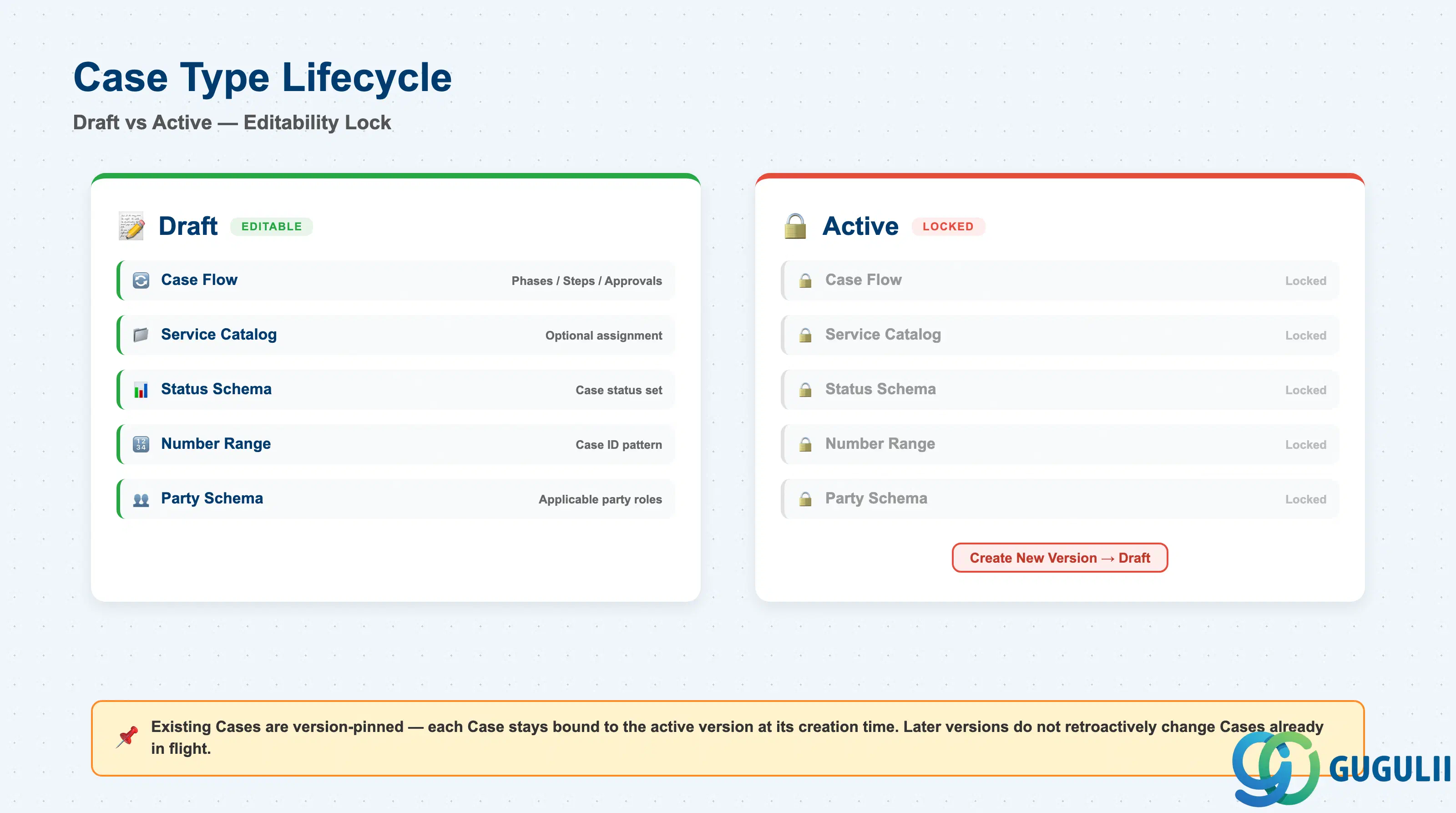
Getting a Case Type’s status wrong is not a cosmetic mistake — it directly determines whether the fields that define its process are editable at all, and SAP documents this as intended behavior rather than a limitation to work around.
| State | Description | Key Behavior |
|---|---|---|
| Draft | Starting status for every newly copied Case Type, and the status a new version reopens into | Case Flow, Catalog, Status Schema, Number Range, and Party Schema are editable only in this state. The admin fills in values, then manually switches status from Draft to Active when the configuration is ready for use. |
| Active | Set once the administrator finishes Draft configuration | Case Flow / Catalog / Status Schema / Number Range / Party Schema become locked. The Case Type is now usable for creating live Cases. To make any further change to those fields, the admin must “Create New Version” — editing the Active version directly is not supported: “In case the status is Active, it is required to create a new version of the case type, so that the Case Flow of the new version is on Draft status and can be edited.” |
Design principle — existing Cases are version-pinned, not live-linked. “Once a case gets created on a specific case type, it will be bound to that type but also to the current active version of that type” — this is documented explicitly as system-designed behavior, not a defect. Practically: if you create New Version 2 of a Case Type and change its assigned Service Catalog, every Case created under Version 1 keeps Version 1’s catalog (and therefore its original category tree) — the change does not retroactively apply. Plan Case Type version changes with this in mind; reassigning a catalog on a new version does not migrate the categorization of cases already in flight.
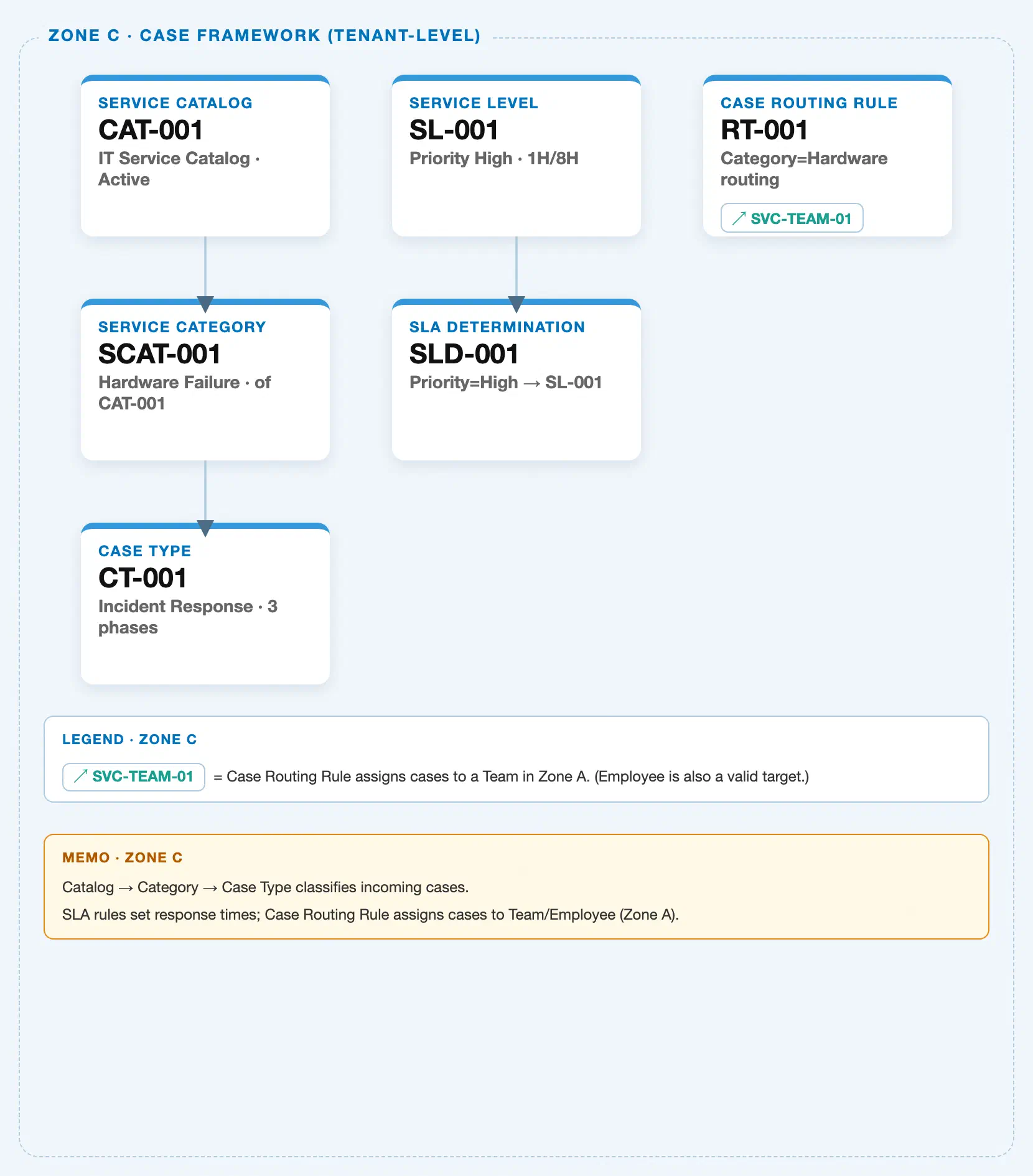
Data hierarchy with a concrete example (tenant-level; SAP Service Cloud has no Company Code / Plant scoping above this)
Client (SAP Service Cloud Tenant)
   │
   ├── Case Type "ZVRC - Vehicle Repair Case" (copied from "SMPL - Sample Case Type"; Status: Active, Version 2)
   │        │
   │        └── assigned to (Draft status only) ──> Service Catalog "SVC-CATALOG-AUTO"
   │                                                    (never assigned directly to any Service Category level)
   │
   └── Service Catalog "SVC-CATALOG-AUTO" — Catalog Display ID: SVC-CATALOG-AUTO; Object Types Supported: Case, Phone, Chat, Email
            │
            └── Service Category (Level 1) "Vehicle Service" — Category Display ID: VEHICLE-SERVICE
                    │
                    └── Service Category (Level 2) "Engine" — Category Display ID: ENGINE
                            │
                            └── Service Category (Level 3) "Oil Change" — Category Display ID: OIL-CHANGE
                                    │
                                    └── Service Category (Level 4) "Synthetic Oil Change" — Category Display ID: SYNTHETIC-OIL-CHANGE

   Email Channel "Support Inbox" ── determines (via Case Type Determination Rules) ──> Case Type "ZVRC - Vehicle Repair Case"

   Case Routing Rule "Route Vehicle Repair to Field Team" ── matches on (mandatory) ──> Case Type "ZVRC - Vehicle Repair Case"

   Service Level Determination Rule "Auto SLA - Urgent Repair" ── matches on (input) ──> Case Type "ZVRC - Vehicle Repair Case"
Design principle: Case Type sits beside Service Catalog at the tenant level, not above or below the category tree — its only outbound arrow into the catalog/category structure stops at Service Catalog. Everything below Service Catalog (the four Service Category levels) is reached only transitively, through whichever catalog the Case Type happens to reference, and only while that reference exists. In the opposite direction, Case Type is itself the target of two separate arrows shown above: an Email Channel’s Case Type Determination Rules can select it automatically at case-creation time (an upstream determination step, distinct from the downstream consumers), while Case Routing Rule and Service Level Determination Rule both treat an already-assigned Case Type as one of their own match conditions. Case Type never reaches back into either of those two objects — the dependency runs one way, into Case Type as an input.
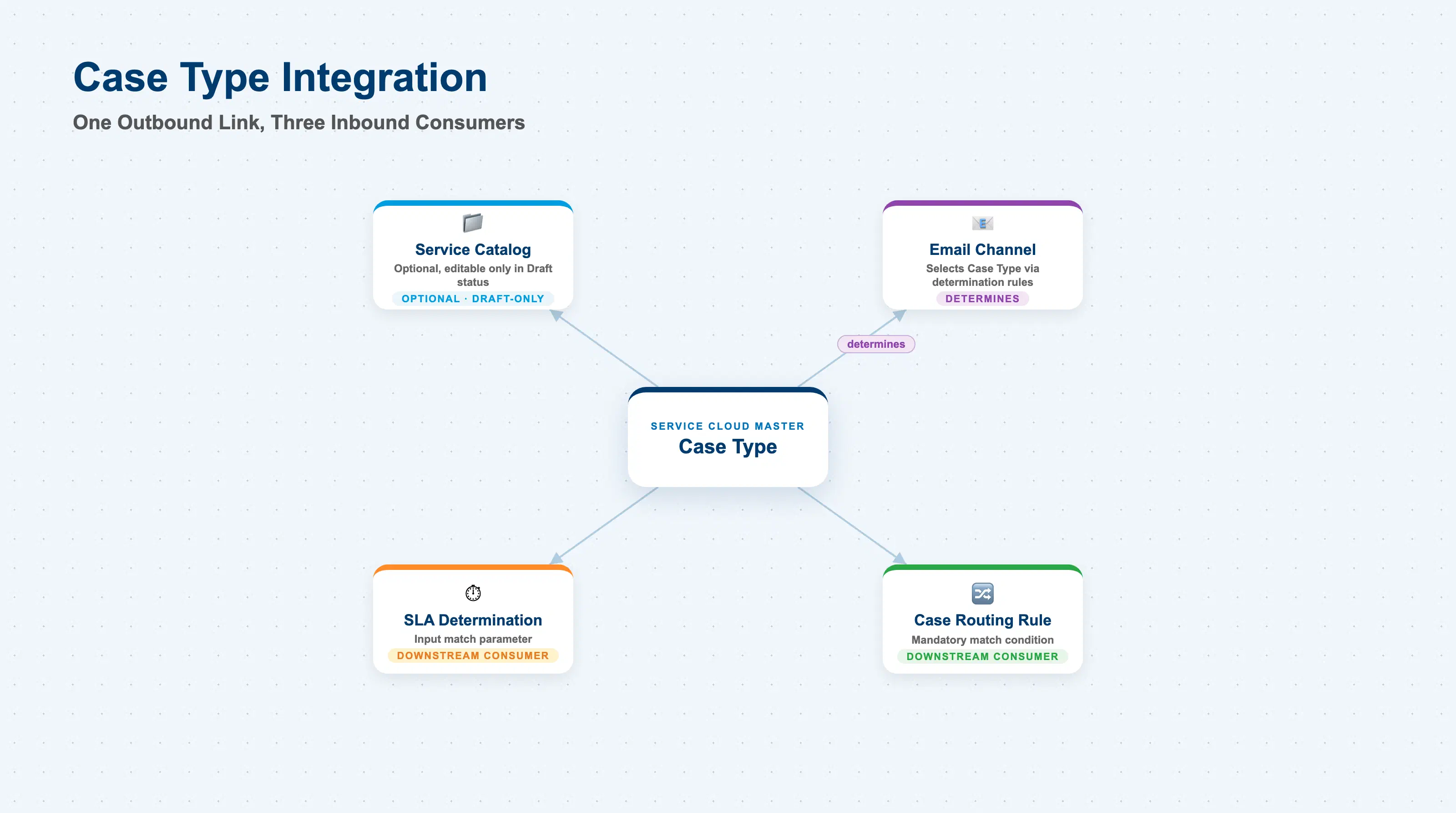
A Case Type touches several other master data and configuration objects, but in two clearly different directions: it is optionally the source of one link (into Service Catalog), and it is the target that several downstream objects reference as an input. The table below is explicit about which direction each relationship runs, and flags the items the source material could not fully confirm.
| Object | Relationship | Practical Notes |
|---|---|---|
| Service Catalog (SC-A05-01) | Direct, optional, single reference — editable only in Draft status | A Case Type’s catalog assignment is a “(Optional) Select a service catalog for the case type” step in its configuration procedure, changeable only on a Draft version. Assigning a catalog is what makes category fields on Cases of that type editable at all. |
| Service Category (SC-A05-02) | No direct relationship — myth-busting point, stated plainly | Case Type has no field, setting, or Dependencies-table entry pointing at any Service Category or category level. Any category a user sees on a Case is surfaced transitively through the Case Type’s assigned Service Catalog — never through a direct Case-Type-to-Category link. |
| Case (transaction object) | Instantiation target — a Case is created “on” a Case Type and its current active version | A live Case is bound both to its Case Type and to the specific version that was active when it was created; later versions of the same Case Type (e.g., with a different catalog) do not retroactively affect that Case. |
| Email Channel (SC-A03-01) | Upstream — Channel determines Case Type, not the reverse | Each email Channel has a default Case Type, which can be overridden per-message by Case Type Determination Rules configured on the channel (conditions include Subject and Priority), active only once “Case Type Determination From Business Rules” is switched on. SAP also lists AI-based case-type determination as a built-in capability for classifying inbound emails into Cases. This is a distinct mechanism from the two rows below — here, Case Type is the output being selected, not an input being matched against. |
| Case Routing Rule (SC-A07-01) | Downstream — Case Type is a mandatory match condition, never the reverse | Case Type is described as mandatory for team-targeted routing rules, “as it defines the category and process flow of the case, serving as a primary condition for routing rules,” alongside subject, ID, priority, and channel attributes. Case Type carries no native default-team or default-queue field of its own — routing assignment is entirely the routing rule’s responsibility, not something stored on the Case Type record. (This absence is not directly documented either way in the source material used; treat “no native default-team field” as inferred from the routing mechanism’s design rather than an explicit statement.) |
| Service Level Determination (SC-A06-02) | Downstream — Case Type is an input match parameter, never the reverse | Service Level Determination rules take Case Type and Priority Code as explicit input parameters (alongside other dimensions such as account, product, and service category) to select an applicable Service Level. Case Type carries no native “default Service Level” or “default priority” field; any case-type-driven priority default observed in practice is implemented through the separate, general-purpose Determination and Validation framework, not a field stored on Case Type itself. |
Classic SAP CRM/ERP Case Type (SCASE, Records Management) | No relationship — naming collision only | Classic on-premise Case Management has its own “Case Type” customizing object (Record Model, status profile, terminology profile, number interval) used in Records Management and FSCM Dispute/Credit Management scenarios. It shares only the name with the Service Cloud object described here — the underlying data models are unrelated. This corroborating detail could not be traced to a directly quotable primary-source page during research (a frameset rendering failure), so treat the collision itself as confirmed by independent secondary corroboration, not a single authoritative quote. |
| Organizational Unit, Business Role, Knowledge Base Provider | No relationship documented | No source used for this article names a dependency between Case Type and these objects. |
Scope notes: (1) No source directly states that a Case Type ID is immutable once created — indirect evidence (the Z-namespace prefix rule, and the fact that every field change routes through “Create New Version” rather than an ID-edit action) supports treating it as a permanent key in practice, but this article does not assert a documented immutability rule. (2) Whether a “Default Team/Queue” field exists natively on the Case Type record could not be confirmed either way from the sources used; routing to a team or employee appears to be governed entirely by separate Case Routing Rules that consume Case Type as an input, rather than a field stored on Case Type itself — treat this as the working assumption, not a confirmed absence.
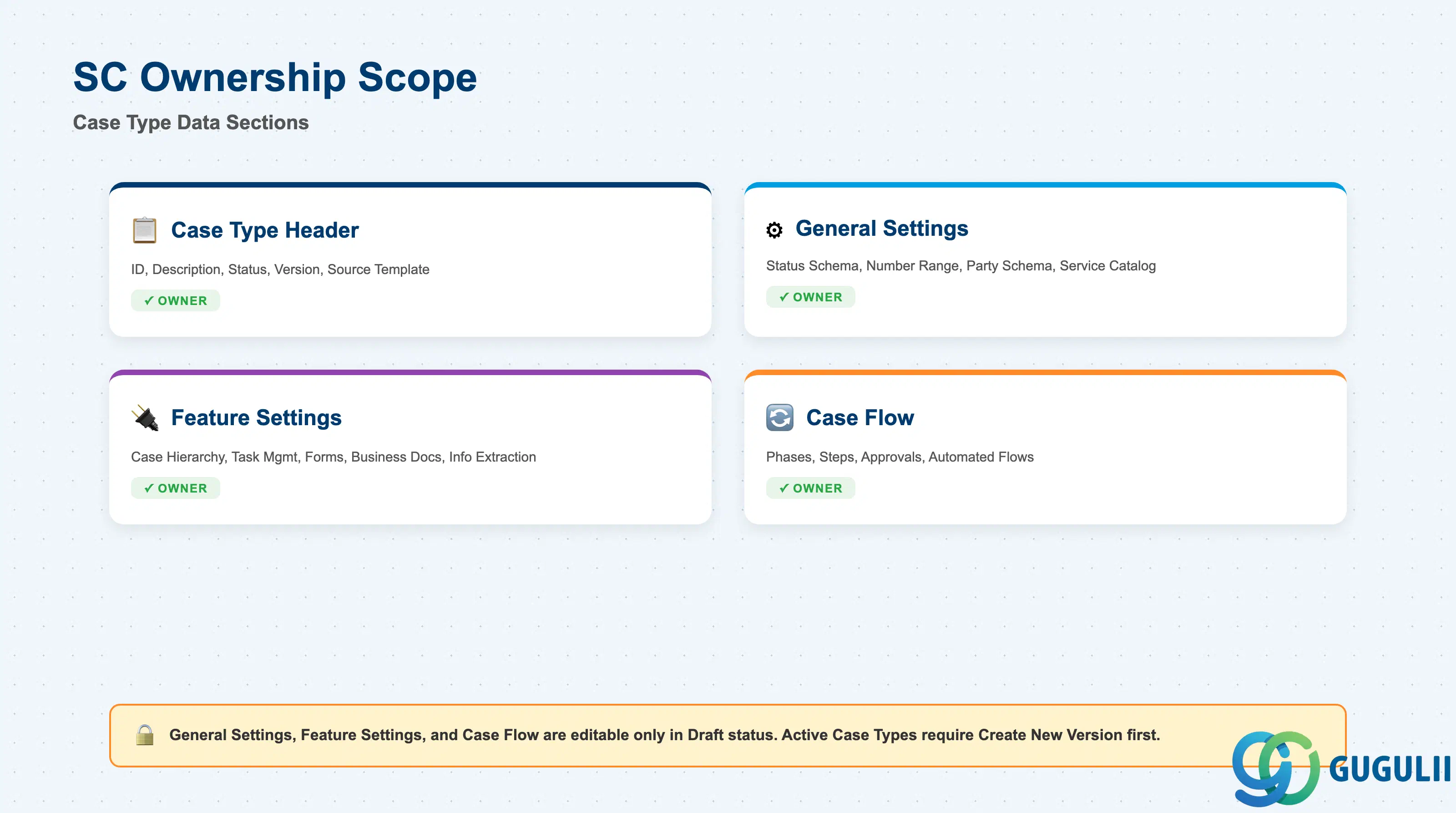
| Data Section | SC Involvement | Notes |
|---|---|---|
| Case Type Header (Base Attributes) | ◎ Owner | Case Type ID, Description, Status, and Version — the identity and lifecycle-state record every Case Type has. |
| General Settings | ◎ Owner | Status Schema, Number Range, Party Schema, and the optional Service Catalog reference — editable only while the Case Type is in Draft status. |
| Feature Settings | ◎ Owner | Togglable capabilities: Case Hierarchy, Task Management, Forms, Business Documents, Business Information Extraction. |
| Case Flow (Phases, Steps, Approvals, Automated Flows) | ◎ Owner | The actual process definition — what visually guides an agent through a Case of this type; editable only in Draft status, same as General Settings. |
Legend: ◎ = Owner / Critical, ○ = Direct involvement
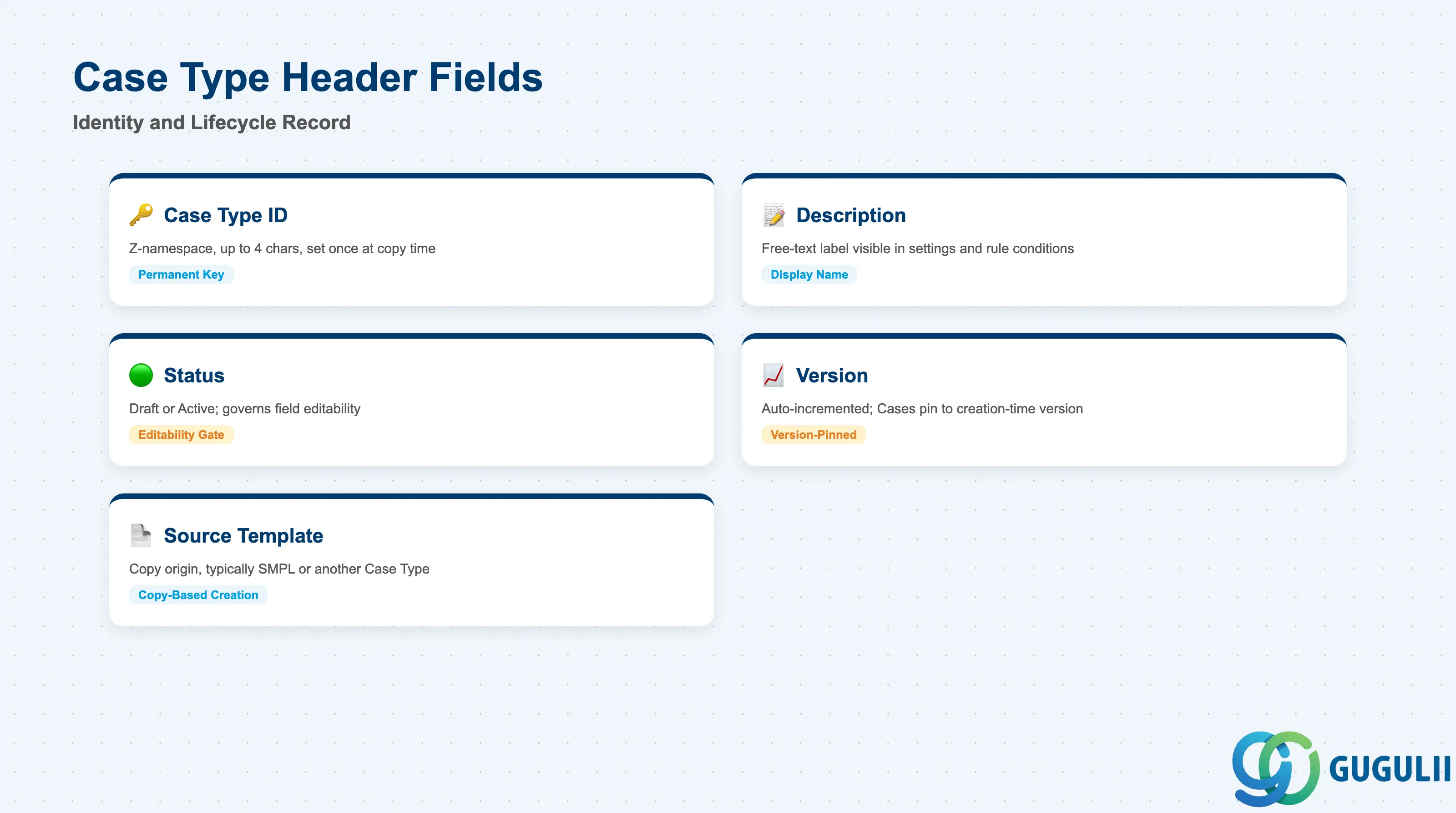
This is the identity record every Case Type has, regardless of what its flow or settings look like — get these fields right and the Case Type is correctly named, correctly statused, and traceable back to whichever template it was copied from.
| Field | Description | Practical Usage |
|---|---|---|
| Case Type ID | Customer-namespace code, up to four characters, must start with Z, no spaces or special characters | Set once during the “Copy to New Case Type” step and, in practice, never renamed afterward — every subsequent change routes through Create New Version rather than an ID edit. Choose a short, memorable code up front (e.g., ZVRC for Vehicle Repair Case) since there is no documented rename path. |
| Description | Free-text label set alongside the ID during the copy step | The name administrators and agents actually see when selecting a Case Type in settings screens and routing/determination rule conditions — keep it specific enough to distinguish it from other Case Types in the same tenant (e.g., “Vehicle Repair Case” rather than “Case Type 1”). |
| Status | Draft or Active | Governs whether Case Flow, Catalog, Status Schema, Number Range, and Party Schema are editable — see Section 1.2. Confirm status before attempting to change any of those five fields; an Active Case Type will not allow the edit directly. |
| Version | Auto-incremented integer, advanced by “Create New Version” | Existing Cases stay bound to whichever version was Active at their own creation time — changing a later version’s Catalog or Flow does not retroactively affect Cases created under an earlier version. Track which version introduced which change if you need to explain a discrepancy between two Cases of the same Case Type. |
| Source Template | Not a stored field, but every Case Type traces back to an initial copy source (either the shipped “SMPL - Sample Case Type” or another existing Case Type) | There is no blank “create new” form — plan a small library of well-built Case Types early, since every future Case Type will realistically start as a copy of one of them (or of SMPL) rather than being built from nothing. |
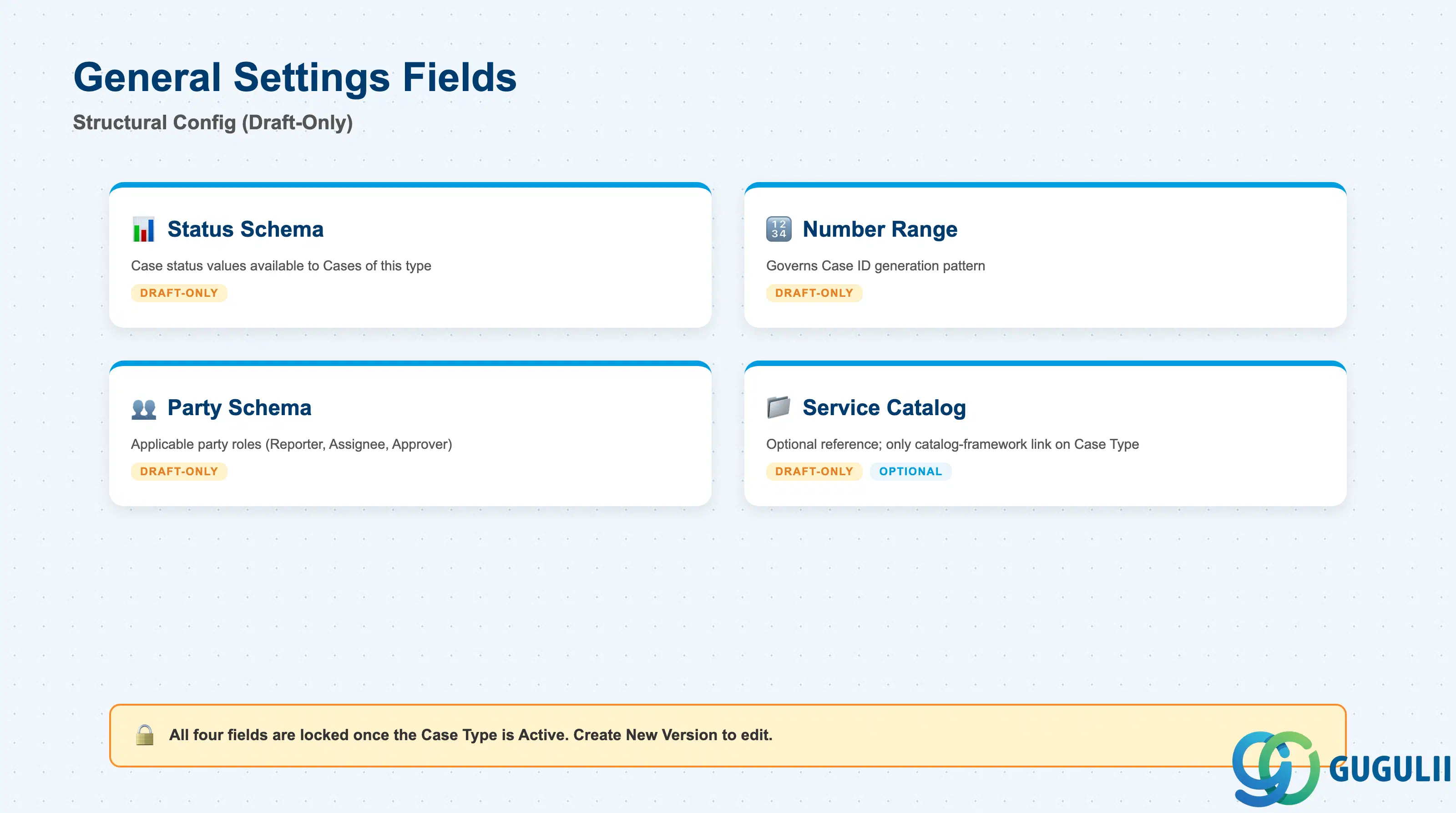
General Settings are the structural configuration that gives a Case Type its numbering, status flow, and party model — plus the optional catalog link discussed throughout Part 1. All four fields share the same Draft-only mutability rule from Section 1.2.
| Field | Description | Practical Usage |
|---|---|---|
| Status Schema | The set of case-status values (e.g., New, In Progress, Resolved, Closed) available to Cases of this Case Type | Editable only in Draft. Different Case Types can use different Status Schemas to reflect genuinely different workflows — do not assume every Case Type in a tenant shares the same status set. |
| Number Range | Governs how Case IDs are generated for Cases created under this Case Type | Editable only in Draft. Coordinate Number Range assignment across Case Types deliberately if case-ID format needs to be distinguishable by process (e.g., a prefix pattern per Case Type), since this is set once per version and not something an agent can override per Case. |
| Party Schema | Defines which party roles (e.g., Reporter, Assignee, Approver) are applicable to Cases of this Case Type | Editable only in Draft. Mismatched Party Schemas across similar Case Types are a common source of “why can’t I add this role to the case” support tickets — confirm the schema before troubleshooting further downstream. |
| Service Catalog | Optional reference to exactly one Service Catalog (SC-A05-01) | Editable only in Draft. This is the only catalog-framework link a Case Type has — see the Common Misconception callout in Section 1.1. Leaving this blank means category fields stay non-editable on every Case created under this Case Type, regardless of how many categories exist elsewhere in the tenant. |
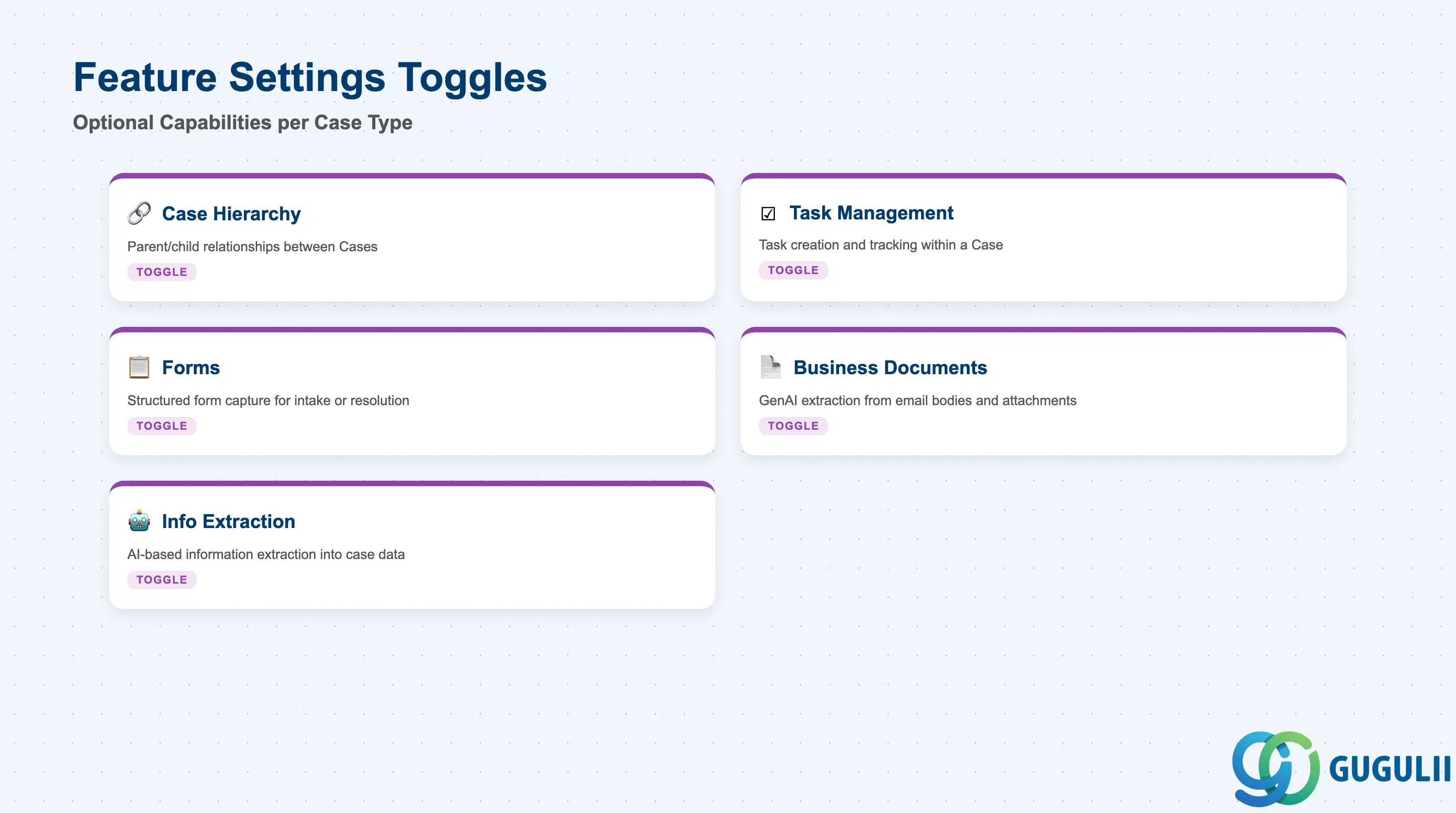
Feature Settings are togglable capabilities layered on top of the core case flow — each one turns on a distinct agent-facing or automation capability for Cases of this Case Type, independent of the General Settings above.
| Field | Description | Practical Usage |
|---|---|---|
| Case Hierarchy | Toggle enabling parent/child relationships between Cases of this Case Type | Turn on for processes where a single incident commonly spawns related sub-cases (e.g., a master complaint with multiple per-site follow-ups); leave off for simple, standalone request types to avoid exposing hierarchy controls agents won’t use. |
| Task Management | Toggle enabling task creation and tracking within a Case | Enable for process templates whose Case Flow includes multi-step work an agent needs to check off individually, rather than a single linear resolution step. |
| Forms | Toggle enabling structured form capture within the Case | Useful where a Case Type needs to collect a consistent, structured set of intake or resolution data beyond the standard case fields — e.g., a warranty claim needing serial number and purchase date captured in a fixed layout. |
| Business Documents | Toggle enabling GenAI-based extraction from email bodies and attachments into case fields | Pairs naturally with email-originated Case Types; confirm this toggle is on before assuming inbound attachment data will populate case fields automatically for a given Case Type. |
| Business Information Extraction | Toggle enabling broader AI-based information extraction into case data | A general-purpose companion to Business Documents — evaluate both toggles together when a Case Type is expected to reduce manual data entry from unstructured inbound content. |
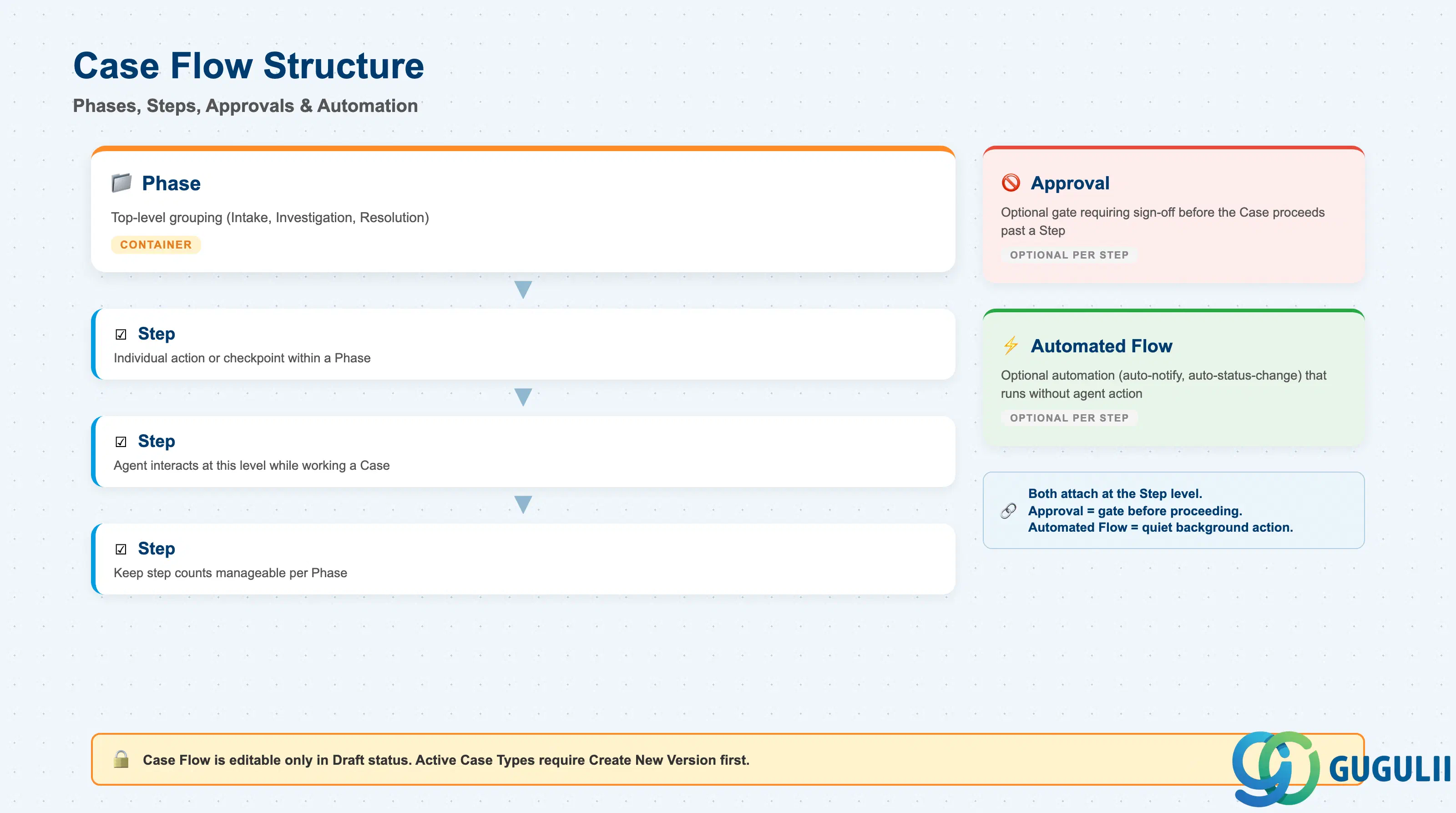
Case Flow is the actual process definition behind a Case Type — the reason it is described as a template rather than a classification value. It is composed of phases, steps, approvals, and automated flows that visually guide an agent through processing a Case, and, like the General Settings above, it can only be edited while the Case Type is in Draft status.
| Field | Description | Practical Usage |
|---|---|---|
| Phase | A top-level grouping of steps representing a major stage of the process (e.g., Intake, Investigation, Resolution) | Design phases around the stages a manager would actually report progress against — phases are typically what shows up in case-progress dashboards and status reporting, not the finer-grained steps beneath them. |
| Step | An individual action or checkpoint within a phase | This is the level of detail an agent actually interacts with while working a Case — keep step counts manageable per phase so the flow reads as guidance rather than a compliance checklist. |
| Approval | An optional gate attached to a step requiring sign-off before the Case can proceed | Reserve approvals for steps with genuine business risk (e.g., refund authorization above a threshold) — over-using approvals turns the Case Flow into a bottleneck rather than guidance. |
| Automated Flow | An optional automation attached to a step (e.g., auto-notification, auto-status-change) that executes without agent action | Automated Flows are what let a Case Type encode “quiet” process logic — confirm exactly which steps trigger which automations before copying a Case Type into a new one, since automation behavior copies along with the rest of the Case Flow. |
Prerequisite: Because Case Flow is editable only in Draft, any change to phases, steps, approvals, or automated flows on an Active Case Type requires Create New Version first (Section 1.2) — there is no in-place edit path for a live Case Type’s flow.
| ID | Category | Title |
|---|---|---|
| sc-001 | Overview | What is SAP Service Cloud? |
| ID | Category | Title |
|---|---|---|
| sc-a01 | Overview | SAP Service Cloud Master Data: Overview, Hierarchy & Relationships |
| sc-a02-01 | Master Data | SAP Service Cloud Organizational Unit |
| sc-a02-02 | Master Data | SAP Service Cloud Employee |
| sc-a02-03 | Master Data | SAP Service Cloud Business Role |
| sc-a02-04 | Master Data | SAP Service Cloud Business User |
| sc-a02-05 | Master Data | SAP Service Cloud Team |
| sc-a03-01 | Master Data | SAP Service Cloud Email Channel |
| sc-a03-02 | Master Data | SAP Service Cloud Email Template |
| sc-a04-01 | Master Data | SAP Service Cloud Knowledge Base Provider |
| sc-a05-01 | Master Data | SAP Service Cloud Service Catalog |
| sc-a05-02 | Master Data | SAP Service Cloud Service Category |
| sc-a05-03 | Master Data | SAP Service Cloud Case Type 📍 |
| sc-a06-01 | Master Data | SAP Service Cloud Service Level |
| sc-a06-02 | Master Data | SAP Service Cloud Service Level Determination |
| sc-a07-01 | Master Data | SAP Service Cloud Case Routing Rules |
| sc-a10-04 | Master Data | SAP Service Cloud Warranty |
| sc-a11-01 | Master Data | SAP Service Cloud Installed Base |
| sc-a11-02 | Master Data | SAP Service Cloud Functional Location |
| ID | Category | Title |
|---|---|---|
| sc-b01 | Overview | SAP Service Cloud Transactions: Process Flow, Hierarchy & Relationships |