Title here
Summary here

Service Level Determination is not a second place where SLA times live — it is a decision table that decides which already-activated Service Level (SC-A06-01) applies to a given Case, matching on inputs such as Case Type and Priority Code and outputting a single Service Level as the result. Administrators configure it as a rules table of up to 15 columns, evaluated top to bottom with the first fully-matching row winning; row position, not a numeric priority field, is what determines precedence. The exact same mechanism — Adapt Columns, AND-within-row/OR-across-rows, top-to-bottom first match, an explicit Activate step — is reused elsewhere in Case Management for Case Routing to Employee and to Team, so this article also flags where Service Level Determination is one specific instance of a shared, generic pattern rather than a bespoke SLA engine. It also draws a hard line between this feature and an unrelated, similarly-named generic “Determination” configuration framework elsewhere in the product, which shares only a word, not a mechanism.
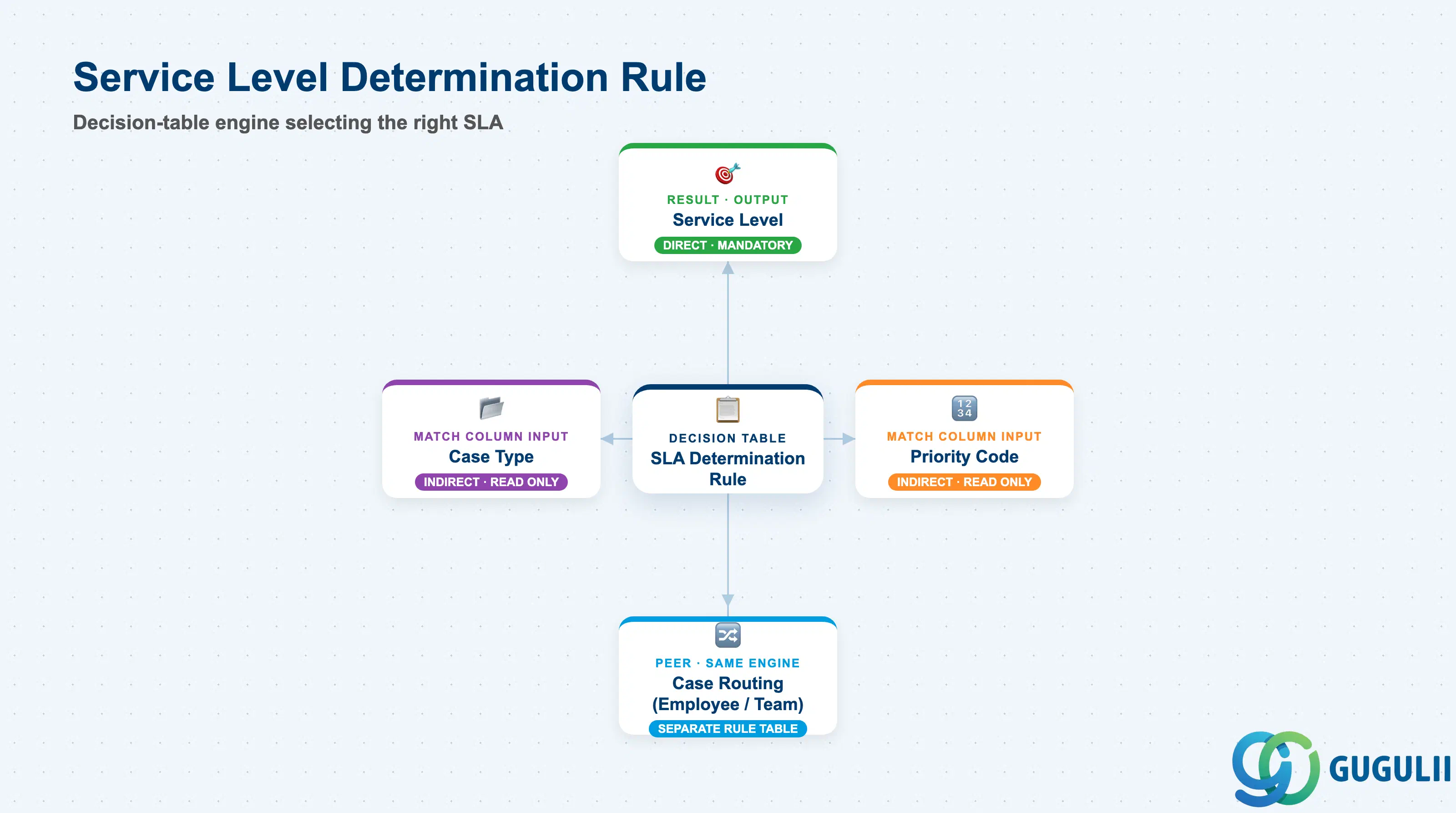
A determination rule exists to answer one question every time a Case is created or edited: given this Case’s field values, which of the several possible Service Level records should govern its SLA clock? It does this by evaluating a table of administrator-defined rows against the Case, applying the Service Level named in the first row that matches. The rule itself stores no SLA times, no Milestones, and no Operating Hours — all of that lives on the Service Level record it selects (SC-A06-01).
| Aspect | Details |
|---|---|
| Role | Decision-table engine that selects which already-Active Service Level applies to a Case; does not itself define any SLA Milestone or duration |
| Modules using it | SAP Service Cloud (sole owner); shares its underlying rules-table mechanism with Case Routing to Employee and Case Routing to Team (separate configuration screens, same engine design); consumes Service Level (SC-A06-01) as its Result/output value |
| Transactions | User Menu → System Settings → All Settings → Cases → Service Level Determination (also seen documented as Settings → Service Level → Service Level Determination — likely a UI/version variant of the same screen) |
| Key Tables | SAP Service Cloud: Service Level Determination rules-table business object (Admin/Core API OData entity, configured via Adapt Columns, capped at up to 15 columns including the Result column). SAP Service Cloud is a multi-tenant SaaS solution and does not expose classical ABAP tables to consultants. |
| S/4HANA note | Configured natively inside the Service Cloud tenant; has no S/4HANA equivalent. The classic, Ticket-based SAP Service Cloud (Cloud for Customer heritage) has a structurally near-identical feature, “Configure Service Level Determination Rules for Tickets” (Administrator → Service and Social → SLA Setup → Determine Service Level) — same AND/OR/top-to-bottom logic and 15-column cap, with only minor UI-terminology differences (a “Swap” button instead of a sort icon). This article covers the current Case-based Service Cloud Version 2 feature. |
Common misconception — this is not the same “Determination” as the generic Determination framework elsewhere in SAP Service Cloud. SAP Service Cloud also has a separate, generic configuration framework literally called “Determination” — structured as Header (name, triggering event) + Condition Block + Assignment Block, with Pre Hook (defaults a field, overridable) and Post Hook (forces a field, non-overridable) execution points, typically shown defaulting or forcing a Case’s Priority based on Case Type and Origin. No source ties Service Level assignment to this Header/Condition/Assignment framework. Service Level Determination instead uses the plain decision-table mechanism it shares with Case Routing to Employee/Team. The two features share a name fragment only — do not describe Service Level Determination as running on Pre/Post Hooks, and do not describe the generic Determination framework as SLA-related.
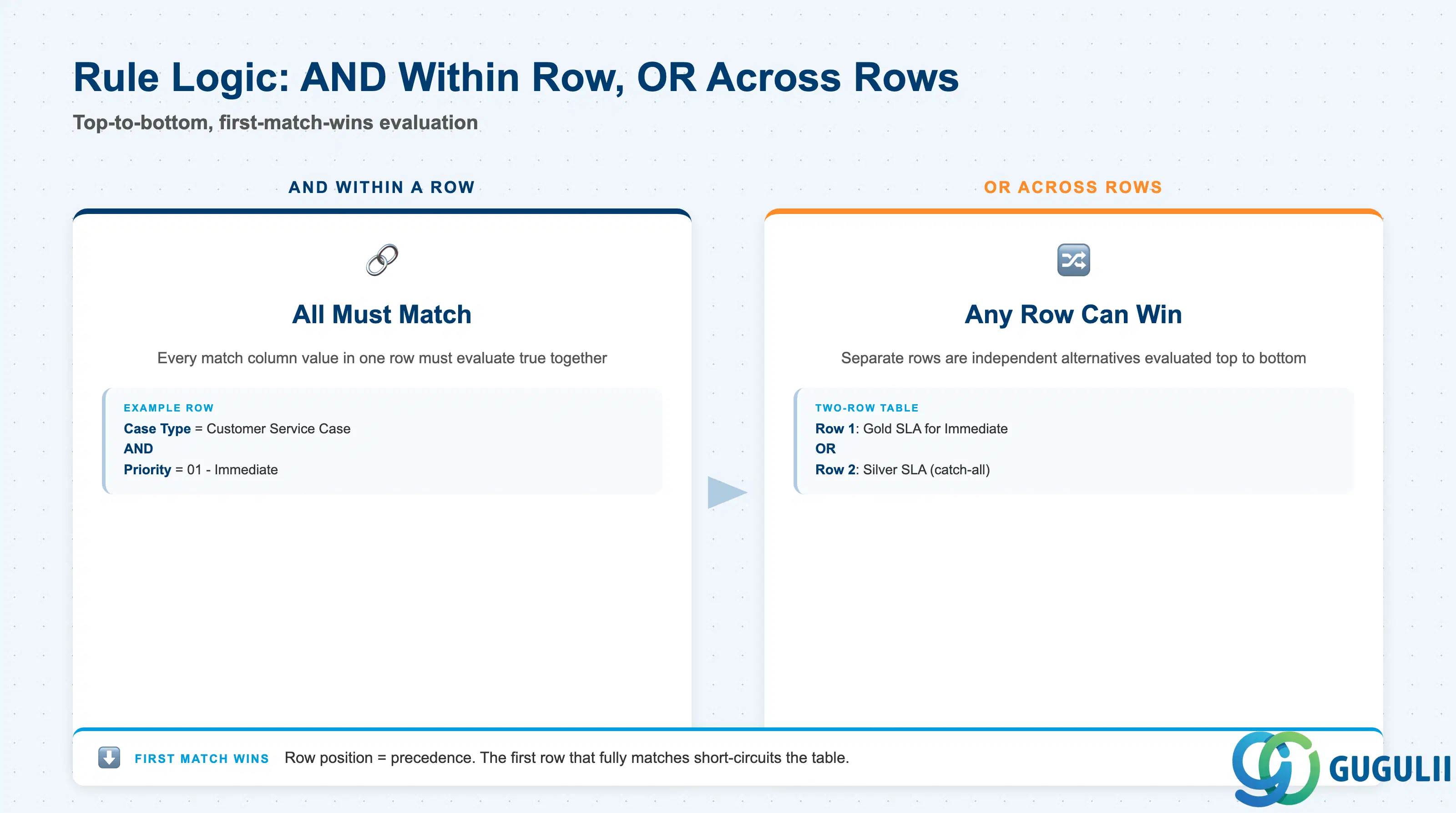
Getting the AND/OR direction backwards is the single most common way to misconfigure this table: every value inside one row must all be true together, while separate rows are alternatives to each other — and only the first alternative that fires actually applies.
| Mechanic | Description | Practical Effect |
|---|---|---|
| AND within a row | Every match column value entered in a single row must evaluate true for that row to match a given Case | A row with three match columns populated is a three-condition rule; leaving a column blank in a specific row typically widens that row (fewer conditions to satisfy), not the reverse — confirm the exact blank-value behavior in a sandbox before relying on it for a production rule. |
| OR across rows | Separate rows are independent alternative rules; any one of them matching is sufficient | This is how multiple, differently-scoped rules coexist in one table — e.g., one row for Gold-tier Immediate cases, a separate row for a different Case Type entirely. |
| Top-to-bottom, first-match-wins | The system evaluates rows in table order and stops at the first row that fully matches (short-circuit) | Rows below a matching row are never evaluated for that Case, even if they would also have matched — this makes row order a functional part of the rule design, not just a display preference. |
| Row reordering = precedence | There is no separate numeric priority field on a row; the sort icon (row-move control) is the only way to change precedence | When adding a new, more specific rule, remember that a newly added row defaults to the bottom of the table — it must be moved above any broader rule it needs to take precedence over, or it will never fire. |
| Explicit Activation | Rules changes take effect only after an explicit Activate action; unsaved or unactivated edits leave the previously activated rule set live | Draft and test a new rule set without risk — production Case assignment continues on the last activated version until Activate is deliberately run. |
| Shared mechanism, not a bespoke SLA engine | Identical Adapt Columns / AND-OR / top-to-bottom / Activate design also powers Case Routing to Employee and Case Routing to Team | Skills learned configuring one of these three rules tables (Service Level Determination, Case Routing to Employee, Case Routing to Team) transfer directly to the other two — they are the same generic engine applied to a different Result column. |
Design principle — row position is the priority field. Business stakeholders coming from tools with an explicit numeric “Priority” column on a rules table need to unlearn that expectation here: in Service Level Determination, the row’s physical position in the table is its priority, enforced purely by top-to-bottom, first-match-wins evaluation. There is no independent priority number to set or audit separately from the row order itself.
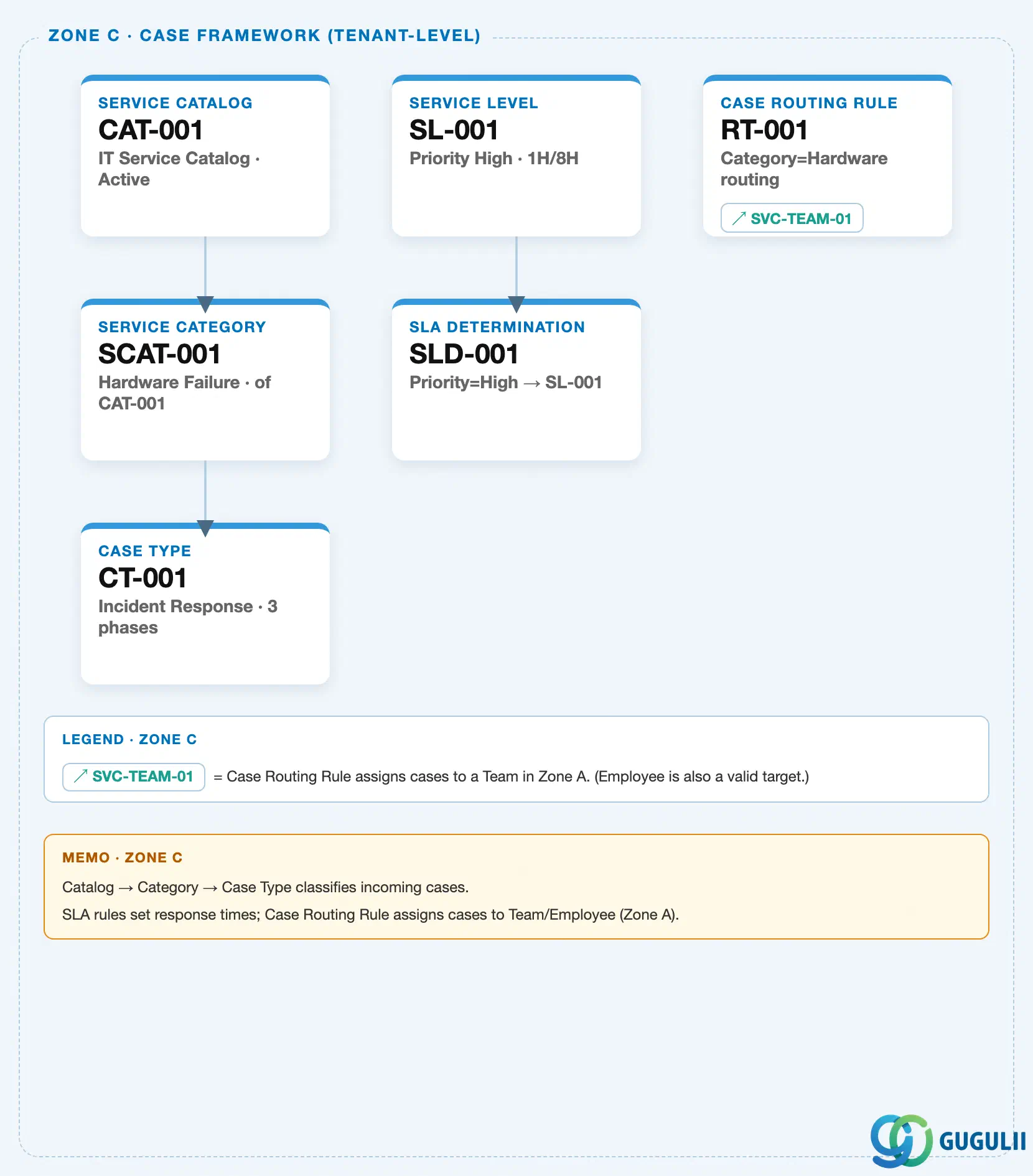
Data hierarchy with a concrete example (tenant-level; SAP Service Cloud has no Company Code / Plant scoping above this)
Client (SAP Service Cloud Tenant)
   │
   ├── Service Level Determination Rule Table "Case SLA Assignment" (Status: Active)
   │        │
   │        ├── Row 1: Case Type = "Customer Service Case" AND Priority Code = "01 - Immediate"
   │        │            ── Result ──> Service Level "GOLD - Premium Support"
   │        │
   │        ├── Row 2 (catch-all, recommended practice — not a documented system default):
   │        │            Case Type = "*" AND Priority Code = "*"
   │        │            ── Result ──> Service Level "SILVER - Standard Support"
   │        │
   │        └── Evaluated top-to-bottom: Row 1 short-circuits the table for any matching Case;
   │             Row 2 is only reached when Row 1's conditions are not met
   │
   ├── Service Level "GOLD - Premium Support" (Status: Active) ── referenced as Row 1's Result value
   │
   ├── Service Level "SILVER - Standard Support" (Status: Active) ── referenced as Row 2's Result value
   │
   ├── Case Type "Customer Service Case" ── read by Row 1 as a match column value (no field on the
   │        rule pointing back to Case Type as an owned object — the rule only reads its current value)
   │
   └── Priority Code "01 - Immediate" (one of a fixed set of four priority codes) ── read by Row 1
            as a match column value (same one-directional read, no reverse reference)
Design principle — a catch-all final row is good practice, not a documented system default. No official source states what happens when a Case matches zero rows in the table — whether it is left with no assigned Service Level (and therefore no SLA due dates), whether some implicit default applies, or whether this is simply undefined behavior administrators are expected to prevent. Treat adding a final wildcard row (as shown in Row 2 above) as a recommended safety practice, and confirm actual no-match behavior in a sandbox tenant before assuming any specific fallback exists in production.
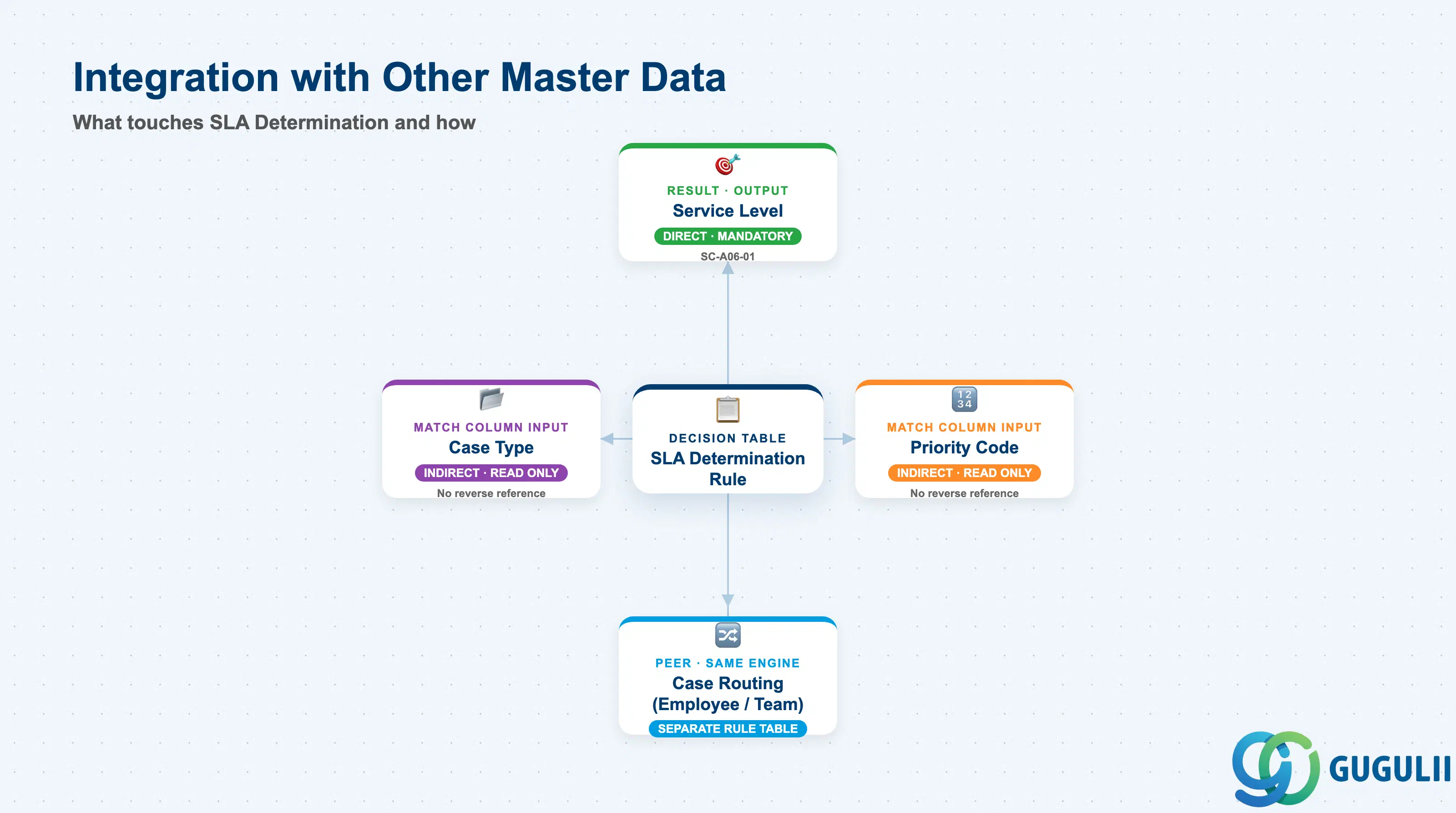
Service Level Determination touches several other objects, but always in the same two directions: it reads Case field values as match inputs, and it writes a single Service Level as its Result. The table is explicit about which relationships are sourced and which remain open items from the research pass.
| Object | Relationship | Practical Notes |
|---|---|---|
| Service Level (SC-A06-01) | Direct, mandatory Result value — the reason the object exists | A Service Level record cannot vary its own Milestone targets by Priority internally (“Attribute specific service level definition is not supported”), so organizations create multiple Service Level records and rely on this Determination Rule to route each Case to the correct one. Only an already-Active Service Level should be selected as a Result value. |
| Case Type | Indirect — match column input only, no ownership either direction | Case Type is a commonly used, sourced match column (e.g., “Customer Service Case”); the Determination Rule reads its current value on the Case, but neither object stores a reference to the other. |
| Priority Code | Indirect — match column input only, no ownership either direction | Priority Code is drawn from a small, fixed set (documented as “the four priority codes”) and is corroborated as a concrete match column example (“01 (Immediate)”). Same one-directional read as Case Type. |
| Case Routing to Employee / Case Routing to Team | Peer — identical underlying engine, but a separate rule table instance | Both routing screens use the exact same Adapt Columns / AND-OR / top-to-bottom / Activate mechanism as Service Level Determination, confirmed by the official guide covering all three under the same design. They are not the same configuration record; each is its own independently activated table with its own Result column. |
| Case (transaction object) | Downstream, indirect — via the assigned Service Level, not a direct field on the rule | Once a row matches, the Case receives the Result Service Level’s Milestone due-dates (see SC-A06-01, Section 2.4); the Determination Rule itself does not write directly onto the Case beyond triggering this assignment. |
| Generic “Determination” framework (Header/Condition/Assignment, Pre/Post Hooks) | No relationship — naming collision only (Section 1.1) | Shares the word “Determination” and nothing else: different configuration screen, different structure, and no source ties Service Level assignment to it. |
| Classic Service Cloud (Ticket-based) “Configure Service Level Determination Rules for Tickets” | Parallel implementation in a different product generation — not this object directly | Structurally near-identical engine (AND/OR, top-to-bottom, 15-column cap, Activate step) but configured on the older Ticket-based Cloud for Customer heritage product, reached via a different menu path and terminology (“Swap” vs. sort icon). Relevant only if a reader is working in the classic product rather than Service Cloud Version 2. |
Scope notes: (1) No current, exhaustive, official field list confirms every selectable match column for the V2 rules table beyond Case Type and Priority Code — the official guide describes the mechanism (Adapt Columns, any available Case field, up to 15 columns) without enumerating a fixed default set; broader field lists appearing in community material or the classic product’s official guide (service type, product category, service category, country/region, customer group) should be treated as illustrative, not a confirmed current V2 list. (2) The underlying rules-engine technology (e.g., whether it is implemented on BRFplus or a proprietary business-rules service) is not stated in current SAP Service Cloud Version 2 documentation and should not be asserted. (3) Fallback behavior for zero matching rows is undocumented — see the Section 1.3 design principle.
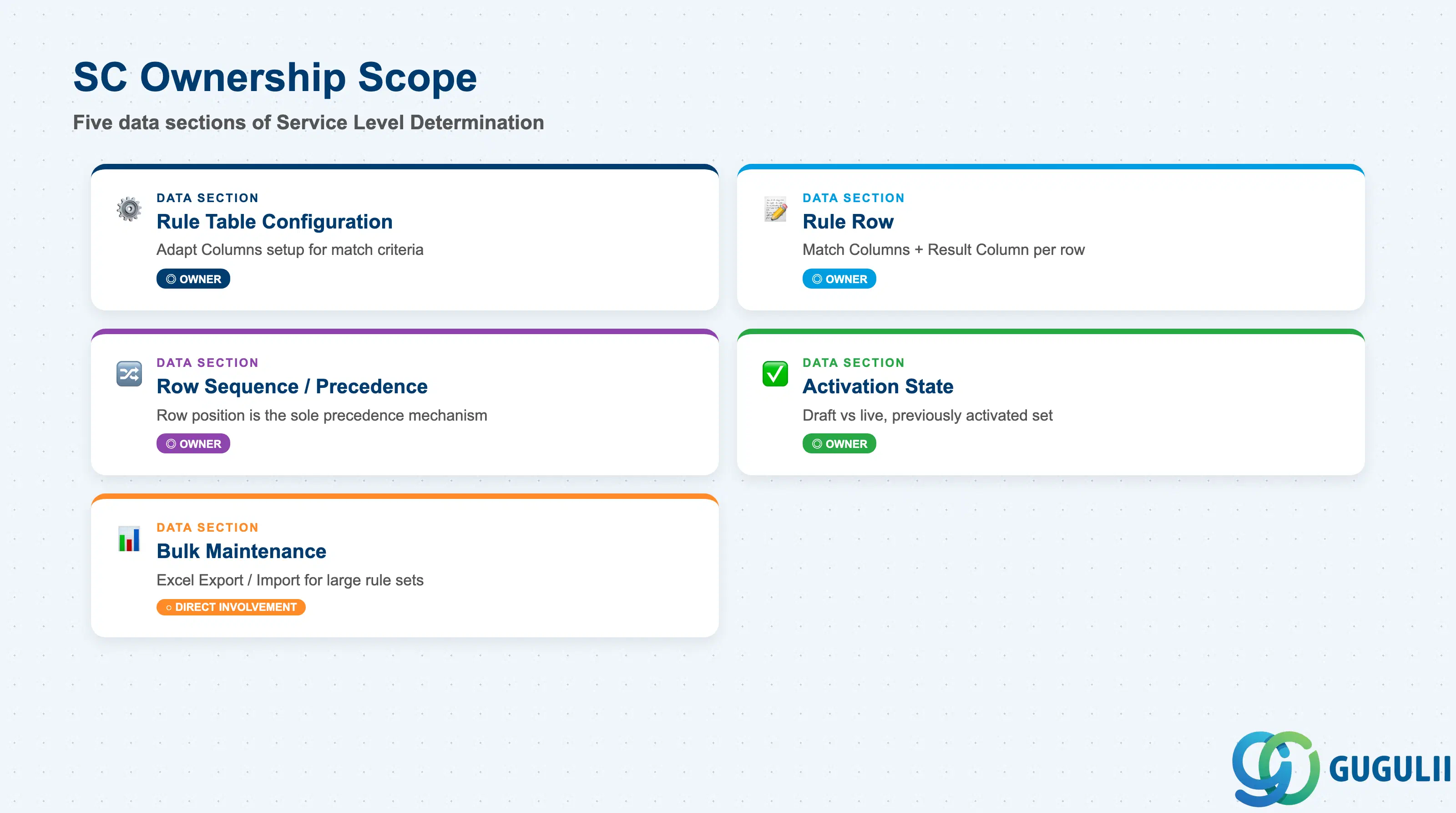
| Data Section | SC Involvement | Notes |
|---|---|---|
| Rule Table Configuration (Adapt Columns) | ◎ Owner | Administrator-chosen set of Case fields exposed as match columns, plus the fixed Result column — capped at 15 columns total. |
| Rule Row (Match Columns + Result Column) | ◎ Owner | Each row is one complete rule: AND logic across its match column values, one Result value. |
| Row Sequence / Precedence | ◎ Owner | Row position (reordered via the sort icon) is the sole precedence mechanism — no separate numeric field. |
| Activation State | ◎ Owner | Draft edits vs. the currently live, previously-Activated rule set. |
| Bulk Maintenance (Excel Export/Import) | ○ Direct involvement | Optional offline editing path for large rule sets; does not replace the Adapt Columns setup step or the Activation step. |
Legend: ◎ = Owner / Critical, ○ = Direct involvement
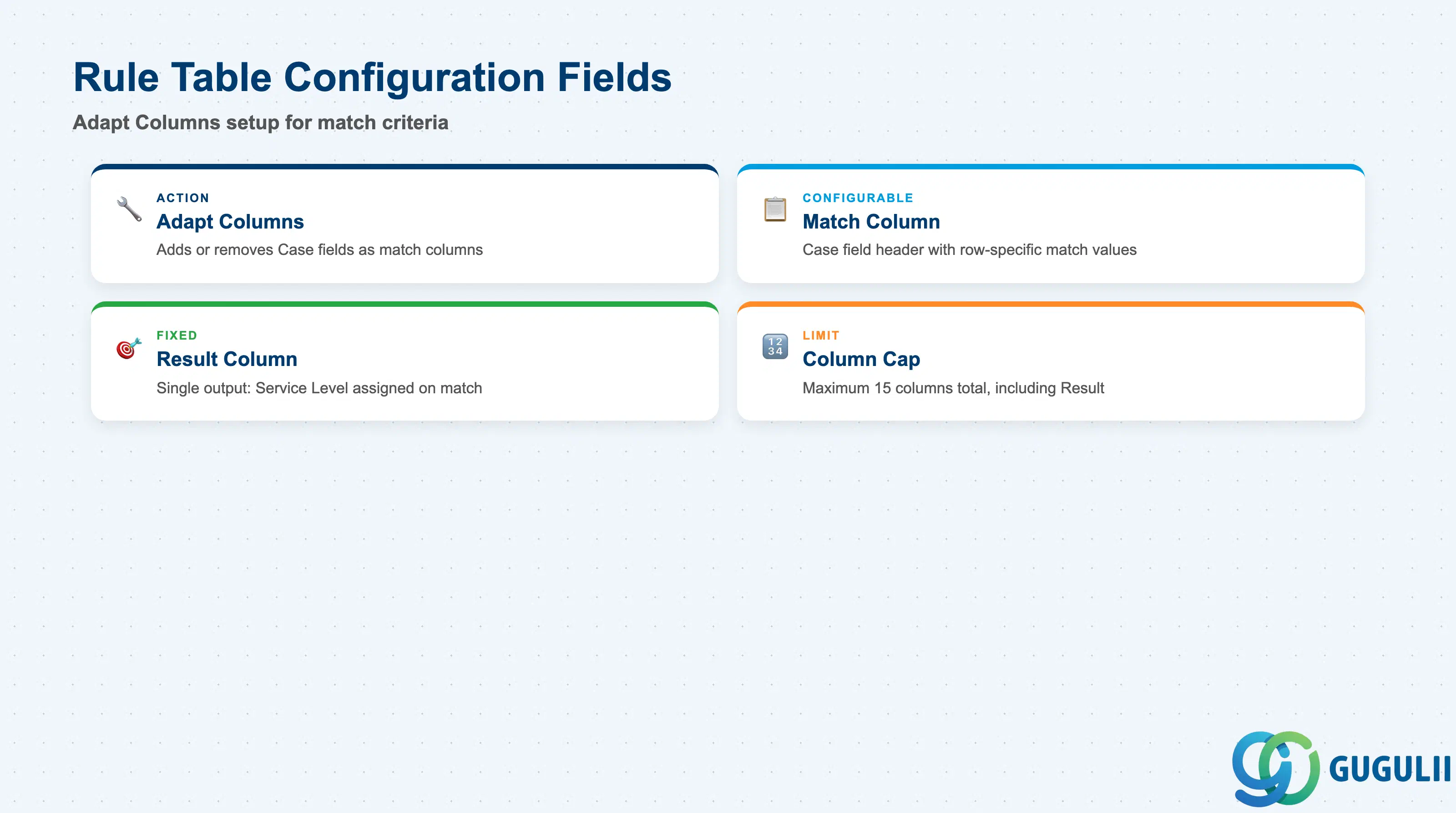
Before any row can be entered, the table’s own column structure has to be set up — this is the one-time (though revisitable) step that decides which Case fields are even available to match against.
| Field | Description | Practical Usage |
|---|---|---|
| Adapt Columns (action) | Administrator-facing action that adds or removes which Case fields appear as columns in the rules table | Revisit this whenever a new match criterion is needed (e.g., adding a Product Category column later); changing columns does not retroactively populate existing rows for a newly added column, so plan a follow-up pass to fill in values for pre-existing rows. |
| Match Column (configurable, any available Case field) | A column whose header is a Case field and whose row values are the specific values to match against | Corroborated concrete examples are limited to Case Type and Priority Code; treat any other specific field name as illustrative rather than a confirmed current default (see Section 1.4 Scope notes). |
| Result Column (fixed) | The single output column every row must populate — the Service Level (SC-A06-01) assigned when the row matches | This is the one column type that cannot be removed via Adapt Columns; a table with no populated Result values cannot produce an assignment. |
| Column Cap | Maximum of 15 columns total, including the Result column | Leaves at most 14 possible match columns. If more match dimensions are genuinely needed, consider whether some can be consolidated (e.g., a single custom field) rather than assuming the cap can be raised. |
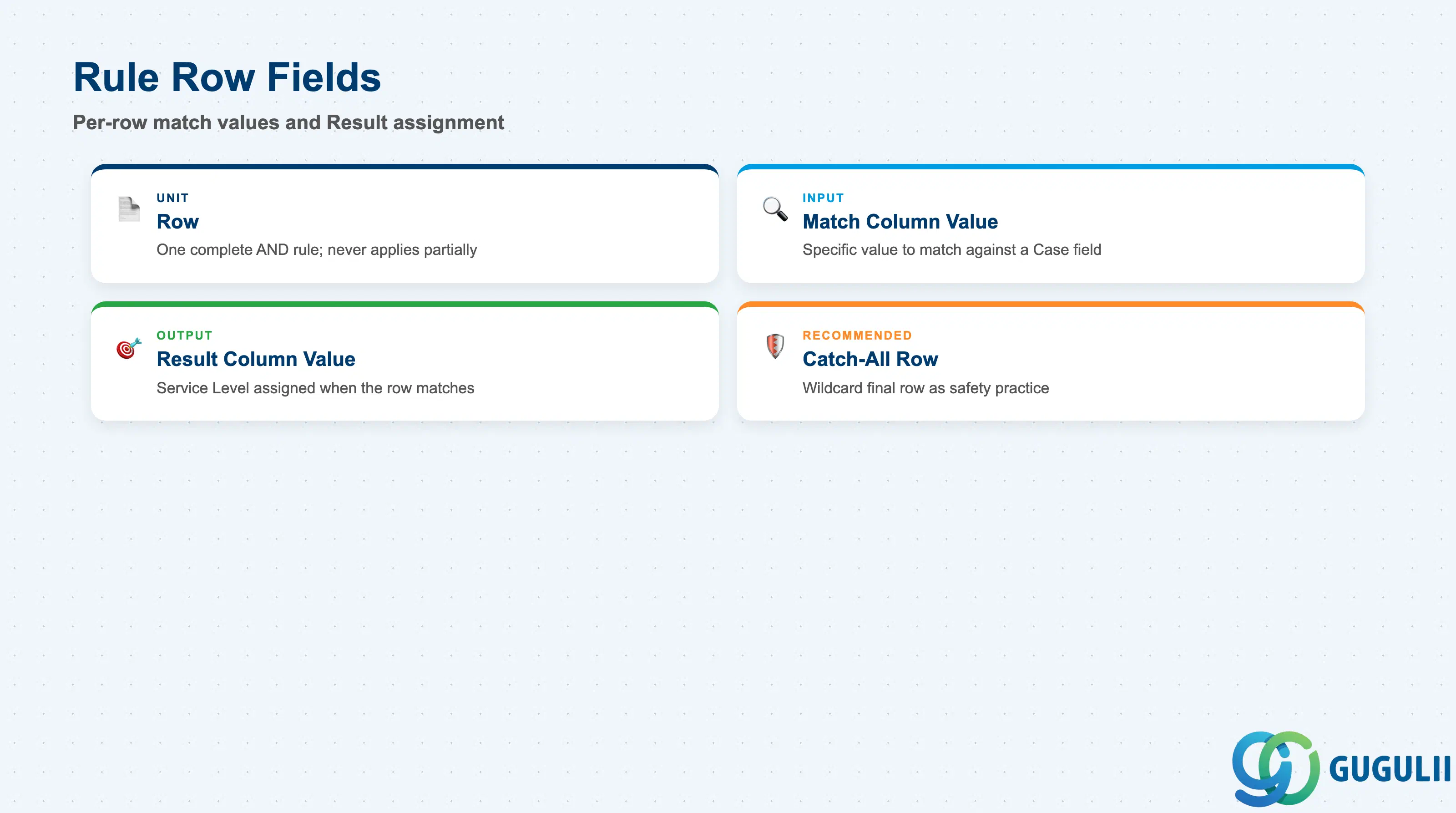
Each row is the actual, individually authored rule — the atomic unit of the whole feature.
| Field | Description | Practical Usage |
|---|---|---|
| Row | One complete rule: every match column value in the row must evaluate true (AND) for the row to fire | Design each row as a fully self-contained condition — a row never applies partially; if any one match column value doesn’t match the Case, the entire row is skipped. |
| Match Column Value | The specific value entered in a match column for that row, e.g. Case Type = “Customer Service Case” | Keep match values as specific as the business rule actually requires; an overly broad value placed too high in the table can silently intercept Cases meant for a more specific rule further down (see Section 1.2, Row reordering). |
| Result Column Value | The Service Level (SC-A06-01) assigned when the row matches | Must reference an already-Active Service Level; selecting a Service Level still in Draft status is not a meaningful live assignment even if the screen allows entering its name. |
| Catch-all row (recommended practice, not a documented system feature) | An optional final row using broad/wildcard match values intended to guarantee every Case matches something | No source documents what happens when zero rows match; treat this row as good administrative practice, and confirm actual current behavior in a sandbox before relying on it (see Section 1.3). |
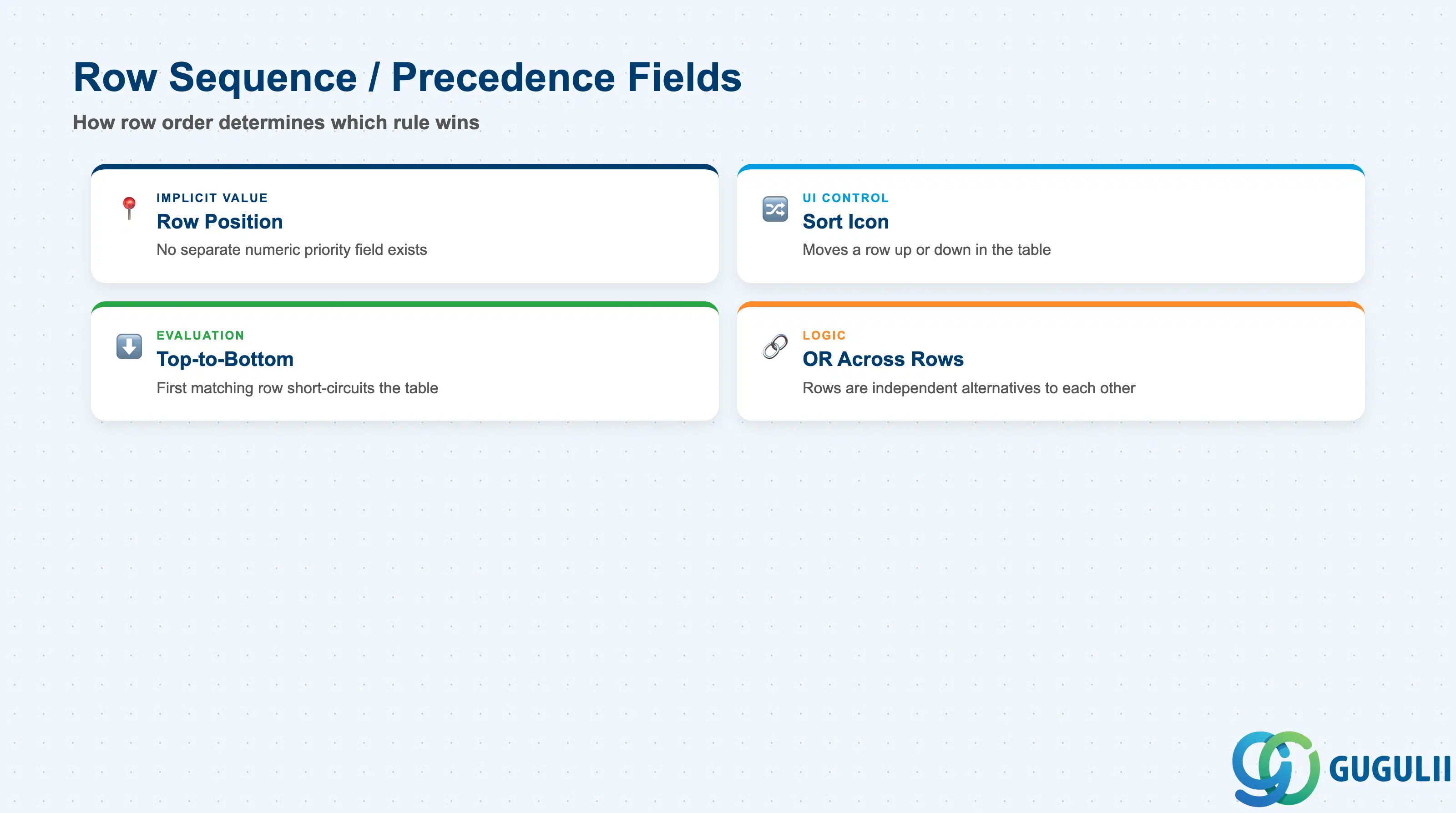
This is the mechanic that determines which rule actually wins when a Case could theoretically match more than one row.
| Field | Description | Practical Usage |
|---|---|---|
| Row Position | Implicit precedence value; there is no separate numeric priority field on a rule row | The single most important concept to explain to a stakeholder used to seeing a numeric priority column elsewhere in SAP — here, position in the table is the priority. |
| Sort Icon (reorder action) | UI control used to move a selected row up or down in the table | Use whenever a new, more specific rule needs to fire before an existing broader rule; a newly added row defaults to the bottom, so it must be moved above any rule it needs to outrank. |
| Top-to-Bottom Evaluation | The system checks rows in table order and stops at the first row that evaluates true | Because evaluation short-circuits, rows after a matching row are never evaluated for that Case, even if they would also have matched — plan row order with this in mind, not just as a display convenience. |
| OR-Across-Rows | Separate rows are combined as alternatives to each other, even though each row’s own columns are combined with AND | This is what lets multiple independent rules coexist in one table: rule 1 OR rule 2 OR rule 3, where each rule internally is column1 AND column2 AND … |
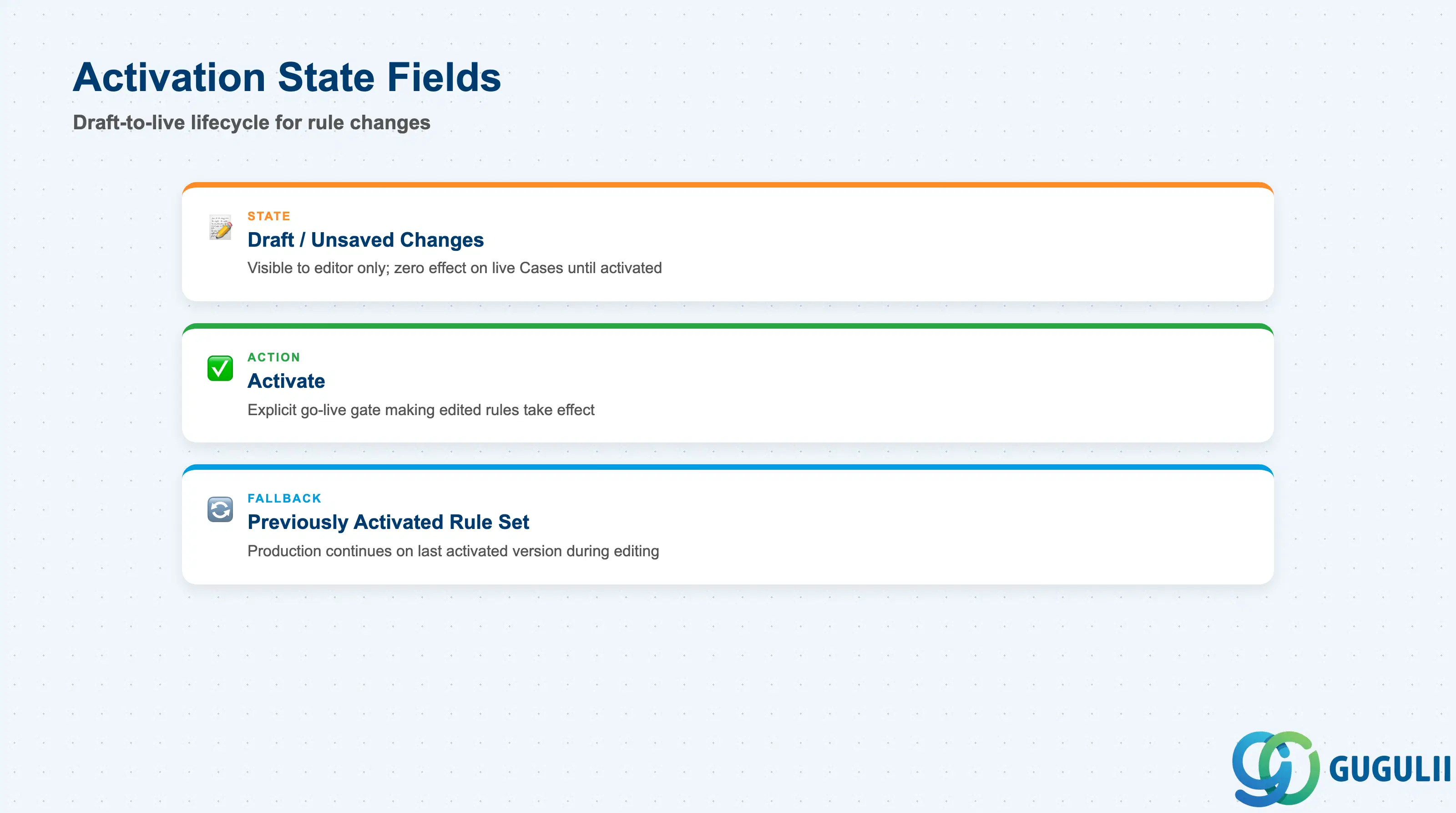
Editing this table is deliberately non-destructive to production behavior — nothing takes effect until an explicit step is completed.
| Field | Description | Practical Usage |
|---|---|---|
| Draft / Unsaved Changes | Edits made to the rules table (new rows, edited values, reordering) that have not yet been explicitly activated | Test rule changes fully before activating; unsaved changes are visible to the editing administrator but have zero effect on live Case assignment until Activation completes. |
| Activate (action) | Explicit action required to make edited rules take effect | Treat activation as a genuine go-live gate — plan the timing of this step deliberately, the same way an on-premise system’s transport of a configuration change would be planned. |
| Previously Activated Rule Set | The rule set the system continues to apply while newer edits sit unactivated | Confirms that editing is safe — administrators can draft a next-iteration rule set without disrupting current SLA assignment for live Cases. |
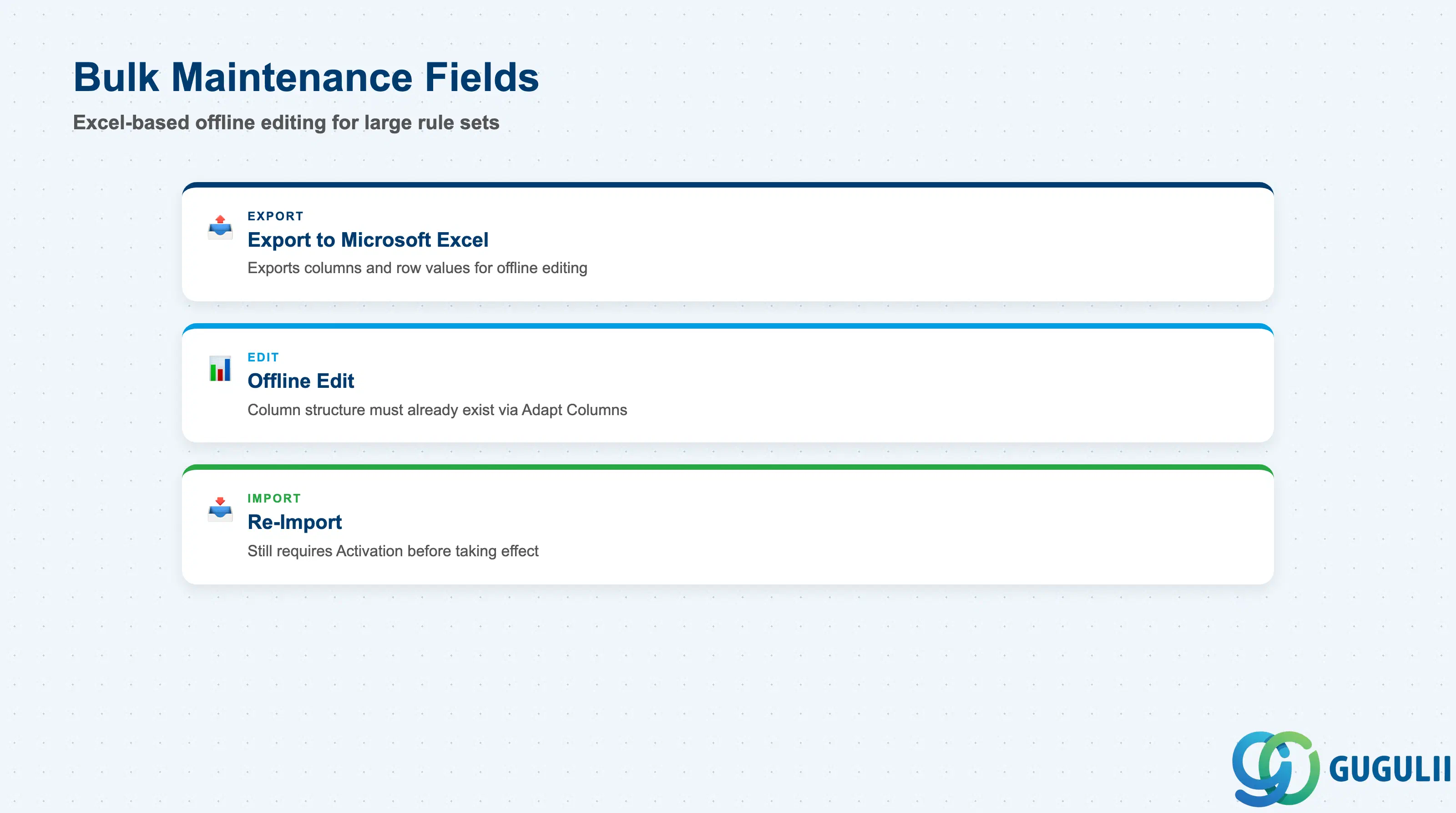
For rule tables that have grown large, editing row by row in the UI stops being practical — SAP provides an offline path for exactly this case.
| Field | Description | Practical Usage |
|---|---|---|
| Export to Microsoft Excel | Exports the current rules table (columns and row values) to an Excel file | Useful once a table approaches the 15-column cap or accumulates dozens of rows, where row-by-row UI editing becomes impractical. |
| Offline Edit | Editing the exported file in Excel before re-importing | Column structure (which Case fields are configured as match columns) must already be set up via Adapt Columns in the UI before export/import — bulk maintenance edits row values and additions, it does not itself define new columns. |
| Re-import | Bringing the edited Excel file back into the rules table | Re-imported rows still require the same Activation step (Section 2.4) before they take effect; bulk maintenance does not bypass the Draft → Activate lifecycle. |
Prerequisite: Column structure must exist first — export/import is a row-value maintenance tool, not a column-design tool. Attempting to introduce a brand-new match field via an imported file without first running Adapt Columns in the UI is not a documented workflow.
| ID | Category | Title |
|---|---|---|
| sc-001 | Overview | What is SAP Service Cloud? |
| ID | Category | Title |
|---|---|---|
| sc-a01 | Overview | SAP Service Cloud Master Data: Overview, Hierarchy & Relationships |
| sc-a02-01 | Master Data | SAP Service Cloud Organizational Unit |
| sc-a02-02 | Master Data | SAP Service Cloud Employee |
| sc-a02-03 | Master Data | SAP Service Cloud Business Role |
| sc-a02-04 | Master Data | SAP Service Cloud Business User |
| sc-a02-05 | Master Data | SAP Service Cloud Team |
| sc-a03-01 | Master Data | SAP Service Cloud Email Channel |
| sc-a03-02 | Master Data | SAP Service Cloud Email Template |
| sc-a04-01 | Master Data | SAP Service Cloud Knowledge Base Provider |
| sc-a05-01 | Master Data | SAP Service Cloud Service Catalog |
| sc-a05-02 | Master Data | SAP Service Cloud Service Category |
| sc-a05-03 | Master Data | SAP Service Cloud Case Type |
| sc-a06-01 | Master Data | SAP Service Cloud Service Level |
| sc-a06-02 | Master Data | SAP Service Cloud Service Level Determination 📍 |
| sc-a07-01 | Master Data | SAP Service Cloud Case Routing Rules |
| sc-a10-04 | Master Data | SAP Service Cloud Warranty |
| sc-a11-01 | Master Data | SAP Service Cloud Installed Base |
| sc-a11-02 | Master Data | SAP Service Cloud Functional Location |
| ID | Category | Title |
|---|---|---|
| sc-b01 | Overview | SAP Service Cloud Transactions: Process Flow, Hierarchy & Relationships |