Title here
Summary here

A Functional Location in SAP Service Cloud is “the physical location of the object that requires servicing or maintenance” — a site-level master data record created manually from a worklist, like its Installed Base and Warranty siblings in this batch. What sets it apart structurally is its field template: it is one of two sibling item entity types — alongside Registered Product, but unlike Product Installation Point — that also carries a direct Warranty_Warranty UUID reference, and it carries all three parent-pointer fields at once — Parent Installed Base UUID, Parent Registered Product UUID, and Parent Installation Point UUID — meaning it can nest directly under an Installed Base or one level deeper under either of its two siblings, rather than occupying one fixed rung on a ladder. It also has a direct, first-class reference from Case via a dedicated “Case Functional Locations” subentity. This article maps that flexible structure precisely, resolves a real documentation conflict between the Feature Scope Description and the Setup Guide’s field-level model, confirms that Case Routing Rule and Service Level Determination have no relationship to Functional Location at all, and flags the single highest-risk naming collision in this entire 17-article Master Data batch.
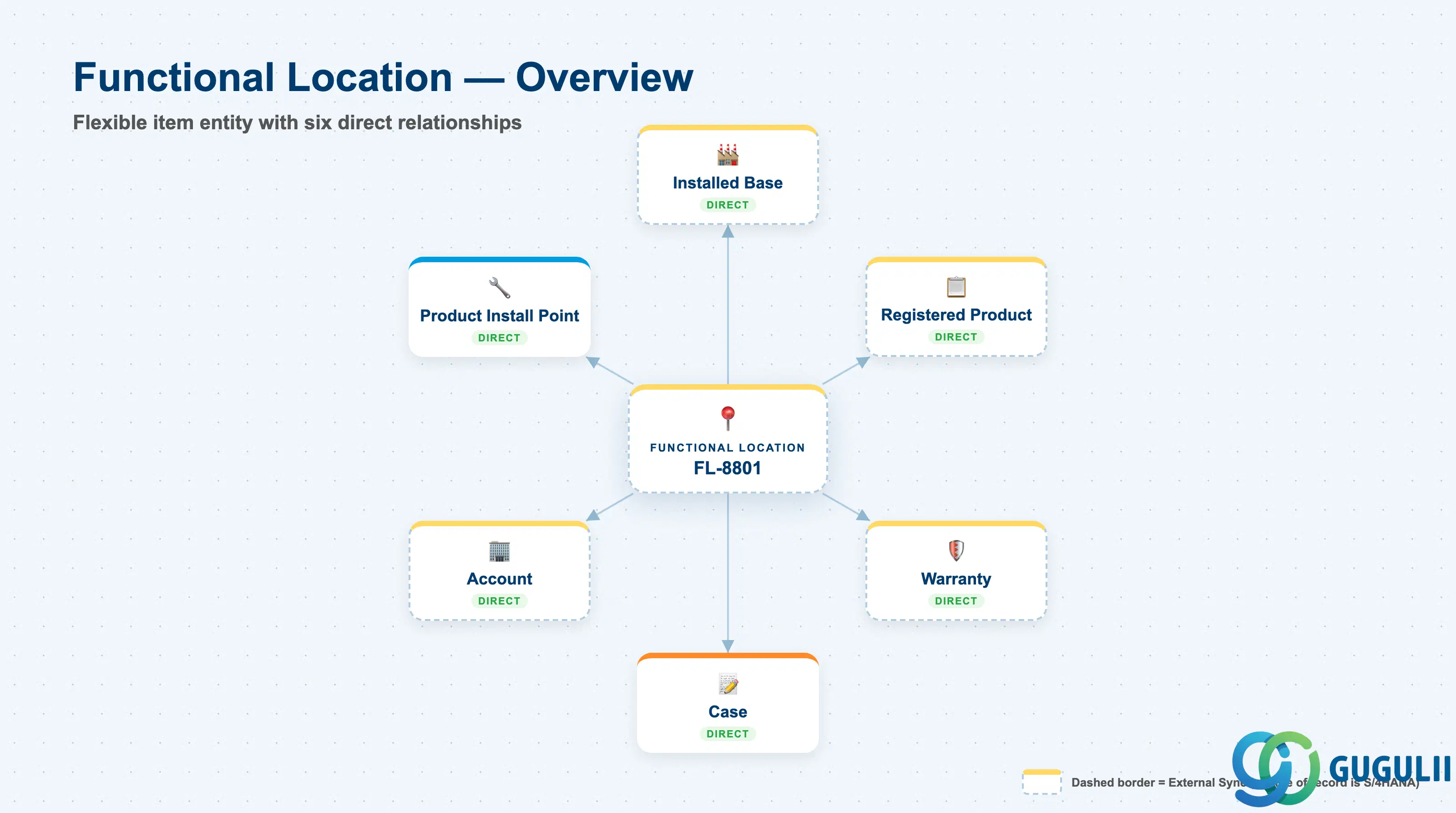
A Functional Location exists to answer one question: at exactly which physical site does a serviceable object sit, and what commercial and coverage context travels with that site? SAP Service Cloud answers this with a manually-created record that carries an unusually rich field template for a “location” object — party roles, sales-organization data, a direct Warranty attachment, and a flexible choice of parent. Unlike Installed Base, which is always the root container, Functional Location is one of three sibling item entities that can each attach to any one of the other two, or directly to an Installed Base.
| Aspect | Details |
|---|---|
| Role | The most structurally flexible of the three sibling item entity types — carries all three parent-pointer fields and can nest directly under an Installed Base, or one level deeper under a Registered Product or a Product Installation Point. It is also one of only two object types in this data model (the other being Registered Product) with a direct field-level Warranty reference. |
| Modules using it | SAP Service Cloud (sole owner of the Functional Location object, its worklist, and its work-center tile — technical name sap.crm.service.functionalLocationService). Its assignment to a Service Order item is separately documented as bidirectionally replicable with SAP S/4HANA — a more concrete, named integration path than exists for Installed Base itself in this batch. |
| Transactions | Functional Location worklist — click Create, enter Functional Location Description, Account, Contact, select the type of the customer, then Save. Administrators additionally configure custom party types via System Settings → All Settings → Functional Locations → Custom Party Type. |
| Key Tables | No classical ABAP tables — SAP Service Cloud is multi-tenant SaaS; the Functional Location header entity and its ~60-field party-role/address/sales block are exposed only as OData / import-export field templates. |
| S/4HANA note | The Functional Location assigned to a Service Order item is documented as bidirectionally replicable with SAP S/4HANA via an explicit “Replicate” action, and when a Service Order is created as a follow-up to a Case, the Functional Location maintained on the Case is automatically copied to the Service Order quick-create screen. Treat this as specific to the service-order-item assignment, not a statement that the Functional Location master record itself is mass-replicated from S/4HANA. |
Naming collision — the single highest-risk naming collision in this entire batch. “Functional Location” is one of the most well-established, widely-taught concepts in the entire SAP portfolio outside of SAP Service Cloud, and readers with prior SAP consulting exposure are more likely to know the other meaning first: classic SAP Plant Maintenance (PM) / Customer Service (CS), on-premise ECC and S/4HANA “Functional Location” (transactions
IL01create /IL02change /IH01structure display, backed by tableIFLOT). Classic Functional Location is a foundational Technical Object in PM/CS — an organizational unit that structures a company’s maintenance objects, and it is explicitly self-referencing and hierarchical: each classic Functional Location can have a superior Functional Location, forming a multi-level structure tree (e.g., Plant → Production Line → Machine → Component), with Equipment installed at a location in that tree. The same classic concept and data also surfaces identically in classic SAP CRM Service (WebClient UI), which traditionally shares/replicates PM/CS Functional Location and Equipment master data with the ERP backend. SAP Service Cloud’s Functional Location is a fundamentally different object: (a) it is not self-referencing — its parent-pointer fields point only to Installed Base, Registered Product, or Product Installation Point, never to another Functional Location — and (b) it represents “the physical location of the object that requires servicing” at a customer site in a case-management/service-request context, sharing no database table, API, or configuration UI with the on-premise object. Do not assume knowledge ofIL01/IFLOTtransfers to this object, and make this distinction explicit to any reader with on-premise SAP background.
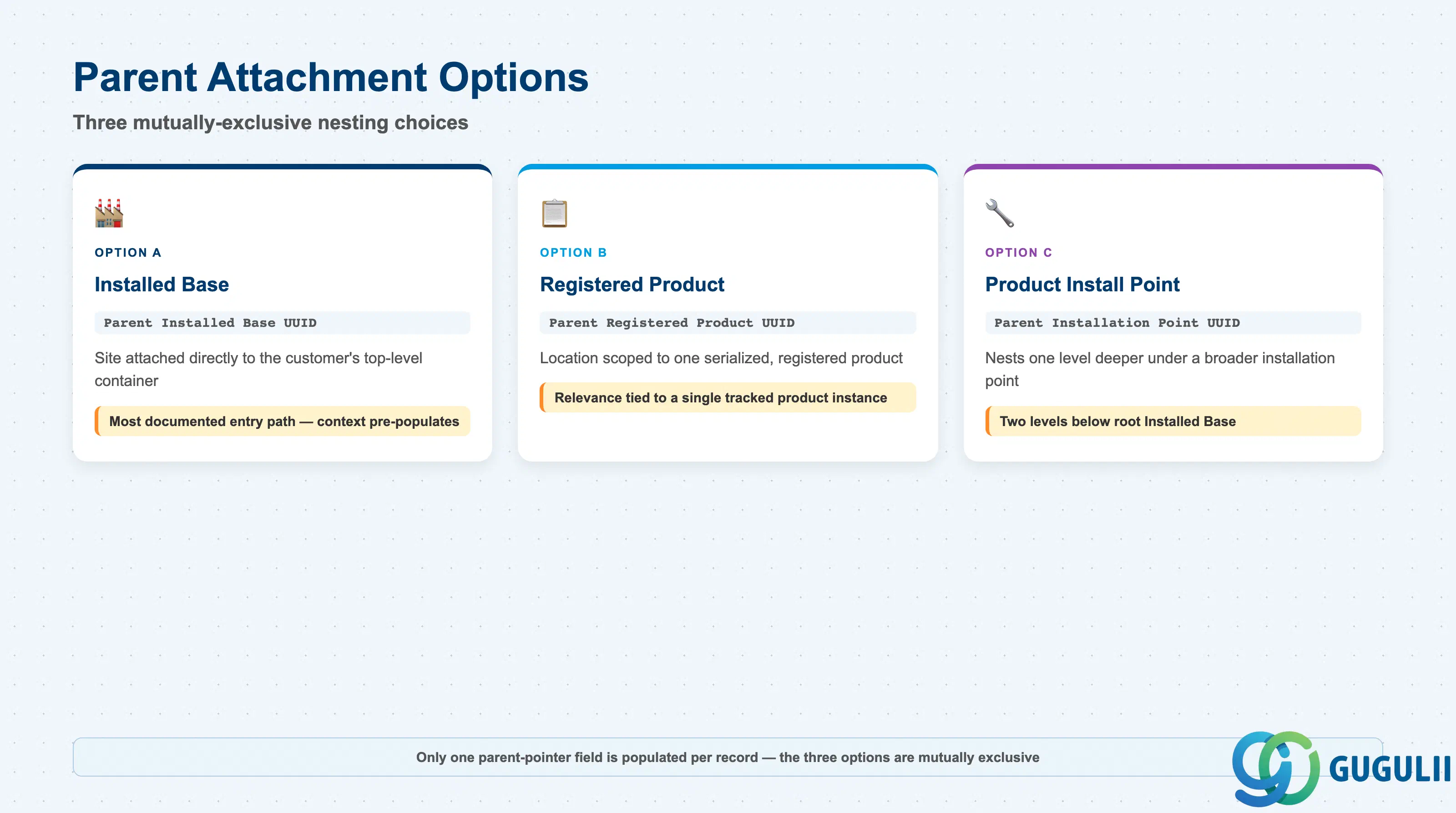
Functional Location’s field template carries all three parent-pointer fields at once, but in practice only one is populated on any given record — the choice of parent determines whether the Functional Location represents a site attached directly to a customer’s Installed Base, a location specific to one serialized product, or a location nested under a broader installation point. Getting this choice wrong at creation means re-parenting a record later rather than a simple field edit, and it changes what customer/product context is pre-populated when the Functional Location is created.
| Parent Option | Field | Use Case | Key Behavior |
|---|---|---|---|
| Installed Base | Parent Installed Base UUID | The Functional Location represents a site attached directly to the customer’s top-level Installed Base container | The Setup Guide’s Chapter 12 guidance notes the customer information and installed-base sections are pre-populated when an installation point is created from an Installed Base — the most common documented entry path. |
| Registered Product | Parent Registered Product UUID | The Functional Location represents a location tied specifically to one serialized, registered product | Useful when the location’s relevance is scoped to a single tracked product instance rather than the customer’s site as a whole. |
| Product Installation Point | Parent Installation Point UUID | The Functional Location nests one level under a broader installation point that itself sits under an Installed Base or Registered Product | Confirms Functional Location is not limited to a single hierarchy depth — it can sit two levels below the root Installed Base. |
Design principle: Only one of the three parent-pointer fields is populated per record in practice, even though the field template exposes all three. The Setup Guide’s Chapter 12 guidance frames Functional Location, Registered Product, and Product Installation Point as UI-level “categories” of one broader underlying “Installation Point” concept — a well-evidenced nuance, though no single official statement was found that flatly equates all three as literally the same underlying table.
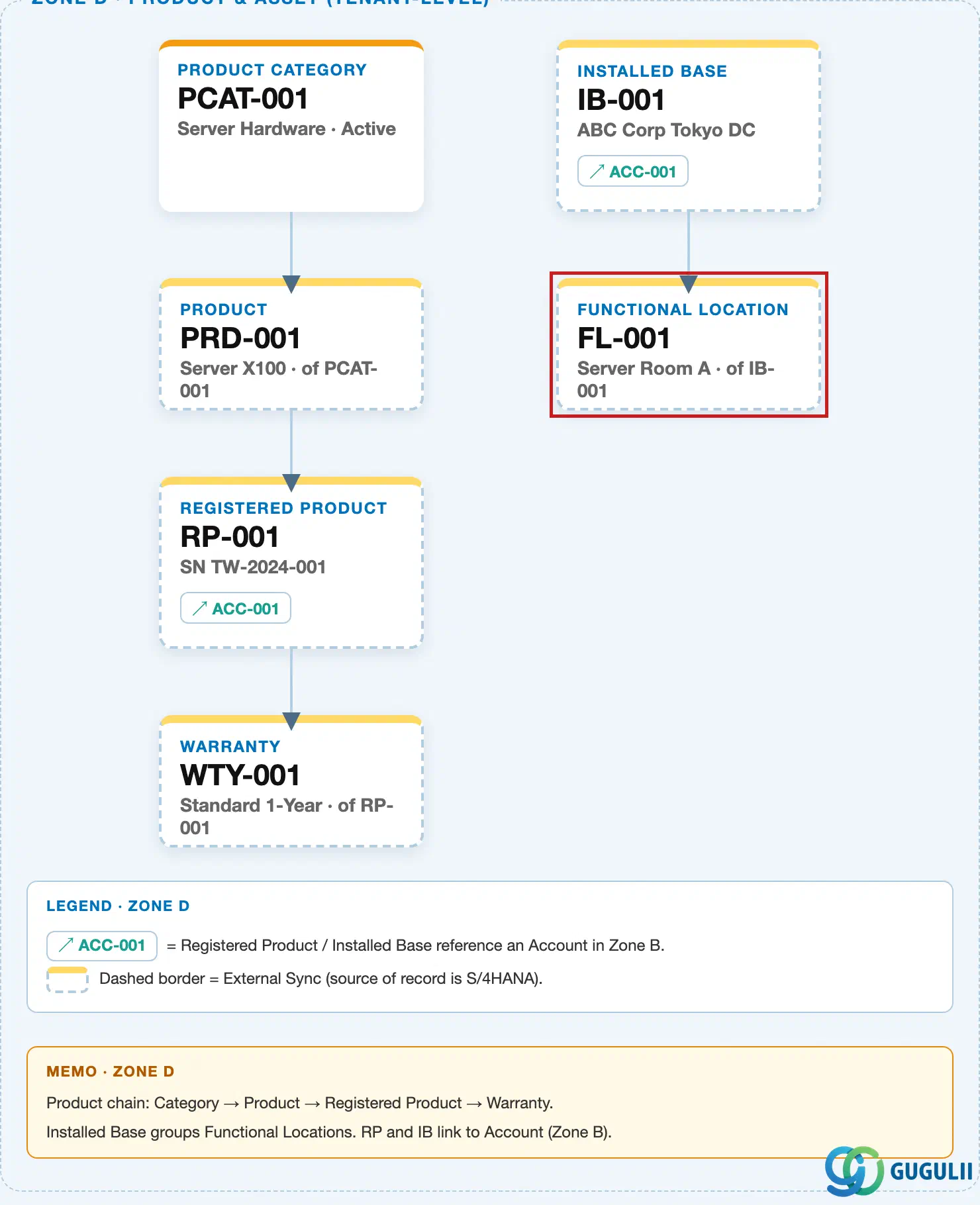
Data hierarchy with a concrete example (tenant-level; SAP Service Cloud has no Company Code / Plant scoping above this)
Client (SAP Service Cloud Tenant)
   │
   └── Account "ACC-77410 — Acme Manufacturing K.K." (base customer party role)
          │
          └── Installed Base "IB-40210 — Acme Mfg, Yokohama Plant, Packaging Line 2"
                 │        (ROOT — carries no Parent-* field and no Warranty field of its own)
                 │
                 ├── Functional Location "FL-8801 — Packaging Robot Cell"
                 │        (Parent Installed Base UUID = IB-40210 — nested directly under Installed Base)
                 │        │
                 │        └── ── references ──> Warranty "WTY-10045 — 24-Month Extended Coverage"
                 │                 (Warranty_Warranty UUID + cached Warranty Start/End Date fields —
                 │                  a direct field-level reference, not inherited from Installed Base)
                 │
                 └── Registered Product "RP-90215 — Serial# CNV-2024-118"
                          │        (Parent Installed Base UUID = IB-40210)
                          │
                          └── Functional Location "FL-9040 — Conveyor Drive Access Panel"
                                   (Parent Registered Product UUID = RP-90215 — illustrates that a
                                    Functional Location can nest one level deeper, under a
                                    Registered Product, instead of directly under Installed Base)

Case "CS-500311 — Packaging robot cell offline, no coverage confirmation"
     ── references ──> Functional Location "FL-8801"
          (direct field-level link via the "Case Functional Locations" subentity —
           Functional Location ID field)
Design principle — Functional Location is a flexible sibling item, not a fixed rung on a ladder. The same three-field parent-pointer set (
Parent Installed Base UUID,Parent Registered Product UUID,Parent Installation Point UUID) is confirmed present on Registered Product and Product Installation Point as well — all three are interchangeable sibling item types by field-model evidence, even though no single official SAP sentence states this equivalence directly. Unlike Product Installation Point, Functional Location and its sibling Registered Product also carry their own direct Warranty reference (Section 1.4), which is why the diagram above shows a Warranty arrow originating from Functional Location rather than from Installed Base.
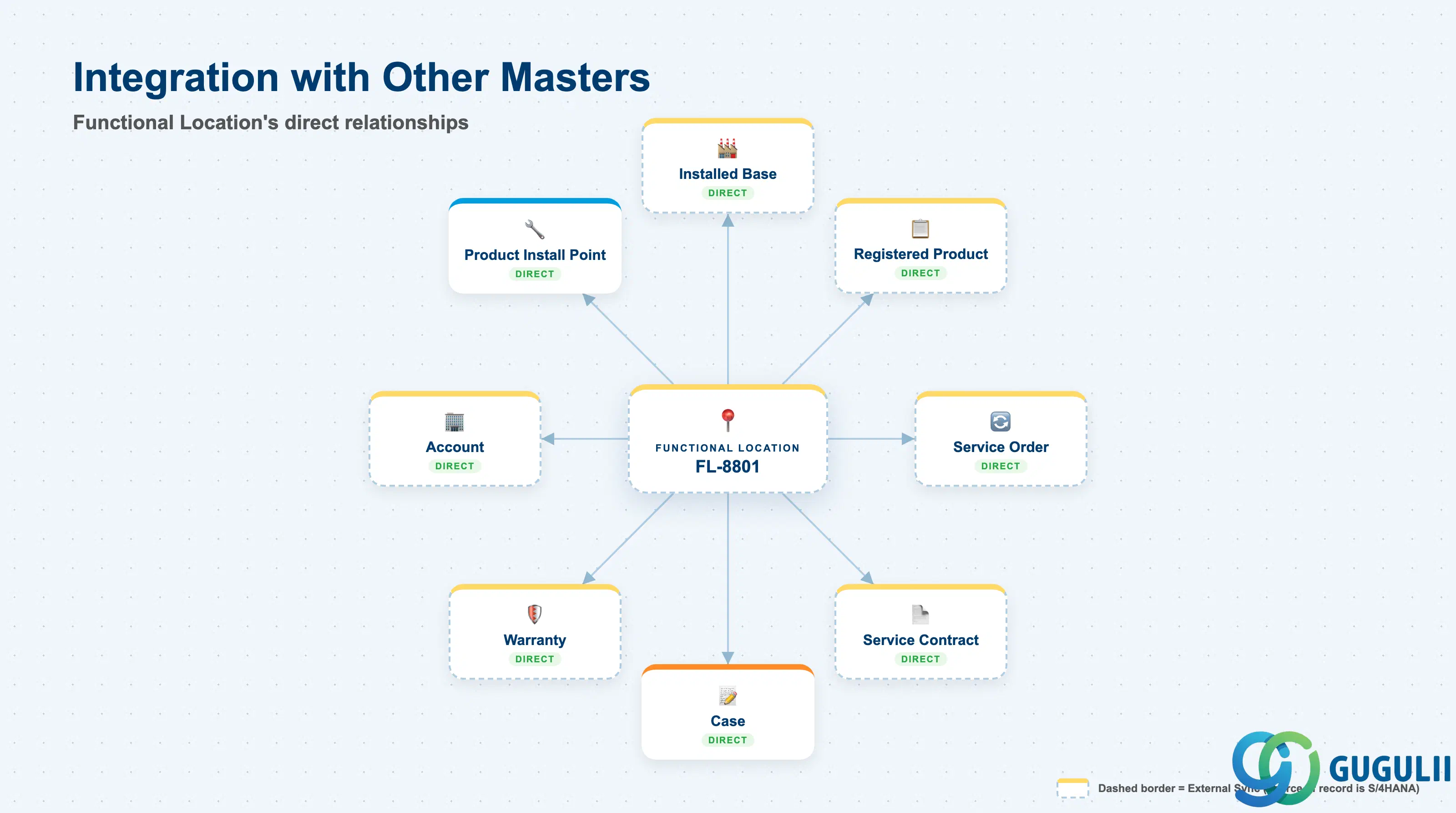
Functional Location does not stand alone — it is one of three interchangeable nesting choices under Installed Base, a direct Warranty attachment point, a direct Case reference target, and a documented S/4HANA replication path at the Service Order level. It has no relationship at all to two objects a reader might reasonably expect it to touch.
| Object | Relationship | Practical Notes |
|---|---|---|
| Installed Base (SC-A11-01) | Direct (optional) — one of three mutually-exclusive parent options via Parent Installed Base UUID | The most commonly documented entry path; customer/installed-base context pre-populates when created this way. |
| Registered Product (SC-A10-03) | Direct (optional) — Parent Registered Product UUID; alternative parent option | Confirms Functional Location can be scoped to a single serialized product rather than a whole site. |
| Product Installation Point | Direct (optional) — Parent Installation Point UUID; third alternative parent option | The third of the three mutually-exclusive nesting choices covered in Section 1.2. |
| Warranty (SC-A10-04) | Direct — Warranty_Warranty UUID plus cached Warranty Start Date / Warranty End Date | Confirmed field-level template (Setup Guide §5.7.9.2.1); conflicts with the FSD’s “registered products only” wording — see design principle below. Functional Location is one of exactly two direct Warranty attachment points in this data model (the other is Registered Product); Installed Base and Product Installation Point carry no Warranty field at all. |
| Case | Direct — dedicated “Case Functional Locations” join-subentity (Functional Location ID field) | The Solution Guide names “Create cases for functional location” as a first-class capability, structurally identical to Case’s confirmed direct links to Installed Base, Registered Product, and Product Installation Point. |
| Service Order (SAP S/4HANA) | Direct, replication-relevant | Functional Location can be marked “primary” on a Service Order and assigned to individual service order items (mutually exclusive with a primary Registered Product per item); this assignment is documented as bidirectionally replicable with SAP S/4HANA via an explicit “Replicate” action. |
| Service Contract | Direct — named in the Service Contract’s “Covered Objects” list, alongside Registered Product | Installed Base is not named in this list, consistent with Installed Base’s container-only role. |
| Account | Direct — full party-role block (Account_*, Bill-to, Ship-to, Payer, Owner) on Functional Location’s own field template | The same five-role pattern already confirmed for Installed Base, entered at creation and refined afterward. |
| Case Routing Rule (SC-A07-01) | No relationship | An exhaustive full-text search of the Solution Guide’s and Setup Guide’s Case Routing to Employee, Case Routing to Team, and Service Level Determination configuration sections returned zero matches for “Functional Location.” |
| Service Level Determination (SC-A06-02) | No relationship | Same exhaustive search, same zero-match result — see myth-busting note below. |
Genuine direct relationship, not another myth to bust. Installed Base’s own article found it has only an indirect relationship to Warranty, reached through whichever Functional Location or Registered Product items it contains. Functional Location is the opposite case:
Warranty_Warranty UUIDplus cached Start/End Date fields live directly on Functional Location’s own field template — a real, confirmed, first-class link, in the same structural family as Registered Product’s identical field pattern. Do not treat this as another non-relationship finding; it is a genuine, direct attachment.
Documentation conflict — the FSD names only “registered products.” The Feature Scope Description’s “Warranties Management” line reads: “Define warranties to apply to registered products” — silent on Functional Location. The Setup Guide’s field-level data model (§5.7.9.1 dependency table and §5.7.9.2.1 field template) explicitly and concretely includes the
Warranty_Warranty UUID/ Start Date / End Date fields on Functional Location. Treat the FSD as terse, marketing-adjacent scoping language, not an exhaustive attachment-point list; the Setup Guide’s field template is the more granular and more reliable source. Do not state that Warranty applies only to Registered Products — that would be technically incomplete for Functional Location specifically.
Correction — no direct Product-master reference on Functional Location. Unlike Registered Product and Product Installation Point, both of which carry a
Reference Product_Product UUIDfield, Functional Location’s own field template has no field referencing the Product master directly. Functional Location’s canonical definition (“it also consists of product or registered product information”) should be read as an informational association reached via its parent-pointer link when nested under a Registered Product, not a direct Product foreign key on the Functional Location record itself.
Myth-busting — Case Routing Rule and Service Level Determination do not reference Functional Location. It is tempting to assume a Case’s Functional Location might feed directly into routing or SLA-assignment logic — no direct, documented relationship was found. An exhaustive full-text search across both the Solution Guide’s and Setup Guide’s Case Routing to Employee, Case Routing to Team, and Service Level Determination configuration sections returned zero mentions of “Functional Location.” These are generic, admin-configurable rules tables (up to 15 columns) whose available columns are not enumerated in the guide text, so this is a confirmed absence of documented reference, not a technical impossibility claim — the Extensibility “Dynamic Property Rules” and “Custom Logic” supported-entity lists do include Functional Location, which suggests custom scenarios are technically possible even though no standard, out-of-the-box routing/SLA reference exists.
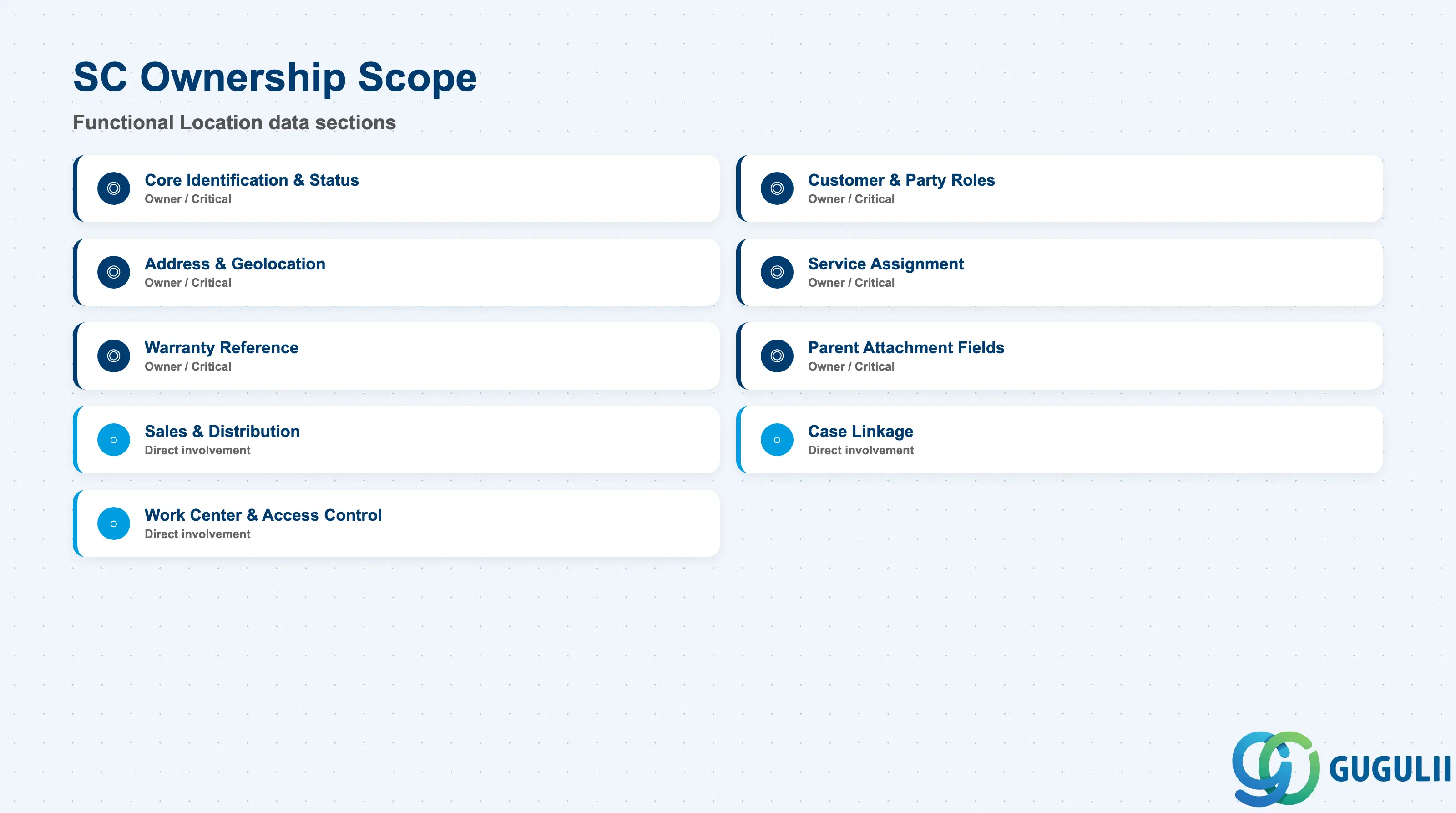
| Data Section | SC Involvement | Notes |
|---|---|---|
| Core Identification & Status | ◎ Owner | External key, validity dates, ID, Status, Type, and custom Extensions fields — establishes which Functional Location this is and its validity window. |
| Customer & Party Roles | ◎ Owner | The base Account/Contact plus the four optional variant roles (Owner, Payer, Bill-To, Ship-To) — the identical five-role pattern confirmed on Installed Base. |
| Address & Geolocation | ◎ Owner | The full postal address block plus latitude/longitude — the physical site a technician is dispatched to. |
| Service Assignment | ◎ Owner | Service Technician Team, Responsible Planner, Service Technician, and Employee Responsible — who is accountable for this location. |
| Warranty Reference | ◎ Owner | The Warranty_Warranty UUID plus cached Start/End Date fields — the direct attachment point covered in Section 1.4. |
| Parent Attachment Fields | ◎ Owner | All three parent-pointer fields — the mechanism behind Section 1.2’s flexible nesting. |
| Sales & Distribution | ○ Direct involvement | Sales Office, Sales Group, Sales Organization, Division Code, Distribution Channel Code — SD org-structure references carried on the record. |
| Case Linkage (Case Functional Locations Subentity) | ○ Direct involvement | The join fields that live on the Case side but exist specifically to reference this Functional Location directly. |
| Work Center & Access Control | ○ Direct involvement | Dedicated Functional Locations work-center tile with two UI apps (standard + Admin), granted per Business User via Business Role assignment. |
Legend: ◎ = Owner / Critical, ○ = Direct involvement
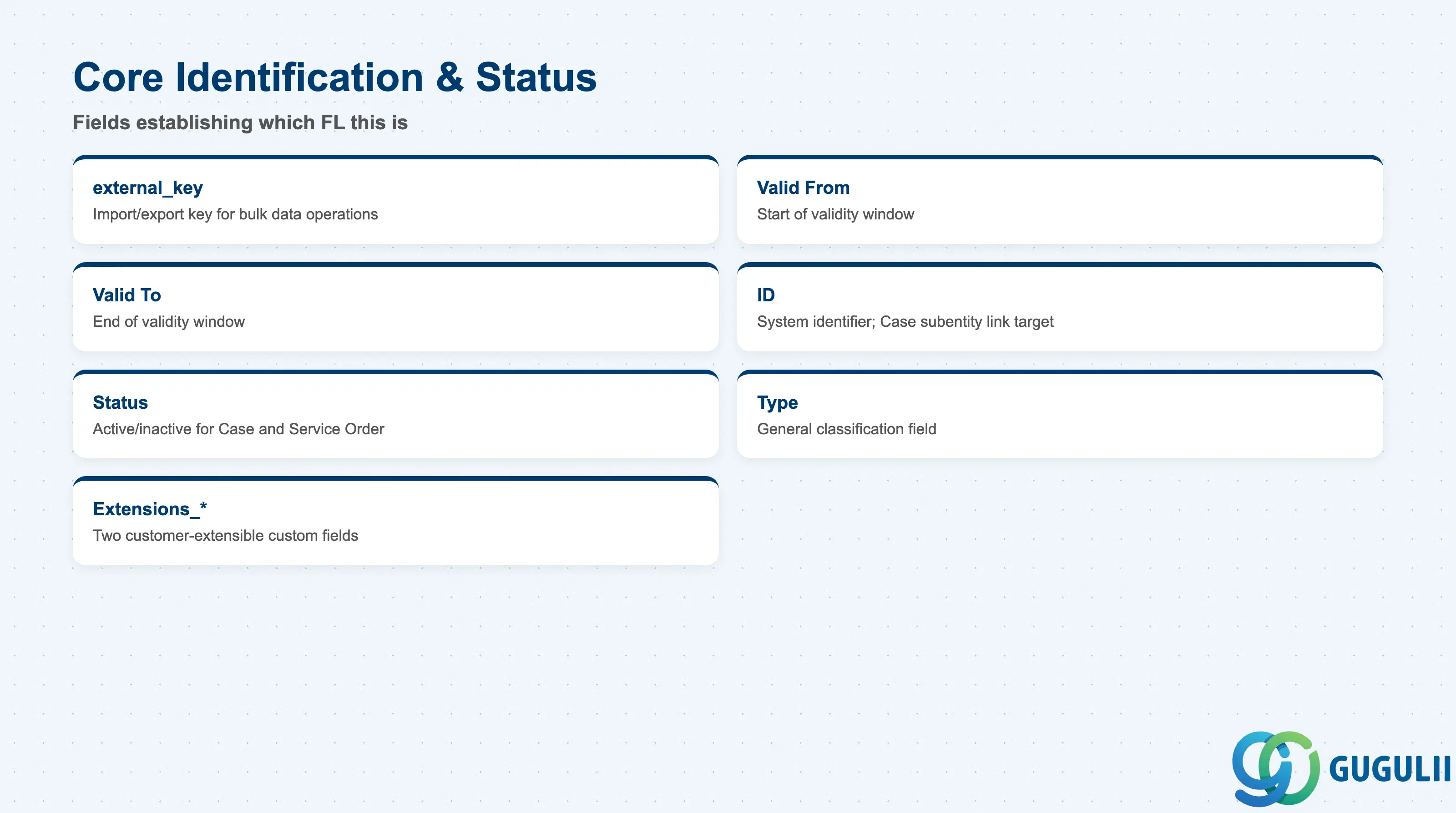
These fields establish which Functional Location this is and its validity window — every party-role, address, and reference field below only matters once these are set.
| Field | Description | Practical Usage |
|---|---|---|
| external_key | Import/export key for bulk data operations | Mandatory for any mass-import of Functional Location records; distinct from the system ID and used purely for migration/integration reconciliation. |
| Valid From / Valid To | Validity window for the Functional Location record | No dedicated configuration procedure documents how this window interacts with Warranty coverage dates or Service Order assignment — confirm actual tenant behavior before relying on either assumption. |
| ID | System identifier for the Functional Location, used as the link target for the Case Functional Locations subentity’s Functional Location ID field | This is the value a Case’s direct reference actually points to — confirm it before scripting any Case-side integration or reconciliation logic. |
| Status | Whether the Functional Location is currently active for Case references and Service Order assignment | No official enumerated value list was found for this field in this research pass — treat any specific Status value set as illustrative only. |
| Type | General classification field on the Functional Location record | No dedicated configuration procedure or value list was found for this field — do not assert specific values. It is distinct from the “type of the customer” selected during creation (Section 1.1 create procedure), which is not confirmed to be the same field. |
| Extensions_* (custom fields) | Two customer-extensible fields reserved for tenant-specific data | Functional Location is confirmed as a supported entity for the extensibility “Custom Logic” and “Dynamic Property Rules” features, subject to the standard restricted-availability caveat for those features. |
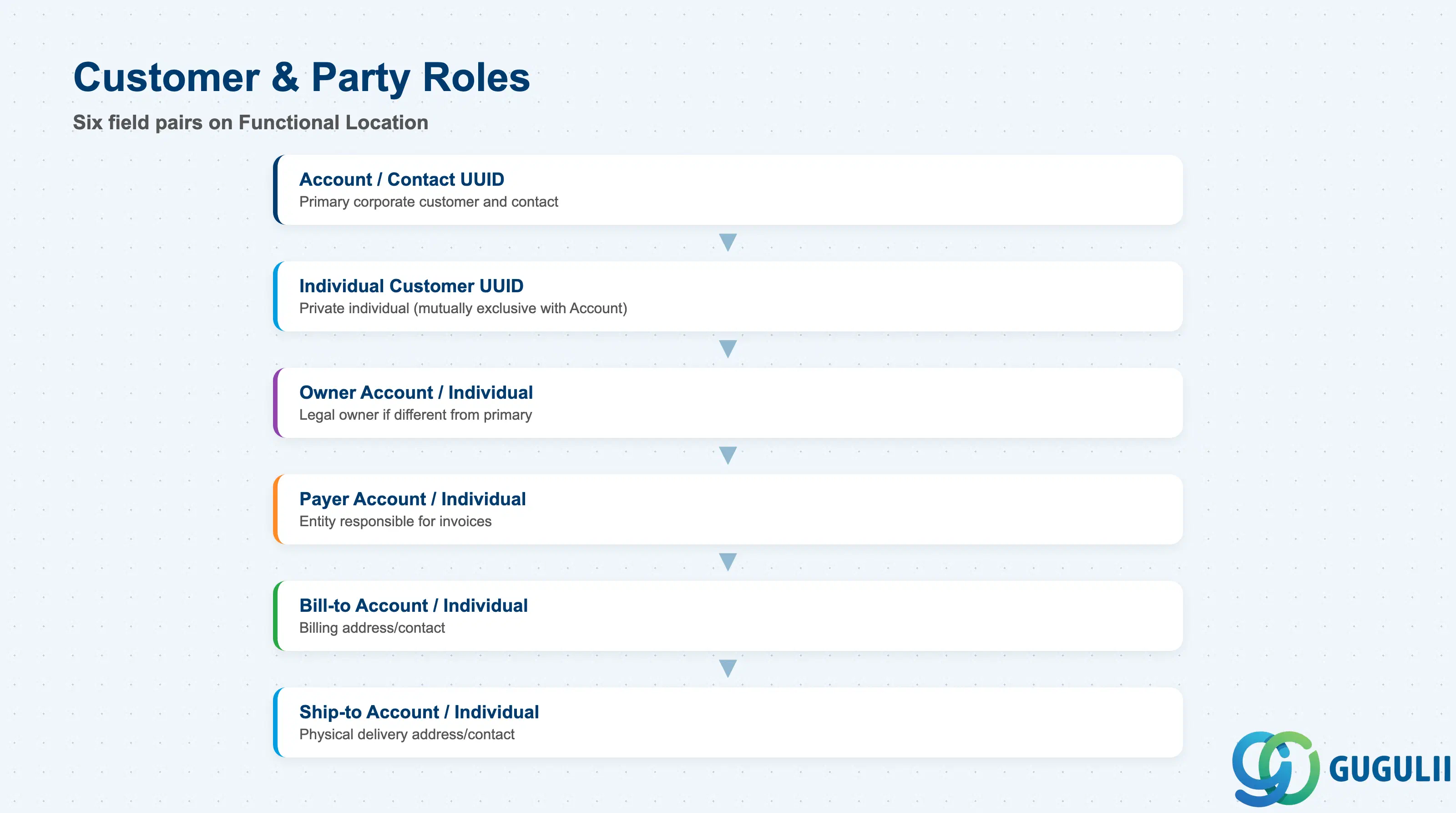
These fields place the Functional Location against the correct customer and — where the business needs it — a separate owner, payer, or delivery party, using the identical five-role pattern already confirmed on Installed Base.
| Field | Description | Practical Usage |
|---|---|---|
| Account_Account UUID / Account_Contact UUID | The primary corporate customer and its contact person for this Functional Location | The base party-role pairing entered at creation, alongside Description and Customer Type; drives the default account/contact context shown when an agent creates a Case directly from this Functional Location. |
| Individual Customer_Individual Customer UUID | The primary customer when the site belongs to a private individual rather than a company | Populated instead of, not alongside, the Account pairing — the two are mutually exclusive base-customer paths. |
| Owner Account_* / Owner Individual Customer_* | The legal owner of the physical site, if different from the primary Account | Relevant for leased, subcontracted, or third-party-serviced sites where the legal owner differs from the primary Account. |
| Payer Account_* / Payer Individual Customer_* | The entity responsible for invoices related to this Functional Location | Set when a parent company holds the primary Account but a subsidiary or cost center actually pays — otherwise billing may default incorrectly to the primary Account. |
| Bill-to Account_* / Bill-to Individual Customer_* | Billing address/contact, if distinct from the primary Account | Common for centralized accounts-payable processing at multi-site corporate customers. |
| Ship-to Account_* / Ship-to Individual Customer_* | Physical delivery address/contact, if distinct from the primary Account | Relevant whenever replacement parts or field-service shipments need to reach a location different from the primary Account’s billing address. |
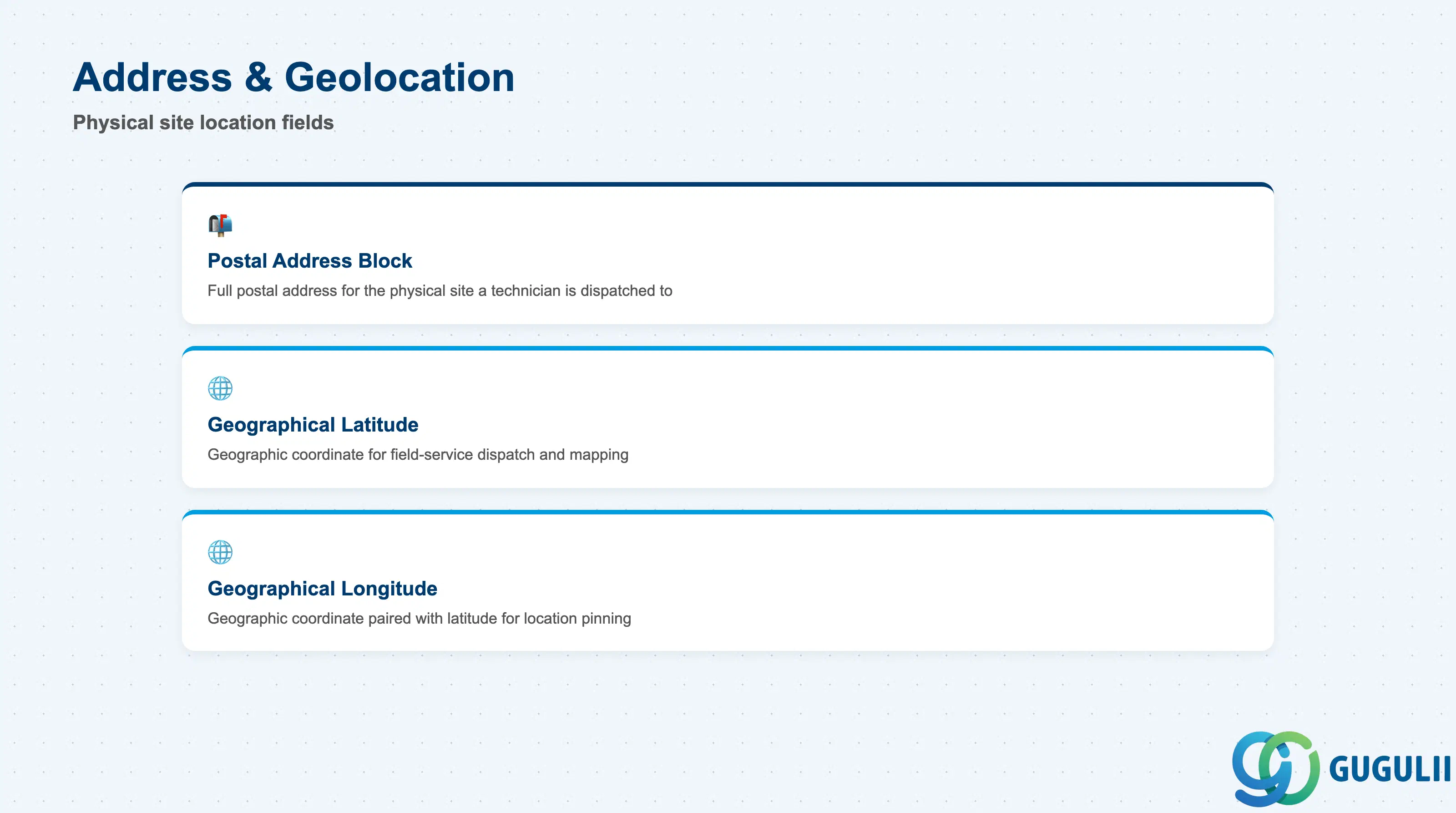
These fields record the physical site itself — the location a field technician is dispatched to when a Case is raised directly against this Functional Location.
| Field | Description | Practical Usage |
|---|---|---|
| Address_Postal Address_* | The full postal address block for the Functional Location’s physical site | Keep this current independently of the Account’s own address — a customer’s billing address and the physical site a Functional Location sits at are frequently different, especially for multi-site corporate customers. |
| Address_Geographical Location_Latitude / Longitude | Geographic coordinates for the site | Useful for field-service dispatch and mapping integrations; no source in this research documents whether these coordinates are entered manually or geocoded automatically from the postal address — confirm actual tenant behavior before relying on either assumption. |
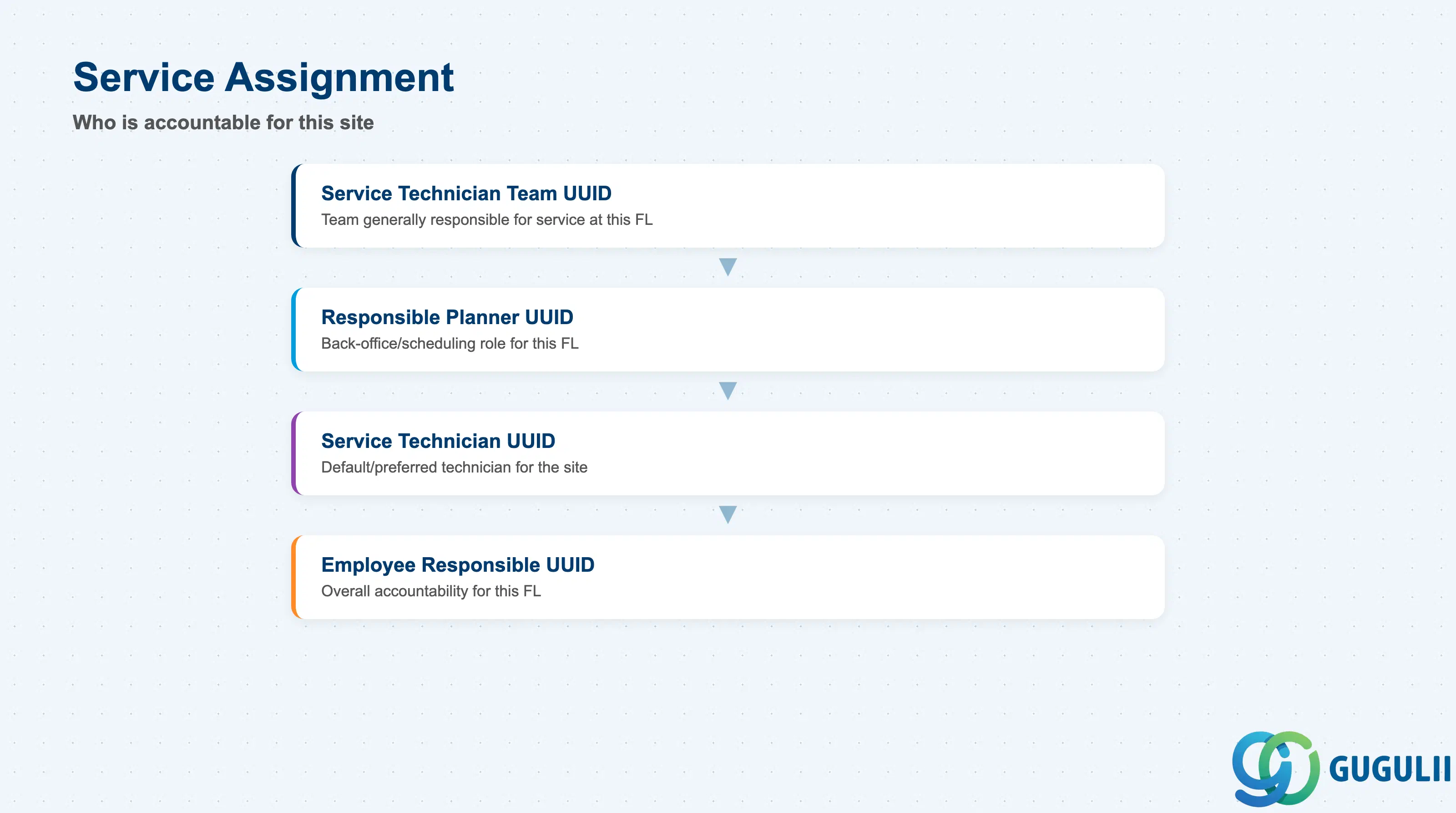
These fields determine who is accountable for the site once a Case or Service Order is raised against it — getting them wrong routes work to the wrong team before any Case Routing Rule configuration is even evaluated (Functional Location itself is not a documented input to those rules — see Section 1.4).
| Field | Description | Practical Usage |
|---|---|---|
| Service Technician Team UUID | The Team (SC-A02-05) generally responsible for service work at this Functional Location | Sets a default assignment context for the site; confirm it is kept current as team structures change, since a stale value can silently misdirect field-service planning. |
| Responsible Planner UUID | The Employee (SC-A02-02) who plans service activity for this Functional Location | Typically a back-office or scheduling role distinct from the technician who actually performs the work. |
| Service Technician UUID | The Employee (SC-A02-02) who performs service work at this Functional Location | Represents a default/preferred technician assignment for the site, not necessarily the technician assigned to every individual Case raised against it. |
| Employee Responsible UUID | The Employee (SC-A02-02) with overall accountability for this Functional Location | Distinct from Service Technician and Responsible Planner — this is an ownership/accountability field rather than an operational assignment field. |
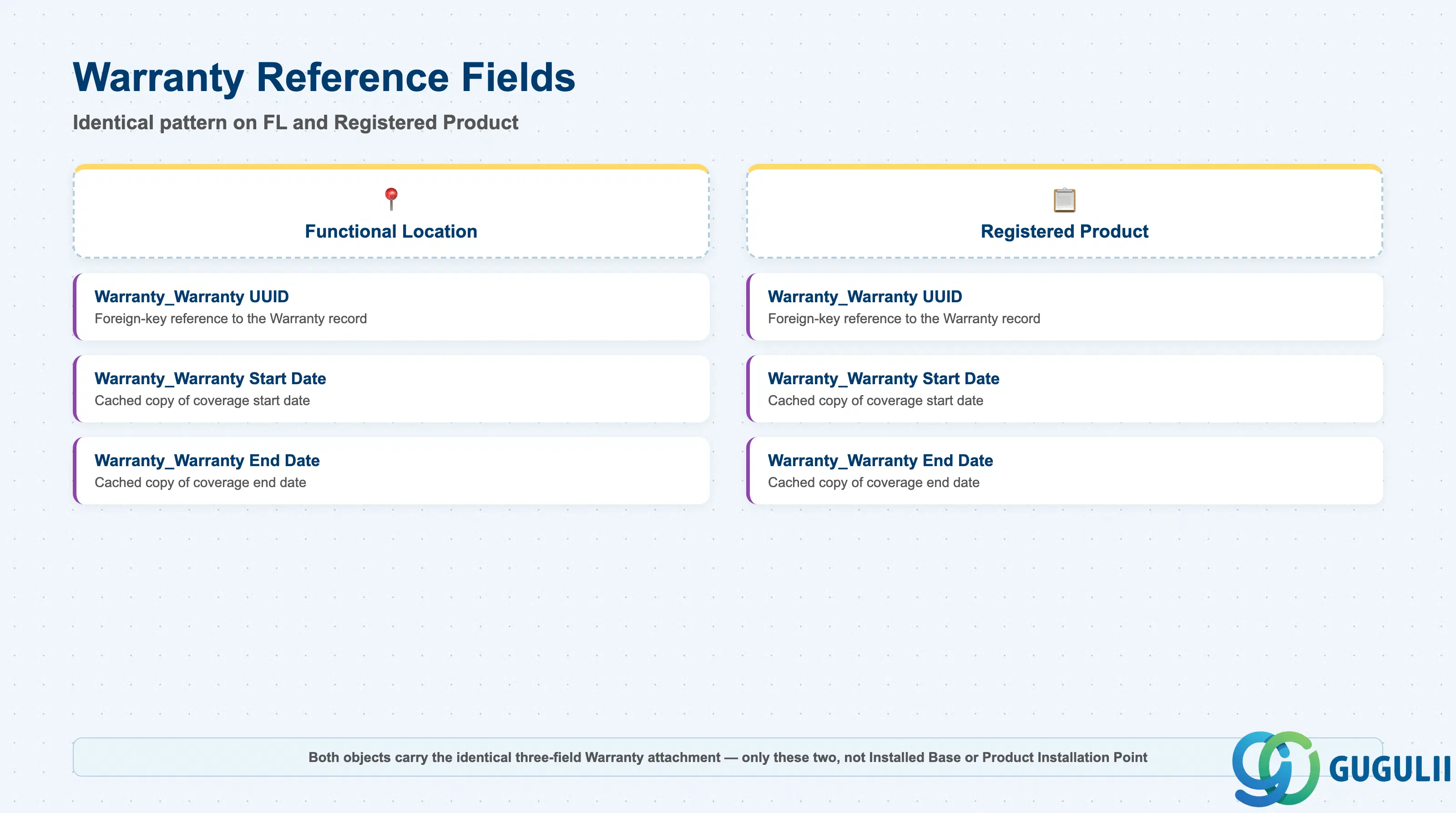
These three fields are the actual mechanism connecting a Functional Location directly to a Warranty — populating them, not merely nesting under a covered Installed Base, is what creates the attachment.
| Field | Description | Practical Usage |
|---|---|---|
| Warranty_Warranty UUID | Foreign-key reference to the Warranty record; identical field name and type as the corresponding field on Registered Product (SC-A10-03 §5.7.18.2.1) | This is the actual attachment mechanism — populate this field on the Functional Location record itself, not on Installed Base, to link the two. Remember the FSD’s “registered products” wording does not mean this field is unsupported on Functional Location (Section 1.4 documentation conflict). |
| Warranty_Warranty Start Date | Cached copy of the linked Warranty’s coverage start date | Denormalized for query/display performance on the referencing record; no source documents whether this is kept in sync automatically if the source Warranty’s dates change — confirm in a sandbox before assuming live sync. |
| Warranty_Warranty End Date | Cached copy of the linked Warranty’s coverage end date | Same caching pattern and same open question on sync behavior as Start Date above. |
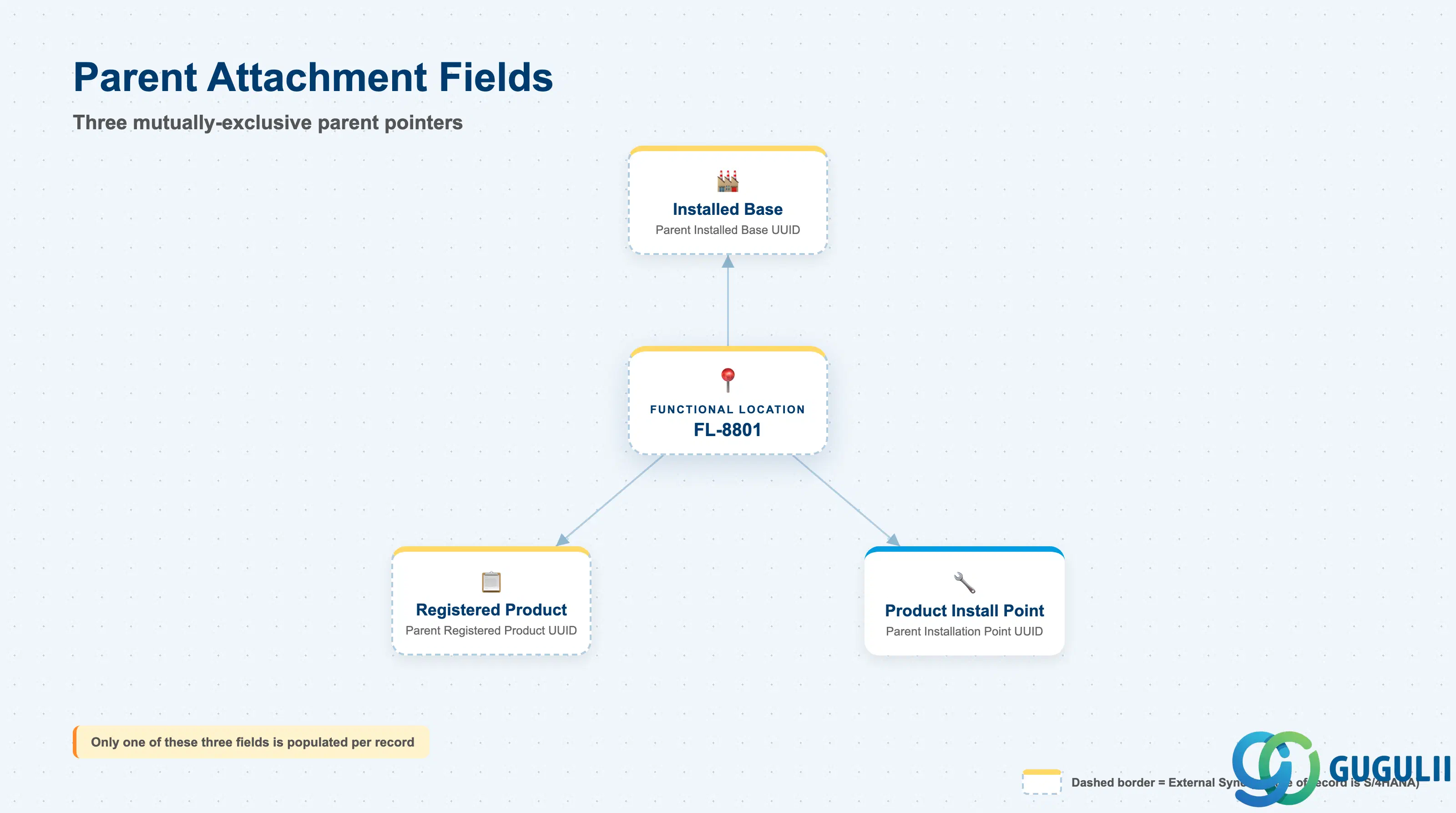
These three fields are the mechanism behind Section 1.2’s flexible nesting model — in practice, only one is populated on any given Functional Location record.
| Field | Description | Practical Usage |
|---|---|---|
| Parent Installed Base_Parent Installed Base UUID | Populated when the Functional Location attaches directly to a top-level Installed Base | The most commonly documented entry path (Setup Guide Chapter 12); customer and installed-base context pre-populates when created this way. |
| Parent Registered Product_Parent Registered Product UUID | Populated when the Functional Location is scoped to a single serialized, registered product instead of the site as a whole | Confirms this Functional Location’s relevance is tied to one tracked product rather than the customer’s site in general. |
| Parent Installation Point_Parent Installation Point UUID | Populated when the Functional Location nests one level deeper, under a broader installation point | Confirms Functional Location supports two levels of nesting depth below the root Installed Base, not just one. |
Prerequisite: No dedicated, worked example was found of a Functional Location actually being created as a child of a Registered Product or Product Installation Point (as opposed to directly under an Installed Base) — this flexibility is field-model-confirmed, not documented as a step-by-step UI walkthrough. Whether a Functional Location can exist entirely “unparented” (all three fields empty) is also not explicitly addressed in either Guide — flag as an open question in any implementation rather than asserting either way.
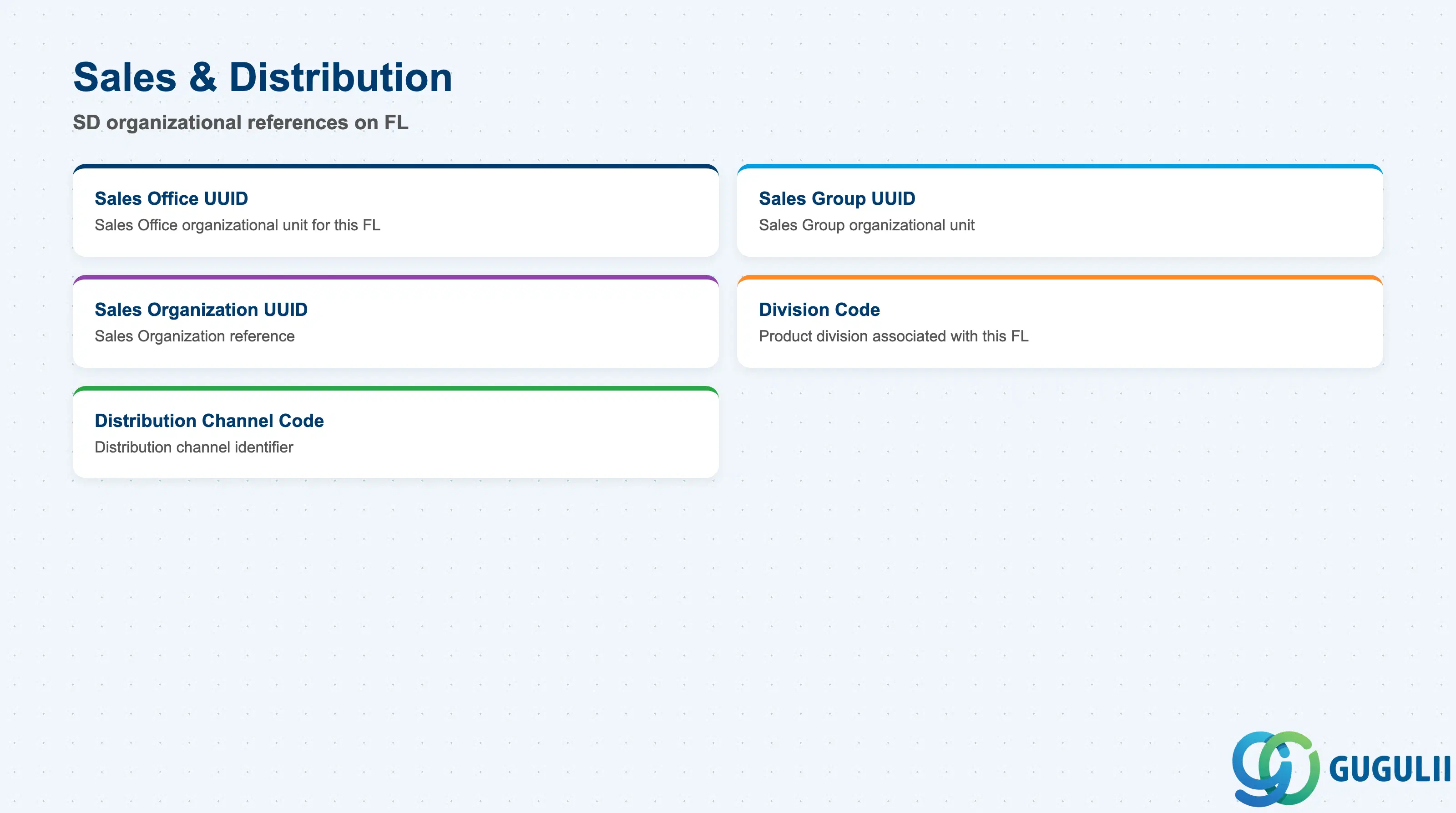
These fields tie a Functional Location into the standard SD organizational structure — no dedicated configuration procedure for their specific business meaning on this object was found in either Guide, so treat this section as field-level reference only.
| Field | Description | Practical Usage |
|---|---|---|
| Sales Office UUID | Reference to the Sales Office organizational unit associated with this Functional Location | No dedicated configuration procedure was located for how this field is used downstream on this object — confirm intended reporting/routing behavior against the current tenant rather than assuming standard SD semantics apply unchanged. |
| Sales Group UUID | Reference to the Sales Group organizational unit | Same coverage gap as Sales Office above — treat as field-level reference only. |
| Sales Organization UUID | Reference to the Sales Organization | Same coverage gap — do not assert a specific reporting or billing behavior without confirming against the tenant. |
| Division Code | Code identifying the product division associated with this Functional Location | No value list or configuration procedure was found in this research pass — do not present a specific code set as officially confirmed. |
| Distribution Channel Code | Code identifying the distribution channel | Same coverage gap as Division Code above. |
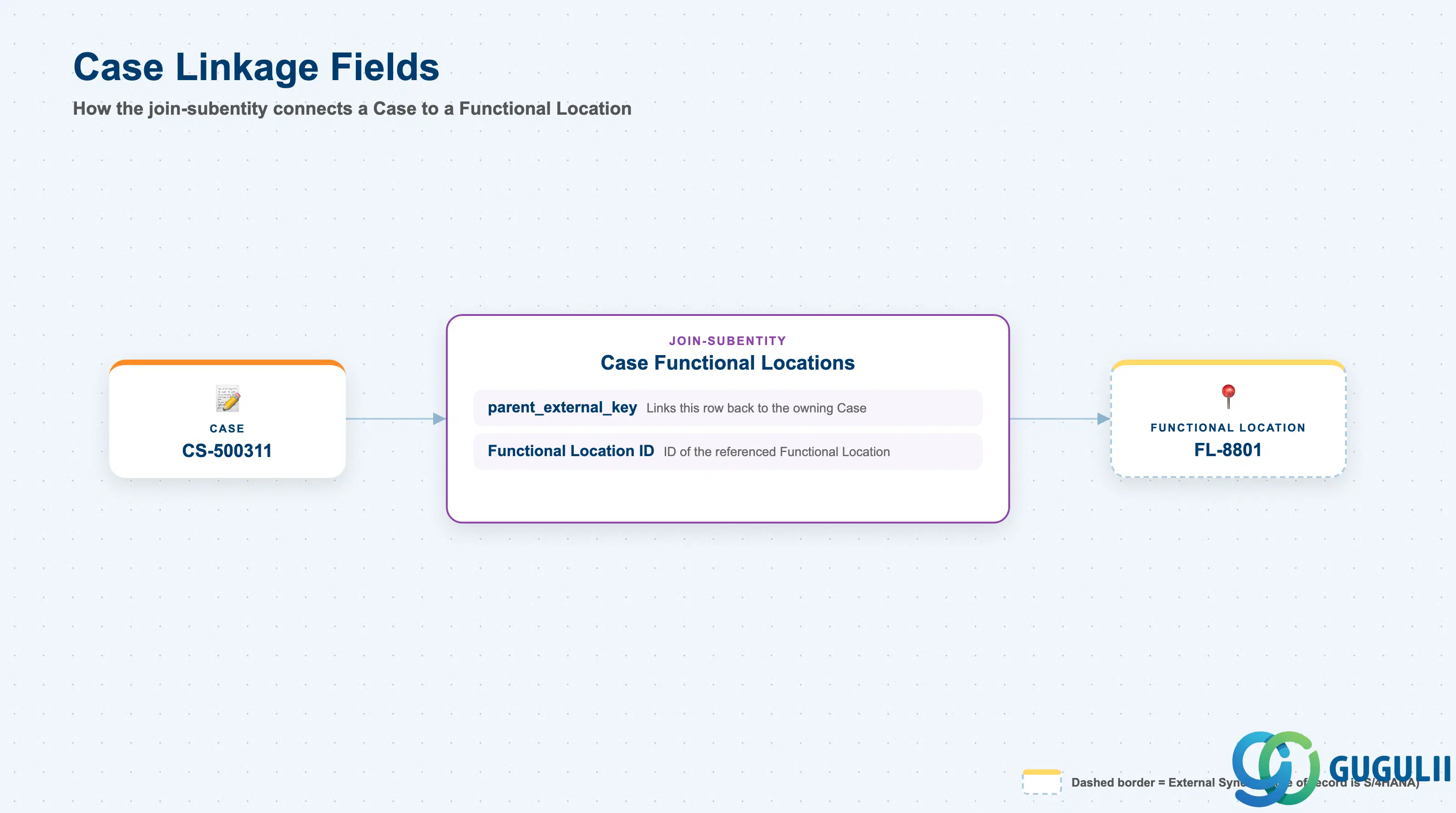
These two fields live on the Case side of the relationship, not on Functional Location itself — but they are the actual mechanism that gives Case a direct, first-class reference to a Functional Location, so they belong in this article’s field-level scope.
| Field | Description | Practical Usage |
|---|---|---|
| parent_external_key | Links this Case Functional Locations row back to its owning Case record | Mandatory for any bulk import of Case-to-Functional-Location links — a row with no valid parent key will fail to load. |
| Functional Location ID | The ID (Section 2.1) of the referenced Functional Location | This is the field that makes the relationship direct rather than inherited — populate it whenever a Case genuinely concerns this specific site, not just the customer’s Installed Base as a whole. |
Prerequisite: This subentity is structurally identical in form to the confirmed “Case Installed Bases,” “Case Registered Products,” and “Case Product Install Points” subentities — all four item/container types have their own direct Case join-subentity; none requires going through another object to be linked to a Case.
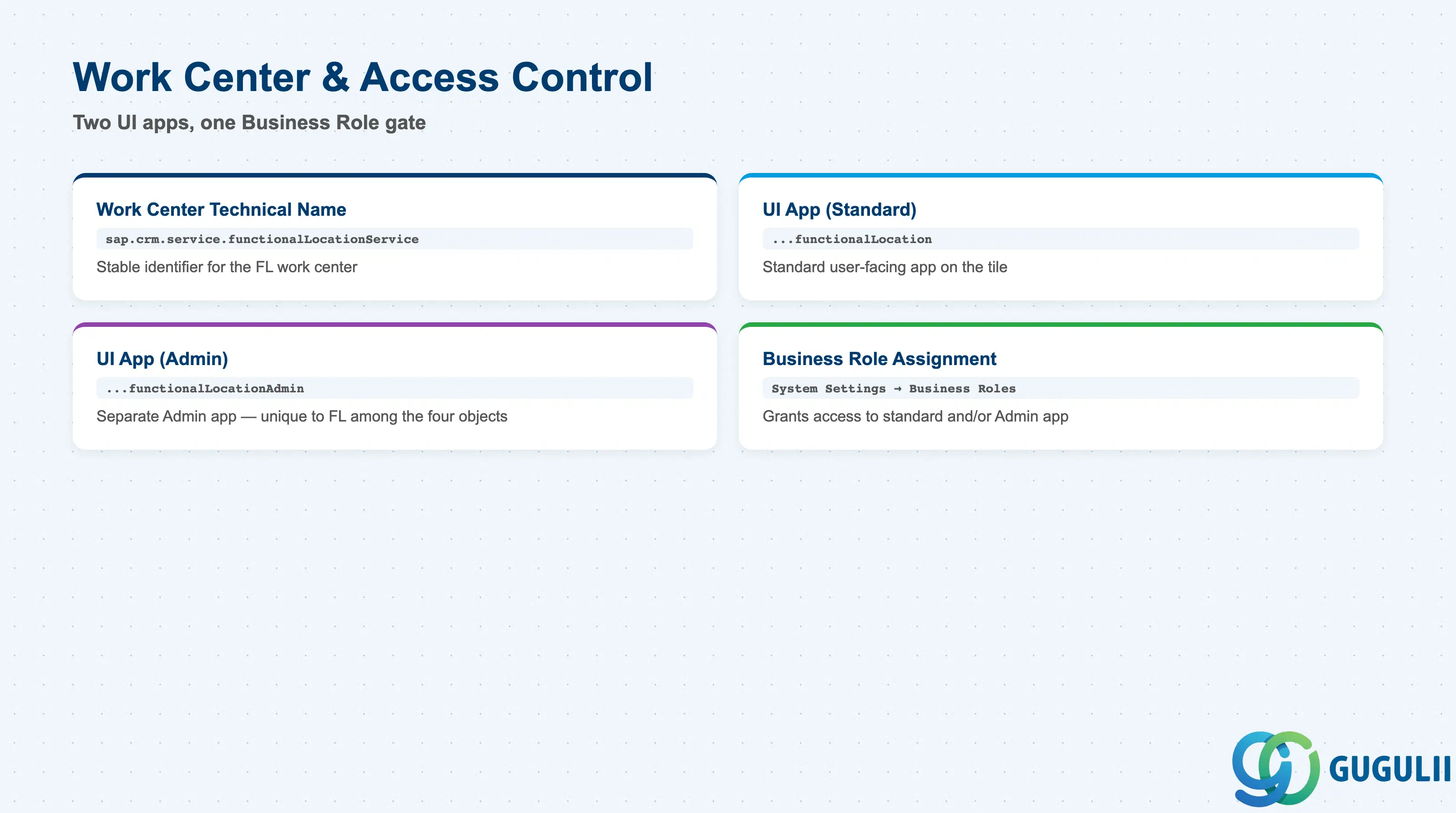
Like the other master-data objects in this batch, access to the Functional Locations worklist is governed entirely through Business Role assignment, not through any field on the Functional Location record itself — though Functional Location is notable for exposing two distinct UI apps rather than one.
| Field | Description | Practical Usage |
|---|---|---|
| Work Center Technical Name | sap.crm.service.functionalLocationService | Stable technical identifier for the Functional Location work center — use this when scripting or auditing Business Role assignments rather than relying on the display label alone. |
| UI App Name (standard) | sap.crm.functionallocationservice.uiapp.functionalLocation | The standard, user-facing app tied to the work-center tile. |
| UI App Name (Admin) | sap.crm.functionallocationservice.uiapp.functionalLocationAdmin | A separate, Admin-suffixed app — Functional Location is the only one of the four related objects (Installed Base, Registered Product, Product Installation Point, Functional Location) confirmed to expose a distinct Admin-suffixed UI app in the work-center catalog. No source in this research documents what functionally differs in the Admin variant — confirm against the current tenant before assuming a specific scope split. |
| Business Role Assignment | Grants a Business User access to the Functional Locations work center (standard and/or Admin app) via System Settings → Business Roles | Follows the identical access-control pattern already confirmed for other Service Cloud master-data objects in this batch — no Functional-Location-specific authorization object exists beyond the standard Business Role mechanism, aside from the standard-vs-Admin app split above. |
| ID | Category | Title |
|---|---|---|
| sc-001 | Overview | What is SAP Service Cloud? |
| ID | Category | Title |
|---|---|---|
| sc-a01 | Overview | SAP Service Cloud Master Data: Overview, Hierarchy & Relationships |
| sc-a02-01 | Master Data | SAP Service Cloud Organizational Unit |
| sc-a02-02 | Master Data | SAP Service Cloud Employee |
| sc-a02-03 | Master Data | SAP Service Cloud Business Role |
| sc-a02-04 | Master Data | SAP Service Cloud Business User |
| sc-a02-05 | Master Data | SAP Service Cloud Team |
| sc-a03-01 | Master Data | SAP Service Cloud Email Channel |
| sc-a03-02 | Master Data | SAP Service Cloud Email Template |
| sc-a04-01 | Master Data | SAP Service Cloud Knowledge Base Provider |
| sc-a05-01 | Master Data | SAP Service Cloud Service Catalog |
| sc-a05-02 | Master Data | SAP Service Cloud Service Category |
| sc-a05-03 | Master Data | SAP Service Cloud Case Type |
| sc-a06-01 | Master Data | SAP Service Cloud Service Level |
| sc-a06-02 | Master Data | SAP Service Cloud Service Level Determination |
| sc-a07-01 | Master Data | SAP Service Cloud Case Routing Rules |
| sc-a10-04 | Master Data | SAP Service Cloud Warranty |
| sc-a11-01 | Master Data | SAP Service Cloud Installed Base |
| sc-a11-02 | Master Data | SAP Service Cloud Functional Location 📍 |
| ID | Category | Title |
|---|---|---|
| sc-b01 | Overview | SAP Service Cloud Transactions: Process Flow, Hierarchy & Relationships |