Title here
Summary here

Department is the fourth-level organizational master data object in SuccessFactors Employee Central, sitting directly below Division and directly above Cost Center in the standard organizational chain. Unlike Legal Entity, Business Unit, or Division — which mostly serve as upward context — Department is the level that other master data objects reference directly: every Position specifies a Department, every Compensation Budget allocates against a Department, and most headcount and org-chart reporting is built around Department as the working unit. This article covers what Department is, how it sits in the broader hierarchy, and every field an Employee Central consultant configures.
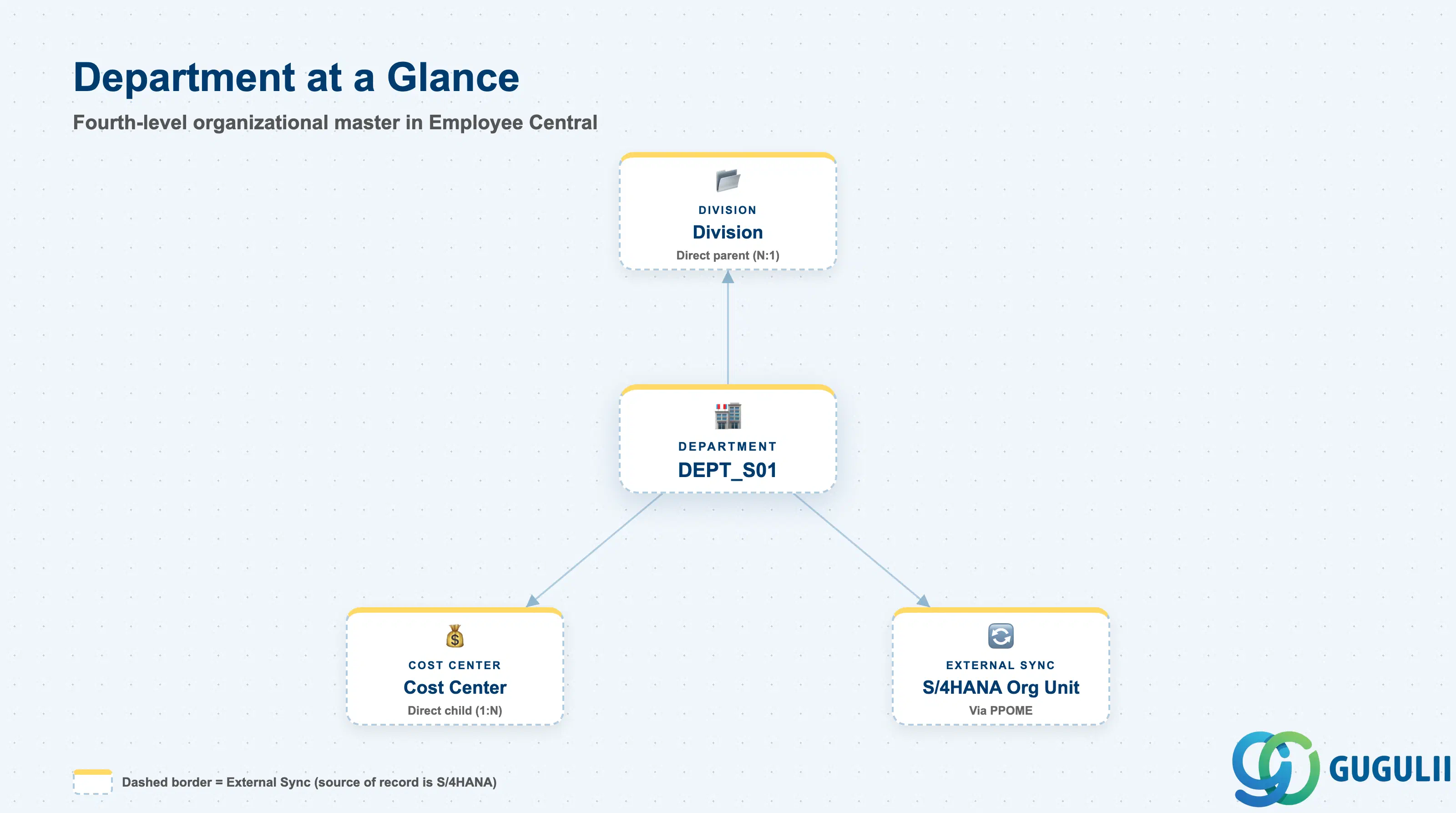
Department is the working-level organizational unit that groups Positions and employees for day-to-day management purposes — reporting lines, headcount counts, and cost allocation all converge here. Where Division answers “which product line, function, or sub-region,” Department answers “which specific team.” It is also the level most frequently touched after go-live, since reorganizations typically move Positions and employees between Departments far more often than they redraw Division or Business Unit boundaries.
| Aspect | Details |
|---|---|
| Role | Fourth level of the organizational hierarchy — groups Positions and employees under a single Division, typically representing a working team |
| Modules using it | Employee Central (owner — foundation object framework), Recruiting (job requisitions are scoped and routed by Department), Compensation (Budget objects allocate and report directly against Department), Time Management (approval routing frequently follows Department manager assignment), People Analytics / Reporting (Department is the most common headcount and org-chart reporting unit) |
| Transactions | Admin Center → “Manage Organization, Pay and Job Structures” (create/edit foundation object records); “Import and Export Data” (mass load via CSV); Business Rules can auto-derive Department from Position or Employment fields |
| Key Tables | OData API entity FODepartment (Foundation Object) — SuccessFactors has no classic ABAP table; each record is effective-dated rather than table-row based |
| S/4HANA note | Department commonly syncs to an Organizational Unit in S/4HANA (maintained via transaction PPOME) when the client runs integrated org management; confirm sync direction and cadence during blueprint, since Organizational Unit in PPOME can itself carry a deeper sub-structure than a single Department record |
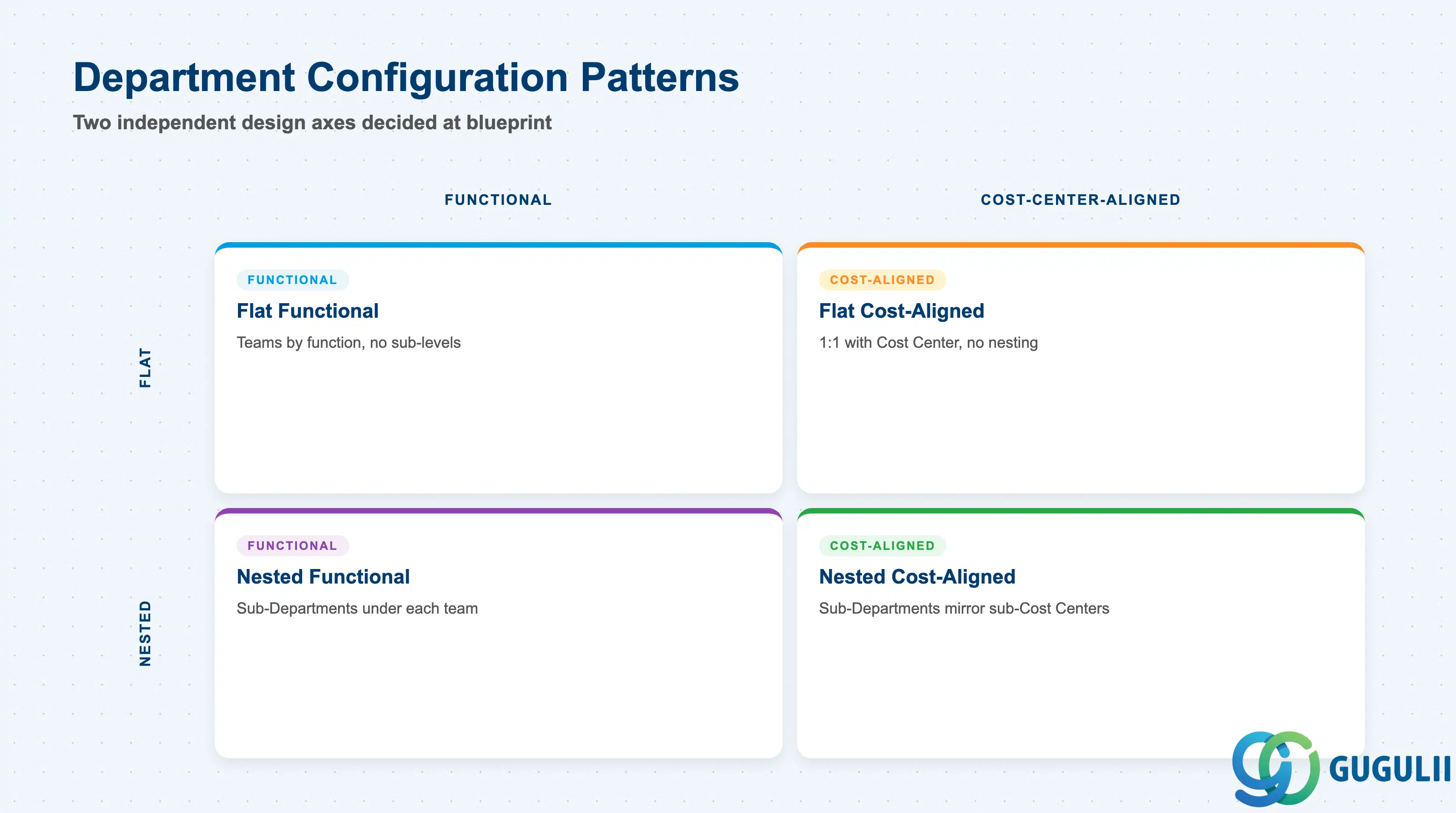
Department is not selected from a fixed SAP type code — but every implementation still has to decide two independent dimensions before go-live: what the Department boundary is drawn around, and whether Departments can nest inside one another.
| Pattern | Marker | Use Case | Key Behavior |
|---|---|---|---|
| Functional Department | Functional | Client organizes teams primarily by function within a Division (e.g. “Sales Team 1”) | Department name reflects a working team or function; Positions and employees within it share a common day-to-day reporting structure |
| Cost-Center-Aligned Department | Cost-Aligned | Client wants Department boundaries to mirror the FI/CO Cost Center structure exactly | Department’s Cost Center ID assignment is 1:1 with a single Cost Center, simplifying budget reconciliation between HR and Finance |
| Flat Department | Flat | Simpler organizations — no need for sub-teams below Department | Department attaches directly to Division; no self-referencing nesting is used |
| Nested (Sub-Department) | Nested | Larger teams need a finer-grained breakdown within a single Department | A Department record references another Department as its parent via a self-referencing hierarchy field, creating Sub-Departments (e.g. “Sales Team 1 – Enterprise Accounts” nested under “Sales Team 1”) |
Design principle: Decide whether Department boundaries mirror Cost Center 1:1 and whether nesting is allowed once, at blueprint. Retrofitting a Cost-Center-aligned redesign later means re-mapping every existing Department to a new Cost Center, and retrofitting nesting means re-parenting existing Departments into new Sub-Department records.
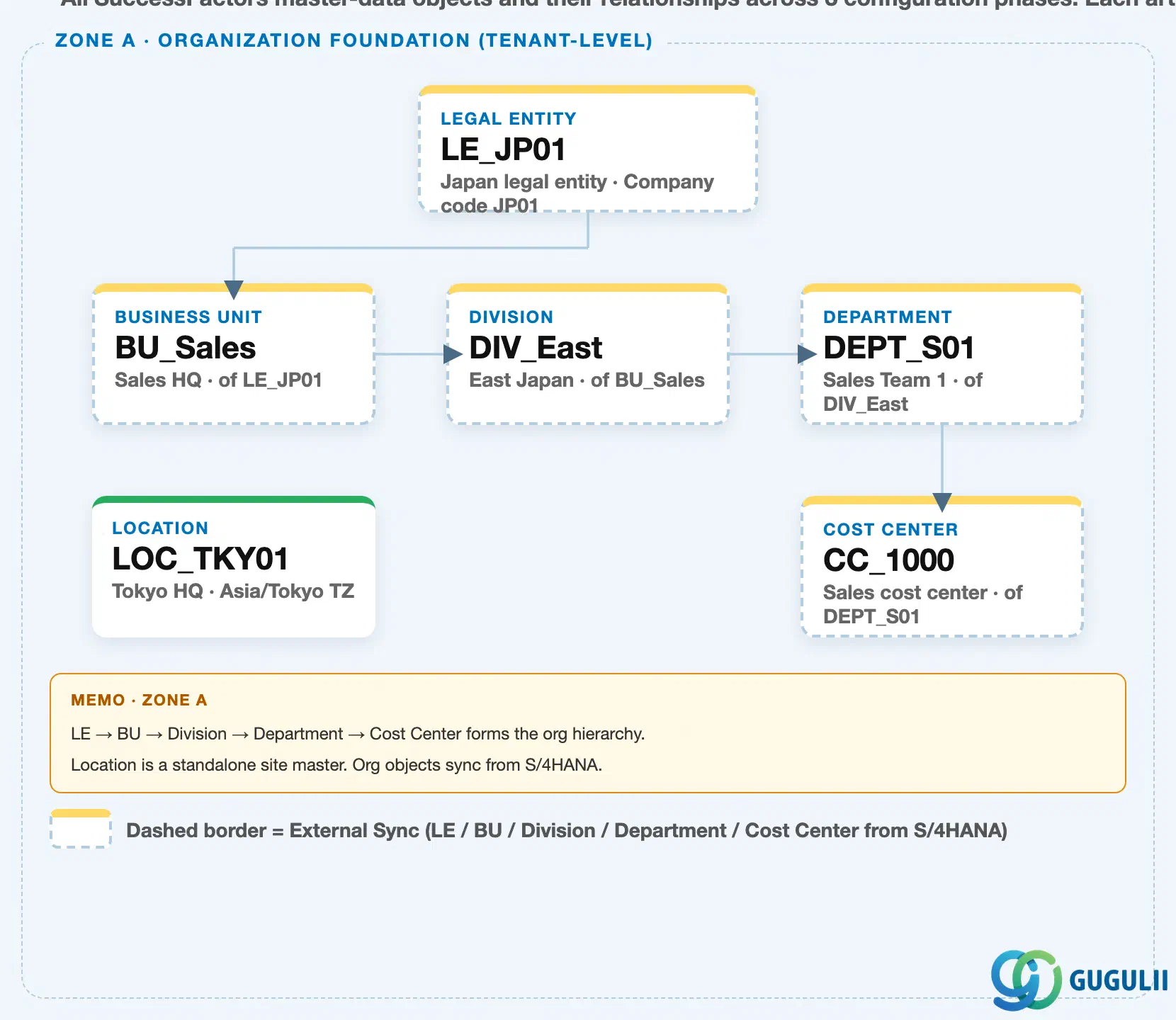
Data hierarchy with a concrete example
Client (SuccessFactors Instance)
   │
   └── Legal Entity "LE_JP01" — Japan Legal Entity, Company Code JP01
          │
          └── Business Unit "BU_Sales" — Sales HQ, of LE_JP01
                 │
                 └── Division "DIV_East" — East Japan, of BU_Sales
                        │
                        └── Department "DEPT_S01" — Sales Team 1, of DIV_East
                               │
                               ├── Cost Center "CC_1000" — Sales cost center, of DEPT_S01
                               │
                               └── (external sync) ──> S/4HANA Organizational Unit (via PPOME)

Location "LOC_TKY01" — Tokyo HQ, Asia/Tokyo TZ
   (independent tenant-level master — not nested under Department)
Design principle: Legal Entity → Business Unit → Division → Department → Cost Center is a strict single-parent chain. When the Division level is bypassed, Department attaches directly to Business Unit instead — but the chain below whichever level is used remains single-parent throughout. Whether a given Department is Flat or Nested (see 1.2) does not change this chain; nesting only adds Sub-Department records below an individual Department node.
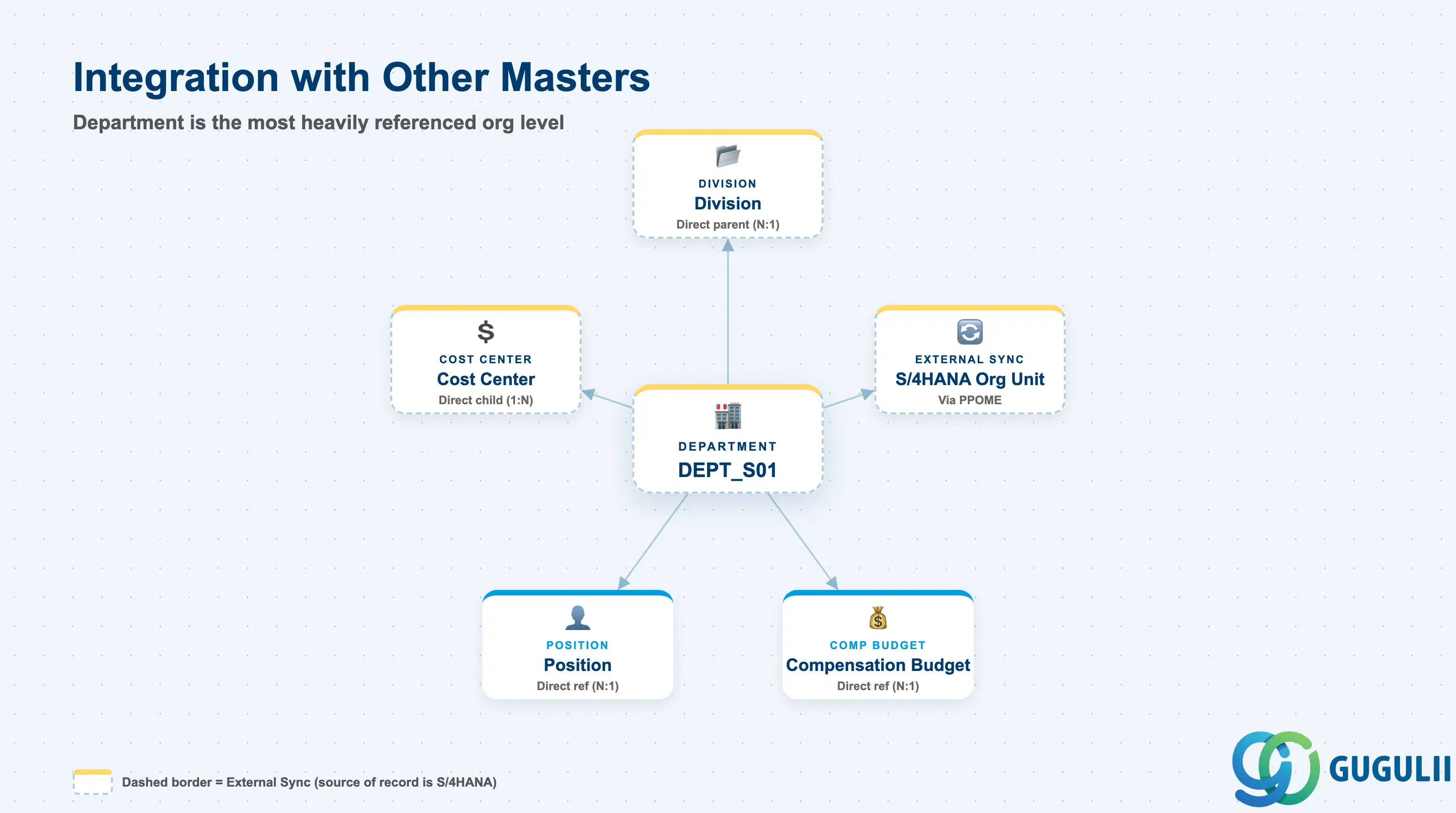
Department is the most heavily referenced object below the top three organizational levels — nearly every downstream object that needs an org placement points to Department directly, not to Division or Business Unit.
| Object | Relationship | Practical Notes |
|---|---|---|
| Division | Direct parent (N:1) — every Department must be assigned to exactly one Division, when the Division level is enabled | If the Division level is bypassed (see 1.2 of the Division article), Department attaches one level higher, directly to Business Unit; either way, exactly one parent is required |
| Cost Center | Direct child (1:N) — every Cost Center belongs to exactly one Department | This is the last organizational level before the chain crosses fully into cost accounting; keep the Department-to-Cost-Center mapping current, since Compensation Budget rollups depend on it being accurate |
| Position | Direct reference (N:1) — every Position specifies exactly one Department alongside its Job Code | Department is where a Position is placed organizationally; moving a Position to a new Department (a transfer or reorganization) is one of the most common post-go-live maintenance actions in the system |
| Compensation Budget | Direct reference (N:1) — Budget objects allocate and report directly against a Department | Unlike Division (where budget reporting is only an informal rollup), Department is the field the Budget object actually references — this makes Department the primary segmentation level for annual compensation planning |
| S/4HANA Organizational Unit | External sync source/target, via PPOME, when integrated org management is in scope | Confirm during blueprint whether S/4HANA or SuccessFactors is the system of record for Department/Organizational Unit changes, and how frequently the sync runs, since a batch-only sync delays a newly created S/4HANA unit from being usable in Employee Central |
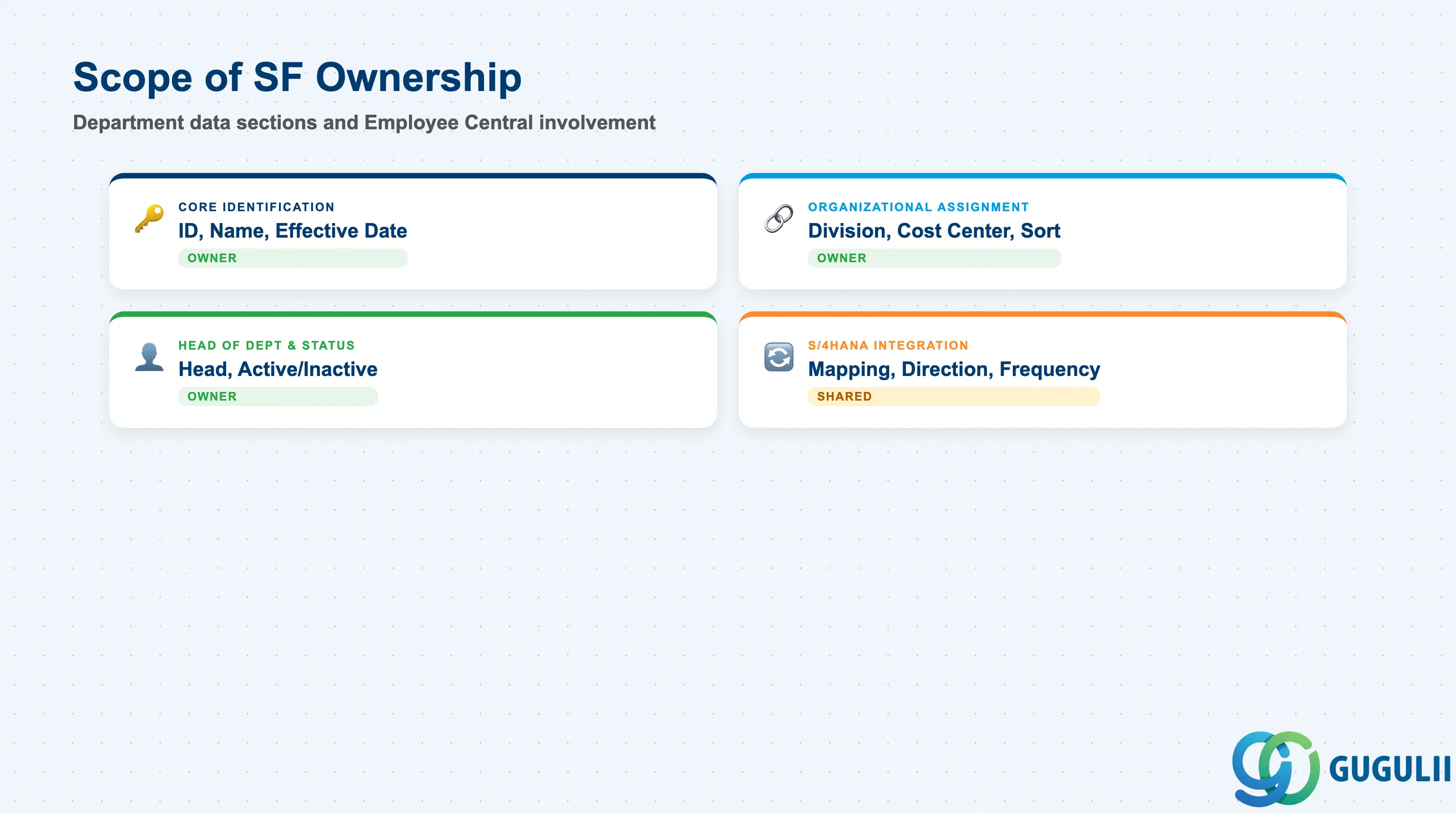
| Data Section | SF Involvement | Notes |
|---|---|---|
| Core Identification | ◎ Owner | Department ID, Name, Effective Start Date |
| Organizational Assignment | ◎ Owner | Parent Division, Cost Center assignment, sort order |
| Head of Department & Status | ◎ Owner | Head of Department, Active/Inactive status, effective-dated change history |
| S/4HANA Integration | ○ Shared with FI/CO/Basis | External Code mapping to Organizational Unit, sync direction, sync frequency |
Legend: ◎ = Owner / Critical, ○ = Direct involvement
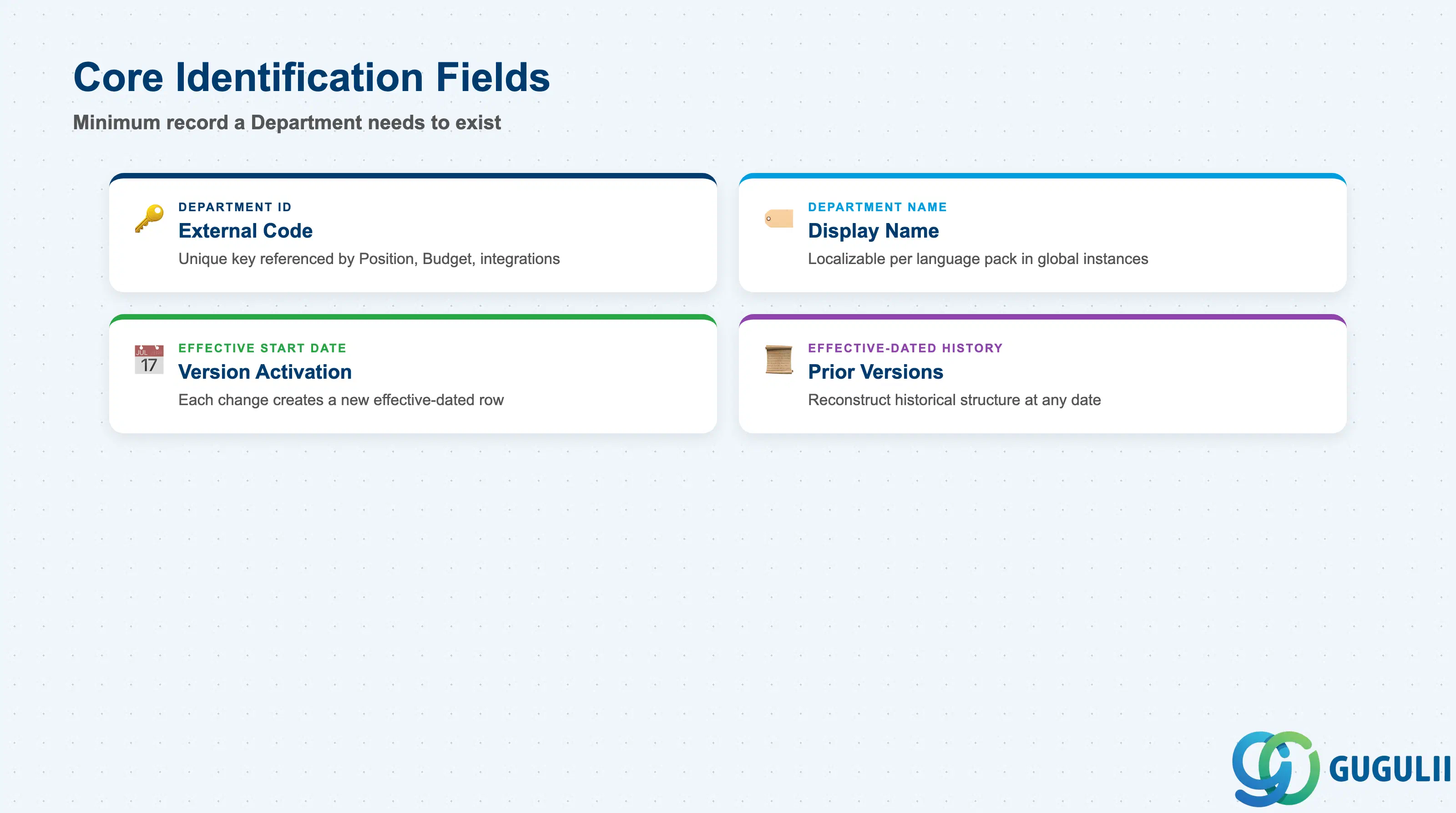
Core Identification is the minimum record a Department needs to exist — it is what every Position, Cost Center, and Compensation Budget that references it points to.
| Field | Description | Practical Usage |
|---|---|---|
| Department ID | Unique identifier for the Department (External Code) | The key value every downstream reference (Position, Budget, integration payloads) points to. Agree the coding convention once with the integration and Finance teams — changing it after go-live breaks any middleware mapping or Cost Center cross-reference keyed on the old value. |
| Department Name | Display name of the Department | Localizable per language pack in a global instance. Keep naming aligned with any synced S/4HANA Organizational Unit description so Finance and HR teams recognize the same team across systems. |
| Effective Start Date | Date this version of the record becomes active | Every field change is captured as a new effective-dated row, not an overwrite. This is what allows an org-chart-as-of-date query to reconstruct historical structure — critical during a reorganization audit or a headcount dispute. |
| Effective-Dated History | Chain of prior versions of this Department record | Used to answer “what was this Department’s name/Division/Head on date X.” Consultants should avoid deleting history rows; correct forward with a new effective-dated entry instead. |
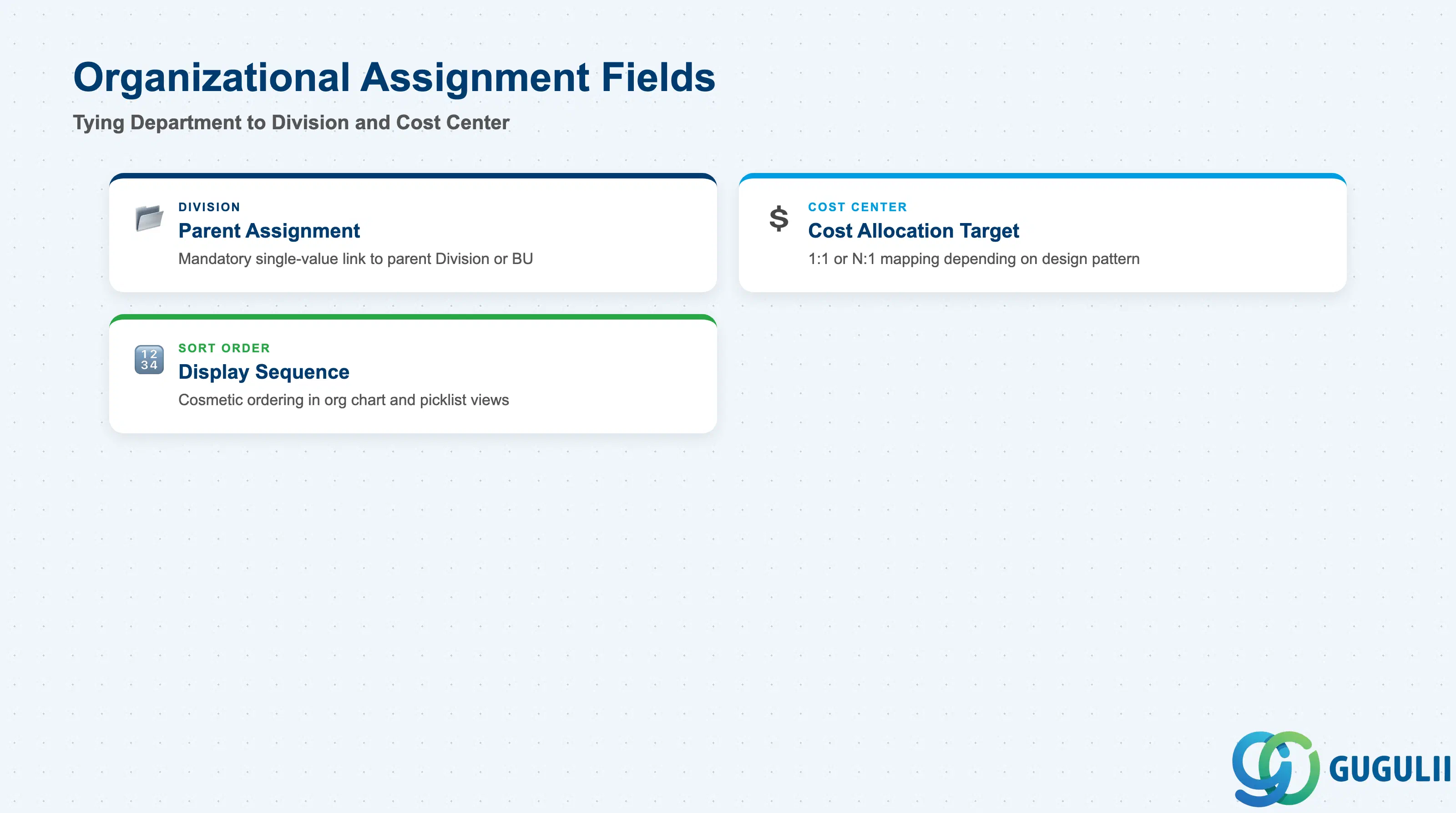
This section ties the Department record to its parent Division and to the Cost Center it maps to for cost accounting, plus the display attributes consultants set for org chart purposes.
| Field | Description | Practical Usage |
|---|---|---|
| Division | The parent Division this Department belongs to (or Business Unit directly, when the Division level is bypassed) | Mandatory single-value assignment. Re-assigning a Department to a different Division should be modeled as a formal reorganization, since it retroactively changes the business-line and reporting context for every downstream Position and employee. |
| Cost Center | The Cost Center this Department’s costs are allocated to | Under the Cost-Center-Aligned pattern (see 1.2), this is a clean 1:1 mapping; under a purely Functional pattern, several Departments may share one Cost Center. Confirm which pattern the client uses before designing Compensation Budget reporting. |
| Sort Order | Display sequence used when rendering the Department alongside its siblings | Purely cosmetic — controls ordering in org chart and picklist displays, not the data hierarchy itself. Useful to keep consistent when a client wants flagship or customer-facing Departments listed before back-office functions, for example. |
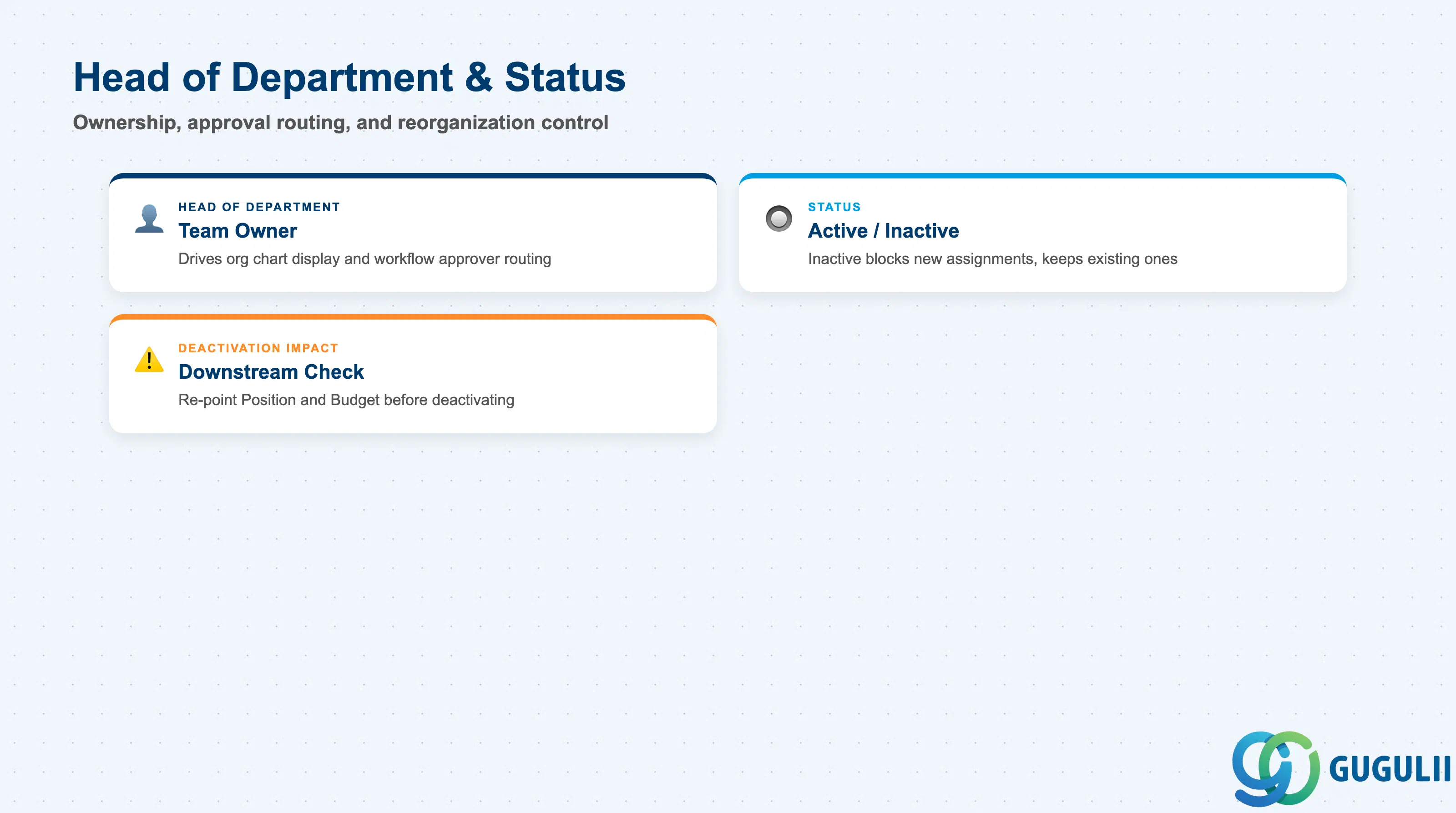
Head of Department drives ownership and approval routing at the working-team level, and Status governs whether a Department is available for new assignments during a reorganization.
| Field | Description | Practical Usage |
|---|---|---|
| Head of Department | Employee designated as the head/owner of the Department | Frequently used to drive Position-based org chart displays and to designate a workflow approver (e.g. for compensation or time-off requests) at the working-team level; this is the field consultants set up most often across the entire org hierarchy, since Department is where day-to-day management ownership actually sits. |
| Status | Active / Inactive flag | Setting a Department Inactive does not remove existing Position or employee assignments — it only blocks the Department from being selected on new records going forward. Deactivation should always be effective-dated to match the actual reorganization date, not the date the admin makes the change in the system. |
| Deactivation Impact | Downstream effect of an Inactive Department | Before deactivating, check for any Position, employee, or Compensation Budget still pointing to the Department — those need to be re-pointed to the surviving Department first in a restructuring or team-merge scenario. |
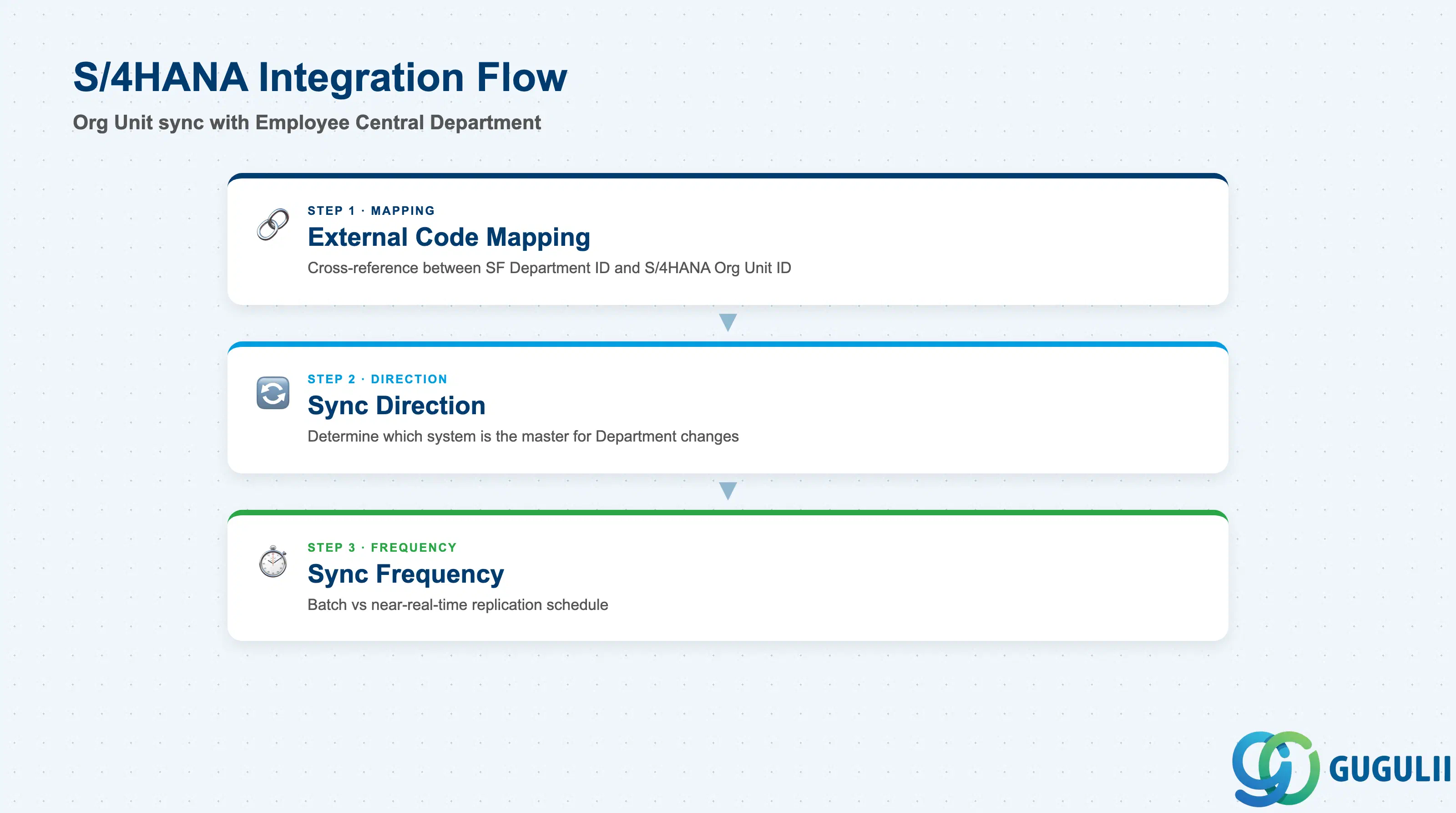
For clients running S/4HANA alongside SuccessFactors Employee Central, Department typically reconciles against an Organizational Unit maintained in PPOME — one of the more standardized sync patterns in the org hierarchy chain.
| Field | Description | Practical Usage |
|---|---|---|
| External Code Mapping | Cross-reference between SuccessFactors Department ID and the S/4HANA Organizational Unit ID | Confirm during blueprint whether the mapping is 1:1 or whether one Organizational Unit expands into multiple SuccessFactors Departments — S/4HANA org structures are frequently deeper than the SuccessFactors chain models. |
| Sync Direction | Whether S/4HANA is the system of record (inbound to SF via PPOME) or Department is maintained natively in Employee Central | Most integrated-org-management clients treat S/4HANA as the system of record for Department/Organizational Unit, syncing changes inbound to SuccessFactors, since Cost Center and Legal Entity are typically sourced from S/4HANA as well. |
| Sync Frequency | Batch (scheduled) vs. near-real-time replication, when sync is used | Typically delivered via the same integration content or middleware used for Legal Entity/Cost Center sync. Batch-only sync means a newly created S/4HANA Organizational Unit is not immediately usable in Employee Central — plan reorganization and hiring go-lives around the sync schedule. |
| ID | Category | Title |
|---|---|---|
| sf-001 | Overview | What is SAP SuccessFactors? |
| ID | Category | Title |
|---|---|---|
| sf-b01 | Overview | SAP SuccessFactors Transactions: Process Flow, Hierarchy & Relationships |