Title here
Summary here

Cost Center is the fifth and final level of the organizational master data hierarchy in SuccessFactors Employee Central, sitting directly below Department. It is the object every Position, Job Information cost distribution, and Compensation Budget ultimately resolves to for financial allocation — but unlike the four levels above it, Cost Center is not typically SuccessFactors-native data: it is created and maintained in S/4HANA Controlling (KS01/KS02) and replicated into SuccessFactors as a read-mostly Foundation Object. This article covers what Cost Center is, how it sits at the bottom of the organizational chain, and every field an Employee Central consultant needs to configure and reconcile against its S/4HANA source.
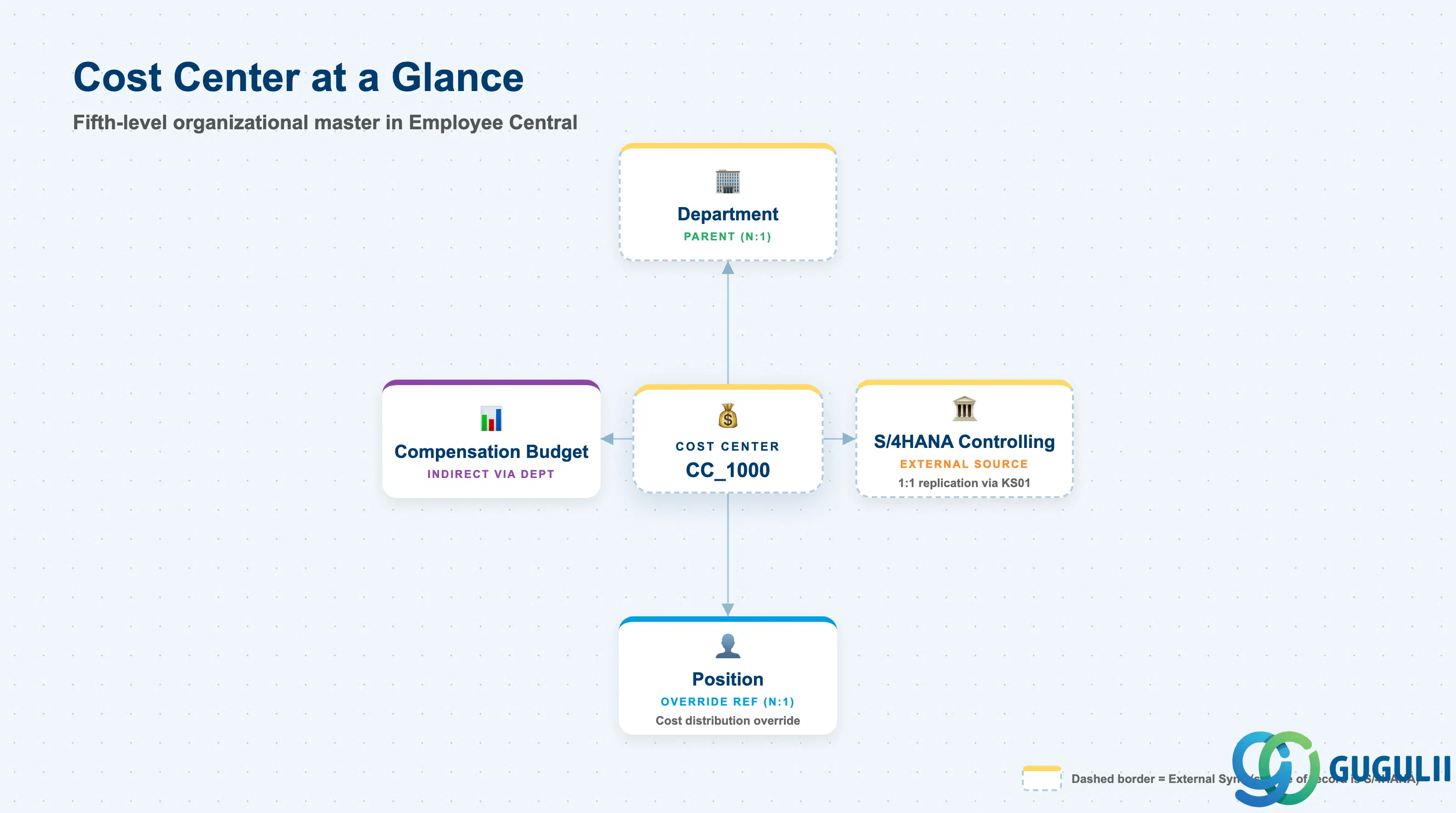
Cost Center is the cost-accounting unit that financial and HR-cost data converges on — it answers “which budget bucket does this cost post to,” where Department answers “which team does this person belong to.” Every downstream cost — headcount compensation, cost distribution overrides on a Position, or Compensation Budget spend — is ultimately measured against a Cost Center, which is why Finance treats it as controlled master data rather than something HR configures independently.
| Aspect | Details |
|---|---|
| Role | Fifth and final level of the organizational hierarchy — the cost-accounting unit that Positions, Job Information cost distribution, and Compensation reporting resolve to |
| Modules using it | S/4HANA Controlling (CO) (owner — Cost Center master data is created and maintained here), Employee Central (consumer — Foundation Object referenced by Department, Position, Job Information), Compensation (Budget objects roll up to Cost Center via Department for Finance reconciliation) |
| Transactions | S/4HANA Controlling: KS01 (create), KS02 (change), KS03 (display); SuccessFactors: Admin Center → “Manage Organization, Pay and Job Structures” (view/import the replicated Foundation Object record — native creation here is the exception, not the default) |
| Key Tables | S/4HANA: CSKS (Cost Center master), CSKT (Cost Center texts); SuccessFactors: OData API entity FOCostCenter (Foundation Object, effective-dated — no classic ABAP table on the SF side) |
| S/4HANA note | Unlike Legal Entity, Department, or Division — which can be created natively in either system depending on the implementation — Cost Center is normally S/4HANA-owned master data. It is created and maintained in Controlling via KS01/KS02 and replicated inbound into SuccessFactors as a Foundation Object. Confirm this direction explicitly during blueprint; SF-side native creation of a Cost Center is a non-standard pattern that Finance rarely accepts. |
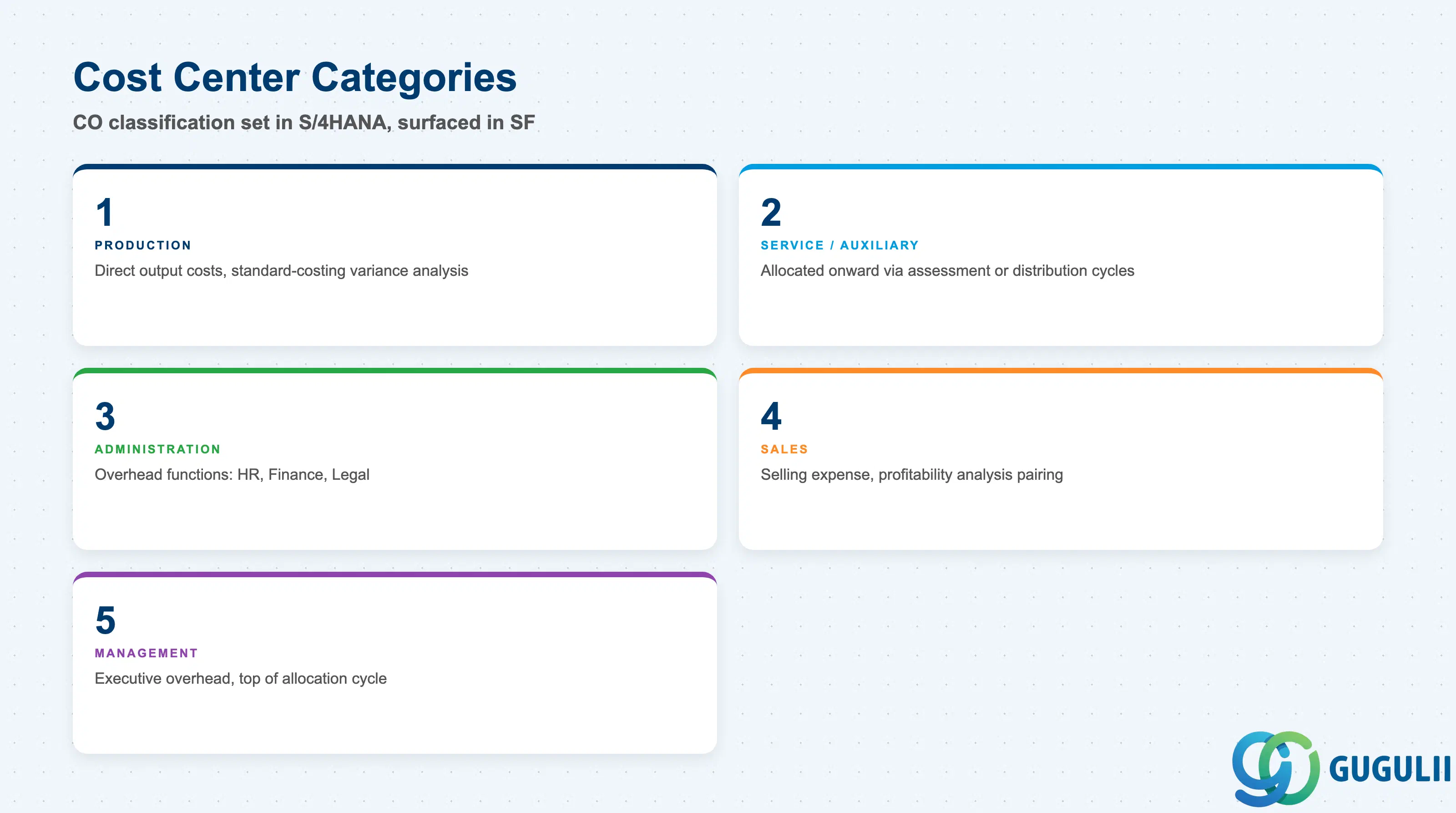
Cost Center Category is a Controlling (CO) classification set when the Cost Center is created in S/4HANA — it is not an SF-side configuration choice, but it shapes how Compensation Budget reporting and cost allocation behave downstream, so Employee Central consultants need to recognize what each category implies.
| Category | Code | Use Case | Key Behavior |
|---|---|---|---|
| Production Cost Center | 1 | Manufacturing or production lines | Collects primary and secondary costs tied directly to output; frequently used in standard-costing variance analysis |
| Service / Auxiliary Cost Center | 2 | Internal service providers (e.g. maintenance, IT) | Costs are not final — they are allocated onward to receiving Cost Centers via assessment or distribution cycles in CO |
| Administration Cost Center | 3 | Overhead functions (HR, Finance, Legal) | Typically receives allocated overhead rather than direct output costs; most corporate/back-office Departments map here |
| Sales Cost Center | 4 | Sales and distribution teams | Captures selling expense; often paired with Sales Order costing for profitability analysis |
| Management Cost Center | 5 | Executive and management overhead | Usually sits at the top of an allocation cycle and rarely receives inbound allocations from Cost Centers below it |
Design principle: Cost Center Category is configured once, in S/4HANA, and SuccessFactors does not change it. Its practical value on the SF side is context for Compensation Budget reporting — it explains why some Cost Centers carry direct headcount cost while others only ever receive allocated overhead.
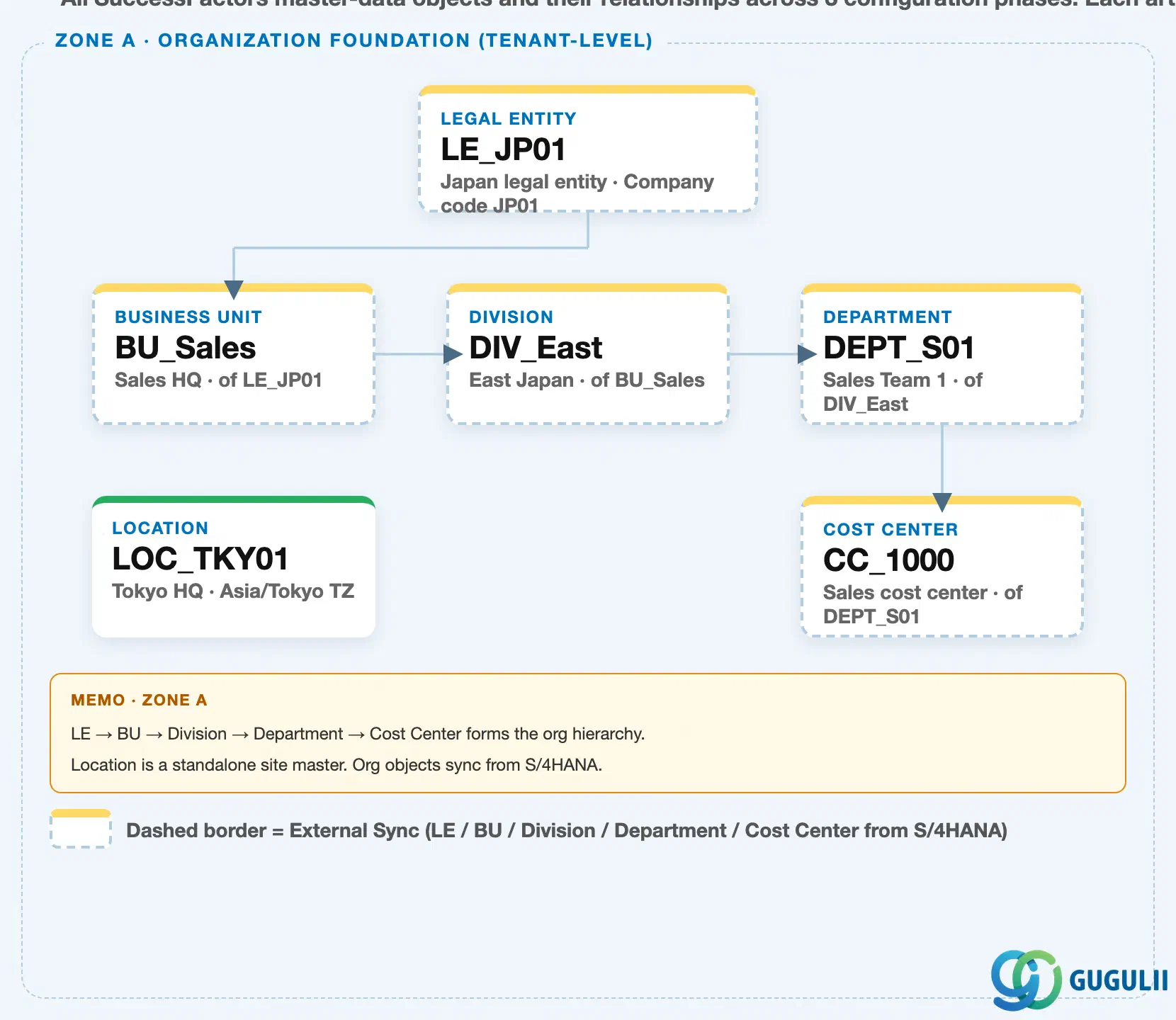
Data hierarchy with a concrete example
Client (SuccessFactors Instance)
   │
   └── Legal Entity "LE_JP01" — Japan Legal Entity, Company Code JP01
          │
          └── Business Unit "BU_Sales" — Sales HQ, of LE_JP01
                 │
                 └── Division "DIV_East" — East Japan, of BU_Sales
                        │
                        └── Department "DEPT_S01" — Sales Team 1, of DIV_East
                               │
                               ├── Cost Center "CC_1000" — Sales cost center, of DEPT_S01
                               │
                               └── (source, via KS01) <── S/4HANA Cost Center CC_1000, Controlling Area "1000"

Location "LOC_TKY01" — Tokyo HQ, Asia/Tokyo TZ
   (independent tenant-level master — not nested under Department)
Design principle: Legal Entity → Business Unit → Division → Department → Cost Center is a strict single-parent chain, and Cost Center is where it terminates — no SF org object is a child of Cost Center. Unlike the four levels above it, Cost Center’s own record is not created here: its master lives in S/4HANA Controlling, and the node shown under Department is a replica kept current by inbound sync, not an independently maintained SF record.
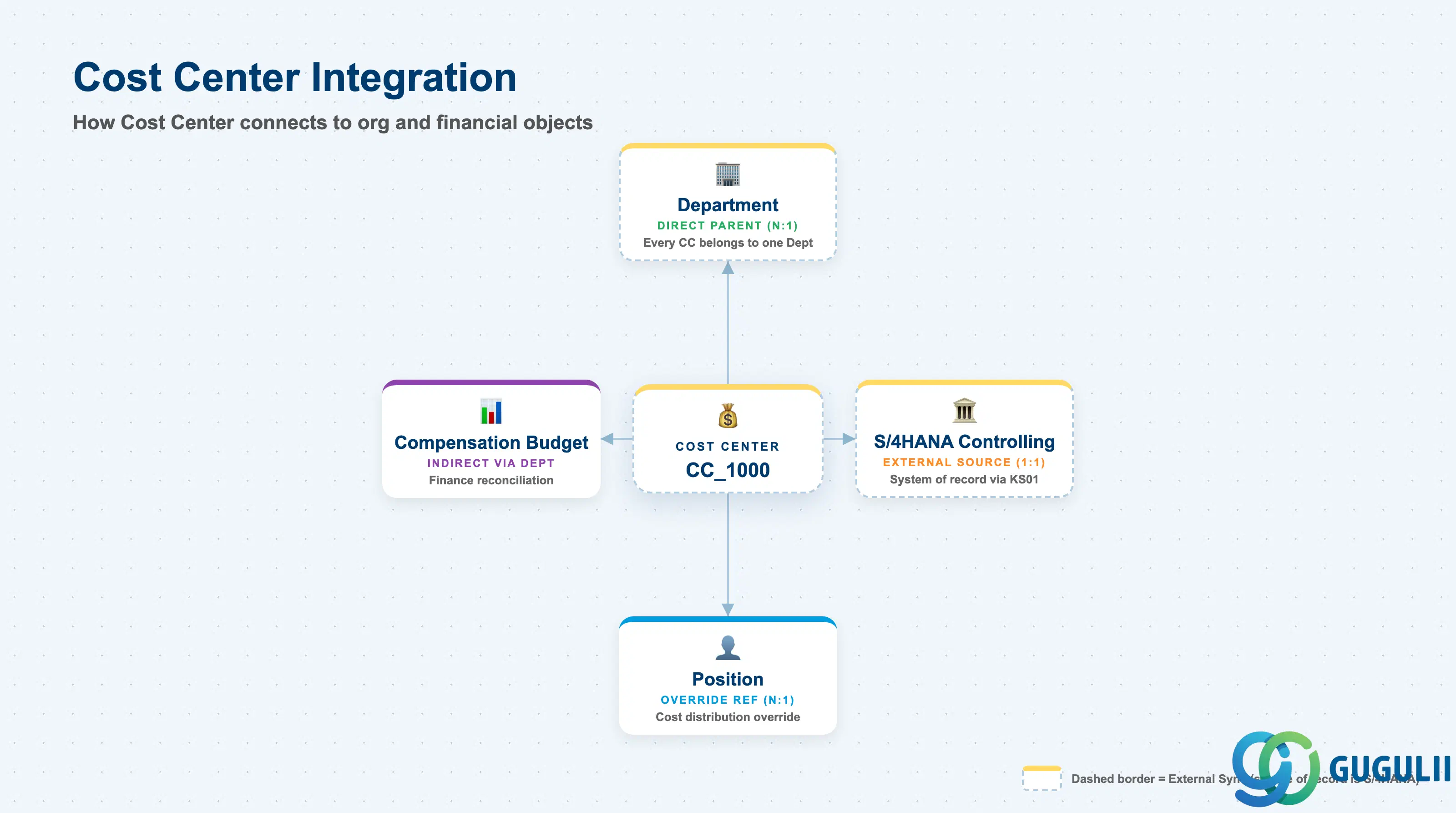
Cost Center closes the loop between the SuccessFactors organizational chain and S/4HANA financial accounting — every object below it in this article’s integration table exists to move cost data between the two systems, not to extend the org hierarchy further.
| Object | Relationship | Practical Notes |
|---|---|---|
| Department | Direct parent (N:1) — every Cost Center belongs to exactly one Department | Mirrors Department’s own reference to Cost Center (see SF-A02-04); confirm which Foundation Object is treated as the “driving” side of this pairing before building Business Rules or picklist filters on either object |
| S/4HANA Cost Center (Controlling) | External source (1:1 replication), via KS01/KS02 | This is the true system of record. The SF-side node is a Foundation Object copy kept current by inbound sync — it is not independently editable in a well-governed landscape |
| Position | Direct reference (N:1, optional override) | A Position or its Job Information can override the inherited Department Cost Center for cost distribution purposes, when an employee’s cost should post differently from the Department default |
| Compensation Budget | Indirect, via Department | Budget objects reference Department, not Cost Center, directly (see SF-A02-04) — but Cost Center is the field Finance uses to reconcile compensation spend back into CO reporting |
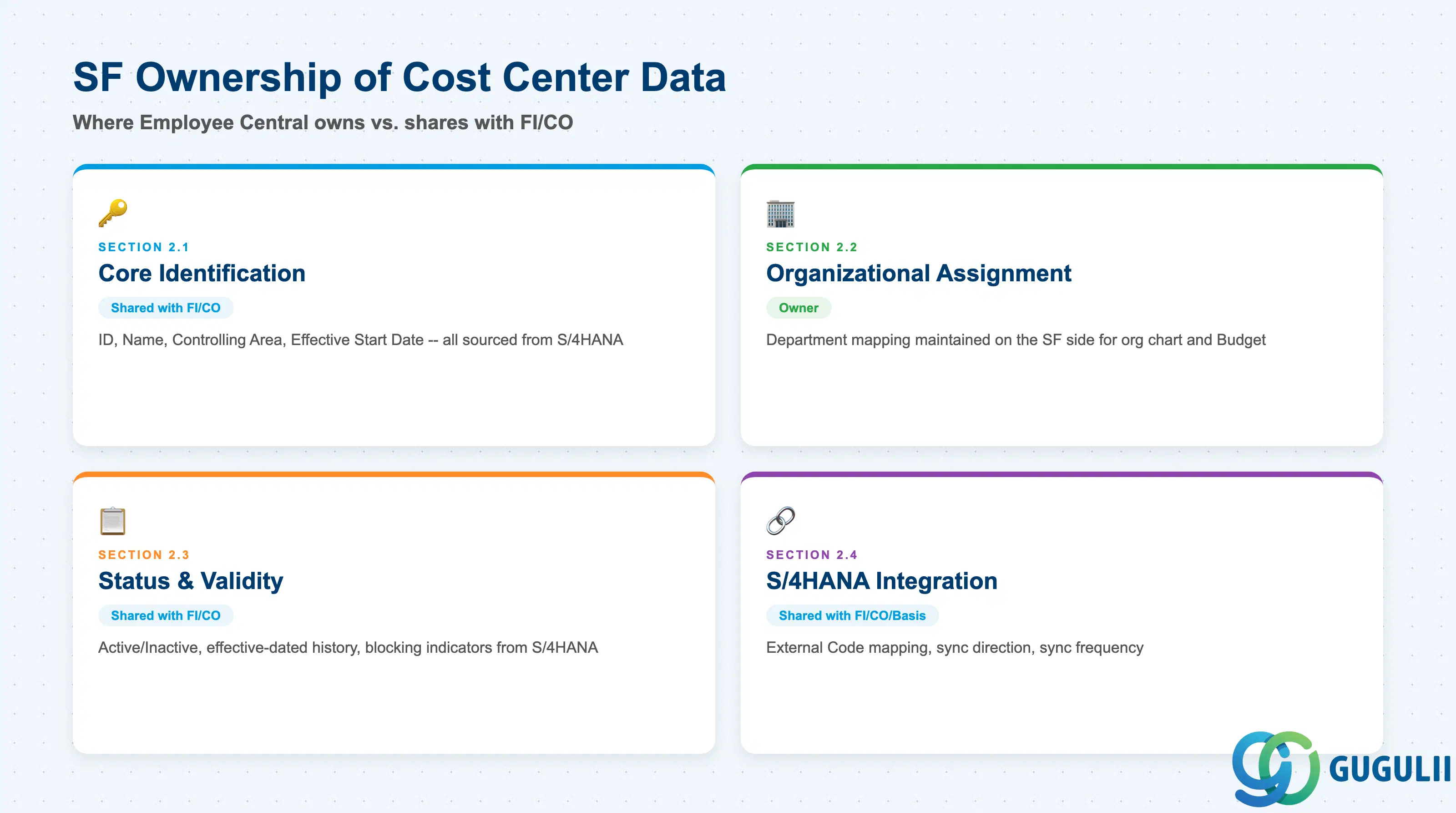
| Data Section | SF Involvement | Notes |
|---|---|---|
| Core Identification | ○ Shared with FI/CO | Cost Center ID, Name, Controlling Area, Effective Start Date — all sourced from S/4HANA and replicated in |
| Organizational Assignment | ◎ Owner | Department mapping is maintained on the SF side for HR-facing org chart and Compensation Budget purposes |
| Status & Validity | ○ Shared with FI/CO | Active/Inactive, effective-dated history, and blocking indicators originate in S/4HANA and are surfaced, not set, in SF |
| S/4HANA Integration | ○ Shared with FI/CO/Basis | External Code mapping, sync direction, sync frequency |
Legend: ◎ = Owner / Critical, ○ = Direct involvement
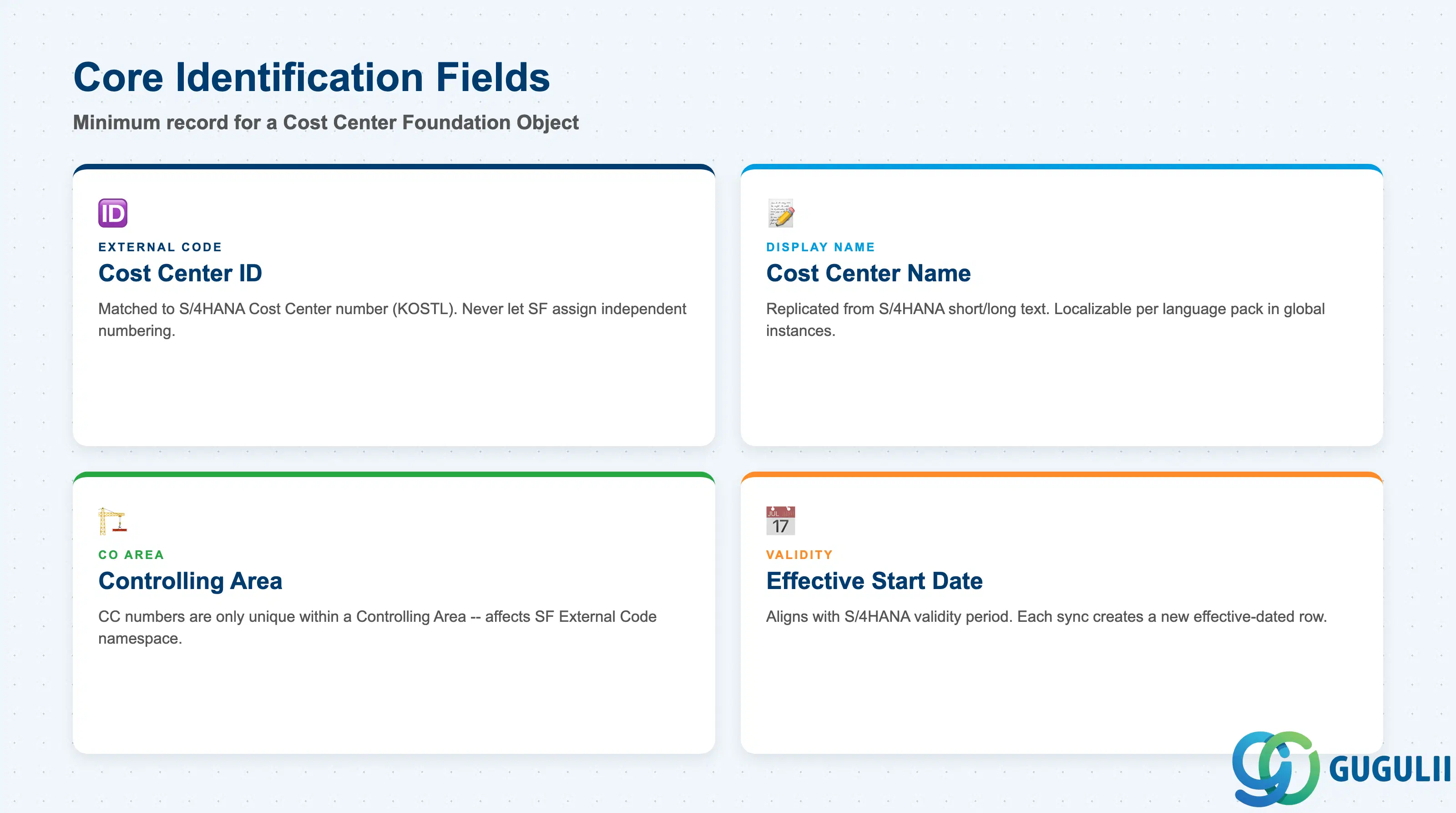
Core Identification is the minimum record a Cost Center needs to exist as a Foundation Object in SuccessFactors — and every field in this section is, by design, a copy of data whose master lives in S/4HANA Controlling.
| Field | Description | Practical Usage |
|---|---|---|
| Cost Center ID | Unique identifier for the Cost Center (External Code), matched to the S/4HANA Cost Center number (KOSTL) | This is the field every Department, Position, and Job Information cost distribution reference expects to resolve to a currently active S/4HANA Cost Center. Never let SF assign its own independent numbering scheme — a mismatch here silently breaks cost postings. |
| Cost Center Name | Display name/description, replicated from S/4HANA (CSKT short/long text) | Localizable per language pack in a global instance, but keep the base description synced with the S/4HANA text so Finance and HR see the same label in their respective systems. |
| Controlling Area | The CO Controlling Area the Cost Center belongs to in S/4HANA | Confirm before go-live whether the landscape runs a single global Controlling Area or several; Cost Center numbers are only unique within a Controlling Area, not globally, which affects how the SF External Code namespace needs to be structured. |
| Effective Start Date | Date this version of the record becomes valid | Aligns with the Cost Center’s S/4HANA validity period (Analysis Period in KS01); each replication run creates a new effective-dated row in SF rather than overwriting the prior one. |
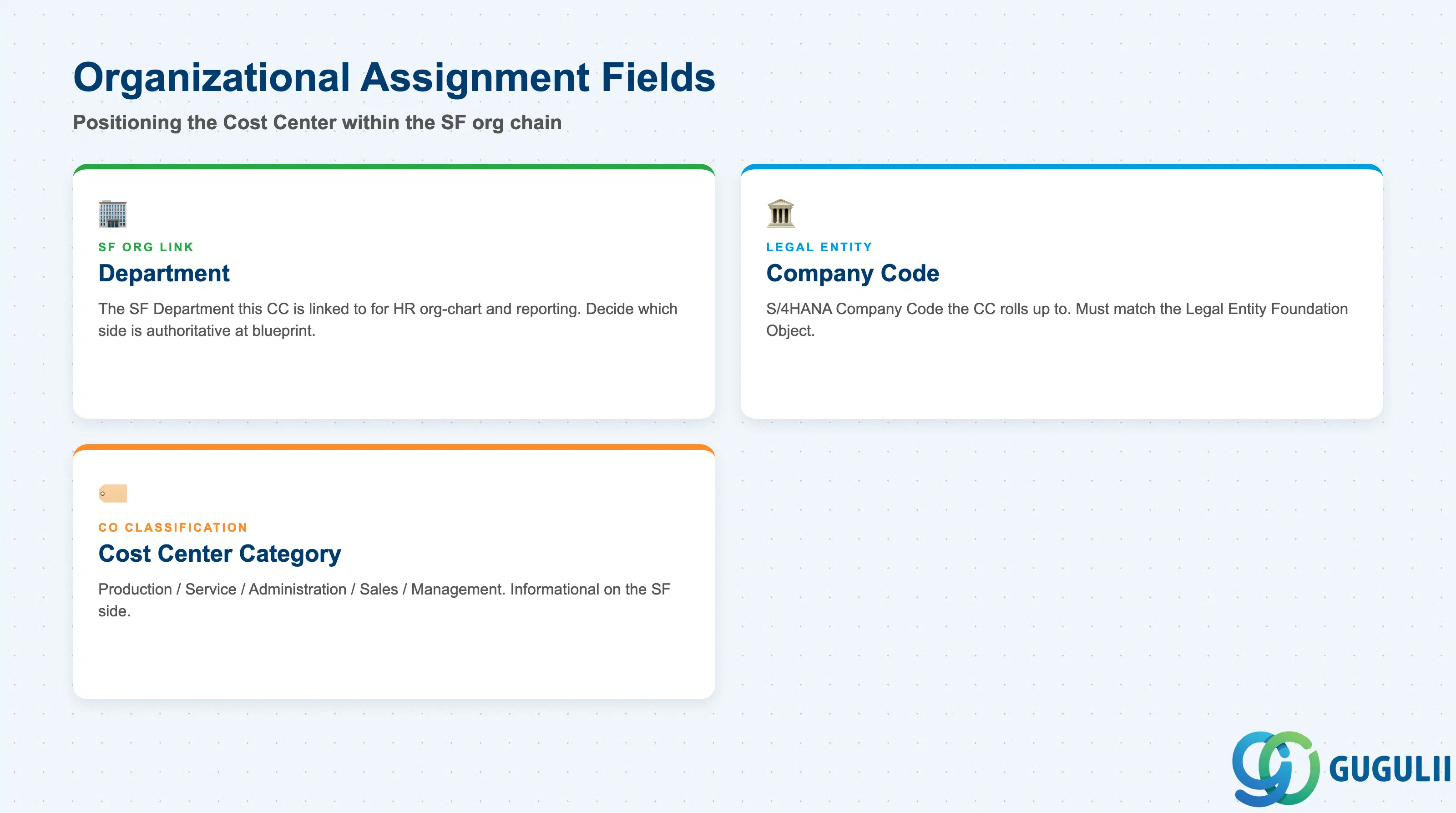
This section covers how the replicated Cost Center record is positioned within the SF organizational chain and rolled up for financial reconciliation — the one part of the record that is genuinely SF-owned rather than a pass-through copy.
| Field | Description | Practical Usage |
|---|---|---|
| Department | The SF Department this Cost Center is linked to for HR org-chart and reporting purposes | This is the reverse of the Cost Center field on the Department record (see SF-A02-04). Some implementations maintain the link on both Foundation Objects to support bidirectional picklist filtering — decide which side is authoritative once, at blueprint. |
| Company Code | The S/4HANA Company Code the Cost Center’s Controlling Area rolls up to | Needed to reconcile compensation spend booked against this Cost Center back to the correct legal entity for statutory reporting; should match the Company Code on the Legal Entity Foundation Object the Department ultimately traces up to. |
| Cost Center Category | The CO classification of the Cost Center (Production / Service / Administration / Sales / Management — see 1.2) | Mostly informational on the SF side, but useful for Compensation Budget reporting to segment spend by category without waiting on a separate Finance data pull. |
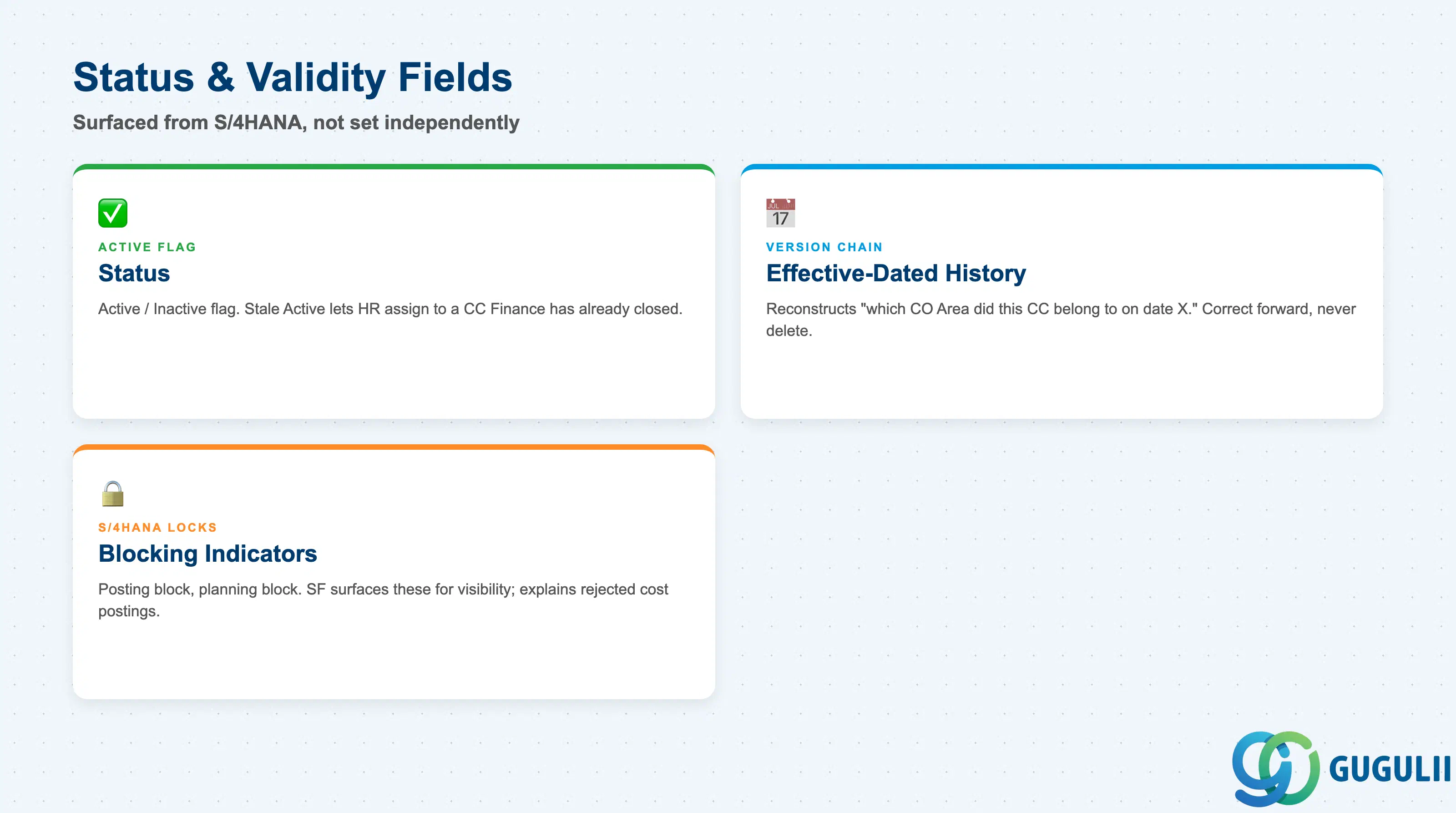
Status and validity fields on the SF-side Cost Center record are surfaced from S/4HANA, not set independently — they tell HR admins what Finance has already decided about this Cost Center.
| Field | Description | Practical Usage |
|---|---|---|
| Status | Active / Inactive flag | An Inactive Cost Center in S/4HANA (blocked via KS02) should sync to Inactive in SF promptly — a stale Active flag lets HR admins keep assigning new Positions or cost distributions to a Cost Center Finance has already closed. |
| Effective-Dated History | Chain of prior versions of this Cost Center record | Reconstructs “what Controlling Area or Company Code did this Cost Center belong to on date X” — useful when a Cost Center was reorganized under a different Controlling Area mid-year. Correct forward with a new effective-dated entry rather than deleting history. |
| Blocking Indicators | S/4HANA-side lock flags (posting block, planning block) surfaced for visibility | SF does not enforce these locks itself, but displaying them helps HR admins understand why Finance rejected a downstream posting tied to a Position’s cost distribution against this Cost Center. |
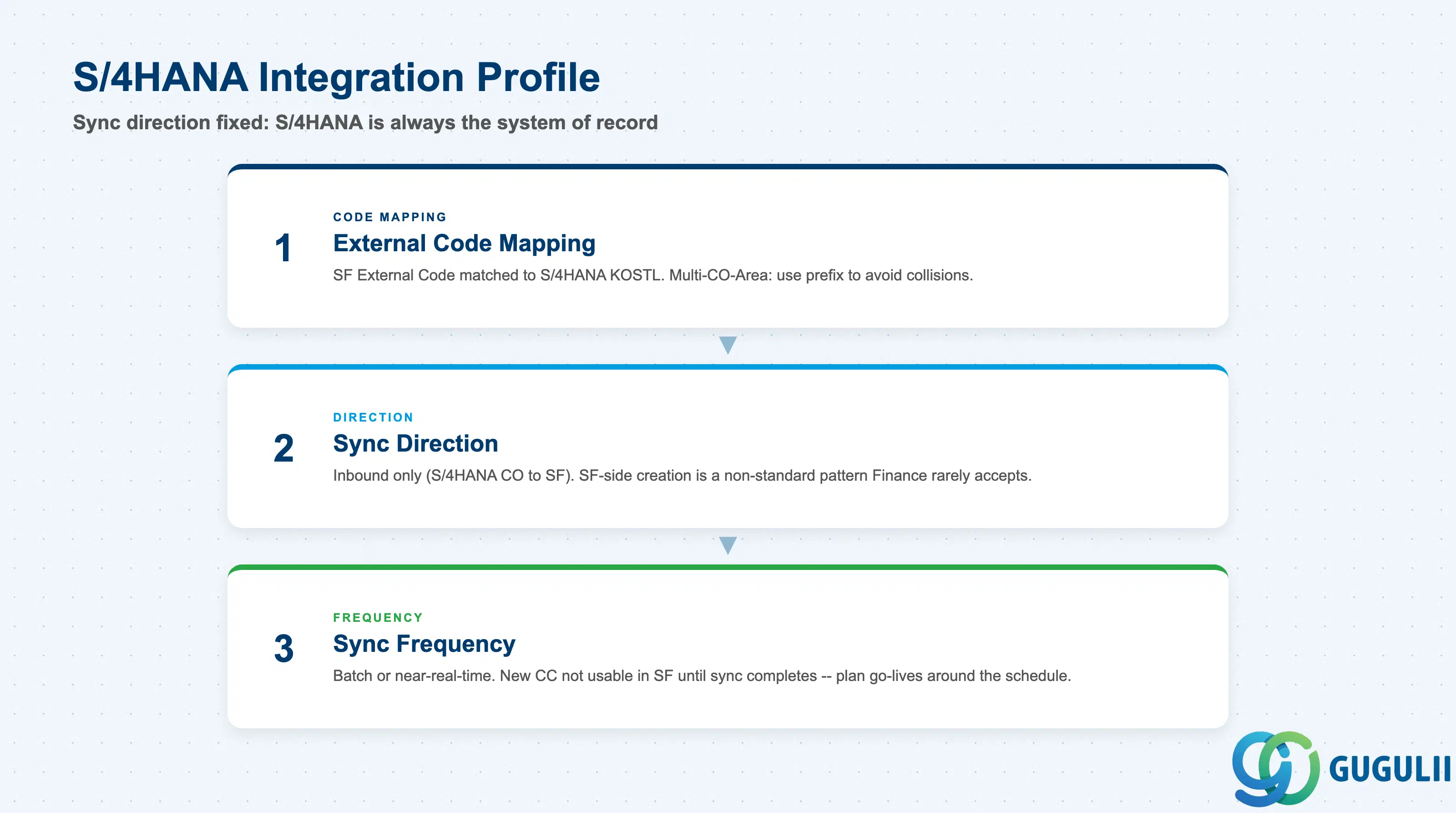
Cost Center’s S/4HANA Integration profile looks like Department’s (SF-A02-04), but with the sync direction fixed rather than a design choice — S/4HANA Controlling is always the system of record.
| Field | Description | Practical Usage |
|---|---|---|
| External Code Mapping | Cross-reference between the SF Cost Center Foundation Object External Code and the S/4HANA Cost Center number (KOSTL) | Because Cost Center numbers are only unique per Controlling Area, confirm whether the flat SF External Code namespace needs a Controlling-Area prefix to avoid collisions in a multi-Controlling-Area landscape. |
| Sync Direction | S/4HANA Controlling is the system of record; sync is inbound only (S/4HANA → SF) | Unlike Department, where either side can legitimately be the system of record depending on the implementation, Cost Center is created and maintained via KS01/KS02 in S/4HANA CO — there is almost never a valid reason for SF-side creation. |
| Sync Frequency | Batch (scheduled) vs. near-real-time replication | A newly created S/4HANA Cost Center (KS01) is not usable for Position cost distribution or Department Cost Center assignment in SF until the next sync run completes — plan new-department or new-team go-lives around the sync schedule. |
| ID | Category | Title |
|---|---|---|
| sf-001 | Overview | What is SAP SuccessFactors? |
| ID | Category | Title |
|---|---|---|
| sf-b01 | Overview | SAP SuccessFactors Transactions: Process Flow, Hierarchy & Relationships |