Title here
Summary here

Location is a physical/geographic work-location master data object in SuccessFactors Employee Central, configured within Phase 1 (Organization & Job Foundation) alongside the Legal Entity → Business Unit → Division → Department → Cost Center chain — but it deliberately sits outside that chain: it is a separate, cross-cutting foundation object that Position and Job Information reference directly, describing addresses, time zones, and holiday calendar assignment for every physical site the organization operates from. This article covers what Location is, how its cross-cutting placement differs from the organizational hierarchy chain, and every field an Employee Central consultant configures for it.
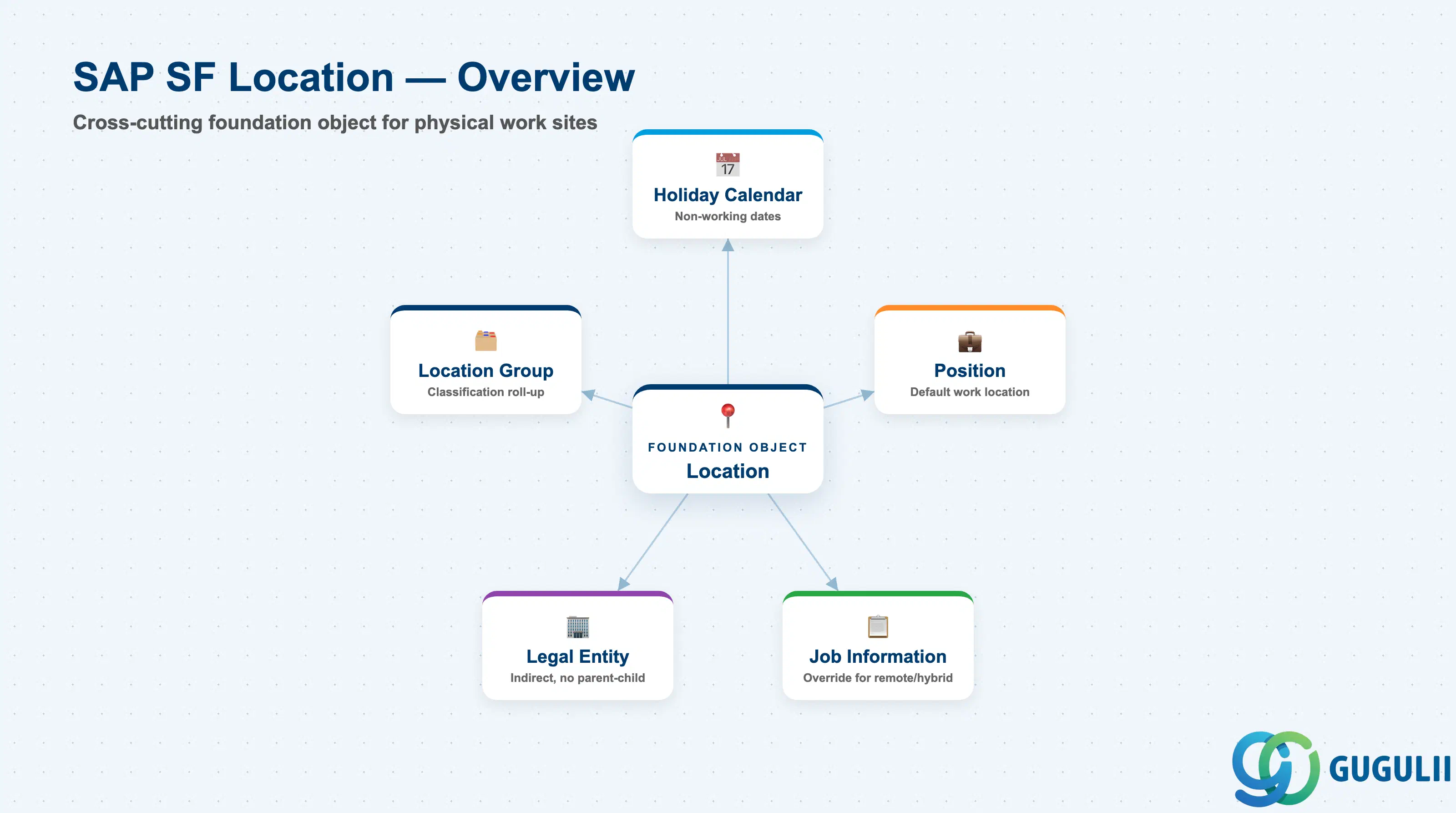
Location is the master data object that anchors a physical or geographic work site — an office, plant, warehouse, or remote-work designation — with the address, time zone, and holiday calendar that everything scheduled or reported against that site depends on. Where Department answers “which team,” Location answers “which physical place,” and the two are deliberately independent: a single Department’s employees can sit across several Locations, and a single Location can host employees from many different Departments.
| Aspect | Details |
|---|---|
| Role | Standalone, cross-cutting foundation object representing a physical or geographic work location — referenced directly by Position and Job Information, independent of the Legal Entity → Business Unit → Division → Department → Cost Center hierarchy chain |
| Modules using it | Employee Central (owner — Foundation Object framework), Position Management (Position’s default work location), Time Management (Holiday Calendar assignment drives time-off accrual and attendance approval routing), Recruiting (Job Requisition location field used for job postings and candidate search), People Analytics / Reporting (location-based headcount and workforce distribution reporting) |
| Transactions | Admin Center → “Manage Organization, Pay and Job Structures” (create/edit Location and Location Group Foundation Objects); “Import and Export Data” (mass load via CSV) |
| Key Tables | OData API entities FOLocation and FOLocationGroup (Foundation Object) — SuccessFactors has no classic ABAP table; each record is effective-dated rather than table-row based |
| S/4HANA note | Location has no standard native S/4HANA sync counterpart — unlike Legal Entity or Cost Center, it is typically configured and owned natively in Employee Central. The loosest on-premise analogue is Personnel Area/Personnel Subarea in classic SAP HCM, but the concepts do not map 1:1 and no delivered integration content ships between them |
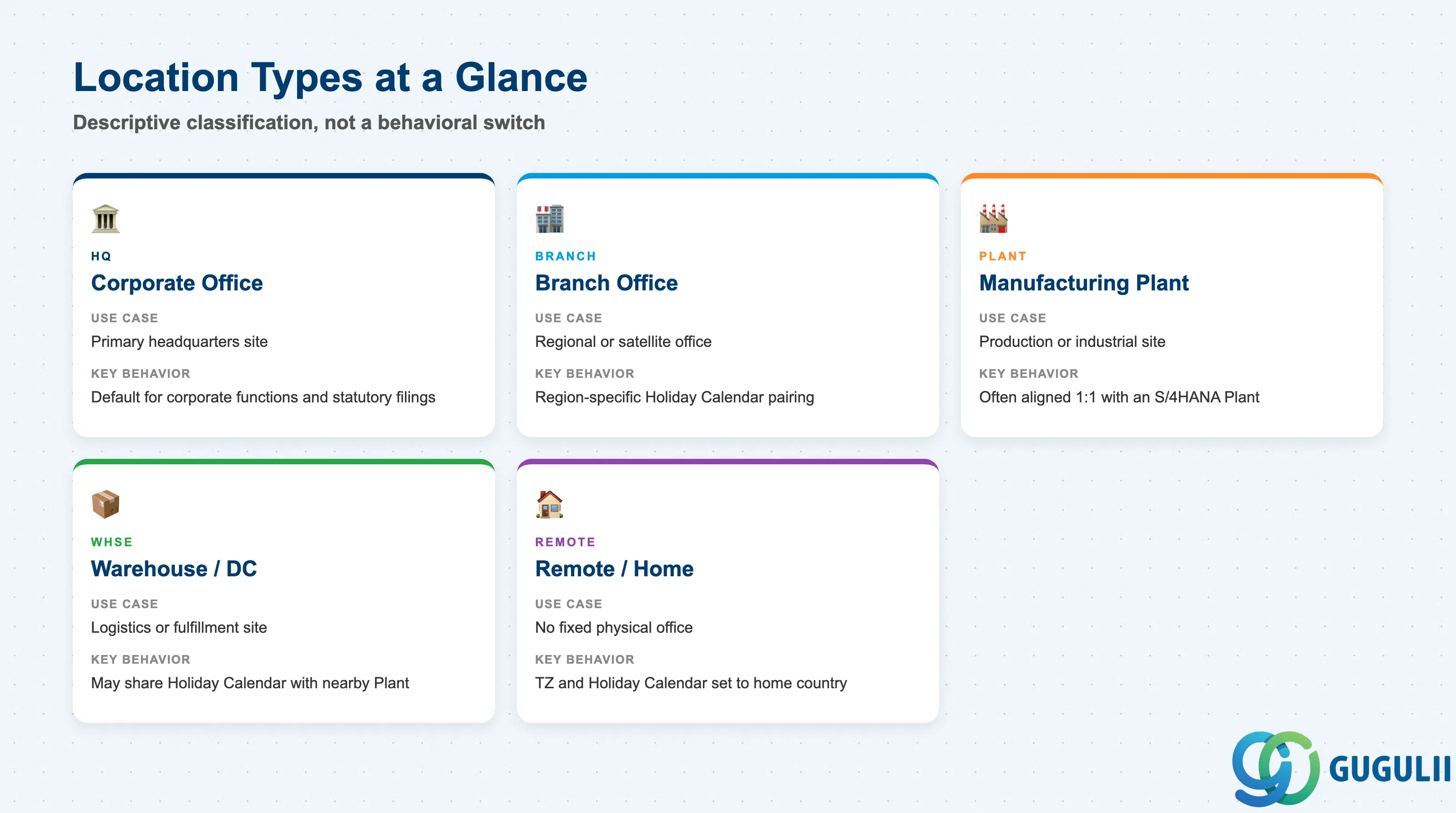
Location Type is not a structural code the way Legal Entity’s country or Cost Center’s category is — it is descriptive classification a client sets up to segment reporting and to signal which Holiday Calendar and facilities pattern a given site is expected to carry. Getting the type wrong mostly costs reporting clarity, not data-model breakage, but it is still worth deciding consistently at blueprint.
| Type | Code | Use Case | Key Behavior |
|---|---|---|---|
| Corporate Office / HQ | HQ | Primary administrative or headquarters site | Usually the default Location for corporate functions; often carries the registered address used for statutory HR filings |
| Branch Office | BRANCH | Regional or satellite office | Groups employees by regional presence; commonly paired with a region-specific Holiday Calendar |
| Manufacturing Plant / Site | PLANT | Production or industrial site | Frequently aligned 1:1 with an S/4HANA Plant for reporting convenience, though the two are not systemically linked or synced |
| Warehouse / Distribution Center | WHSE | Logistics or fulfillment site | Lower headcount density; sometimes shares a Holiday Calendar with a nearby Manufacturing Plant Location in the same region |
| Remote / Home-Based | REMOTE | Employees without a fixed physical office | Time Zone and Holiday Calendar are typically set to the employee’s home country/region rather than a company facility |
Design principle: Location Type is descriptive metadata, not a behavioral switch — it does not change how a Location record functions in the data model, but it drives which Holiday Calendar and reporting segment a Location is expected to carry, so keep the type list short and consistently applied across all Locations.
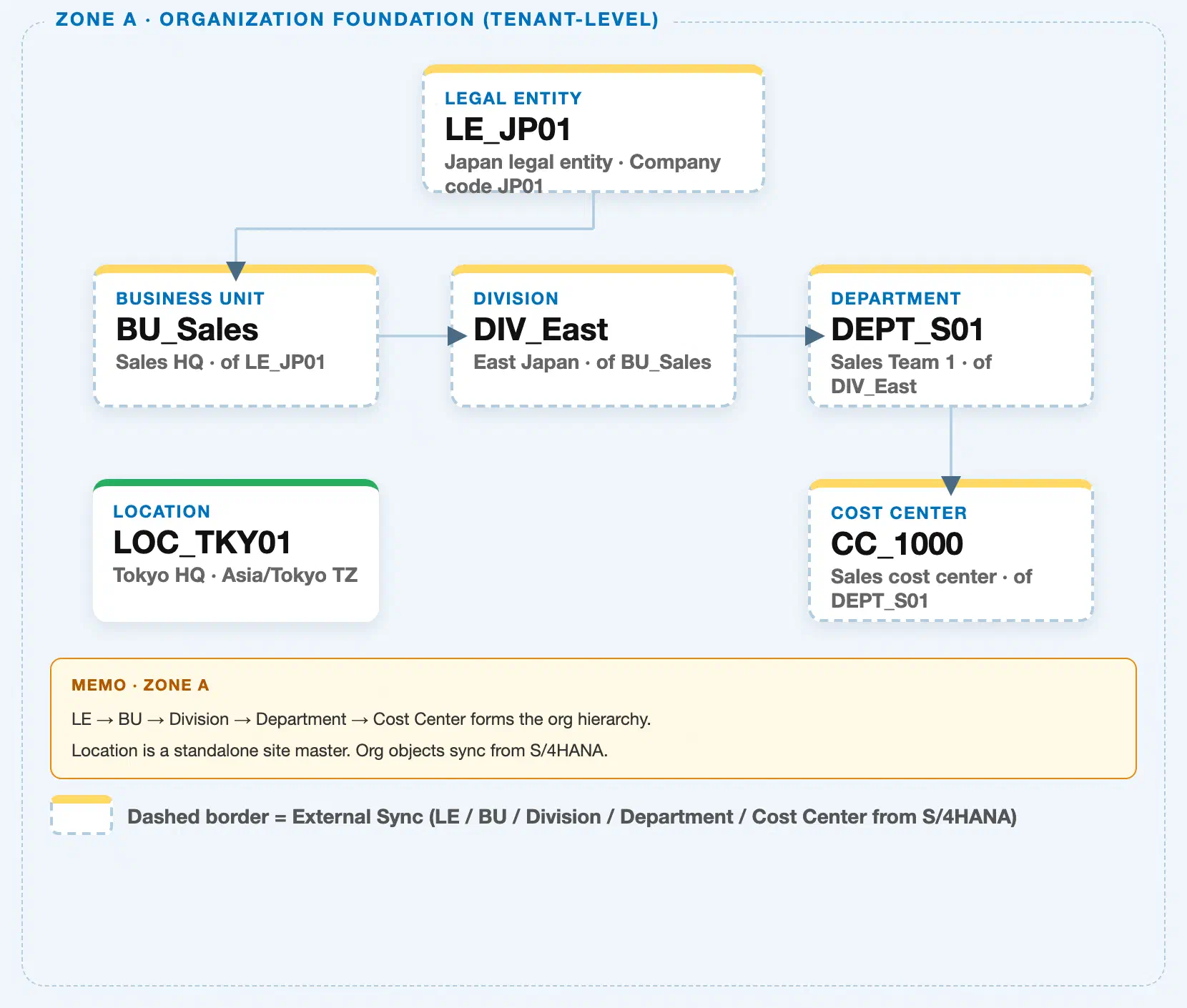
Data hierarchy with a concrete example
Client (SuccessFactors Instance)
   │
   ├── Legal Entity "LE_JP01" ── Business Unit ── Division ── Department ── Cost Center
   │      (organizational hierarchy chain — see SF-A02-01 through SF-A02-05)
   │
   └── Location "LOC_TKY01" — Tokyo HQ, Asia/Tokyo TZ
          (independent tenant-level master — not a level in the chain above)
          │
          ├── assigned to ──> Location Group "LG_JP" — Japan Locations (grouping/classification)
          ├── assigned to ──> Holiday Calendar "HC_JP2024" — Japan 2024 holidays
          └── referenced by <── Position "POS_SalesMgr01" — Sales Manager (default work location)
Design principle: Location does not sit inside the Legal Entity → Business Unit → Division → Department → Cost Center chain — it is a separate, cross-cutting foundation object that Position and Job Information reference directly, independent of which Department or Cost Center an employee belongs to. A single Location, such as a shared regional office, is commonly referenced by employees across many different Departments and Cost Centers at once.
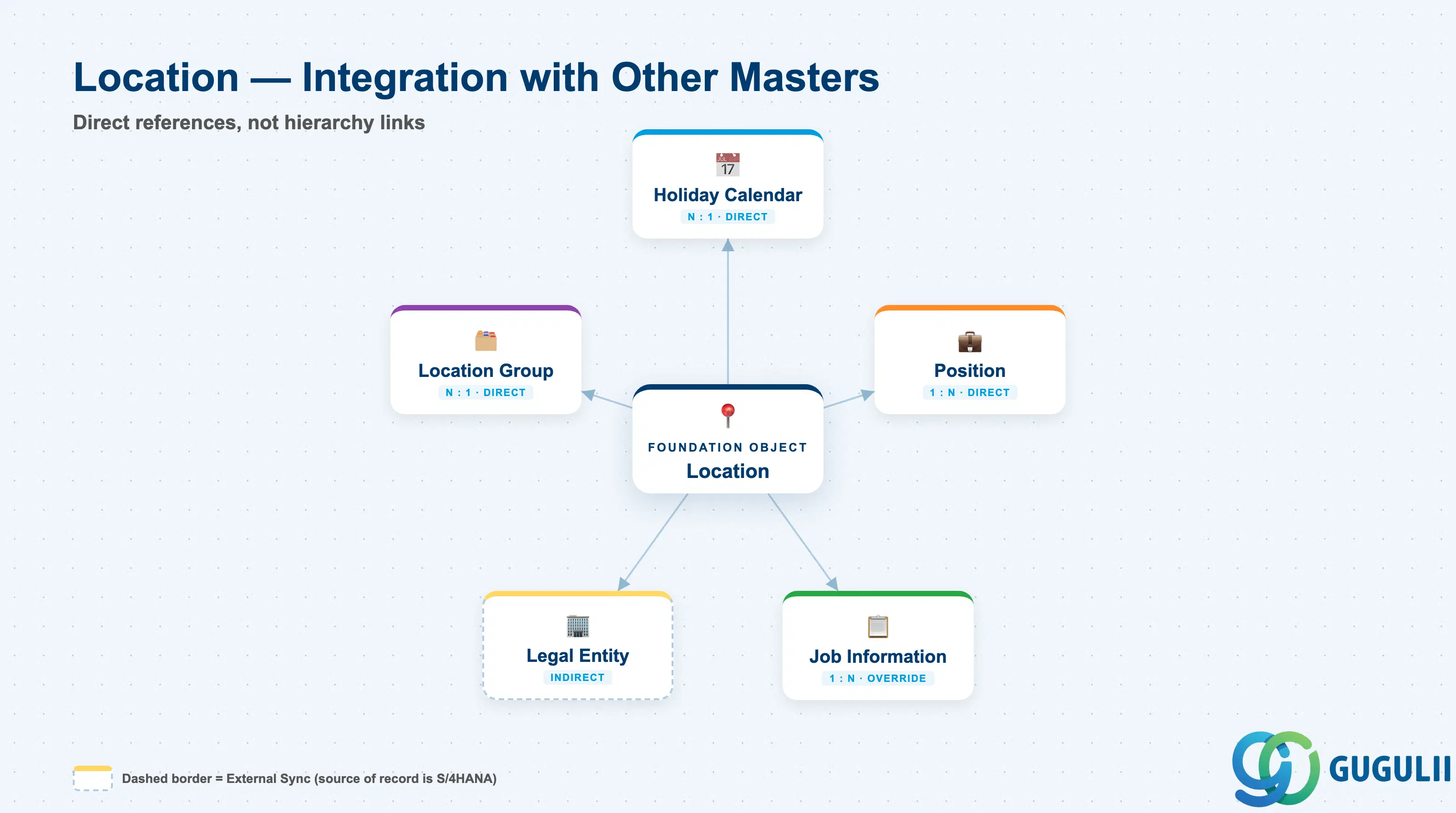
Because Location sits outside the organizational hierarchy chain, its relationships to other master data are all direct references rather than parent-child hierarchy links — every object below points to Location, or Location points to it, with no intermediate level in between.
| Object | Relationship | Practical Notes |
|---|---|---|
| Holiday Calendar | Direct reference (N:1) — every Location typically assigns one Holiday Calendar | Drives which dates the Location’s employees are treated as non-working for time-off accrual and attendance approval routing; a shared-services site spanning multiple countries still needs exactly one Holiday Calendar, so multi-country offices are usually split into separate Location records instead |
| Position | Referenced by (1:N) — a Position’s default work location commonly points to a Location | Sets the expected work site shown on org charts and often used for facilities/badge provisioning; changing a Position’s Location is a location transfer, not a reorganization, and does not touch the Department or Cost Center chain |
| Job Information | Referenced by (1:N, override) — an employee’s Job Information can override the Position’s inherited Location | Common for remote or hybrid employees whose actual work site differs from their Position’s nominal default; this override, not the Position default, is what People Analytics location-based headcount reports actually read |
| Legal Entity | Indirect, no parent-child link — Location’s Country and Address supply statutory context, but neither object constrains the other | A single Legal Entity’s employees can be spread across many Locations, and a shared regional office (one Location) can host employees who belong to several different Legal Entities simultaneously |
| Location Group | Direct reference (N:1) — Location is assigned to a Location Group for classification and reporting roll-up | Used to segment Locations by region or business grouping in Compensation and People Analytics reporting without relying on the Legal Entity/Business Unit chain, which may not align with how sites are geographically organized |
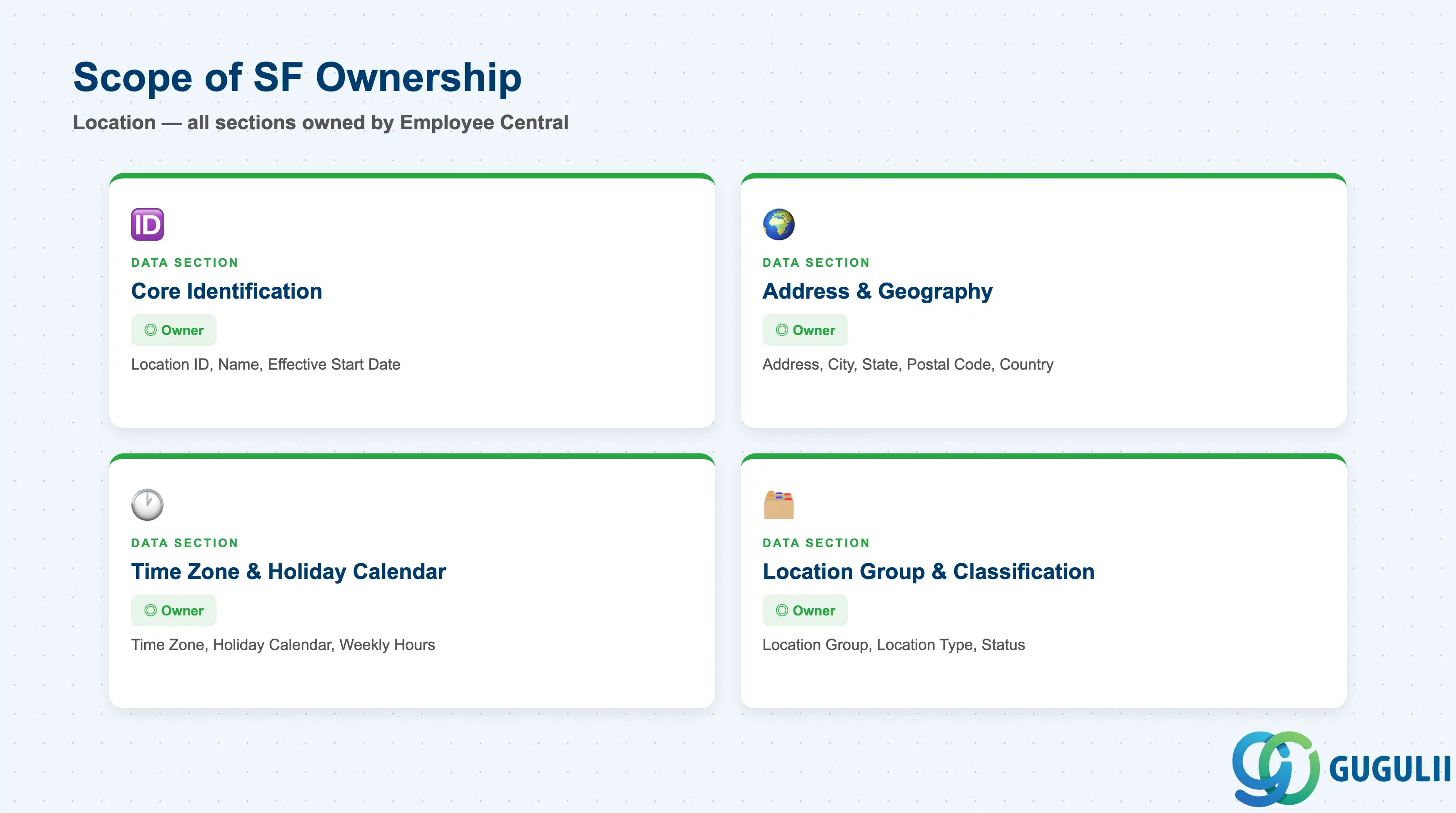
| Data Section | SF Involvement | Notes |
|---|---|---|
| Core Identification | ◎ Owner | Location ID, Name, Effective Start Date |
| Address & Geography | ◎ Owner | Address Line 1/2, City, State/Province, Postal Code, Country/Region |
| Time Zone & Holiday Calendar | ◎ Owner | Time Zone, Holiday Calendar assignment, Standard Weekly Hours default |
| Location Group & Classification | ◎ Owner | Location Group, Location Type, Status |
Legend: ◎ = Owner / Critical, ○ = Direct involvement
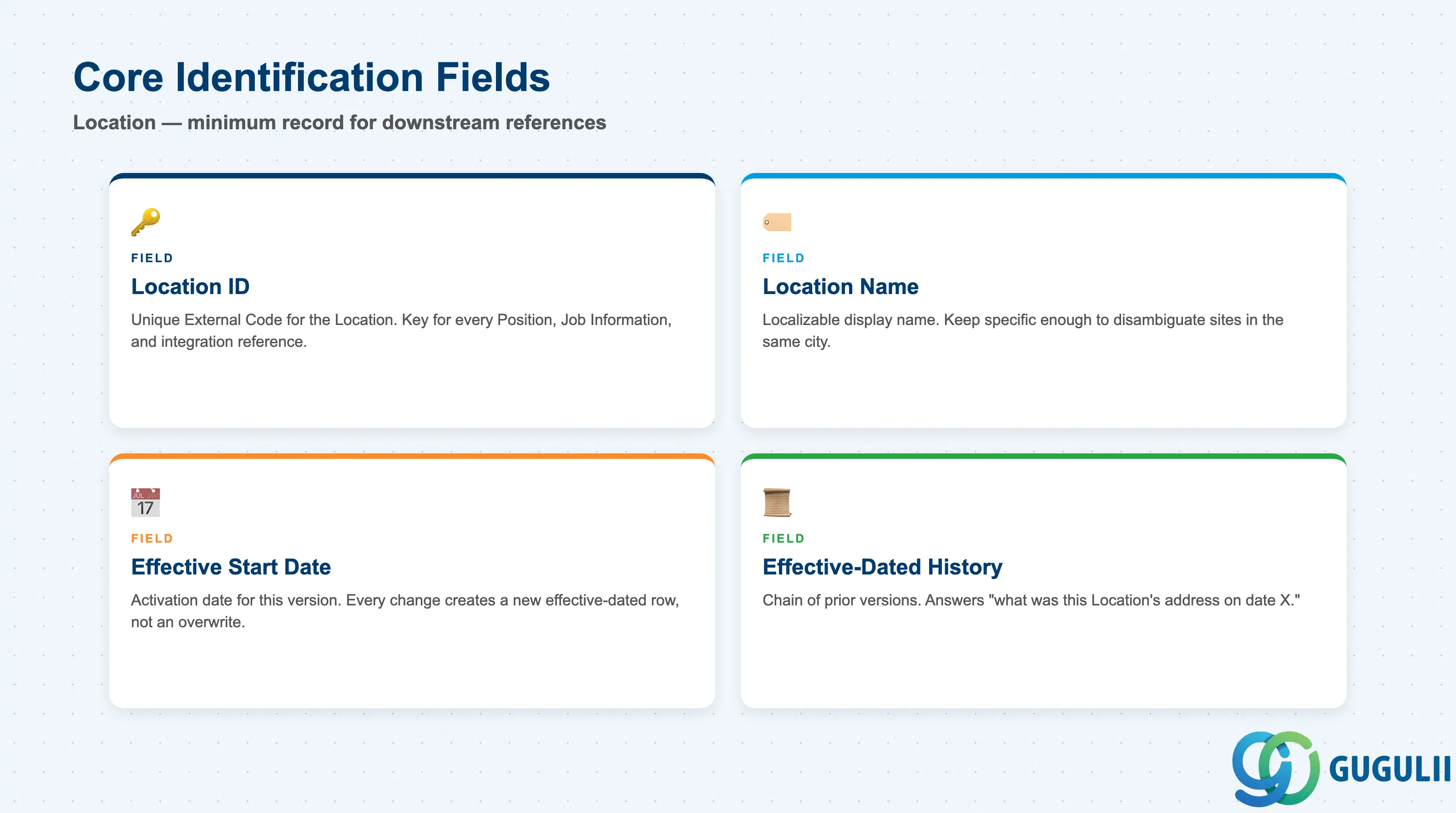
Core Identification is the minimum record a Location needs to exist — it is what every Position, Job Information override, and Location Group reference points to.
| Field | Description | Practical Usage |
|---|---|---|
| Location ID | Unique identifier for the Location (External Code) | The key value every downstream reference — Position, Job Information, integration payloads — points to. Agree the coding convention with the facilities and integration teams once; changing it after go-live breaks any middleware mapping keyed on the old value. |
| Location Name | Display name of the Location | Localizable per language pack in a global instance. Keep the name specific enough to disambiguate multiple sites in the same city (e.g. distinguish “Tokyo HQ” from “Tokyo Distribution Center”) — generic names cause picklist confusion during Position setup. |
| Effective Start Date | Date this version of the record becomes active | Every field change is captured as a new effective-dated row, not an overwrite. This is what lets a consultant reconstruct which address or Holiday Calendar a Location carried as of a given date — useful when a site relocation or calendar change is disputed after the fact. |
| Effective-Dated History | Chain of prior versions of this Location record | Used to answer “what was this Location’s address or Holiday Calendar on date X.” Correct forward with a new effective-dated entry when a site moves or its calendar changes, rather than deleting history rows. |
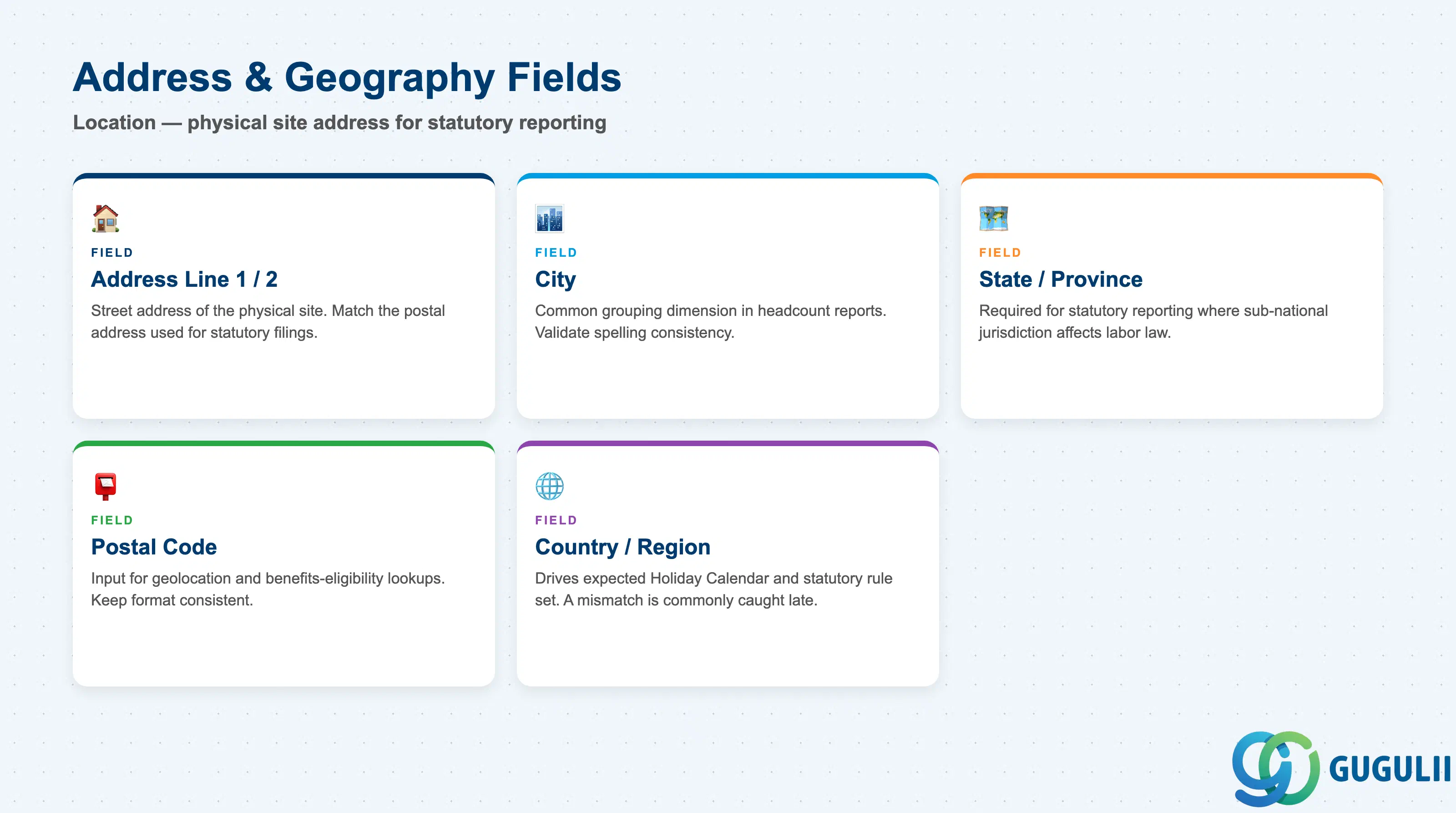
Address & Geography fields describe the physical site itself — they feed statutory reporting, facilities/mail routing, and any geolocation-based dashboards built on top of People Analytics.
| Field | Description | Practical Usage |
|---|---|---|
| Address Line 1 / 2 | Street address of the physical site | Should match the postal address used for statutory filings when the Location doubles as a registered office; keep Line 2 for suite/floor detail rather than cramming it into Line 1, since some downstream reports truncate long single-line addresses. |
| City | City the Location is situated in | Common grouping/filter dimension in headcount and workforce distribution reports; validate spelling consistency across Locations in the same metro area to avoid the same city appearing as multiple report segments. |
| State / Province | State, province, or prefecture | Required for statutory reporting in countries where sub-national jurisdiction affects tax or labor-law treatment; leave blank only for countries where the field genuinely does not apply, not as a default shortcut. |
| Postal Code | Postal or ZIP code | Occasionally used as an input to third-party geolocation or benefits-eligibility lookups; keep the format consistent with the country’s postal standard so integrations parsing it do not fail silently. |
| Country / Region | Country or region code of the Location | Drives which Holiday Calendar and statutory rule set is expected to apply; a mismatch between a Location’s Country and its assigned Holiday Calendar’s country is one of the more common configuration errors caught late, during first payroll or time-off cycle. |
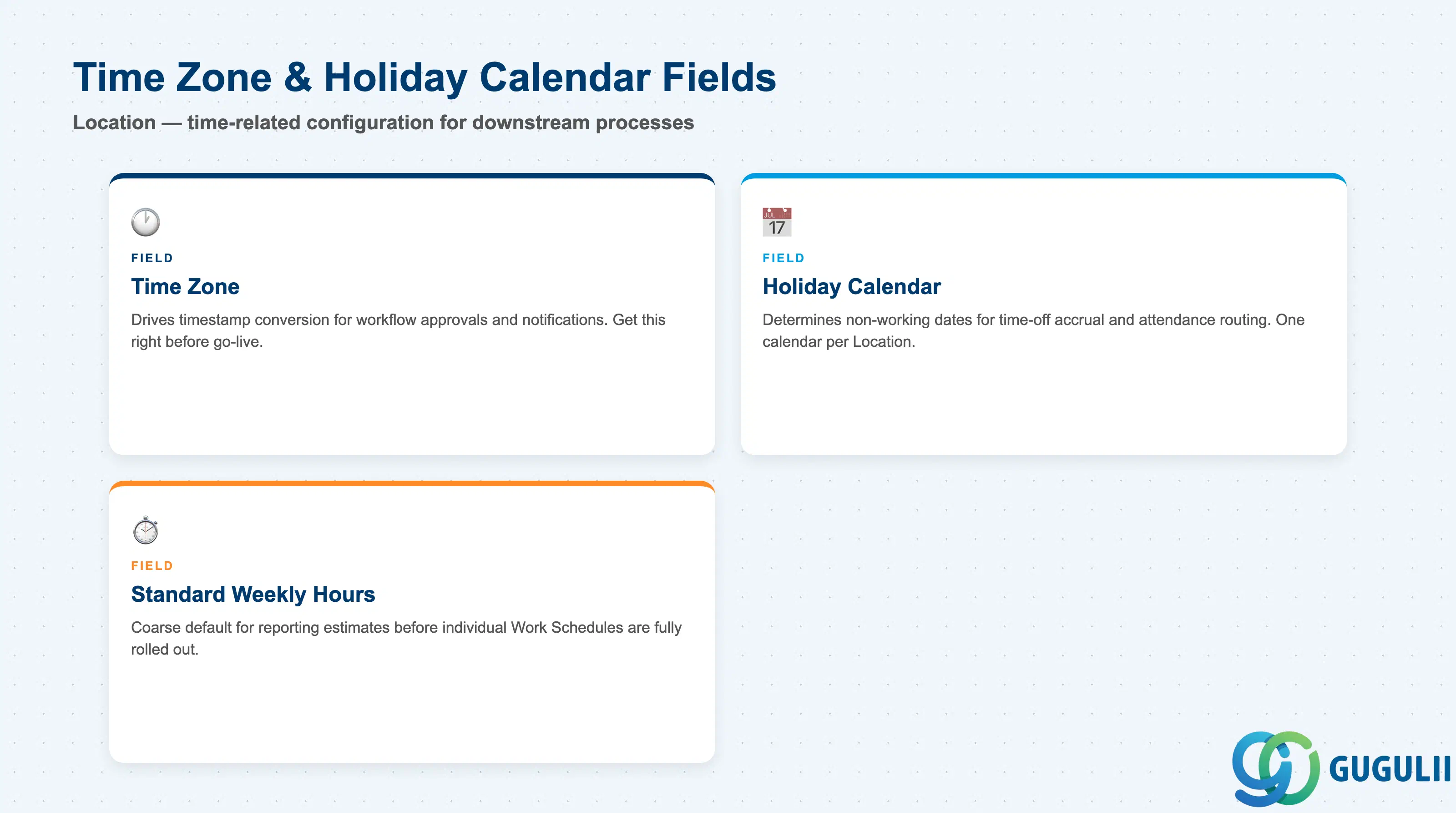
These fields make Location the site consultants configure once and every downstream time-related process — approvals, notifications, accrual calculations — reads from indirectly.
| Field | Description | Practical Usage |
|---|---|---|
| Time Zone | Time zone the Location operates in | Drives timestamp conversion for workflow approvals, notifications, and any timestamped audit trail tied to employees at this Location; get this right before go-live, since retroactively correcting a Time Zone can shift historical approval timestamps in confusing ways. |
| Holiday Calendar | The Holiday Calendar assigned to this Location (see SF-A03-03) | Determines which dates are treated as non-working for time-off accrual and attendance approval routing at this site. A Location spanning employees across two countries needs to be split into two Location records, since only one Holiday Calendar can be assigned per Location. |
| Standard Weekly Hours (Default) | Default standard working hours associated with the Location, used as a fallback before a Work Schedule is assigned | Not a substitute for Work Schedule (see SF-A03-04) — this is a coarse default some implementations use for quick reporting estimates before individual Work Schedules are fully rolled out across a new site. |
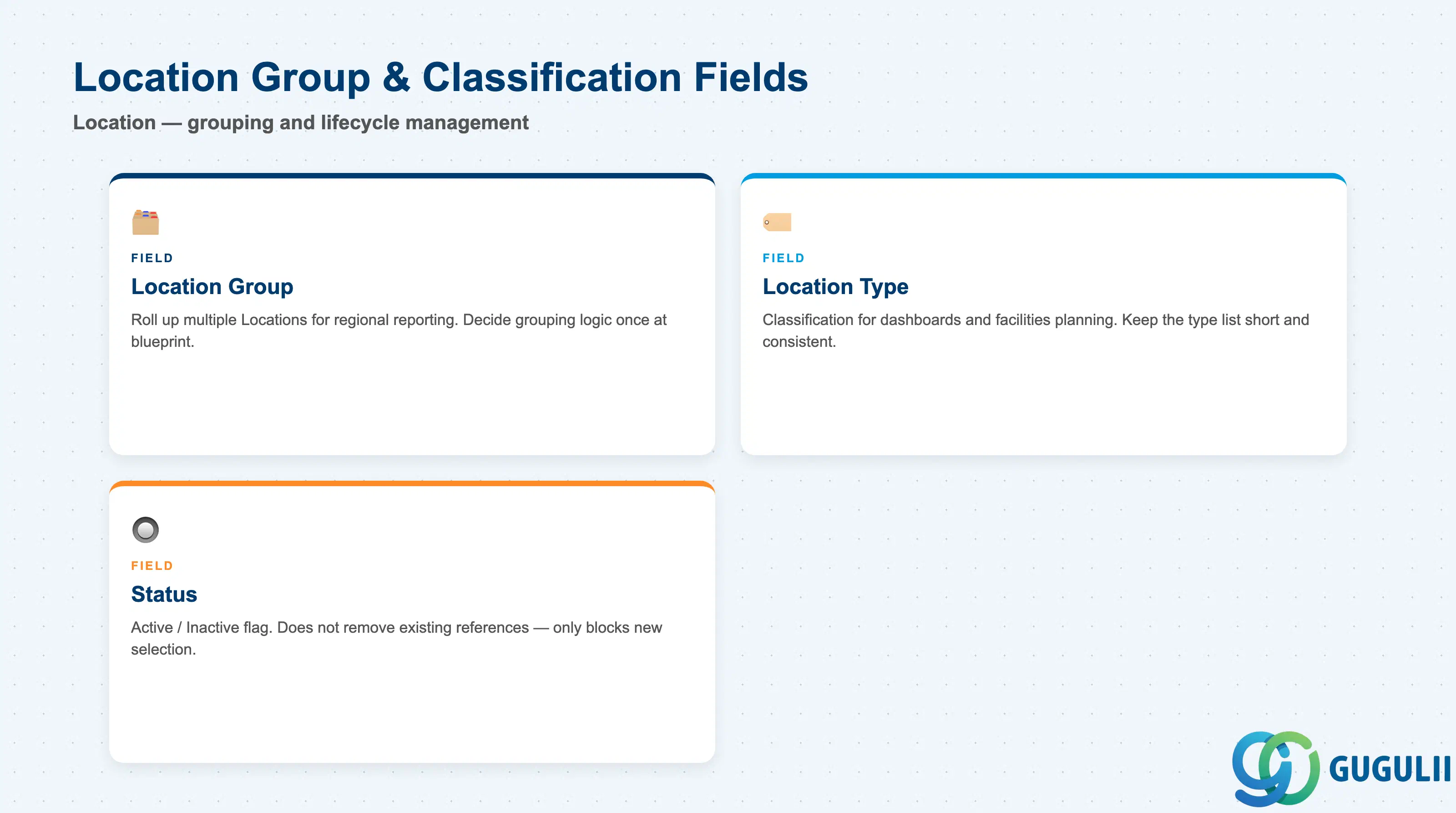
Location Group and Location Type are the two classification dimensions consultants set up to make large Location lists usable in reporting and picklists, without relying on the organizational hierarchy chain.
| Field | Description | Practical Usage |
|---|---|---|
| Location Group | The Location Group this Location is assigned to, used to roll up multiple Locations for reporting | Useful for regional reporting roll-ups (e.g. “all APAC Locations”) that don’t align cleanly with the Legal Entity or Business Unit boundaries — decide the grouping logic (by region, by country, by business line) once at blueprint, since re-grouping later touches every Location record. |
| Location Type | Classification of the Location (Corporate Office, Branch, Plant, Warehouse, Remote — see 1.2) | Mostly informational, but frequently used as a filter in workforce distribution dashboards and facilities planning reports; keep the type list short and consistently applied so the filter stays meaningful as the Location list grows. |
| Status | Active / Inactive flag | Setting a Location Inactive does not remove existing Position or Job Information references — it only blocks the Location from being selected on new records going forward. Before deactivating a closed site, check for any Position or employee still pointing to it and re-point them to the surviving Location first. |
| ID | Category | Title |
|---|---|---|
| sf-001 | Overview | What is SAP SuccessFactors? |
| ID | Category | Title |
|---|---|---|
| sf-b01 | Overview | SAP SuccessFactors Transactions: Process Flow, Hierarchy & Relationships |