Title here
Summary here

Job Code is the master data object that defines a specific role or job title — such as “Sales Representative,” “Software Engineer,” or “Sales Manager” — one level below Job Family in the Job Structure Management branch of SuccessFactors Employee Central. Where Job Family groups roles by broad function (“Sales,” “Engineering”), Job Code is the concrete unit every Position ultimately references for its job content, and it is also the object that carries the statutory/EEO classification used for compliance reporting. This article covers what Job Code is, how it sits between Job Family and Position in the Job Structure branch, and every field an Employee Central consultant configures for it.
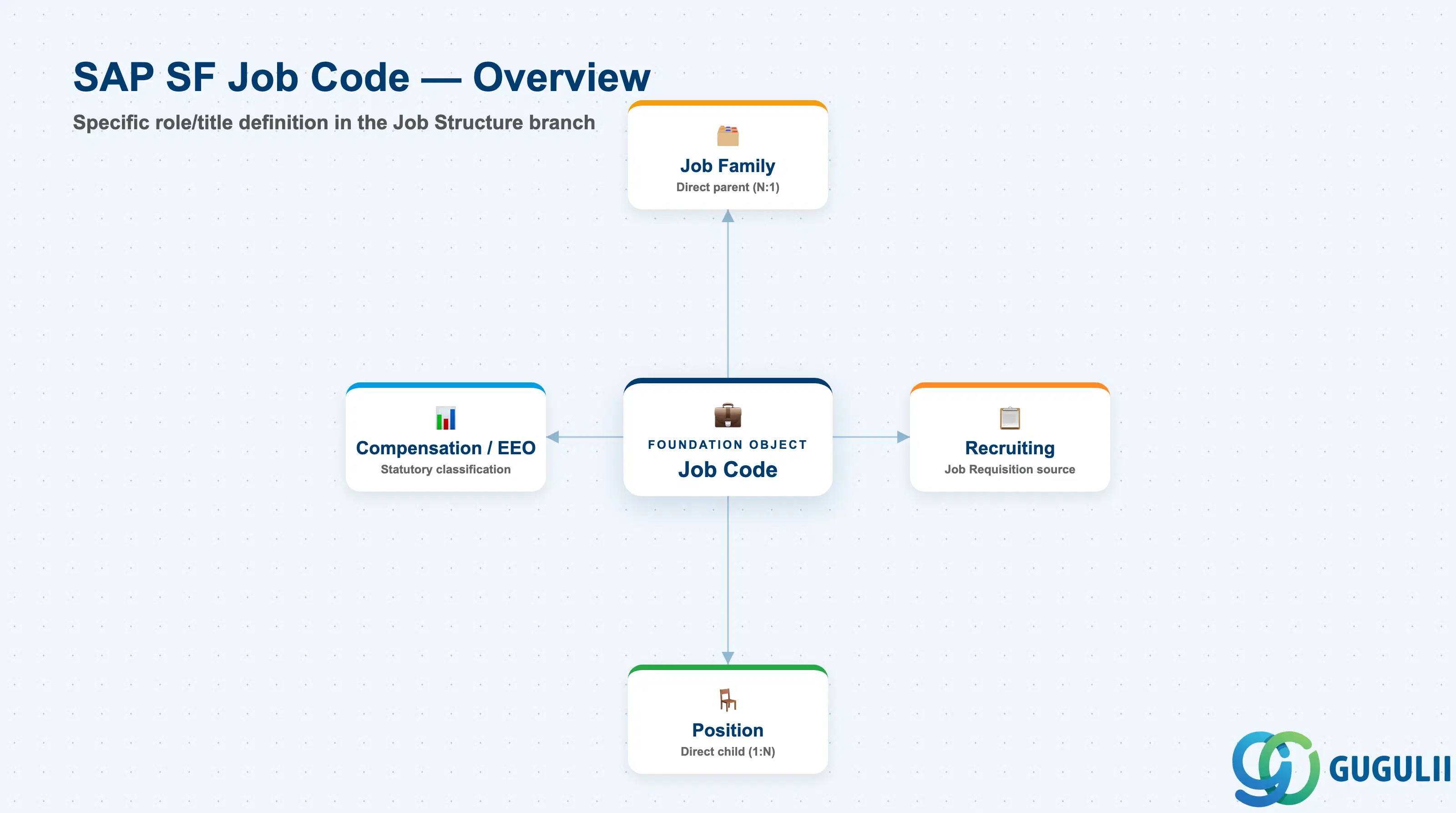
Job Code is the specific-role object — it does not group roles the way Job Family does, and it does not represent a filled seat the way Position does. It is the reusable definition of a job’s content and classification: every Position that needs a “Sales Representative” points to the same Job Code, and every Job Requisition that opens a “Sales Representative” req is built from that same Job Code, so job titles, descriptions, and statutory classification stay consistent across every seat and every open requisition.
| Aspect | Details |
|---|---|
| Role | Middle of the Job Structure Management branch — the specific role/title definition that a Job Family groups and that a Position points to for its job content |
| Modules using it | Employee Central (owner — Foundation Object framework), Recruiting (Job Requisitions and Job Postings are built directly from a Job Code, inheriting its title and description), Compensation (Job Code’s EEO/statutory classification feeds pay-equity and market-pricing analysis alongside Pay Grade), People Analytics / Reporting (job-code-level headcount, turnover, and statutory workforce-composition reporting) |
| Transactions | Admin Center → “Manage Organization, Pay and Job Structures” (create/edit Job Code Foundation Objects); “Import and Export Data” (mass load via CSV) |
| Key Tables | OData API entity FOJobCode (Foundation Object) — SuccessFactors has no classic ABAP table; each record is effective-dated rather than table-row based |
| S/4HANA note | Job Code has no standard native S/4HANA sync counterpart — it is configured and owned natively in Employee Central. The loosest on-premise analogue is a Job Key / Job used in classic SAP HCM Organizational Management, but the concepts do not map 1:1 and no delivered integration content ships between them |
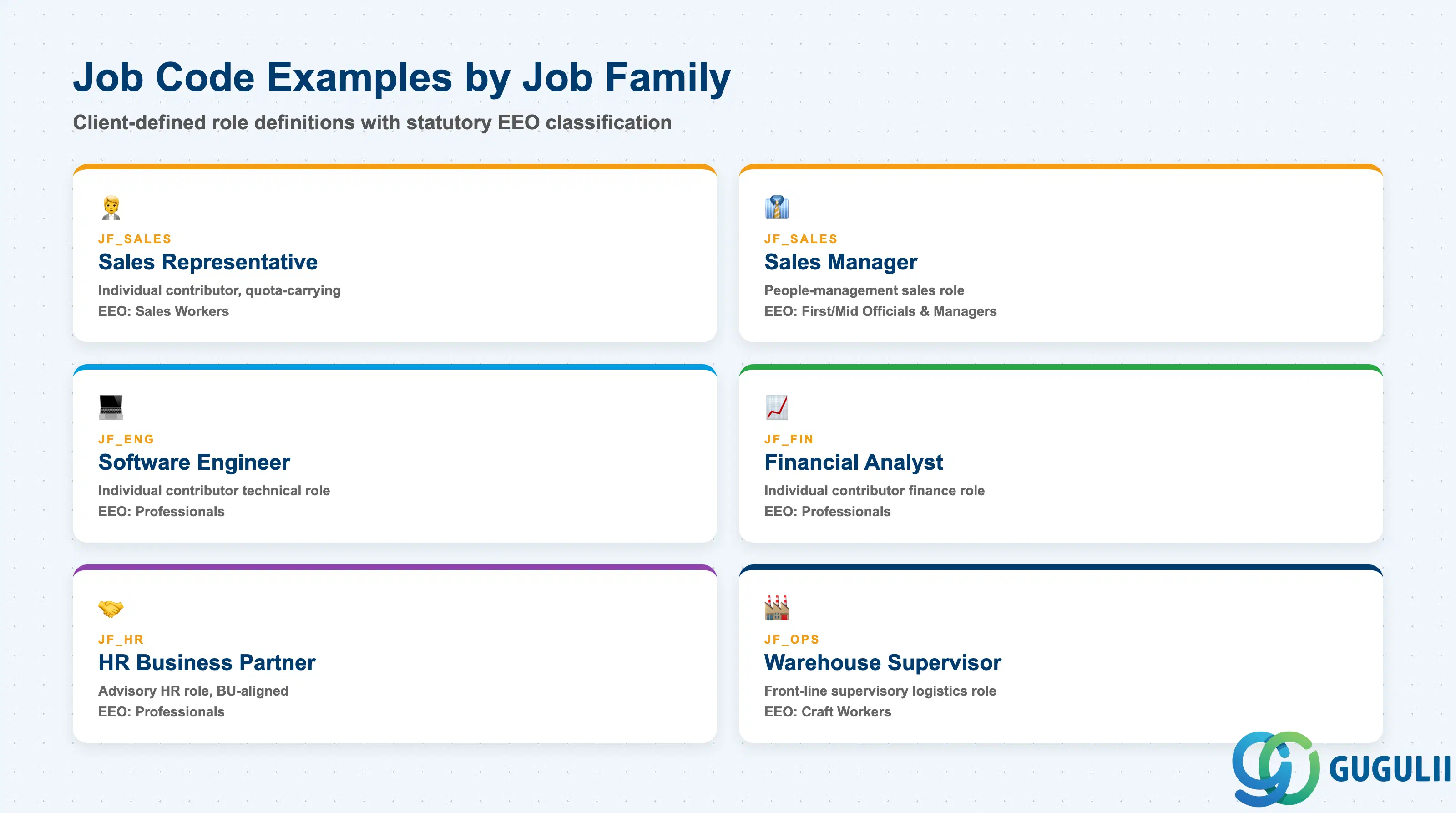
Job Code is not selected from a fixed SAP-delivered list — like Job Family, it is entirely client-defined, but unlike Job Family it also carries a statutory classification field, so getting both the job content and the classification right matters for compliance, not only for reporting clarity.
| Job Code | Job Family | Use Case | Key Behavior |
|---|---|---|---|
| Sales Representative | Sales (JF_Sales) | Individual-contributor sales role, quota-carrying | Commonly paired with a variable-compensation-heavy Pay Grade and classified under a sales-workers EEO category for statutory reporting |
| Sales Manager | Sales (JF_Sales) | People-management sales role, one level above Sales Representative | Distinct Job Code from Sales Representative even though both belong to the same Job Family — Positions built on this Job Code typically also carry “Manager” Position attributes downstream |
| Software Engineer | Engineering / Technology (JF_Eng) | Individual-contributor technical role | Frequently classified under a professional/technical EEO category, and its Job Description is reused verbatim on Recruiting job postings for external candidates |
| Financial Analyst | Finance & Accounting (JF_Fin) | Individual-contributor finance role | Often has multiple Job Codes at different seniority levels (Analyst, Senior Analyst) rather than one Job Code spanning a wide pay range |
| HR Business Partner | Human Resources (JF_HR) | Advisory HR role aligned to a business unit | Job Code here is commonly cross-referenced by Permission Role logic that grants broader employee-data visibility, since the role itself requires it |
| Warehouse Supervisor | Operations / Supply Chain (JF_Ops) | Front-line supervisory role in logistics/production | Classified under a distinct statutory category from office-based roles in jurisdictions where labor law differentiates by work setting |
Design principle: Job Code names, IDs, and job content are entirely client-defined, but the EEO/statutory classification field is not decorative — it is queried directly by compliance reporting. Decide both the job title list and its classification mapping at blueprint with legal/compliance input, and keep the mapping stable; reclassifying Job Codes after go-live disrupts historical statutory trend reporting.
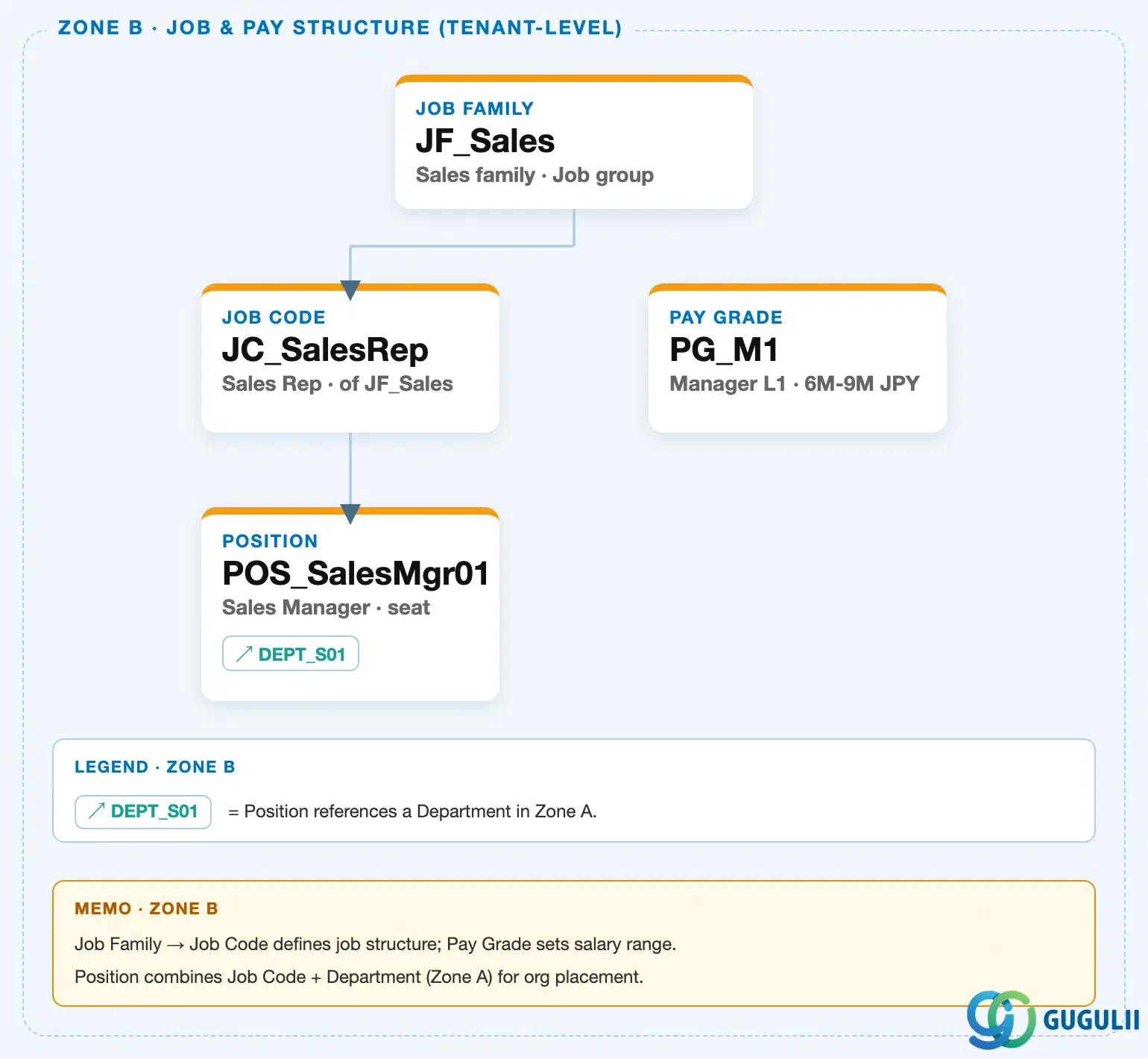
Data hierarchy with a concrete example
Client (SuccessFactors Instance)
   │
   └── Job Family "JF_Sales" — Sales family, Job group
          │
          └── Job Code "JC_SalesRep" — Sales Representative, of JF_Sales
                 │
                 └── Position "POS_SalesMgr01" — Sales Manager, seat
                        │
                        └── assigned to ──> Department "DEPT_S01" — Sales Team 1 (org hierarchy chain, Zone A)

Pay Grade "PG_M1" — Manager L1, 6M-9M JPY
   (sibling object in the Job & Pay Structure branch — no direct system link to Job Code;
    connected only indirectly, via Compensation Information at the employee-record level,
    not via Job Code itself)
Design principle: Job Code sits directly beneath Job Family and directly above Position in the Job Structure Management branch — separate from the Legal Entity → Business Unit → Division → Department → Cost Center organizational chain and from the standalone Location master (see SF-A02-01 through SF-A02-06). Job Code owns Position (a direct 1:N relationship — every Position references exactly one Job Code), while Pay Grade sits alongside it in the same branch with no configured Foundation Object link; a Position’s reporting-line placement is still driven by Department, not by Job Code.
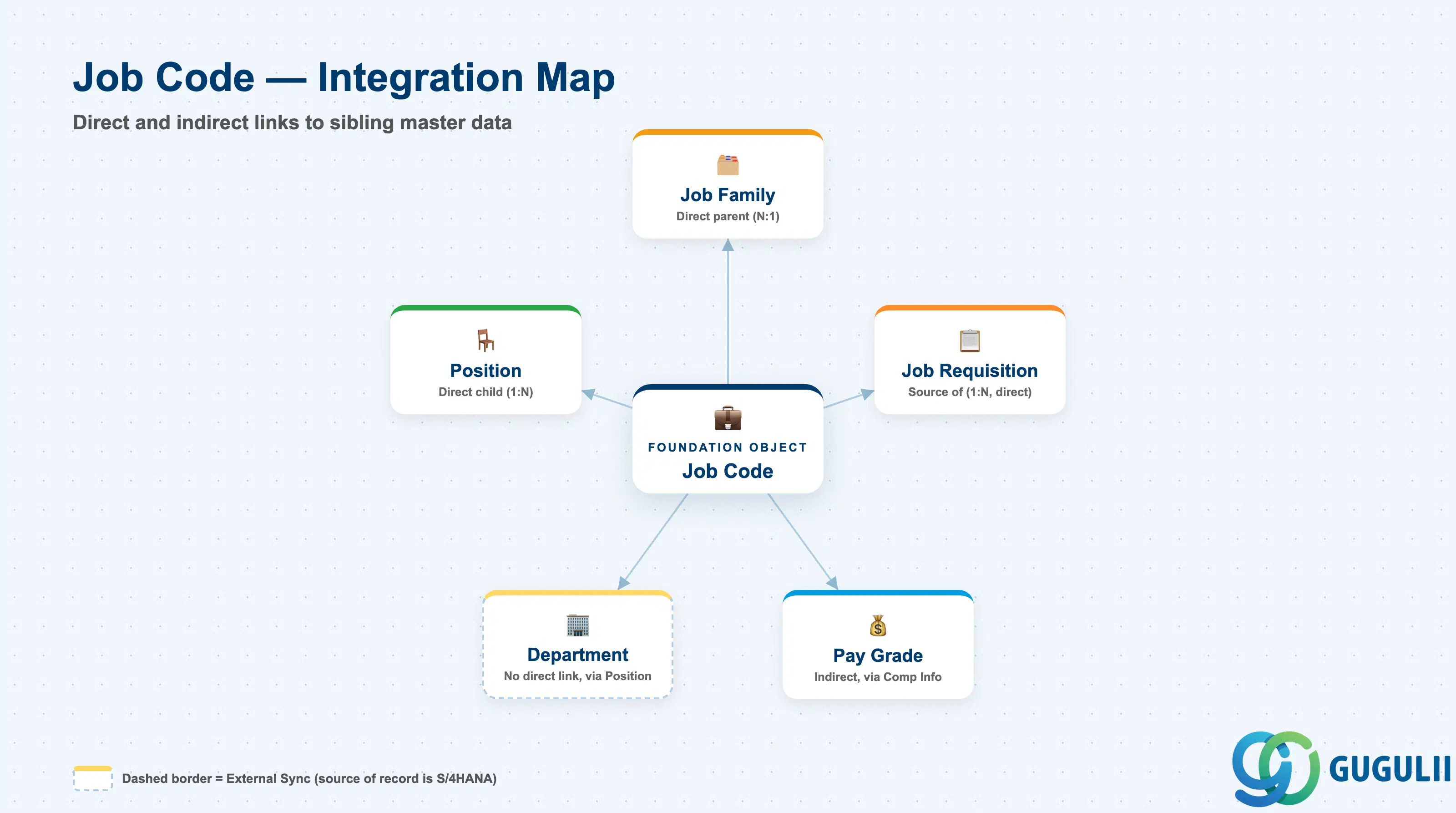
Because Job Code sits in the middle of the Job Structure branch, it has direct links in both directions — up to Job Family and down to Position — which makes it the object most master-data reports and Recruiting configurations actually key off, more so than either of its neighbors.
| Object | Relationship | Practical Notes |
|---|---|---|
| Job Family | Direct parent (N:1) — every Job Code belongs to exactly one Job Family | This is a mandatory field on every Job Code record; a Job Code cannot be created without a Job Family assignment, and re-pointing it later re-buckets every Job-Family-level report the Job Code previously rolled up into. |
| Position | Direct child (1:N) — every Position references exactly one Job Code for its job content | Unlike Job Family, this is a direct configured link, which is why job-code-level headcount and turnover reports can read straight off Position without traversing Job Family first. |
| Pay Grade | Indirect, no direct system link — Job Code classifies “what the work is,” Pay Grade classifies “what it pays,” and the two Foundation Objects are maintained independently | Compensation teams frequently cross-tabulate Job Code × Pay Grade for market-pricing and pay-equity analysis, but the actual system link runs through Compensation Information at the employee record (Employment → Compensation Information → Pay Grade), not through a configured relationship on the Job Code Foundation Object itself. |
| Job Requisition (Recruiting) | Source of (1:N, direct) — a Job Requisition is built directly from a Job Code, inheriting its title, description, and EEO classification | This is a more direct link than Job Family has to Recruiting: recruiters select a specific Job Code, not just a family, when opening a requisition, so keeping Job Code content current (title, description) directly affects what candidates see on job postings. |
| Department | No direct link — Job Code classifies job content, Department classifies organizational placement, and the two combine only at Position | A single Job Code (e.g. “Sales Representative”) is commonly assigned to Positions spread across many different Departments (every regional sales Department), so Job Code and Department vary independently until a specific Position ties them together. |
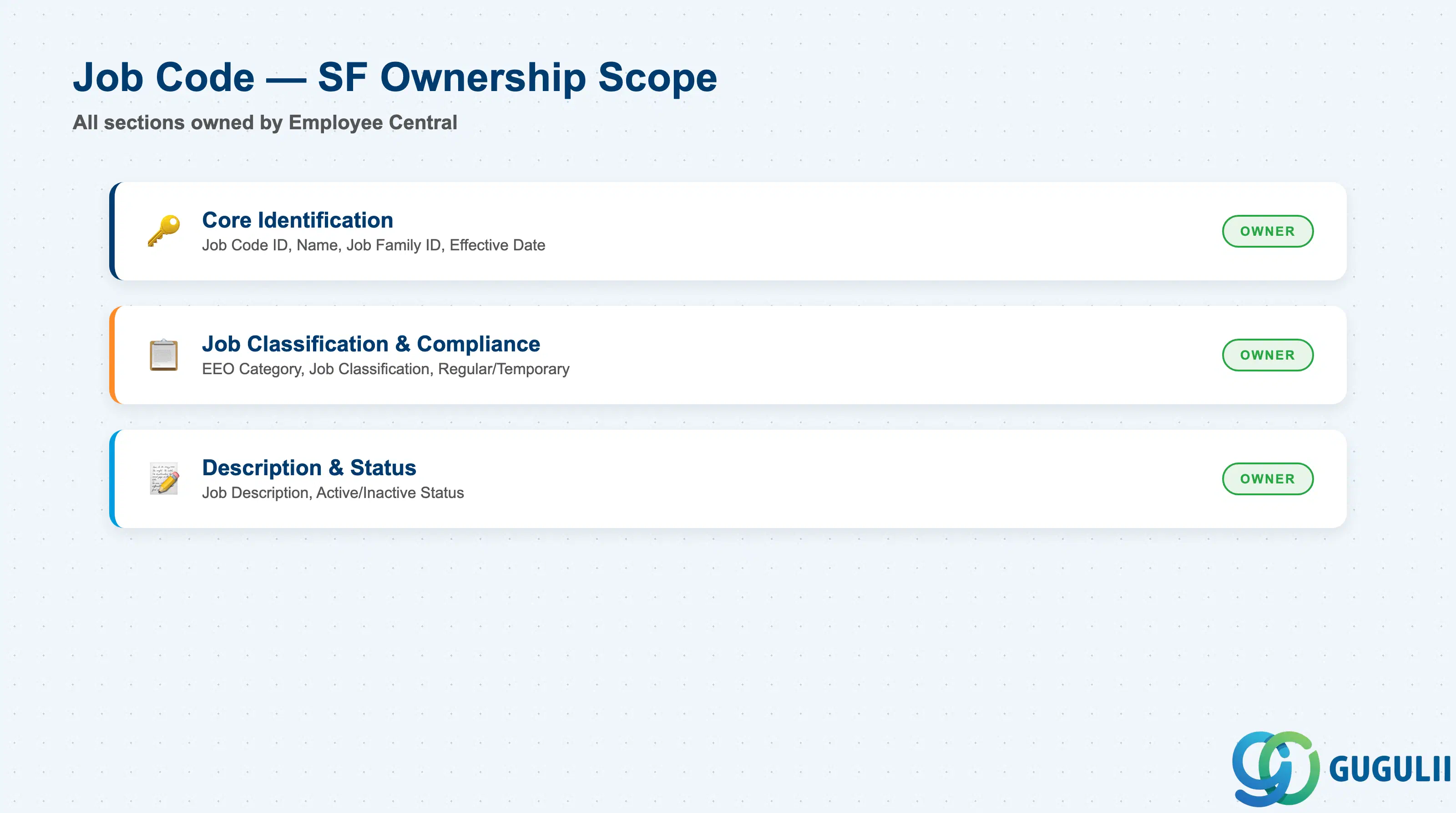
| Data Section | SF Involvement | Notes |
|---|---|---|
| Core Identification | ◎ Owner | Job Code ID, Job Code Name, Job Family ID, Effective Start Date |
| Job Classification & Compliance | ◎ Owner | EEO Category, Job Classification / Job Function, Regular/Temporary Indicator |
| Description & Status | ◎ Owner | Job Description, Status |
Legend: ◎ = Owner / Critical, ○ = Direct involvement
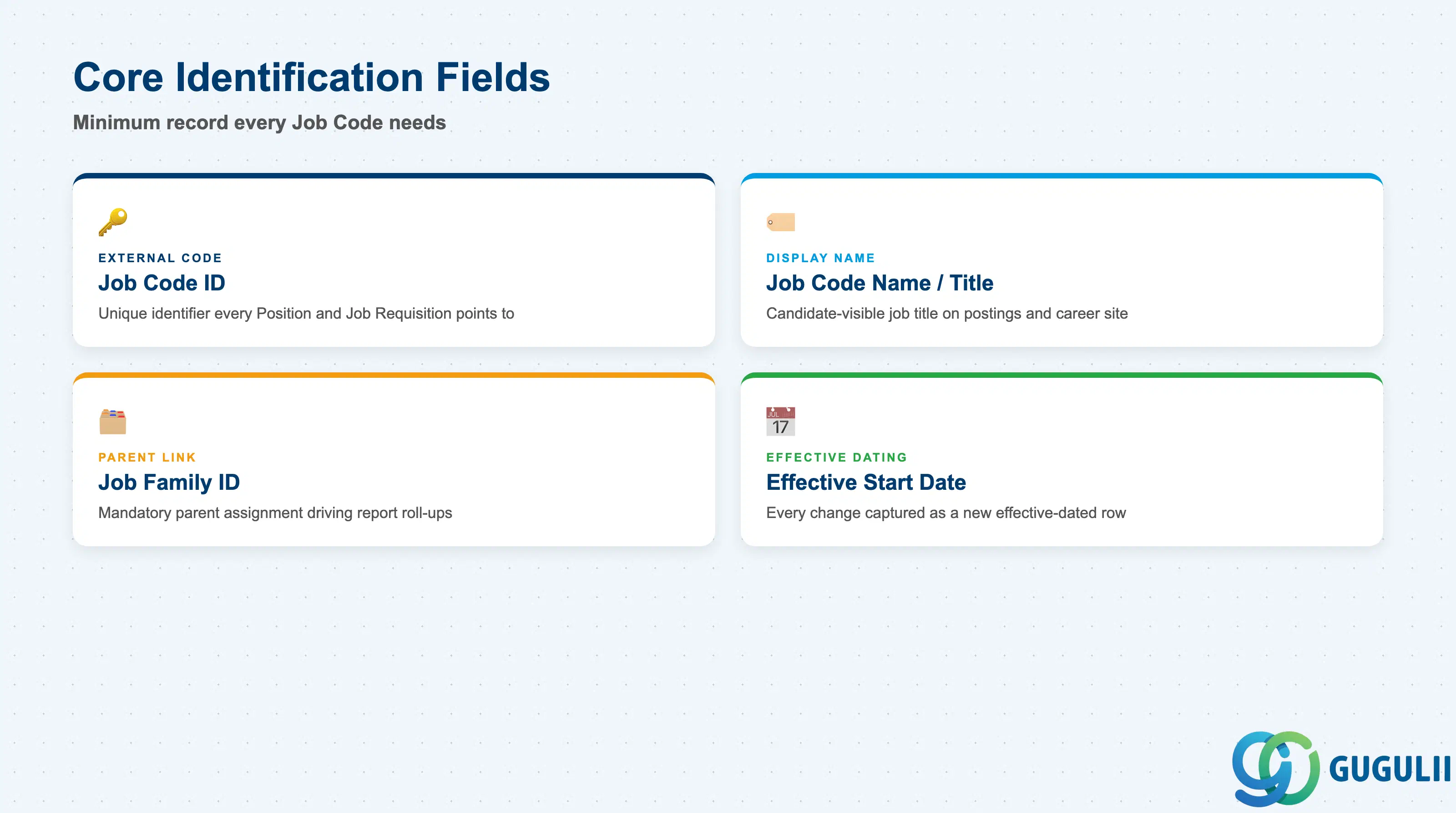
Core Identification is the minimum record a Job Code needs to exist — it is what every Position assigned to it, and every Job-Code-filtered Recruiting requisition or report, resolves back to.
| Field | Description | Practical Usage |
|---|---|---|
| Job Code ID | Unique identifier for the Job Code (External Code) | The key value every Position’s Job Code reference, and every Job Requisition built from it, points to. Agree the coding convention once with the HRIS team; renumbering after go-live requires re-mapping every Position and open requisition that references it. |
| Job Code Name / Job Title | Display name of the Job Code, shown as the job title on Positions, Job Requisitions, and career-site postings | This is the string candidates and employees actually see (e.g. “Sales Representative”). Keep it market-recognizable rather than internal shorthand, and localize per language pack in a global instance. |
| Job Family ID | The parent Job Family this Job Code belongs to (mandatory, N:1) | Drives which Job-Family-level Recruiting filters and reporting facets this Job Code rolls up into. Changing it after go-live re-buckets every historical report that segmented by Job Family. |
| Effective Start Date | Date this version of the record becomes active | Every field change — rename, reclassification, status change — is captured as a new effective-dated row rather than an overwrite, following the same effective-dating pattern used across the SF Foundation Object framework. |
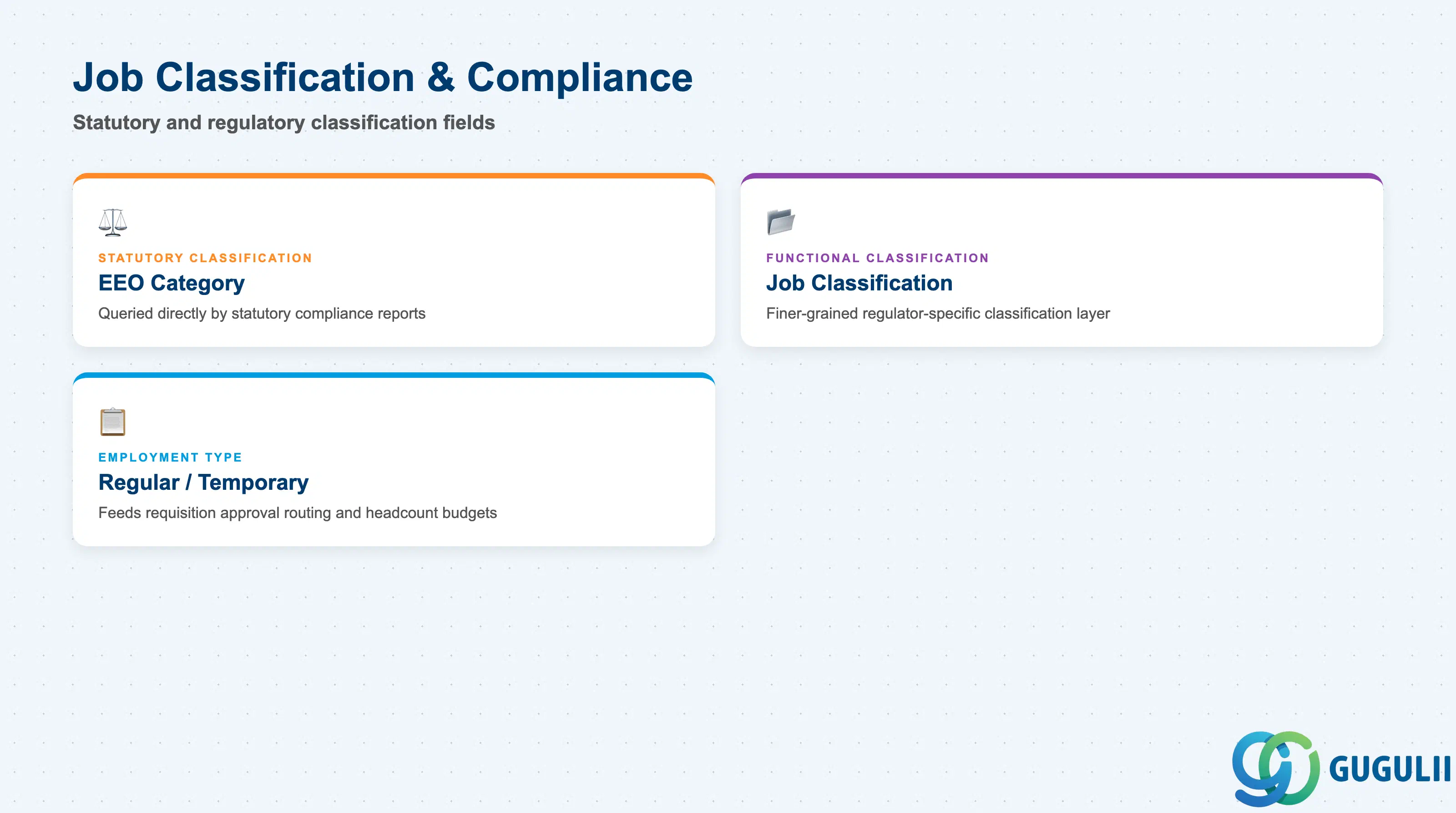
This is the section that distinguishes Job Code from the other objects in the Job Structure branch — it carries the statutory and regulatory classification that compliance and reporting teams query directly, not just descriptive metadata.
| Field | Description | Practical Usage |
|---|---|---|
| EEO Category | Statutory job classification code used for equal-employment-opportunity and workforce-composition reporting (e.g. EEO-1-style categories) | This field is queried directly by statutory compliance reports. Get the mapping validated by legal/compliance during blueprint — misclassification here surfaces long after go-live in a statutory report and is disruptive to correct retroactively at scale. |
| Job Classification / Job Function | Broader functional classification of the work the Job Code represents, distinct from the Job Family business-function grouping it belongs to | Used where a client needs a finer-grained or regulator-specific classification layer beyond Job Family. Not every implementation activates this field — confirm it against the client’s actual statutory reporting requirements before building it into blueprint. |
| Regular/Temporary Indicator | Flags whether the Job Code represents a permanent or temporary/contingent role type | Feeds downstream Recruiting requisition-approval routing and workforce-planning headcount budgets differently depending on whether the role is regular or temporary. |
Prerequisite: Confirm with the client’s legal/compliance team which statutory classification scheme applies (jurisdiction-specific) before finalizing the EEO Category value list — this is not a delivered SAP standard code list, and getting it wrong is a compliance issue, not just a data-quality one.
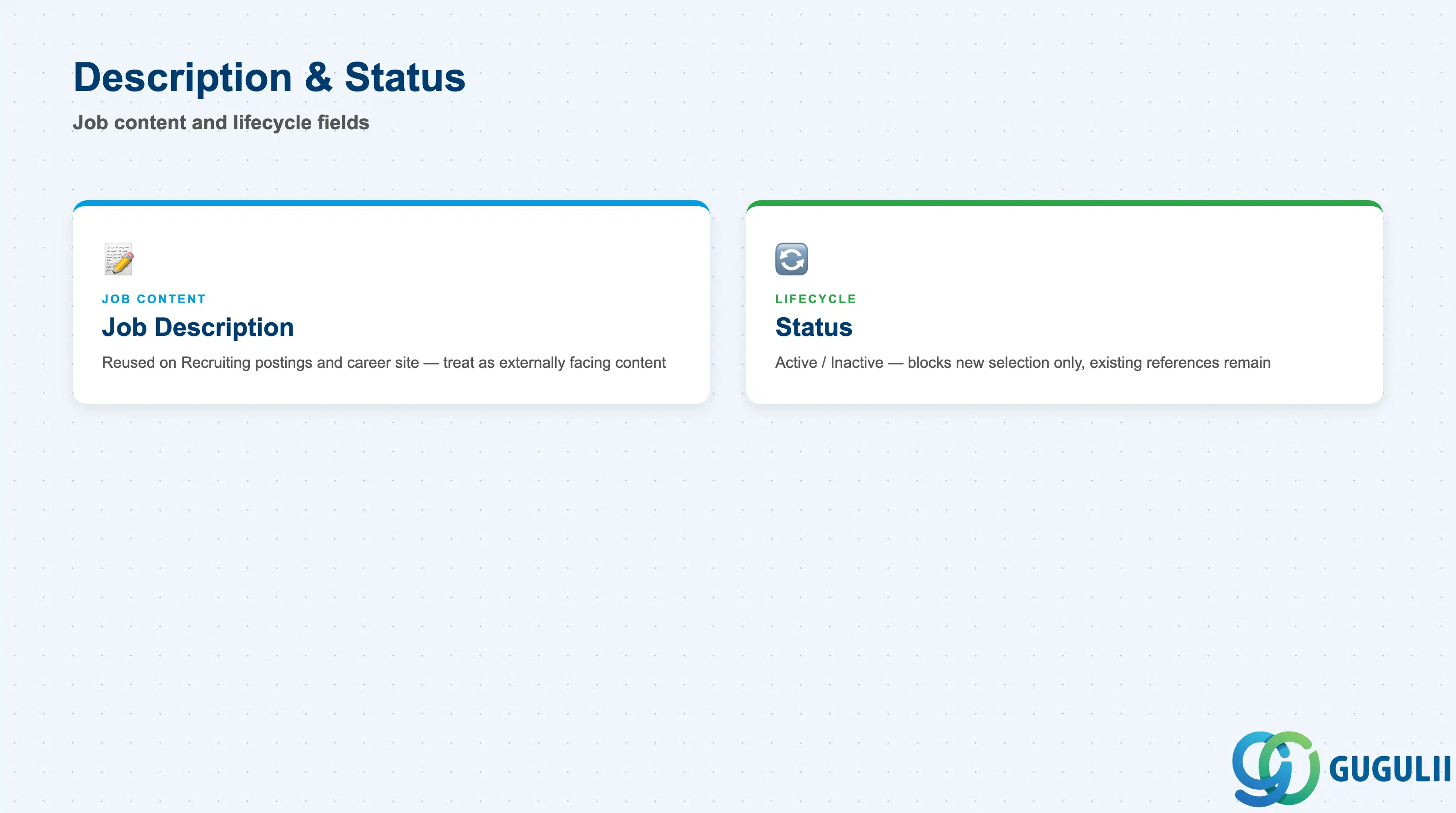
These two fields round out the record: one gives job content to Recruiting and to employees, the other governs whether the Job Code remains selectable going forward.
| Field | Description | Practical Usage |
|---|---|---|
| Job Description | Free-text or rich-text description of the role’s duties, responsibilities, and requirements | Reused directly on Recruiting Job Requisitions and career-site postings when a requisition is built from this Job Code — treat it as externally facing candidate-visible content, not just internal documentation. |
| Status | Active / Inactive flag | Setting a Job Code Inactive does not remove existing Position or Job Requisition references — it only blocks the Job Code from being selected on new Position or requisition records going forward. Before deactivating a Job Code, check for Positions still assigned to it and re-point them to the surviving Job Code first. |
| ID | Category | Title |
|---|---|---|
| sf-001 | Overview | What is SAP SuccessFactors? |
| ID | Category | Title |
|---|---|---|
| sf-b01 | Overview | SAP SuccessFactors Transactions: Process Flow, Hierarchy & Relationships |