Title here
Summary here

Holiday Calendar is the master data object that enumerates the specific dates — national holidays, regional observances, and company-designated non-working days — that apply to a defined country or region within a SuccessFactors instance. It is the first object configured in the Time Configuration chain of Phase 2 (Permission & System Configuration): where the parallel Permission Management chain (SF-A03-01/02) establishes who can access what, the Time Configuration chain establishes when employees are expected to work, and Holiday Calendar supplies the very first input — the calendar of dates that are never working days regardless of an employee’s individual schedule. This article covers what a Holiday Calendar is, its holiday-entry types (recurring, fixed-date, half-day, regional variant), how it sits alongside the parallel Permission Management and Time Type chains in the same landscape zone, and every field an Admin Center consultant configures for it.
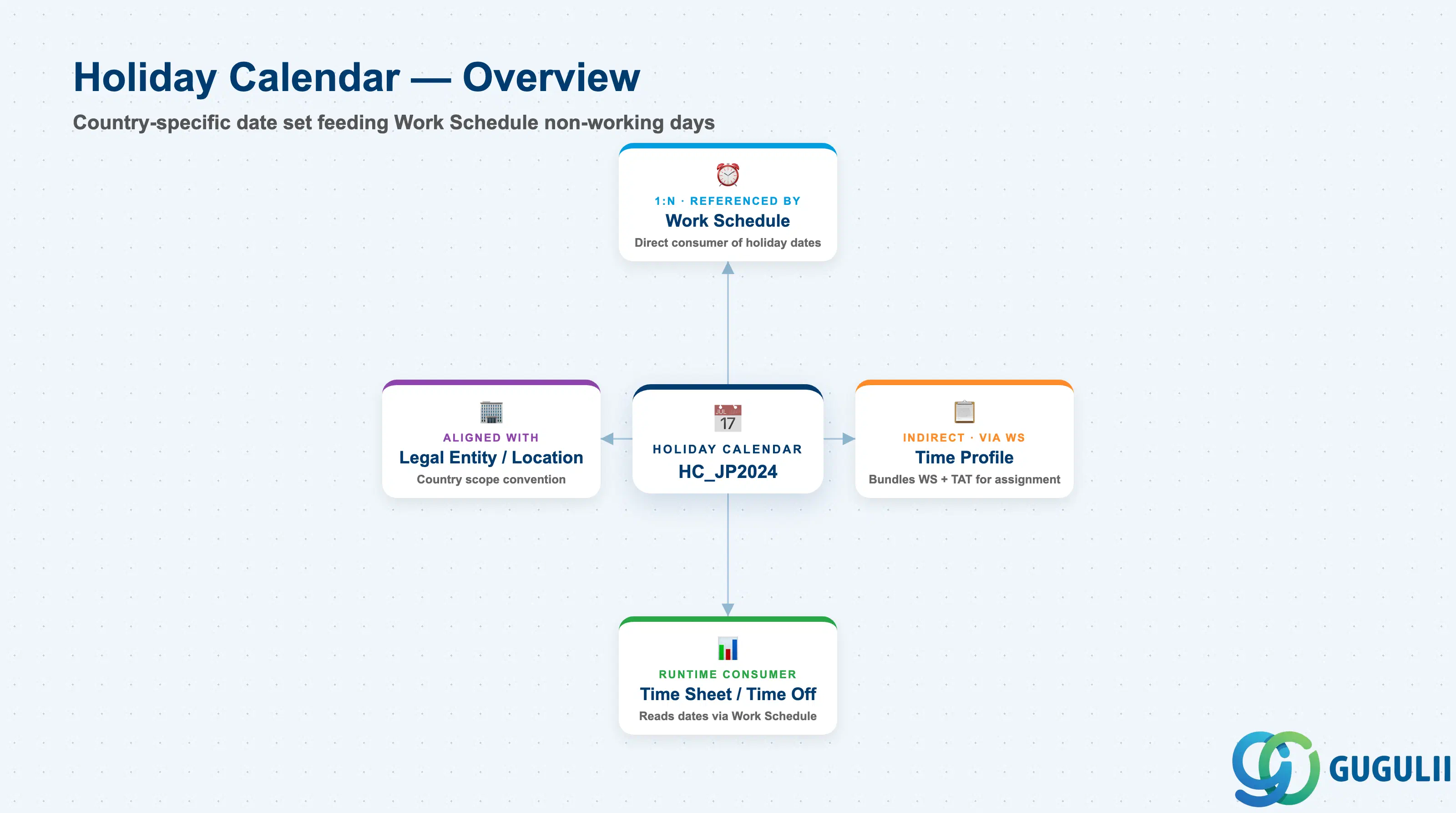
Holiday Calendar is a client-level configuration object that carries no scheduling logic of its own — it simply lists a set of dates and marks each one as a full or half-day holiday for a given country or region. Its value comes entirely from being referenced: every Work Schedule points to exactly one Holiday Calendar to know which otherwise-working weekdays should actually be excluded, and through that reference, every downstream Time Off and Time Sheet calculation ultimately depends on the calendar’s dates being accurate and current.
| Aspect | Details |
|---|---|
| Role | Defines a reusable, country- or region-specific set of holiday dates that Work Schedule references to exclude non-working days from a weekly work pattern |
| Modules using it | Owned by Employee Central Time Management configuration (Admin Center); consumed by Work Schedule directly, and — through Work Schedule — by Time Sheet (actual worked-hours recording), Time Off (absence quota and holiday-pay calculations), and Time Profile wherever those processes need to know if a given date is a scheduled working day |
| Transactions | Admin Center → “Time Off” → “Manage Holiday Calendars” (create/edit a calendar and its individual holiday entries); bulk-loading a full year of dates is typically done through the “Import and Export Data” tool using the Holiday Calendar and Holiday generic object templates rather than adding dates one by one |
| Key Tables | No classic ABAP table — Holiday Calendar and its child Holiday entries are stored as generic Metadata Framework (MDF) objects, the same underlying mechanism as most Employee Central configuration objects, not as a dedicated legacy table |
| S/4HANA note | No delivered synchronization exists between SuccessFactors Holiday Calendar and any on-premise S/4HANA object. The loosest conceptual analogue is the Factory Calendar (transaction SCAL) in classic SAP / S/4HANA, which likewise defines a set of working and non-working days under a calendar ID — but the two are structurally unrelated cloud vs. on-premise concepts and are never systemically linked |
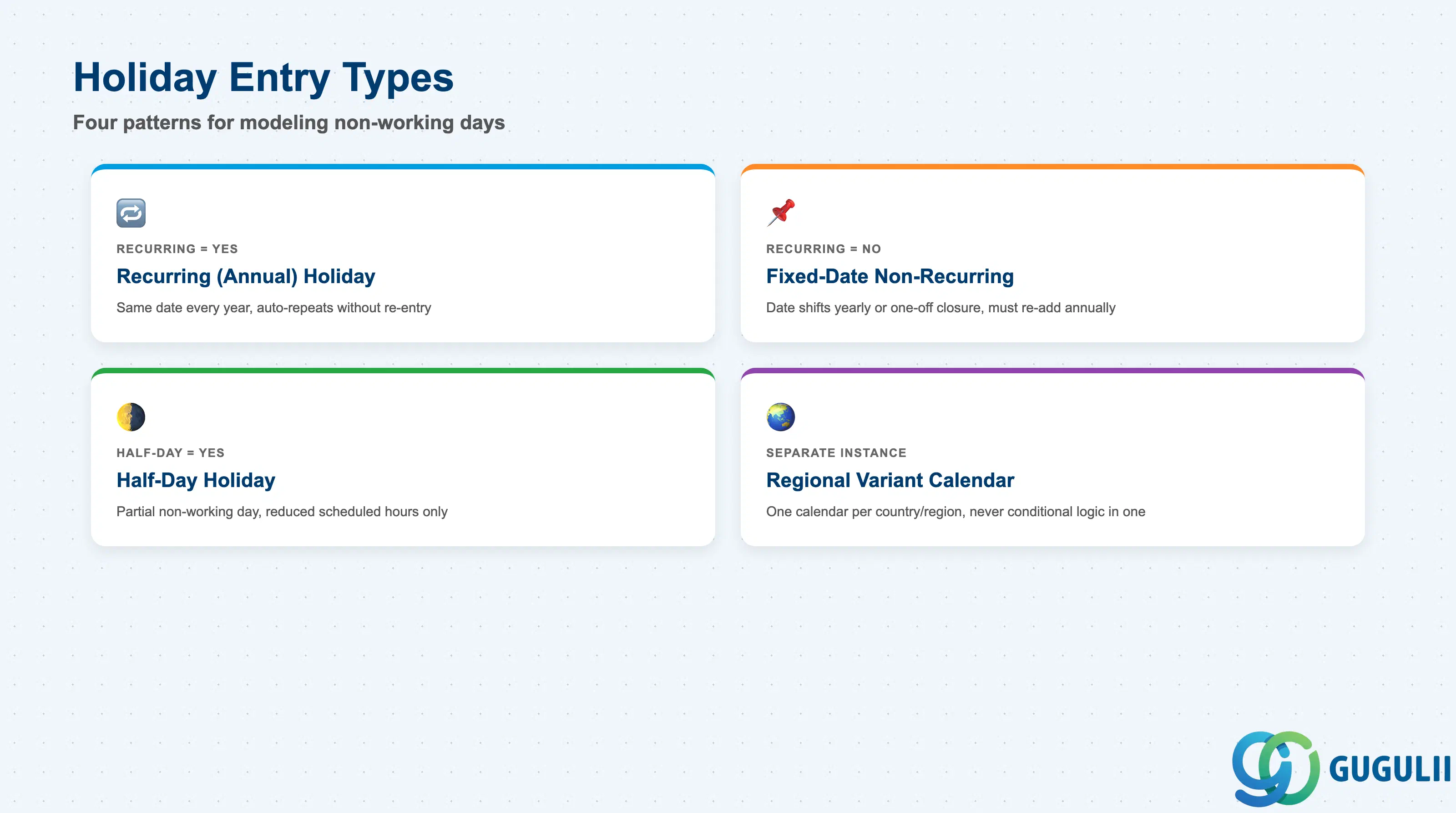
Not every holiday behaves the same way inside a calendar, and picking the wrong entry type is a routine cause of Time Sheet and payroll discrepancies discovered only after a holiday has already passed — by then, the fix is a retroactive correction rather than a simple config change.
| Type | Code | Use Case | Key Behavior |
|---|---|---|---|
| Recurring (Annual) Holiday | Recurring = Yes | A holiday that falls on the same calendar date every year, e.g. January 1 New Year’s Day | Defined once and automatically applies in every future year until the calendar entry is end-dated; no manual re-entry required year over year |
| Fixed-Date, Non-Recurring Holiday | Recurring = No | A holiday whose date shifts year to year (e.g. a lunar-calendar-based observance) or a one-off company closure | Must be re-added as a new dated entry every year it recurs; the most common source of “missing holiday” tickets when the annual refresh is forgotten |
| Half-Day Holiday | Half-Day Indicator = Yes | A date that is only partially non-working by local custom, e.g. a Christmas Eve half-day close | Work Schedule interprets it as reduced scheduled hours for that date rather than a full non-working day — distinct from a full holiday entry |
| Regional Variant Calendar | Separate Holiday Calendar instance, not a sub-type | Workforce spans multiple countries or regions with different statutory holiday sets, e.g. Japan vs. the United States | Each country/region gets its own Holiday Calendar object (e.g. HC_JP2024, HC_US2024) — regional variation is modeled as separate calendar instances, never as conditional logic inside a single shared calendar |
Design principle: build one Holiday Calendar per country/region combination that has a genuinely distinct statutory holiday set — reusing a single calendar across regions with different holidays produces incorrect non-working-day calculations wherever the regions diverge.
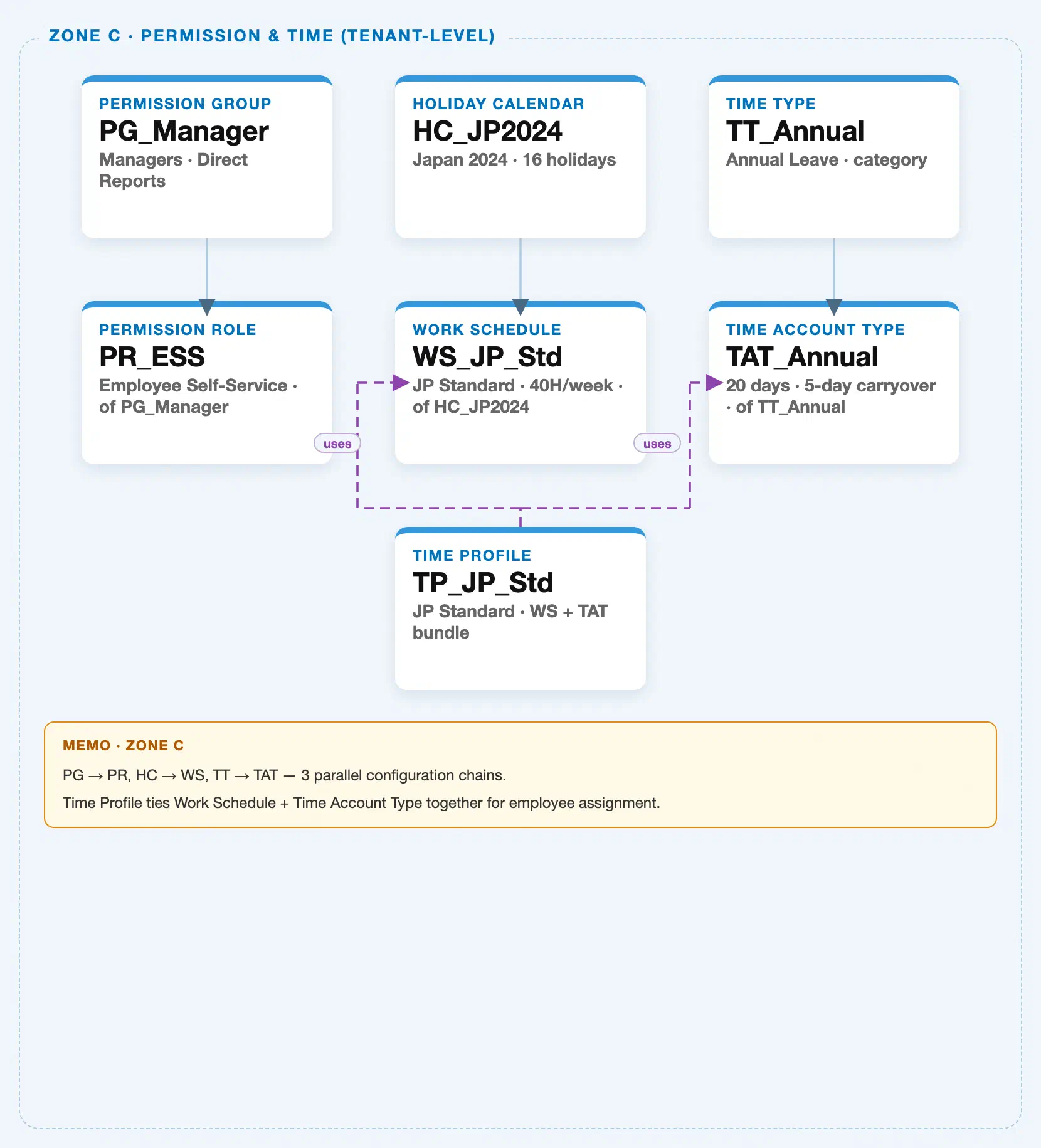
Data hierarchy with a concrete example
Holiday Calendar sits in the same tenant-level “Permission & Time” zone of the SuccessFactors Master Data Landscape as Permission Group and Permission Role (SF-A03-01/02) — one of three parallel, independent client-level configuration chains bundled into that zone (Permission Management; Holiday Calendar → Work Schedule; Time Type → Time Account Type, tied together by Time Profile). This article’s own object is the first node of the Time Configuration chain; the other two chains exist in the same landscape zone but belong to sibling articles:
Client (SuccessFactors Instance)
   │
   ├── Permission Group "PG_Manager" — Managers, Direct Reports  (see SF-A03-01)
   │      │
   │      └── Permission Role "PR_ESS" — Employee Self-Service, of PG_Manager  (see SF-A03-02)
   │
   ├── Holiday Calendar "HC_JP2024" — Japan 2024, 16 holidays
   │      │
   │      └── Work Schedule "WS_JP_Std" — JP Standard, 40H/week, of HC_JP2024  (see SF-A03-04)
   │
   └── Time Type "TT_Annual" — Annual Leave, category  (Time Configuration chain, see SF-A03-05/06)
          │
          └── Time Account Type "TAT_Annual" — 20 days, 5-day carryover, of TT_Annual

Time Profile "TP_JP_Std" — JP Standard, Work Schedule + Time Account Type bundle
   ├── assigned to ──> Work Schedule "WS_JP_Std"
   └── assigned to ──> Time Account Type "TAT_Annual"
MANDATORY landscape verification note: the module Master.md’s Hierarchy Structure lists the relationship as Holiday Calendar → Work Schedule (1:N) — a single Holiday Calendar can be, and typically is, referenced by many Work Schedules (e.g. every Work Schedule covering employees in Japan can share the same “HC_JP2024” calendar), never the reverse. The published SuccessFactors Master Data Landscape (
sf-a01/images/04-sf-a01-master-landscape.html, Zone C) draws this as a single solid parent-child connector —HC_JP2024 → WS_JP_Std— representing one instance of that 1:N relationship, not a claim that a calendar owns exactly one schedule. See Section 1.4 and 2.4 for how this reuse plays out in practice.
Design principle: Holiday Calendar itself carries no scheduling logic — it only enumerates a set of dates and marks each as a full or half-day holiday. All of the actual weekly working-hours pattern (which weekdays, which hours) lives in Work Schedule (SF-A03-04), which references exactly one Holiday Calendar as one of its two required inputs alongside its own working-time pattern.
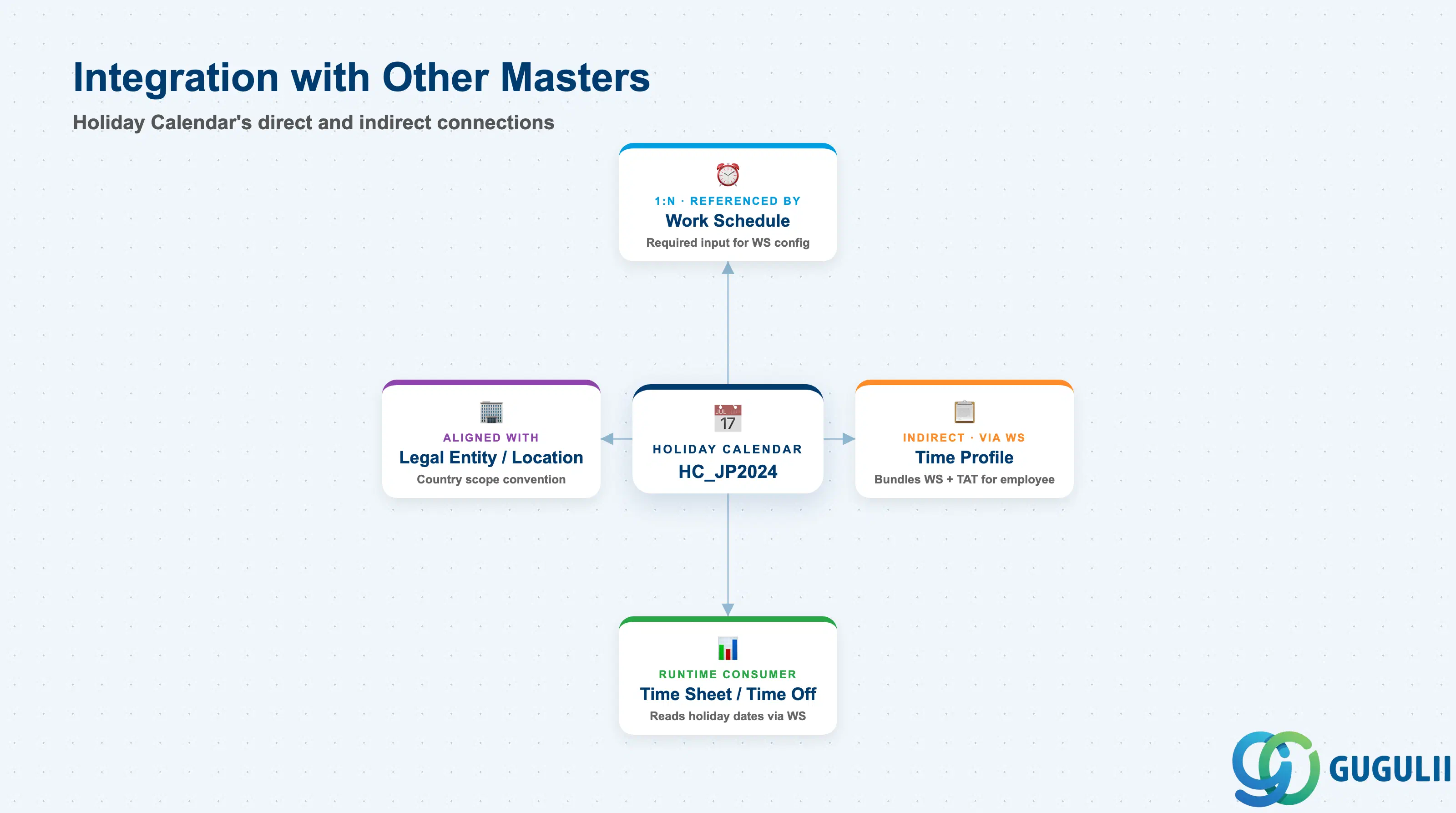
Holiday Calendar’s dates only matter once they are read by something else: Work Schedule consumes it directly at configuration time, and everything downstream of Work Schedule consumes it indirectly at runtime.
| Object | Relationship | Practical Notes |
|---|---|---|
| Work Schedule | Referenced by (1:N) — a Work Schedule points to exactly one Holiday Calendar as a required input alongside its own weekly working-hours pattern | Reuse is the norm, not the exception: every Work Schedule covering the same country typically references the same calendar instance rather than each schedule maintaining its own copy of the holiday dates — see SF-A03-04 for the Work Schedule object itself. |
| Time Profile | Indirect (via Work Schedule) — Time Profile bundles a Work Schedule and a Time Account Type, but never references Holiday Calendar directly | Because the Work Schedule inside a Time Profile already resolves its own Holiday Calendar, the calendar’s holiday dates flow through into every employee assignment of that Time Profile without Time Profile needing its own binding — see SF-A03-06. |
| Time Sheet / Time Off (SF-B03 Time & Payroll Process) | Consulted by (runtime, transactional) | Holiday dates are read at runtime — through the employee’s assigned Work Schedule — to determine whether a given calendar date counts as a scheduled working day, a paid holiday, or neither, directly affecting overtime and holiday-pay calculations. |
| Legal Entity / Location (country setting) | Aligned with (design convention, not a system reference) | Best practice is to scope a Holiday Calendar’s coverage to match the country/region of the Legal Entities or Locations whose employees it will serve, so the correct statutory holiday set applies — the calendar object itself does not enforce this alignment, so a mismatch is a configuration-review item, not a system error. |
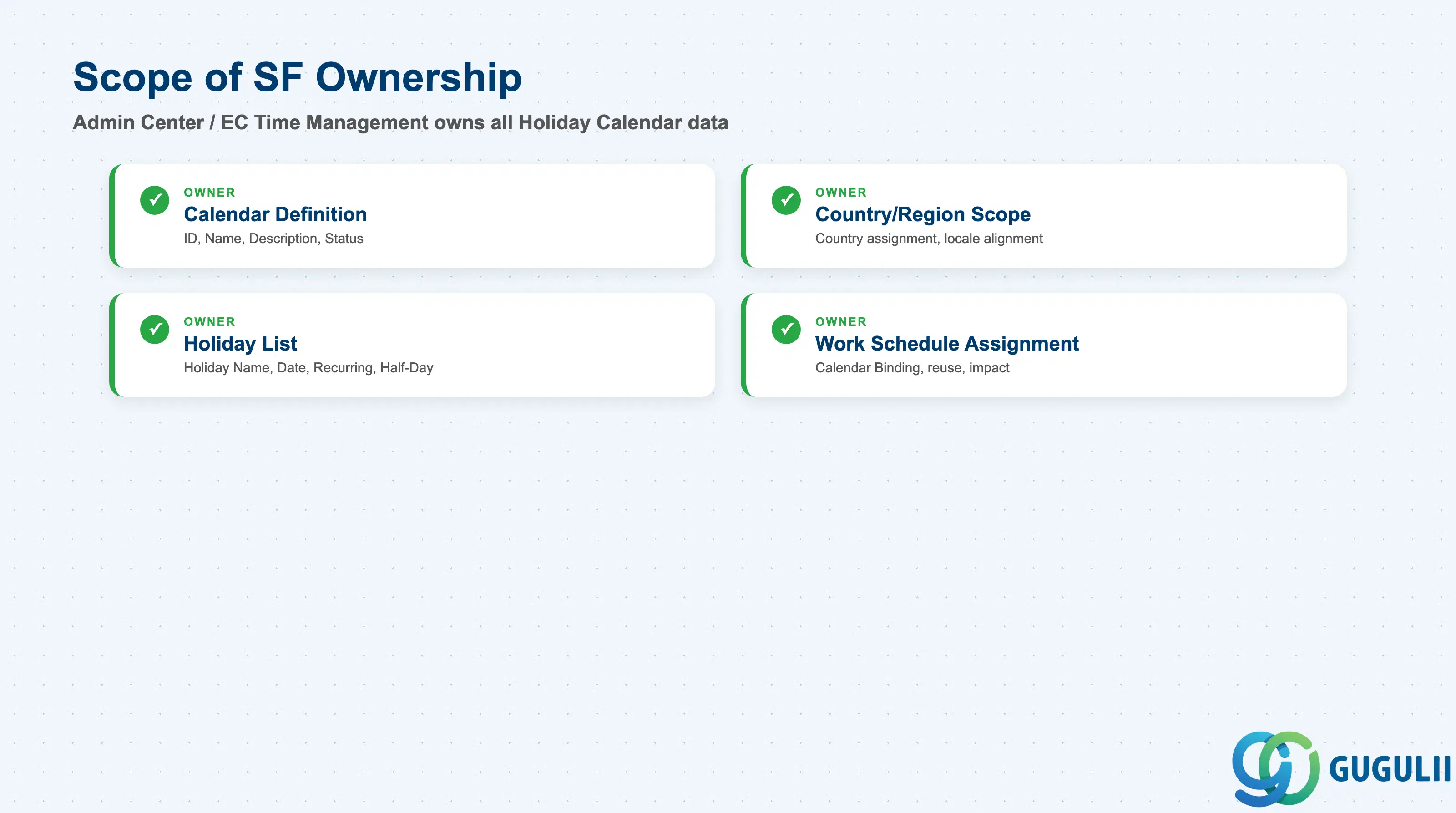
| Data Section | SF Involvement | Notes |
|---|---|---|
| Calendar Definition (Core Identification) | ◎ Owner | Calendar ID, Calendar Name, Description, Status |
| Country/Region & Locale Scope | ◎ Owner | Country/Region assignment, calendar-to-schedule country alignment |
| Holiday List (Individual Holiday Entries) | ◎ Owner | Holiday Name, Holiday Date, Recurring flag, Half-Day flag |
| Usage in Work Schedule Assignment | ◎ Owner | How the calendar is bound as a Work Schedule’s required input |
Legend: ◎ = Owner / Critical, ○ = Direct involvement
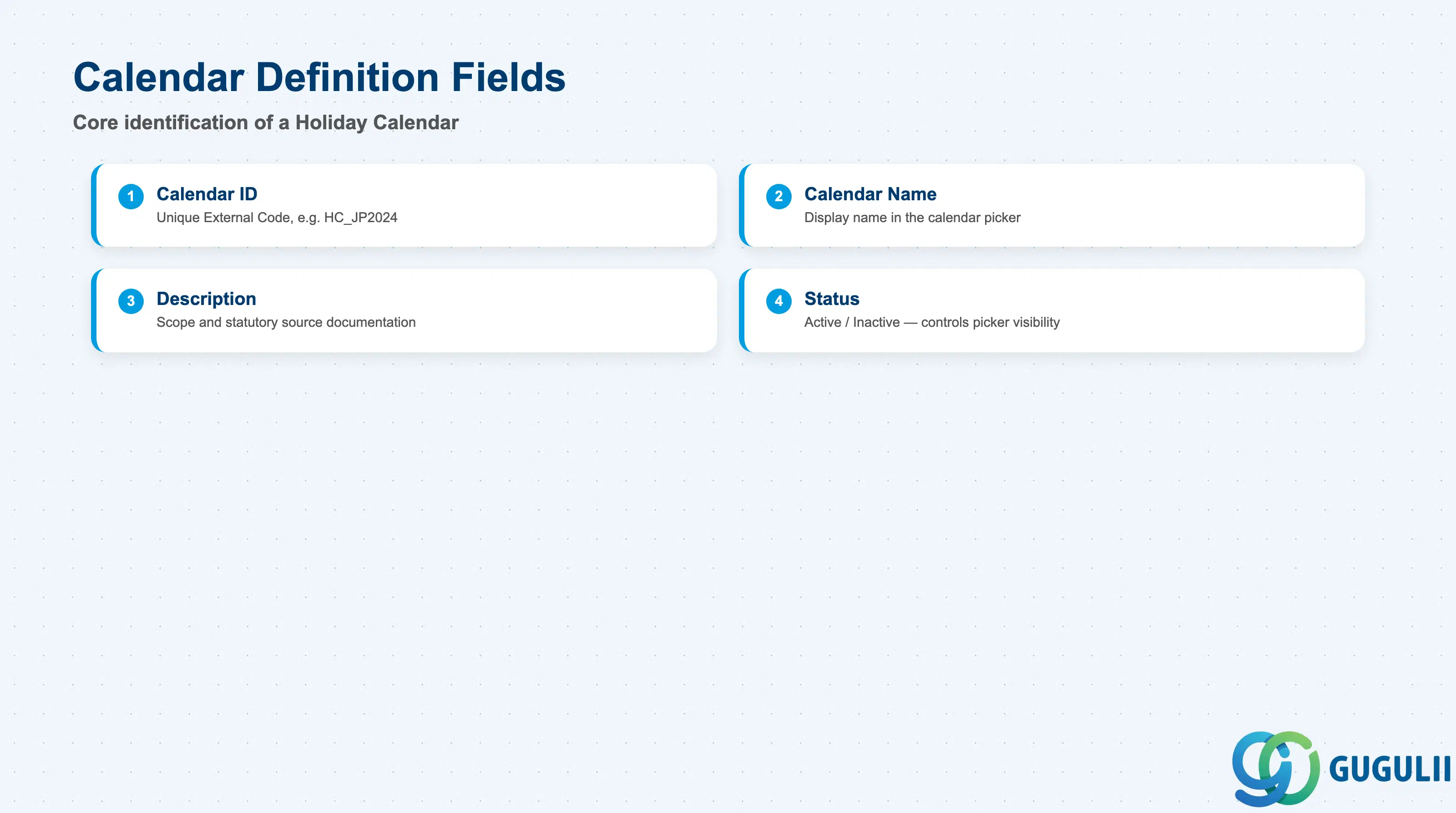
Calendar Definition is the minimum record a Holiday Calendar needs to exist — it is what every Work Schedule’s calendar picker, and every reference to the calendar elsewhere in the system, resolves back to.
| Field | Description | Practical Usage |
|---|---|---|
| Calendar ID | Unique identifier (External Code) for the Holiday Calendar | The key value every Work Schedule’s calendar binding references. Agree a naming convention that encodes country and year (e.g. HC_JP2024) before go-live — this makes the annual refresh cycle (2.3) and cross-country audits far easier to scan at a glance. |
| Calendar Name | Display name shown in the calendar picker inside Manage Holiday Calendars and Work Schedule configuration | Should describe the country/region and coverage year clearly (e.g. “Japan 2024 Public Holidays”) rather than a generic label — several calendars typically coexist side by side once a client operates in more than one country. |
| Description | Free-text explanation of the calendar’s scope and source (e.g. which statutory holiday list it follows) | Useful for documenting why specific optional or regional observances were included or excluded — a common access-review and configuration-audit question during annual holiday refresh planning. |
| Status | Active / Inactive | An Inactive calendar is excluded from the picker for new Work Schedule bindings, but does not automatically remove it from schedules that already reference it — audit and re-point those schedules before deactivating a calendar still in active use. |
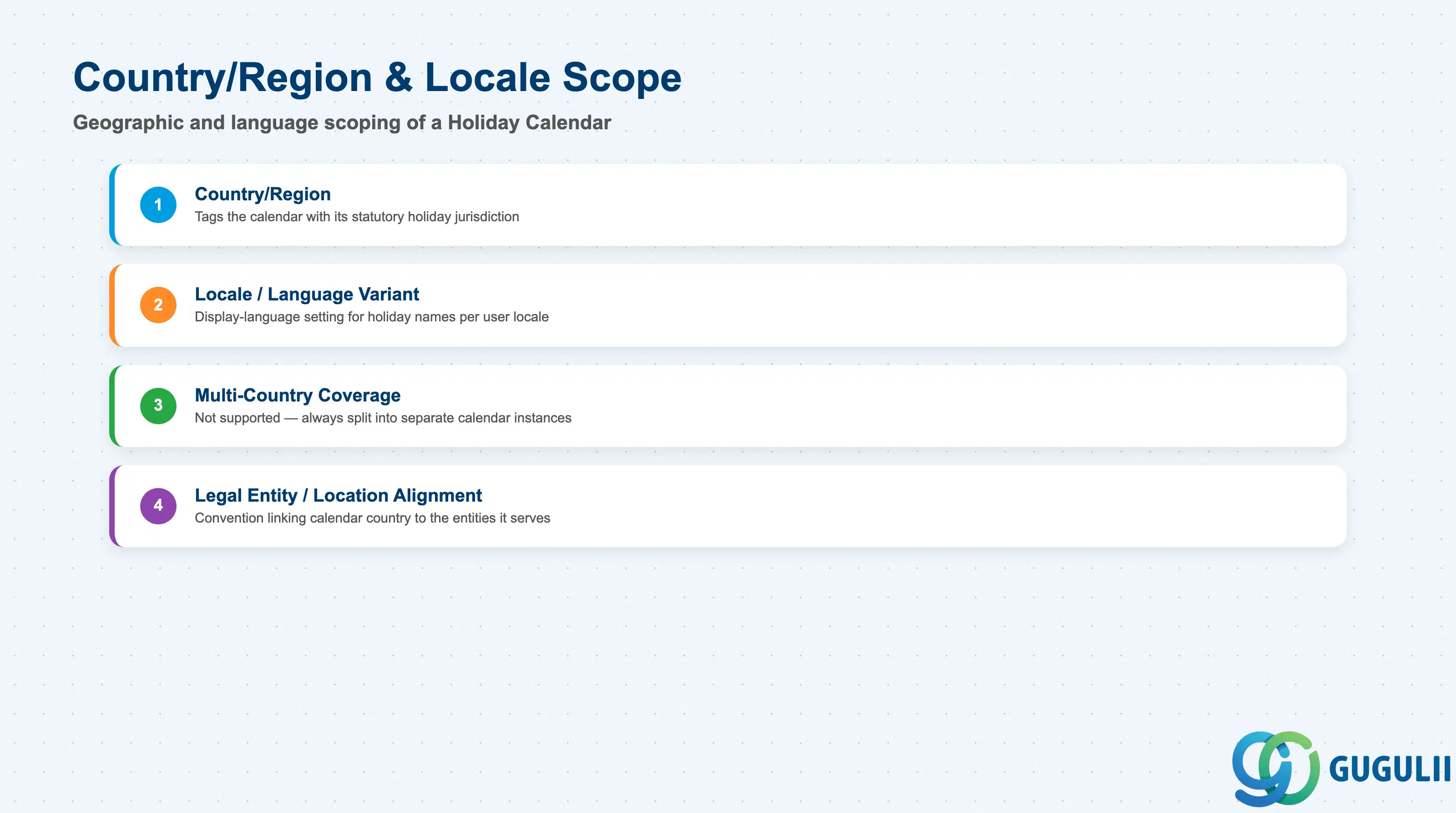
Country/Region & Locale Scope determines which statutory and cultural holiday set a calendar represents, and is the field group that drives the “one calendar per region” convention introduced in Section 1.2.
| Field | Description | Practical Usage |
|---|---|---|
| Country/Region | Tags the calendar with the country or region whose holidays it represents | Not a system-enforced link to Legal Entity or Location — it is a labeling and organizing field. Consultants still treat it as the source of truth when deciding which Work Schedule should reference which calendar, so keep it accurate and consistent with the naming convention in 2.1. |
| Locale / Language Variant | Optional display-language setting for holiday names shown to end users in different locales | Matters most for multi-language instances where the same calendar is viewed by HR administrators and employees using different display languages; holiday names should be translated consistently with the client’s other localized content. |
| Multi-Country Coverage (design pattern, not a field) | Whether a single calendar attempts to cover more than one country’s holidays | Not a supported pattern — combining multiple countries’ holidays into one calendar object defeats the purpose of country-specific scoping and produces incorrect non-working-day results for at least one of the countries involved; always split into separate calendar instances instead (Section 1.2, Regional Variant Calendar). |
| Alignment with Legal Entity / Location | Design convention linking a calendar’s country scope to the country of the Legal Entities or Locations it will serve | Because the system does not enforce this alignment automatically, a standard build-review checkpoint is confirming every Work Schedule’s assigned calendar actually matches the country of the Legal Entities/Locations that schedule is used for — mismatches here are a frequent, hard-to-spot root cause of wrong holiday pay. |
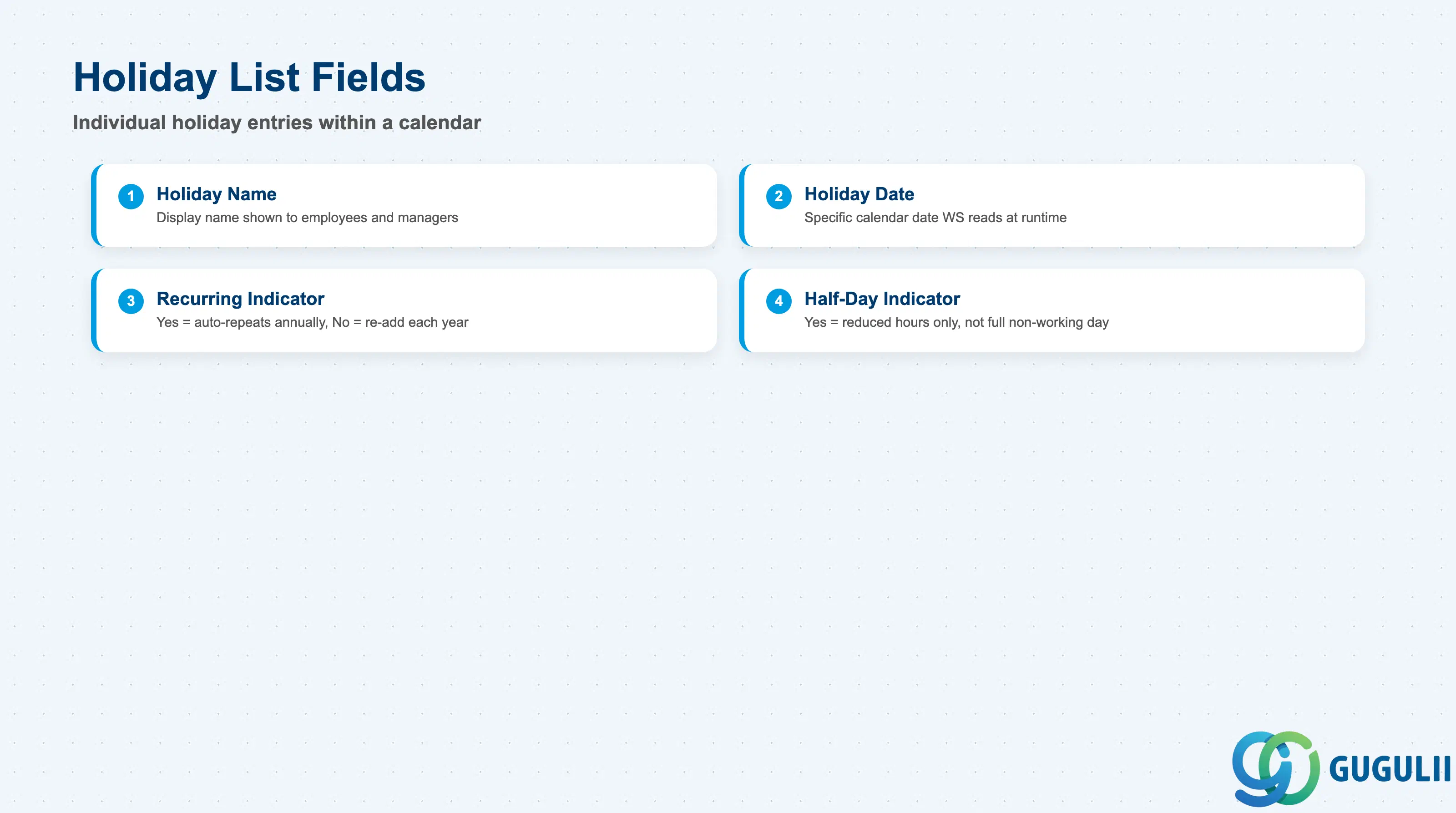
The Holiday List is the actual payload of a Holiday Calendar — the set of individual dated entries that Work Schedule reads to determine non-working days. Everything in Section 2.1 and 2.2 exists to organize and identify this list; this is the data that changes.
| Field | Description | Practical Usage |
|---|---|---|
| Holiday Name | Display name of the individual holiday entry (e.g. “New Year’s Day”) | Shown to employees and managers wherever the calendar’s dates surface in Time Off/Time Sheet screens — keep names in plain, recognizable local-language terms rather than internal codes. |
| Holiday Date | The specific calendar date the holiday falls on | The core value Work Schedule reads at runtime; a single wrong or missing date silently produces an incorrect scheduled-hours calculation for every employee under any Work Schedule referencing that calendar, with no system warning. |
| Recurring Indicator | Yes/No flag controlling whether the entry auto-repeats every year (Section 1.2) | Set to Yes only for genuinely fixed-date annual holidays; setting it to Yes for a date-shifting observance produces a wrong holiday date in every future year until manually corrected. |
| Half-Day Indicator | Yes/No flag marking the entry as a partial rather than full non-working day (Section 1.2) | Drives Work Schedule to apply a reduced-hours calculation for that specific date rather than treating it as fully non-working — confirm local practice before defaulting every entry to full-day. |
Prerequisite: because Non-Recurring entries (Section 1.2) do not auto-repeat, maintaining a Holiday Calendar is an annual operational task, not a one-time build activity — build an explicit yearly refresh checkpoint into the client’s ongoing SuccessFactors administration calendar, separate from the initial implementation project.
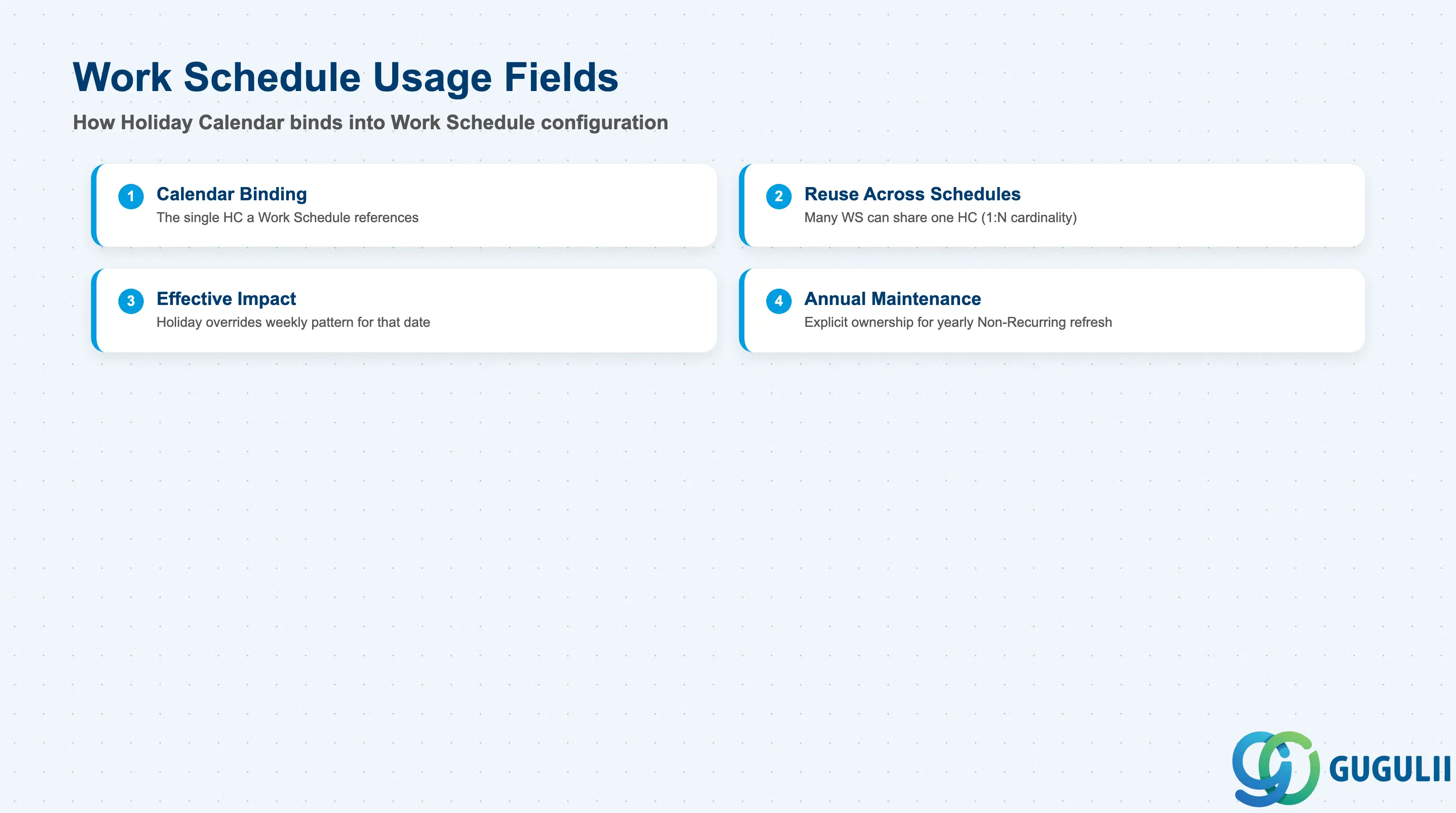
A Holiday Calendar itself performs no calculation — it only becomes meaningful once bound into a Work Schedule. This section covers how that binding works and where the most common maintenance gaps occur.
| Field | Description | Practical Usage |
|---|---|---|
| Calendar Binding | The single Holiday Calendar a Work Schedule references as one of its two required configuration inputs | A Work Schedule cannot be activated without a bound Holiday Calendar — always confirm the calendar exists and is Active before beginning Work Schedule configuration (SF-A03-04), not after. |
| Reuse Across Schedules | The same Holiday Calendar can be, and typically is, referenced by multiple Work Schedules covering the same country/region | This many-to-one reuse is the practical expression of the “Holiday Calendar — 1:N — Work Schedule” cardinality flagged in Section 1.3. Before end-dating or materially editing a calendar’s holiday list, check every Work Schedule that currently references it, not just the one prompting the change. |
| Effective Impact on Scheduled Hours | How a bound calendar’s dates combine with a Work Schedule’s own weekly working-hours pattern to produce the final scheduled-hours result per date | On a normal weekday that is also a calendar holiday, the holiday setting overrides the weekly pattern for that date; on a weekend day that also happens to be a calendar holiday, the two overlap without conflict since the day was already non-working. |
| Annual Maintenance Ownership | Which admin role is responsible for adding next year’s Non-Recurring holiday entries before the current calendar year’s coverage ends | A gap here — nobody explicitly owning the yearly refresh — is a common real-world failure mode discovered only when Time Sheet or payroll calculations for the new year start returning unexpected results; assign explicit ownership during go-live, not implicitly. |
| ID | Category | Title |
|---|---|---|
| sf-001 | Overview | What is SAP SuccessFactors? |
| ID | Category | Title |
|---|---|---|
| sf-b01 | Overview | SAP SuccessFactors Transactions: Process Flow, Hierarchy & Relationships |