Title here
Summary here

Work Schedule is the master data object that defines the recurring weekly working-time pattern — which weekdays are scheduled working days and how many hours apply to each — for a workforce segment, and binds that pattern to exactly one Holiday Calendar so its non-working dates are excluded automatically. It is the second and final object in the Time Configuration chain of Phase 2 (Permission & System Configuration): where Holiday Calendar (SF-A03-03) supplies the dates that are never working days regardless of schedule, Work Schedule supplies the actual weekly working-hours template that those dates get subtracted from — and the combined result is the input Time Profile bundles for employee assignment. This article covers what a Work Schedule is, its weekly-pattern variants (standard full-time, shift/alternating, part-time, country-specific), how it sits alongside the parallel Permission Management and Time Type chains in the same landscape zone, and every field an Admin Center consultant configures for it.
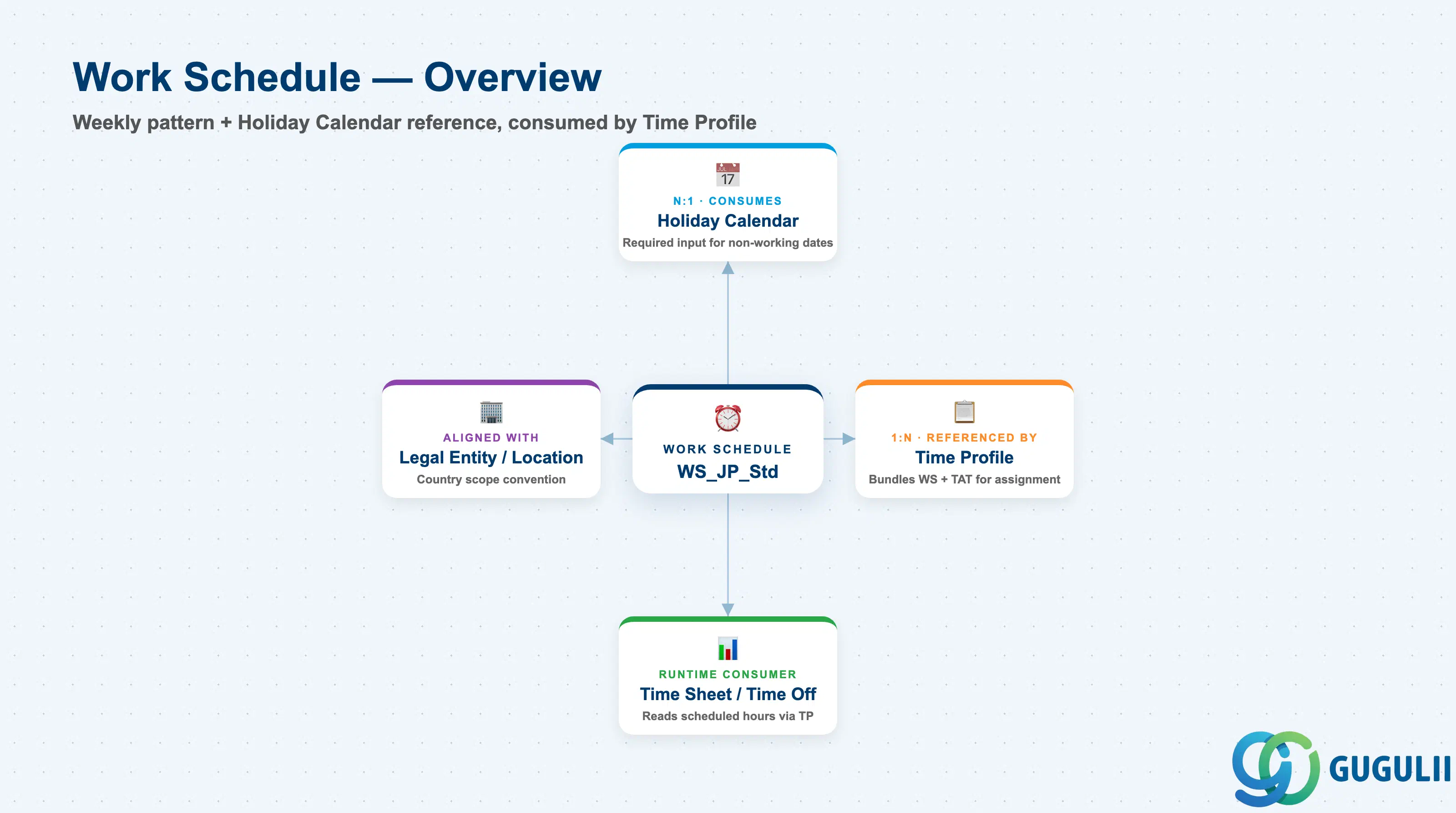
Work Schedule is a client-level configuration object that carries two pieces of information at once: a per-weekday pattern of scheduled working hours, and a required reference to one Holiday Calendar whose dates are subtracted from that pattern. Neither half is meaningful alone — a weekly pattern without a bound calendar has no way to know which weekdays are actually holidays, and a Holiday Calendar without a Work Schedule referencing it never gets read by anything. Together the two form the single source of truth that Time Profile, Time Sheet, and Time Off all depend on to determine whether a given date counts as a scheduled working day for a given employee.
| Aspect | Details |
|---|---|
| Role | Defines a reusable weekly working-hours pattern (per-weekday working/non-working flag and scheduled hours), bound to exactly one Holiday Calendar to determine the final set of scheduled working days |
| Modules using it | Owned by Employee Central Time Management configuration (Admin Center); consumed directly by Time Profile, which bundles a Work Schedule with a Time Account Type for employee assignment, and — through Time Profile — by Time Sheet (actual worked-hours recording and overtime baseline) and Time Off (absence-quota and holiday-pay calculations) |
| Transactions | Admin Center → “Time Off” → “Manage Work Schedules” (create/edit a schedule’s weekly working-hours pattern and its bound Holiday Calendar); bulk-loading many schedule variants is typically done through the “Import and Export Data” tool using the Work Schedule generic object template rather than building each one interactively |
| Key Tables | No classic ABAP table — Work Schedule and its per-weekday pattern detail are stored as generic Metadata Framework (MDF) objects, the same underlying mechanism as Holiday Calendar (SF-A03-03), not as a dedicated legacy table |
| S/4HANA note | No delivered synchronization exists between SuccessFactors Work Schedule and any on-premise S/4HANA object. The loosest conceptual analogue is a Work Schedule Rule (Time Management infotype 0007, transaction PT01) in classic SAP HCM / S/4HANA Time Management, which likewise defines a weekly working-time pattern under a schedule ID — but the two are structurally unrelated cloud vs. on-premise concepts and are never systemically linked |
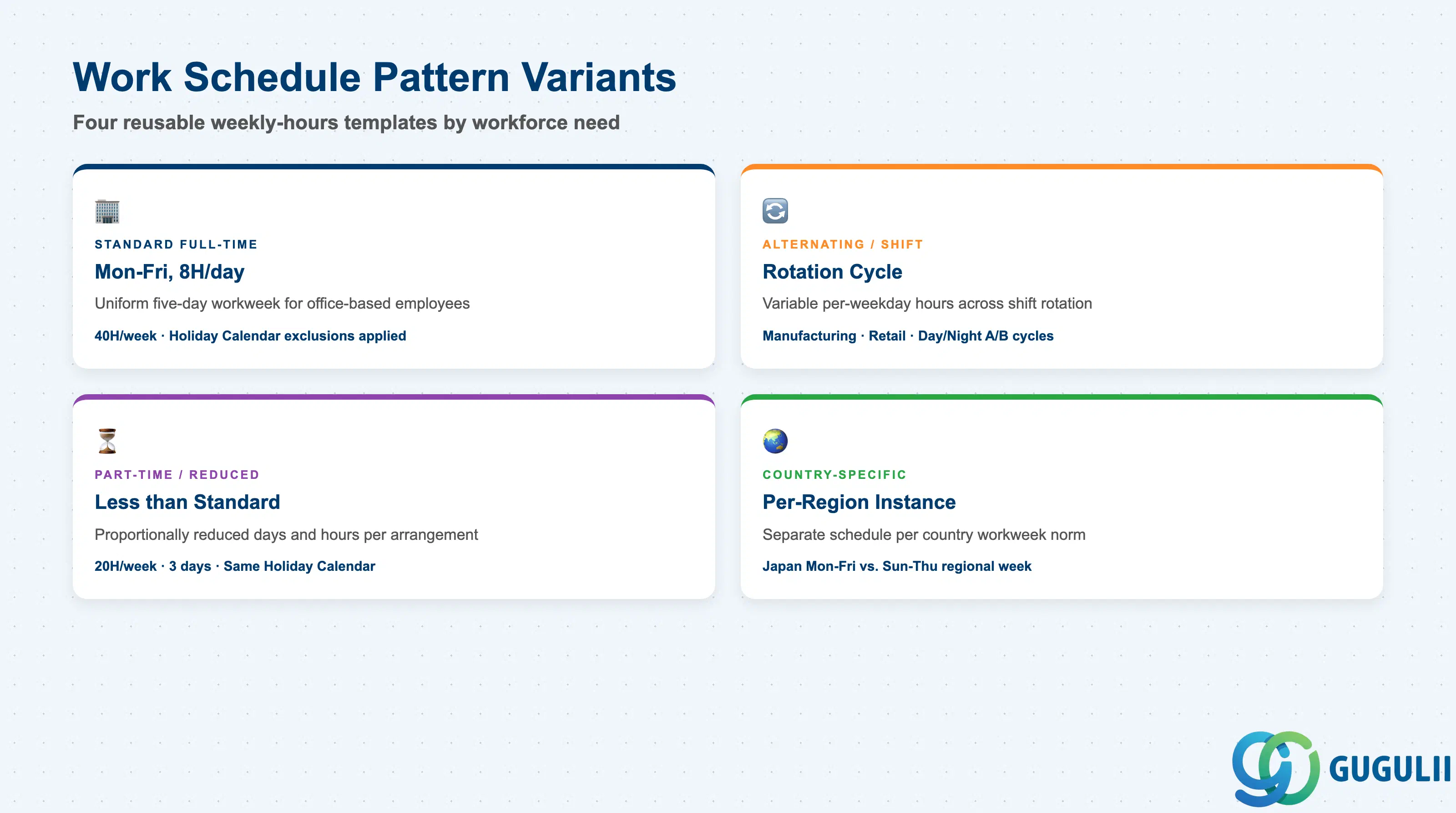
Not every workforce segment follows the same weekly rhythm, and modeling that difference as one overloaded schedule instead of separate, purpose-built Work Schedules is a routine cause of incorrect scheduled-hours baselines showing up first as unexplained overtime or Time Sheet variances.
| Pattern | Code | Use Case | Key Behavior |
|---|---|---|---|
| Standard Full-Time Pattern | Weekly Hours = 40 (e.g. Mon–Fri, 8h/day) | Baseline workweek for most office-based, full-time employees | Every calendar weekday is flagged as a working day with hours evenly distributed across the five days; combined with the bound Holiday Calendar to exclude national holidays from the pattern |
| Alternating / Shift Pattern | Weekly Hours vary by rotation cycle | Manufacturing or retail workforce on a rotating day/night or A/B shift cycle | Individual weekdays within the pattern can carry a different working-day flag or hour count across the rotation, rather than a uniform five-day template |
| Part-Time / Reduced-Hours Pattern | Weekly Hours < standard (e.g. 20H, 3 days/week) | Employees under a part-time or reduced-hours employment arrangement | Scheduled days and hours are reduced proportionally to the agreed arrangement, but the pattern still references the same country’s Holiday Calendar as full-time schedules |
| Country/Region-Specific Variant | Separate Work Schedule instance per country | Workforce spans multiple countries with different standard workweek norms (e.g. Japan Mon–Fri vs. a Sun–Thu regional week) | Each country/region combination gets its own Work Schedule object bound to the matching Holiday Calendar — mirrors the “one Holiday Calendar per region” convention from SF-A03-03 |
Design principle: build a Work Schedule around a genuinely distinct weekly-hours template, not around an individual employee — it is a reusable pattern, not an assignment record. Individual-level variation (which schedule an employee is on today) belongs to Time Profile and Job Information, not to a one-off copy of the schedule itself.
Data hierarchy with a concrete example
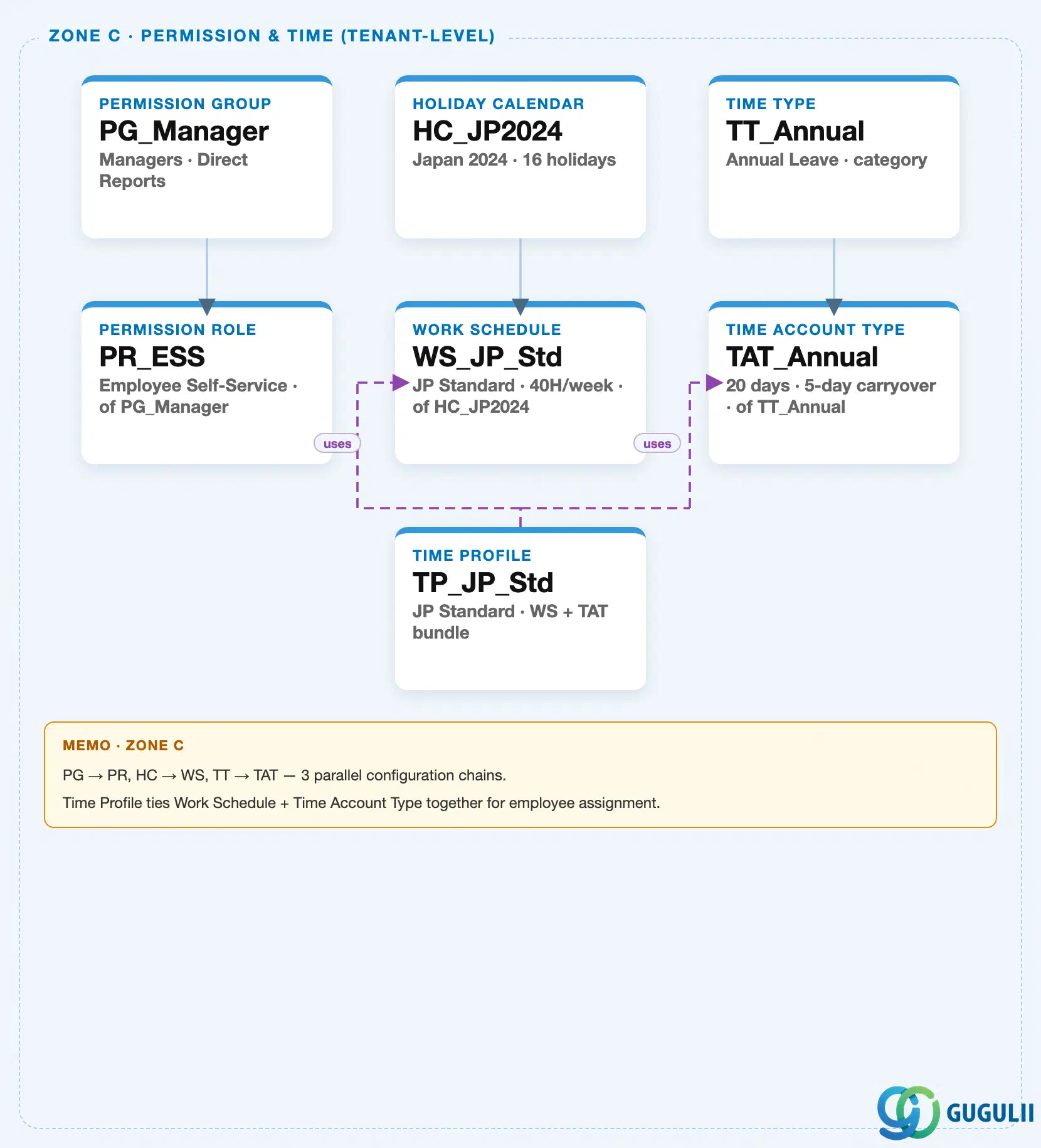
Work Schedule sits in the same tenant-level “Permission & Time” zone of the SuccessFactors Master Data Landscape as Permission Group / Permission Role (SF-A03-01/02) and its own upstream input, Holiday Calendar (SF-A03-03) — one of three parallel, independent client-level configuration chains bundled into that zone (Permission Management; Holiday Calendar → Work Schedule; Time Type → Time Account Type, tied together by Time Profile). This article’s own object is the second and final node of the Time Configuration chain; the other two chains exist in the same landscape zone but belong to sibling articles:
Client (SuccessFactors Instance)
   │
   ├── Permission Group "PG_Manager" — Managers, Direct Reports  (see SF-A03-01)
   │      │
   │      └── Permission Role "PR_ESS" — Employee Self-Service, of PG_Manager  (see SF-A03-02)
   │
   ├── Holiday Calendar "HC_JP2024" — Japan 2024, 16 holidays  (see SF-A03-03)
   │      │
   │      └── Work Schedule "WS_JP_Std" — JP Standard, 40H/week, of HC_JP2024
   │
   └── Time Type "TT_Annual" — Annual Leave, category  (Time Configuration chain, see SF-A03-05)
          │
          └── Time Account Type "TAT_Annual" — 20 days, 5-day carryover, of TT_Annual

Time Profile "TP_JP_Std" — JP Standard, Work Schedule + Time Account Type bundle  (see SF-A03-06)
   ├── assigned to ──> Work Schedule "WS_JP_Std"
   └── assigned to ──> Time Account Type "TAT_Annual"
MANDATORY landscape verification note: the module Master.md’s ER Diagram labels the Holiday Calendar → Work Schedule relationship explicitly as “1:N” — a single Holiday Calendar can be, and typically is, referenced by many Work Schedules (e.g. every schedule variant covering employees in Japan shares the same “HC_JP2024” calendar), never the reverse. The published SuccessFactors Master Data Landscape (
sf-a01/images/04-sf-a01-master-landscape.html, Zone C) draws this as a single solid parent-child connector —HC_JP2024 → WS_JP_Std— representing one instance of that 1:N relationship, not a claim that a calendar owns exactly one schedule (see SF-A03-03, Section 1.3, for the identical note from the Holiday Calendar side). On the downstream side, the ER Diagram shows a plain arrow from Work Schedule into Time Profile (Work Schedule → Time Profile ←── Time Account Type), and the landscape renders this as the purple dashed “assigned to” arrow running fromTP_JP_Stdup toWS_JP_Std— a Time Profile references one Work Schedule as a required input, and the same Work Schedule is routinely reused across many Time Profiles covering the same weekly pattern. See Section 1.4 and 2.4 for how both directions of reuse play out in practice.
Design principle: Work Schedule is the object where the two upstream chains of Time Configuration converge into one usable pattern — it does not itself have organizational sub-levels; all of its structural complexity lives in its own field configuration (the bound calendar plus the per-weekday hours pattern, Part 2), not in additional hierarchy nesting.
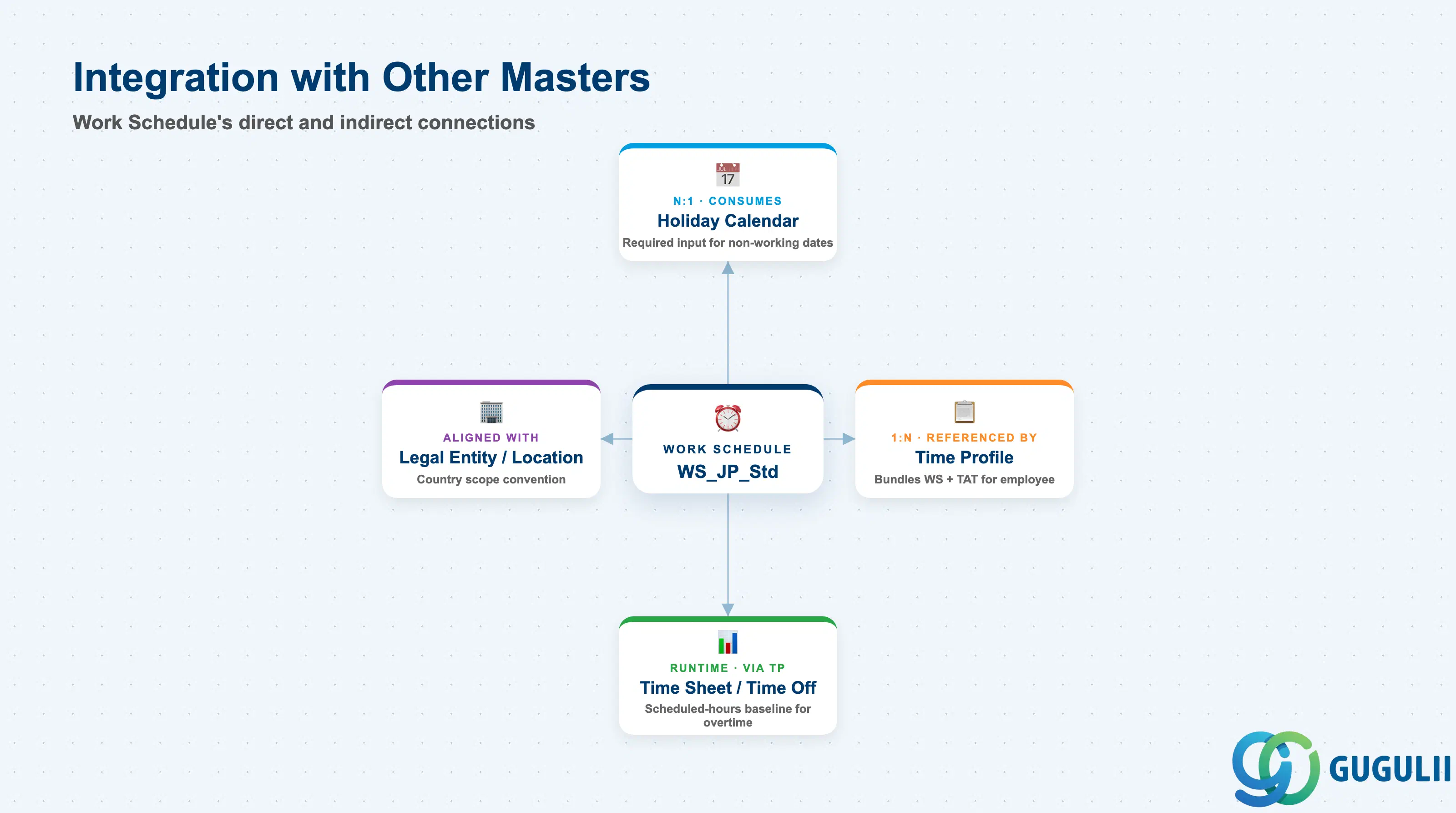
Work Schedule is the pivot point of the Time Configuration chain: it consumes Holiday Calendar on the input side, and every downstream object that needs to know “is this date a scheduled working day” resolves back to it, directly or through Time Profile.
| Object | Relationship | Practical Notes |
|---|---|---|
| Holiday Calendar | Consumes (N:1) — a Work Schedule references exactly one Holiday Calendar as a required input alongside its own weekly working-hours pattern | Reuse runs in the other direction here: many Work Schedules commonly share the same calendar (SF-A03-03), but each individual schedule can only ever point at one calendar at a time — swapping the bound calendar is the standard way to move a schedule between countries without rebuilding its weekly pattern. |
| Time Profile | Referenced by (1:N) — a Time Profile bundles exactly one Work Schedule and one Time Account Type as its two required inputs | The same Work Schedule instance is routinely reused across many Time Profiles that share the same weekly pattern but differ in their Time Account Type (e.g. one Time Profile per leave-entitlement tier, all pointing at the same “WS_JP_Std”) — see SF-A03-06 for the Time Profile object itself. |
| Time Sheet / Time Off (SF-B03 Time & Payroll Process) | Consulted by (runtime, transactional, via Time Profile) | The schedule’s per-weekday hours, net of the bound calendar’s excluded dates, forms the expected scheduled-hours baseline that actual recorded Time Sheet hours are compared against — directly driving overtime and holiday-pay calculations. |
| Legal Entity / Location (country setting) | Aligned with (design convention, not a system reference) | Best practice is to scope a Work Schedule’s weekly pattern to match the country/region norms of the Legal Entities or Locations whose employees it will serve — the same alignment convention as its bound Holiday Calendar (SF-A03-03); the object itself does not enforce this, so a mismatch is a configuration-review item, not a system error. |
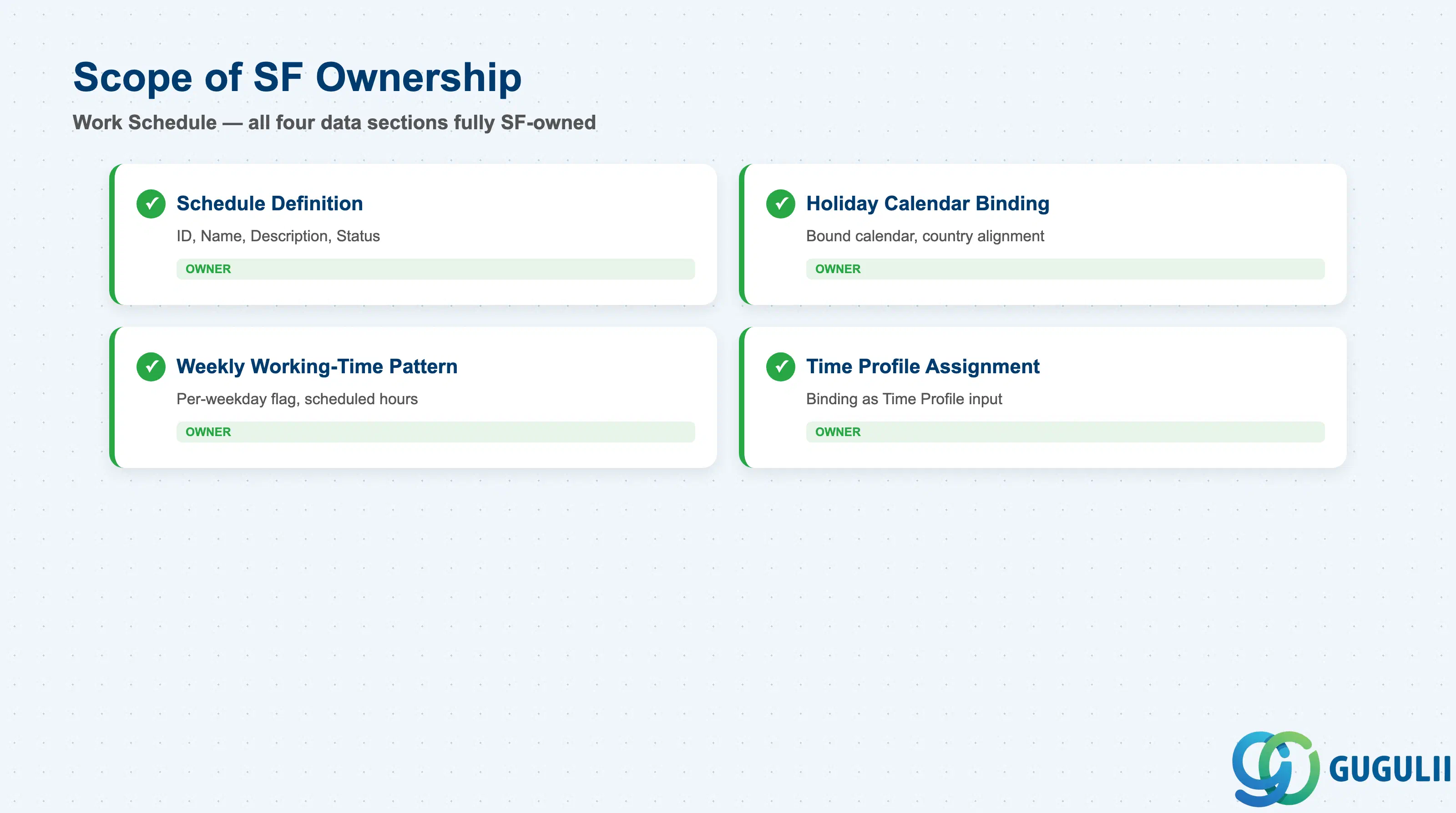
| Data Section | SF Involvement | Notes |
|---|---|---|
| Schedule Definition (Core Identification) | ◎ Owner | Schedule ID, Schedule Name, Description, Status |
| Holiday Calendar Binding | ◎ Owner | Bound Holiday Calendar reference, country alignment |
| Weekly Working-Time Pattern | ◎ Owner | Per-weekday working/non-working flag, scheduled hours per day |
| Usage in Time Profile Assignment | ◎ Owner | How the schedule is bound as a Time Profile’s required input |
Legend: ◎ = Owner / Critical, ○ = Direct involvement
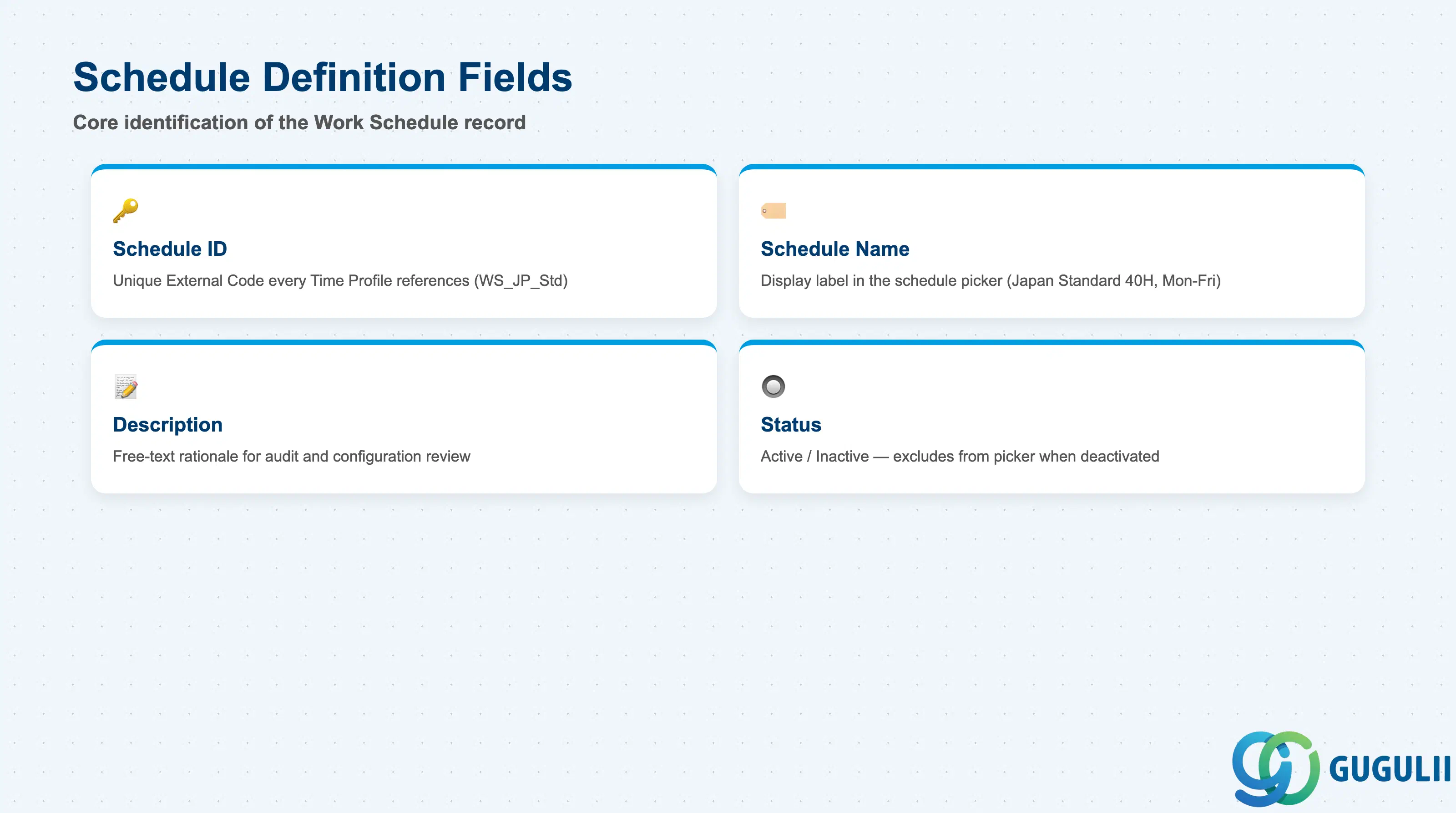
Schedule Definition is the minimum record a Work Schedule needs to exist — it is what every Time Profile’s schedule picker, and every reference to the schedule elsewhere in the system, resolves back to.
| Field | Description | Practical Usage |
|---|---|---|
| Schedule ID | Unique identifier (External Code) for the Work Schedule | The key value every Time Profile’s Work Schedule binding references. Agree a naming convention that encodes country and pattern type (e.g. WS_JP_Std) before go-live — this makes the many Time Profiles that will reuse the same schedule (2.4) far easier to audit at a glance. |
| Schedule Name | Display name shown in the schedule picker inside Manage Work Schedules and Time Profile configuration | Should describe the pattern and coverage clearly (e.g. “Japan Standard 40H, Mon–Fri”) rather than a generic label — several schedule variants typically coexist once a client operates multiple weekly patterns across countries or shifts. |
| Description | Free-text explanation of the schedule’s intended population and pattern rationale | Useful for documenting why a specific variant exists (e.g. a shift-rotation pattern built for one plant) — a common access-review and configuration-audit question when a new Time Profile is being built and the consultant needs to decide whether an existing schedule already fits or a new one is required. |
| Status | Active / Inactive | An Inactive schedule is excluded from the picker for new Time Profile bindings, but does not automatically remove it from Time Profiles that already reference it — audit and re-point those Time Profiles before deactivating a schedule still in active use. |
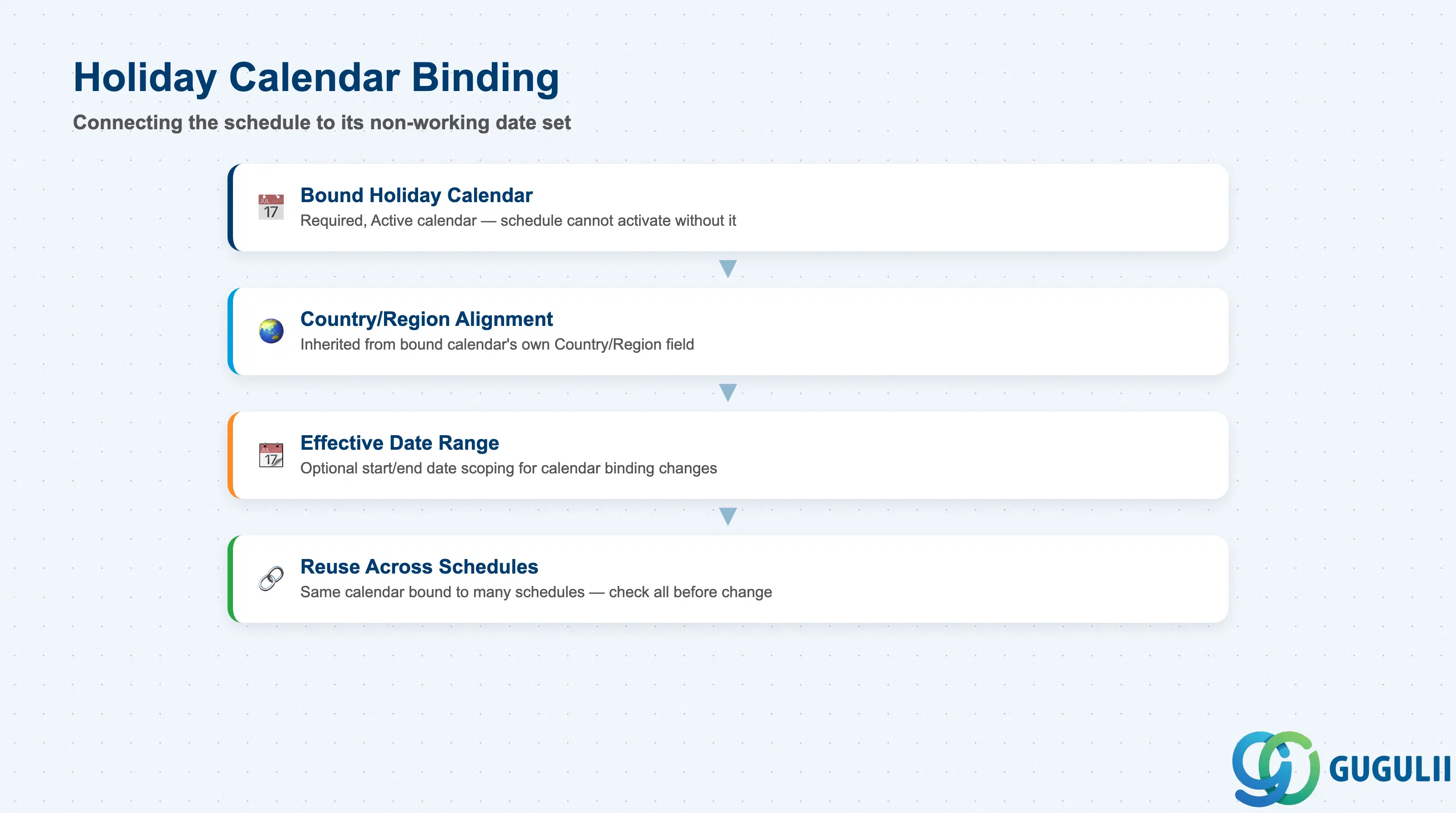
Holiday Calendar Binding is the field group that connects a Work Schedule’s own weekly pattern to the set of dates it must exclude — without a valid binding here, the weekly pattern in Section 2.3 has no way to know which weekdays are actually holidays.
| Field | Description | Practical Usage |
|---|---|---|
| Bound Holiday Calendar | The single Holiday Calendar (SF-A03-03) this Work Schedule references as a required configuration input | A Work Schedule cannot be activated without a bound, Active Holiday Calendar — always confirm the target calendar exists before beginning schedule configuration, not after. |
| Country/Region Alignment | Inherited descriptively from the bound calendar’s own Country/Region field (SF-A03-03, Section 2.2), not independently set on the schedule | Consultants treat the bound calendar’s country as the schedule’s effective country for build purposes — keep the schedule’s own naming convention consistent with the calendar it binds to, so a mismatch is immediately visible in the schedule list. |
| Effective Date Range | Optional start/end date scoping for when a particular calendar binding is active | Used when a client changes which Holiday Calendar a schedule references over time (e.g. adopting a new statutory holiday set) without needing to build a brand-new Work Schedule object. |
| Reuse Across Schedules (calendar side) | The same Holiday Calendar is commonly bound to more than one Work Schedule covering the same country | This is the practical expression of the “Holiday Calendar — 1:N — Work Schedule” cardinality flagged in Section 1.3; before end-dating a shared calendar, check every Work Schedule bound to it, not just the one prompting the change. |
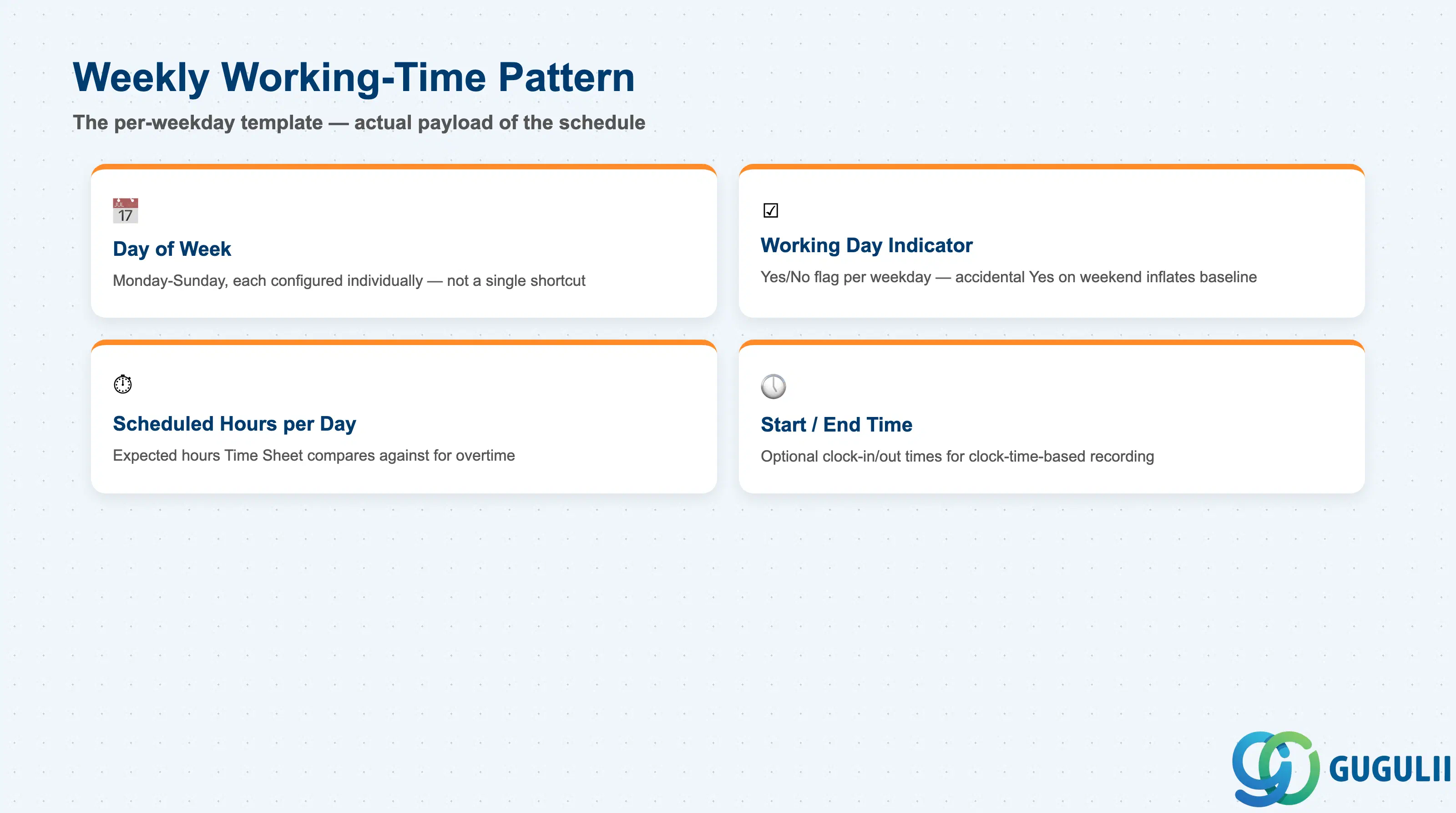
The Weekly Working-Time Pattern is the actual payload of a Work Schedule — the per-weekday template that, combined with the bound calendar’s excluded dates, produces the final scheduled-hours result Time Sheet and Time Off both read.
| Field | Description | Practical Usage |
|---|---|---|
| Day of Week | Each of the seven calendar weekdays (Monday–Sunday), configured individually | The template is built one weekday at a time, not as a single “5 days” shortcut — this is what allows shift and part-time patterns (Section 1.2) to differ from a uniform Monday–Friday template. |
| Working Day Indicator | Yes/No flag marking whether a given weekday is a scheduled working day at all | Weekends are typically flagged No by default for a standard pattern, but this flag is what actually drives that behavior — an accidental Yes on a weekend silently inflates the scheduled-hours baseline for every employee on that schedule. |
| Scheduled Hours per Day | The number of working hours expected on a given flagged working day | The core value Time Sheet compares actual recorded hours against to calculate overtime; getting this wrong for even one weekday produces a wrong baseline for every pay period until corrected. |
| Start / End Time (optional) | Specific clock-in / clock-out times for the working day, where the client’s Time Sheet configuration tracks clock times rather than total-hours entry only | Only relevant for clients using clock-time-based Time Sheet recording rather than duration-based entry — confirm which Time Sheet mode the client uses (SF-B03) before deciding whether this level of detail needs to be maintained. |
Prerequisite: because the Weekly Working-Time Pattern only produces a correct result once combined with a valid, Active Holiday Calendar binding (Section 2.2), always build and verify the calendar binding before finalizing the per-weekday hours — testing the pattern against an unbound or wrong calendar produces scheduled-hours results that look plausible but are silently incorrect on holiday dates.
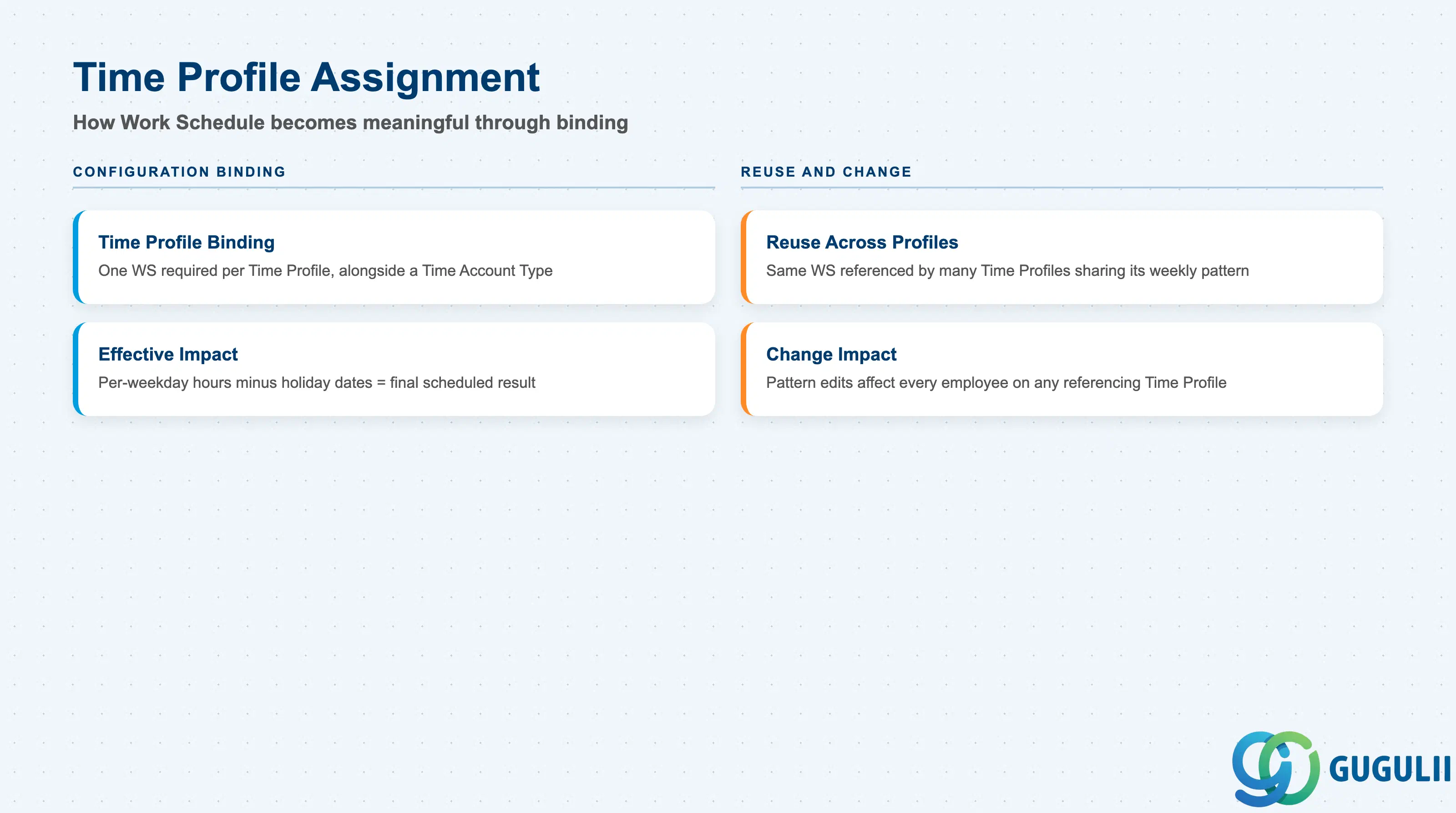
A Work Schedule itself performs no employee-level calculation — it only becomes meaningful once bound into a Time Profile alongside a Time Account Type. This section covers how that binding works and where the most common maintenance gaps occur.
| Field | Description | Practical Usage |
|---|---|---|
| Time Profile Binding | The single Work Schedule a Time Profile references as one of its two required configuration inputs, alongside a Time Account Type | A Time Profile cannot be activated without a bound, Active Work Schedule — always confirm the schedule exists and its weekly pattern is finalized before beginning Time Profile configuration (SF-A03-06), not after. |
| Reuse Across Time Profiles | The same Work Schedule can be, and typically is, referenced by multiple Time Profiles covering the same weekly pattern but different Time Account Types | This many-to-one reuse is the practical expression of the “Work Schedule — 1:N — Time Profile” relationship flagged in Section 1.3/1.4. Before materially editing a schedule’s weekly pattern or its bound calendar, check every Time Profile that currently references it, not just the one prompting the change. |
| Effective Impact on Scheduled Hours | How the schedule’s per-weekday hours combine with its bound Holiday Calendar’s excluded dates to produce the final per-date scheduled-hours result an assigned employee sees | On a normal scheduled working day that is also a calendar holiday, the holiday setting overrides the weekly pattern for that date; on a day already flagged as non-working in the weekly pattern, an overlapping calendar holiday changes nothing since the day was never scheduled to begin with. |
| Change Impact on Existing Assignments | Whether editing a Work Schedule already referenced by active Time Profiles and employee assignments changes scheduled-hours results retroactively or only going forward | Weekly-pattern or calendar-binding changes to a live schedule affect every employee currently on any Time Profile that references it — treat pattern edits as an effective-dated change requiring the same review discipline as a payroll-impacting configuration change, not a routine tweak. |
| ID | Category | Title |
|---|---|---|
| sf-001 | Overview | What is SAP SuccessFactors? |
| ID | Category | Title |
|---|---|---|
| sf-b01 | Overview | SAP SuccessFactors Transactions: Process Flow, Hierarchy & Relationships |