Title here
Summary here

Time Type is the master data object that defines a category of leave or absence — annual leave, sick leave, unpaid leave, and similar — as a reusable label with no accrual logic of its own; Time Account Type is the child object that attaches to a Time Type and carries the actual grant, consumption, and carryover rules that make the category operational. Together they form the third of three parallel, independent chains in the Time Configuration group of Phase 2 (Permission & System Configuration): where Holiday Calendar → Work Schedule (SF-A03-03/04) defines when employees are expected to work, Time Type → Time Account Type defines what kinds of time away from work exist and how much of each an employee accrues. This article covers what a Time Type and Time Account Type are, their leave-category behaviors (accruing vs. non-accruing, paid vs. unpaid, carryover-eligible vs. not), how they sit alongside the parallel Permission Management and Holiday Calendar/Work Schedule chains in the same landscape zone, and every field an Admin Center consultant configures for both objects.
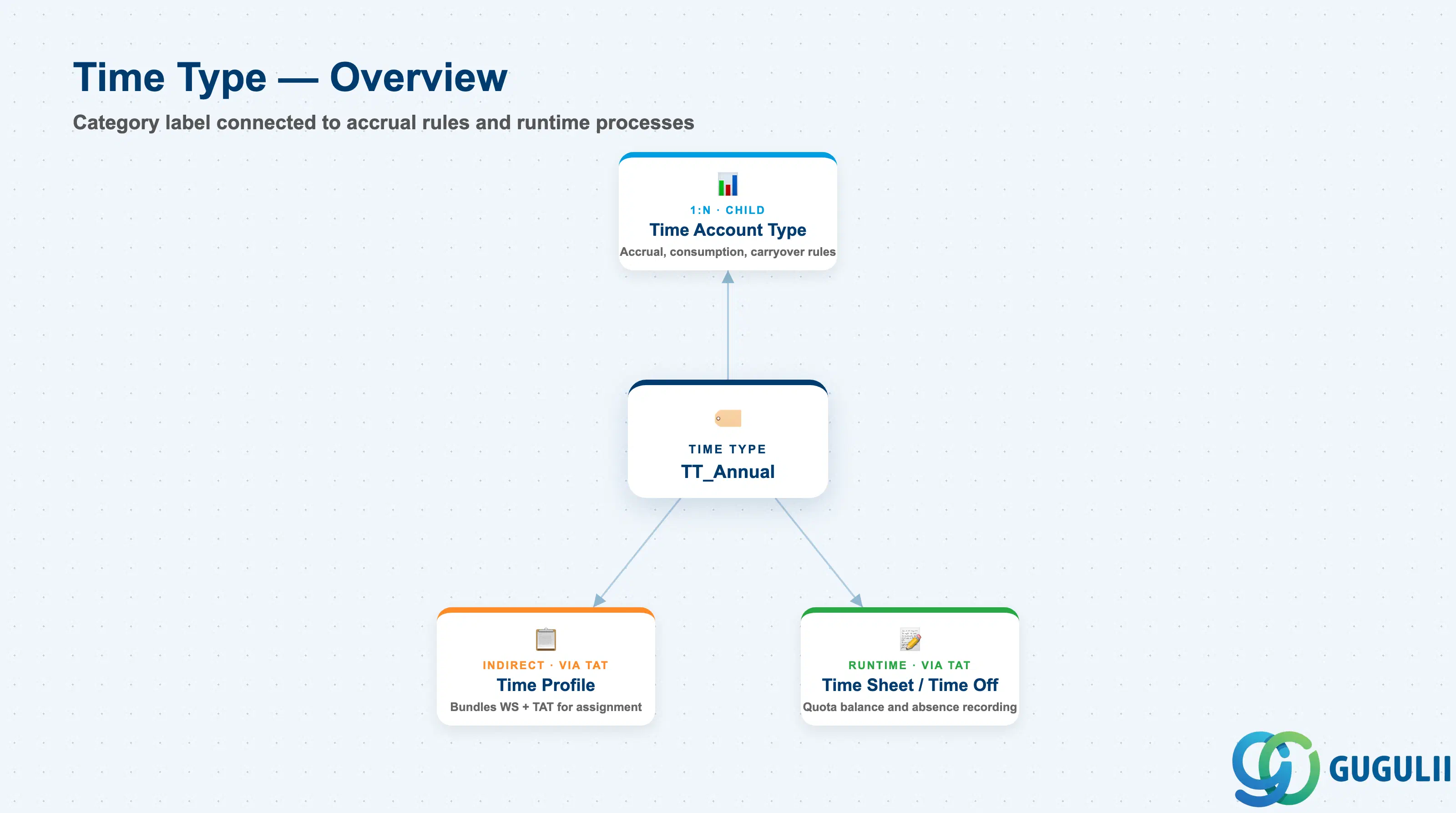
Time Type is a client-level configuration object that carries no accrual or consumption logic of its own — it simply establishes a named category of absence (e.g. “Annual Leave,” “Sick Leave”) and a small set of category-defining flags (paid vs. unpaid, whether the category counts against attendance). Its value comes from being the parent that one or more Time Account Type records attach to: each Time Account Type inherits its category identity from a Time Type and then adds the concrete accrual amount, frequency, and carryover ceiling that a Time Profile ultimately bundles for employee assignment.
| Aspect | Details |
|---|---|
| Role | Defines a reusable absence category (e.g. Annual Leave, Sick Leave) that one or more Time Account Type records attach accrual, consumption, and carryover rules to |
| Modules using it | Owned by Employee Central Time Management configuration (Admin Center); consumed directly by Time Account Type, and — through Time Account Type and Time Profile — by Time Sheet (absence recording) and Time Off (quota balance, accrual, and request-approval calculations) |
| Transactions | Admin Center → “Time Off” → “Manage Time Types” (create/edit a leave category and its paid/unpaid flag); the related accrual configuration lives in “Manage Time Account Types,” a separate but adjacent Admin Center screen |
| Key Tables | No classic ABAP table — Time Type and Time Account Type are stored as generic Metadata Framework (MDF) objects, the same underlying mechanism as Holiday Calendar and Work Schedule (SF-A03-03/04), not as a dedicated legacy table |
| S/4HANA note | No delivered synchronization exists between SuccessFactors Time Type and any on-premise S/4HANA object. The loosest conceptual analogue is an Absence Quota Type (transaction PA_ABSENCE or infotype 2006) in classic SAP HCM / S/4HANA Time Management, which likewise defines a named leave category with its own accrual rule — but the two are structurally unrelated cloud vs. on-premise concepts and are never systemically linked |
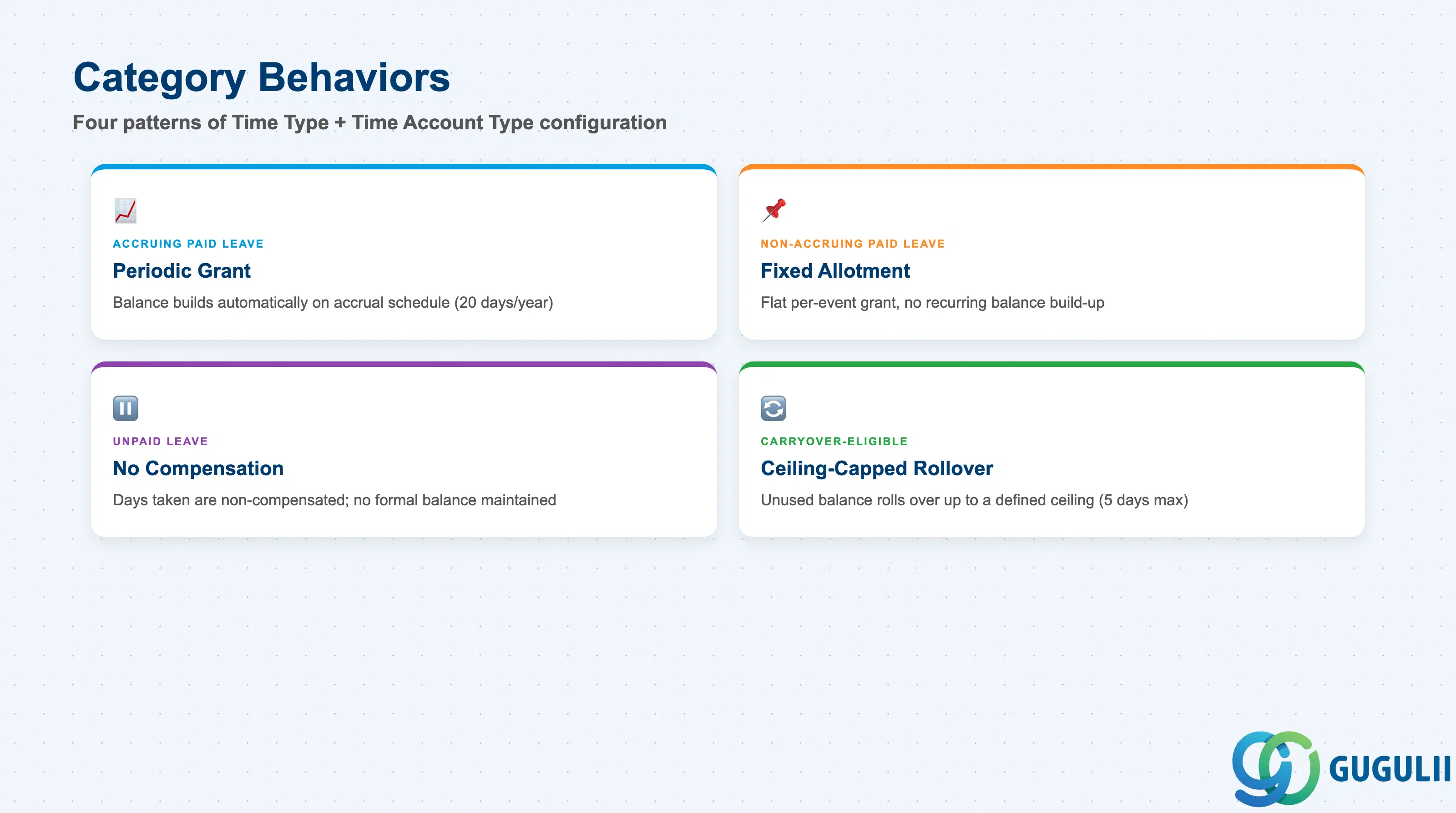
Not every absence category behaves the same way once accrual rules are attached, and modeling a non-accruing category as if it accrues — or vice versa — is a routine cause of Time Off balance discrepancies that surface as employee escalations rather than build-time errors.
| Category Behavior | Code | Use Case | Key Behavior |
|---|---|---|---|
| Accruing Paid Leave | Paid = Yes, Accrual Rule = Periodic Grant | Annual/vacation leave that builds up over the year, e.g. 20 days granted at year start or accrued monthly | The Time Account Type attached to this Time Type carries a defined grant amount and frequency (Section 2.2); balance increases automatically on the accrual schedule until end-dated |
| Non-Accruing Paid Leave | Paid = Yes, Accrual Rule = None / Fixed Allotment | Compassionate leave or a fixed one-time entitlement not tied to a recurring grant, e.g. 3 days bereavement leave per qualifying event | No periodic balance build-up — the Time Account Type either grants a flat amount per qualifying event or draws against no formal balance at all, approved case by case |
| Unpaid Leave | Paid = No | Leave without salary continuation, e.g. extended personal leave beyond an employee’s paid entitlement | Time Sheet / payroll treats days taken under this category as non-compensated; no accrual balance is typically maintained since there is nothing to “run out of” in the payroll sense |
| Carryover-Eligible Account | Carryover Allowed = Yes, with a defined ceiling | Annual leave that legally or by policy permits a limited rollover into the next period, e.g. up to 5 days carried into the following year | The Time Account Type’s carryover ceiling (Section 2.2) caps how much unused balance survives the period-end reset — balance above the ceiling is forfeited unless local policy states otherwise |
Design principle: define the category behavior (paid/unpaid, accruing/non-accruing, carryover-eligible or not) once at the Time Type level so every Time Account Type built under it inherits a consistent policy intent — mixing conflicting accrual logic under a single Time Type produces confusing category semantics for anyone auditing the leave taxonomy later.
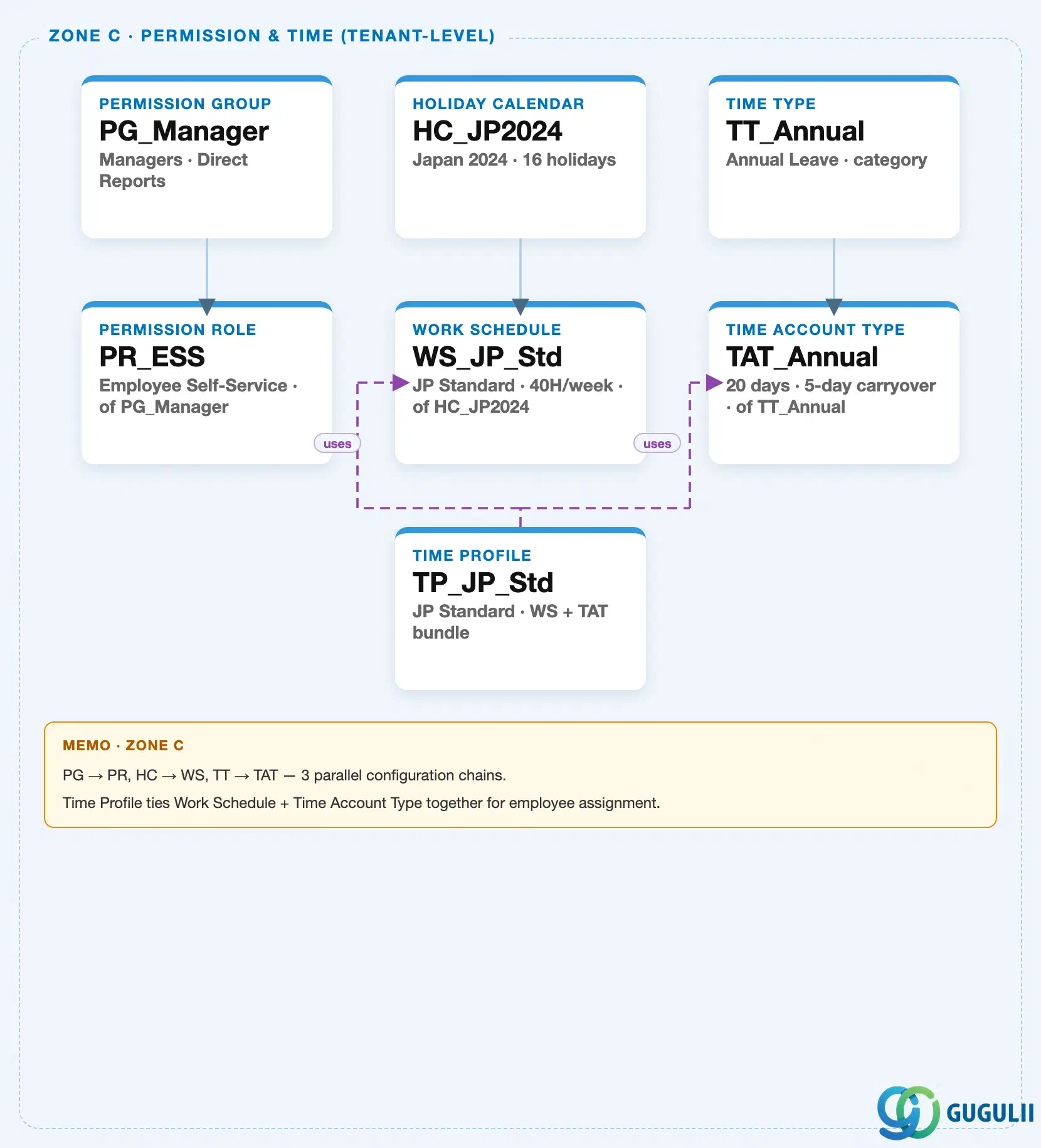
Data hierarchy with a concrete example
Time Type sits in the same tenant-level “Permission & Time” zone of the SuccessFactors Master Data Landscape as Permission Group / Permission Role (SF-A03-01/02) and Holiday Calendar / Work Schedule (SF-A03-03/04) — one of three parallel, independent client-level configuration chains bundled into that zone (Permission Management; Holiday Calendar → Work Schedule; Time Type → Time Account Type, tied together by Time Profile). This article’s own objects are the third chain; the other two chains exist in the same landscape zone but belong to sibling articles:
Client (SuccessFactors Instance)
   │
   ├── Permission Group "PG_Manager" — Managers, Direct Reports  (see SF-A03-01)
   │      │
   │      └── Permission Role "PR_ESS" — Employee Self-Service, of PG_Manager  (see SF-A03-02)
   │
   ├── Holiday Calendar "HC_JP2024" — Japan 2024, 16 holidays  (see SF-A03-03)
   │      │
   │      └── Work Schedule "WS_JP_Std" — JP Standard, 40H/week, of HC_JP2024  (see SF-A03-04)
   │
   └── Time Type "TT_Annual" — Annual Leave, category
          │
          └── Time Account Type "TAT_Annual" — 20 days, 5-day carryover, of TT_Annual

Time Profile "TP_JP_Std" — JP Standard, Work Schedule + Time Account Type bundle  (see SF-A03-06)
   ├── assigned to ──> Work Schedule "WS_JP_Std"
   └── assigned to ──> Time Account Type "TAT_Annual"
MANDATORY landscape verification note: the module Master.md’s Hierarchy Structure lists Time Type as the direct parent of Time Account Type (“Level 7: Time Type └── Time Account Type”), and the ER Diagram draws it as a 1:N relationship — a single Time Type (e.g. “Annual Leave” as a category) can have multiple Time Account Type records attached where accrual rules differ by population (e.g. a different annual grant amount for a specific country or employee tier under the same leave category), never the reverse. The published SuccessFactors Master Data Landscape (
sf-a01/images/04-sf-a01-master-landscape.html, Zone C) draws this as a single solid parent-child connector —TT_Annual → TAT_Annual— representing one instance of that 1:N relationship. On the downstream side, the ER Diagram showsTime Profile ←── Time Account Type, and the landscape renders this as the purple dashed “assigned to” arrow running fromTP_JP_StdintoTAT_Annual(verb “uses”) — Time Profile references a Time Account Type directly, never Time Type itself. See Section 1.4 and 2.4 for how this two-level structure plays out in practice.
Design principle: Time Type itself carries no organizational sub-levels — it is a flat category label. All of the structural depth in this data picture lives one level down, in the Time Type → Time Account Type parent-child relationship, and one level further down still in each Time Account Type’s own accrual field configuration (Part 2).
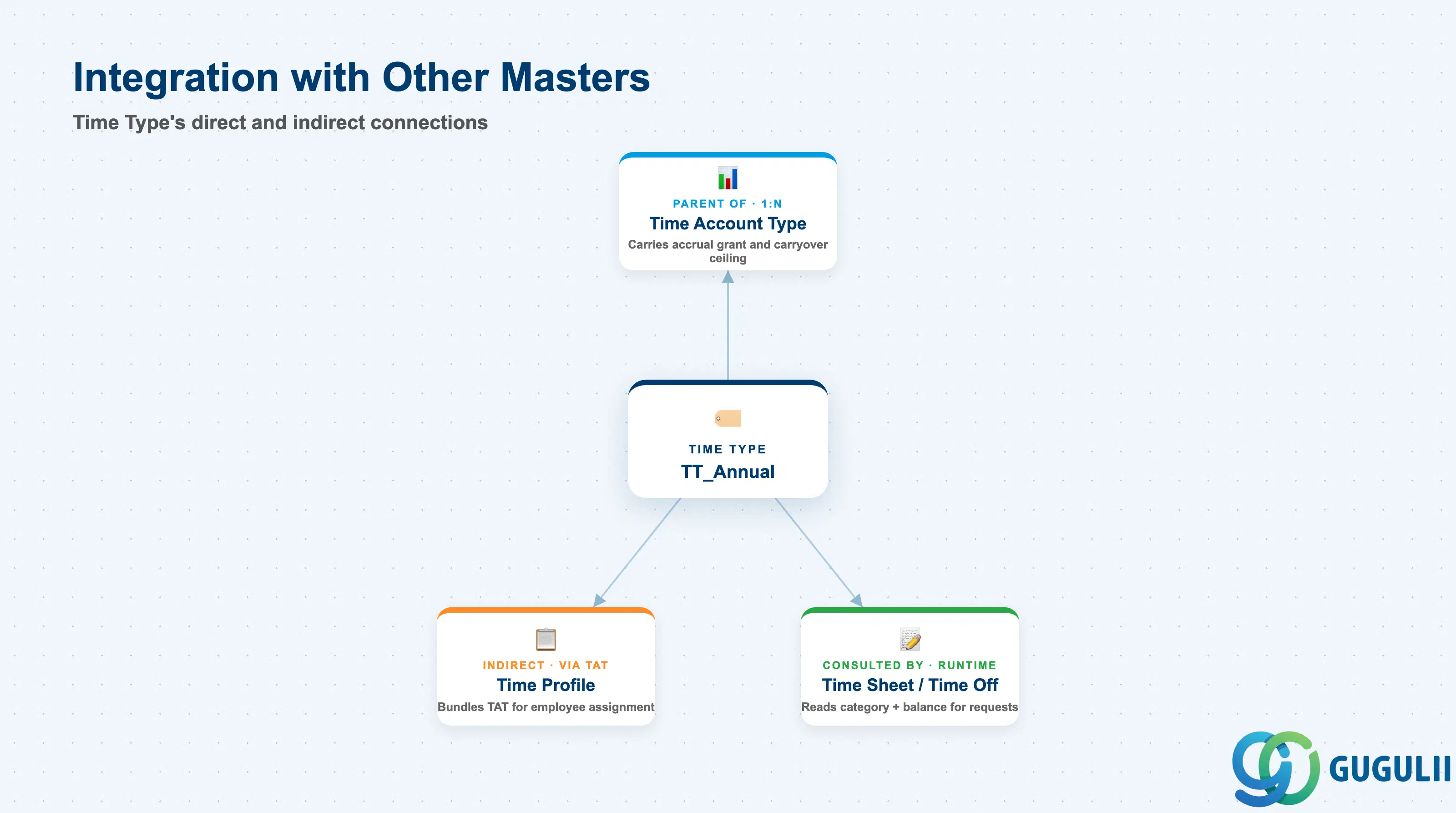
Time Type’s category label only becomes operational once a Time Account Type attaches accrual rules to it, and that Time Account Type in turn only reaches an employee once bundled into a Time Profile.
| Object | Relationship | Practical Notes |
|---|---|---|
| Time Account Type | Parent of (1:N) — a Time Type can have one or more Time Account Type records attached, each carrying its own accrual grant, frequency, and carryover ceiling | Building multiple Time Account Type variants under one Time Type is the standard way to vary accrual amount by employee population (e.g. tenure-based grant tiers) without duplicating the category itself — see the field detail in Section 2.2. |
| Time Profile | Indirect (via Time Account Type) — Time Profile bundles a Work Schedule and a Time Account Type, but never references Time Type directly | Because the Time Account Type inside a Time Profile already carries its parent Time Type’s category identity, the leave category flows through into every employee assignment of that Time Profile without Time Profile needing its own binding to Time Type — see SF-A03-06. |
| Time Sheet / Time Off (SF-B03 Time & Payroll Process) | Consulted by (runtime, transactional, via Time Account Type) | The Time Type’s paid/unpaid and category flags, together with its attached Time Account Type’s accrual balance, are read at runtime to determine whether a requested absence is approvable, how it affects the employee’s quota, and how it flows into payroll. |
| Holiday Calendar / Work Schedule (SF-A03-03/04) | Parallel chain (same landscape zone, no direct system reference) | Time Type and Work Schedule are independent inputs that only converge at Time Profile — a Time Type’s absence category is never itself scoped by a Holiday Calendar’s country, though both chains are commonly built together per country/region during the same implementation phase. |
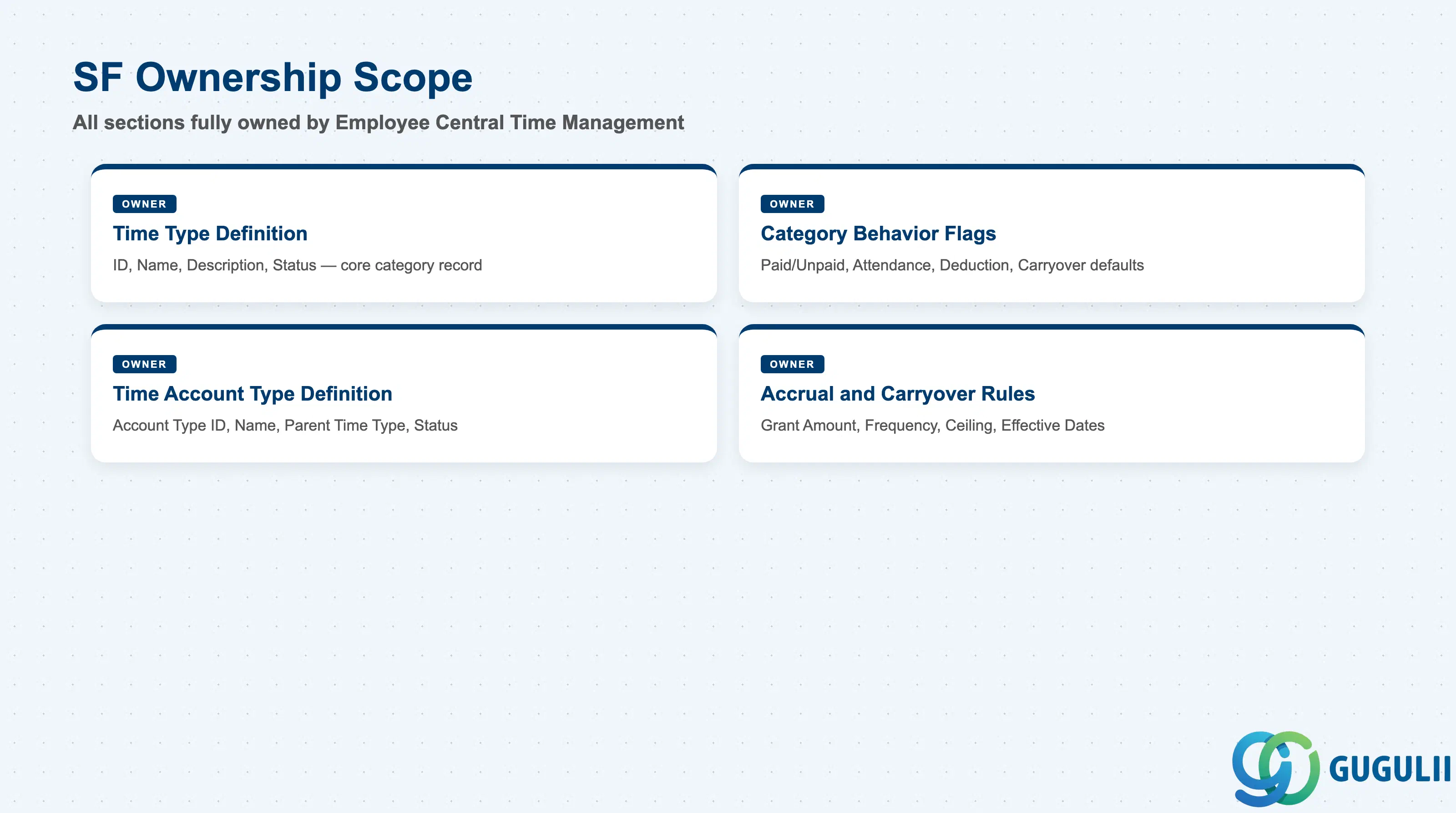
| Data Section | SF Involvement | Notes |
|---|---|---|
| Time Type Definition (Core Identification) | ◎ Owner | Time Type ID, Time Type Name, Description, Status |
| Category Behavior Flags | ◎ Owner | Paid/Unpaid, Attendance-counting, Deduction category |
| Time Account Type Definition | ◎ Owner | Account Type ID, Account Type Name, parent Time Type reference, Status |
| Accrual and Carryover Rules | ◎ Owner | Grant amount, accrual frequency, carryover ceiling, effective dates |
Legend: ◎ = Owner / Critical, ○ = Direct involvement
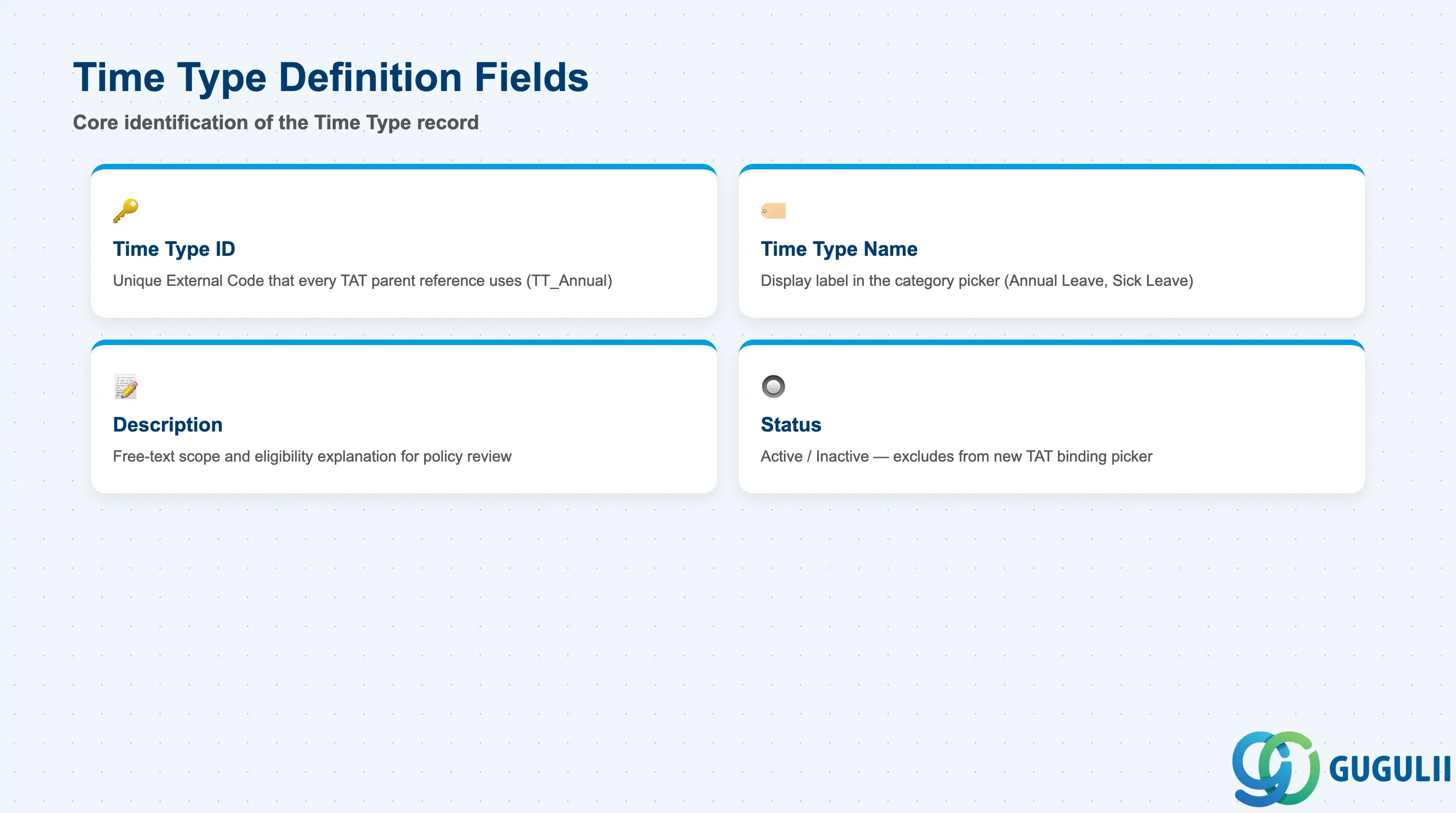
Time Type Definition is the minimum record a Time Type needs to exist — it is what every Time Account Type’s parent-category reference, and every reference to the category elsewhere in the system, resolves back to.
| Field | Description | Practical Usage |
|---|---|---|
| Time Type ID | Unique identifier (External Code) for the Time Type category | The key value every Time Account Type’s parent reference points to. Agree a naming convention that encodes the category clearly (e.g. TT_Annual, TT_Sick) before go-live — this keeps the leave taxonomy scannable once several categories and their Time Account Type children accumulate. |
| Time Type Name | Display name shown in the category picker inside Manage Time Types and Time Account Type configuration | Should describe the leave category in plain terms employees will recognize (e.g. “Annual Leave,” “Sick Leave”) rather than an internal code — this name is what surfaces on employee-facing Time Off request screens. |
| Description | Free-text explanation of the category’s intended scope and eligibility (e.g. which employee population it applies to) | Useful for documenting category-level policy intent that individual Time Account Type variants (Section 2.3) then refine with concrete numbers — a common reference point during annual policy-review discussions. |
| Status | Active / Inactive | An Inactive Time Type is excluded from the picker for new Time Account Type bindings, but does not automatically remove it from Time Account Type records that already reference it — audit and re-point those records before deactivating a category still in active use. |
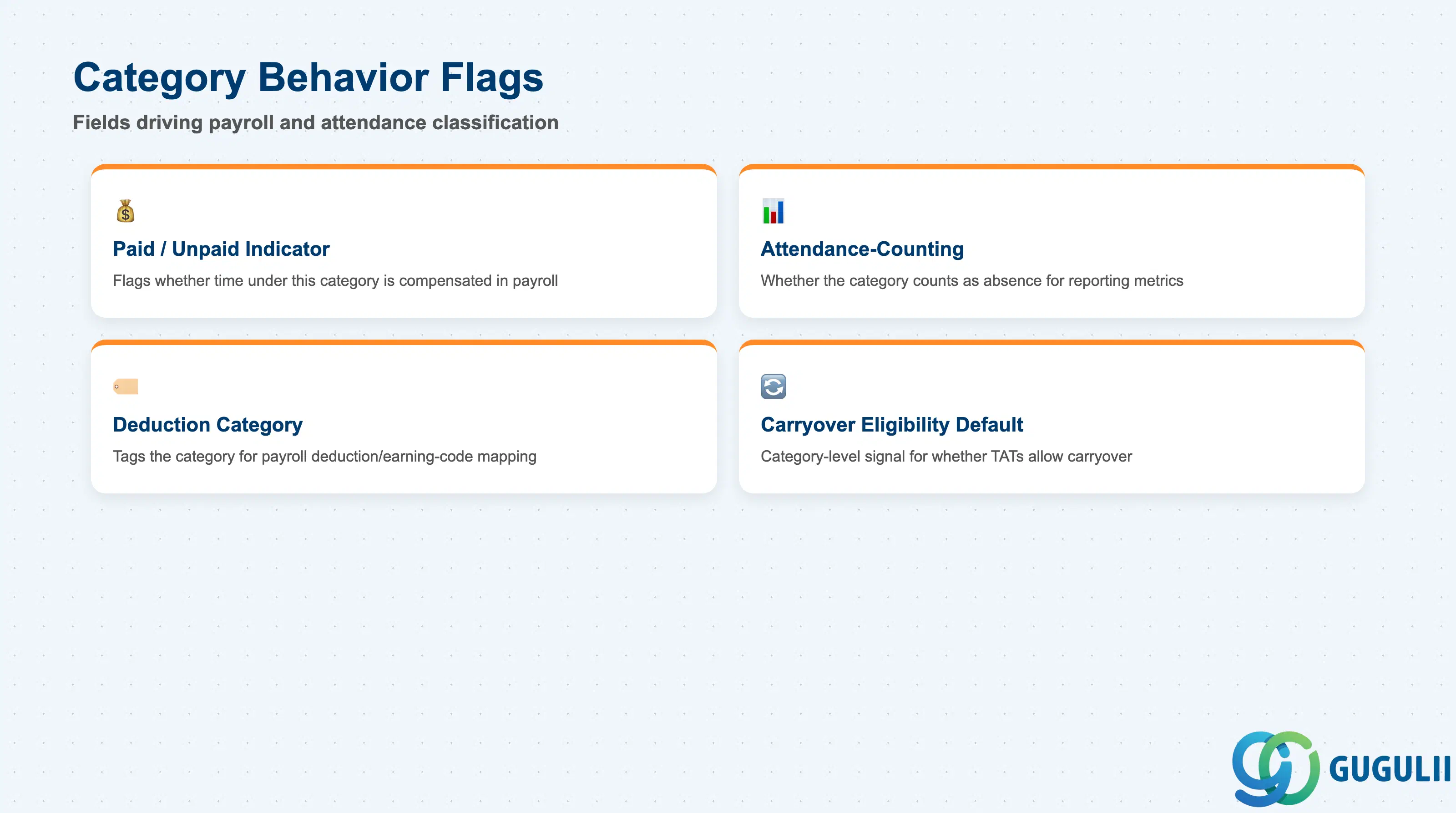
Category Behavior Flags determine how a leave category is treated by payroll and attendance calculations, and are the field group that drives the accruing/non-accruing and paid/unpaid distinctions introduced in Section 1.2.
| Field | Description | Practical Usage |
|---|---|---|
| Paid / Unpaid Indicator | Flags whether time taken under this category is compensated in payroll | Drives the payroll-transfer logic in the SF-B03 Time & Payroll Process — getting this flag wrong on a category silently over- or under-pays every employee who takes leave under it until the mistake is caught in a payroll reconciliation. |
| Attendance-Counting Indicator | Flags whether the category counts as scheduled attendance (present) or as an absence (not present) for reporting purposes | Matters for headcount and attendance-rate reporting rather than payroll itself — a category like paid training leave may still be “paid” but should typically not count as an unscheduled absence in attendance metrics. |
| Deduction Category | Tags the category for how it groups in payroll deduction/earning-code mapping downstream | Consultants coordinate this tag with the Payroll or Employee Central Payroll team early, since a mismatched deduction category is a frequent source of Time & Payroll integration errors discovered only at the SF-B03 “Transfer to FI” step. |
| Carryover Eligibility Default | Category-level default for whether Time Account Types under this Time Type are expected to allow carryover | A default, not an enforced constraint — the actual carryover ceiling is configured per Time Account Type (Section 2.4); this field exists mainly to document policy intent consistently across every account type variant built under the category. |
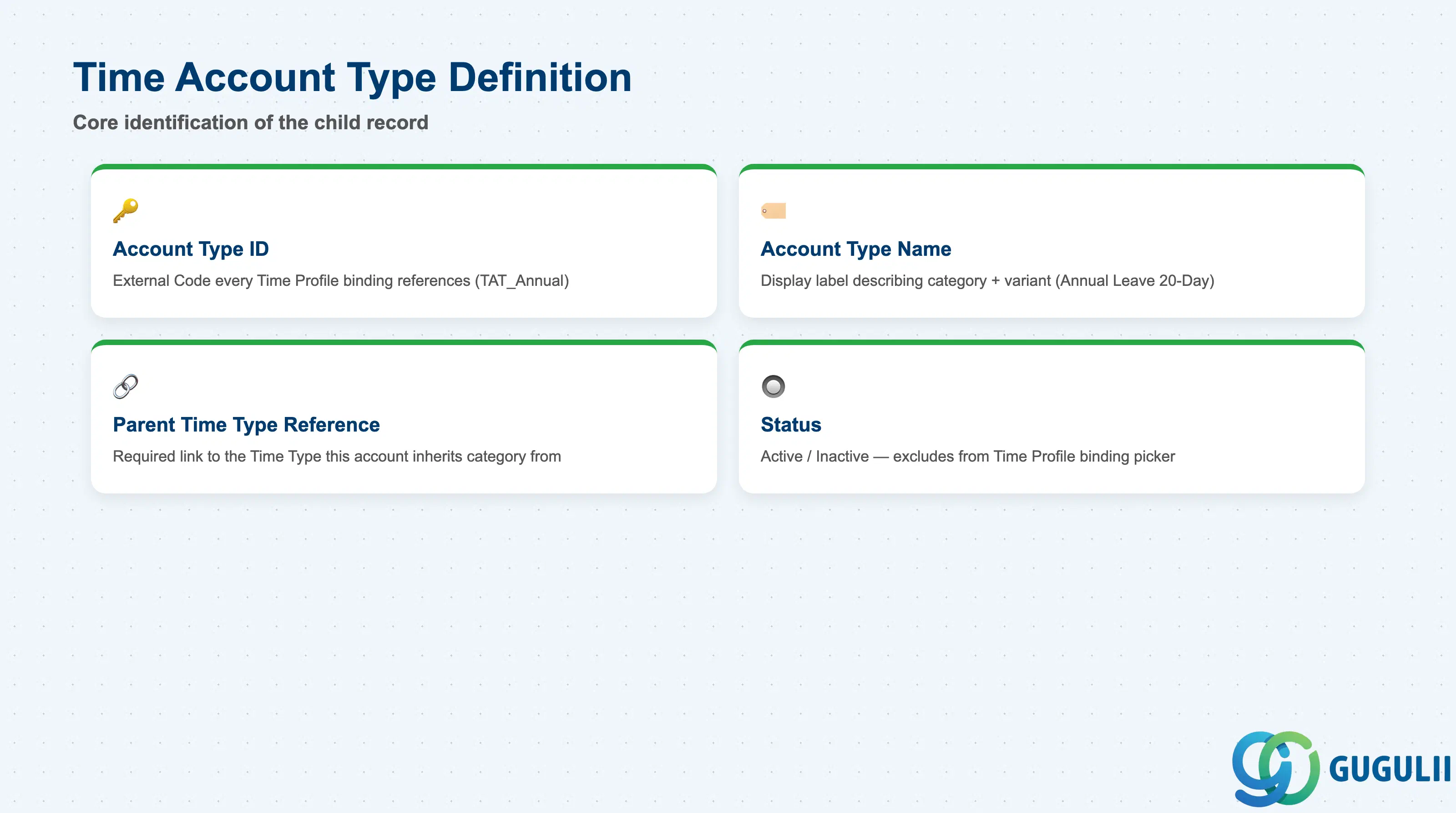
Time Account Type Definition is the child object that turns a Time Type category into something a Time Profile can actually bundle — every Time Profile’s account-type picker (SF-A03-06) resolves to a Time Account Type, never to a Time Type directly.
| Field | Description | Practical Usage |
|---|---|---|
| Account Type ID | Unique identifier (External Code) for the Time Account Type | The key value every Time Profile’s Time Account Type binding references (Section 2.4 here, and SF-A03-06). Agree a naming convention that mirrors the parent Time Type plus a variant qualifier (e.g. TAT_Annual, TAT_Annual_JP_Senior) so multiple accrual variants under the same category stay distinguishable. |
| Account Type Name | Display name shown in the Time Account Type picker inside Manage Time Account Types and Time Profile configuration | Should describe both the category and the accrual variant clearly (e.g. “Annual Leave — Standard 20-Day Grant”) rather than a generic label, especially once tenure-based or country-based grant tiers accumulate under one Time Type. |
| Parent Time Type Reference | The single Time Type this account type inherits its category identity from | Required at creation — a Time Account Type cannot exist without a parent Time Type. Confirm the target Time Type’s paid/unpaid and category flags (Section 2.2) match the intended accrual behavior before attaching a new account type variant. |
| Status | Active / Inactive | An Inactive Time Account Type is excluded from the picker for new Time Profile bindings, but does not automatically remove it from Time Profiles that already reference it — audit and re-point those Time Profiles before deactivating an account type variant still in active use. |
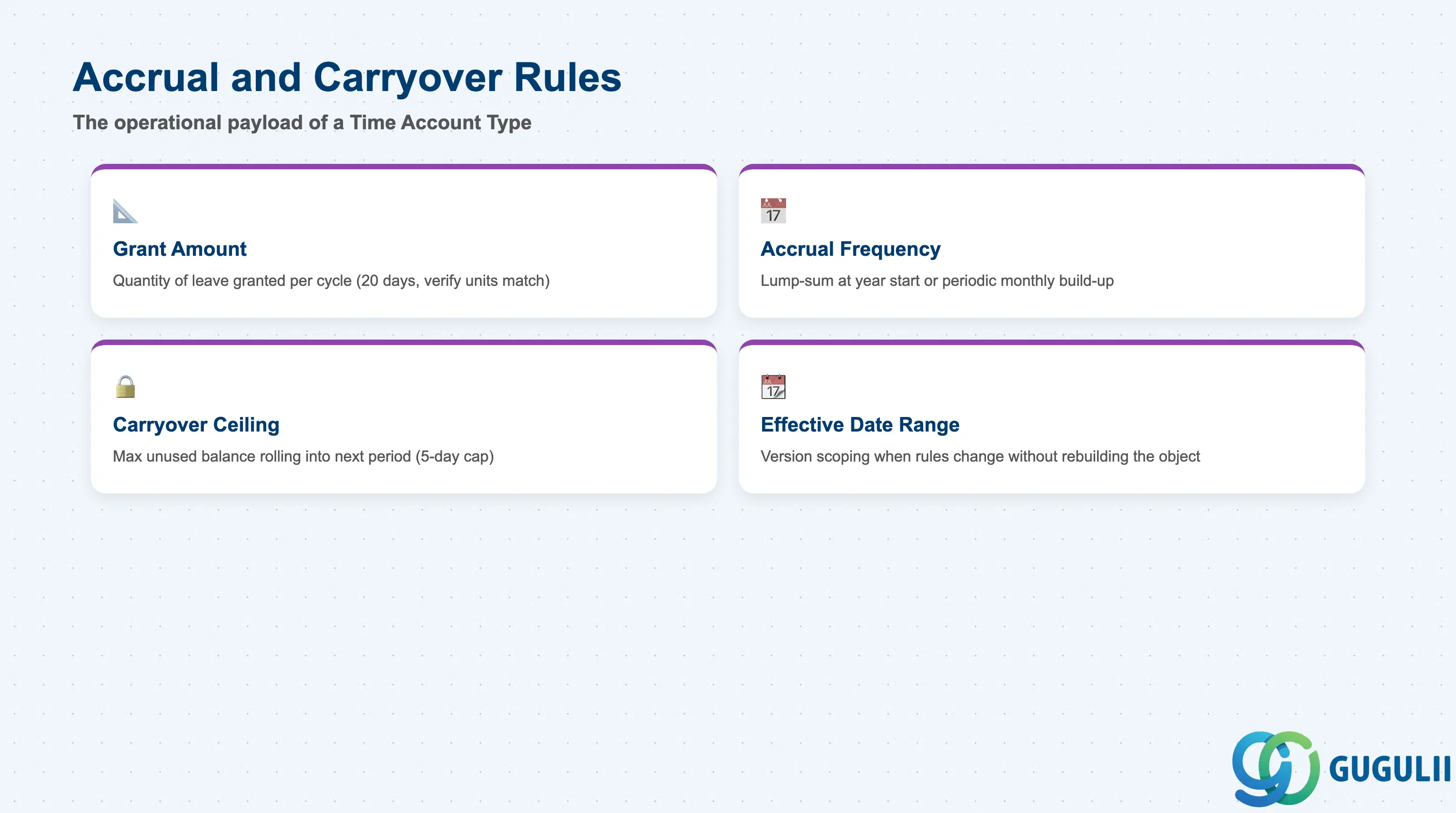
Accrual and Carryover Rules are the actual payload of a Time Account Type — the concrete numbers that Time Off reads to calculate an employee’s real balance. Everything in Sections 2.1–2.3 exists to organize and identify these rules; this is the data that determines what happens in an employee’s leave request.
| Field | Description | Practical Usage |
|---|---|---|
| Grant Amount | The quantity of leave granted per accrual cycle (e.g. 20 days) | The core value driving how much balance an employee accumulates; verify units (days vs. hours) are consistent with the client’s Time Sheet recording granularity before go-live, since a units mismatch produces balances that look plausible but are silently off by a conversion factor. |
| Accrual Frequency | How often the grant amount is applied — e.g. a single lump-sum grant at year start versus a periodic (monthly) accrual | Lump-sum grants are simpler to audit but can overstate balance for an employee who leaves mid-year; periodic accrual is more accurate but requires the accrual job to run correctly every cycle — confirm which model matches the client’s leave policy and local labor-law requirements before configuring. |
| Carryover Ceiling | The maximum unused balance permitted to roll over into the next accrual period (Section 1.2, Carryover-Eligible Account) | Balance above the ceiling is forfeited at period-end reset unless local statutory rules require otherwise (a common country-specific exception) — confirm the client’s target countries’ labor-law carryover minimums before setting a single global ceiling across all Time Account Type variants. |
| Effective Date Range | Start/end date scoping for when a specific accrual rule version is active | Used when accrual rules change over time (e.g. a policy revision raising the annual grant from 15 to 20 days) without needing to rebuild the Time Account Type object itself — historical balances calculated under the prior rule remain unaffected by the new effective-dated version. |
Prerequisite: because Grant Amount and Carryover Ceiling directly drive payroll and Time Off balance calculations, changes to an existing Time Account Type already referenced by active Time Profiles and employee assignments should be treated as effective-dated, payroll-impacting configuration changes — review and communicate before applying, not after.
| ID | Category | Title |
|---|---|---|
| sf-001 | Overview | What is SAP SuccessFactors? |
| ID | Category | Title |
|---|---|---|
| sf-b01 | Overview | SAP SuccessFactors Transactions: Process Flow, Hierarchy & Relationships |