Title here
Summary here

Rating Scale is the master data object that defines a reusable, ordered set of scoring levels — each level pairing a numeric value with a display label such as “5 = Outstanding” — used throughout SAP SuccessFactors Performance & Goals to score how well an employee met a goal or a competency. It is the first object configured within the Goal & Performance Configuration sub-block of Phase 2 (Permission & System Configuration): every Goal Plan Template and every Performance Form Template requires a Rating Scale before it can be built, since the scale is what turns a manager’s qualitative judgment into a comparable number. This article covers what a Rating Scale is, its common point-count variants, how it sits at the head of the Goal Plan Template / Performance Form Template chain in the Talent & Compensation zone of the landscape, and every field an Admin Center consultant configures for it.
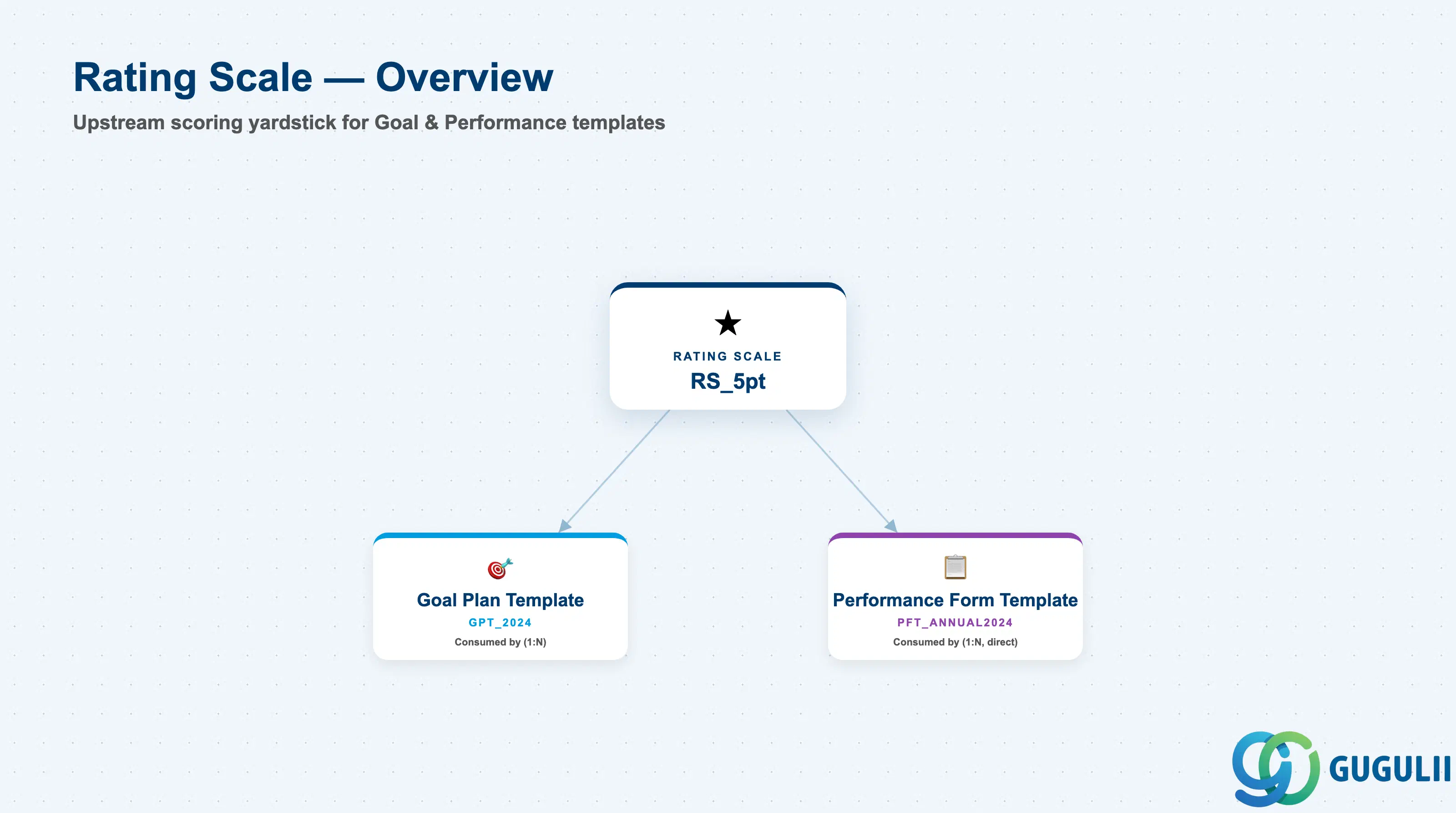
Rating Scale is a client-level (tenant-level) foundation object that carries no employee data of its own — it exists purely as a scoring yardstick. It has no meaning in isolation; its entire purpose is to be referenced by other Performance & Goals templates so that every manager rating a goal, a competency, or an overall review section is scoring against the same defined set of levels, letting ratings be compared, distributed, and calibrated consistently across an organization.
| Aspect | Details |
|---|---|
| Role | Defines a reusable, ordered set of scoring levels (numeric value + display label) that Goal Plan Templates and Performance Form Templates bind to for goal, competency, and overall-rating scoring |
| Modules using it | Owned by Performance & Goals (Goal Management and Performance Management form templates bind directly to it); Compensation consumes a completed rating’s outcome via merit-guideline business rules at runtime, but this is a downstream business process, not a data-model reference back to the Rating Scale object itself |
| Transactions | Admin Center → “Manage Rating Scales” (Company Settings) to create/edit scales and their levels; referenced inside the Form Template Wizard / XML when building a Goal Plan Template or Performance Form Template |
| Key Tables | No classic ABAP table — SuccessFactors stores Rating Scale definitions (scale header + ordered level list) as internal Performance Management configuration objects, in the same posture as Permission Group: not exposed through the generic “Import and Export Data” tool, maintained directly inside “Manage Rating Scales” |
| S/4HANA note | No delivered synchronization exists between SuccessFactors Rating Scale and any on-premise construct. The loosest conceptual analogue is a customizing appraisal scale in classic SAP Performance Management (PA-PA), but Rating Scale is a cloud-native, SuccessFactors-only concept and the two are never systemically linked |
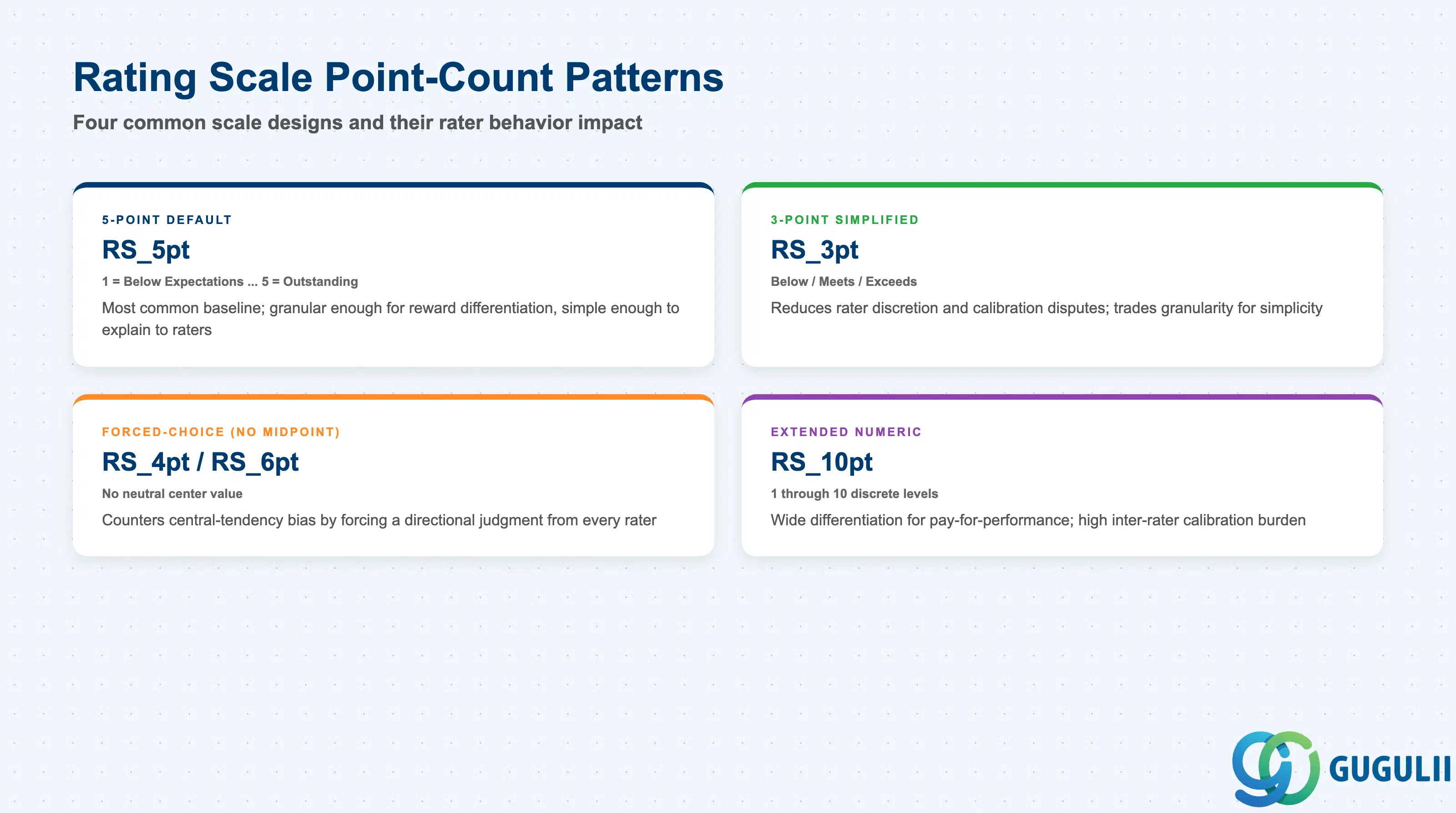
A Rating Scale’s level count is not a cosmetic choice — it directly shapes rater behavior, calibration difficulty, and how cleanly the scale’s output can drive downstream compensation decisions. Getting the point count wrong either produces meaningless clustering around the middle or an unmanageable calibration burden across a large rater population.
| Scale Pattern | Code | Use Case | Key Behavior |
|---|---|---|---|
| 5-Point Default | e.g. RS_5pt | The most common baseline scale, used for overall, goal, and competency ratings alike | Levels typically labeled 1 = Below Expectations through 5 = Outstanding; simple enough to explain to raters, granular enough to differentiate performance for reward decisions |
| 3-Point Simplified | e.g. RS_3pt | Early-stage performance programs, or a goal-achievement pass/fail-style scoring model | Reduces rater discretion and inter-rater calibration disputes; trades away the granularity needed for fine-grained, differentiation-based reward decisions |
| Forced-Choice (No Midpoint) | e.g. RS_4pt / RS_6pt | Programs deliberately designed to counter central-tendency bias (raters defaulting everyone to “meets expectations”) | Removes a neutral center value entirely, forcing a directional judgment from every rater; usually paired with a formal calibration session to hold the forced distribution honest |
| Extended Numeric | e.g. RS_10pt | Compensation-linked rating models that need wide differentiation for pay-for-performance curves | More levels widen the achievable spread but sharply increase inter-rater calibration burden; generally reserved for mature, well-calibrated organizations with strong manager training |
Design principle: a Rating Scale’s level count and label wording should never change once forms are live for an active review cycle — completed ratings reference specific level values, and altering the level count or relabeling levels mid-cycle desynchronizes in-progress and historical form data. Lock the scale design during blueprint, before the first review cycle opens.
Data hierarchy with a concrete example
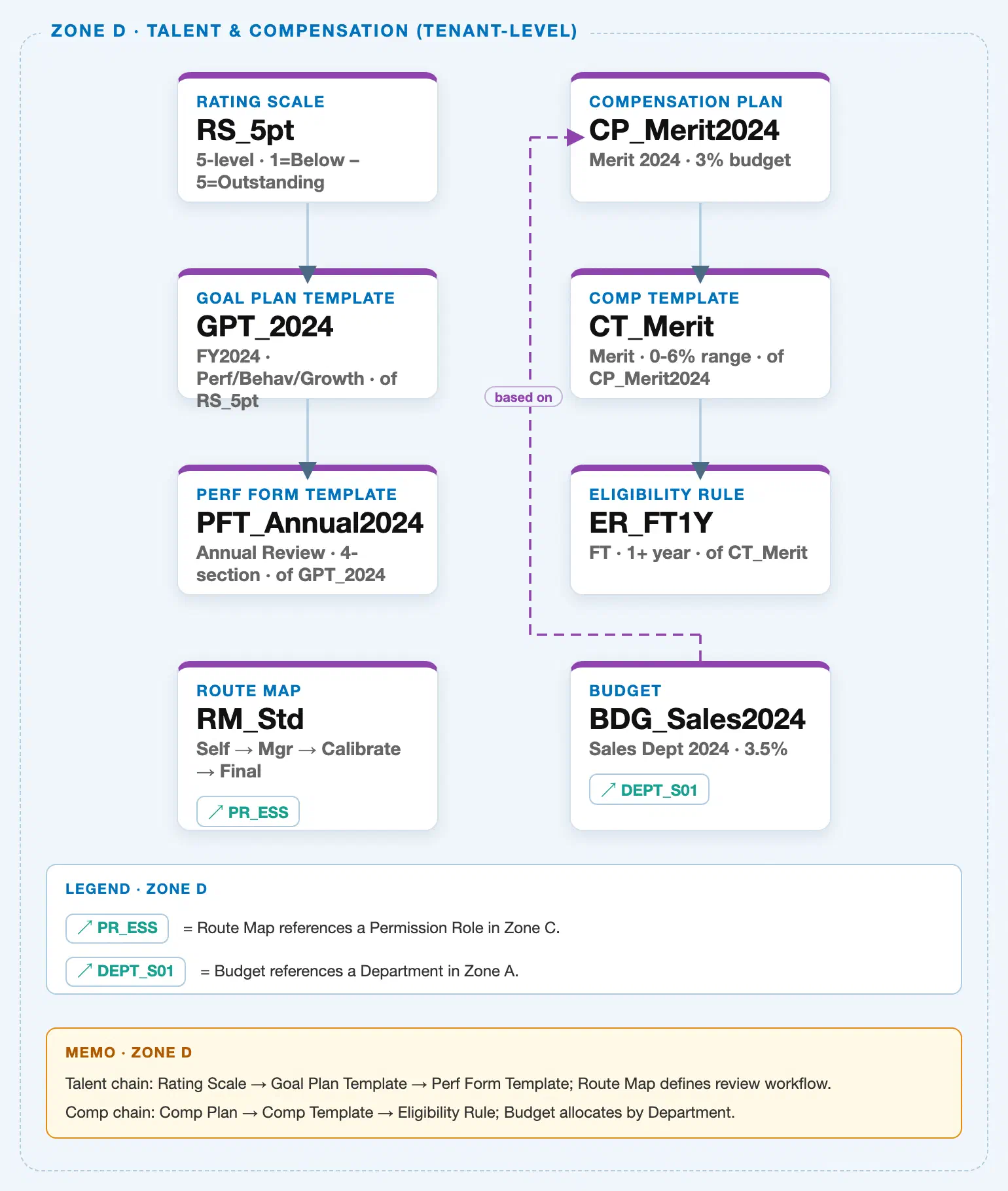
Rating Scale sits in the tenant-level “Talent & Compensation” zone of the SuccessFactors Master Data Landscape, at the head of one of two independent client-level chains bundled into that zone (the Talent chain this article covers, and a parallel, unrelated Compensation chain owned by a sibling article):
Client (SuccessFactors Instance)
   │
   ├── Rating Scale "RS_5pt" — 5-level, 1 = Below Expectations – 5 = Outstanding
   │      │
   │      └── Goal Plan Template "GPT_2024" — FY2024, Performance/Behavior/Growth categories, of RS_5pt
   │             │
   │             └── Performance Form Template "PFT_Annual2024" — Annual Review, 4-section, of GPT_2024
   │
   └── Compensation Plan "CP_Merit2024" — Merit 2024, 3% budget  (Compensation chain, see SF-A03-11)
          │
          └── Compensation Template "CT_Merit" — Merit, 0-6% range, of CP_Merit2024
                 │
                 └── Eligibility Rule "ER_FT1Y" — Full-time, 1+ year, of CT_Merit
MANDATORY landscape verification note: the module Master.md’s ER Diagram draws Rating Scale branching into two parallel 1:N children — Goal Plan Template and Performance Form Template — as siblings, and separately nests Route Map as a 1:N child of Performance Form Template. The published SuccessFactors Master Data Landscape (
sf-a01/images/04-sf-a01-master-landscape.html, Zone D) resolves both points differently: (1) it draws a single serial solid chainRS_5pt → GPT_2024 → PFT_Annual2024, consistent with the Setup Flow’s explicit dual-prerequisite reading that “Performance Form Template ← (Rating Scale, Goal Plan Template)” — Performance Form Template inherits Rating Scale through its linked Goal Plan Template while also being able to bind Rating Scale directly for sections not tied to goal scoring (see Section 1.4); and (2) it places Route Map as a standalone Zone D node with only a dashed reference chip to Permission Role (RM_Std ↗ PR_ESS) — no solid connector to Performance Form Template — matching the Setup Flow’s own prerequisite line “Route Map ← (Permission Role)” rather than the ER Diagram’s nesting. Route Map is therefore not part of this article’s own hierarchy chain; see SF-A03-10.
Design principle: because Rating Scale carries no employee data and no organizational sub-levels of its own, its position in the hierarchy is intentionally shallow (client level, single node) — the real structural complexity lives one level down, in how Goal Plan Template and Performance Form Template each bind to it (Section 2.4), not in the scale object itself.
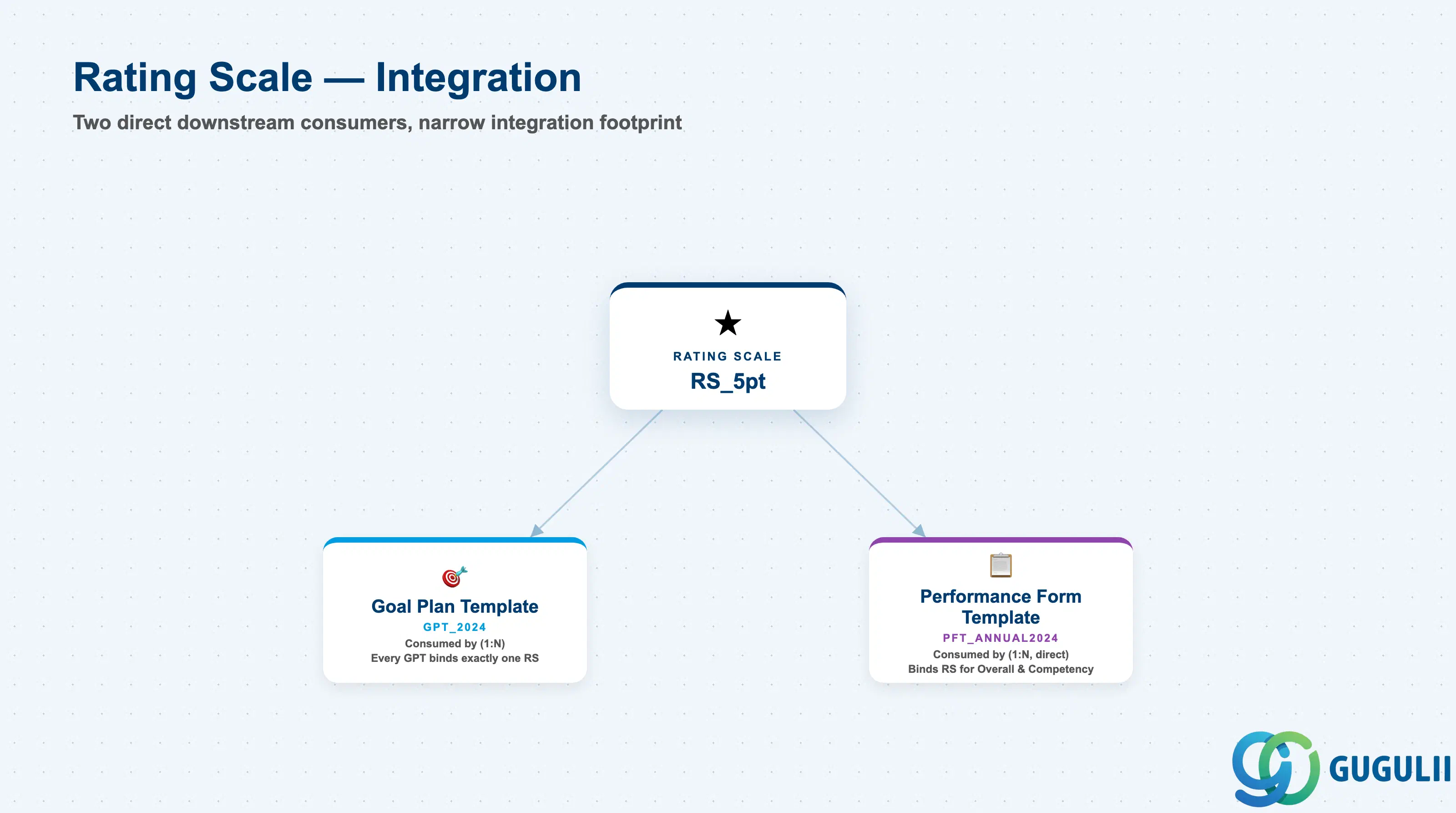
Rating Scale has a narrower integration footprint than most Phase 2 objects: it is a pure upstream input consumed by exactly two downstream templates, with no criteria sources feeding into it the way, for example, Permission Group draws from Foundation Objects. Route Map and Compensation Plan sit in the same landscape zone but have no direct data-model link to Rating Scale — Route Map is configured independently against Permission Role for approval routing, and Compensation Plan’s merit-guideline logic consumes a completed rating’s outcome only as a downstream business rule at runtime, not as a stored reference back to the Rating Scale object.
| Object | Relationship | Practical Notes |
|---|---|---|
| Goal Plan Template | Consumed by (1:N) — every Goal Plan Template binds to exactly one Rating Scale to score individual goal achievement | Changing the Rating Scale bound to a Goal Plan Template that already has active review cycles running against it is a disruptive mid-cycle change — see SF-A03-08 for full Goal Plan Template field detail. |
| Performance Form Template | Consumed by (1:N, direct) — a Performance Form Template’s Overall/Summary section and its Competency section can each bind to a Rating Scale directly, independent of the scale used by its linked Goal Plan Template | Per the module’s own Setup Flow, Performance Form Template lists both Rating Scale and Goal Plan Template as direct prerequisites, not Rating Scale-via-Goal-Plan-Template only — see SF-A03-09 for how each form section’s scale binding is configured. |
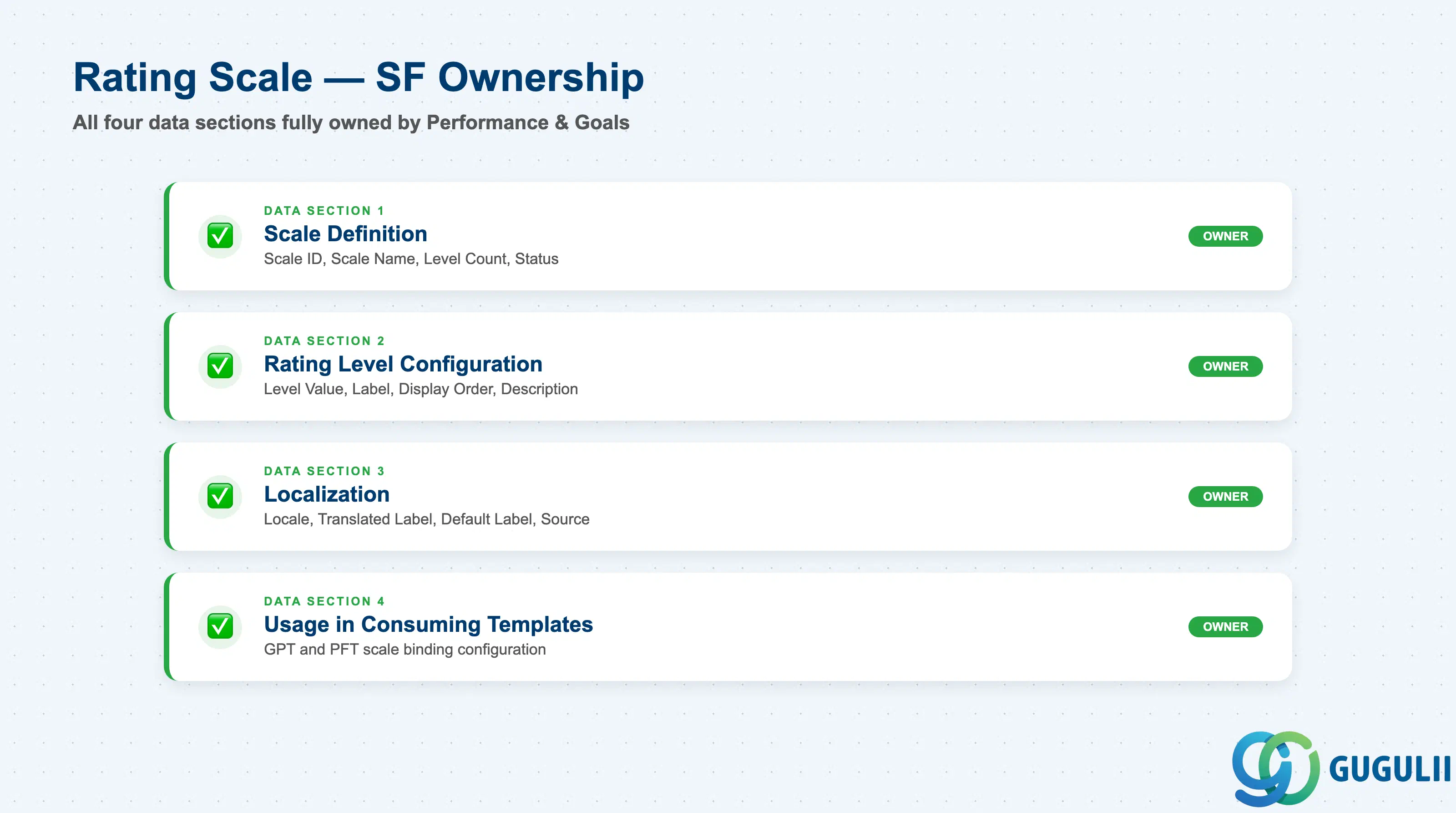
| Data Section | SF Involvement | Notes |
|---|---|---|
| Scale Definition (Core Identification) | ◎ Owner | Scale ID, Scale Name, Number of Rating Levels, Status |
| Rating Level Configuration | ◎ Owner | Level Value, Level Label, Display Order, Level Description |
| Localization (Translated Labels) | ◎ Owner | Locale, Translated Level Label, Default Locale Label, Translation Source |
| Usage in Consuming Templates | ◎ Owner | How the scale is bound into Goal Plan Template and Performance Form Template configuration |
Legend: ◎ = Owner / Critical, ○ = Direct involvement
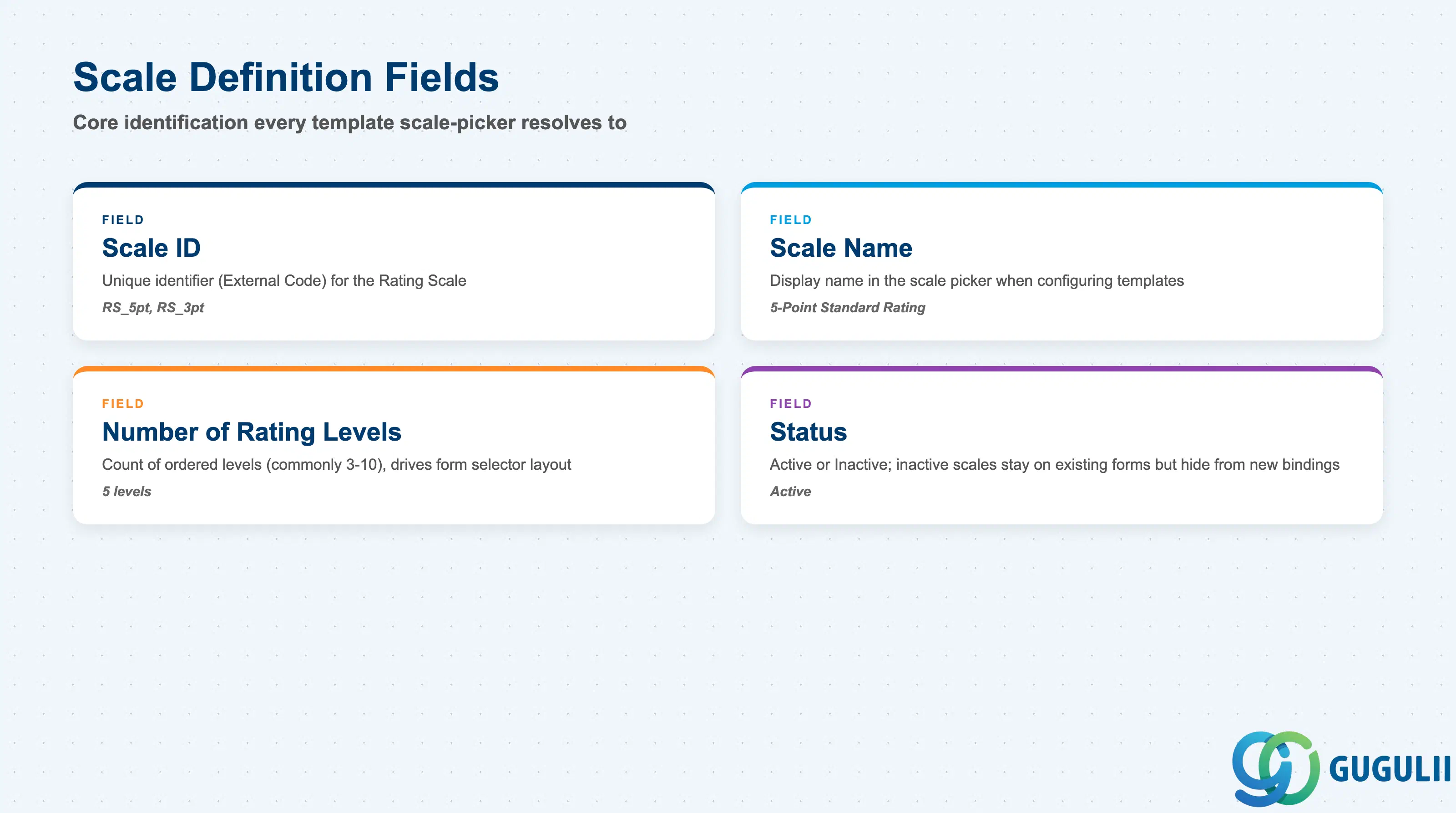
Scale Definition is the minimum record a Rating Scale needs to exist — it is what every Goal Plan Template and Performance Form Template’s scale picker resolves back to.
| Field | Description | Practical Usage |
|---|---|---|
| Scale ID | Unique identifier (External Code) for the Rating Scale | Referenced by every Goal Plan Template and Performance Form Template that binds to this scale. Agree a naming convention (e.g. a RS_ prefix plus point count, RS_5pt) before go-live — renaming after templates are bound to it requires re-checking every template referencing the old ID. |
| Scale Name | Display name shown in the scale picker when configuring a Goal Plan Template or Performance Form Template | Should describe the scale itself (point count and general purpose), not one specific template it will first be used on — a single scale is routinely reused across several review cycles and templates. |
| Number of Rating Levels | Count of ordered levels configured under the scale (commonly 3–10) | Drives the layout width of the rating-selector control on every consuming form. Changing this count after a review cycle has ratings already entered is one of the most disruptive mid-cycle changes an admin can make in a live Performance & Goals instance. |
| Status | Active / Inactive | An Inactive scale is excluded from the picker for new template bindings but remains intact on templates and completed forms that already reference it — inactivating, not deleting, is the safe way to retire a superseded scale. |
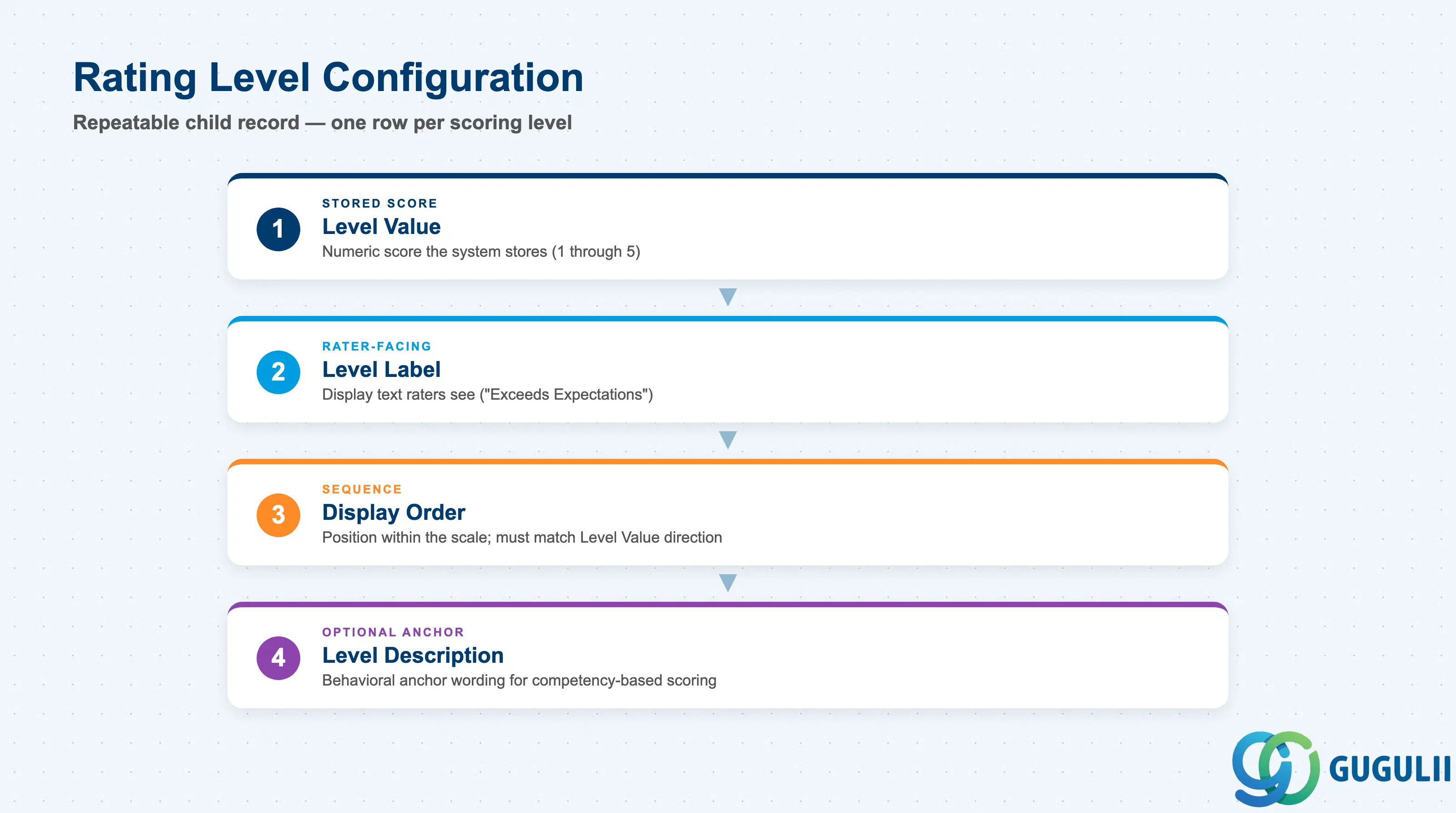
Rating Level Configuration is the repeatable child record — one row per level — that actually defines the scale a rater sees and the number the system stores.
| Field | Description | Practical Usage |
|---|---|---|
| Level Value | The underlying numeric score for the level (e.g. 1 through 5) | This is the value actually stored against a completed rating, and the number any downstream reporting, calibration distribution chart, or compensation merit-guideline lookup reads — the visible Level Label is display-only. |
| Level Label | Display text shown to raters for the level (e.g. “Exceeds Expectations”) | Wording drives rater behavior more than most admins expect — vague labels (“Good,” “Very Good”) produce more central-tendency clustering than concrete, differentiated labels (“Meets Expectations,” “Exceeds Expectations,” “Role Model Performance”). |
| Display Order | Sequence position of the level within the scale, typically ordered low-to-high or high-to-low | Must stay consistent with Level Value ordering — a scale where Display Order and Level Value point in opposite directions is a common configuration mistake that silently inverts what raters see versus what the system scores. |
| Level Description | Optional longer definition text clarifying what performance looks like at this level (behaviorally anchored wording) | Used on scales intended for competency or behavior-based rating rather than simple goal-achievement scoring; the extra definition text reduces rater-to-rater interpretation variance on judgment-heavy competency sections. |
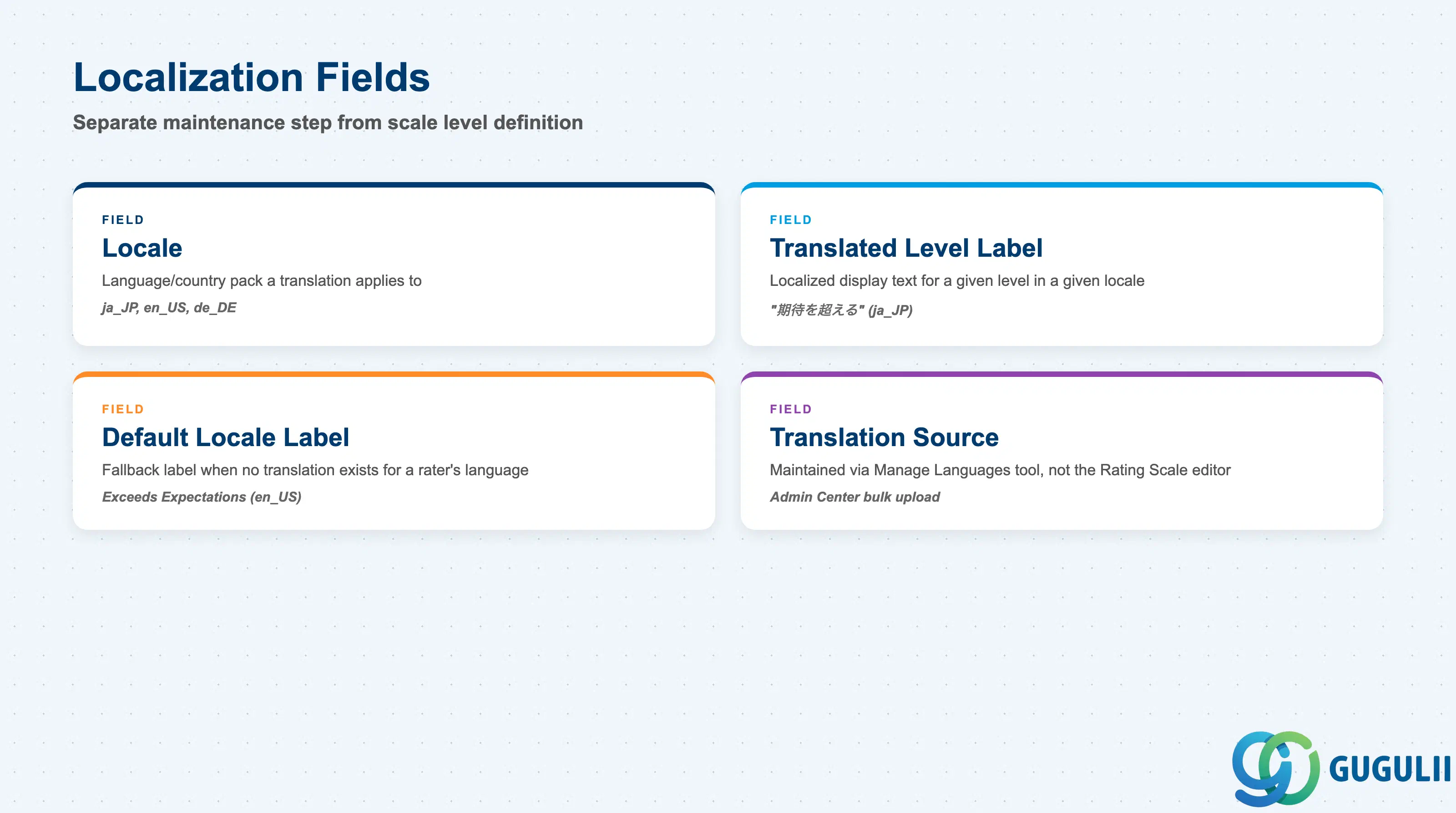
Localization is a deliberately separate maintenance step from defining the scale’s levels — a scale can be fully configured (levels and values complete) and still ship untranslated for a global rollout if this step is skipped.
| Field | Description | Practical Usage |
|---|---|---|
| Locale | Language/country pack a translation applies to (e.g. ja_JP, en_US) | A global instance needs one Level Label translation per active language pack — an untranslated locale silently falls back to the Default Locale Label, a common go-live gap for multi-country rollouts. |
| Translated Level Label | The localized display text for a given level in a given Locale | Verify translated labels preserve the same relative tone and differentiation as the source labels — a literal machine translation can flatten a carefully differentiated 5-level wording into near-identical phrases in the target language. |
| Default Locale Label | The fallback label shown when a rater’s language has no configured translation | Should always be maintained in the instance’s primary business language even after all target locales are translated, since any new locale activated later still falls back to it until translated. |
| Translation Source | Where label text is maintained — Admin Center “Manage Languages” / bulk text-replacement upload, not the Rating Scale editor itself | Rating level translation is a separate maintenance step from scale/level configuration — do not assume a fully configured scale is automatically translated for every active locale. |
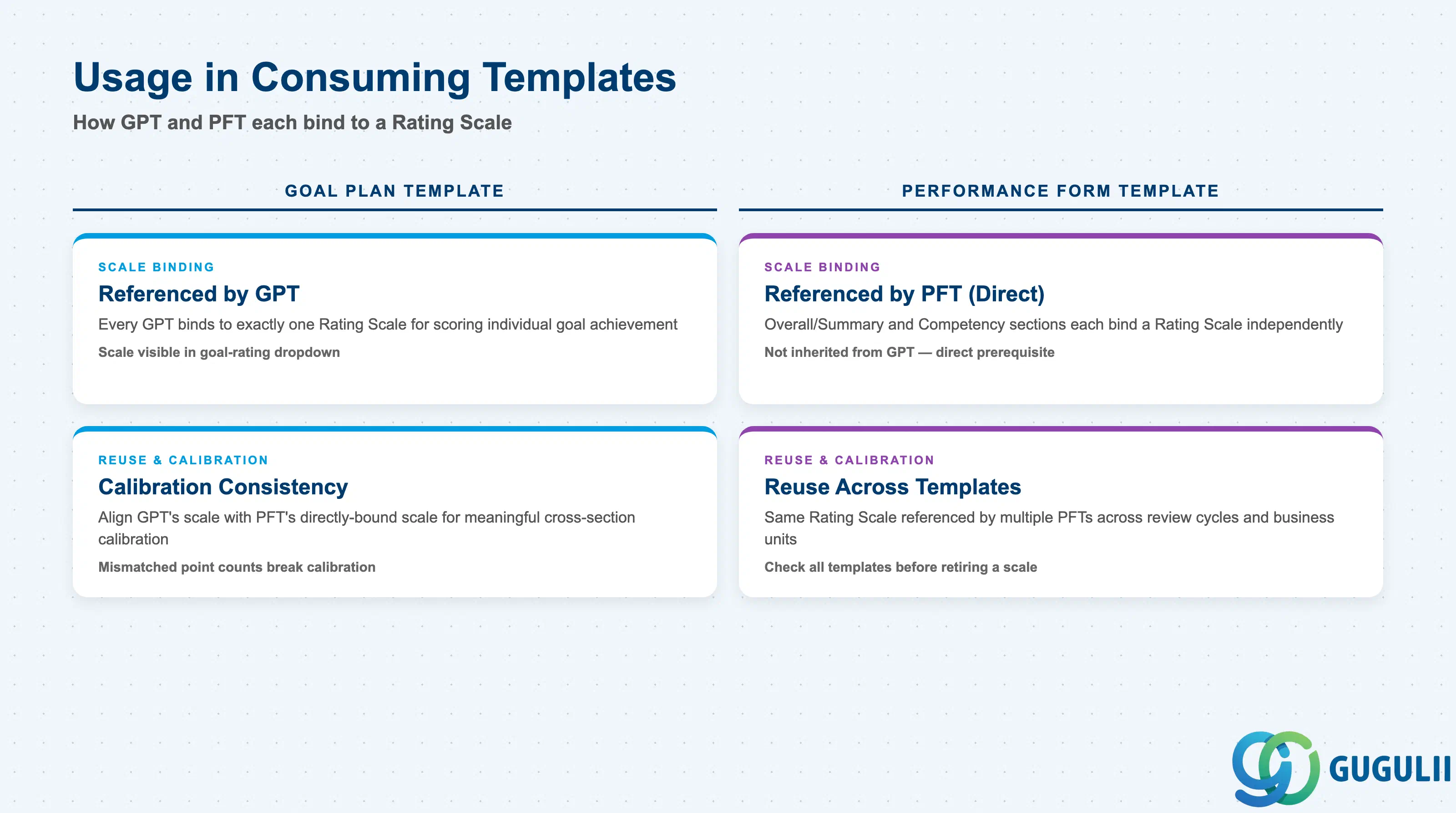
A Rating Scale itself scores nothing — it only becomes meaningful once bound into a Goal Plan Template or Performance Form Template. This section covers how that binding works and where the most common design mistakes occur.
| Usage | Description | Practical Usage |
|---|---|---|
| Referenced by Goal Plan Template | Every Goal Plan Template binds to exactly one Rating Scale for scoring individual goal achievement | This is the scale a manager sees in the goal-rating dropdown when reviewing each goal on an employee’s plan — see SF-A03-08 for full Goal Plan Template field detail. |
| Referenced by Performance Form Template (direct) | A Performance Form Template’s Overall/Summary section, and independently its Competency section, can each bind to a Rating Scale directly — not only inherited through its linked Goal Plan Template | Per the module’s Setup Flow, Performance Form Template lists both Rating Scale and Goal Plan Template as direct prerequisites — see SF-A03-09 for how each form section’s scale binding is configured. |
| Calibration Consistency | Best-practice pairing where a Performance Form Template’s directly-bound scale matches the scale used by its linked Goal Plan Template | Mixing an inconsistent point count between a form’s Goal section (e.g. 3-point) and its Overall section (e.g. 5-point) makes calibration-session distribution comparisons across sections meaningless — align scales deliberately, don’t leave it to default. |
| Reuse Across Multiple Templates | The same Rating Scale is typically referenced by several Goal Plan Templates and Performance Form Templates across review cycles and business units | Before retiring or materially changing a scale’s level count, check every template that currently references it, not just the one prompting the change — the same reuse caution that applies to Permission Group (see SF-A03-01, Section 2.4). |
| ID | Category | Title |
|---|---|---|
| sf-001 | Overview | What is SAP SuccessFactors? |
| ID | Category | Title |
|---|---|---|
| sf-b01 | Overview | SAP SuccessFactors Transactions: Process Flow, Hierarchy & Relationships |