Title here
Summary here

Performance Form Template is the master data object that defines a reusable, versioned review-form structure — its sections (Goal, Competency, Overall/Summary), each section’s weighting and Rating Scale binding, and the Route Map that governs its approval workflow — used throughout SAP SuccessFactors Performance & Goals to generate every employee’s actual, live Performance Form for a given review cycle. It sits at the end of the Goal & Performance Configuration sub-block of Phase 2 (Permission & System Configuration), consuming both Rating Scale and Goal Plan Template as direct prerequisites: per the module’s Setup Flow, a Performance Form Template cannot be built until its Goal Plan Template (and, transitively, that template’s Rating Scale) already exist. This article covers what a Performance Form Template is, its common form-type variants, how it sits as the final node in the Rating Scale → Goal Plan Template → Performance Form Template chain in the Talent & Compensation zone of the landscape, and every field an Admin Center consultant configures for it.
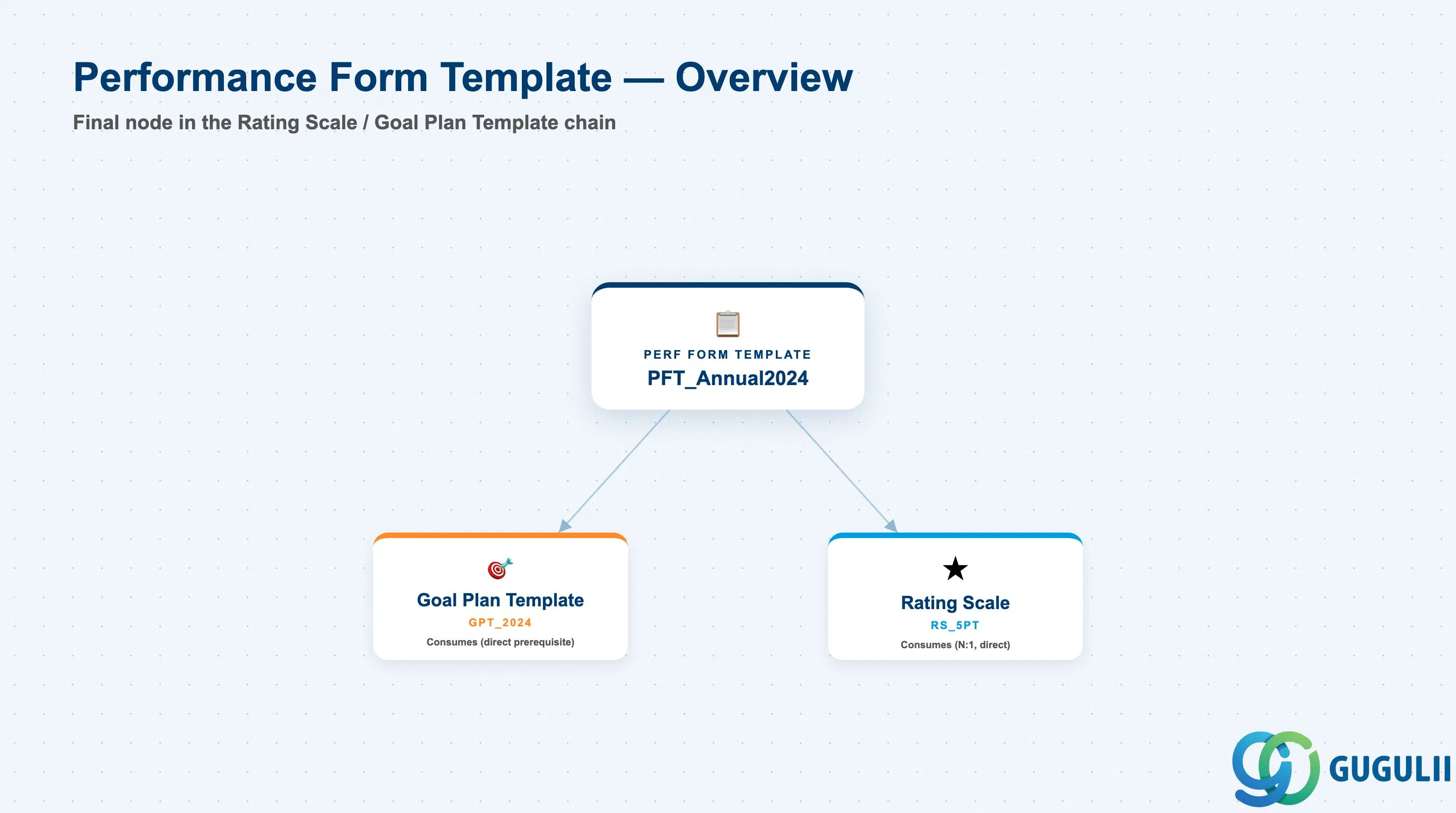
Performance Form Template is a client-level (tenant-level) foundation object that carries no employee data of its own — an individual employee’s actual completed review lives in a separate, instantiated Performance Form record, not in the template. The template’s sole purpose is to define the reusable shape (sections, section weighting, scale bindings, and approval workflow) that every employee’s live review for a given cycle is generated from, so that the review experience and its scoring mechanics are structurally consistent across an entire population rather than freeform per manager.
| Aspect | Details |
|---|---|
| Role | Defines the reusable review-form structure (sections, section weighting, Rating Scale bindings, and Route Map workflow binding) that individual employee Performance Forms are instantiated from for a given review cycle |
| Modules using it | Owned by Performance & Goals (Performance Management); consumes Goal Plan Template directly for its Goal section and Rating Scale directly for its Overall/Summary and Competency sections; binds to Route Map to govern the form’s approval workflow at launch |
| Transactions | Admin Center → “Manage Templates” (Performance Management) to create and version templates; configured via the Form Template Wizard / Form Designer (Metadata Framework based) or by direct XML upload in Provisioning/Admin Center for advanced section layout and rule customization |
| Key Tables | No classic ABAP table — SuccessFactors stores Performance Form Template definitions (template header + section / weighting / route-binding XML) as internal Performance Management configuration objects, in the same posture as Rating Scale and Goal Plan Template: not exposed through the generic “Import and Export Data” tool, maintained directly inside Admin Center template settings or XML upload |
| S/4HANA note | No delivered synchronization exists between SuccessFactors Performance Form Template and any on-premise construct. The loosest conceptual analogue is an Appraisal Template in classic SAP Personnel Development (PA-PD) Objective Setting and Appraisals, but Performance Form Template is a cloud-native, SuccessFactors-only concept and the two are never systemically linked |
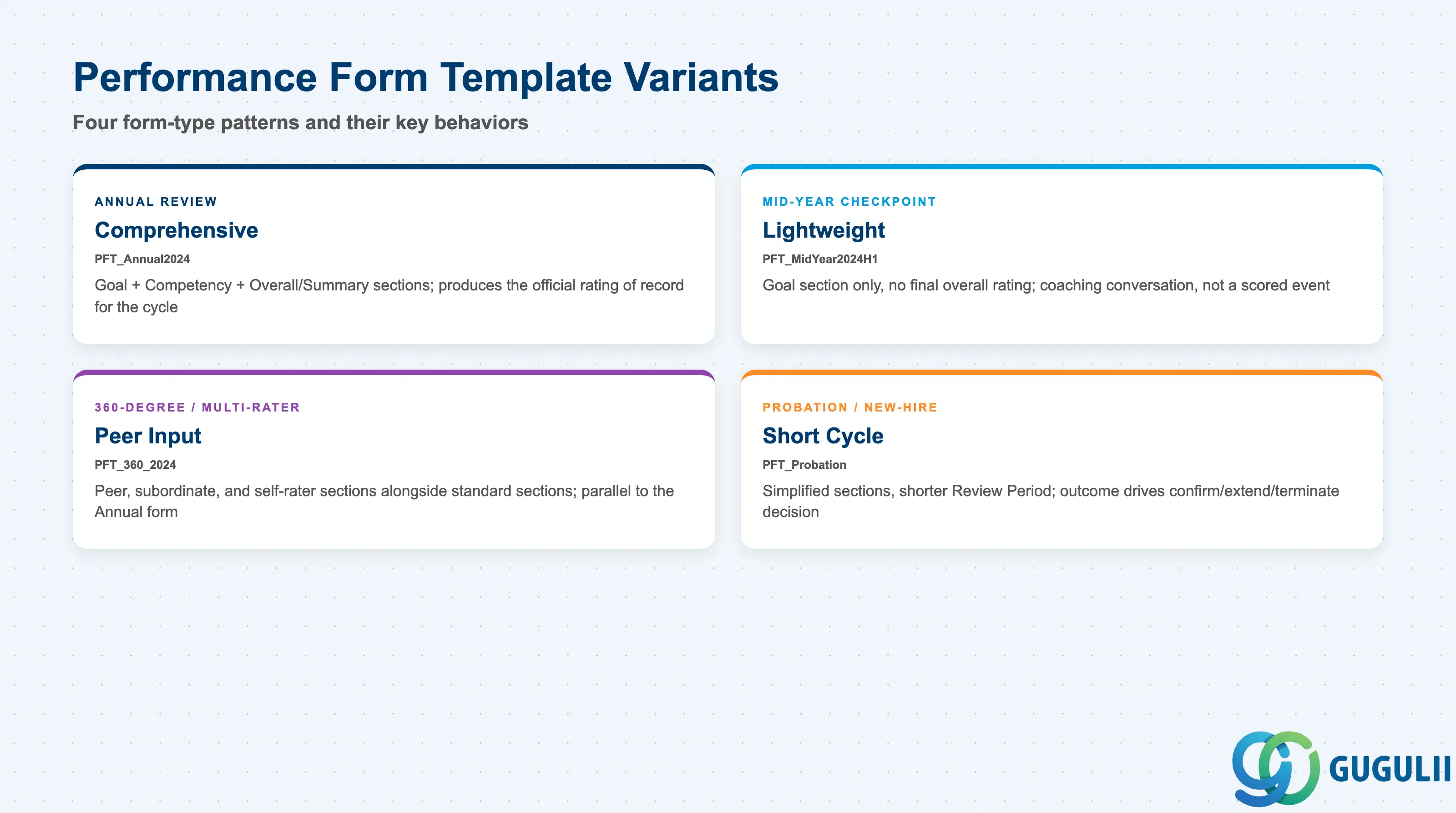
A Performance Form Template’s form type is not a cosmetic choice — it directly determines which sections exist, whether a final overall rating is captured at all, and how heavily the resulting form feeds downstream compensation decisions. Getting the form type wrong either produces an incomplete review record management can’t act on, or an overbuilt form that burdens raters with sections the cycle doesn’t need.
| Form Pattern | Code | Use Case | Key Behavior |
|---|---|---|---|
| Annual Review (Comprehensive) | e.g. PFT_Annual2024 | The most common baseline pattern, tied to one fiscal or calendar year and typically feeding compensation planning | Includes Goal, Competency, and Overall/Summary sections together; produces the single “official” rating of record for the cycle |
| Mid-Year Checkpoint (Lightweight) | e.g. PFT_MidYear2024H1 | An informal touchpoint partway through the cycle to track goal progress without a formal outcome | Typically includes only the Goal section with no final overall rating captured — intended as a coaching conversation, not a scored event |
| 360-Degree / Multi-Rater | e.g. PFT_360_2024 | Roles or organizations wanting peer, subordinate, and self input layered on top of the manager’s rating | Adds peer/subordinate/self-rater sections alongside the standard sections; usually run in parallel with, not as a replacement for, the Annual Review form |
| Probation / New-Hire Review | e.g. PFT_Probation | A short, fixed review period (e.g. 90 days) for new hires with a pass/fail-style decision | Simplified section set and a shorter Review Period than the annual cycle; the outcome typically drives a confirm/extend/terminate decision rather than a compensation input |
Design principle: like Rating Scale and Goal Plan Template before it, a Performance Form Template’s section structure, weighting, and scale bindings should be locked at blueprint — once forms are launched for a live population, changing the template does not retroactively alter already-generated live forms, but it still requires careful re-sequencing against the Rating Scale and Goal Plan Template the next launch depends on.
Data hierarchy with a concrete example
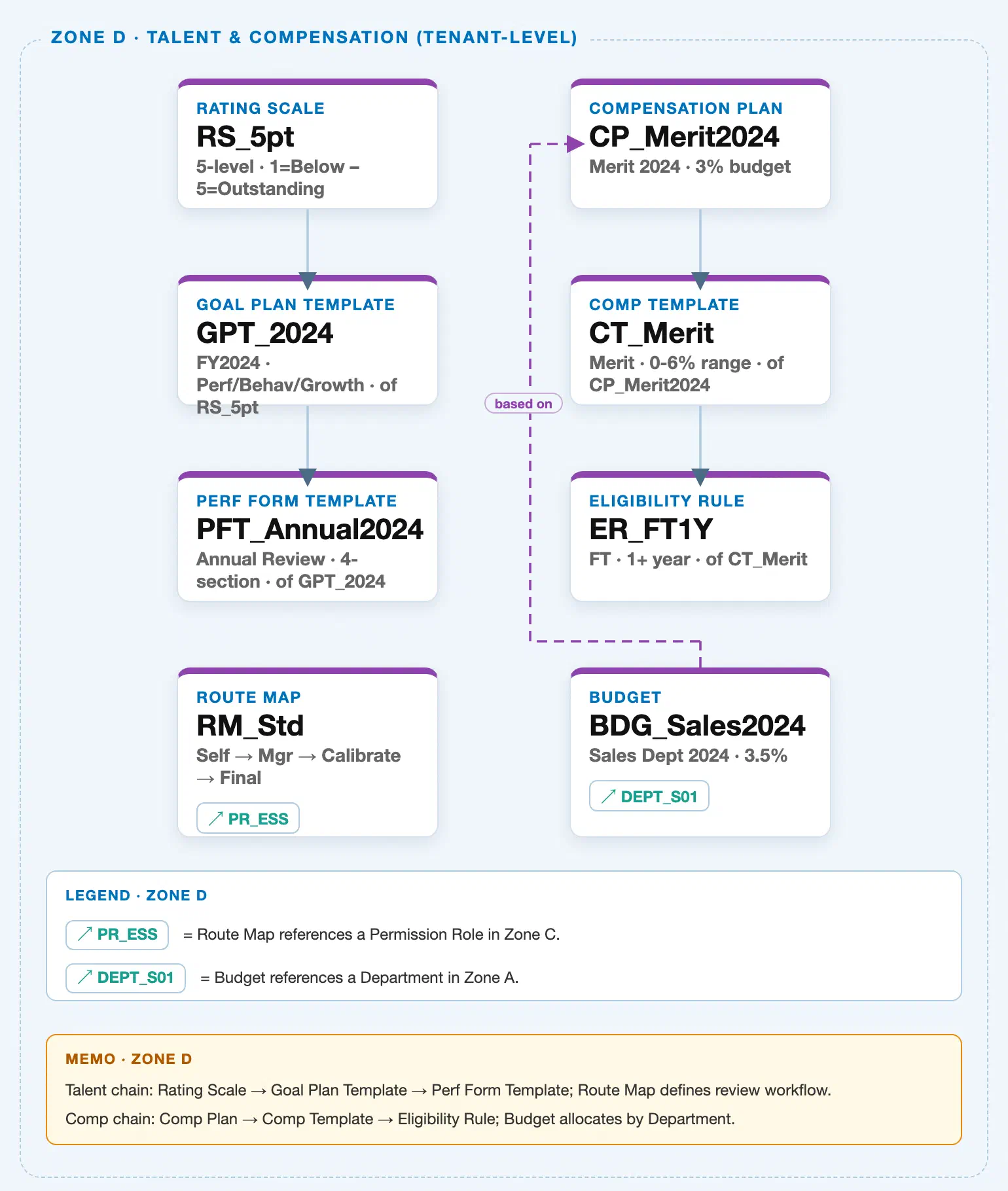
Performance Form Template sits in the tenant-level “Talent & Compensation” zone of the SuccessFactors Master Data Landscape, at the final position of one of two independent client-level chains bundled into that zone (the Talent chain this article concludes, and a parallel, unrelated Compensation chain owned by a sibling article):
Client (SuccessFactors Instance)
   │
   ├── Rating Scale "RS_5pt" — 5-level, 1 = Below Expectations – 5 = Outstanding
   │      │
   │      └── Goal Plan Template "GPT_2024" — FY2024, Performance/Behavior/Growth categories, of RS_5pt
   │             │
   │             └── Performance Form Template "PFT_Annual2024" — Annual Review, 4-section, of GPT_2024  ← this article
   │
   └── Compensation Plan "CP_Merit2024" — Merit 2024, 3% budget  (Compensation chain, see SF-A03-11)
          │
          └── Compensation Template "CT_Merit" — Merit, 0-6% range, of CP_Merit2024
                 │
                 └── Eligibility Rule "ER_FT1Y" — Full-time, 1+ year, of CT_Merit
MANDATORY landscape verification note: the module Master.md’s ER Diagram nests Performance Form Template as a direct child of Rating Scale (a parallel sibling to Goal Plan Template), and separately nests Route Map as a further child of Performance Form Template (
Level 9: Rating Scale → Goal Plan Template / Performance Form Template → Route Map). The published SuccessFactors Master Data Landscape (sf-a01/images/04-sf-a01-master-landscape.html, Zone D, verified directly against the HTML/SVG source this session) resolves both points differently. (1) Chain shape: the landscape draws a single serial solid chainRS_5pt → GPT_2024 → PFT_Annual2024— confirmed in the SVG as two vertical line segments at the same horizontal center (x=1060),y=945→1000(Rating Scale → Goal Plan Template) andy=1095→1150(Goal Plan Template → Performance Form Template), using identical stroke color and weight for both segments. This is consistent with the Setup Flow’s explicit dual-prerequisite line “Performance Form Template ← (Rating Scale, Goal Plan Template)”: Performance Form Template’s own direct upstream prerequisite in the chain is Goal Plan Template, not Rating Scale directly — Rating Scale reaches the Goal section indirectly through the Goal Plan Template it consumes, while the Overall/Summary and Competency sections can additionally bind Rating Scale directly (see Section 1.4). Cardinality note: as with the Rating Scale → Goal Plan Template segment (see SF-A03-08), the landscape’s SVG renders no explicit cardinality digit or verb-pill on the Goal Plan Template → Performance Form Template connector itself (unlike the Compensation zone’s labelled “based on” bypass connector nearby); this article therefore describes the relationship as “consumes (direct prerequisite)” in Section 1.4 rather than asserting an unverified 1:N/N:1 count. (2) Route Map: contrary to the ER Diagram’s nesting of Route Map as a child of Performance Form Template, the landscape places Route Map (“RM_Std”) as a standalone Zone D node — no solid connector to or fromPFT_Annual2024exists in the SVG (confirmed: no line segment spans the vertical gap between the Performance Form Template node attop:1145pxand the Route Map node attop:1295px) — with only a dashed reference chip to Permission Role (RM_Std ↗ PR_ESS). This matches the Setup Flow’s own prerequisite line “Route Map ← (Permission Role)” rather than the ER Diagram’s nesting under Performance Form Template. Route Map is therefore explicitly NOT part of this article’s hierarchy chain or Section 1.4 integration table — it is a standalone object configured independently against Permission Role; see SF-A03-10.
Design principle: because Performance Form Template — like Rating Scale and Goal Plan Template before it — carries no employee data of its own, its own hierarchy position is intentionally shallow (client level, single node) at the end of the chain. The structural complexity that matters to a consultant lives one level up (how it binds to Goal Plan Template and Rating Scale, Sections 2.2–2.3) and one level down (how it becomes each employee’s actual live review, Section 2.5), not in extra sub-levels of the template object itself.
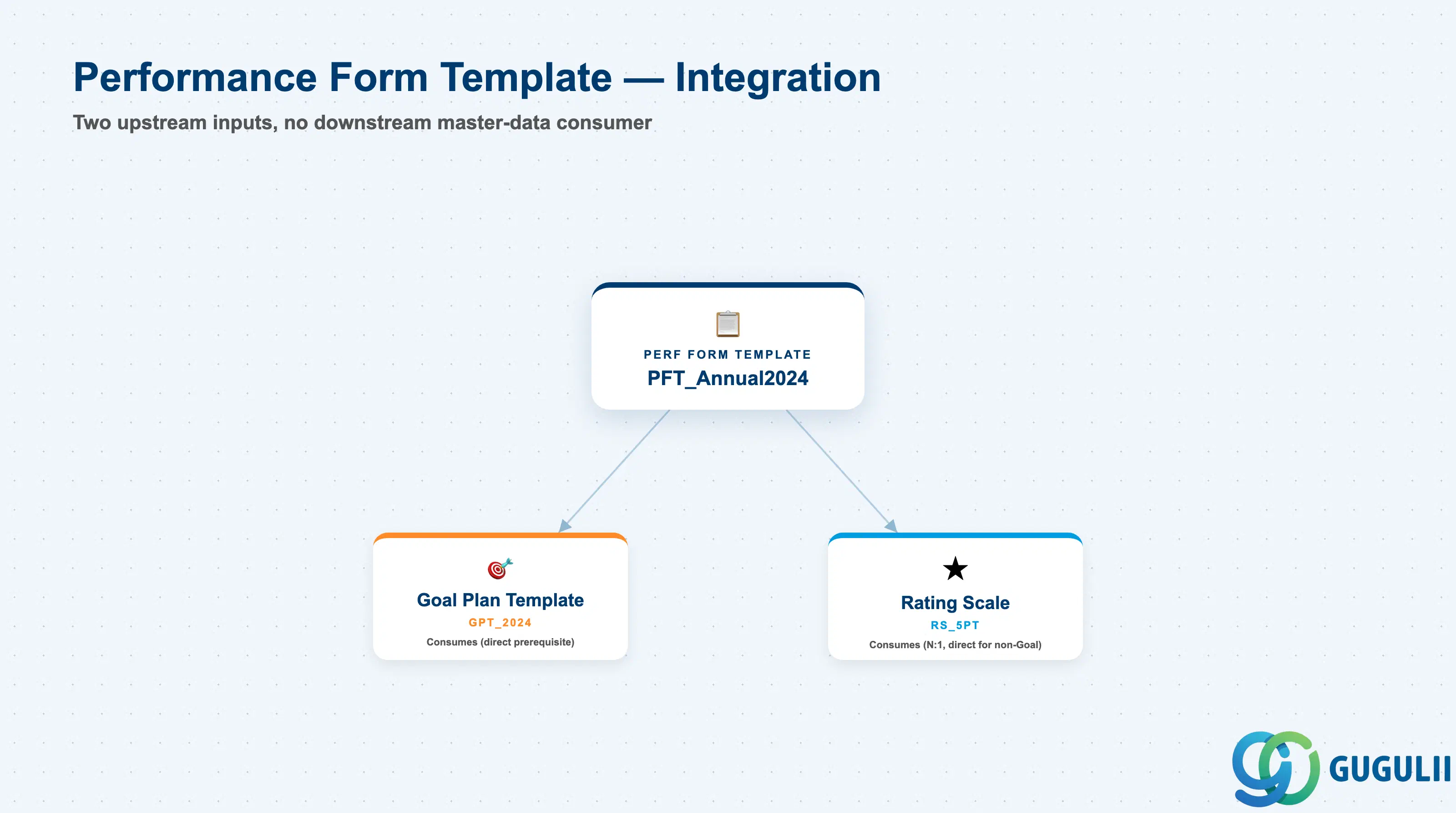
Performance Form Template sits at the end of a short, linear integration chain — it consumes exactly two upstream inputs (Goal Plan Template directly, and Rating Scale both indirectly through the linked Goal Plan Template and directly for its non-Goal sections) and has no direct downstream master-data consumer of its own; instead it is instantiated into individual employee Performance Form records at runtime (Section 2.5). Route Map and the Compensation-chain objects (Compensation Plan, Compensation Template, Eligibility Rule) sit in the same landscape zone but have no data-model link to Performance Form Template at all: per the Section 1.3 verification, Route Map is configured independently against Permission Role with no connector to Performance Form Template in the landscape, and the Compensation-chain objects consume a completed rating outcome only as a downstream business rule at runtime, never a stored reference to Performance Form Template itself.
| Object | Relationship | Practical Notes |
|---|---|---|
| Goal Plan Template | Consumes (direct prerequisite) — the Goal section of a Performance Form Template binds to exactly one Goal Plan Template to source its goal categories, weighting, and (indirectly) its Rating Scale for goal scoring | Per the Setup Flow, Performance Form Template lists both Rating Scale and Goal Plan Template as direct prerequisites — this is the Goal Plan Template half of that pairing. See SF-A03-08 for full Goal Plan Template field detail. |
| Rating Scale | Consumes (direct, N:1) — the Overall/Summary section and, independently, the Competency section can each bind to a Rating Scale directly, not solely inherited through the linked Goal Plan Template | The landscape draws this second, direct prerequisite implicitly through the Setup Flow’s dual-prerequisite line rather than as a separate visible connector (Rating Scale’s own solid chain only extends through Goal Plan Template in the SVG). See SF-A03-07 for full Rating Scale field detail and Section 2.3 below for how each section’s binding is configured. |
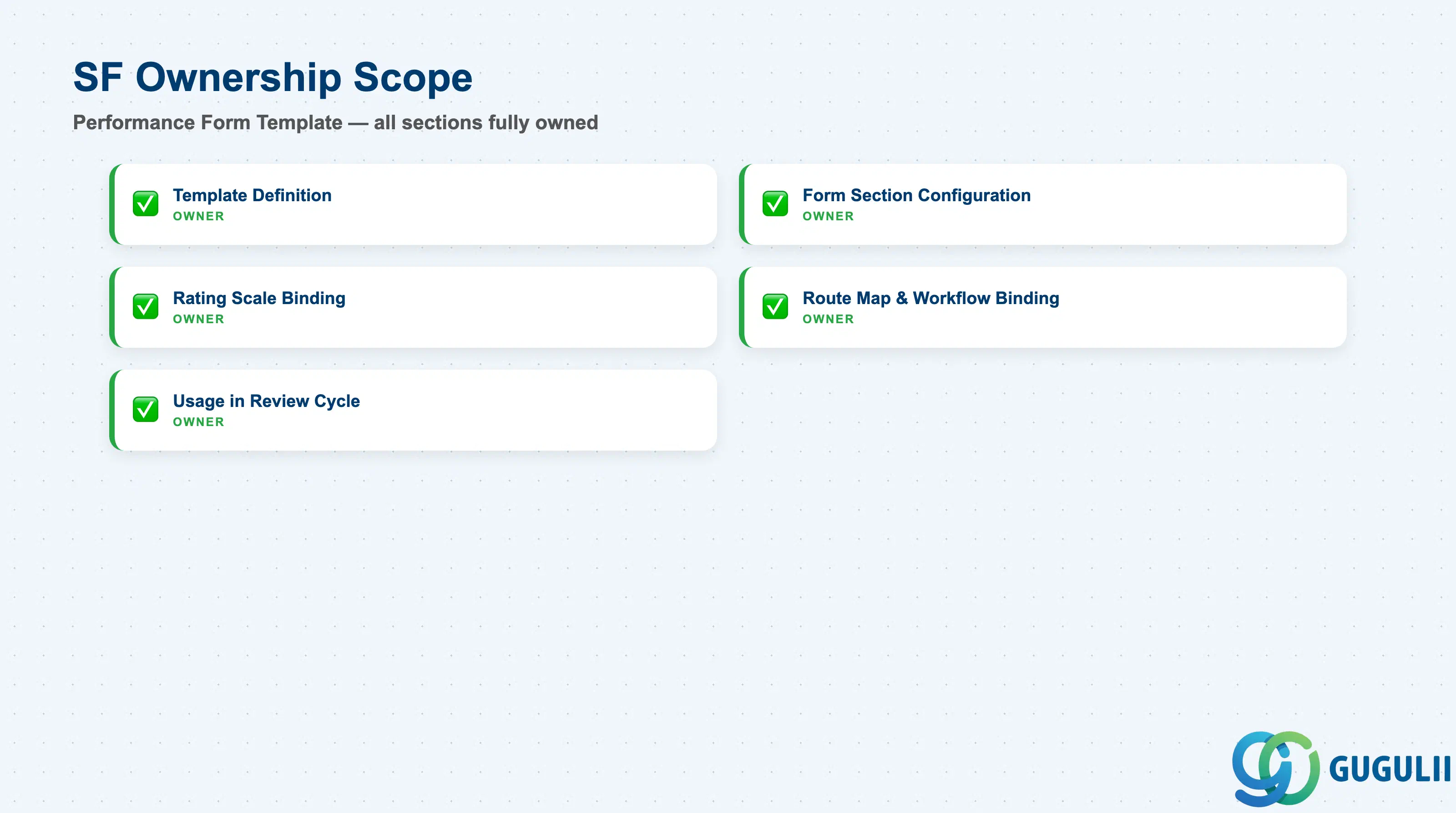
| Data Section | SF Involvement | Notes |
|---|---|---|
| Template Definition (Core Identification) | ◎ Owner | Form Template ID, Form Template Name, Review Period, Form Type, Status |
| Form Section Configuration | ◎ Owner | Section Type, Section Order, Section Weighting %, Source Binding |
| Rating Scale Binding (Section-Level) | ◎ Owner | Overall/Summary Scale, Competency Scale, Goal Scoring Source, Scale Consistency Check |
| Route Map & Workflow Binding | ◎ Owner | Route Map Binding, Step Sequence Inheritance, Launch Trigger, Due Date Configuration |
| Usage in Review Cycle Instantiation | ◎ Owner | Live Form Generation, Launch Population, Mid-Cycle Template Changes, Version per Cycle |
Legend: ◎ = Owner / Critical, ○ = Direct involvement
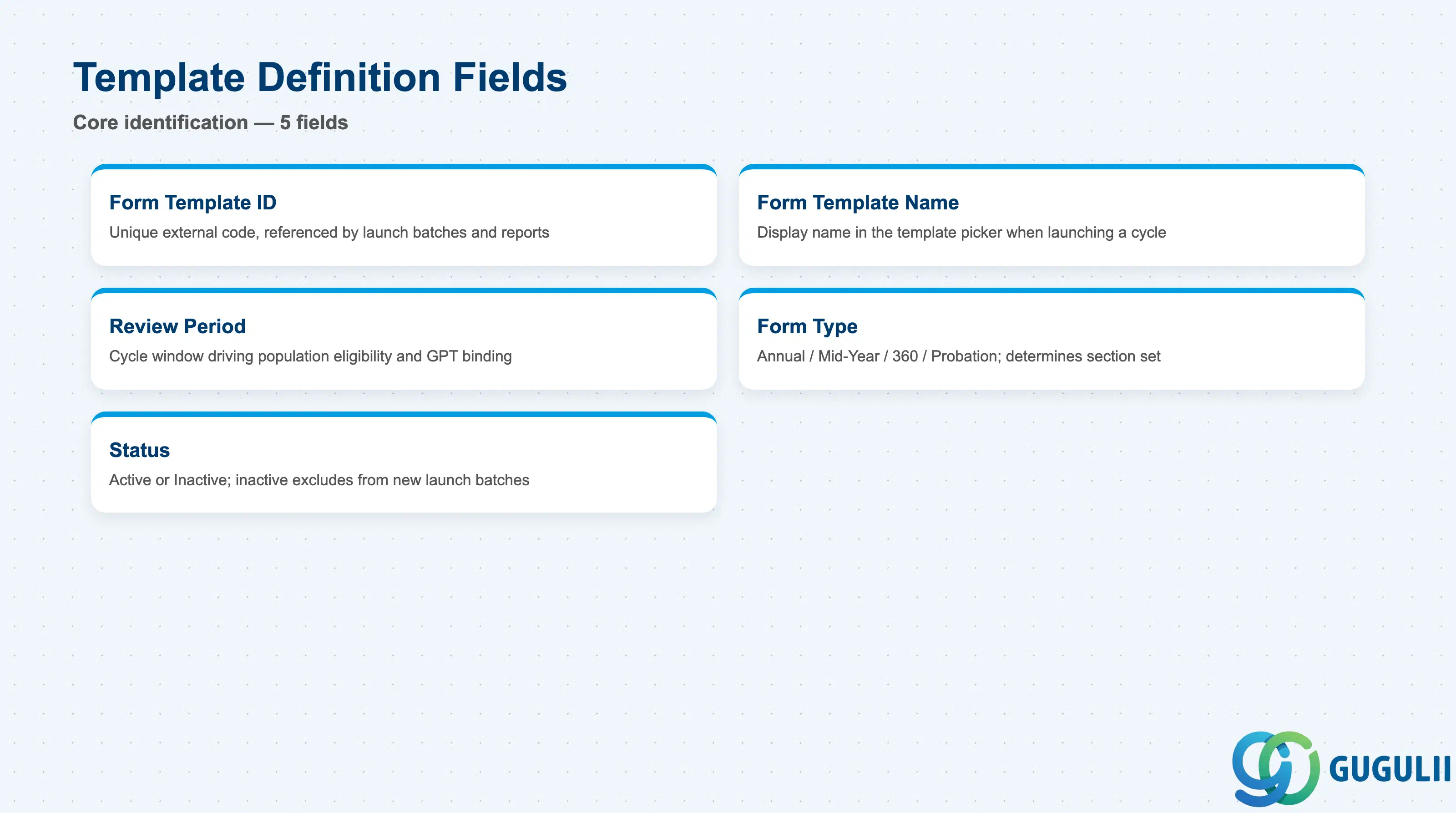
Template Definition is the minimum record a Performance Form Template needs to exist — it is what every launched Performance Form and every reference from a review-cycle configuration resolves back to.
| Field | Description | Practical Usage |
|---|---|---|
| Form Template ID | Unique identifier (External Code) for the Performance Form Template | Referenced by every launch batch and reporting query for the cycle it belongs to. Agree a naming convention (e.g. a PFT_ prefix plus form type and cycle year, PFT_Annual2024) before go-live — renaming after forms are launched requires re-checking every launch batch and report referencing the old ID. |
| Form Template Name | Display name shown in the template picker when launching a review cycle | Should describe the form type and cycle (e.g. “FY2024 Annual Performance Review”), not one specific business unit — the same template is routinely reused as the launch source for the whole eligible population. |
| Review Period | The review-cycle window (e.g. FY2024, January–December) the template applies to | Drives which employee populations are eligible for launch and which Goal Plan Template cycle the Goal section can validly bind to — mismatched Review Periods between a Performance Form Template and its bound Goal Plan Template is a common blueprint-review defect. |
| Form Type | Annual Review / Mid-Year Checkpoint / 360-Degree / Probation (see Section 1.2) | Determines the default section set available and whether the launched form is expected to produce a final overall rating — set this deliberately rather than copying an Annual Review template and stripping sections ad hoc for a lightweight checkpoint. |
| Status | Active / Inactive | An Inactive template is excluded from new launch batches but remains intact on already-launched live forms that reference it — inactivating, not deleting, is the safe way to retire a superseded cycle’s template. |
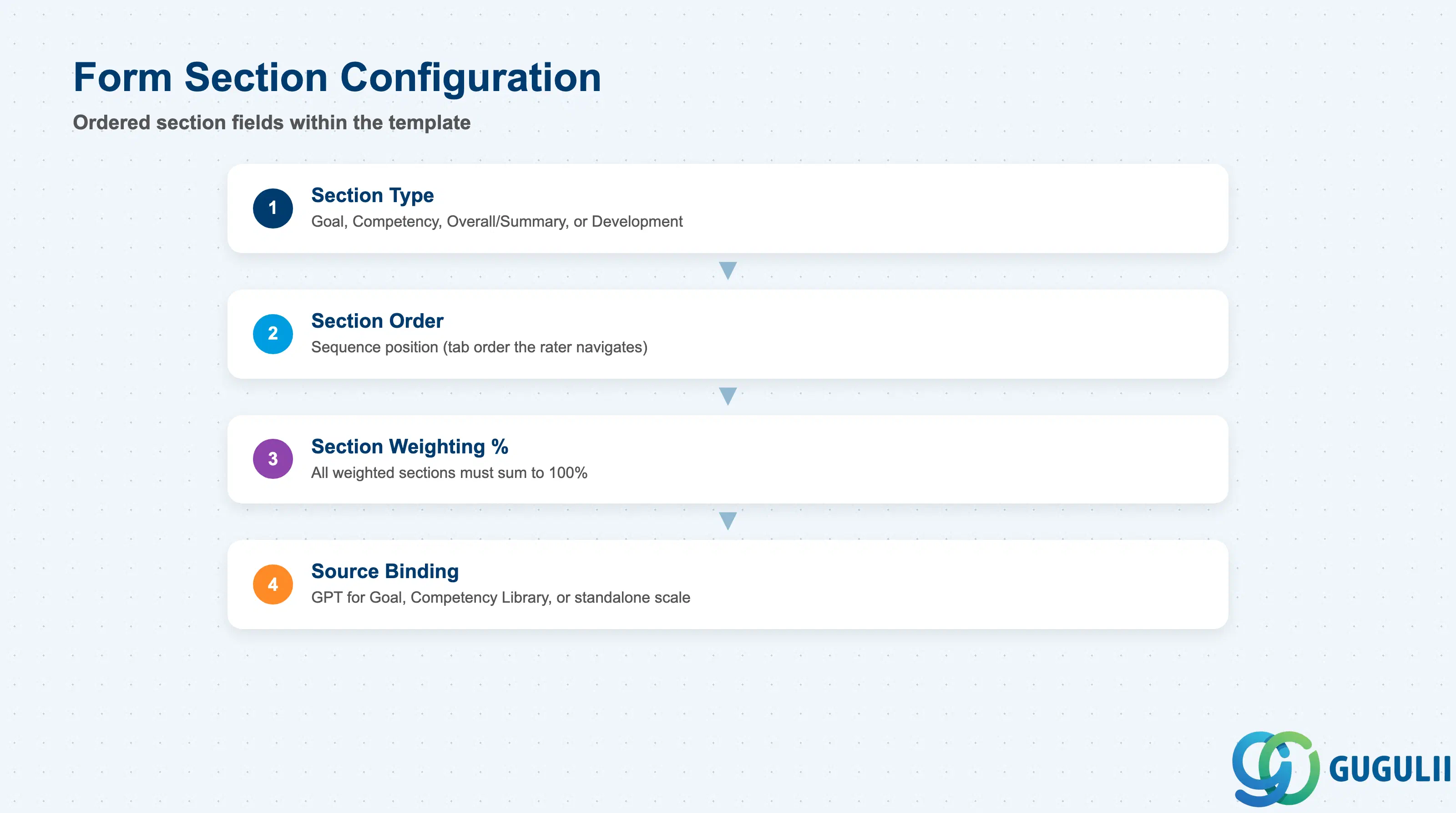
Form Section Configuration is the repeatable child record — one row per section — that shapes what an employee’s actual review form looks like and how each part of it contributes to the overall outcome once instantiated from this template.
| Field | Description | Practical Usage |
|---|---|---|
| Section Type | The category of a form section — Goal, Competency, Overall/Summary, or Development | Not every Form Type needs every Section Type (a Mid-Year Checkpoint template commonly includes only a Goal section) — decide the section set per Form Type at blueprint rather than defaulting every template to the full Annual Review layout. |
| Section Order | Sequence position of the section within the form (tab order a rater navigates through) | Placing the Goal section before Competency generally produces a smoother rater experience, since goal-achievement context tends to inform how a rater then assesses behavioral competencies. |
| Section Weighting % | The percentage of the overall score a given section contributes | All weighted sections on an active template must sum to 100%; a common build-phase defect is leaving an unused draft section in the XML that silently breaks the total once the template is activated — the same class of defect documented for Goal Plan Template categories (see SF-A03-08, Section 2.2). |
| Source Binding | For a Goal section, the specific Goal Plan Template it sources categories and weighting from; for a Competency section, the Competency Library it draws from; the Overall/Summary section typically has no external source binding beyond its own Rating Scale | This is the field that actually implements the Section 1.4 “consumes Goal Plan Template” relationship at the section level — verify the bound Goal Plan Template’s Review Period matches this template’s own Review Period before launch. |
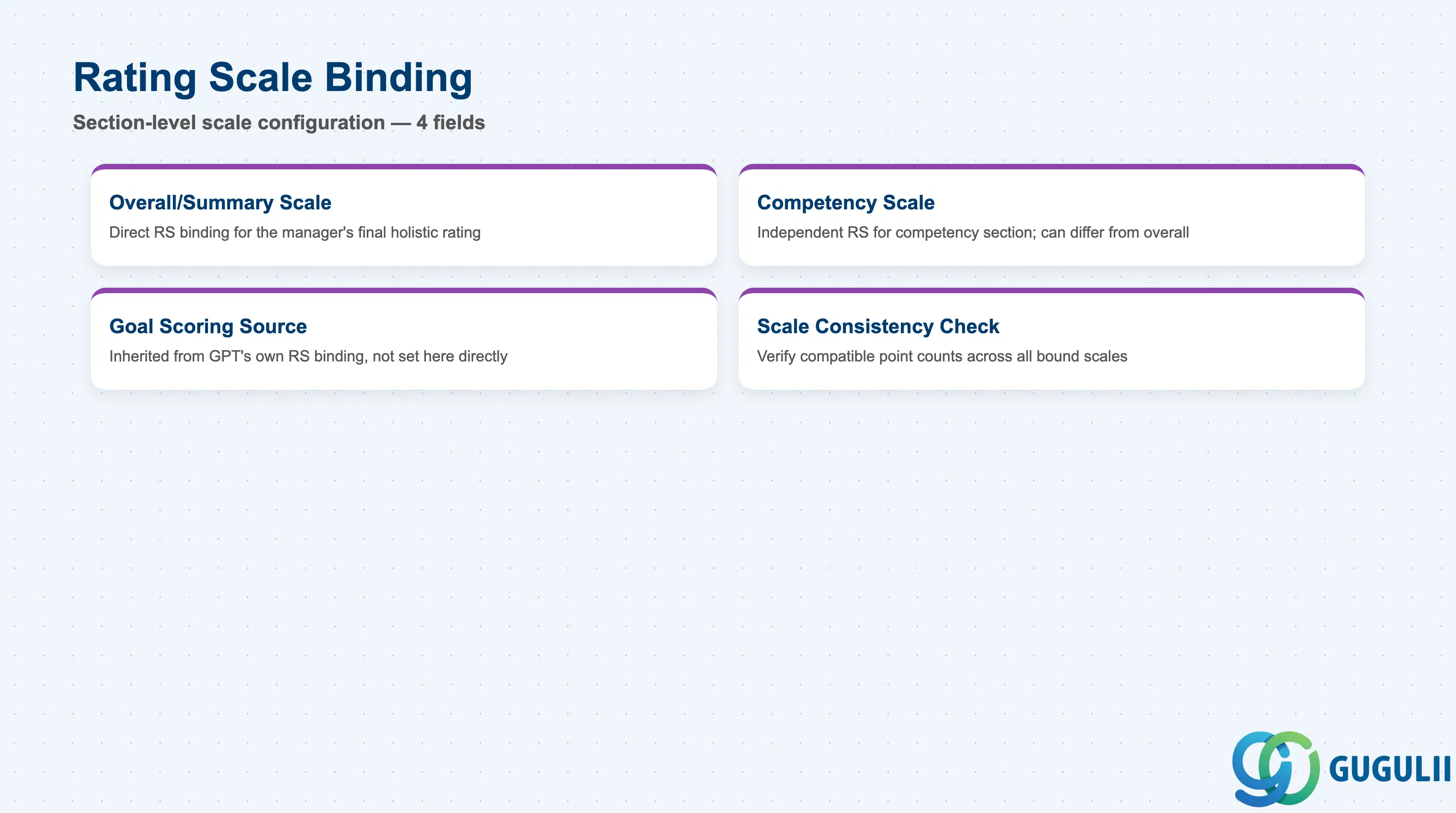
Because Performance Form Template can reach a Rating Scale two different ways — directly for non-Goal sections, and indirectly through its bound Goal Plan Template for the Goal section — this data section exists specifically to track and validate those bindings against each other.
| Field | Description | Practical Usage |
|---|---|---|
| Overall/Summary Scale | The Rating Scale directly bound to the Overall/Summary section, used for the manager’s final holistic rating | This is the scale value that typically feeds compensation merit-guideline logic downstream — confirm it matches the point count the organization intends to drive pay differentiation, not simply the tenant default. |
| Competency Scale | The Rating Scale directly bound to the Competency section, configured independently of the Goal section’s scoring | A template can legitimately bind a different point-count scale for competencies than for the overall rating (e.g. a 4-point forced-choice competency scale against a 5-point overall scale) — this is a deliberate design choice, not a misconfiguration, provided calibration sessions account for the difference. |
| Goal Scoring Source | The Rating Scale actually used to score individual goals is not configured on the Performance Form Template itself — it is inherited from whichever Rating Scale the linked Goal Plan Template binds to (see SF-A03-08, Section 2.1) | A frequent build-phase mistake is assuming the Goal section’s scoring scale can be set directly on the Performance Form Template; it cannot — changing goal-scoring granularity requires changing the bound Goal Plan Template’s own Rating Scale binding instead. |
| Scale Consistency Check | Best-practice verification that the Overall/Summary scale, the Competency scale, and the Goal Plan Template’s own Rating Scale all use a compatible point count | Mixing an inconsistent point count across sections (e.g. 3-point Goal scoring against a 5-point Overall section) makes calibration-session distribution comparisons across sections meaningless — align scales deliberately at blueprint, don’t leave it to whatever each linked object happened to default to. |
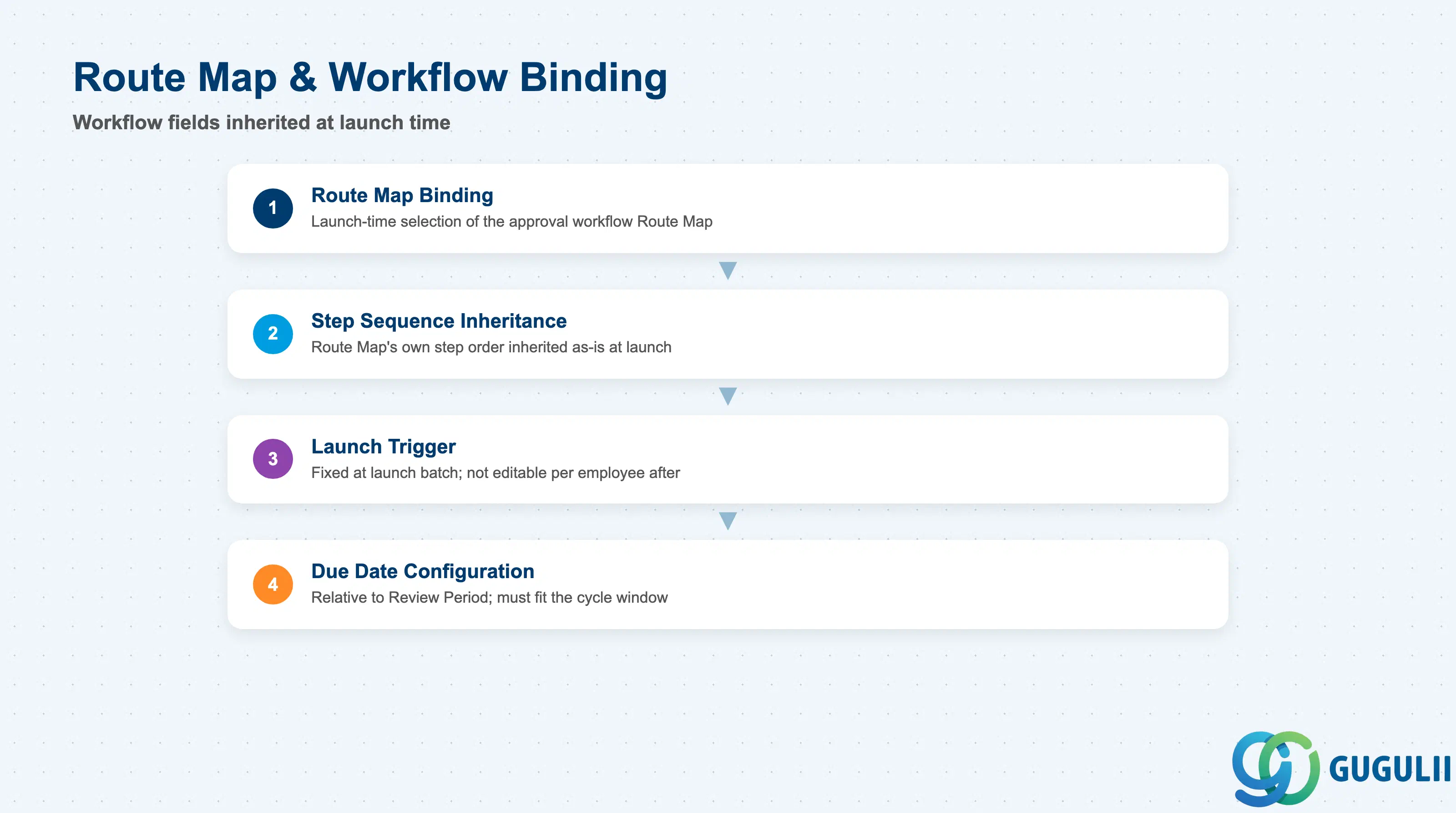
Route Map & Workflow Binding is how a Performance Form Template picks up its approval workflow at launch time — the workflow steps themselves are defined and owned entirely on the Route Map object, not duplicated here.
| Field | Description | Practical Usage |
|---|---|---|
| Route Map Binding | The specific Route Map (e.g. RM_Std) selected to govern the approval workflow when this template is launched | This is a launch-time selection, not a structural data-model connector the way Goal Plan Template’s binding is (see Section 1.3’s landscape verification) — the same Performance Form Template can, in principle, be launched with different Route Maps for different populations or cycles. |
| Step Sequence Inheritance | The Route Map’s own step sequence (e.g. Self → Manager → Calibration → Final) is inherited as-is at launch; Performance Form Template does not redefine or reorder steps | Consultants configuring the review workflow should make step-sequence changes on the Route Map object itself (see SF-A03-10), not attempt to work around sequencing gaps at the Performance Form Template level. |
| Launch Trigger | The point at which the Route Map binding is fixed for a launch batch — typically set once in the launch wizard / Provisioning form-template settings and not editable per individual employee | Confirm the Route Map binding before running a large launch batch; changing it after launch does not retroactively alter workflow steps already in progress on live forms generated from the earlier binding. |
| Due Date Configuration | Due dates assigned to each inherited Route Map step, expressed relative to this template’s own Review Period (e.g. “Self-rating due 2 weeks after Review Period end”) | Misaligned due dates relative to the Review Period is a common go-live defect — a Mid-Year Checkpoint template inheriting Annual Review-length due-date offsets produces workflow deadlines that don’t fit the shorter checkpoint window. |
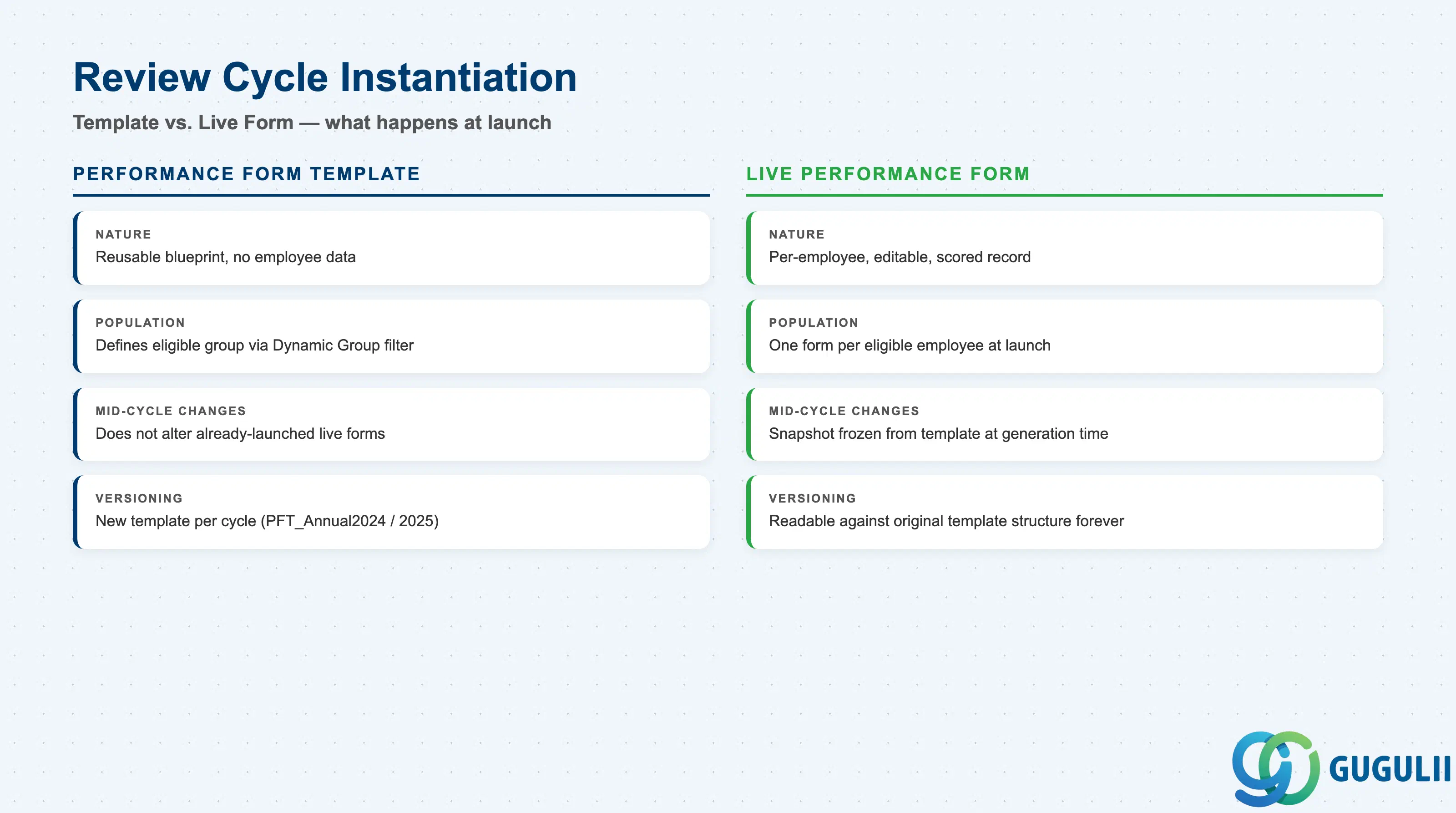
A Performance Form Template itself contains no employee data and produces no score — it only becomes meaningful once a review cycle is launched and an individual, editable Performance Form record is generated per employee from it. This section covers how that instantiation works and where the most common design mistakes occur.
| Usage | Description | Practical Usage |
|---|---|---|
| Live Form Generation | Launching a Performance Form Template against a target population generates one live Performance Form record per eligible employee, snapshotting the template’s section structure, weighting, scale bindings, and Route Map at that moment | This is the actual form a manager and employee interact with during the review cycle — it is a separate, instantiated record from the template, not the template itself being edited directly. |
| Launch Population | The employee group targeted at launch, typically defined via a Dynamic Group or org-unit-based population filter | Confirm the launch population aligns with the eligible population defined by the bound Goal Plan Template’s own Review Period and cascading design — a mismatch produces employees with a live Performance Form but no properly cascaded goal structure to review against. |
| Mid-Cycle Template Changes | Changing the Performance Form Template’s section structure, weighting, or Route Map binding after a launch does not retroactively alter live forms already generated from the earlier launch | The same non-retroactive behavior applies here as it does at the Route Map binding level (Section 2.4) — plan template changes for the next launch batch, not as an in-flight fix for a cycle already underway. |
| Version per Cycle | A new Performance Form Template is typically created for each review cycle (e.g. PFT_Annual2024 → PFT_Annual2025) rather than editing the prior cycle’s template in place | Preserves historical review-form data integrity — employees’ completed FY2024 forms remain readable against the original PFT_Annual2024 structure even after PFT_Annual2025 becomes the active default for the next launch. Mirrors the same versioning convention used for Rating Scale (SF-A03-07) and Goal Plan Template (SF-A03-08). |
| ID | Category | Title |
|---|---|---|
| sf-001 | Overview | What is SAP SuccessFactors? |
| ID | Category | Title |
|---|---|---|
| sf-b01 | Overview | SAP SuccessFactors Transactions: Process Flow, Hierarchy & Relationships |