Title here
Summary here

Route Map is the master data object that defines a reusable, ordered sequence of approval workflow steps — such as Self-rating, Manager Rating, Calibration, and Final — along with each step’s approver-resolution method, governing how a launched review form (or, in real-world practice, a goal plan) moves from launch through to completion. It is configured in the Goal & Performance Configuration sub-block of Phase 2 (Permission & System Configuration), and per the module’s Setup Flow its only listed prerequisite is Permission Role, not Performance Form Template or Goal Plan Template — a distinction confirmed independently against the SuccessFactors Master Data Landscape in Section 1.3 below. This article covers what a Route Map is, its common step-pattern variants, how it sits as a standalone object in the Talent & Compensation zone of the landscape with a single reference into the Permission & Time zone, and every field an Admin Center consultant configures for it.
Route Map is a client-level (tenant-level) foundation object that carries no employee data of its own — it defines the shape of an approval workflow (its ordered steps and each step’s approver-resolution logic), not any single employee’s actual progress through that workflow. A launched form or plan snapshots the Route Map’s step sequence at launch time and tracks each employee’s individual movement through it separately; the Route Map itself stays a reusable, versioned configuration object.
| Aspect | Details |
|---|---|
| Role | Defines the ordered sequence of approval workflow steps (step type, step name, and approver-resolution method per step) that a launched review form or plan moves through from launch to completion |
| Modules using it | Owned by Performance & Goals (Performance Management); Route Maps are the workflow engine bound to Performance Form Templates and, in real deployments, to Goal Plan Templates for goal-approval cycles — see Section 1.4 |
| Transactions | Admin Center → “Manage Route Maps and Route Map Steps” (create/edit Route Maps and their ordered steps); Route Map selection also appears inside the Form Template Wizard / Provisioning template settings at template-launch configuration time |
| Key Tables | No classic ABAP table — like Rating Scale, Goal Plan Template, and Performance Form Template, Route Map definitions are stored as internal Performance Management configuration objects (step sequence + approver-resolution XML), not exposed through the generic “Import and Export Data” tool |
| S/4HANA note | No delivered synchronization exists between SuccessFactors Route Map and any on-premise construct. The loosest conceptual analogue is an SAP Business Workflow approval chain in classic ABAP, but Route Map is a cloud-native, SuccessFactors-only concept and the two are never systemically linked |
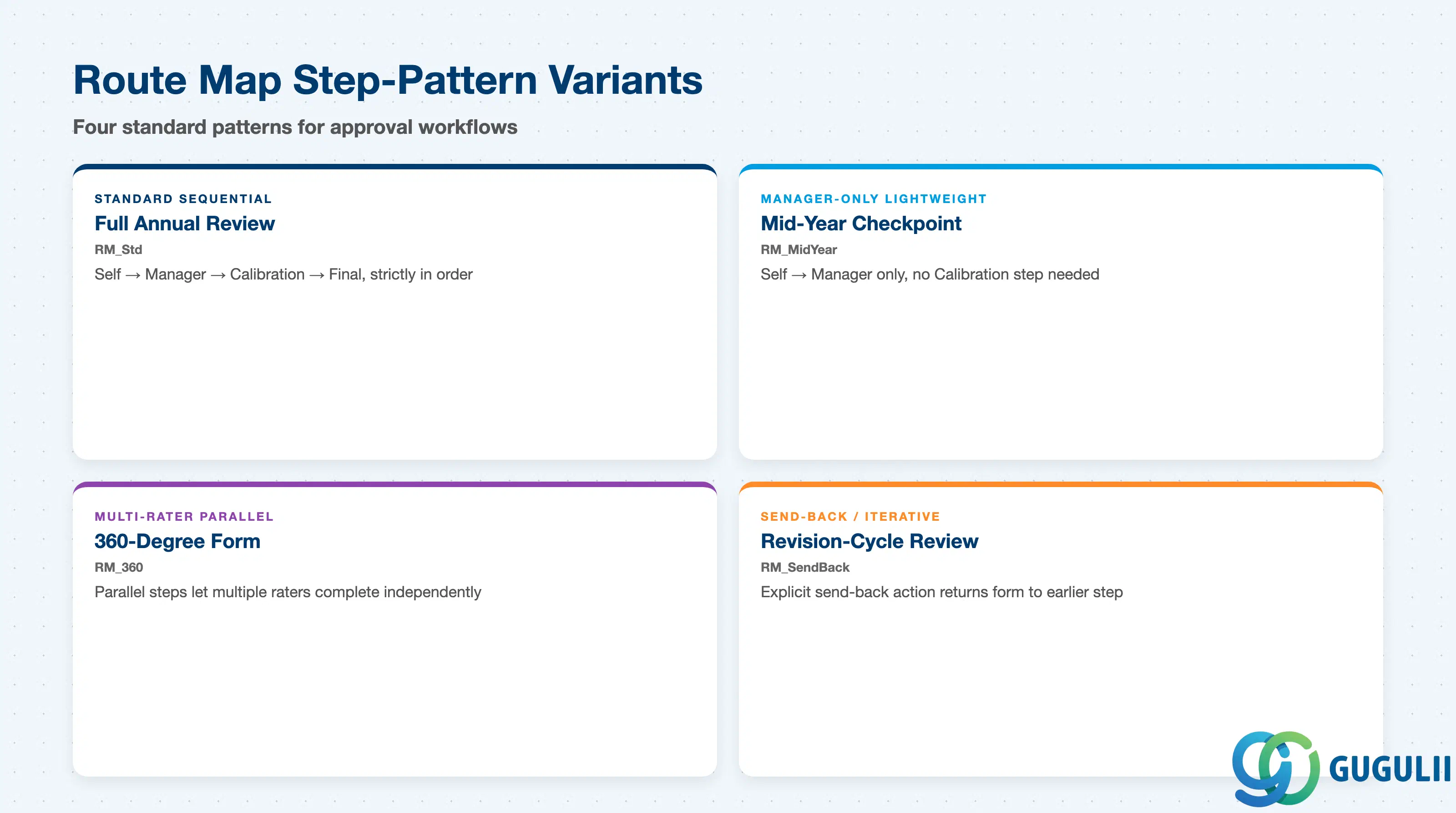
A Route Map’s step pattern is not a cosmetic choice — it directly determines how many approval hand-offs a launched form goes through, whether calibration is enforced before a rating is finalized, and how long a full review cycle realistically takes to close. Over-building the step sequence for a lightweight checkpoint frustrates raters with unnecessary hand-offs; under-building it for a compensation-feeding annual review skips a calibration step management actually needs.
| Route Map Pattern | Code | Use Case | Key Behavior |
|---|---|---|---|
| Standard Sequential Route Map | e.g. RM_Std | The most common baseline pattern, bound to a full Annual Review form | Steps execute strictly in order — Self → Manager → Calibration → Final — with each step’s completion required before the next step opens |
| Manager-Only Lightweight Route Map | e.g. RM_MidYear | A Mid-Year Checkpoint form with no formal outcome to calibrate | Typically two steps only (Self → Manager), no Calibration step; matches the lightweight, non-scored nature of a checkpoint form |
| Multi-Rater Parallel Route Map | e.g. RM_360 | A 360-Degree form collecting peer, subordinate, and self input alongside the manager’s rating | One or more steps are configured to run in parallel rather than strictly sequentially, so multiple raters can complete their portion independently before the form advances |
| Send-Back / Iterative Route Map | e.g. RM_SendBack | A review culture requiring revision cycles before a step is accepted forward | Includes an explicit send-back action on one or more steps, returning the form to an earlier step’s owner rather than only allowing forward progression |
Design principle: match a Route Map’s step count and complexity to the review’s actual purpose — a lightweight checkpoint route map with a forced Calibration step adds friction with no corresponding governance benefit, while a compensation-feeding annual review route map without Calibration lets ratings finalize without the cross-manager consistency check the compensation process typically depends on.
Data hierarchy with a concrete example
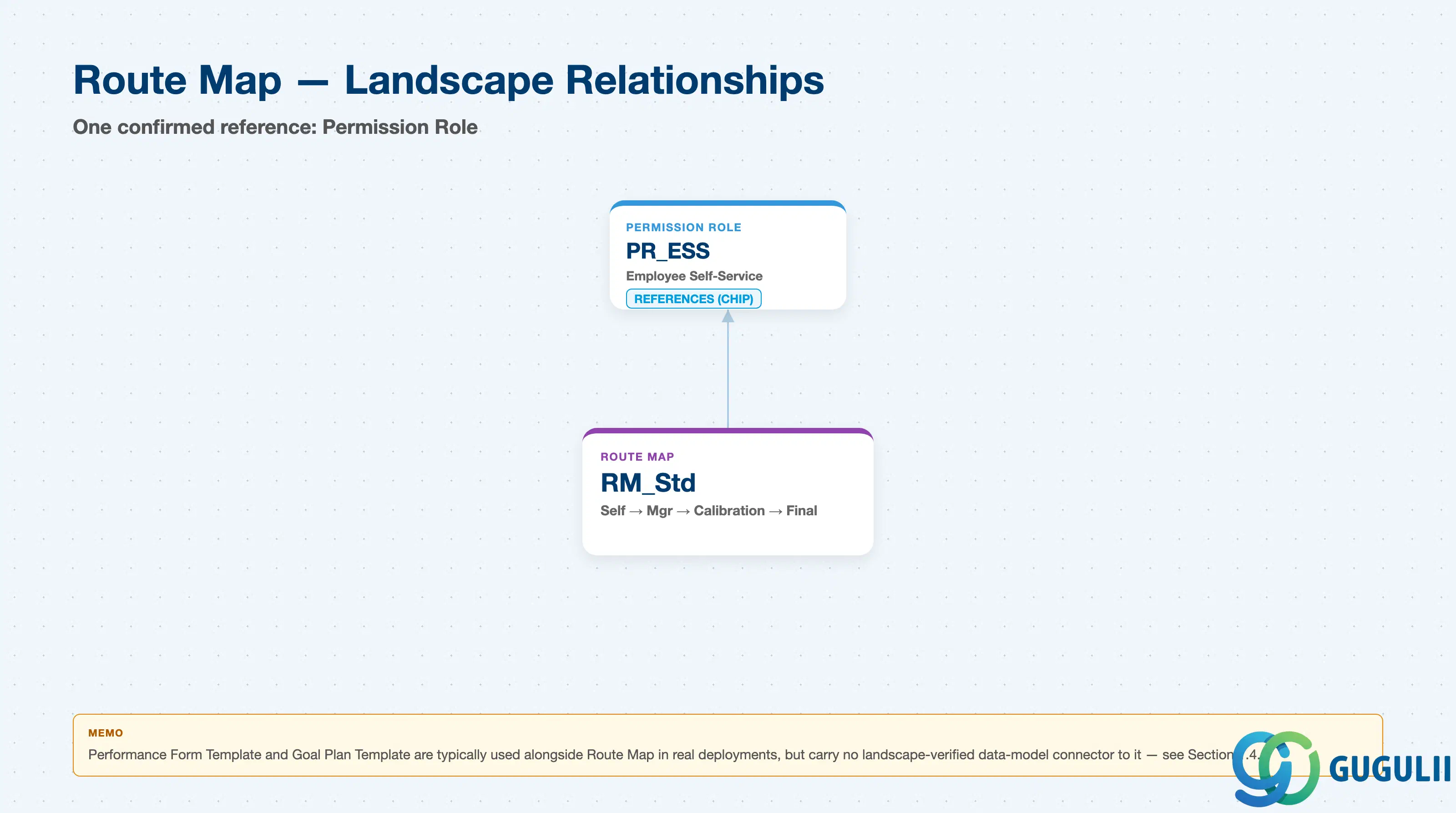
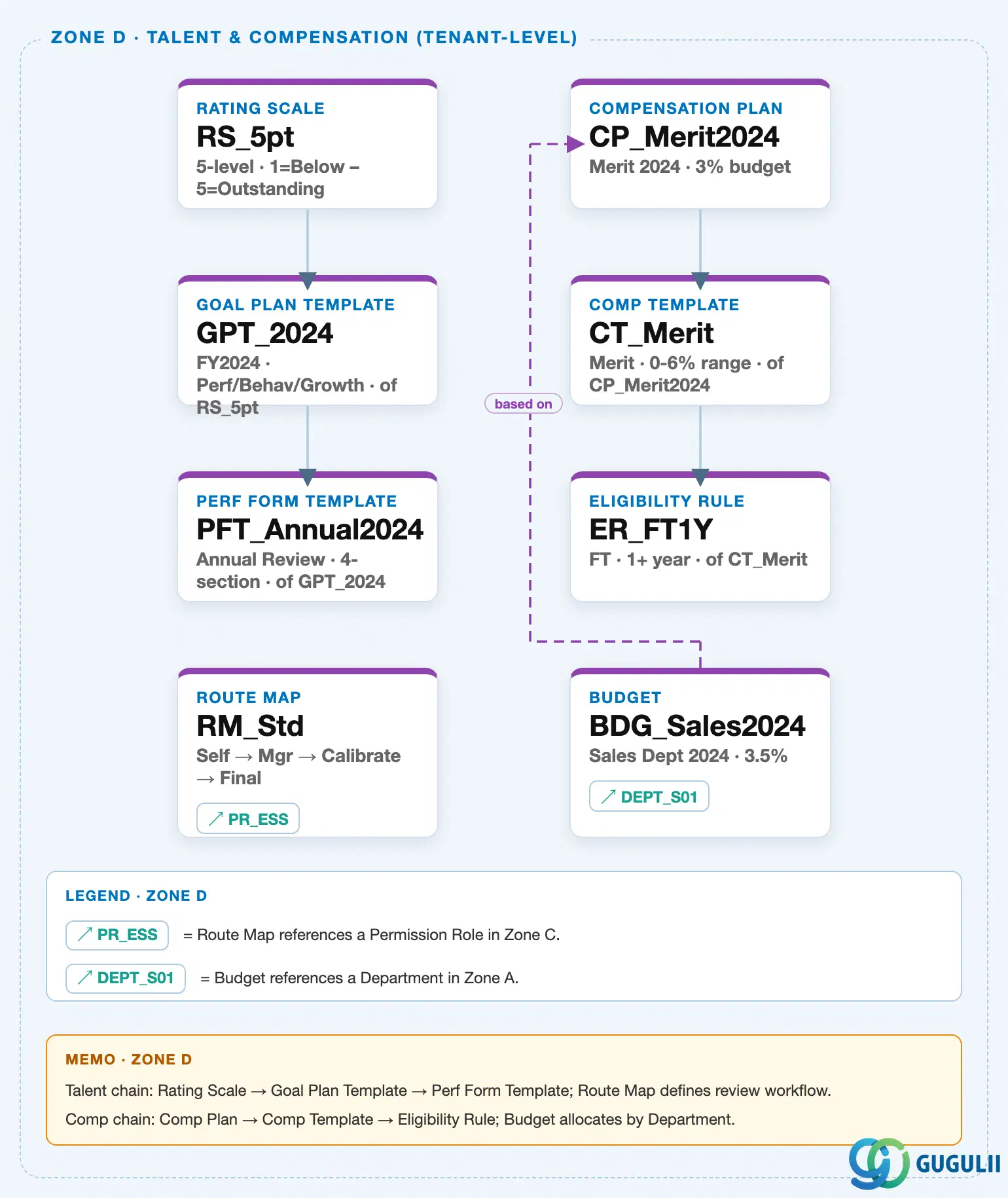
Route Map sits in the tenant-level “Talent & Compensation” zone of the SuccessFactors Master Data Landscape (Zone D), but — unlike Rating Scale, Goal Plan Template, and Performance Form Template, which form a single serial chain — it is a standalone client-level object with no solid parent-child connector to any other Zone D node. Its only connection in the landscape is a single outbound cross-zone reference into Zone C (Permission & Time):
Client (SuccessFactors Instance)
   │
   ├── Route Map "RM_Std" — Self → Manager → Calibration → Final  ← this article
   │      │
   │      └── references ──> Permission Role "PR_ESS" — Employee Self-Service  (Zone C, see SF-A03-02)
   │
   └── Performance Form Template "PFT_Annual2024" — Annual Review, 4-section, of GPT_2024
          (same Zone D; no landscape data-model connector to Route Map — real-world usage only, see Section 1.4)
MANDATORY landscape verification note: the module Master.md’s ER Diagram nests Route Map as a child of Performance Form Template (“Rating Scale → Goal Plan Template / Performance Form Template → Route Map”), with a separate annotation “Route Map ←── Permission Role” placed beside it in the same diagram block. The Setup Flow, however, lists only one prerequisite for Route Map: “21. Route Map ← (Permission Role)” — Permission Role, not Performance Form Template, is Route Map’s sole listed dependency. The published SuccessFactors Master Data Landscape (
sf-a01/images/04-sf-a01-master-landscape.html, Zone D, verified directly against the HTML/SVG source this session, consistent with the independent verification already recorded on SF-A03-07/08/09) resolves this the same way as the Setup Flow, not the ER Diagram: Route Map (RM_Std) is placed as a standalone Row 4 node (top:1295px) in Zone D, and scanning every<line>element in the SVG confirms no connector originates at or terminates on that node — the two Zone D solid chains stop one row short of it (RS_5pt → GPT_2024 → PFT_Annual2024at x=1060 ends at y=1150;CP_Merit2024 → CT_Merit → ER_FT1Yat x=1360 ends at y=1245). The only element attached to the Route Map node at all is aref-chipreading “↗ PR_ESS” inside its own card, which the Zone D legend defines explicitly as “Route Map references a Permission Role in Zone C” — a cross-zone reference, not a parent-child connector, and not a connection to Performance Form Template, Goal Plan Template, or Rating Scale. Route Map’s only data-model relationship recorded in this landscape is therefore to Permission Role — see Section 1.4. In real-world SuccessFactors deployments, Route Maps are still typically selected and bound as part of Performance Form Template (and, for goal-approval workflows, Goal Plan Template) setup — see Section 2.4 — but per this landscape, that binding is a launch-time template selection, not a stored data-model connector, which is why it is described here as usage rather than integration.
Design principle: because Route Map — like Permission Role before it — carries no employee data of its own and has no true parent object in the data model, its own hierarchy position is intentionally shallow: a single client-level node whose only structural relationship is an outbound reference to Permission Role for approver resolution. The complexity that matters to a consultant lives entirely inside the Route Map’s own step configuration (Part 2), not in additional hierarchy nesting.
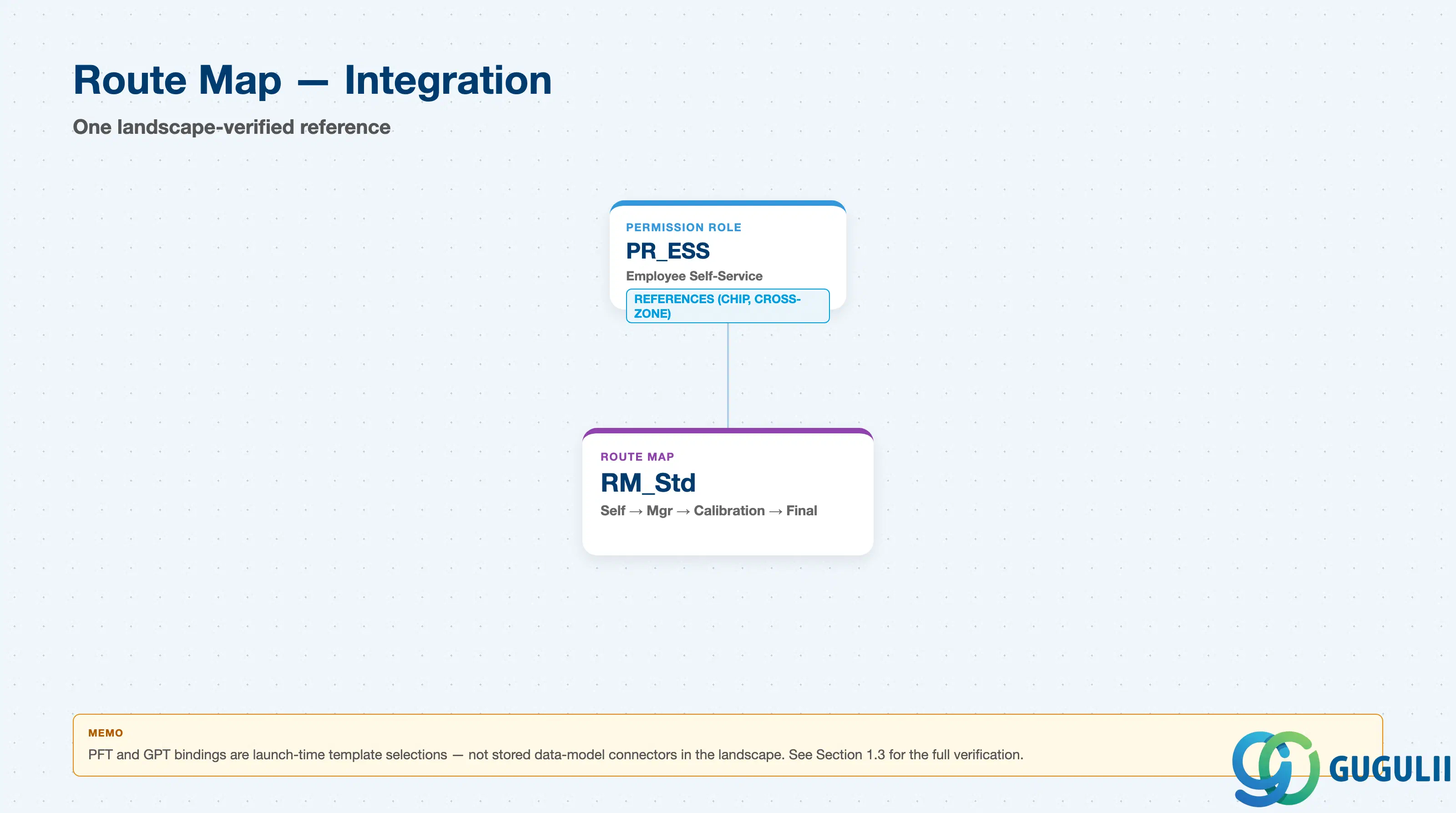
Route Map has exactly one confirmed data-model relationship in the landscape — an outbound reference to Permission Role — despite sitting visually inside the same Talent & Compensation zone as the Rating Scale → Goal Plan Template → Performance Form Template chain and the Compensation-chain objects. Consultants coming from the ER Diagram’s nesting of Route Map under Performance Form Template should treat that nesting as a real-world usage description, not a landscape-verified connector; see Section 1.3 for the full verification.
| Object | Relationship | Practical Notes |
|---|---|---|
| Permission Role | References (chip, cross-zone) — a Route Map step can resolve its approver dynamically via a Permission Role rather than a fixed named individual | This is Route Map’s only confirmed landscape relationship. A step configured this way resolves its actual approver at runtime by whoever currently holds the referenced Permission Role for the employee in question — see SF-A03-02, Section 1.4 for the same relationship described from Permission Role’s side (“Referenced by”). |
| Performance Form Template | Not a landscape connector — typically configured as part of template setup in real deployments (Route Map Binding, Section 2.4), though not represented as a direct data-model connector in this landscape | Consultants should not assume a stored, always-in-sync link exists between a specific Performance Form Template and a specific Route Map the way Goal Plan Template is linked to Performance Form Template (see SF-A03-09) — the binding is chosen per launch, and per this landscape is not tracked as a structural relationship. |
| Goal Plan Template | Not a landscape connector — SAP SuccessFactors deployments commonly bind a Route Map to a Goal Plan Template as well, for goal-approval workflow, following the same launch-time selection pattern as Performance Form Template | Described here honestly as typical real-world configuration practice rather than a verified relationship, since neither the ER Diagram nor the landscape draws a Goal Plan Template ↔ Route Map connector at all — see SF-A03-08 for the Goal Plan Template object itself. |
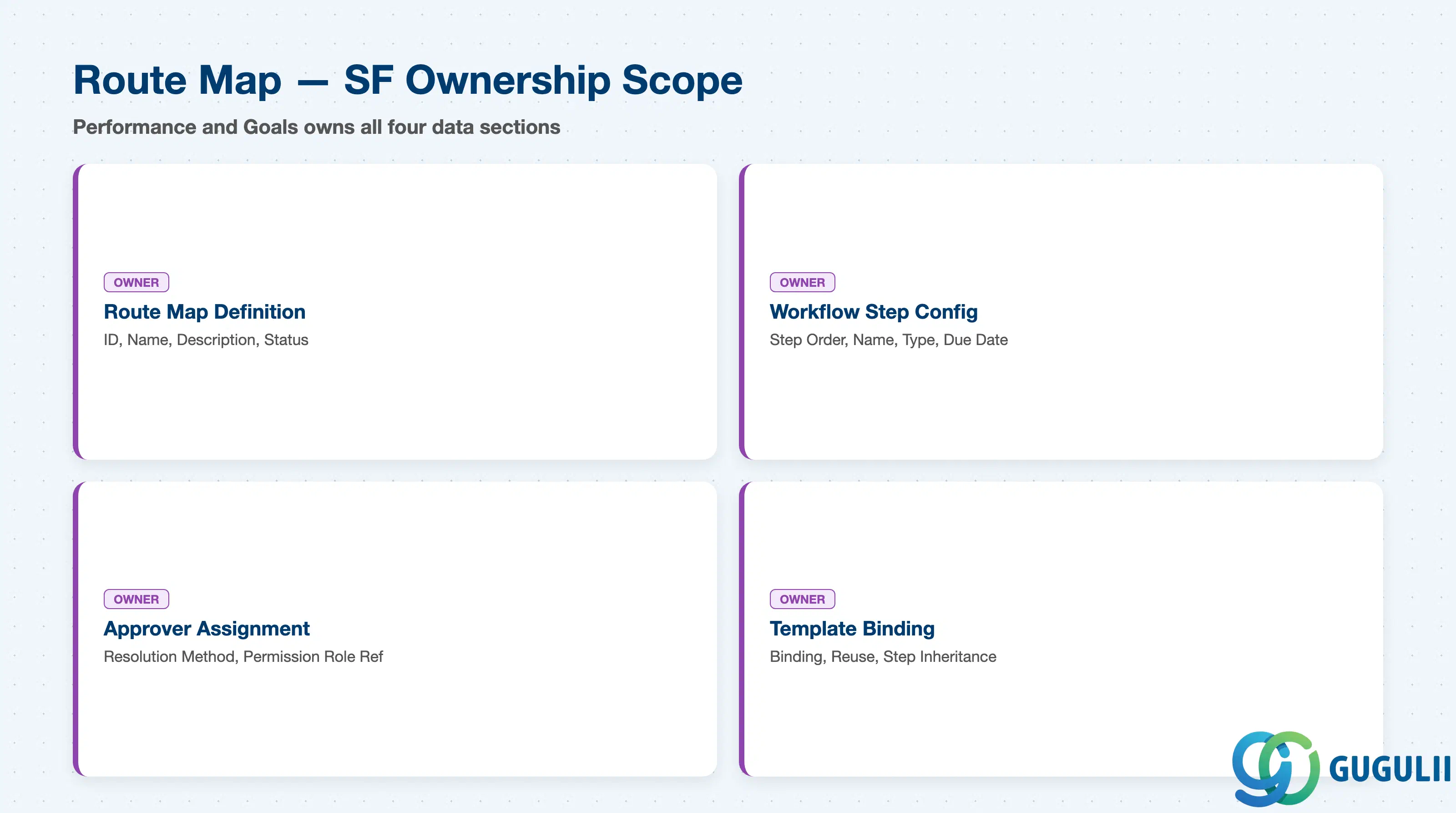
| Data Section | SF Involvement | Notes |
|---|---|---|
| Route Map Definition (Core Identification) | ◎ Owner | Route Map ID, Route Map Name, Description, Status |
| Workflow Step Configuration | ◎ Owner | Step Order, Step Name, Step Type, Due Date Offset |
| Step-Level Approver Assignment | ◎ Owner | Approver Resolution Method, Permission Role Reference, Fallback Approver, Send-Back Behavior |
| Usage in Template Binding | ◎ Owner | Template Binding, Reuse Across Cycles, Step Sequence Inheritance |
Legend: ◎ = Owner / Critical, ○ = Direct involvement
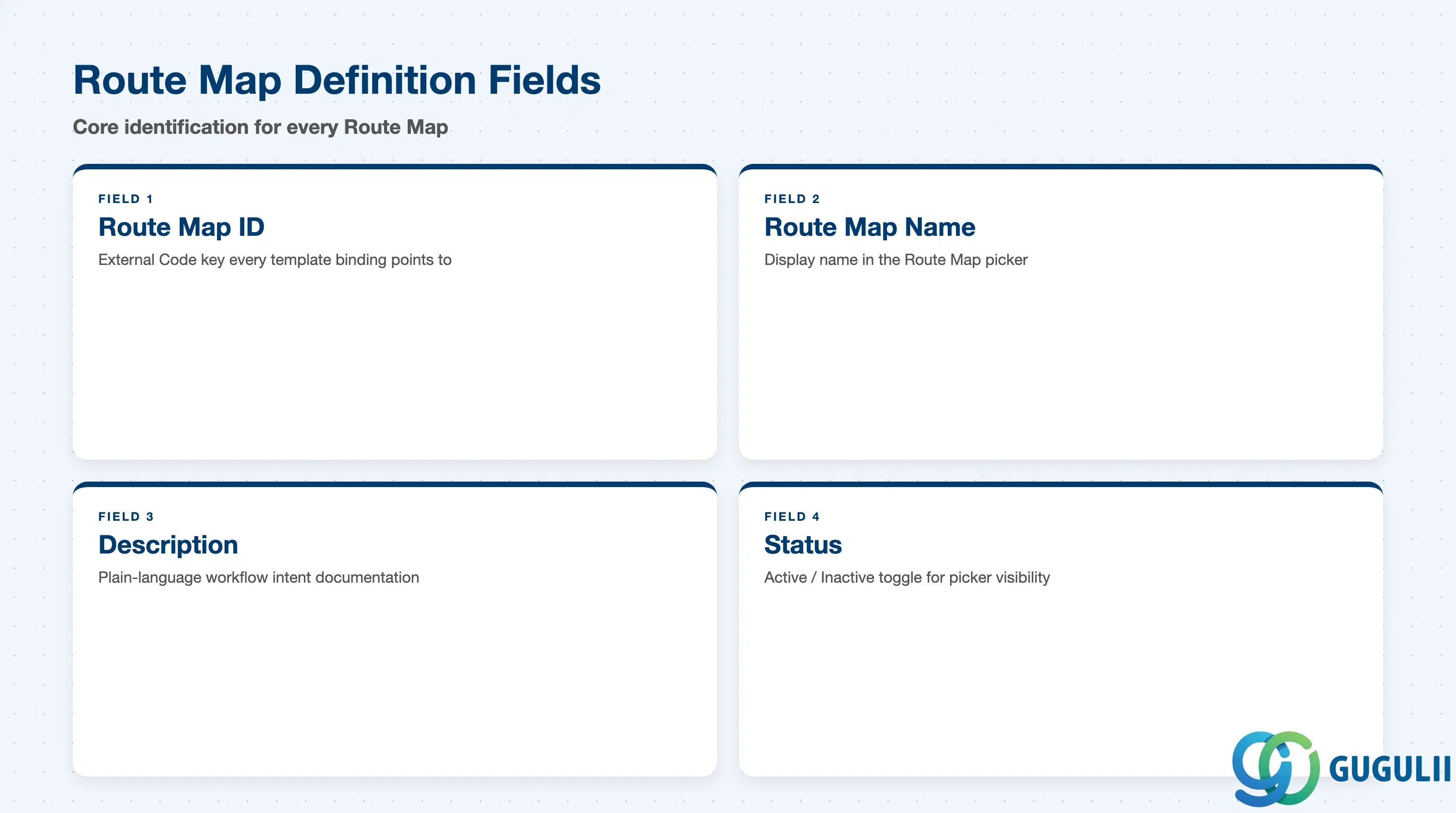
Route Map Definition is the minimum record a Route Map needs to exist — it is what every Performance Form Template’s Route Map Binding field (SF-A03-09, Section 2.4) and every step-level Permission Role reference resolves back to.
| Field | Description | Practical Usage |
|---|---|---|
| Route Map ID | Unique identifier (External Code) for the Route Map | The key value every template’s Route Map Binding field points to at launch. Agree a naming convention (e.g. a RM_ prefix plus purpose, RM_Std) before go-live — renaming a Route Map once several templates already bind to it requires re-checking every binding. |
| Route Map Name | Display name shown in the Route Map picker when configuring a template’s workflow binding | Should describe the workflow shape, not one specific business unit (e.g. “Standard 4-Step Annual” rather than “Sales Route Map”) — the same Route Map is routinely reused across many unrelated templates. |
| Description | Free-text explanation of the step sequence and when this Route Map should be used | The only place workflow intent is documented in plain language; useful during blueprint review when several similarly-named Route Maps exist and a consultant needs to pick the right one quickly. |
| Status | Active / Inactive | An Inactive Route Map is excluded from the picker for new template bindings, but does not retroactively affect templates (and their in-flight forms) already bound to it — confirm no active template still references a Route Map before deactivating it. |
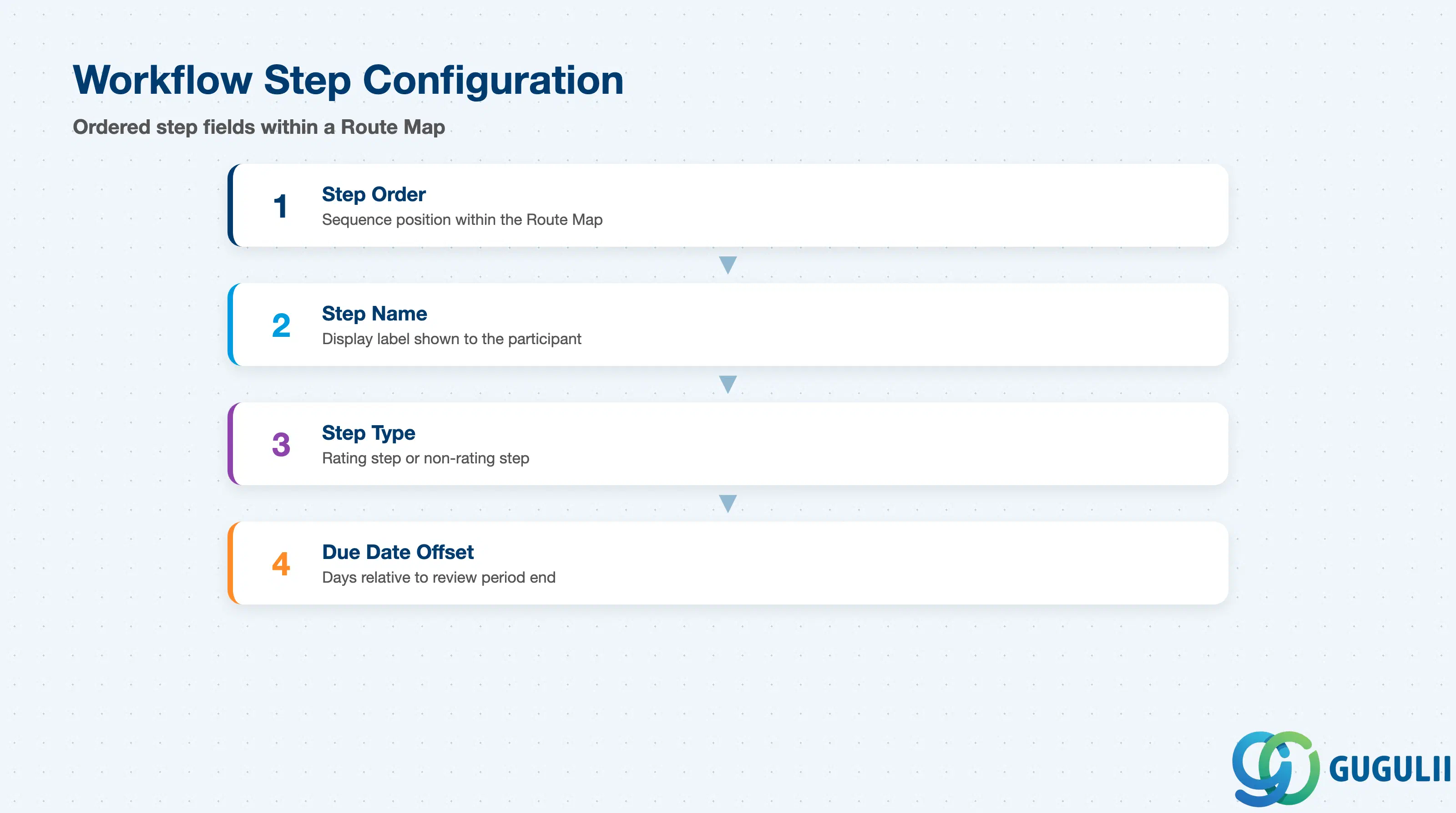
Workflow Step Configuration is the repeatable child record — one row per step — that actually defines the ordered path a launched form or plan moves through, and is where the step-pattern variants from Section 1.2 are physically built.
| Field | Description | Practical Usage |
|---|---|---|
| Step Order | Sequence position of the step within the Route Map (the order steps must be completed in) | Sequential by default — a step generally cannot open until the prior step is marked complete, except on Route Maps deliberately configured with parallel steps (Section 1.2, Multi-Rater pattern). Verify step order matches the intended business process before launch, not after the first form is already in flight. |
| Step Name | Display label shown to the participant at that step (e.g. “Self Assessment,” “Manager Review,” “Calibration,” “Final Sign-Off”) | Should describe the action the participant takes at that step in plain language — a mislabeled step is a common source of “I don’t know what I’m supposed to do here” support tickets during a launch. |
| Step Type | Whether the step is a rating step (participant can enter/edit scores) or a non-rating step (view-only, routing, or administrative) | Only rating-type steps should be positioned before Calibration; a non-rating step placed mid-sequence is typically used for a pure hand-off (e.g. HR review with no scoring authority) rather than an evaluation action. |
| Due Date Offset | Number of days the step’s deadline sits relative to the review period end date or the prior step’s completion | Consultants configuring this field should align it against the Performance Form Template’s own Review Period (see SF-A03-09, Section 2.4) — an offset that assumes a longer cycle than the bound template’s actual Review Period is a common go-live defect for Mid-Year Checkpoint-style Route Maps. |
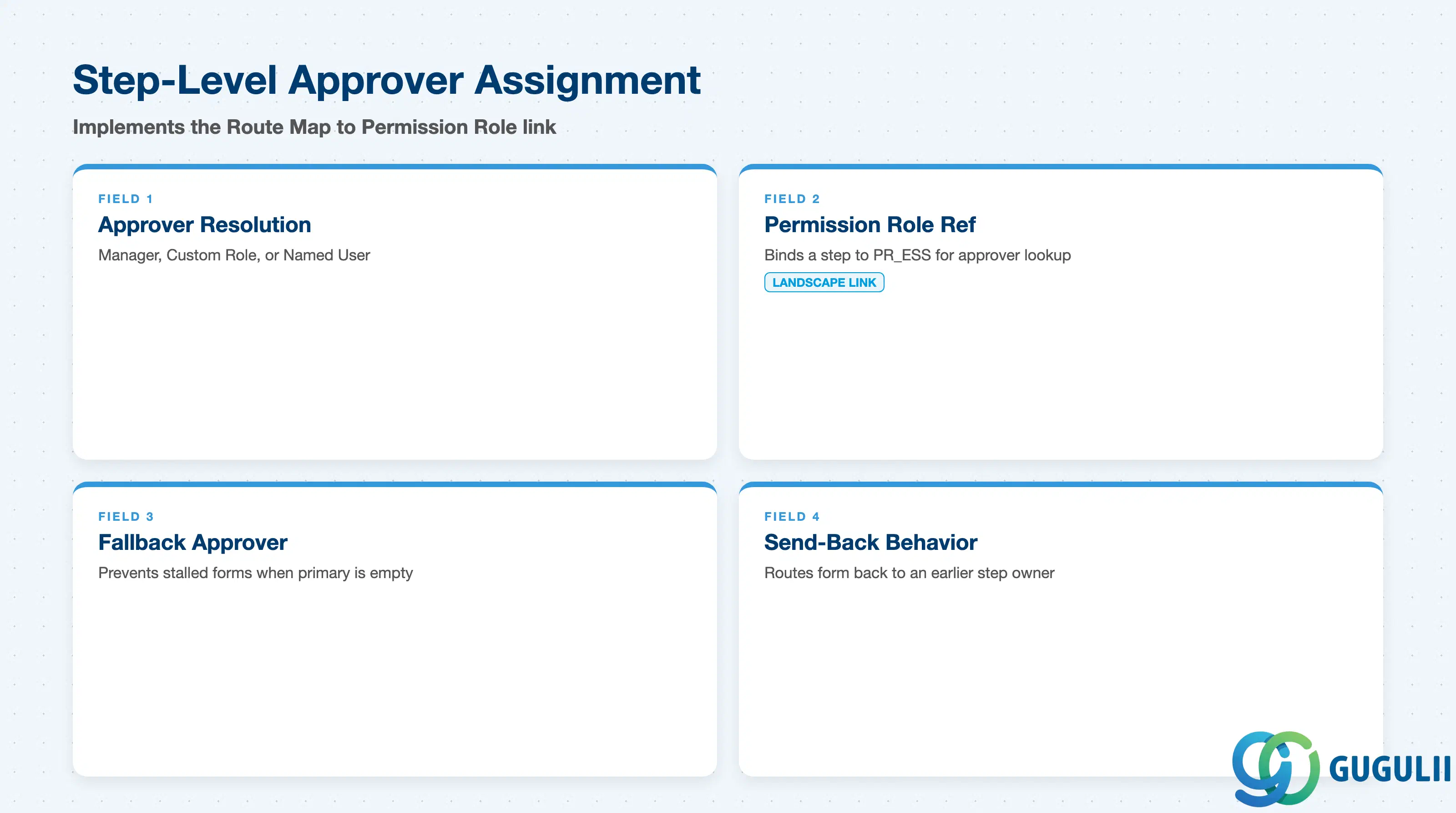
Step-Level Approver Assignment is where each step’s who is determined — the field group that implements the landscape’s confirmed Route Map → Permission Role reference (Section 1.3/1.4).
| Field | Description | Practical Usage |
|---|---|---|
| Approver Resolution Method | How the step’s actual approver is determined at runtime — options typically include Manager (dynamic, org-hierarchy-based), Matrix Manager, HR Business Partner, a Custom Role resolved via a Permission Role, or a Named User (fixed individual) | Custom Role resolution is the method that implements this article’s confirmed landscape relationship — the step resolves its approver by evaluating who currently holds the referenced Permission Role for the employee, rather than a hard-coded name. Named User should be reserved for genuinely one-off exceptions, since it does not track org changes. |
| Permission Role Reference | The specific Permission Role bound to a step configured with Custom Role resolution (e.g. PR_ESS for a self-rating step, or a manager-equivalent role for a manager step) | This is the field that concretely implements the landscape’s “↗ PR_ESS” chip on the Route Map node — see SF-A03-02 for the Permission Role object this field points to, and confirm the referenced role’s Target Population actually covers the intended approver population before launch. |
| Fallback Approver | The participant a step routes to if the primary resolution method returns no valid approver (e.g. an employee with no assigned manager) | Missing a fallback configuration is a common cause of stalled forms — an employee whose manager field is blank at launch time otherwise leaves that step with no one able to act on it. |
| Send-Back Behavior | Whether a step is permitted to route the form back to an earlier step’s owner for revision, and to which prior step | Only relevant on a Send-Back / Iterative Route Map pattern (Section 1.2) — configuring this on a Standard Sequential Route Map without a genuine business need to loop back adds an unused control surface participants may click by accident. |
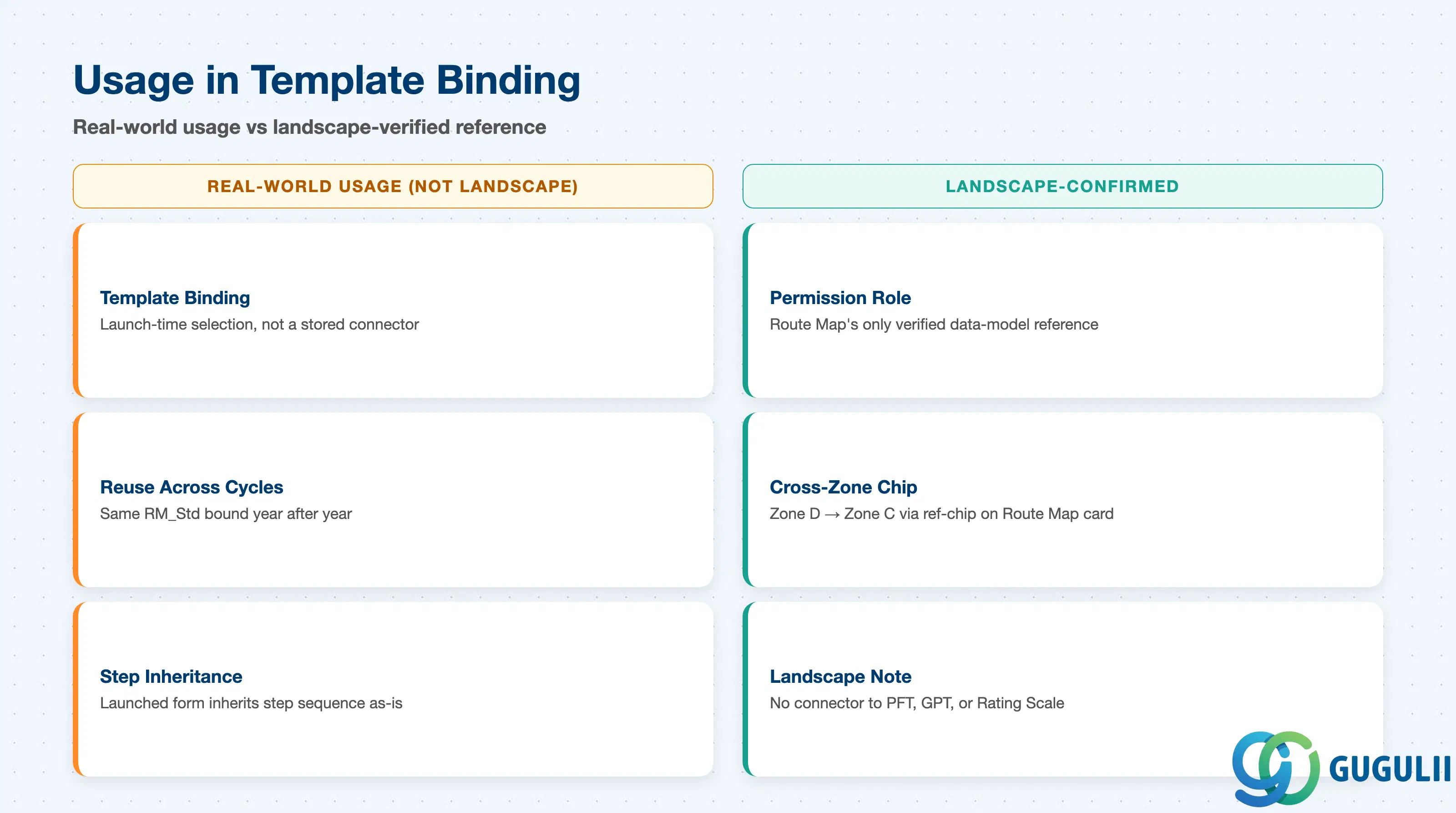
A Route Map itself contains no employee data and is not launched on its own — it only becomes active once a Performance Form Template (or, in real-world practice, a Goal Plan Template) is launched with this Route Map bound to it. This section covers how that binding works in practice and repeats, deliberately, the honesty distinction established in Section 1.3: this is real-world usage, not a verified landscape data-model connector.
| Usage | Description | Practical Usage |
|---|---|---|
| Template Binding | A Performance Form Template’s “Route Map Binding” field (SF-A03-09, Section 2.4) selects a specific Route Map at template-configuration time; the same pattern is commonly used for a Goal Plan Template’s approval workflow | This is a launch-time selection, not a structural connector the way Goal Plan Template’s own binding to Performance Form Template is — the same Route Map can, in principle, be bound to several different templates across different review types. |
| Reuse Across Cycles | The same Route Map (e.g. RM_Std) is typically reused year over year, bound to each year’s newly-versioned template (PFT_Annual2024, PFT_Annual2025, …) rather than recreated per cycle | Mirrors the versioning discipline used for the templates themselves (see SF-A03-09, Section 2.5, “Version per Cycle”) — the Route Map’s step structure stays stable while the template it’s bound to changes annually. |
| Step Sequence Inheritance | Once bound, a launched form or plan inherits the Route Map’s step sequence and approver-resolution logic as-is; the template does not redefine or reorder steps | Consultants should make all step-sequence and approver-logic changes on the Route Map object itself, not attempt to work around a sequencing gap at the template level — a mismatch between what a template’s stakeholders expect and what the bound Route Map actually does is a common blueprint-review defect. |
| Landscape Note | This template-binding usage is real-world SuccessFactors configuration practice, consistent with the ER Diagram’s original (non-landscape-verified) nesting of Route Map under Performance Form Template | Do not cite this as a data-model integration when documenting the object relationships for this module — per Section 1.3/1.4, the only landscape-confirmed relationship for Route Map is its reference to Permission Role. |
| ID | Category | Title |
|---|---|---|
| sf-001 | Overview | What is SAP SuccessFactors? |
| ID | Category | Title |
|---|---|---|
| sf-b01 | Overview | SAP SuccessFactors Transactions: Process Flow, Hierarchy & Relationships |