Title here
Summary here

Compensation Plan is the master data object that defines a compensation cycle’s top-level parameters — plan type, effective date, and overall budget posture, such as “CP_Merit2024, Merit cycle, 3% budget” — that one or more Compensation Templates bind to for their component calculation rules, and that a downstream Eligibility Rule further narrows to the specific employee population each template applies to. It is the first object configured within the Compensation Configuration sub-block of Phase 2 (Permission & System Configuration), the last configuration chain in that phase before Phase 3’s Employee Data objects. This article covers what a Compensation Plan is, its common plan-type variants, how it sits at the head of the Compensation Template / Eligibility Rule chain in the Talent & Compensation zone of the landscape — with Budget as a separate, cross-referencing sibling object rather than a nested child — and every field an Admin Center consultant configures for the plan, its templates, its eligibility rules, and its budget allocation.
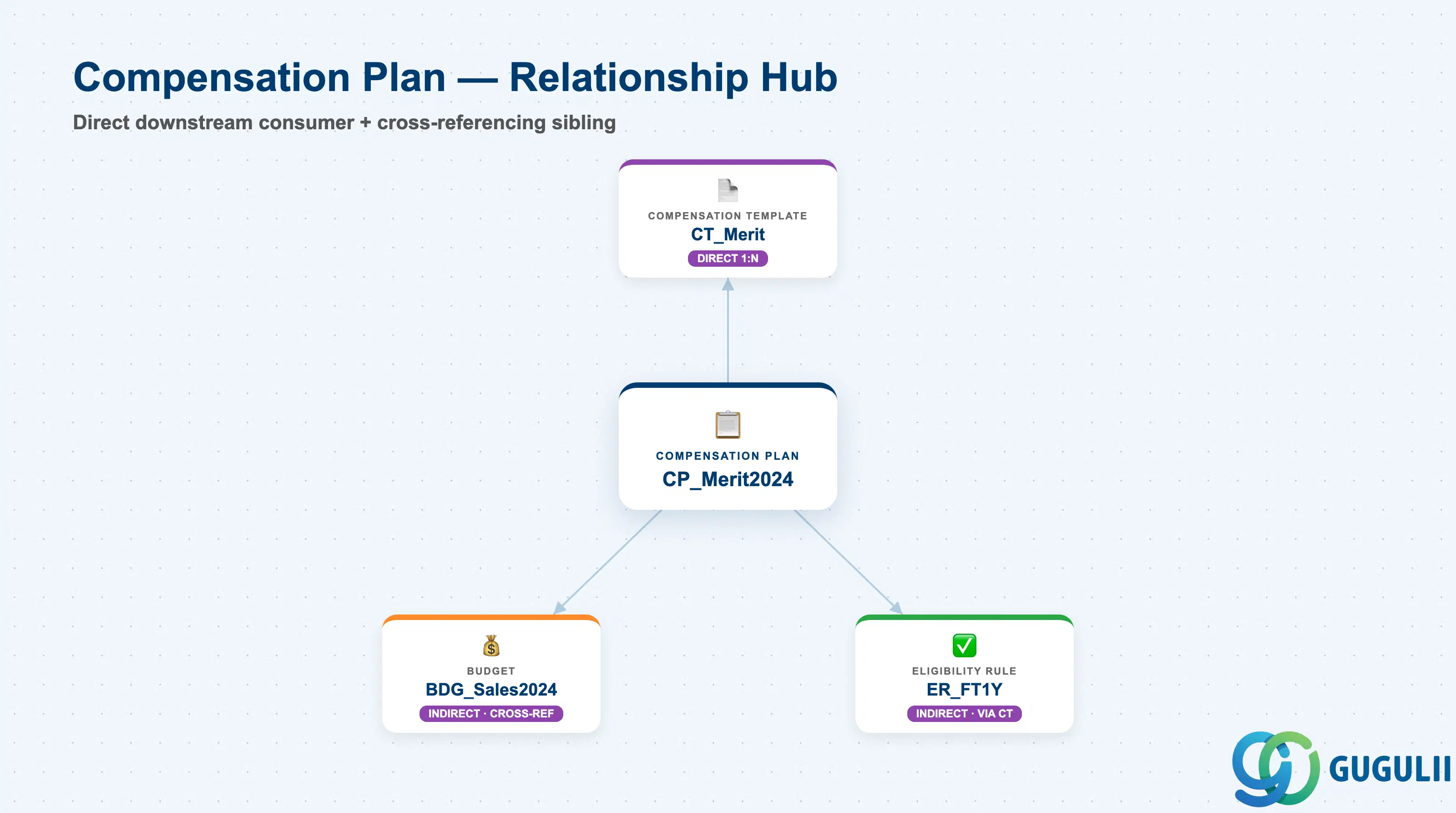
Compensation Plan is a client-level (tenant-level) foundation object that carries no employee data of its own — it exists purely as the top-level container that gives a compensation cycle its identity (plan type, effective date) and its overall budget posture, before any component-level calculation rule or employee eligibility condition is defined underneath it. A single Compensation Plan is typically reused for exactly one annual or off-cycle compensation event, with a fresh plan created for each subsequent cycle rather than the same plan being reopened year over year.
| Aspect | Details |
|---|---|
| Role | Defines a compensation cycle’s plan-level parameters (plan type, effective date, overall budget) that one or more Compensation Templates bind to, and that Budget cross-references for departmental allocation tracking |
| Modules using it | Owned by Compensation (SAP SuccessFactors Compensation module); Performance & Goals feeds a completed rating’s outcome into a bound Compensation Template’s merit-guideline calculation as a downstream business-process input at runtime, not as a stored data-model reference back to Compensation Plan itself (see SF-A03-07, Section 1.1) |
| Transactions | Admin Center → “Compensation Home” / Compensation Plan Setup Wizard (Plan Details, Compensation Statement layout, and workflow configuration steps); template and eligibility configuration are reached from within the same wizard |
| Key Tables | No classic ABAP table — SuccessFactors stores Compensation Plan definitions (plan header + linked Compensation Templates + Budget references) as internal Compensation configuration objects, in the same posture as Rating Scale, Goal Plan Template, and Route Map, not exposed through the generic “Import and Export Data” tool |
| S/4HANA note | No delivered synchronization exists between SuccessFactors Compensation Plan and any on-premise construct. The loosest conceptual analogue is a compensation planning workbench run in classic ECC/S4 HCM (rarely deployed in practice), but Compensation Plan is a cloud-native, SuccessFactors-only concept and the two are never systemically linked |
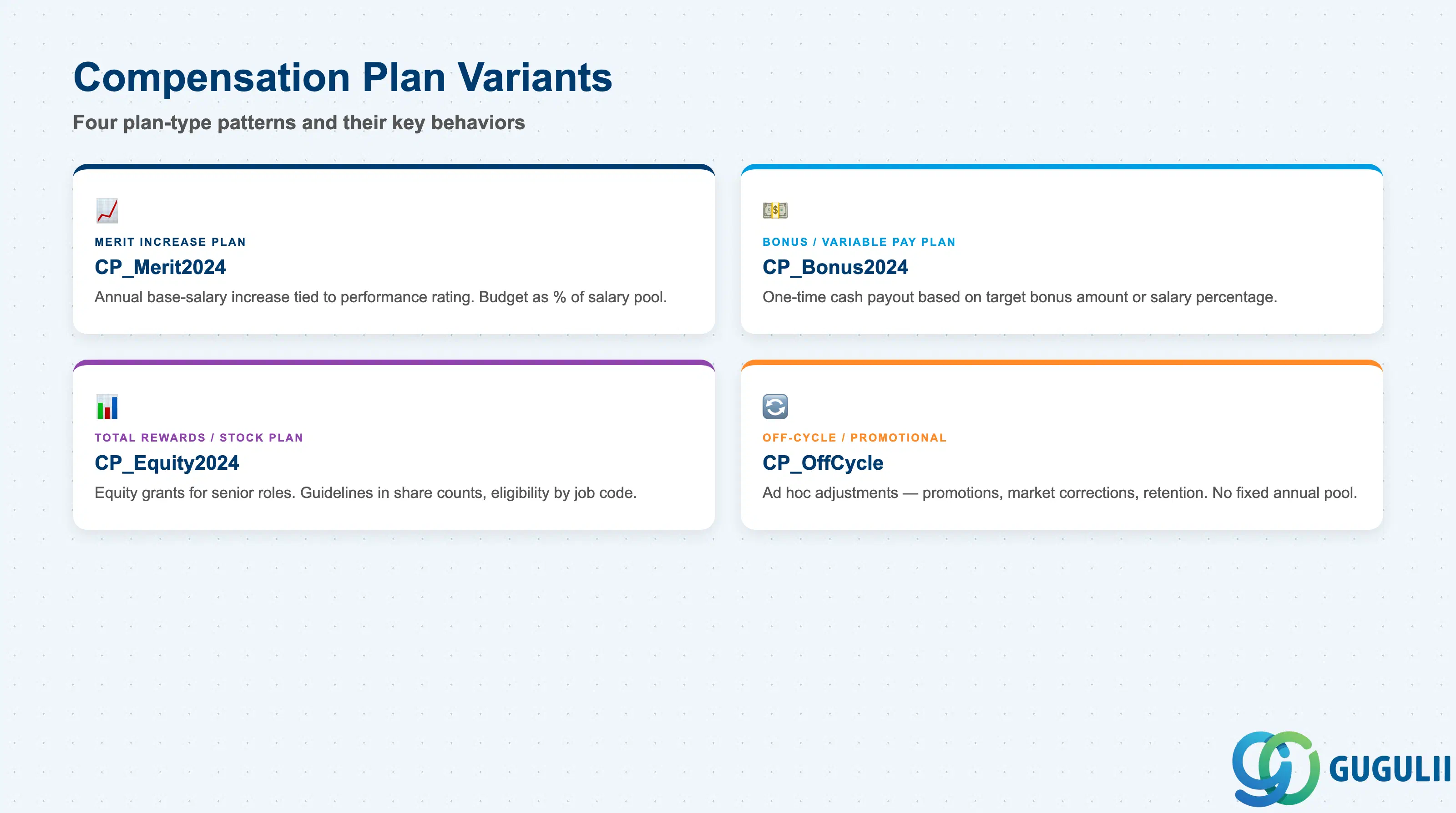
A Compensation Plan’s type is not a cosmetic choice — it determines which components a bound Compensation Template can calculate, which eligibility conditions are meaningful, and how a Budget’s allocation percentage is interpreted (base-salary uplift versus one-time payout). Choosing the wrong plan type at blueprint means rebuilding both the Compensation Template’s calculation rule and the Budget’s allocation basis once the mismatch is discovered.
| Plan Type | Code | Use Case | Key Behavior |
|---|---|---|---|
| Merit Increase Plan | e.g. CP_Merit2024 | The most common baseline cycle — annual base-salary increase tied to performance rating outcome | Budget is expressed as a percentage of current base salary pool (e.g. 3%); Compensation Template guideline ranges are typically tiered by rating level, and Eligibility Rule commonly requires a minimum tenure |
| Bonus / Variable Pay Plan | e.g. CP_Bonus2024 | Annual or semi-annual cash bonus cycle, often run separately from or alongside the Merit cycle | Budget and template guidelines are expressed as a percentage of base salary or a target bonus amount, paid out as a one-time cash amount rather than a recurring base-salary increase |
| Total Rewards / Stock Plan | e.g. CP_Equity2024 | Equity or long-term incentive grants for a defined employee population (typically senior/critical roles) | Guideline ranges express share counts or equity value rather than a salary percentage; Eligibility Rule is usually narrower and job-code or grade-driven rather than tenure-driven |
| Off-Cycle / Promotional Plan | e.g. CP_OffCycle | Ad hoc adjustments outside the annual cycle — promotions, market adjustments, retention actions | No fixed annual Budget pool in the same sense as a Merit cycle; each award is typically manager-initiated and approved individually rather than distributed against a pre-allocated departmental Budget |
Design principle: a Compensation Plan’s type and its bound Compensation Template’s component structure should be locked before Compensation Statements are generated for any employee — changing plan type or component definitions after statements have gone out to managers desynchronizes what managers are actively reviewing from what the system will actually calculate and pay.
Data hierarchy with a concrete example
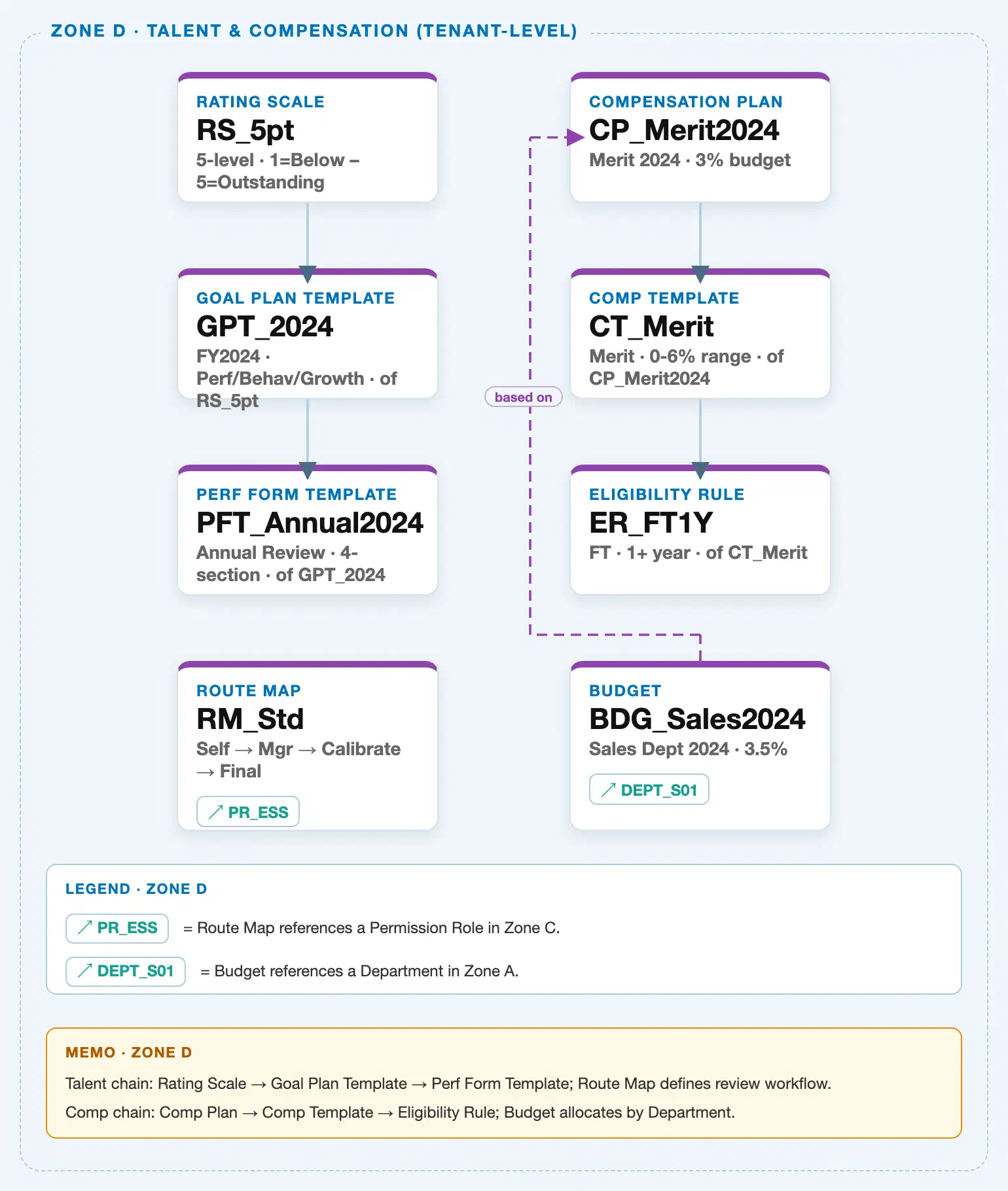
Compensation Plan sits in the tenant-level “Talent & Compensation” zone of the SuccessFactors Master Data Landscape, at the head of the second of two independent client-level chains bundled into that zone (the Talent chain covered by SF-A03-07/08/09, and this article’s Compensation chain):
Client (SuccessFactors Instance)
   │
   ├── Rating Scale "RS_5pt" — 5-level, 1 = Below Expectations – 5 = Outstanding  (Talent chain, see SF-A03-07)
   │
   └── Compensation Plan "CP_Merit2024" — Merit 2024, 3% budget  ← this article
          │
          └── Compensation Template "CT_Merit" — Merit, 0-6% guideline range, of CP_Merit2024
                 │
                 └── Eligibility Rule "ER_FT1Y" — Full-time, 1+ year tenure, of CT_Merit

Budget "BDG_Sales2024" — Sales Dept 2024, 3.5% allocation
   │
   ├── ── based on ──> Compensation Plan "CP_Merit2024"  (purple dashed cross-reference, Zone D-internal)
   └── ── references ──> Department "DEPT_S01" — Sales Team 1  (Zone A cross-zone chip, see SF-A02-04)
MANDATORY landscape verification note: the module Master.md’s Setup Flow lists Budget’s prerequisite as a genuine dual dependency — “25. Budget ← (Compensation Plan, Department)” — and its ER Diagram nests Budget as a direct 1:N sibling child of Compensation Plan, alongside Compensation Template (“Compensation Plan → [Compensation Template, Budget ← Department]”). The published SuccessFactors Master Data Landscape (
sf-a01/images/04-sf-a01-master-landscape.html, Zone D, verified directly against the HTML/SVG source this session, consistent with the independent verification already recorded on SF-A03-07/08/09/10) resolves this differently: scanning every<line>element in the SVG, the solid Zone D Column B chain (x=1360) runs onlyCP_Merit2024 → CT_Merit → ER_FT1Y, with the second solid segment ending at y=1150 (Eligibility Rule’s top edge) — no solid connector reaches the Budget node (Row 4,top:1295px). Budget’s only connectors are (1) a purple dashed line that bypasses left to x=1230, rises to y=895, and terminates with an arrowhead on Compensation Plan’s left edge, labeled with the verb pill “based on” (the same purple-dashed, verb-labeled convention used for Zone C’s Time Profile → Work Schedule / Time Account Type cross-references), and (2) a separate↗ DEPT_S01reference chip inside Budget’s own card, pointing to Department in Zone A. Compensation Plan’s own solid hierarchy therefore extends only to Compensation Template and Eligibility Rule; Budget is a cross-referencing sibling object in Zone D, not a structural child of Compensation Plan — see Section 1.4 and Section 2.4 for how that “based on” reference is used in practice. This mirrors the same ER-Diagram-nesting-versus-landscape-cross-reference pattern already confirmed for Route Map in SF-A03-10.
Design principle: because Compensation Plan carries no employee data and no organizational sub-levels of its own, its own hierarchy position is intentionally shallow (client level, single node) — the structural complexity that matters to a consultant lives one and two levels down, in how Compensation Template defines calculation components (Section 2.2) and how Eligibility Rule narrows the target population (Section 2.3), not in the plan object itself.
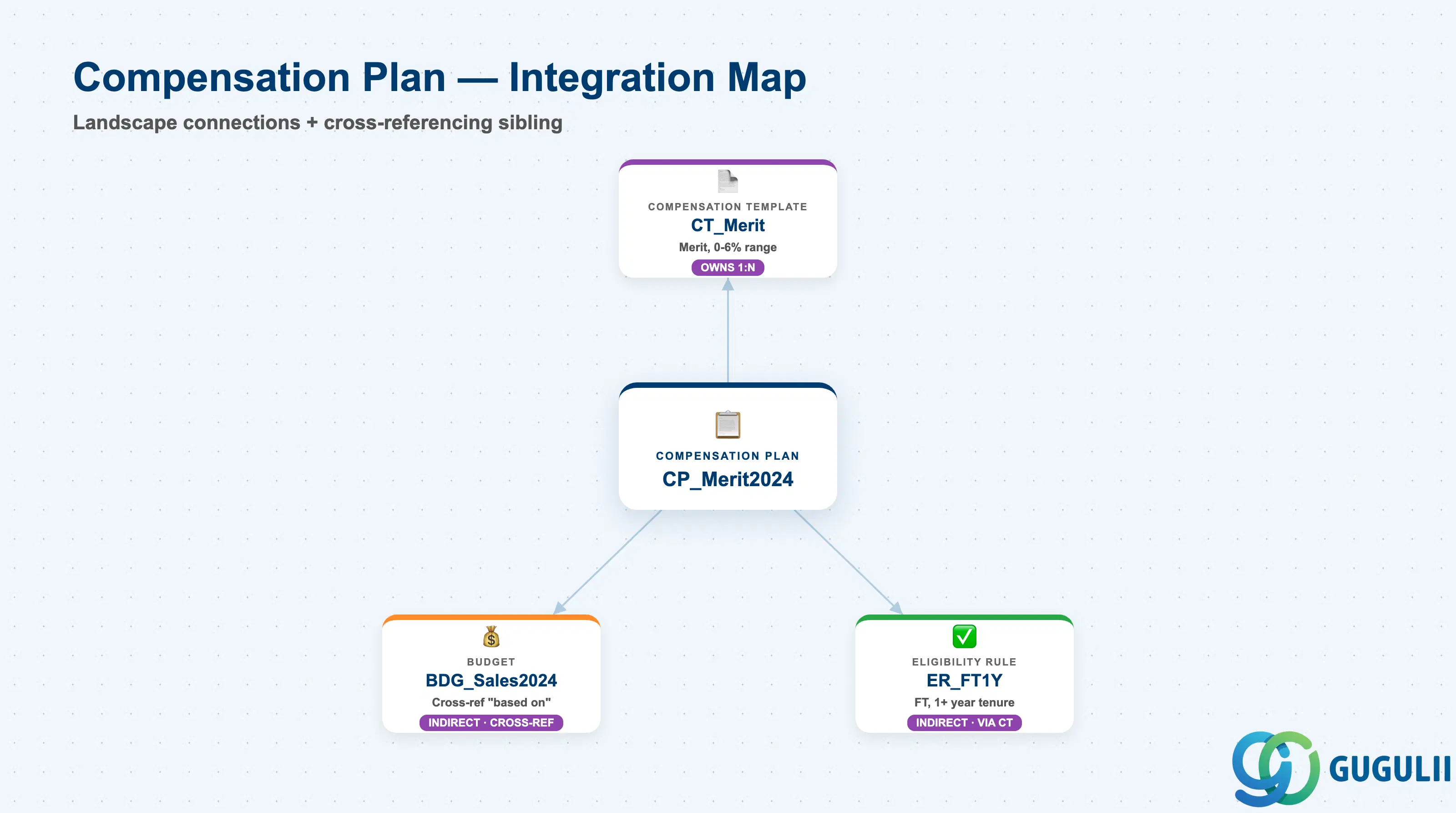
Compensation Plan closes out both the Compensation chain it owns and the broader Talent & Compensation zone: it has one direct structural child (Compensation Template), one indirect descendant reached two levels down (Eligibility Rule), a cross-referencing sibling object that reads back into it (Budget), and a business-process-only input from the Talent chain it does not directly connect to in the landscape (a completed rating’s outcome).
| Object | Relationship | Practical Notes |
|---|---|---|
| Compensation Template | Owns (1:N, solid) — every Compensation Plan defines one or more Compensation Templates, each carrying its own component and calculation-rule definition | This is the plan’s sole solid landscape child. A single plan (e.g. CP_Merit2024) commonly has more than one template in real deployments (e.g. separate Merit and Promotion templates within the same cycle), even though the landscape’s worked example shows one — see Section 2.2 for full Compensation Template field detail. |
| Eligibility Rule | Indirect (two levels down, via Compensation Template) — Eligibility Rule is a structural child of Compensation Template, not a direct child of Compensation Plan | Consultants scoping “who is eligible for this plan” should check the Eligibility Rule attached to each of the plan’s templates individually — eligibility is configured per template, not once at the plan level, so different templates under the same plan can have different eligible populations. |
| Budget | Referenced by (purple dashed, cross-reference, verb “based on”) — Budget tracks and reports allocation against this Compensation Plan, not the reverse | Per Section 1.3’s landscape verification, this is not a stored parent-child connector, only a zone-internal cross-reference. Budget additionally references Department directly (↗ DEPT_S01) for its own departmental allocation split — see Section 2.4. |
| Performance Rating Outcome (Rating Scale / Performance Form Template) | Consumed as business-process input, not a landscape connector | A completed employee rating from a bound Performance Form Template (see SF-A03-09) is read by a Compensation Template’s merit-guideline calculation at runtime to determine an employee’s suggested increase tier — this is the same relationship described from the Rating Scale side in SF-A03-07, Section 1.1, and it is never represented as a stored reference in either object’s own master data. |
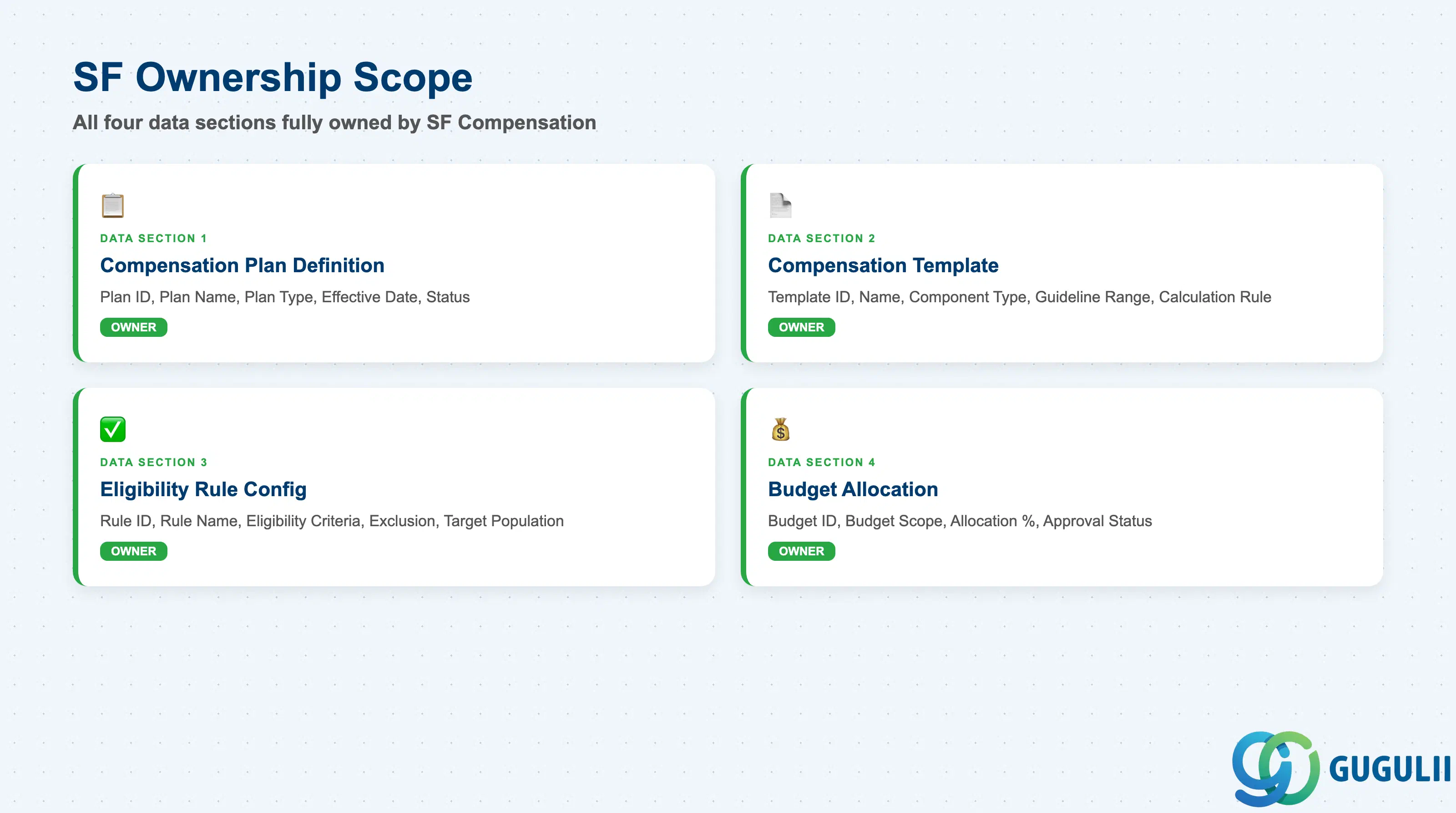
| Data Section | SF Involvement | Notes |
|---|---|---|
| Compensation Plan Definition (Core Identification) | ◎ Owner | Plan ID, Plan Name, Plan Type, Effective Date, Status |
| Compensation Template Configuration | ◎ Owner | Template ID, Template Name, Component Type, Guideline Range, Calculation Rule |
| Eligibility Rule Configuration | ◎ Owner | Rule ID, Rule Name, Eligibility Criteria, Exclusion Criteria, Target Population |
| Budget Allocation | ◎ Owner | Budget ID, Budget Scope, Allocation Percentage, Department Reference, Approval Status |
Legend: ◎ = Owner / Critical, ○ = Direct involvement
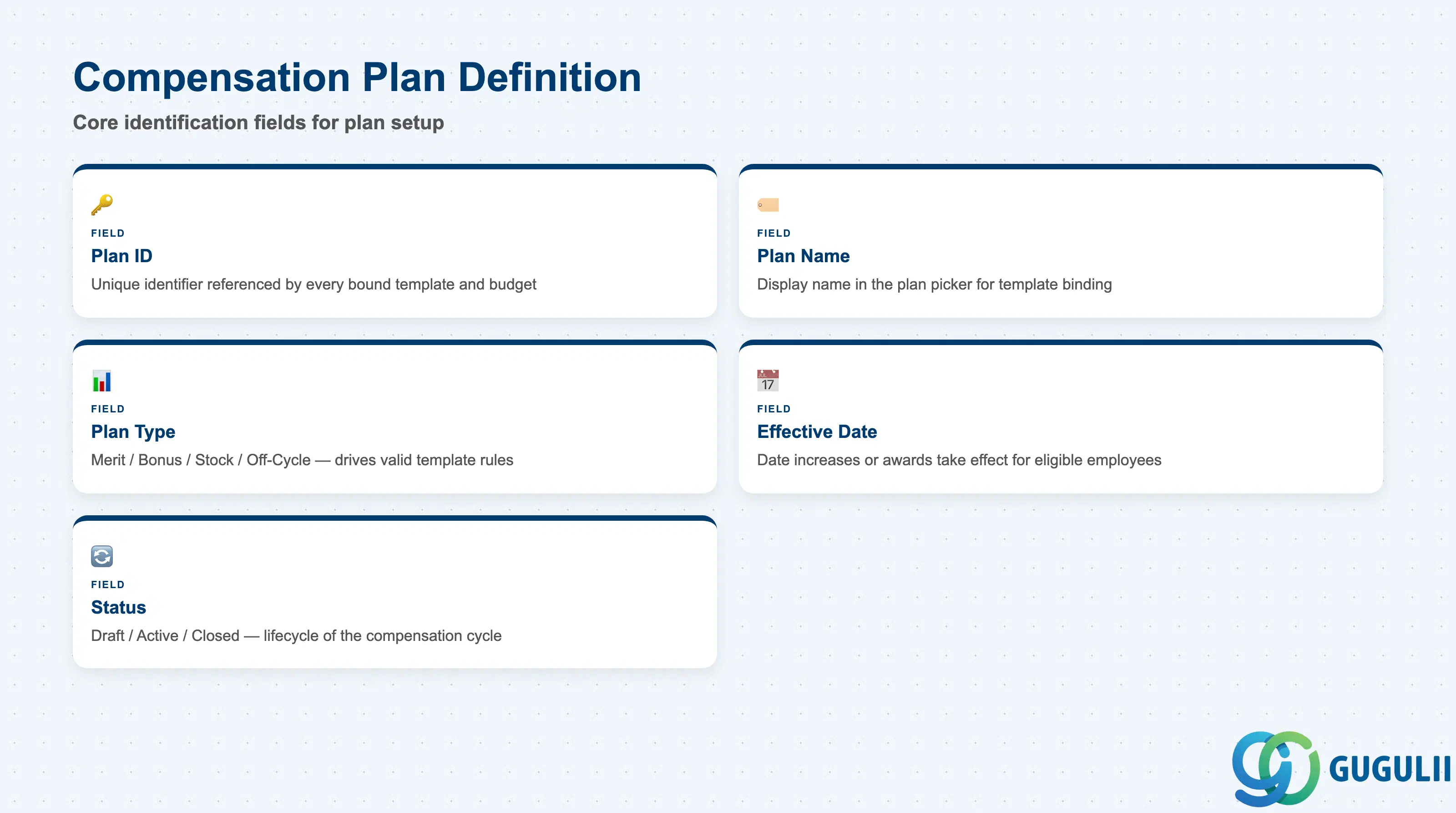
Compensation Plan Definition is the minimum record a Compensation Plan needs to exist — it is what every bound Compensation Template, and the Budget object’s “based on” reference, resolves back to.
| Field | Description | Practical Usage |
|---|---|---|
| Plan ID | Unique identifier (External Code) for the Compensation Plan | Referenced by every Compensation Template bound to this plan and by the Budget object’s “based on” cross-reference. Agree a naming convention before go-live (e.g. CP_ prefix plus cycle year, CP_Merit2024) — renaming after templates and budgets already reference it requires re-checking every downstream binding. |
| Plan Name | Display name shown in the plan picker when configuring a Compensation Template or launching a compensation worksheet | Should identify the cycle year and plan type clearly (“2024 Merit Increase” rather than “Comp Plan A”) — Compensation Admins routinely run several plan types (Merit, Bonus, Equity) in the same year and need to distinguish them at a glance. |
| Plan Type | Merit / Bonus / Stock / Off-Cycle (see Section 1.2 for full variant detail) | Drives which Compensation Template calculation rules and guideline formats are valid for this plan — a template built for a percentage-of-salary Merit guideline cannot be reused as-is under a share-count Stock plan without redefining its component structure. |
| Effective Date | The date the plan’s calculated increases or awards take effect for eligible employees | Distinct from the review cycle’s rating date — a Merit Plan’s Effective Date is typically set to the start of a new fiscal or salary period, after ratings have already closed and Compensation Templates have finished their guideline calculations. |
| Status | Draft / Active / Closed | A plan moves from Draft (worksheet setup and testing) to Active (managers submitting compensation worksheets) to Closed (approved, statements generated) — reopening a Closed plan to correct an error is disruptive and should require the same governance as reopening any finalized approval workflow. |
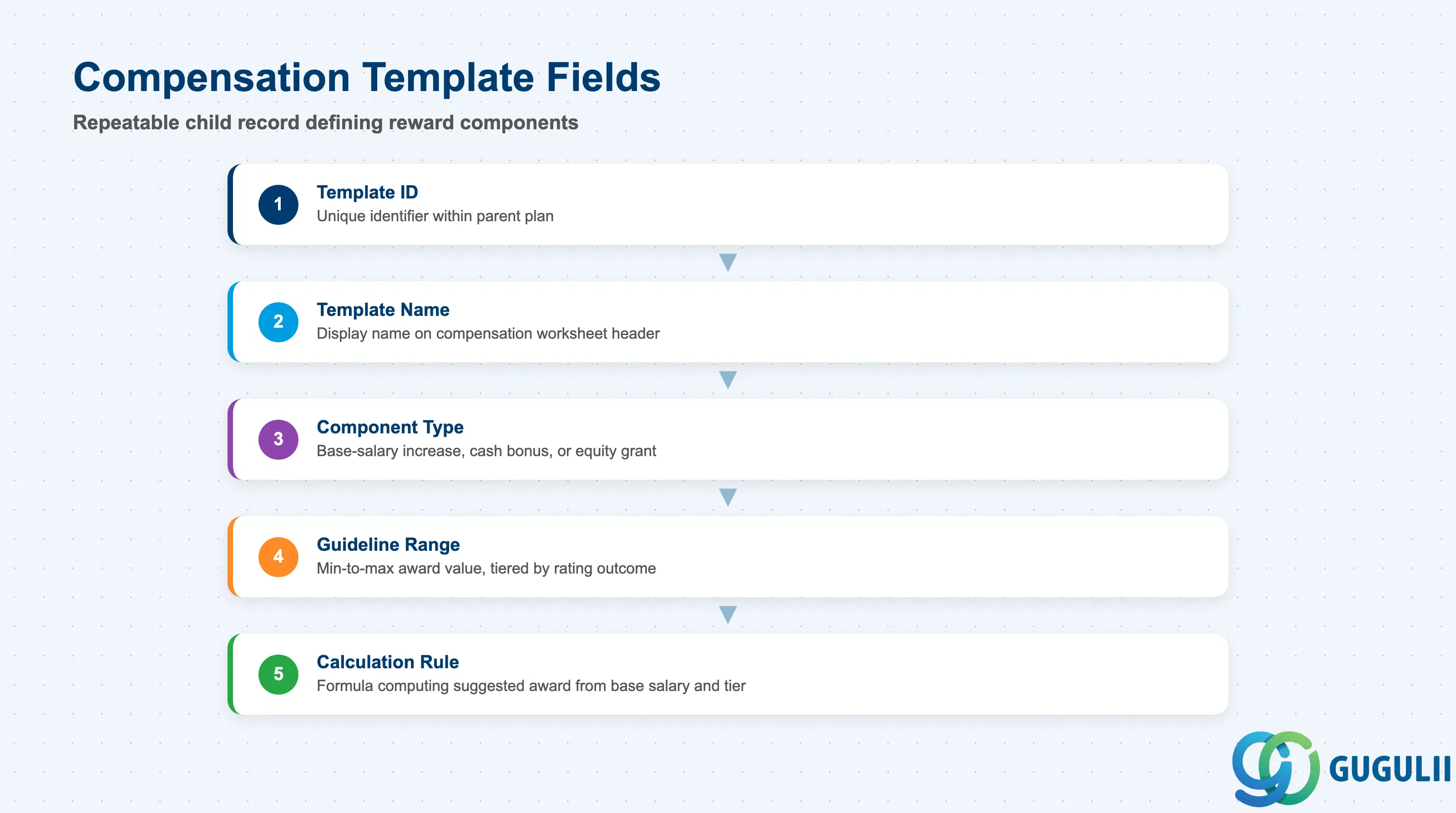
Compensation Template Configuration is the repeatable child record — one or more templates per plan — that actually defines the reward components a manager sees on a compensation worksheet and the guideline math behind each one.
| Field | Description | Practical Usage |
|---|---|---|
| Template ID | Unique identifier (External Code) for the Compensation Template within its parent plan | Should encode the component it calculates (e.g. CT_Merit, CT_Bonus) rather than a generic sequence number — makes worksheet configuration and troubleshooting far easier when a plan has multiple templates active at once. |
| Template Name | Display name shown on the compensation worksheet header for this component | The name a manager actually sees while filling out the worksheet — keep it in plain business language (“Merit Increase”) rather than internal configuration jargon, since managers with no Admin Center access are the primary audience. |
| Component Type | The reward component this template calculates — base-salary increase, cash bonus, or equity/stock grant | Determines the unit the Guideline Range and Calculation Rule fields below are expressed in (percentage of salary, fixed currency amount, or share count) — mismatching Component Type against the plan’s own Plan Type (Section 2.1) is a common blueprint-review defect. |
| Guideline Range | The suggested minimum-to-maximum value a manager can award through this template, commonly tiered by performance rating outcome (e.g. 0–6% for Merit) | This is the field that consumes the Performance Rating Outcome business-process input described in Section 1.4 — guideline tiers are typically defined per rating level (e.g. a “5 = Outstanding” rating maps to the top of the range), so verify the tier structure matches the Rating Scale actually bound to the review cycle feeding this plan (see SF-A03-07). |
| Calculation Rule | The formula or business rule that computes a suggested or default award value from an employee’s base salary, guideline tier, and any prorating factors (e.g. partial-year eligibility) | Prorating logic is the most common source of go-live defects — an employee hired mid-year or transferred between eligible and ineligible populations mid-cycle needs the Calculation Rule to prorate correctly, not simply apply the full guideline value. |
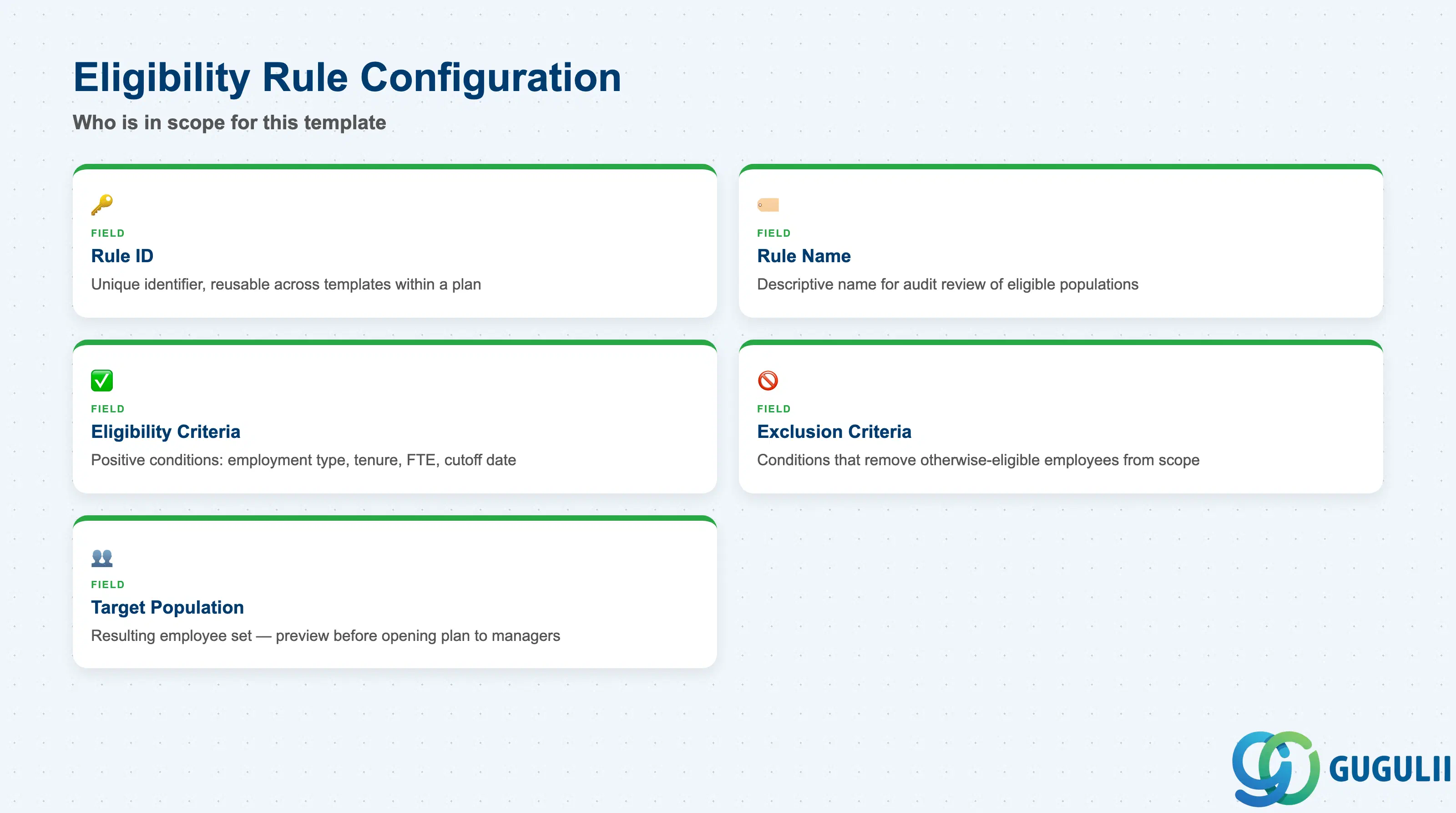
Eligibility Rule Configuration is where “who is actually in scope for this template” gets defined — a Compensation Template with no attached rule effectively targets everyone, which is rarely the intended behavior.
| Field | Description | Practical Usage |
|---|---|---|
| Rule ID | Unique identifier (External Code) for the Eligibility Rule within its parent Compensation Template | One rule is typically reused across several templates within the same plan when the target population is identical (e.g. the same “full-time, 1+ year tenure” rule applied to both a Merit and a Bonus template in the same cycle). |
| Rule Name | Display name shown when reviewing or auditing which employees a given template applies to | Should describe the population plainly (“Full-Time 1+ Year Tenure”), not the template it happens to be first attached to — the same rule is routinely reused across templates and even across plan cycles. |
| Eligibility Criteria | The positive conditions an employee must meet to be included — e.g. employment type (full-time), minimum tenure, minimum FTE, active employment status as of a cutoff date | Cutoff-date logic deserves particular attention during blueprint: an employee hired one day after the eligibility cutoff is fully excluded from that cycle under most standard configurations, which is a frequent source of manager escalations during worksheet review. |
| Exclusion Criteria | Explicit conditions that remove an otherwise-eligible employee — e.g. currently on a Performance Improvement Plan, recently promoted with an already-applied off-cycle adjustment, or on an extended leave of absence | Exclusion logic should be reviewed jointly with HR policy, not left purely to system configuration — an employee excluded for a leave of absence, for example, may still be contractually entitled to a prorated or deferred award once they return, which the rule alone cannot resolve. |
| Target Population | The resulting employee population this rule computes, typically previewable before the compensation worksheet is generated for managers | Always generate and review the Target Population preview before opening the plan to managers (Section 2.1, Status = Active) — an eligibility condition that unintentionally includes or excludes an entire department is far cheaper to catch at this preview stage than after worksheets are already distributed. |
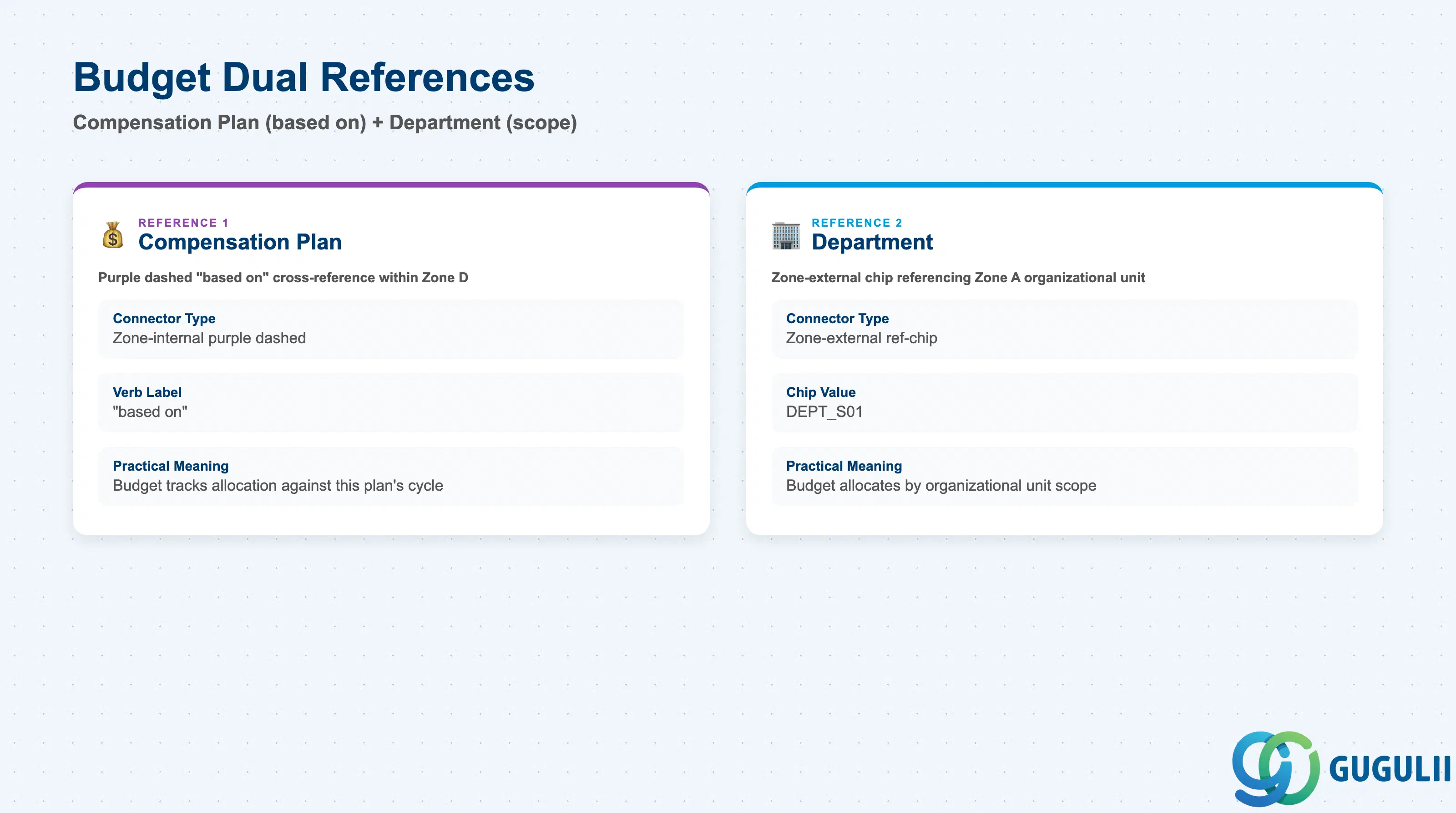
Budget is the object that translates a Compensation Plan’s overall percentage (e.g. “3% budget” on CP_Merit2024) into an actual allocated amount per organizational unit — it is a cross-referencing sibling of Compensation Plan in the landscape (Section 1.3), not a structural child, but it is included in this article’s scope per the module’s own grouping of Compensation Plan / Template / Eligibility / Budget as one configuration chain.
| Field | Description | Practical Usage |
|---|---|---|
| Budget ID | Unique identifier (External Code) for the Budget record | A single Compensation Plan cycle typically has one Budget record per department or business unit rather than a single instance-wide record — expect many Budget IDs referencing the same Compensation Plan via “based on,” one per allocation scope. |
| Budget Scope | The organizational unit this specific Budget allocation applies to — most commonly Department, via the ↗ DEPT_S01-style reference chip confirmed in the landscape (Section 1.3) | This is Budget’s own reference into Zone A, separate from its “based on” reference into Compensation Plan — a Budget record needs both: which plan it is funding, and which organizational unit it is funding it for. |
| Allocation Percentage | The percentage of the referenced organizational unit’s eligible payroll allocated to this Budget (e.g. 3.5% for BDG_Sales2024) | Compare this figure against the Compensation Plan’s own overall budget percentage (Section 2.1) — individual department allocations should reconcile to the plan-level total; a mismatch here is a common finding during compensation-cycle budget reconciliation. |
| Approval Status | Draft / Submitted / Approved, tracking the Budget record’s own sign-off workflow, separate from the Compensation Plan’s own Status field (Section 2.1) | Budget approval is typically a Finance or senior HR sign-off step that must complete before the referenced Compensation Plan is moved to Active status for managers — sequencing these two approvals incorrectly is a common go-live scheduling defect. |
| ID | Category | Title |
|---|---|---|
| sf-001 | Overview | What is SAP SuccessFactors? |
| ID | Category | Title |
|---|---|---|
| sf-b01 | Overview | SAP SuccessFactors Transactions: Process Flow, Hierarchy & Relationships |