Title here
Summary here

Person is the master data object that represents one individual’s global, biographical identity in SuccessFactors Employee Central — distinct from Employment, which represents the job or contract relationship an individual holds with a Legal Entity, and distinct from Employee Profile, which is the aggregated read view built on top of both (covered in SF-A04-03). It opens Phase 3 (Employee Data): where Phase 1’s Legal Entity through Position chain builds the organizational scaffolding and Phase 2’s Permission Group through Compensation Plan chain builds the access-control and process scaffolding, Person is where an actual human being enters the system for the first time. This article covers what a Person record is, its worker-category and lifecycle-state variants, how it sits at the top of the Employee Data landscape zone alongside Employment and User, and every field an Employee Central consultant configures for it.
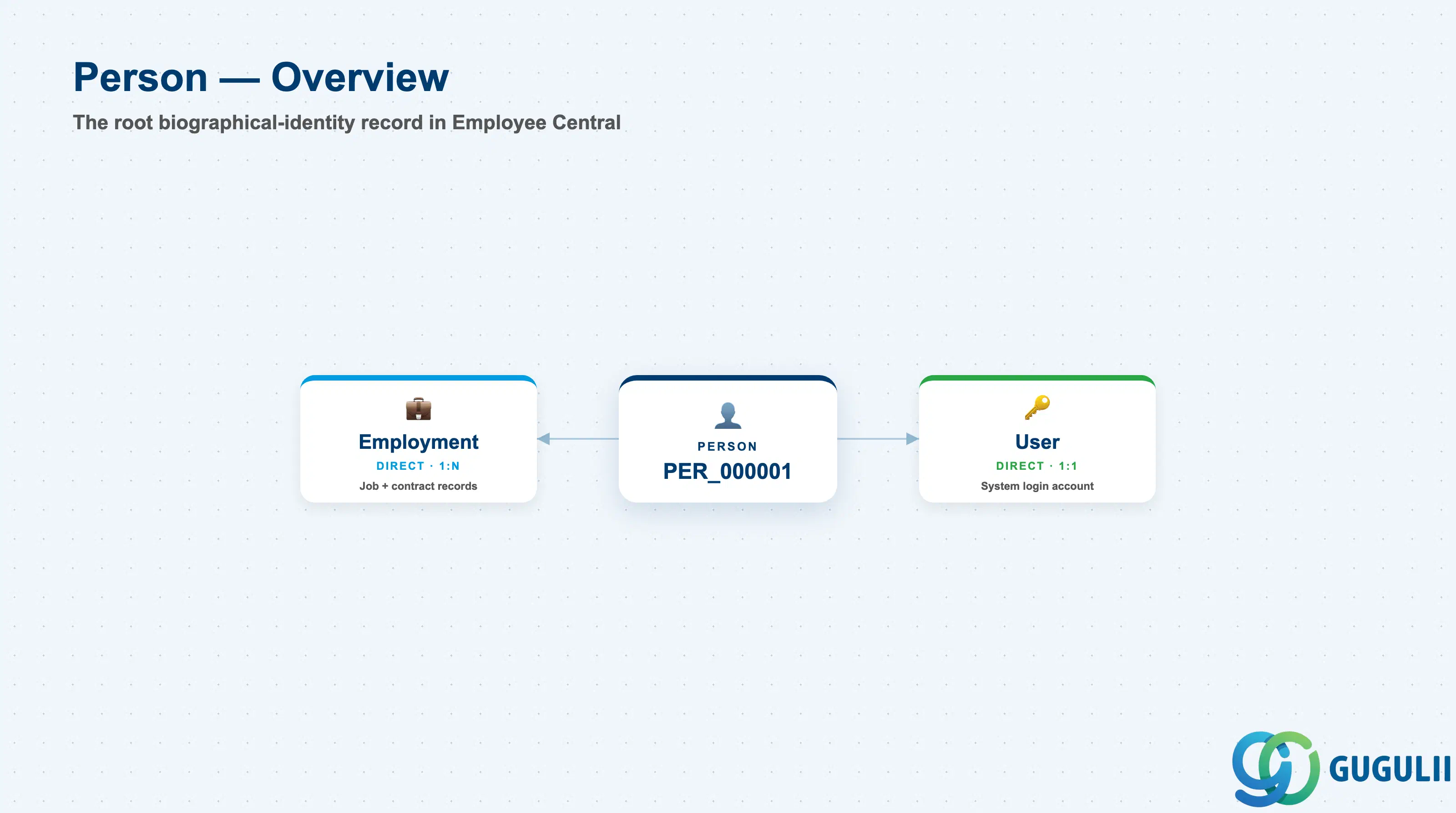
Person is a client-level (tenant-level) root object that carries an individual’s biographical and personal-contact data but no job, org-placement, or pay information of its own — that detail lives one level down, on the Employment record(s) attached to it. Because it is the identity every other employee-data object ultimately points back to, it is deliberately the shallowest, most stable object in the Employee Data zone: names, birth dates, and national IDs change rarely, while the Employment records hanging off a Person change constantly as the individual is hired, promoted, transferred, or given a global assignment.
| Aspect | Details |
|---|---|
| Role | The root biographical-identity record for one individual — the object every Employment, User, and downstream employee-data object in the tenant ultimately traces back to |
| Modules using it | Owned by Employee Central as the foundational person model; Recruiting creates or converts a Person on hire, Onboarding references it from Day-1 tasks onward, and every module that needs to know “who is this employee” — Performance & Goals, Compensation, Learning, Time & Attendance — resolves identity back to a Person ID via that Person’s Employment record |
| Transactions | Admin Center → “Add New Employee” (Hire wizard — creates a Person and its first Employment together); Employee Central “Personal Information” portlet (edit biographical / national ID / contact data on an existing Person); Recruiting → Offer-to-Hire conversion (creates a new Person, or matches an existing one for a rehire) |
| Key Tables | No classic ABAP table — Employee Central exposes Person as a family of OData entities: PerPerson (root identity record), PerPersonal (biographical data), PerNationalId, PerEmail, PerPhone, PerAddressDEFLT, PerEmergencyContacts, and PerGlobalInfo — each corresponds to one Part 2 data section below |
| S/4HANA note | No delivered 1:1 mapping to an on-premise HCM object exists. The loosest analogue is Infotype 0002 (Personal Data) plus Infotype 0006 (Addresses) on a PERNR in classic HCM, but ECC/classic HCM keeps biographical and employment data on a single PERNR-centric record — Employee Central’s structural split of Person (identity) from Employment (job/contract) has no direct on-premise counterpart |
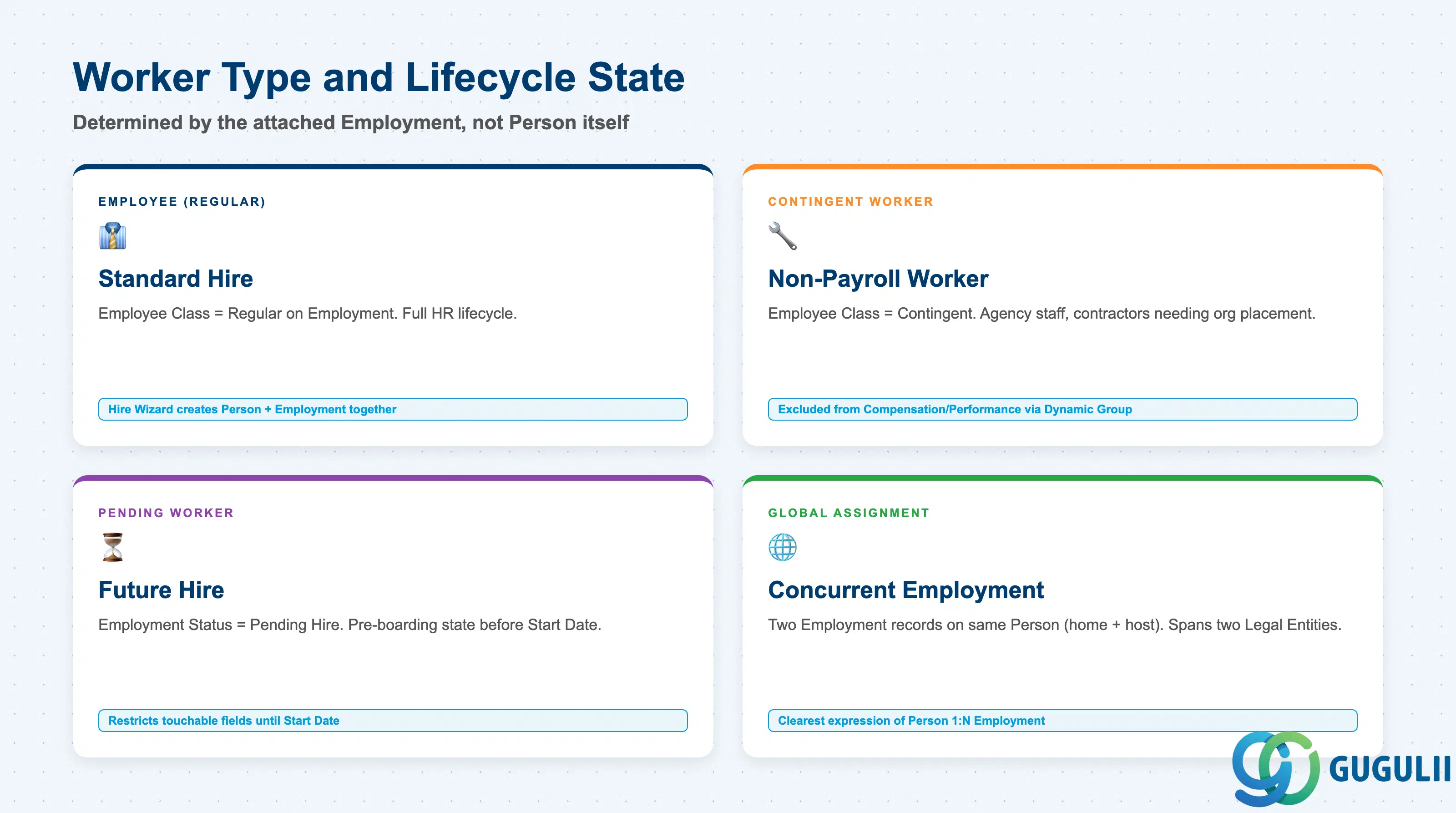
A Person record itself carries no “type” field, but the Employment record(s) attached to it determine what kind of worker the individual is and where they sit in their lifecycle — getting this distinction wrong is a routine source of confusion for consultants new to the platform, since it is easy to assume “worker type” lives on Person when it actually lives one level down.
| Type | Code | Use Case | Key Behavior |
|---|---|---|---|
| Employee (Regular) | Employee Class = Regular (on the Employment record) | Standard permanent or fixed-term hire tracked through the full HR lifecycle | Person and its first Employment are created together via the Hire wizard; because Employee Class lives on Employment, a single Person’s “category” is really read from that Person’s current active Employment, not from Person itself |
| Contingent Worker | Employee Class = Contingent | Non-payroll workers — agency staff, contractors — who need org placement or system access without being on payroll | Created via “Add Contingent Worker”; typically excluded from Compensation/Performance Target Populations through Dynamic Group criteria filtering on Employee Class (see SF-A03-01 §2.2) |
| Pending Worker | Employment Status = Pending Hire | A future hire created ahead of the actual Start Date, during pre-boarding / Onboarding | Both Person and Employment records exist, but Employment Status is not yet Active — restricts which fields and modules can be touched until the Start Date arrives |
| Global Assignment Person | A second, concurrent Employment record on the same Person | An employee temporarily works in a second Legal Entity or country while retaining their home assignment | One Person, two concurrent Employment records (home + host) — the clearest real-world expression of Person’s 1:N relationship to Employment, see Section 1.3 |
Design principle: because Person — not Employment — is the identity that gets reused across rehires and concurrent or global assignments, always search for an existing Person record before creating a new one. Creating a duplicate Person for a rehire fragments that individual’s history across two identities and breaks tenure, seniority, and historical-reporting calculations that assume one Person equals one continuous history.
Data hierarchy with a concrete example
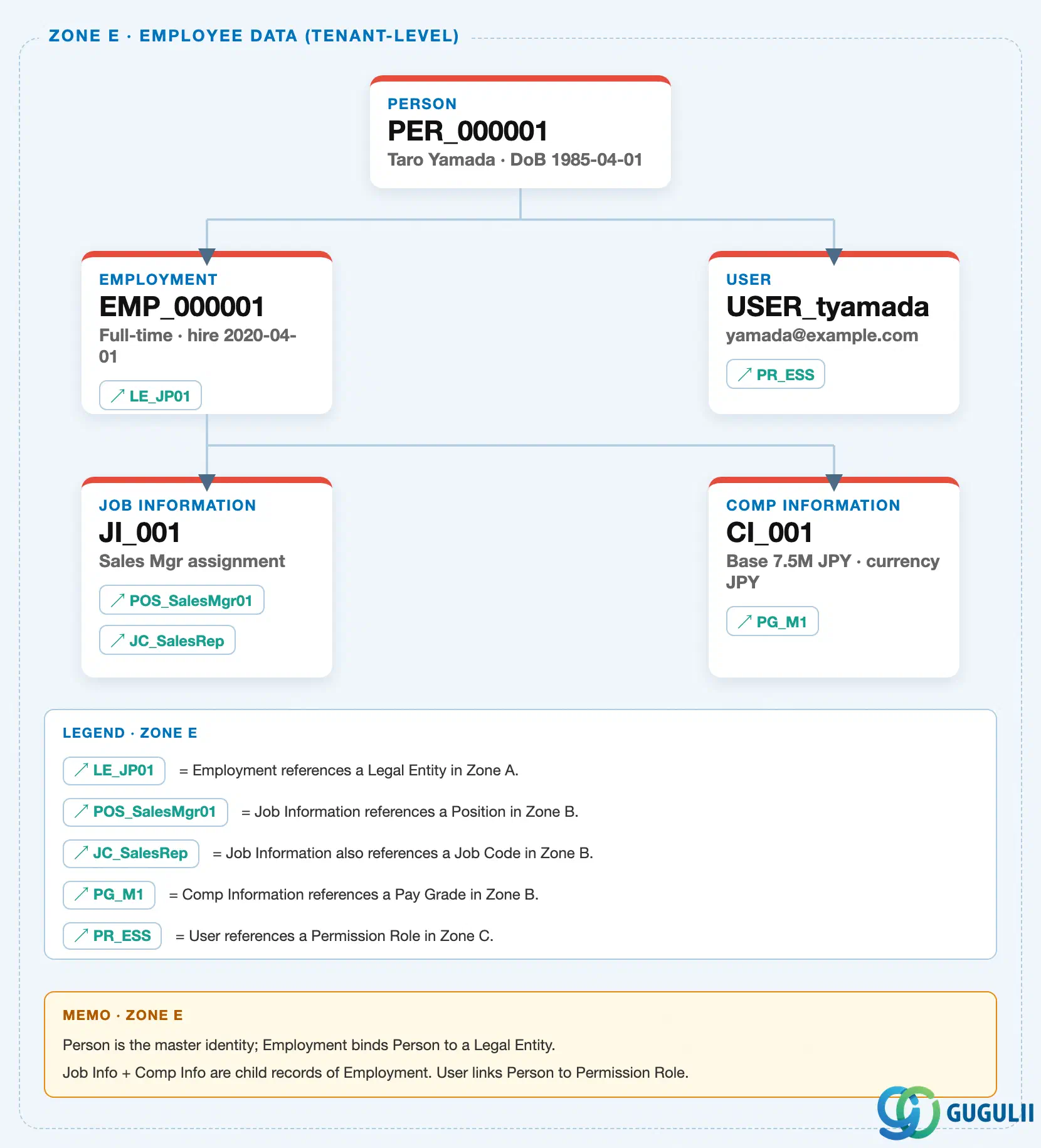
Person sits at the top of the tenant-level “Employee Data” zone of the SuccessFactors Master Data Landscape — the hub node that Employment and User both hang off of directly, with Employment in turn owning Job Information and Compensation Information as its own child records:
Client (SuccessFactors Instance)
   │
   └── Person "PER_000001" — Taro Yamada, DoB 1985-04-01
          │
          ├── Employment "EMP_000001" — Full-time, hire 2020-04-01  (1:N — home + Global Assignment records)
          │      │
          │      ├── assigned to ──> Legal Entity "LE_JP01" — Japan legal entity, Company Code JP01
          │      │
          │      ├── Job Information "JI_001" — Sales Mgr assignment
          │      │      ├── assigned to ──> Position "POS_SalesMgr01" — Sales Manager seat
          │      │      └── assigned to ──> Job Code "JC_SalesRep" — Sales Rep
          │      │
          │      └── Compensation Information "CI_001" — Base 7.5M JPY
          │             └── assigned to ──> Pay Grade "PG_M1" — Manager L1, 6M-9M JPY
          │
          └── User "USER_tyamada" — yamada@example.com  (1:1)
                 └── assigned to ──> Permission Role "PR_ESS" — Employee Self-Service
MANDATORY landscape verification note: the module Master.md’s ER Diagram draws
User ←── Person + Permission Role, listing both as inputs to User on the same line. The published SuccessFactors Master Data Landscape (sf-a01/images/04-sf-a01-master-landscape.html, Zone E) resolves this into two different connector types: a solid parent-child bus line from Person to User (Person owns/contains its User record, 1:1 per the source Notes table — “Person 1名に対して1ユーザー”), and a separate↗ PR_ESSreference chip on the User card pointing into Zone C. This is not a contradiction — it is the landscape distinguishing true containment (Person owns User) from cross-zone reference (User points at a Permission Role for RBP purposes), exactly the same solid-vs-chip convention used for Employment’s↗ LE_JP01reference into Zone A and Job Information’s↗ POS_SalesMgr01/↗ JC_SalesRepreferences into Zone B.Design principle: Person is intentionally the shallowest, most stable node in the Employee Data zone — it owns Employment and User directly, but every further reference outward (Legal Entity, Position, Job Code, Pay Grade, Permission Role) is resolved one or two levels down, never directly off Person itself. This keeps identity stable even as an individual’s job, org placement, and access change many times over a career.
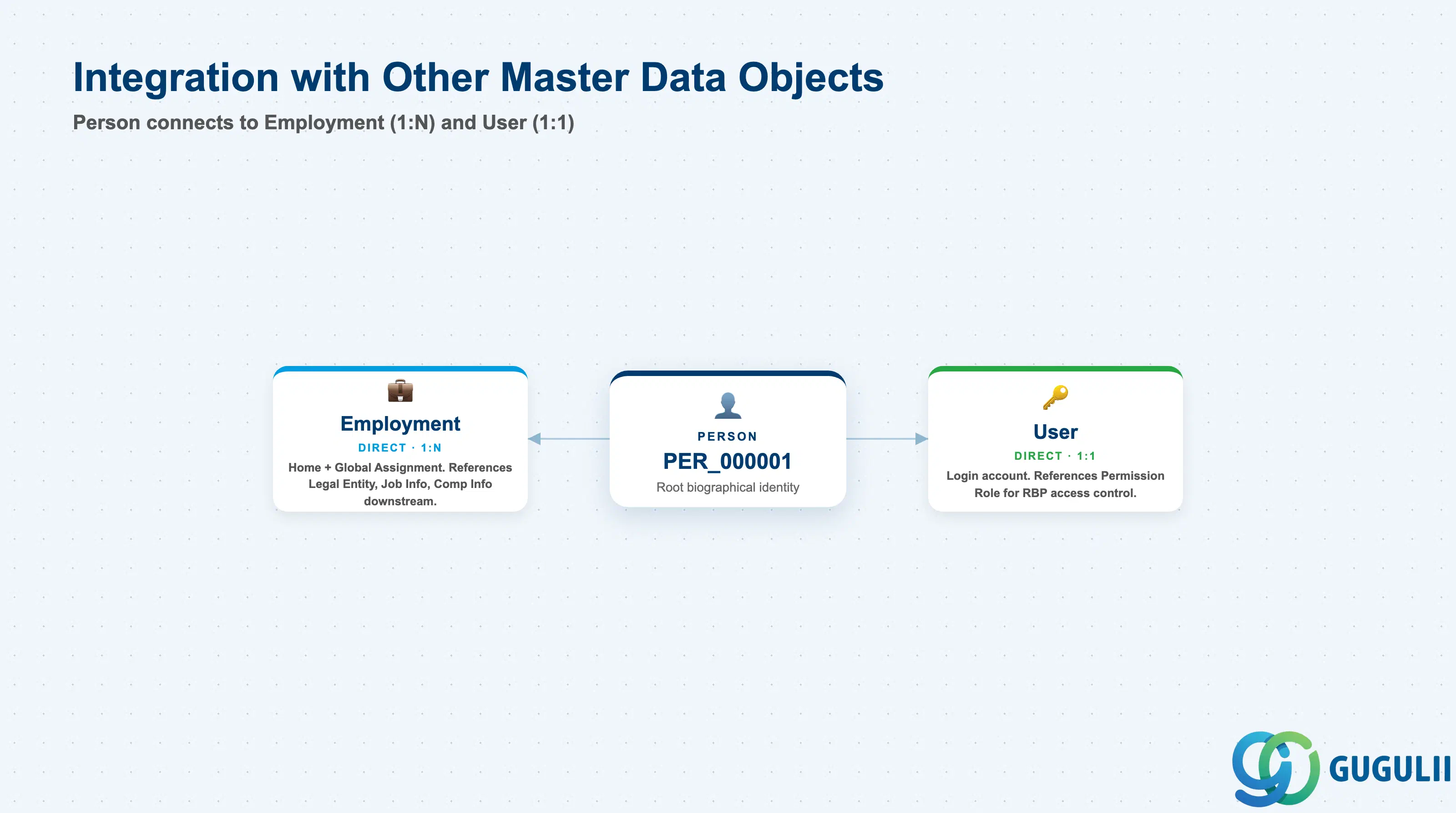
Person does not stand alone: it is the landing point for an individual entering the system from Recruiting or Onboarding, and it is the object every Employment, User, and access-control resolution downstream ultimately depends on.
| Object | Relationship | Practical Notes |
|---|---|---|
| Employment | Owns (1:N) — Person owns one or more Employment records | A single Person can hold multiple Employments concurrently (Global Assignment: home + host) or sequentially (a rehire creates a new Employment on the SAME Person, not a new Person) — see Section 1.3 and SF-A04-02. |
| User | Owns (1:1) — Person owns exactly one User account for system login | The User account inherits Person’s identity for authentication. Deactivating a Person’s last active Employment does not automatically deactivate the User — Employee Status transition rules in Admin Center control that separately. |
| Job Information / Compensation Information | Indirect (via Employment) — child records of Employment, not directly of Person | Field-level detail on job placement and pay lives one level below Person, under each specific Employment record — see SF-A04-02. |
| Legal Entity | Indirect (via Employment) | Each Employment record — not Person itself — is bound to exactly one Legal Entity; a Global Assignment Person can therefore span two Legal Entities simultaneously through two Employment records. |
| Recruiting Candidate / Onboarding Nominee | Source (upstream, cross-module) | When a Recruiting candidate is hired, or an Onboarding nominee reaches Day 1, SuccessFactors converts (or matches) the corresponding Person and creates the first Employment record — Person is the landing object for the Hire-to-Onboard process (see SF-B02). |
| Permission Role | Indirect (via User) | Person has no direct RBP relationship of its own — all access-control resolution happens through the attached User record’s Permission Role and Permission Group bindings (see SF-A03-01, SF-A03-02). |
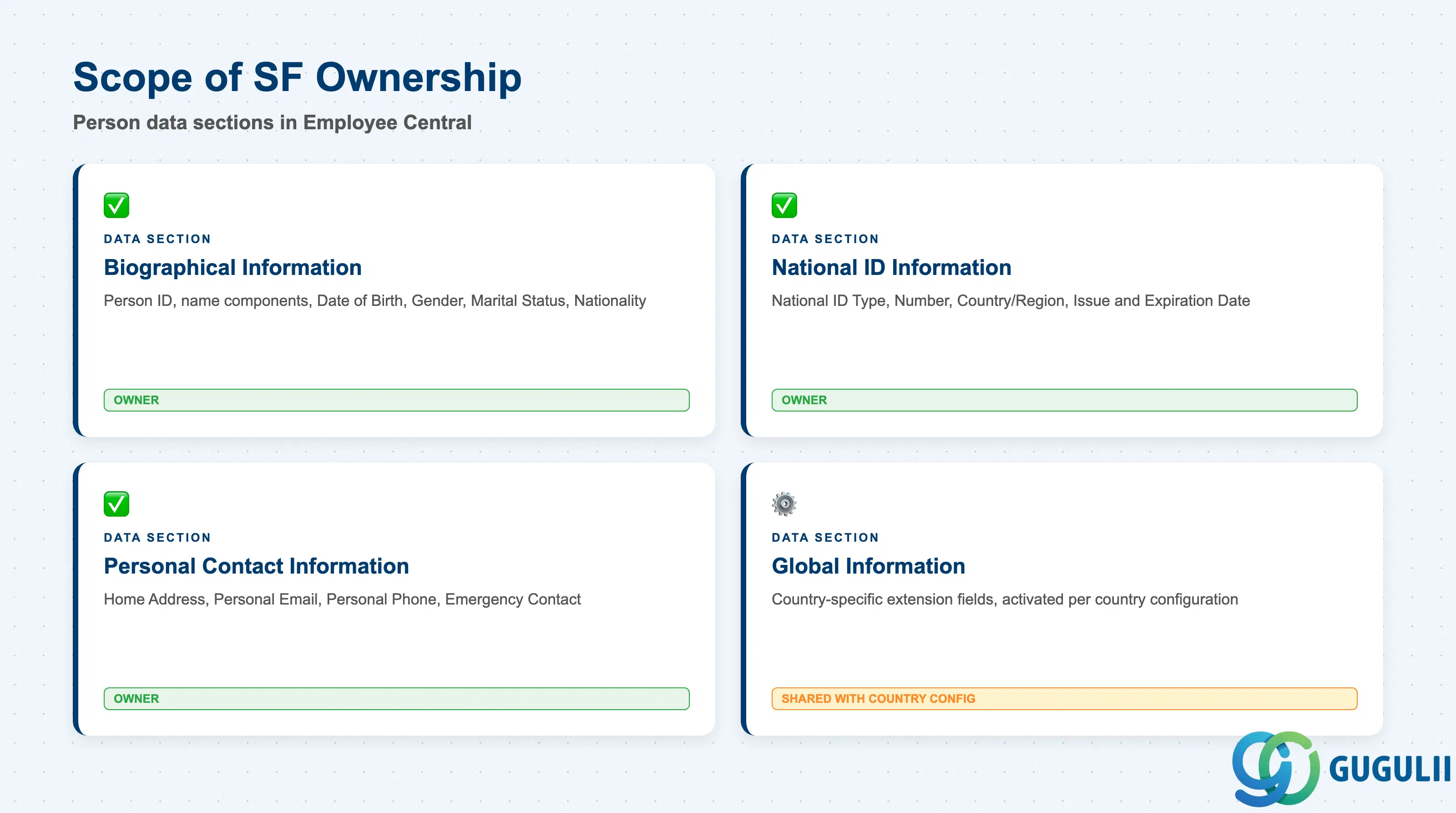
| Data Section | SF Involvement | Notes |
|---|---|---|
| Biographical Information (Core Identification) | ◎ Owner | Person ID, name components, Date of Birth, Gender, Marital Status, Nationality |
| National ID Information | ◎ Owner | National ID Type, National ID Number, Country/Region, Issue/Expiration Date |
| Personal Contact Information | ◎ Owner | Home Address, Personal Email, Personal Phone, Emergency Contact |
| Global Information (Country-Specific Extension) | ○ Shared with country/region configuration | Region-specific personal fields exposed only for certain countries (e.g. Japan’s My Number field) |
Legend: ◎ = Owner / Critical, ○ = Direct involvement
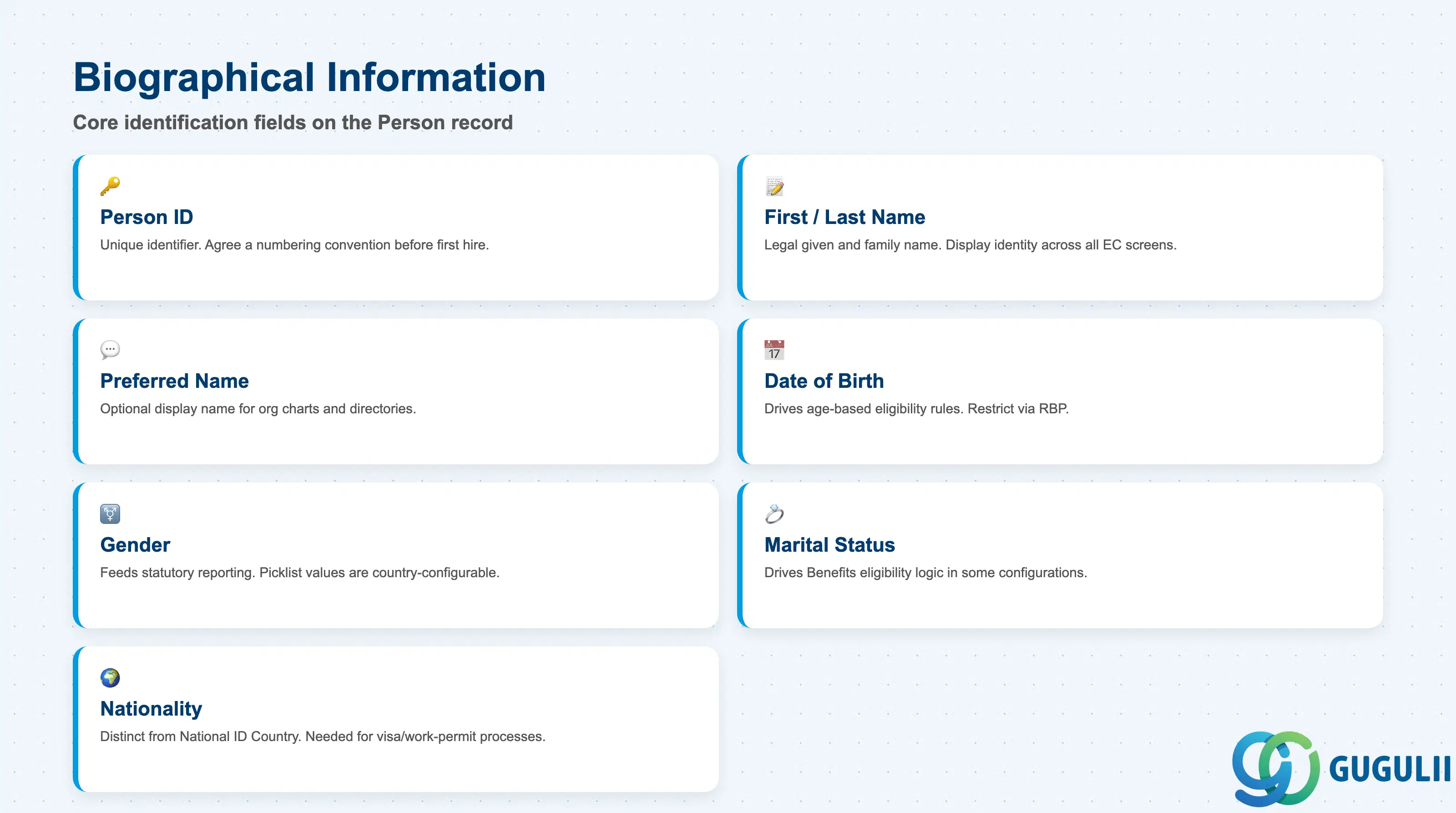
Biographical Information is the minimum record a Person needs to exist — it is what every Employment, every User, and every group picker across the system resolves back to.
| Field | Description | Practical Usage |
|---|---|---|
| Person ID (External Code) | Unique identifier assigned to the Person at creation | The key value every Employment, User, and integration payload references. Agree a numbering convention (sequential external code vs. a business-meaningful ID) before the first hire is loaded — reassigning it after go-live requires re-checking every downstream reference. |
| First Name / Last Name | Legal given and family name | Used across every EC module and Fiori-like screen as the display identity by default. For countries where legal-document name order or script differs from what should appear in the org chart, pair with Preferred Name rather than editing the legal name field itself. |
| Preferred/Display Name | Optional name shown in place of the legal name in org charts, directories, and self-service screens | Common for individuals who go by a name that differs from their legal name (nicknames, married names not yet updated legally, Western names alongside a native-script legal name). Keep legal-document processes (payroll, tax filings) pointed at the legal name field, never the preferred one. |
| Date of Birth | Individual’s birth date | Drives age-based eligibility rules (retirement plan enrollment, minimum-working-age validation) and certain statutory reporting requirements. Treat as sensitive personal data — restrict field-level visibility through RBP rather than leaving it broadly readable. |
| Gender | Legal gender / sex category | Feeds statutory reporting (EEO-style category reporting, national census-style HR reporting) in countries that require it; picklist values and whether the field is mandatory are both country-configurable. |
| Marital Status | Current marital status | Drives Compensation and Benefits eligibility logic in some configurations (e.g. dependent enrollment eligibility) and certain country-specific statutory forms; typically self-service editable by the employee, subject to workflow approval. |
| Nationality | Individual’s national citizenship | Distinct from Country/Region of the National ID (Section 2.2) — an individual can hold a National ID issued by their country of assignment while retaining a different nationality; both fields are needed for visa/work-permit and cross-border payroll processes. |
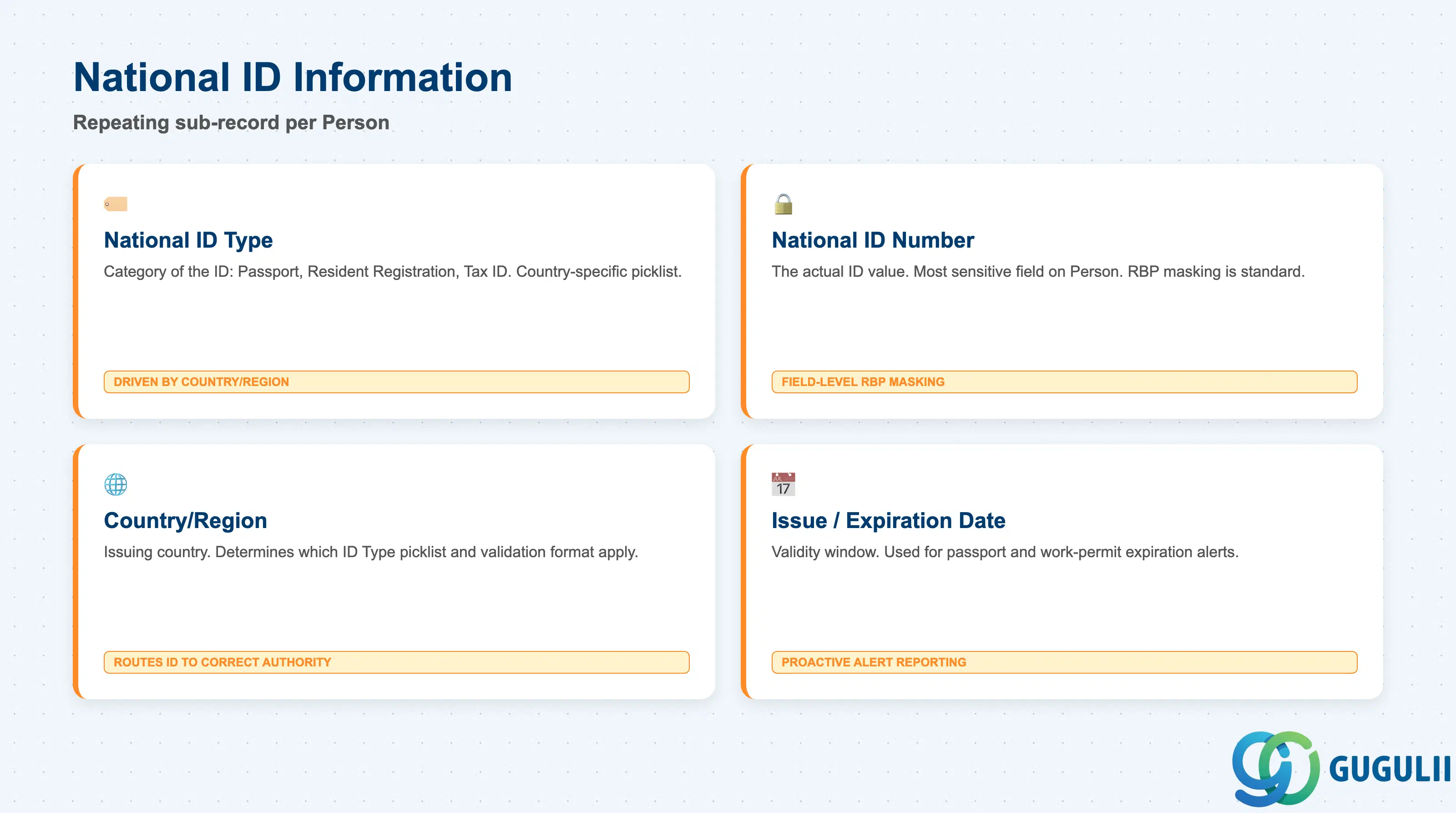
National ID Information is a repeating sub-record — a single Person can carry more than one National ID (e.g. a home-country passport plus a host-country resident registration for a Global Assignment Person).
| Field | Description | Practical Usage |
|---|---|---|
| National ID Type | Category of the ID being recorded (e.g. Passport, Resident Registration, Social Insurance Number, Tax ID) | Country-specific picklist — Japan’s configuration, for example, typically distinguishes My Number (individual number) from other statutory IDs; the picklist values available are driven by the Country/Region field, not global. |
| National ID Number | The actual ID value | Among the most sensitive fields on the entire Person object — field-level RBP masking is standard practice, and most tenants restrict full visibility to HR Administrator roles only, showing masked values (e.g. last 4 digits) elsewhere. |
| Country/Region | The country or region that issued this National ID | Determines which National ID Type picklist and validation format apply; also used by payroll and statutory-reporting integrations to route the correct ID to the correct authority. |
| Issue Date / Expiration Date | Validity window of the ID document | Relevant for time-bound documents (passports, work permits, resident cards); some tenants build proactive expiration-alert reporting off this field for Global Assignment or visa-dependent workers. |
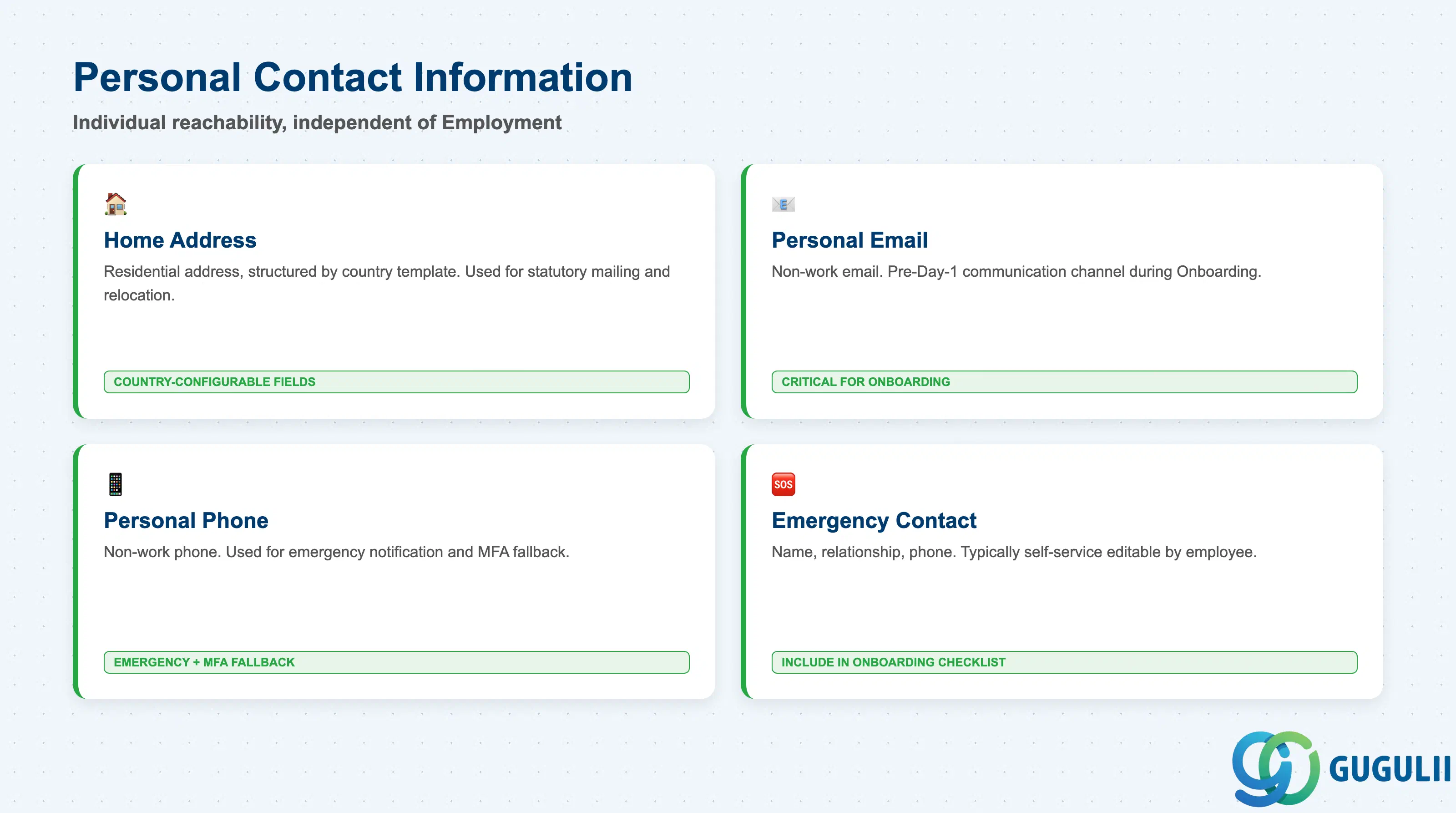
Personal Contact Information is deliberately kept separate from any org-placement or work-contact data (which lives on Job Information under Employment, see SF-A04-02) — this section is the individual’s own reachability data, independent of which Employment is currently active.
| Field | Description | Practical Usage |
|---|---|---|
| Home Address | Personal residential address, structured by country (street, city, postal code, region fields vary by country template) | Used for statutory mailing (tax documents, payslips where mail delivery is still required) and for relocation/commute-related processes; address field structure and mandatory-field rules are both country-configurable. |
| Personal Email | Non-work email address | Frequently used as the pre-Day-1 communication channel during Onboarding, before a work email account exists — a common failure mode is Onboarding tasks silently failing to send because Personal Email was left blank on the Person record created via Recruiting conversion. |
| Personal Phone | Non-work phone number | Used for emergency notification workflows and, in some tenants, as an MFA fallback channel for self-service password recovery. |
| Emergency Contact | Name, relationship, and phone number of a person to contact in an emergency | Frequently maintained by the employee via self-service rather than by HR — worth including in new-hire onboarding checklists, since it is easy to overlook and is rarely populated automatically from Recruiting data. |
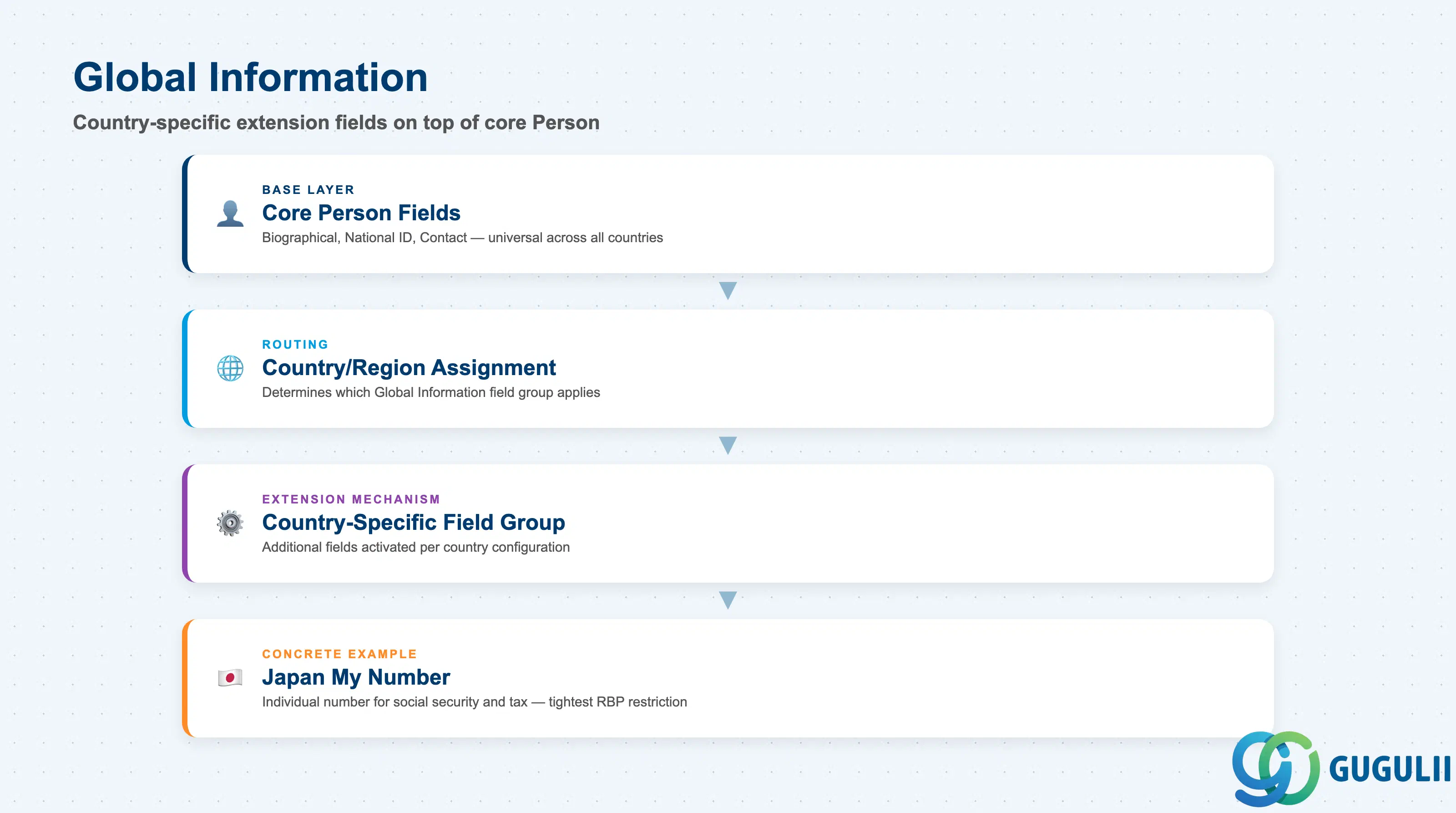
Global Information is not a fixed field list the way the other three sections are — it is an extension mechanism that adds country-specific personal fields on top of the core Person object, only for the countries where a given field is legally required.
| Field | Description | Practical Usage |
|---|---|---|
| Country/Region Assignment | The country context that determines which Global Information field group applies to this Person | Typically inherited from the Person’s primary Employment’s Legal Entity country, but a Global Assignment Person may need Global Information populated for a second country as well — plan for this explicitly rather than assuming one country per Person. |
| Country-Specific Field Group | The set of additional fields activated for a given country (e.g. a Japan-specific field group, a Germany-specific field group) | Configured once per country in Employee Central’s Country/Region-Specific field configuration; adding a new country’s field group is a configuration change, not something a consultant can improvise per-record. |
| Field Visibility Rule | Determines which roles can see or edit a given country-specific field | Country-specific fields are frequently more sensitive than the core biographical fields (e.g. national tax-ID equivalents) and are commonly locked down tighter than the base Person fields through RBP field-level permissions. |
| Localized Example Field — Japan My Number | Japan’s individual number, used for social security and tax administration | A concrete example of a Global Information field: only appears on Persons whose Country/Region context is Japan, is one of the most tightly access-restricted fields in a Japan-deployed tenant, and is functionally distinct from the generic National ID Number field in Section 2.2. |
| ID | Category | Title |
|---|---|---|
| sf-001 | Overview | What is SAP SuccessFactors? |
| ID | Category | Title |
|---|---|---|
| sf-b01 | Overview | SAP SuccessFactors Transactions: Process Flow, Hierarchy & Relationships |