Title here
Summary here

Employment is the master data object that represents the job or contract relationship an individual holds with a Legal Entity — distinct from Person, which represents the individual’s global, biographical identity (covered in SF-A04-01), and distinct from Employee Profile, the aggregated read view built on top of both (SF-A04-03). Where Person is deliberately shallow and stable, Employment is where the operational detail lives: it is the record that carries Hire Date, Employment Type, and Employment Status, and it is the direct parent of Job Information (org placement — position, job code, manager, location) and Compensation Information (pay — pay grade, base salary, currency). This article covers what an Employment record is, its type and status-lifecycle variants, how it sits directly beneath Person in the Employee Data landscape zone while owning Job Information and Compensation Information as its own children, and every field an Employee Central consultant configures across all three.
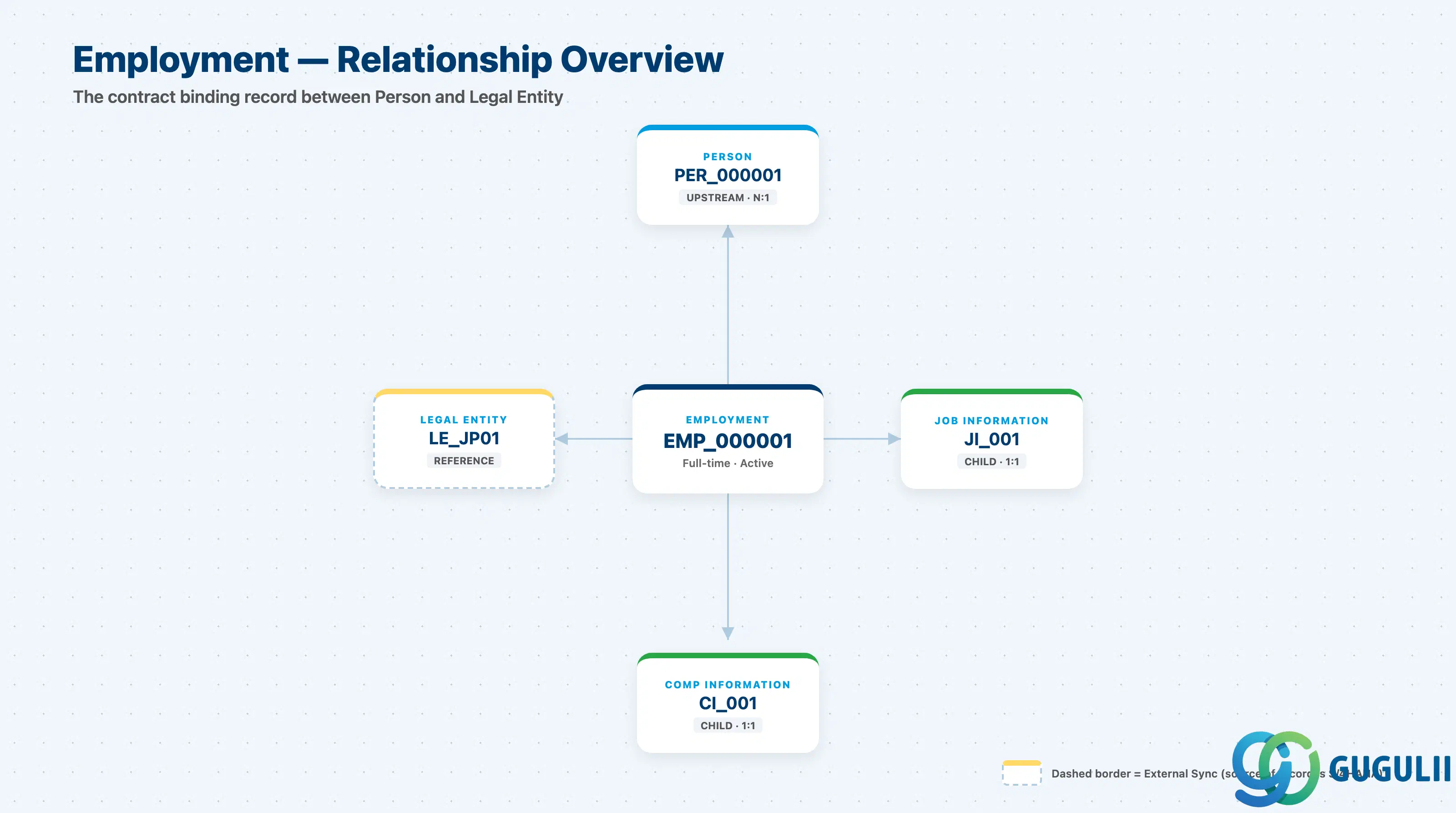
Employment is a per-contract record — one Person can hold one Employment (the common case) or several concurrent Employments (a Global Assignment, where a home and a host Employment exist side by side), and a Person who leaves and later returns typically gets a new Employment on the same Person rather than a new Person. Because it is the object where “who employs this individual, since when, in what capacity, and in what state” is actually recorded, it is also the object every Job Information and Compensation Information record is effective-dated and versioned against — a promotion or a pay change creates a new dated row under the same Employment, it does not create a new Employment.
| Aspect | Details |
|---|---|
| Role | The job/contract binding record between a Person and a Legal Entity — owns the Job Information and Compensation Information child records, and is where hire date, employment type, and employment status live |
| Modules using it | Owned by Employee Central; Recruiting creates the first Employment together with its Person on hire; Time & Attendance, Payroll, Performance & Goals, and Compensation all resolve process eligibility and scope against an active Employment, not against Person directly |
| Transactions | Admin Center → “Add New Employee” (Hire wizard — creates Person and its first Employment together); “Manage Global Assignments” (creates a second, concurrent Employment on an existing Person); Employee Central “Job Information” and “Compensation Information” portlets (edit the child records of an existing Employment); “Termination” action (closes an Employment’s lifecycle) |
| Key Tables | No classic ABAP table — Employee Central exposes Employment as a family of OData entities: EmpEmployment (root Employment record), EmpJob (Job Information, effective-dated), EmpCompensation (Compensation Information, effective-dated), and EmpEmploymentTermination (termination detail) — each of the latter three corresponds to a Part 2 data section below |
| S/4HANA note | No delivered 1:1 mapping to an on-premise HCM object exists. The loosest analogue is the Organizational Assignment infotype (IT0001) plus the Actions infotype (IT0000) on a PERNR in classic HCM, but ECC/classic HCM keeps org assignment, pay, and personal data on a single PERNR-centric record — Employee Central’s split of Employment (contract) from Job Information (org placement) and Compensation Information (pay), each independently effective-dated, has no direct on-premise counterpart |
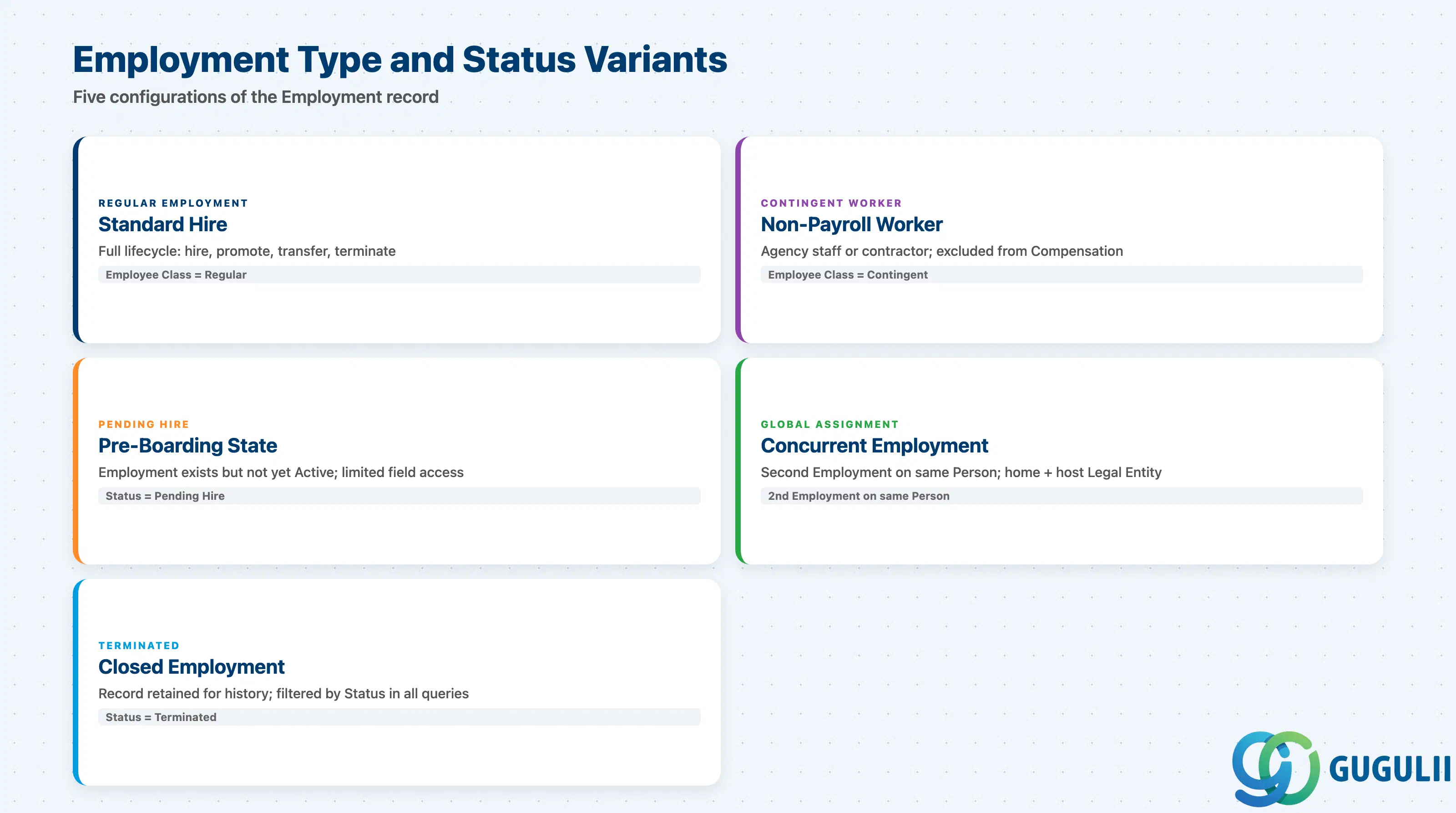
Where a Person record carries no “type” field of its own (Section 1.2 of SF-A04-01), Employment is exactly where that field lives — Employment Type and Employment Status are both native Employment attributes, and getting the status lifecycle wrong (for example, not distinguishing Terminated from a Leave-of-Absence) is a routine source of broken eligibility logic downstream in Compensation and Benefits.
| Type | Code | Use Case | Key Behavior |
|---|---|---|---|
| Regular Employment | Employee Class = Regular | Standard permanent or fixed-term hire tracked through the full HR lifecycle | Created together with its Person via the Hire wizard; Employment Type is set once at hire and rarely changed thereafter — a genuine change (e.g. contractor converted to permanent) is typically handled as a Job Information “Conversion” event on the same Employment, not a new Employment |
| Contingent Worker Employment | Employee Class = Contingent | Non-payroll workers — agency staff, contractors — who need org placement or system access without being on payroll | Excluded from Compensation/Performance Target Populations through Dynamic Group criteria filtering on Employee Class (see SF-A03-01 §2.2); typically has no Compensation Information record populated |
| Pending Hire | Employment Status = Pending Hire | A future hire, created ahead of the actual Start Date during pre-boarding / Onboarding | Employment record exists but Employment Status is not yet Active — restricts which fields and downstream modules (Payroll, Time) can be touched until the Start Date arrives |
| Global Assignment (concurrent) | A second Employment record on the same Person | An employee temporarily works in a second Legal Entity or country while retaining their home Employment | Two Employment records, home and host, exist concurrently on one Person — each with its own Job Information, Compensation Information, and Legal Entity reference; see Section 1.3 |
| Terminated | Employment Status = Terminated | Employment relationship has ended | Employment Status transitions to Terminated as of the Termination Date; the Employment record and its full Job Information / Compensation Information history are retained, not deleted, for statutory and reporting purposes |
Design principle: because Employment Status — not the existence of the record itself — is what most integrations and eligibility rules actually filter on, never assume “Employment exists” means “Employment is active.” A Terminated Employment remains in the system indefinitely for history; every downstream query (payroll extract, benefits eligibility, headcount report) must filter on Employment Status explicitly rather than on record presence alone.
Data hierarchy with a concrete example
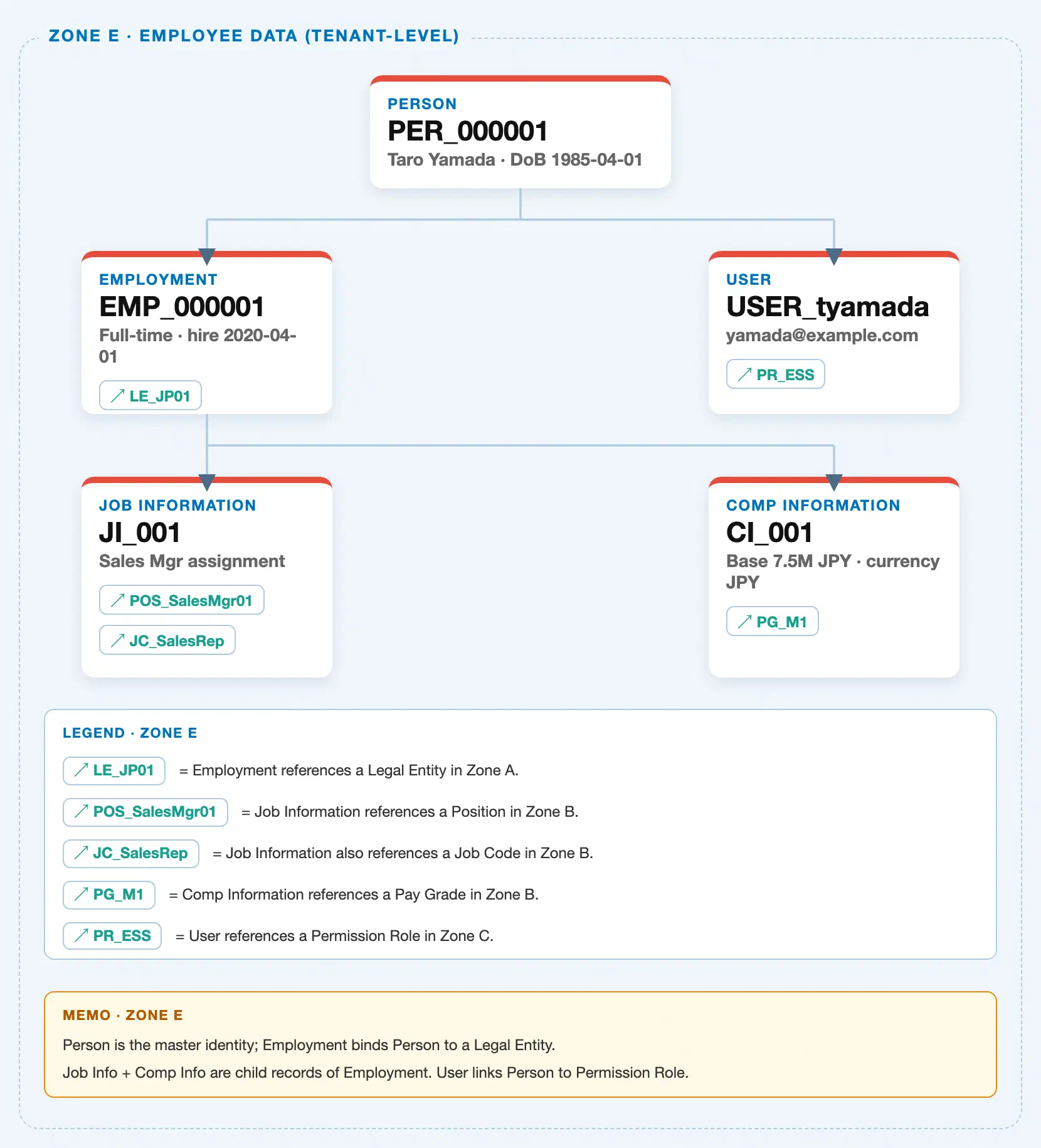
Employment sits one level below Person in the tenant-level “Employee Data” zone of the SuccessFactors Master Data Landscape — it is owned by Person (N Employments can exist per Person), and it in turn owns Job Information and Compensation Information as its own child records:
Client (SuccessFactors Instance)
   │
   └── Person "PER_000001" — Taro Yamada, DoB 1985-04-01     (1 Person : N Employments)
          │
          ├── Employment "EMP_000001" — Full-time, hire 2020-04-01, Active   ◄── this article
          │      │
          │      ├── assigned to ──> Legal Entity "LE_JP01" — Japan legal entity, Company Code JP01
          │      │
          │      ├── Job Information "JI_001" — Sales Mgr assignment   (1:1 current, effective-dated history)
          │      │      ├── assigned to ──> Position "POS_SalesMgr01" — Sales Manager seat
          │      │      └── assigned to ──> Job Code "JC_SalesRep" — Sales Rep
          │      │
          │      └── Compensation Information "CI_001" — Base 7.5M JPY   (1:1 current, effective-dated history)
          │             └── assigned to ──> Pay Grade "PG_M1" — Manager L1, 6M-9M JPY
          │
          └── Employment "EMP_000002" — Global Assignment (host), hire 2024-01-01, Active
                 │
                 ├── assigned to ──> Legal Entity "LE_US01" — US legal entity, Company Code US01
                 │
                 ├── Job Information "JI_002" — Host-country assignment role
                 │
                 └── Compensation Information "CI_002" — Host-country pay component
MANDATORY landscape verification note: the module Master.md’s ER Diagram draws
Person 1:N Employment ←── Legal Entity, thenEmployment 1:1 Job InformationandEmployment 1:1 Compensation Information. The published SuccessFactors Master Data Landscape (sf-a01/images/04-sf-a01-master-landscape.html, Zone E) resolves this into two solid parent-child bus lines — Person → Employment/User at y=1825, and Employment → Job Information/Compensation Information at y=2005 — plus a separate↗ LE_JP01reference chip on the Employment card pointing into Zone A. This is the same solid-vs-chip convention documented in SF-A04-01: solid bus lines are true containment (Person owns Employment; Employment owns Job Information and Compensation Information), while chip references (↗ LE_JP01for Employment,↗ POS_SalesMgr01/↗ JC_SalesRepfor Job Information,↗ PG_M1for Compensation Information) are cross-zone pointers, not ownership. The “1:1” on the ER diagram describes the current Job Information / Compensation Information row per Employment — both objects are in fact effective-dated, so a single Employment accumulates a full history of dated Job Information and Compensation Information rows over time (promotions, transfers, pay changes), with exactly one row active as of any given date.Design principle: Employment is the level at which “which Legal Entity, since when, in what capacity” is recorded, but it deliberately does not carry org-placement or pay detail itself — that lives one level further down, on Job Information and Compensation Information, precisely so that a promotion or pay change can be recorded as a new dated child row without touching the Employment record (or the Person record above it) at all.
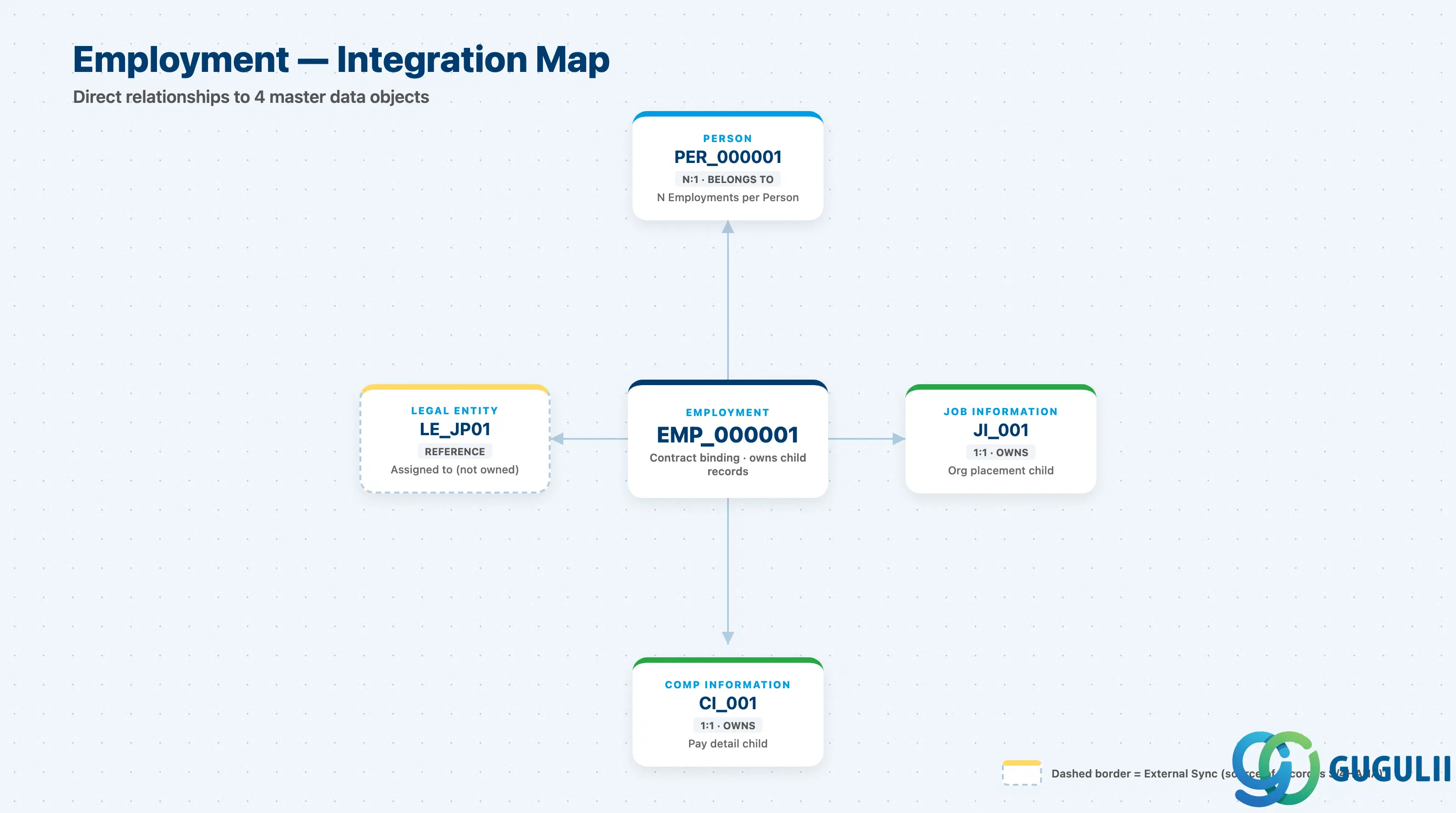
Employment does not stand alone: it is owned by exactly one Person, it is bound to exactly one Legal Entity, and it is the parent of Job Information and Compensation Information — the two objects that carry the field-level detail most consultants think of as “an employee’s record.”
| Object | Relationship | Practical Notes |
|---|---|---|
| Person | Belongs to (N:1) — Employment is owned by exactly one Person | A Person can own multiple concurrent Employments (Global Assignment: home + host) or sequential Employments (a rehire adds a new Employment to the SAME Person). Deleting or merging a Person requires first resolving every Employment attached to it — see SF-A04-01. |
| Legal Entity | Assigned to (reference, not containment) — each Employment is bound to exactly one Legal Entity | A Global Assignment Person can span two Legal Entities simultaneously precisely because each concurrent Employment carries its own, independent Legal Entity reference — see Section 1.3. |
| Job Information | Owns (1:1 current, effective-dated history) | Org-placement detail — Position, Job Code, Manager, Location — lives here, not on Employment itself. Every reorg, promotion, or transfer creates a new dated Job Information row under the same Employment. |
| Compensation Information | Owns (1:1 current, effective-dated history) | Pay detail — Pay Grade, Base Salary, Currency — lives here. Every salary review or compensation-cycle adjustment creates a new dated Compensation Information row under the same Employment; the Employment record itself never carries a pay figure. |
| Position / Job Code / Pay Grade | Indirect (via Job Information / Compensation Information) | Employment does not reference these directly — Job Information references Position and Job Code, and Compensation Information references Pay Grade. See Section 1.3 for the exact chip-reference paths. |
| User | Indirect (via Person) | User is owned by Person, not by Employment — a Person keeps the same User/login across multiple concurrent or sequential Employments. |
| Recruiting Candidate / Onboarding Nominee | Source (upstream, cross-module) | When a Recruiting candidate is hired, the Offer-to-Hire conversion creates the first Employment on the (new or matched) Person; a Global Assignment is typically initiated from an internal mobility process rather than Recruiting — see SF-B02. |
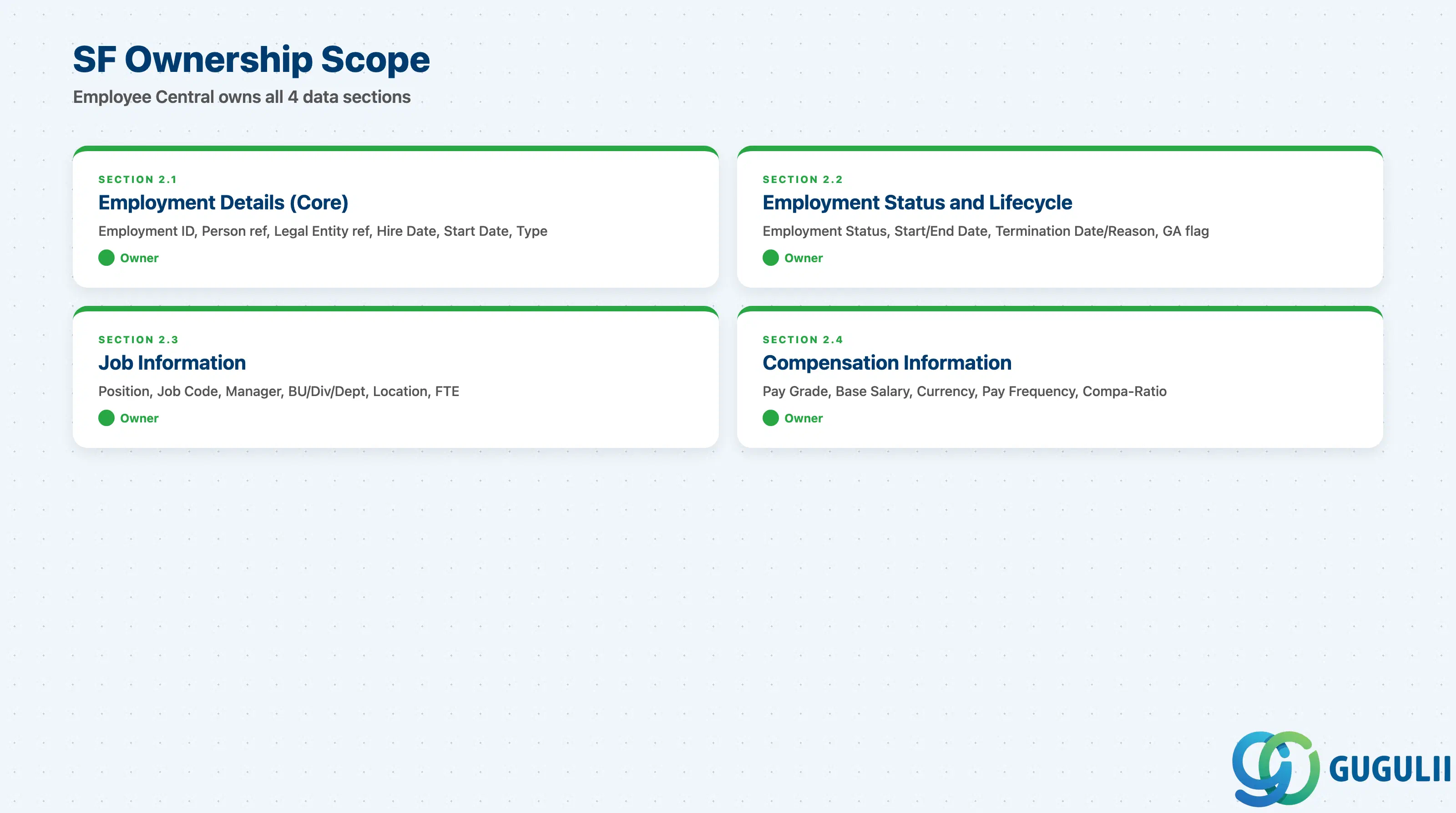
| Data Section | SF Involvement | Notes |
|---|---|---|
| Employment Details (Core) | ◎ Owner | Employment ID, Person reference, Legal Entity reference, Hire Date, Original Start Date, Employment Type |
| Employment Status and Lifecycle | ◎ Owner | Employment Status, effective Start/End Date, Termination Date and Reason, Global Assignment indicator |
| Job Information | ◎ Owner | Position, Job Code, Manager, Business Unit/Division/Department, Location — references Zone B objects but the record itself belongs to Employment |
| Compensation Information | ◎ Owner | Pay Grade, Base Salary, Currency, Pay Frequency, Compa-Ratio — references a Zone B Pay Grade but the record itself belongs to Employment |
Legend: ◎ = Owner / Critical, ○ = Direct involvement
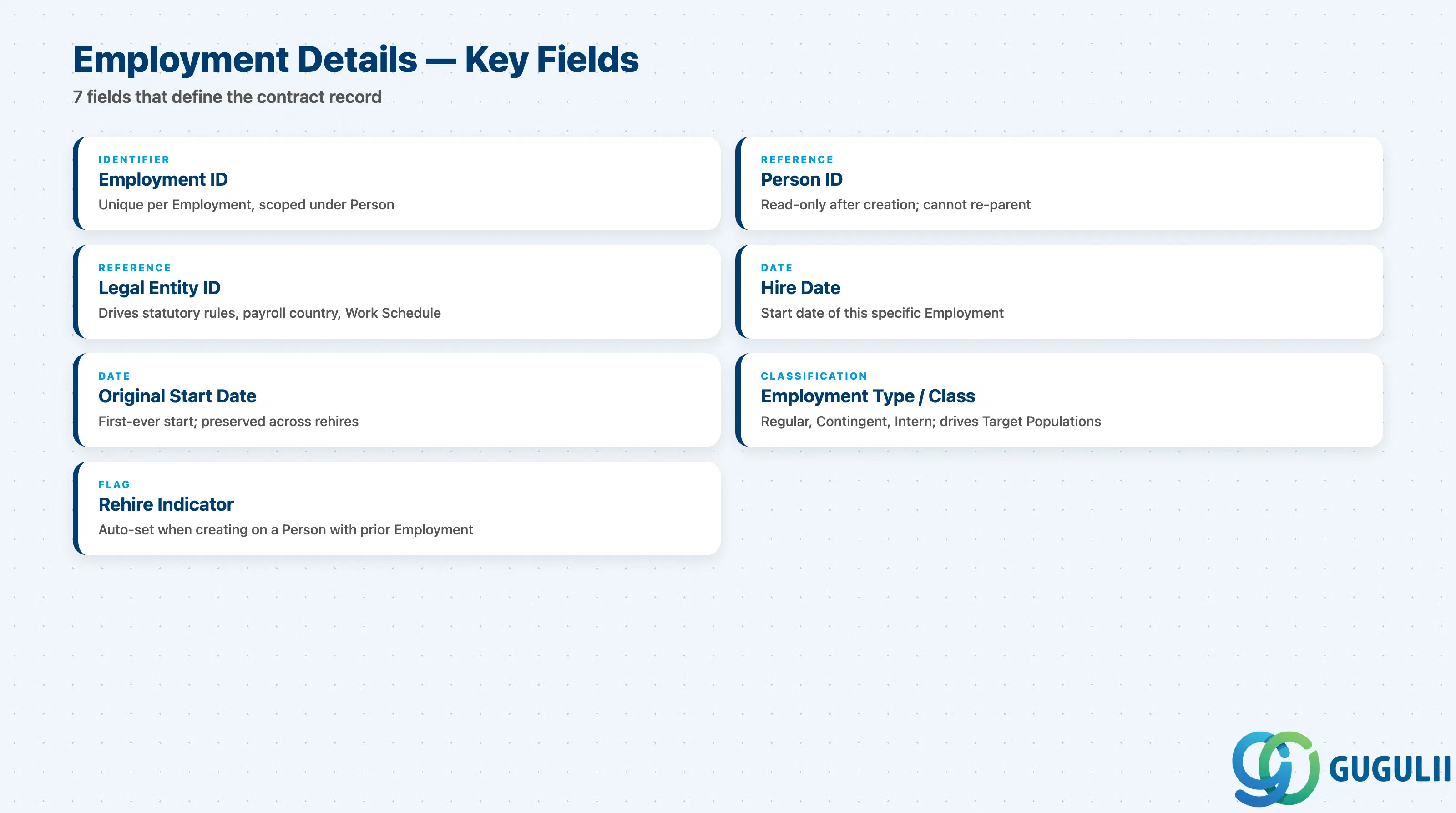
Employment Details is the minimum record an Employment needs to exist — it identifies which Person it belongs to, which Legal Entity it is bound to, and when the relationship began.
| Field | Description | Practical Usage |
|---|---|---|
| Employment ID (User ID / Employment sequence) | Unique identifier for this specific Employment, scoped under its owning Person | The key value Job Information, Compensation Information, and every payroll/time integration payload references. A Person with two concurrent Employments (Global Assignment) has two distinct Employment IDs — integrations must key on Employment ID, never assume one Employment per Person. |
| Person ID (reference) | The Person this Employment belongs to | Read-only after creation in almost all configurations — an Employment cannot be re-parented to a different Person. If an Employment was created under the wrong Person, the standard remediation is deletion and recreation, not a field update. |
| Legal Entity ID (reference) | The Legal Entity this Employment is bound to | Drives which country/region’s statutory rules, payroll country, and Work Schedule defaults apply to this Employment. A Global Assignment’s host Employment typically references a different Legal Entity than its home Employment — see Section 1.3. |
| Hire Date | The date this specific Employment begins | Distinct from Original Start Date below when there is a break in service; drives seniority-sensitive eligibility (benefits waiting periods, vesting) that is calculated per-Employment, not per-Person. |
| Original Start Date | The individual’s first-ever start date with the company, carried forward across rehires | Used for tenure-based calculations that should NOT reset on a rehire (long-service awards, certain pension-plan eligibility) — a common configuration mistake is defaulting this to Hire Date instead of preserving it from a prior Employment. |
| Employment Type / Class | Regular, Contingent, Intern, etc. — see Section 1.2 | Drives which Dynamic Group and Target Population rules this Employment falls into for Compensation, Performance, and Benefits processes; changing it mid-lifecycle (e.g. contractor-to-permanent conversion) is usually modeled as a Job Information event rather than a raw field edit, to preserve an auditable history. |
| Rehire Indicator | Flags this Employment as a rehire of a previously terminated Employment on the same Person | Set automatically when a new Employment is created on a Person who already has a Terminated Employment; downstream reporting uses this to distinguish “new hire” headcount from “rehire” headcount. |
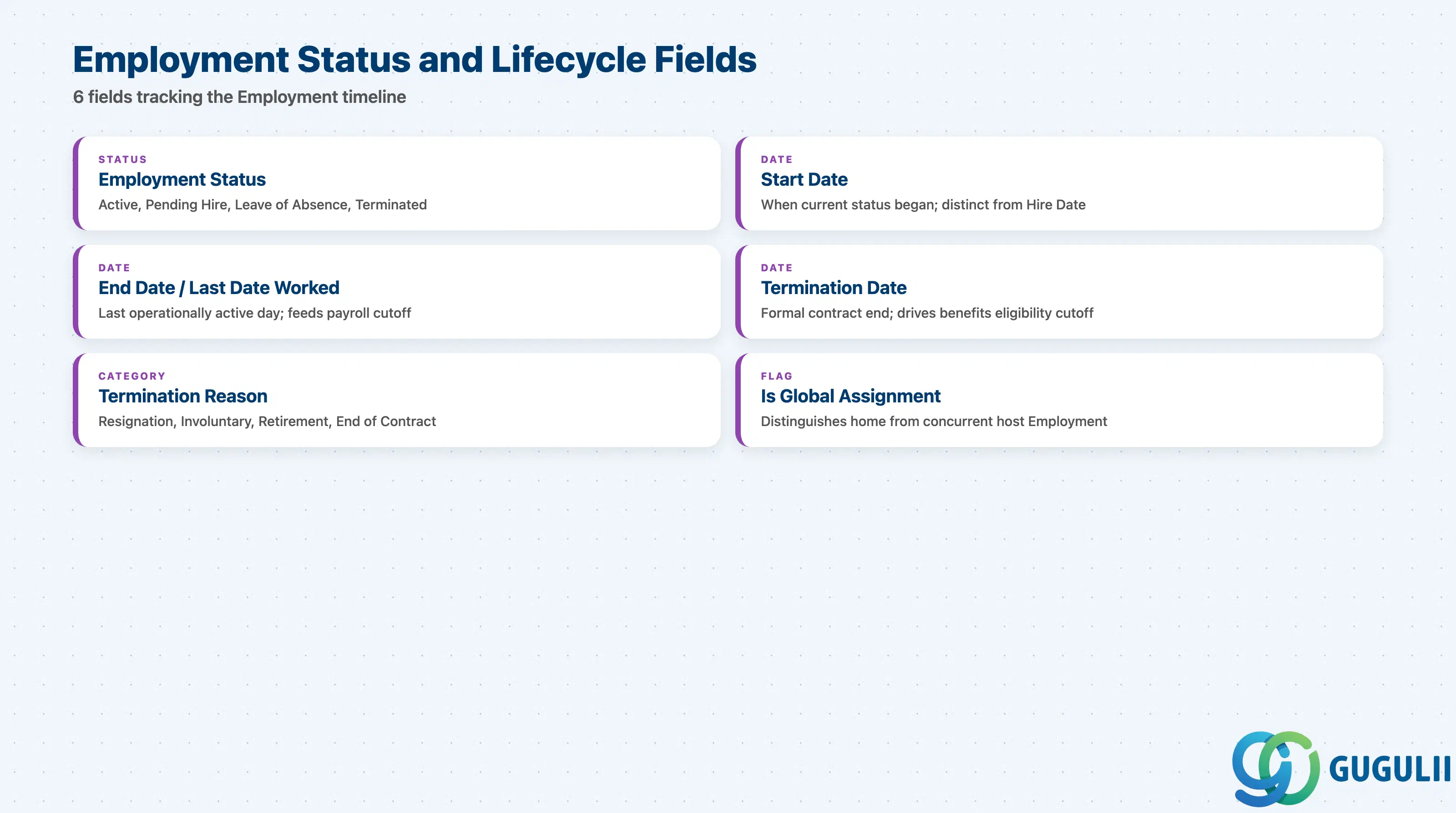
Employment Status and Lifecycle fields track where this specific Employment sits in its own timeline, independent of the Person’s overall history — a Person with two concurrent Employments can have one Active and one Pending Hire at the same time.
| Field | Description | Practical Usage |
|---|---|---|
| Employment Status | Current lifecycle state: Active, Pending Hire, Leave of Absence, Terminated | The single most-filtered field across every downstream integration and eligibility rule (see Section 1.2’s design principle) — “Employment exists” is not the same as “Employment is Active,” and reports must filter explicitly. |
| Start Date (this Employment) | Effective date this Employment’s current status began | Distinct from Hire Date when a status change (e.g. return from Leave of Absence) resets the effective period without creating a new Employment. |
| End Date / Last Date Worked | The last day this Employment is/was operationally active | Feeds payroll cutoff logic and system-access deprovisioning workflows; typically populated automatically by the Termination action rather than edited directly. |
| Termination Date | The formal date this Employment’s contract ends | Drives benefits-eligibility cutoff and final-payroll-run inclusion; may differ from Last Date Worked in jurisdictions with statutory notice periods. |
| Termination Reason | Category of why this Employment ended (Resignation, Involuntary, Retirement, End of Contract, etc.) | Standard input to attrition and headcount analytics; some tenants further tag it Regretted vs. Non-Regretted for talent-retention reporting. |
| Is Global Assignment | Flag distinguishing a home Employment from a concurrent host-country Global Assignment Employment | Used by payroll and tax-residency logic to route this Employment’s compensation and statutory reporting to the correct country; see Section 1.3 for the two-Employment concurrent example. |
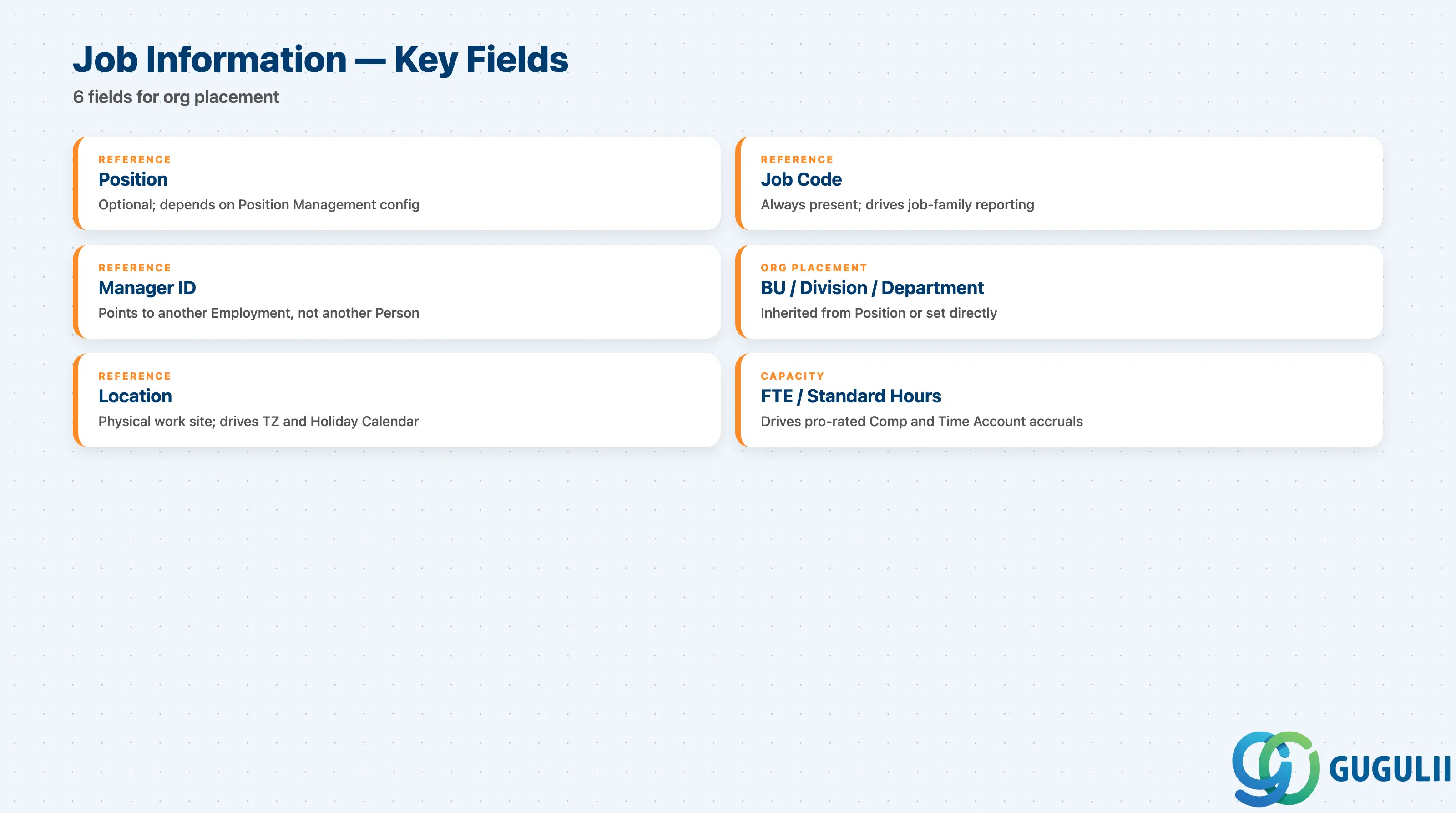
Job Information is Employment’s own effective-dated child record for org placement — every promotion, transfer, or reorg is recorded as a new dated Job Information row under the same Employment, never as a change to the Employment record itself.
| Field | Description | Practical Usage |
|---|---|---|
| Position (reference) | The Position this Job Information assigns the Employment to, where Position Management is enabled | Optional depending on tenant configuration — some SuccessFactors implementations run “position-less,” assigning Job Code + Department directly instead. Confirm which model is in scope before designing the org-hierarchy reporting. |
| Job Code (reference) | The Job Code this Job Information is classified under | Drives job-family-based reporting (compensation benchmarking, EEO-style category reporting) independent of whether Position Management is enabled; always present even in a position-less tenant. |
| Manager ID (reference to another Employment) | The Employment of this Employment’s direct manager | References another Employment, not another Person — in a Global Assignment, the correct manager reference is typically the host-country Employment’s manager, not the home Employment’s. |
| Business Unit / Division / Department (reference) | Organizational placement within the Zone A org hierarchy | Typically inherited from the Position if Position Management is enabled, or set directly on Job Information otherwise; drives Cost Center-based reporting and approval-workflow routing. |
| Location (reference) | The physical work location for this Job Information row | Distinct from the Legal Entity’s registered address — used for time zone defaults, Work Schedule assignment, and local Holiday Calendar resolution. |
| FTE / Standard Hours | Full-time-equivalent percentage or standard weekly hours for this Job Information row | Drives pro-rated Compensation and Time Account accrual calculations; a part-time-to-full-time change is recorded as a new Job Information row, not a Compensation Information change. |
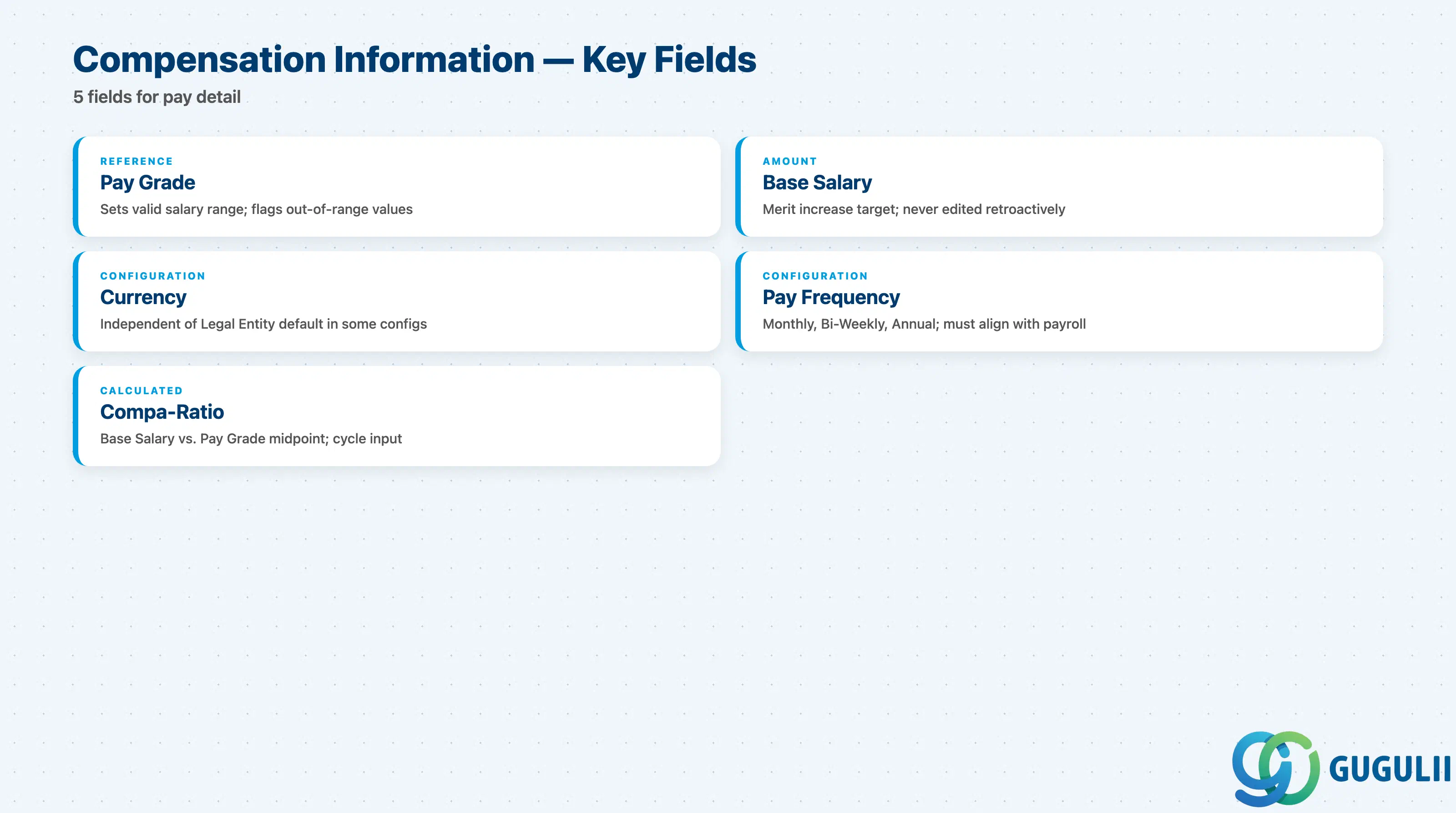
Compensation Information is Employment’s own effective-dated child record for pay — kept structurally separate from Job Information so that a pure salary review (no change in role) doesn’t require touching the org-placement record at all.
| Field | Description | Practical Usage |
|---|---|---|
| Pay Grade (reference) | The Pay Grade this Compensation Information row is assigned to | Sets the valid salary range this Employment’s Base Salary is expected to fall within; Compensation cycle tools flag out-of-range values against this reference automatically. |
| Base Salary | The recurring base pay amount for this Compensation Information row | The figure most Compensation cycle “merit increase” logic reads and writes back to as a new dated row — never edited retroactively on a past row, since that would corrupt payroll and audit history. |
| Currency | The currency Base Salary is denominated in | Independent of the Legal Entity’s Default Currency in some multi-currency configurations (e.g. a host-country Global Assignment paid in home-country currency); confirm the currency-conversion rule with Payroll before compensation-cycle go-live. |
| Pay Frequency | How often Base Salary is paid out (Monthly, Bi-Weekly, Annual, etc.) | Must align with the Legal Entity’s statutory payroll cycle; mismatches between Pay Frequency here and the actual payroll run schedule are a common integration defect. |
| Compa-Ratio | Base Salary expressed as a ratio against the Pay Grade’s midpoint | A standard Compensation-cycle input used to flag under- or over-paid positions relative to grade; calculated, not manually entered, in most tenants. |
| ID | Category | Title |
|---|---|---|
| sf-001 | Overview | What is SAP SuccessFactors? |
| ID | Category | Title |
|---|---|---|
| sf-b01 | Overview | SAP SuccessFactors Transactions: Process Flow, Hierarchy & Relationships |